


























What should I know about hiring a 'Jira' expert to manage my projects?
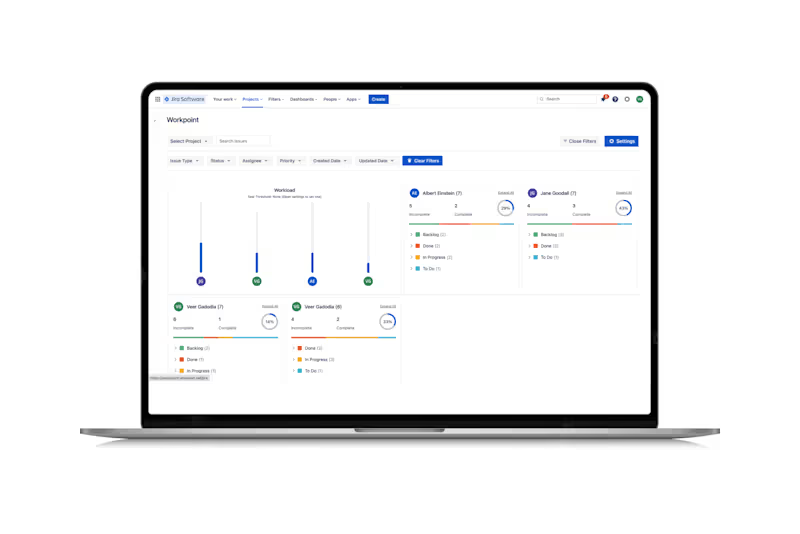
When hiring a Jira expert, consider their experience in similar projects. Look for someone who understands how to use Jira to organize tasks and track progress. They should help you set up dashboards and automate workflows to make the project run smoothly. Make sure they can explain how they will keep everyone up to date using Jira.
How do I make sure the deliverables are clear when hiring a 'Jira' expert?
Discuss with the Jira expert what you want to achieve. Write down the specific tasks and goals you need to meet. Agree on how often you will get updates and reports. Make sure you are both clear about what 'done' looks like for each part of the work.
What should I ask about a 'Jira' expert's previous experience?
Learn about the projects they have managed before using Jira. Ask about any challenges they have solved with Jira. This will help you see if their experience matches your project needs. It's great if they can share examples of successful Jira setups they have done.
How can I assess a 'Jira' expert’s technical skills?
Request a demonstration of their Jira skills. They can walk you through sample projects or setups they have done. Ask them to explain how they would handle specific tasks in Jira. This will help you understand their capability to meet your project's needs.
What communication plan should I have with a 'Jira' expert?
Decide how you’ll communicate with your Jira expert from the start. Set regular check-ins to discuss progress. Use Jira’s built-in tools like comments and notifications to stay in touch. Clear communication ensures the project stays on track.
What should I discuss about timelines with a 'Jira' expert?
Together, create a timeline for your project in Jira. Break down the work into smaller tasks with deadlines. Make sure the expert understands when each deliverable is due. Clear timelines help prevent delays and keep your project moving forward.
How do I ensure a smooth start to the project with a 'Jira' expert?
Begin by outlining all the details of your project in Jira. Include schedules, tasks, and any necessary resources. Have a kickoff meeting to review the plan and ensure everyone understands their roles. This helps get the project off to a strong start with clear expectations.
What should I know about customizing Jira for my project needs?
Ask the Jira expert how they will tailor Jira to fit your project's specific needs. They should be able to customize workflows, dashboards, and reports. Make sure they explain how these changes will improve your team's efficiency. Custom setups are key to maximizing Jira's benefits for your project.
Why is it important to align on goals with a 'Jira' expert?
Discussing your project goals with the expert ensures you are on the same page. This helps the expert set up Jira in a way that best supports your objectives. Clear goals enable more focused work and better results. Aligning on goals leads to better collaboration and a successful project.
Who is Contra for?
Contra is designed for both freelancers (referred to as "independents") and clients. Freelancers can showcase their work, connect with clients, and manage projects commission-free. Clients can discover and hire top freelance talent for their projects.
What is the vision of Contra?
Contra aims to revolutionize the world of work by providing an all-in-one platform that empowers freelancers and clients to connect and collaborate seamlessly, eliminating traditional barriers and commission fees.