


























How do I define the scope of my project when hiring a Google Sheets expert?
Start by listing what you need the expert to do. Include details like data analysis, creating dashboards, or setting up formulas. This helps the freelancer understand your project better and ensures you both agree on goals.
What details should I discuss with the Google Sheets expert before starting?
Talk about what you want them to achieve, deadlines, and any specific tools or features you want to be used. Discussing these helps the freelancer plan their work. It also ensures that your expectations align.
How can I set clear expectations for project deliverables with a Google Sheets expert?
Write down what you want the final product to look like. Make sure to include examples if possible. This helps the freelancer understand exactly what you want done.
What should I do to review the progress of my project with the Google Sheets expert?
Schedule regular check-ins or updates. This can be done weekly or when milestones are reached. It keeps both you and the expert on the same page about progress.
How do I ensure good communication with the Google Sheets expert?
Decide on a communication tool, like email or messaging apps. Agree on how often you’ll check-in. This makes it easier to keep each other updated and solve any problems quickly.
What should I include in the contract with a Google Sheets expert?
Make sure it lists all tasks, deadlines, and payment terms. Also, include what happens if changes are needed. A clear contract helps prevent misunderstandings.
How can I agree on the timeline for my project with a Google Sheets expert?
Discuss and agree on when each part of the project will be done. Make sure these deadlines are realistic for both of you. This helps ensure a smooth flow of work.
How do I assess if a Google Sheets expert's style matches my project needs?
Ask to see examples of their past work. Check if their style matches what you have in mind. This helps you understand if they can deliver what you envision.
How can I collaboratively work with a Google Sheets expert?
Use tools that let both of you edit the spreadsheet at the same time. This allows you to make real-time changes and give immediate feedback. It encourages teamwork throughout the project.
Who is Contra for?
Contra is designed for both freelancers (referred to as "independents") and clients. Freelancers can showcase their work, connect with clients, and manage projects commission-free. Clients can discover and hire top freelance talent for their projects.
What is the vision of Contra?
Contra aims to revolutionize the world of work by providing an all-in-one platform that empowers freelancers and clients to connect and collaborate seamlessly, eliminating traditional barriers and commission fees.
Explore Google Sheets Data Integration projects on Contra


















Top services from Google Sheets freelancers on Contra
Google Sheets
Web Designer
Data Visualizer
+2
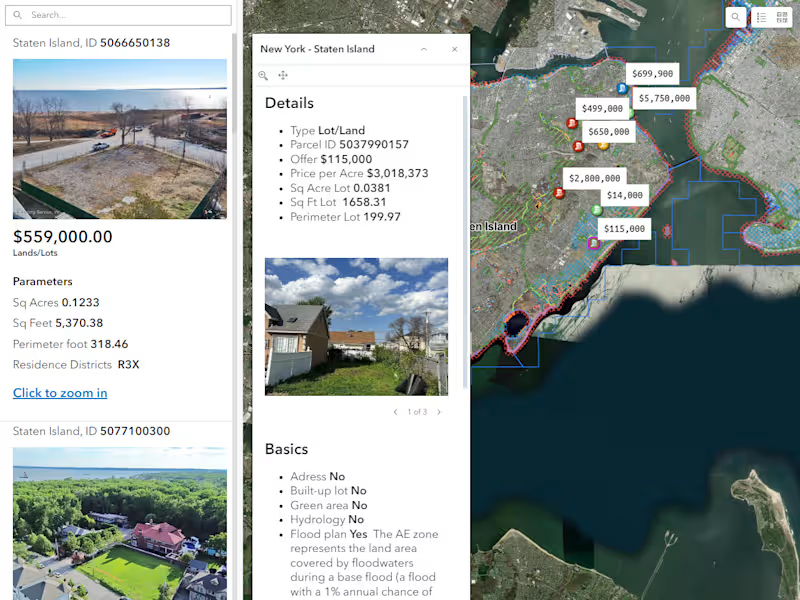
I'll do interactive web map locations for your website
Contact for pricing


Google Docs
Data Entry Specialist
Google Sheets
+3
Data Entry - Precision in Entry Excellence
Contact for pricing

Google Docs
Technical Writer
Content Writer
+4
Technical Content Writing
$5,600/mo