




















What should I look for in a LinkedIn expert's profile?
Check if the expert has a strong LinkedIn profile. Look for many connections and endorsements. They should have good recommendations and relevant industry experience. This shows they know how to use LinkedIn well.
How do I decide what deliverables I need from a LinkedIn expert?
Think about your goals on LinkedIn. Do you need new connections or more engagement? Discuss with the expert what success looks like for you. They can help you choose the right deliverables.
What is a good way to start a project with a LinkedIn expert?
Begin with a clear discussion about your needs. Agree on the goals and steps you will take. Set clear deadlines for each part of the project. This keeps everyone on the same page.
How can I measure the success of the LinkedIn project?
Decide what success means for you. It could be more followers or new business leads. Track these metrics with the expert regularly. This helps you see if the project is on track.
How do I communicate my brand to a LinkedIn expert?
Share your brand's story and values. Provide examples of your past LinkedIn posts you liked. Be clear about the message you want to send. This helps the expert tailor content to fit your brand.
What types of content should we focus on creating for LinkedIn?
Work with the expert to decide on content types. This could include articles, posts, or videos. Choose types that suit your brand and goals. Good content helps engage your audience.
How do I ensure the LinkedIn expert aligns with my business goals?
Have a detailed talk about your business goals. Ensure they understand your industry and audience. Ask them how they'd align LinkedIn strategies to your goals. This ensures they are the right fit.
What should a LinkedIn expert do to improve my profile?
They should enhance your profile's summary and skills. Add relevant experiences and accomplishments. They might suggest visual enhancements like a better profile photo. A strong profile attracts more attention.
How often should I expect to see updates from the LinkedIn expert?
Decide on a regular update schedule together. It could be weekly or bi-weekly. Updates help track progress and make necessary adjustments. This ensures the project stays on track.
What information should I provide before starting a project?
Provide access to your LinkedIn profile. Share your business goals and competitors. Give examples of the kind of audience you want to reach. This helps the expert craft a suitable strategy.
Who is Contra for?
Contra is designed for both freelancers (referred to as "independents") and clients. Freelancers can showcase their work, connect with clients, and manage projects commission-free. Clients can discover and hire top freelance talent for their projects.
What is the vision of Contra?
Contra aims to revolutionize the world of work by providing an all-in-one platform that empowers freelancers and clients to connect and collaborate seamlessly, eliminating traditional barriers and commission fees.
Explore LinkedIn Blogging Platforms projects on Contra
















Top services from LinkedIn freelancers on Contra


Google Analytics
Researcher
Ghostwriter
Ghostwriting (Articles, eBooks, Blog posts)
Contact for pricing


Canva
Content Writer
Content Creator
I'll Create a One-Month Social Media Content Package for you.
$1,000/mo

Buffer
Social Media Marketer
Social Media Manager
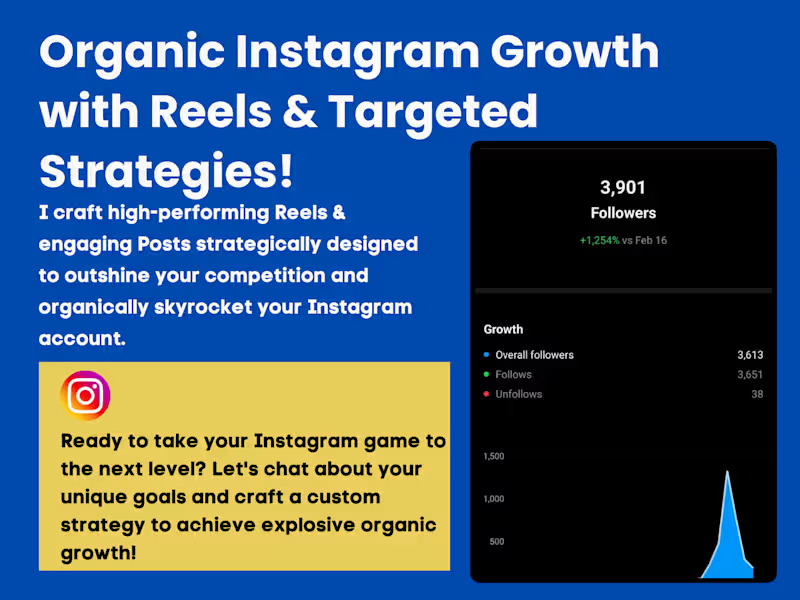
Social Media Management & Growth Strategies
Contact for pricing