Freelancers using NotebookLMFreelancers using NotebookLMThe SaaS Video Stack
We work on a lot of video for SaaS, cybersecurity, and B2B tech.
One thing we see pretty often: a team knows they need video, but isn’t quite sure which one to make first.
A demo?
An explainer?
A brand film?
Testimonials?
Usually, the answer starts somewhere else:
Where is the buyer you’re trying to reach?
If they’re discovering you for the first time, you’re playing a different game than you are with someone who has already seen the product and is deciding whether to buy.
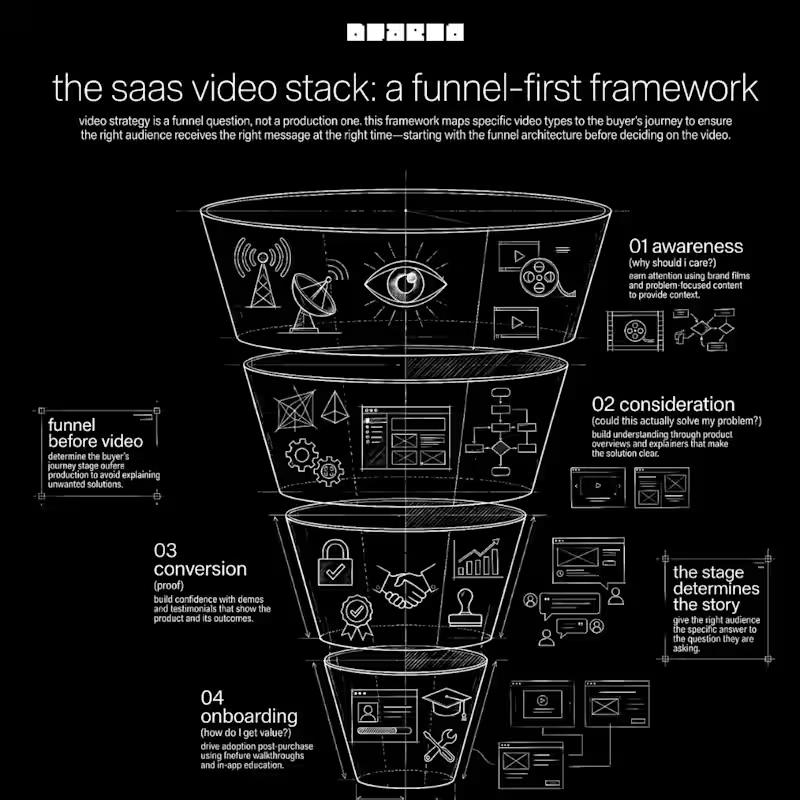
That’s how we tend to think about the stack.
01 - AWARENESS
Top of Funnel
→ Brand / Story Film
→ Social Clips
→ Thought Leadership
→ Problem-focused Content
This is about giving people a reason to stop, pay attention and understand what you’re about.
02 - CONSIDERATION
Middle of Funnel
→ Explainers
→ Product Overviews
→ Feature Videos
→ Use-case Content
Now they’re trying to understand the thing.
What does it do?
Who is it for?
How does it fit into the problem they’re trying to solve?
03 - CONVERSION
Bottom of Funnel
→ Product Demos
→ Customer Testimonials
→ Case Studies
→ Comparison / FAQ Videos
At this point, clarity needs to turn into confidence.
Show the product. Show the outcome. Bring in customers who have already made the decision.
04 - ONBOARDING
Post-purchase
→ Getting Started
→ Feature Walkthroughs
→ How-to Videos
→ In-app Education
And then there’s the part after the sale.
A good onboarding video can answer the same question 500 times without anyone on the team having to answer it 500 times.
One thing we’d push back on: jumping straight into a product demo because the product is the thing everyone is excited about.
Making a demo before you have a brand story is like sending a sales deck before a cold email.
The demo can be great. The timing can still be wrong.
If someone doesn’t understand who you are, what problem you solve, or why they should care yet, there’s some groundwork to do first.
A good SaaS video library is built around the buyer journey, with each piece created for a specific audience, stage and purpose.
That’s the part worth figuring out before anyone opens Premiere. Title: AI Content Generation Toolkit
Post text:
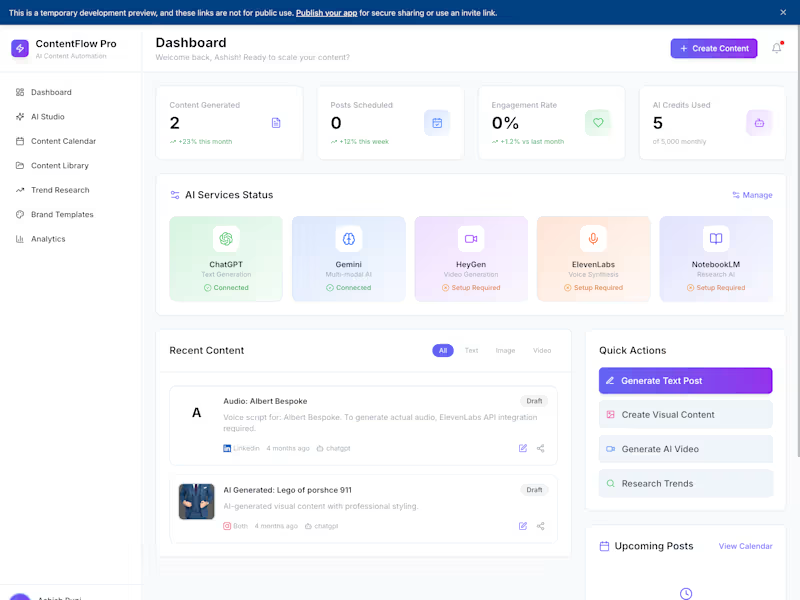
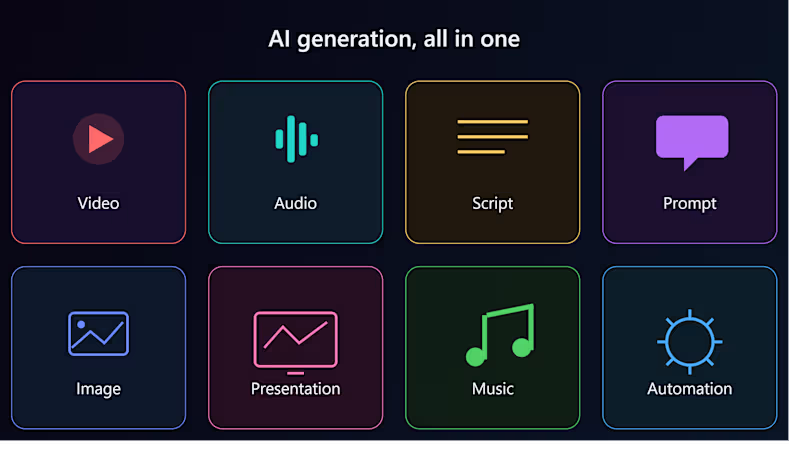
I use AI tools to create content across formats — video, audio, scripts, prompts, images, presentations, and music. As a CS student passionate about AI, I've explored 20+ AI tools and built a workflow for turning ideas into finished digital content quickly, using the right tool for each job (script writing, prompt engineering, image/video generation, voice/music synthesis, and slide decks). I can help clients generate content fast without sacrificing quality. The Supply Chain Beneath the Supply Chain
Evidence-Based Supply Chain Risk Research
How hidden upstream dependencies can make a diversified supply chain much less resilient than it appears.
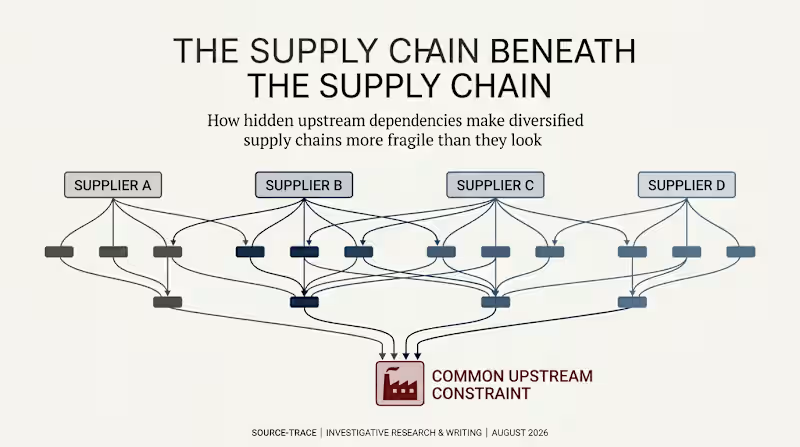
A company can have four suppliers for the same critical component and still have a serious supply problem.
Why?
Because those four suppliers may depend on the same upstream material, manufacturing process, piece of equipment, or geographic region.
That is the question behind this SourceTrace research project:
When we look beyond the suppliers we can see, how many genuinely independent supply routes are actually left?
What I investigated
I looked beyond the usual Tier-1 supplier view and traced where critical dependencies can come together further upstream.
The research examines:
Why having more suppliers does not always mean having more independent supply routes
How several suppliers can share the same hidden upstream dependency
Semiconductor supply chains and concentrated manufacturing equipment
Pharmaceutical supply chains and concentrated upstream inputs
How one upstream disruption can affect many companies at the same time
Why technology lock-in, qualification requirements, capital costs and geography create hidden bottlenecks
When deeper supply-chain research is worth the time and money
What boards and risk teams should ask before assuming a supply chain is truly diversified
The research approach
I did not try to map every company and every supplier in a global supply chain.
Instead, I used selective depth.
The idea is simple:
Keep tracing a critical dependency until the information can change a real decision — such as finding another supplier, increasing inventory, redesigning a component, or accepting the risk.
The research was then turned into dependency maps, evidence cards, industry examples, comparison tables and practical questions for decision-makers.
The central finding
Supplier count is not the same as dependency count.
Four suppliers may look safer than one.
But if all four ultimately depend on the same upstream constraint, the apparent diversification can disappear when that constraint fails.
This is what I call common-mode exposure: different suppliers can be affected by the same problem because they share part of the same upstream system.
What I created
Evidence-based research paper
Multi-tier supply-chain dependency maps
Semiconductor and pharmaceutical case analysis
Supply-chain risk framework
High-value vs. low-value mapping matrix
Executive and board-level questions
Visual evidence cards and comparison tables
SourceTrace research methodology
My role
Researcher + Investigative Writer
I researched the evidence, followed the dependencies beyond the obvious supplier relationships, tested the assumptions behind conventional diversification, and turned the findings into clear, visual and decision-focused research.
The goal was not to make the supply chain look more complicated.
It was to show where the real dependency sits.
SourceTrace principle: Truth before persuasion. Evidence before opinion.