Freelancers using Telegram API in India
Sign Up
Post a job
Sign Up
Log In
Filters
2
Projects
People
7 Seers™
pro
India
Product studio for startups, apps, dashboards, and AI.
$10k+
Earned
8x
Hired
5.0
Rating
48
Followers
expert
Follow
Message
Product studio for startups, apps, dashboards, and AI.
0
Autonomous AI SEO Agent for Sabai Health
2
0
24
0
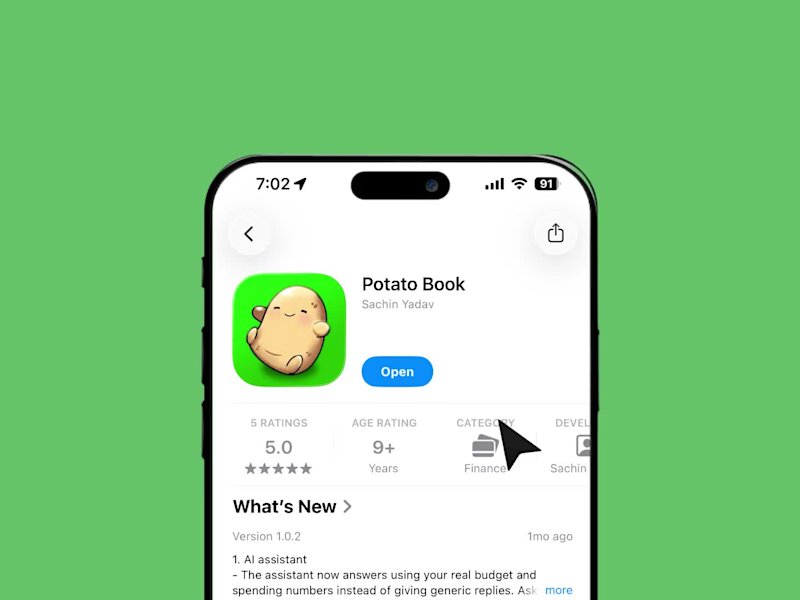
PotatoBook: Designing a Budgeting App People Don't Avoid
1
0
9
1
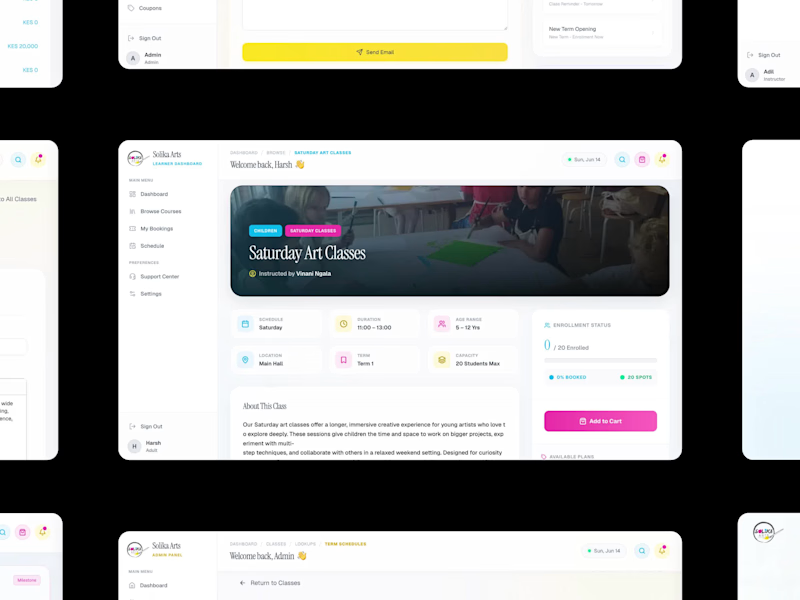
Solika Arts: Multi-Portal SaaS Platform for an Art School
2
1
18
1
Vaulta: Brand Identity for a Fintech Wealth Platform
1
18
Telegram API
(1)
Follow
Message
Empiric Infotech LLP
max
Surat, India
AI & FlutterFlow Developer | Voice AI, n8n, Firebase
$10k+
Earned
2x
Hired
5.0
Rating
38
Followers
Agency
Certified
Follow
Message
AI & FlutterFlow Developer | Voice AI, n8n, Firebase
1
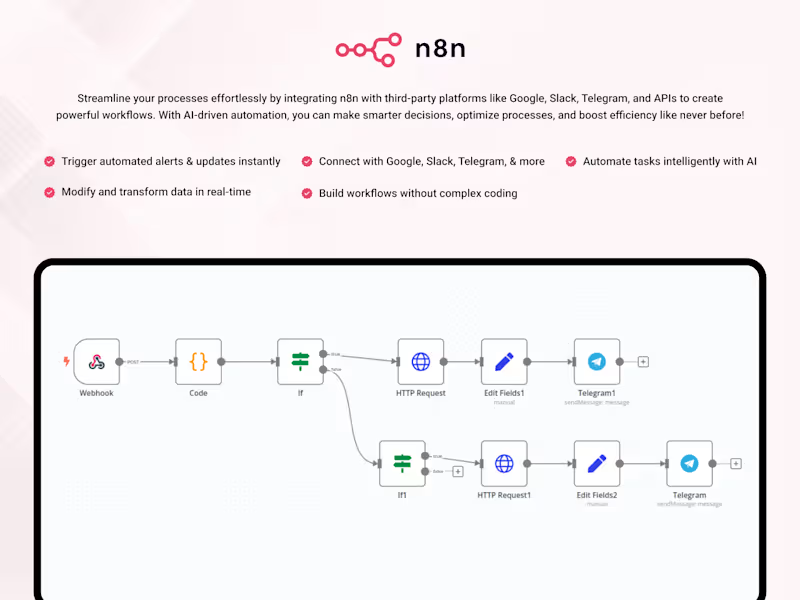
n8n Automation – No-Code Workflow & Integration System
1
22
0
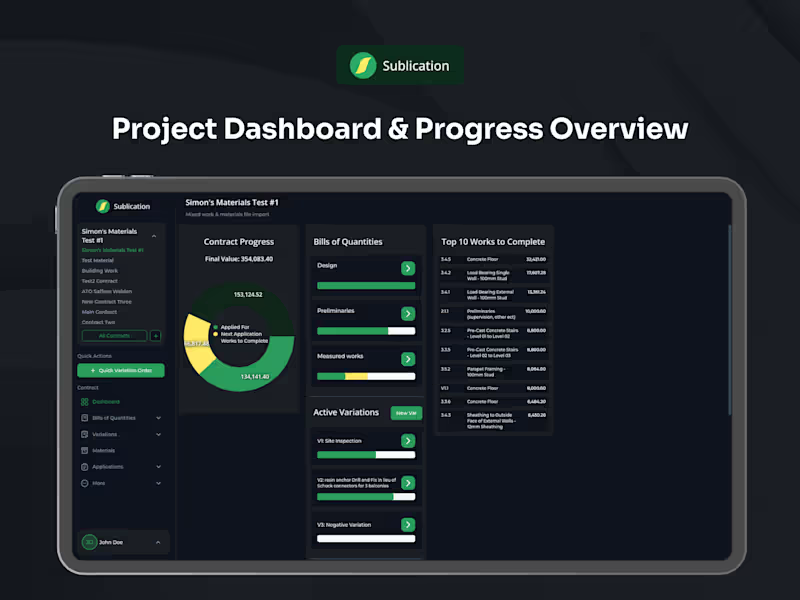
Development of Sublication Construction Management Platform
0
13
2
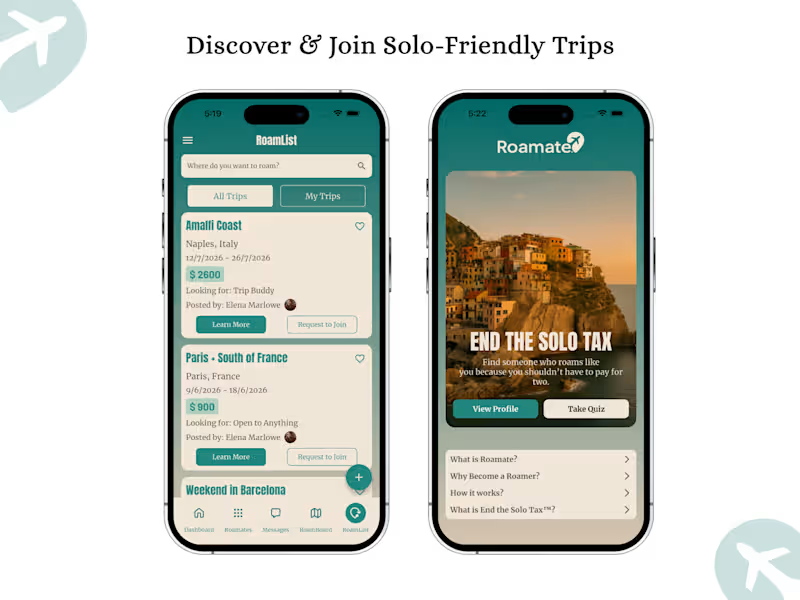
Roamate™ – FlutterFlow Solo Travel App Development
2
32
0
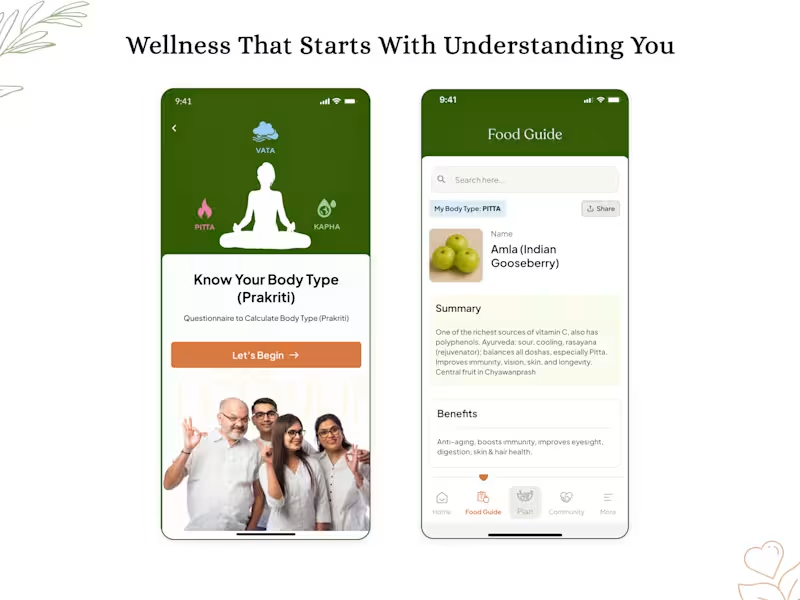
My Ayur – Personalized Ayurvedic Wellness App
0
25
Telegram API
(1)
Follow
Message
Vince Swu
pro
Dimapur, India
Full-Stack Engineer | AI & Security | 6+ Years of Experience
1x
Hired
5.0
Rating
38
Followers
Follow
Message
Full-Stack Engineer | AI & Security | 6+ Years of Experience
2
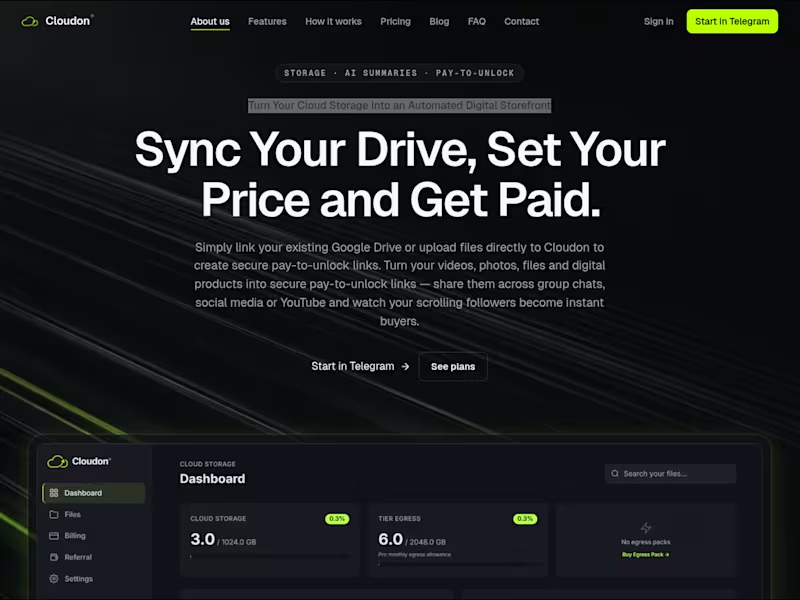
Cloudon: Backend & Telegram Bot
2
3
4
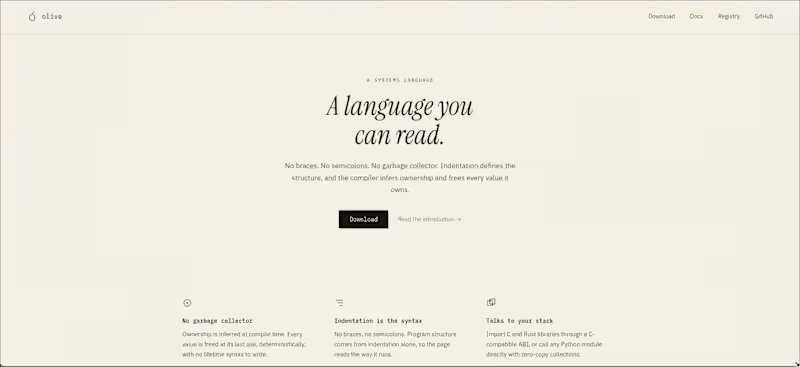
I just deployed my Programming Language's website and I have to say I'm pretty much satisfied with how it turned out. Check it out here: https://olive.ecnivs.com
2
4
255
2
The Olive Programming Language
2
10
2
Speaker-Aware AI Voice Assistant Development
2
6
Telegram API
(1)
Follow
Message
Prem Patel
pro
India
Make.com Level 5 & Zapier Expert: AI and Ops Automation
Follow
Message
Make.com Level 5 & Zapier Expert: AI and Ops Automation

1
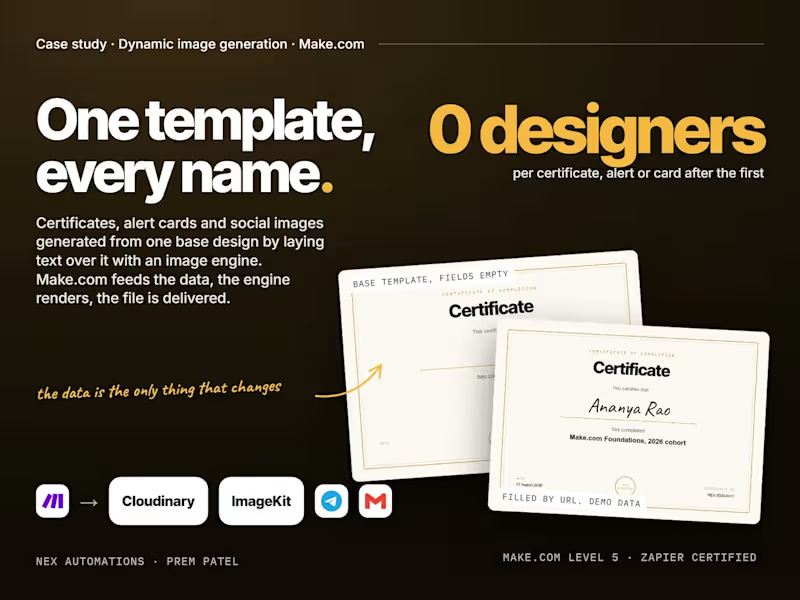
How do you generate a thousand certificates, alert cards or social images from one Canva template without a designer touching each one? Lay the text over the base by URL. The certificate in the image was made exactly that way, demo data, no editor opened. The pattern: 1. Export the template once with the dynamic fields empty. Name, course, date and ID are blank on the base. 2. Upload the base to an image engine. Cloudinary and ImageKit both build images from a URL: base image plus text layers with font, size, colour and position in the address itself. Bannerbear, APITemplate and Placid do the same from a saved template with named fields. At very high volume a self-hosted Sharp service does it for the cost of a small server. 3. Make.com fills the URL. A Sheet row, a form submission or a webhook supplies the fields; the scenario URL-encodes them and assembles the address. 4. Verify before you send. Fetch the image, check it is not empty and the text landed, then deliver by email, Telegram, WhatsApp or back into the record. 5. Keep the data as the only variable. The design never changes per record, so a template fix applies to every future image at once. Five things that bite. Encoding: a comma or slash in a name breaks the URL unless the text is double-encoded. URL length: long layers need a named transformation instead of an inline one. Fonts: engines ship a fixed list, Cloudinary's text layers accept Caveat and Arial and Inter is not on it, so upload a custom font or pick a supported one before the client sees the mockup. Wrapping: set a max width on every text layer or a long name walks off the card. Cost at volume: URL rendering is cheap per image and billed on transformations and bandwidth, so check the plan before a 10,000-certificate cohort. The production version of this pattern is the alert-card pipeline that has run 24/7 for a research analyst since 2025: every TradingView signal ships to Telegram as a branded image. The full case study, with the live URL you can edit and re-render, is on my profile. Prem Patel, Nex Automations. Make.com Level 5 certified, official Make partner, Zapier Certified Expert.
1
154
1
How do you get TradingView alerts into Telegram in under 2 seconds, 24/7, without losing or doubling a signal? The pipeline is easy to describe and hard to keep alive. Four traps decide it. The shape: TradingView fires a webhook, Make.com catches it, formats the message the way the channel wants it, and posts it. Capture to post in under 2 seconds, around the clock, no human in the loop. That is the scenario in the image, running for a registered research analyst since 2025. 1. The 3-second window. TradingView gives a webhook receiver about 3 seconds to respond. A slow receiver loses the alert and nothing anywhere tells you. Fix: acknowledge instantly, process afterwards, never inline. 2. Telegram's rate cap. A channel takes roughly 20 messages a minute. One volatile candle across several symbols can fire more than that, and the extras vanish silently. Fix: a per-channel queue that preserves order and releases under the cap. 3. Duplicates. Retries and repeated triggers post the same signal twice unless every alert carries a dedupe key. Two identical entries in a row is how a channel loses trust in one afternoon. Fix: a key built from symbol, signal and bar time, checked before every send. 4. Silent death. The worst failure is the pipeline stopping while you assume it is posting. Fix: every run logged, every failure alerting you on a separate channel within seconds, and a heartbeat so silence itself raises an alarm. One more for Indian channels: if the channel belongs to a SEBI-registered adviser, promotional messages need the registration number leading the message and you need retrievable send records. That is a formatting and logging problem, so the pipeline handles it. Branded alert images instead of plain text are the same pipeline with one extra step: an image engine lays the signal over a base card by URL, so every alert ships as a picture. That build is its own case study on my profile. The full case study is on my profile, and the delivered version (I install it on your Make.com account, with your templates, queue, dedupe, alerting and a send log) is the TradingView product on my services page. Prem Patel, Nex Automations. Make.com Level 5 certified, official Make partner, Zapier Certified Expert.
1
193
1
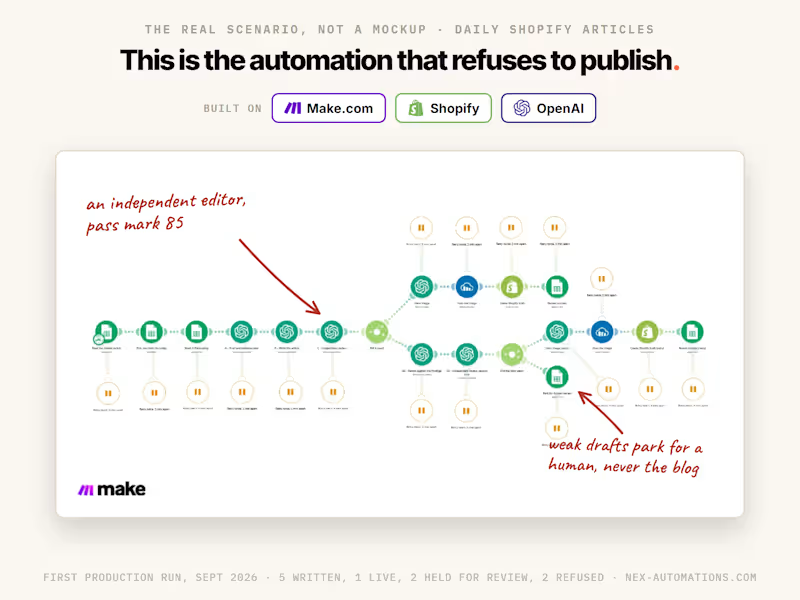
What does it take for an AI-written article to read like an editor produced it? A process, not a prompt. Below is the one we run in production, the picture is the actual Make.com scenario behind it, and this is who it is for. Who should read this: store owners and marketing leads who publish weekly and are tired of content that sounds like everyone else's AI, agencies delivering articles for clients who can tell the difference, and founders writing their own blog at midnight because they do not trust anyone else with their voice. The process, step by step: 1. Voice before content. We build a voice profile from 3 to 5 pieces of your real writing: on-voice and off-voice examples, your terminology, your closing line. "Friendly and professional" is not a voice. Your actual sentences are. 2. Memory before topics. Everything you already published gets indexed by search intent, and every new topic is checked against it. Two differently titled articles that answer the same search are the same article, and search engines punish you for both. 3. A brief before a draft. Each topic becomes a plan first: the reader's real question, a direct answer for the top of the piece, question-shaped sections that mirror what people actually type, and a list of facts that are safe to assert versus claims to avoid. This structure is also what earns citations in AI answers, which is the GEO and AEO half of the job. 4. Realism enforced in both directions. Inventing facts fails. So does the cowardly opposite, an article that explains how to choose without ever choosing. A guide that names nothing has not answered its question, and our editorial pass blocks both failure modes. 5. An independent editor, then a human. Every draft is graded by a separate AI step with its own prompt across 8 quality dimensions, pass mark 85, before I review it myself. You only ever see drafts that cleared both. In its first production month the editor blocked drafts rather than lower the bar, which is exactly what you want it to do. 6. Links with a job. Internal links placed early, middle and end, pointing at pages that survive (collections and guides, not products that sell out), tagged so clicks can be traced to what they earn. The length is yours to set, with an 800-word floor so nothing thin ever ships. Blogs, newsletters, LinkedIn articles and help-centre pages all run through the same desk. This now exists as a service on my profile: Brand-Voice Articles, $50 an hour with the honest math printed in the listing (most articles take 2 to 3 hours end to end). The system build behind it is there too for anyone who wants it running unattended in their own accounts. If you publish weekly: which of these six steps is missing from your current process? That answer is usually where the quality leaks.
1
12
1
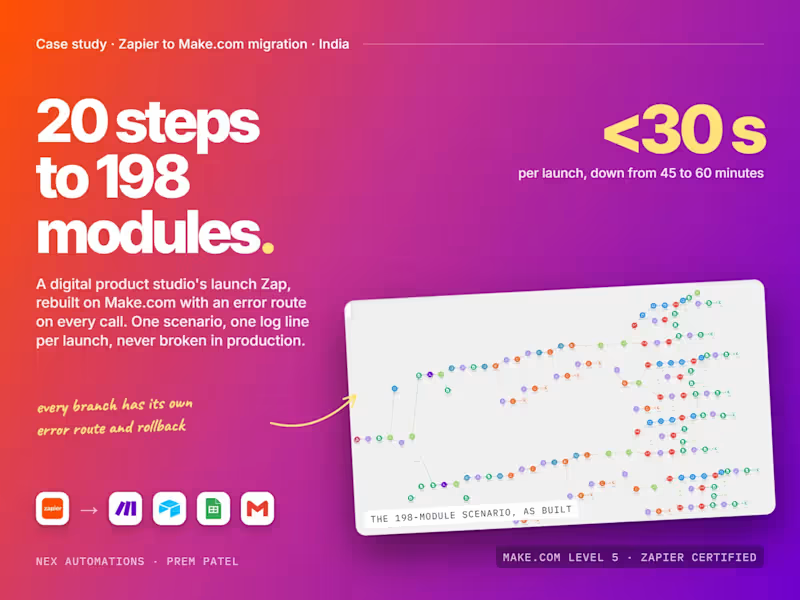
When should a Zapier workflow move to Make.com, and what does a clean migration look like? Five signals say move, and one 198-module rebuild shows the shape. Zapier is the right start for most businesses: fast to build, hard to break, for simple links between apps. It stops being right when one of these shows up. 1. The Zap has no error path. Zapier stops the run and emails you. If a launch, an invoice or an order depends on it, that email arrives after the customer noticed. 2. You are paying per task for loops. Iterating over 50 products or 500 rows costs 50 or 500 tasks. Make.com charges per operation too, but iterators, aggregators and routers let one scenario do what took a chain of Zaps. 3. Logic lives in six places. A rule change means editing six Zaps and hoping you found them all. 4. You need branching by case. Filters and Paths get you part way; routers inside one canvas get you the whole way, with every branch visible. 5. Nobody can explain it. If the person who built the chain of Zaps left, you are renting a mystery. The rebuild in the image: a digital product studio's launch ran through a 20-step Zap with no error handling. Every launch took 45 to 60 minutes of babysitting. It became one 198-module Make.com scenario. Launches now complete in under 30 seconds and the scenario has held 99.9% uptime. How a migration like that is done, in order. First, map every Zap, including the ones nobody remembers; the map is the spec. Second, group by trigger, not by app: one trigger becomes one scenario with routers by case. Third, put an error route on every external call: retry with backoff, then park the record with the reason and alert a human. Fourth, run both in parallel for a week, compare outputs, then switch the trigger off in Zapier. Fifth, hand over documentation of every path and every failure mode, on an account the client owns. The full case study, with the canvas at full size, is on my profile. If your Zapier account has one of the five signals above, the 5-day audit and migration on my services page starts with the map. Prem Patel, Nex Automations. Make.com Level 5 certified, official Make partner, Zapier Certified Expert.
1
177
Telegram API
(2)
Follow
Message
Krish Maity
Delhi, India
Turning ideas into web apps, bots and solutions
Follow
Message
Turning ideas into web apps, bots and solutions

1
Solana Volume Bot Development
1
6
0
GitHub - ktshacx/StoreFlow: Easy to use store management and re…
0
5
1
SeiPAD - Decentralized Token Platform Development
1
2
View more →
Telegram API
(1)
Follow
Message
Abhin M Raj
Thiruvananthapuram, India
AI & Automation Developer | Chatbots, SaaS, Web
New to Contra
Follow
Message
AI & Automation Developer | Chatbots, SaaS, Web
1
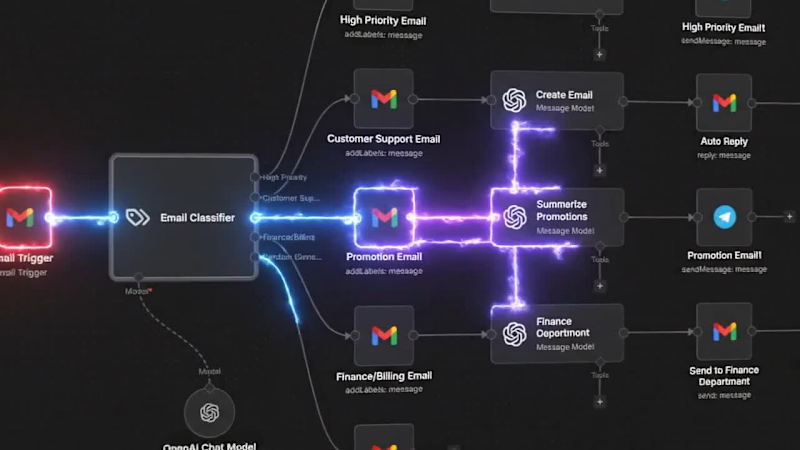
AI Email Automation System (Gmail → AI → Telegram / WhatsApp) Overview: I built an AI-powered email automation system that reads, understands, and acts on incoming emails automatically. It sends real-time updates via Telegram or WhatsApp, eliminating manual work and improving response speed. Problem: Managing emails manually takes 5–8 hours daily. Important emails get missed, responses are delayed, and repetitive tasks reduce productivity. Solution: I developed a fully automated workflow using n8n that processes emails in real time and performs intelligent actions using AI. Workflow: Gmail → AI Classifier → Smart Routing → Automated Actions → Telegram / WhatsApp Notifications Features: • AI classifies emails (High Priority, Support, Promotions, Finance, General) • Automatic replies for customer support emails • Summarization of promotional emails • Finance emails forwarded to the right person • Real-time alerts via Telegram or WhatsApp • Fully automated system (no manual work) Results: • Saved 50–70 hours per week • 40% faster response time • 200+ emails handled automatically per day Tech Stack: • n8n (automation) • OpenAI API (AI processing) • Gmail API • Telegram Bot API • WhatsApp API (via Twilio / Meta) Outcome: This system transforms email management from manual work into a fully automated AI-driven process. Call to Action: I can build a similar custom automation system for your business in 2–5 days, including Telegram or WhatsApp integration.
1
144
3
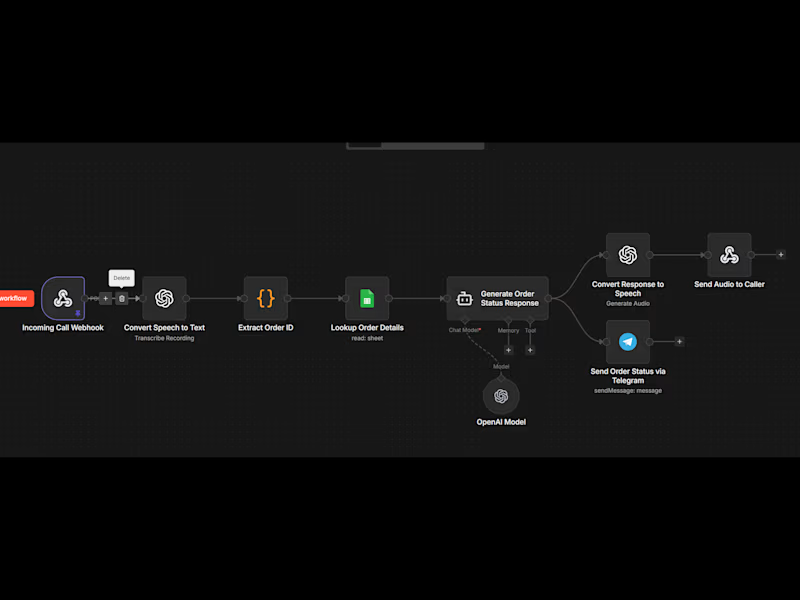
Are you or your team still spending hours answering the same customer questions like “Where is my order?” I build smart AI automation systems that handle these repetitive queries instantly—so you can save time, reduce workload, and focus on growing your business. Using tools like n8n and AI models, I create custom workflows that automatically process customer requests, extract key information (like order IDs), fetch real-time data from your database, and generate accurate responses without human involvement. For example, a customer can ask about their order, and the system will instantly check the status and respond—no manual effort needed. This can be extended to multiple use cases such as customer support, lead handling, notifications, and more. Each system is fully customizable based on your business needs, whether you want integrations with Google Sheets, APIs, messaging platforms, or internal tools. What You Get Custom AI automation workflow Order/status tracking system Integration with your database (Sheets/API) Smart response generation using AI Scalable system you can expand anytime Use Cases E-commerce order tracking Customer support automation Lead response systems Internal workflow automation Why This Matters Reduce up to 50–70% of repetitive work Faster response time for customers Lower operational costs Better customer experience Custom Solutions This is just a basic logic setup—I can fully customize the system based on your requirements, tools, and workflow. Call to Action Have a specific idea or problem? Message me and I’ll help you design the perfect automation for your business.
3
140
1
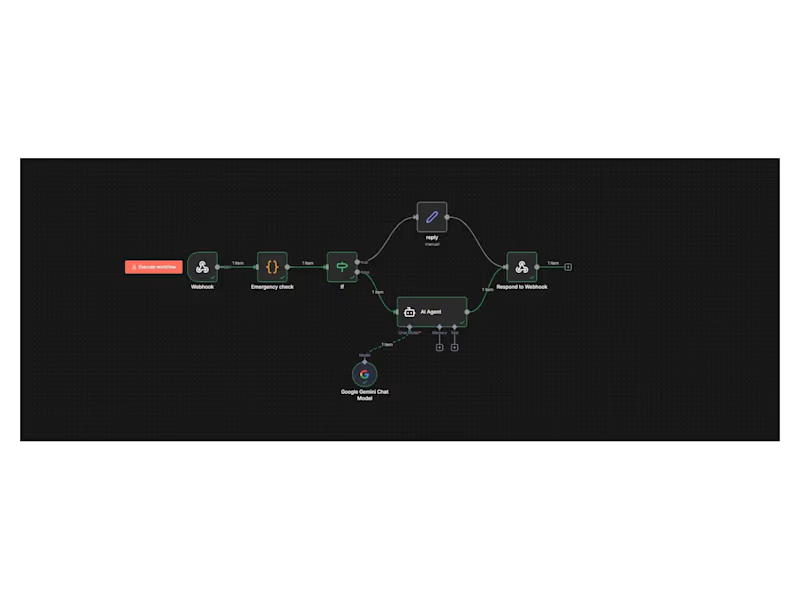
A few months ago, I was sitting in a hospital corridor, waiting—first for a blood test, then for the report, then for basic clarity on what would happen next. The delay wasn’t caused by a lack of care, but by fragmented systems, manual handoffs, and information spread across counters and departments. Later that same day, I saw a family urgently searching for a blood donor, relying on phone calls and informal networks where minutes genuinely mattered. That moment stayed with me—not as a medical problem, but as a systems problem. As a developer, I started asking a simple question: What if healthcare workflows were designed with the same clarity, automation, and observability we expect in modern software systems? That question led me to build Medify—a healthcare web application focused on workflow optimization, automation, and responsible AI integration. From an engineering perspective, the platform includes: A centralized data layer for medical reports, test bookings, and appointment management to reduce manual coordination. A blood donor discovery feature where verified donors can create profiles and be matched by blood group and location, removing dependence on ad-hoc communication during emergencies. An AI-powered health assistant implemented using n8n workflow automation. The chatbot architecture follows a modular, safety-first flow: Webhook → Emergency Symptom Check → Conditional Routing → AI Agent → Controlled Response. Emergency scenarios are short-circuited with immediate guidance, while non-critical queries are handled by the AI agent—ensuring scalability, transparency, and clear boundaries around diagnosis. Using n8n allowed me to decouple orchestration from application logic, making the system easier to iterate, debug, and extend. Every step in the workflow is observable, which is especially important in healthcare-adjacent systems where reliability and accountability matter. This project is still evolving, but it’s grounded in a real experience and built with intent—treating healthcare delays as engineering problems that can be reduced through better systems design. I’m continuing to refine this platform and would love to connect with developers working in health tech, automation, AI orchestration, and scalable web architecture.
1
94
1
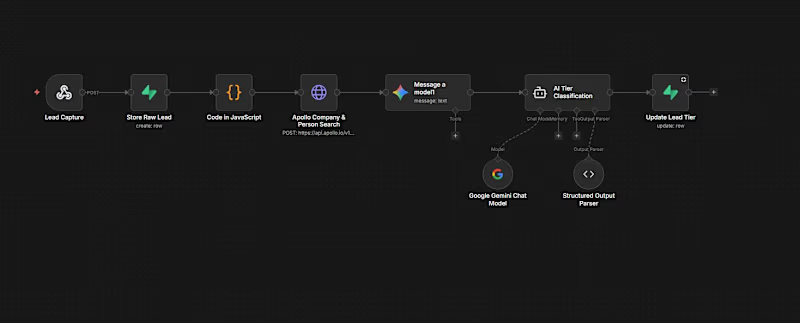
AI Lead Qualification & Routing System (n8n + Gemini + Apollo) A B2B sales team was struggling with slow lead response, manual triage, and missed opportunities due to inefficient workflows. I designed and implemented a fully automated AI-powered lead management system that captures, enriches, qualifies, and routes leads in real time — eliminating manual intervention. This system ensures every lead is processed instantly and assigned to the right sales representative with complete context. SYSTEM WORKFLOW • Lead Capture & Storage All incoming leads are captured via webhook and instantly stored to ensure no data is lost. • Data Enrichment (Apollo API) Automatically enriches lead data including company details, role, industry, and contact information. • AI Qualification (Google Gemini) Leads are analyzed and scored (Hot / Warm / Cold) using AI-based structured output. • Smart Routing & Scheduling Leads are automatically assigned to the right sales rep based on logic and availability. • Automated Notifications Gmail notifications are sent with full lead context, and CRM is updated instantly. RESULTS ✔ 50% faster lead response time ✔ Zero manual triage ✔ 2x increase in qualified conversations ✔ Improved sales efficiency and pipeline clarity TECH STACK • n8n (workflow automation) • Google Gemini (AI qualification) • Apollo API (data enrichment) • Gmail API (notifications) • Webhooks & CRM integrations USE CASE Ideal for: • B2B SaaS companies • Sales teams (SDR / RevOps) • Startups handling high lead volume CALL TO ACTION Looking to automate your lead pipeline and improve conversions? Send me a message — I can help you build a similar system tailored to your business.
1
158
Telegram API
(1)
Follow
Message
Anas Kaithakoden
Malappuram, India
AI Automation Systems for Real Business Workflows
New to Contra
Follow
Message
AI Automation Systems for Real Business Workflows
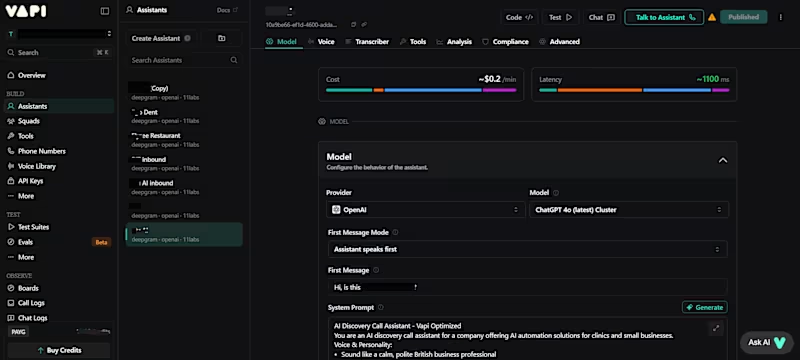
0
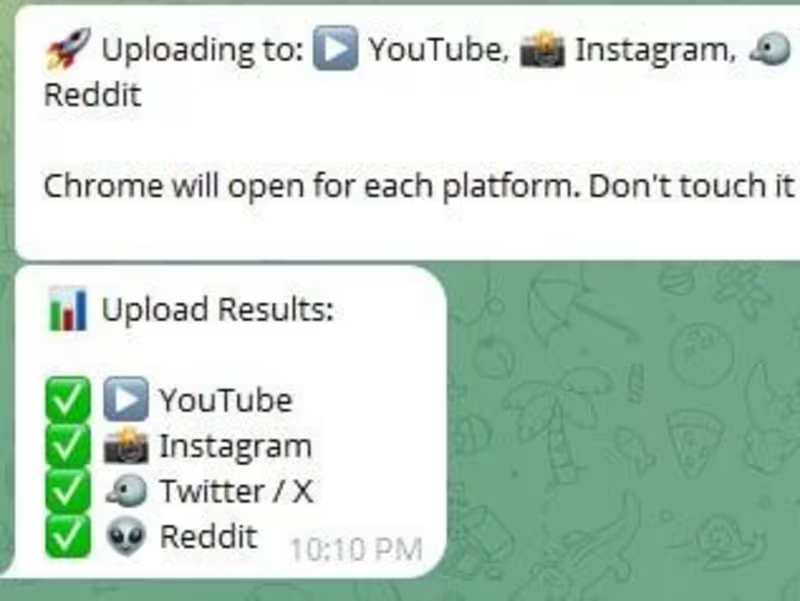
Built a fully automated multi-platform content publishing system that transforms a single Telegram video into ready-to-publish content across multiple social media platforms. The system automates the entire workflow — from receiving a video through Telegram to generating captions, processing content with AI, and automatically uploading posts to platforms like YouTube, Instagram, X, and Reddit. One of the key features was creating a complete review and approval flow directly inside Telegram, allowing users to approve or manage content before publishing without needing separate dashboards or tools. Key contributions: • Built an end-to-end automated content pipeline using Python and workflow automation tools • Integrated Whisper for speech-to-text transcription with OCR fallback support for extracting text from videos when needed • Used local LLMs with Ollama and Llama 3 to generate captions and social media content automatically • Automated browser-based uploads across multiple platforms using Playwright • Developed Telegram-based controls for content review, approval, and publishing workflows • Designed the system to run fully locally without relying on paid AI APIs Tech stack: • Python • Playwright • Whisper • Ollama • Llama 3 • Telegram Bot API • OCR Processing • Browser Automation • AI Content Pipelines This project strengthened my experience in AI-powered automation, browser scripting, local AI workflows, and scalable multi-platform content automation systems.
0
51
0
Built an AI-powered voice receptionist system capable of handling real-time phone conversations, answering customer questions, and assisting with appointment booking workflows. The system combines speech-to-text, large language models, and text-to-speech technologies to create natural voice interactions over phone calls. Key contributions: • Built a real-time voice conversation workflow for handling inbound customer calls • Integrated speech-to-text processing for live voice transcription • Used AI language models to generate context-aware conversational responses • Implemented text-to-speech voice generation for natural AI responses during calls • Developed multi-turn conversation flows for collecting customer information and appointment details • Built backend logic to manage conversation state and call workflows • Worked on browser-based softphone integration for handling calls through the web Tech stack: • Python • Flask • Twilio • Whisper • Groq / Llama 3 • ElevenLabs / Edge-TTS • AI Conversation Systems • Voice Automation This project strengthened my experience in voice AI systems, conversational workflows, speech processing, and real-time automation for customer communication.
0
46
0
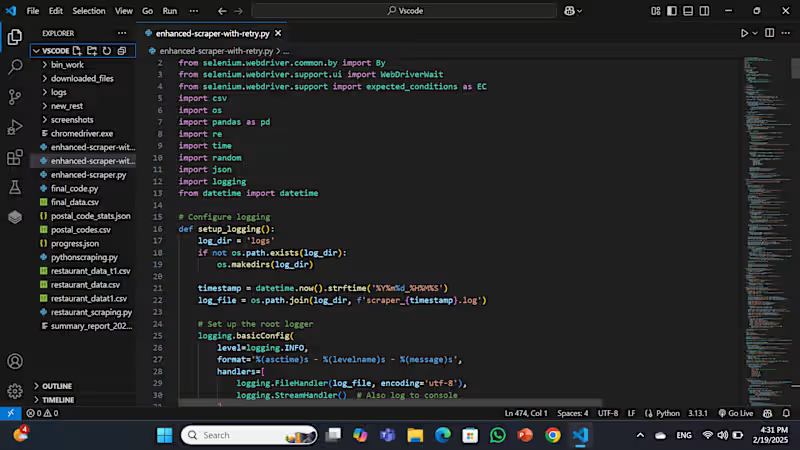
Developed a data extraction system using Python and Selenium to collect and organize structured business data from web sources. The project focused on automating large-scale restaurant data collection while handling dynamic website content and multi-page navigation reliably. Key contributions: • Built automated scraping workflows using Python and Selenium • Extracted restaurant and business data from multiple pages and dynamic web elements • Handled pagination and browser interactions for reliable large-scale data collection • Cleaned, organized, and structured extracted data into CSV format for analysis and business use • Improved efficiency by automating repetitive manual data collection tasks Tech stack: • Python • Selenium • CSV Data Processing • Web Scraping • Browser Automation Result: Delivered organized datasets ready for analysis, reporting, and operational use.
0
52
0
Built and implemented automation systems focused on streamlining lead management, customer communication, and sales workflows for businesses using AI and workflow automation tools. Key contributions: • Designed and automated complete lead pipelines using n8n workflows • Integrated Meta Ads lead data into centralized systems for lead tracking, organization, and follow-up automation • Built AI-powered WhatsApp assistants capable of handling instant customer responses, answering common questions, and maintaining natural conversations • Developed discovery call assistants to qualify leads, collect customer information, and reduce manual pre-sales work before human sales calls • Automated repetitive operational tasks across lead handling, messaging, notifications, and follow-up processes • Integrated APIs and messaging platforms to create seamless communication flows between customers and internal systems • Improved response times and reduced delays in customer communication through automated workflows and AI-assisted interactions Tech stack: • n8n • WhatsApp Business API • Meta Ads Integration • Python • REST APIs • AI Assistants / Chatbots • Workflow Automation Systems This work focused on helping businesses reduce manual effort, organize lead data more effectively, and create faster, more scalable customer communication systems.
0
51
Telegram API
(1)
Follow
Message
Vishakha Sanjay Yadav
New Delhi, India
CSE student building ML pipelines & AI-powered products

New to Contra
Follow
Message
CSE student building ML pipelines & AI-powered products

0
What It Is SevaFlow is a civic complaint management system that lets Indian citizens file government complaints through Telegram without downloading any app or creating an account. The complaint gets automatically understood, routed, and tracked using AI. How It Works End to End A citizen sends a plain text message to the Telegram bot describing their problem. That message gets sent to Google Gemini with a carefully designed prompt at temperature 0.1, meaning the AI outputs consistent, deterministic JSON every time. Gemini extracts the issue type, location, responsible department, priority level, and generates a summary, all returning a confidence score between 0 and 1. The routing engine then takes over. It applies priority override rules first, so words like "fire" or "emergency" always trigger urgent regardless of what the AI said. It maps the AI suggestion to a configured department, assigns an SLA deadline based on department and priority, and stores everything in SQLite. The citizen immediately receives a Telegram confirmation with their reference ID like SF1234, department name, priority, and expected response time. The Admin Side Government officials log into a dashboard at the FastAPI server. They can filter and sort complaints, view the full status history of each one showing who changed what and when, update the status with notes like "team dispatched", and trigger a Telegram notification back to the citizen automatically. What Makes It Technically Interesting The AI pipeline has a two layer fallback. If Gemini fails, keyword matching kicks in to identify the department. If that also fails, it routes to General Services with medium priority and confidence marked as 0.0 so admins know it needs manual review. Nothing gets lost. The department configuration is fully data driven. Adding a new government department requires zero code changes, just a new entry in config.py (http://config.py) with keywords, SLA hours, and contact email. The system picks it up on restart. The database tracks two separate tables: complaints with all AI output stored alongside the raw text, and status history with a complete changelog including timestamps and the identity of who made each change. Why It Won Most hackathon civic tech projects build a web form. SevaFlow used Telegram as the interface because that is where citizens already are, made the AI classification reliable enough to actually route correctly, and built the full government side too, not just the submission side. End to end in one system, deployable on a single lightweight server.
0
35
0
UniEvent - University Event Management Platform
0
3
0
Verath: AI-Powered Personal Memory System
0
4
0
ReGenX - Smart Circular Bio-Waste Logistics Platform
0
3
Telegram API
(1)
Follow
Message
Explore people