Freelancers in BristolFreelancers in Bristol
Webflow Expert, Shopify Theme Dev, Branding and 3D
$100k+
Earned
21x
Hired
5.0
Rating
598
Followers
Webflow Expert, Shopify Theme Dev, Branding and 3D
Interactive / Animation / Web Development / Sound Design
$10k+
Earned
8x
Hired
5.0
Rating
208
Followers
Interactive / Animation / Web Development / Sound Design
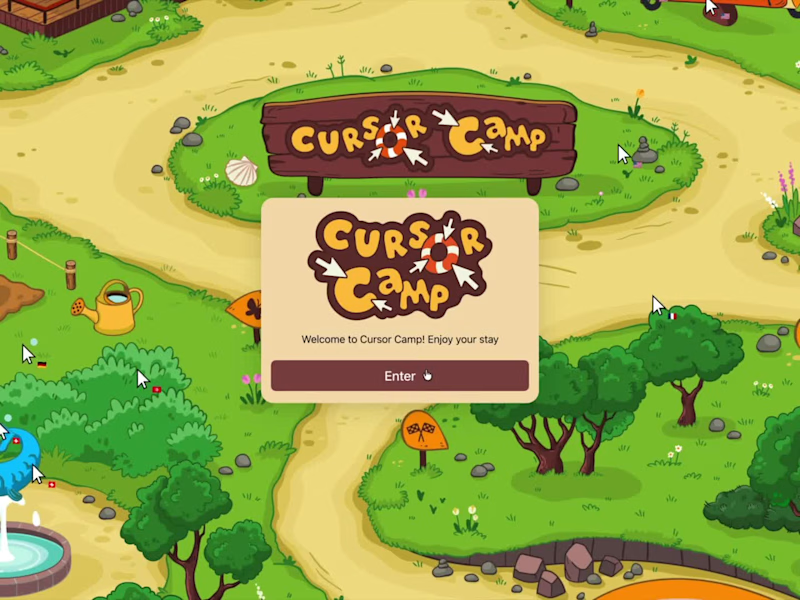
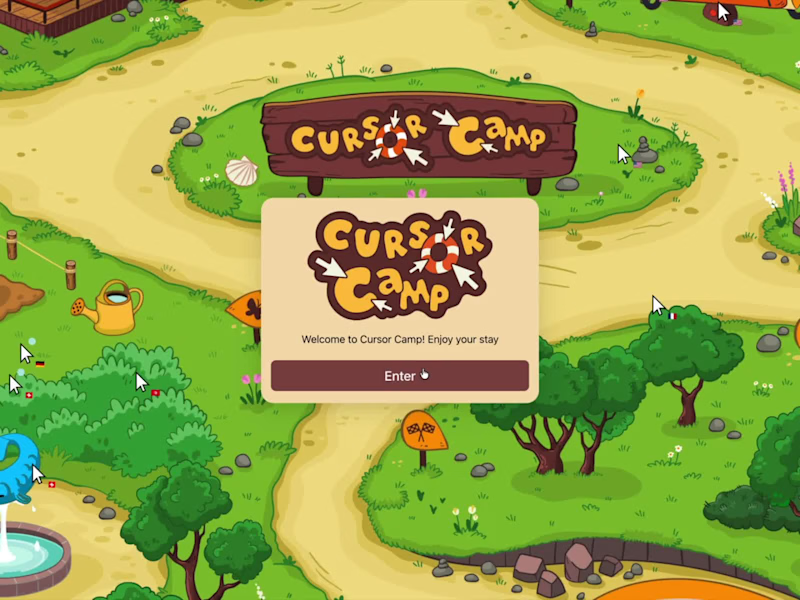
Cover image for Cursor Camp, A Real-Time Multiplayer
Cursor Camp, A Real-Time Multiplayer World, Built with Rive Cursor Camp (https://neal.fun/cursor-camp/) is a live multiplayer playground where up to 1000 real cursors from around the globe share the same space simultaneously. A beach, lazy river, clubhouse, campfire, soccer pitch, cave, treehouse and more, brought to life through over 40 Rive-powered interactions and animations spanning environments, characters, objects, and interactions. My role was building the entire Rive layer. Starting from the illustrator’s artwork, I translated everything into interactive systems, rigging and animating scenes, characters, and objects while developing the state machines and behaviours that make the world feel dynamic and alive. The real challenge was making it data-aware. Using ViewModel data binding and Luau scripting throughout, every animation responds to live runtime input, with cursors picking up objects, triggering states, and reacting to a constantly changing world. That includes moments like players duetting on a piano in real time, progressively eating an entire cake with each click, adding sticks to a fire to increase its intensity, or dropping ingredients into a cauldron to dynamically change the colour of the broth. The result is a Rive system ready to be wired into Neal Agarwal’s multiplayer backend, where WebSockets keep thousands of players in sync in real time. It hit the front page of Hacker News on day one, with people asking one question over and over: How is this running in a browser? That’s the impossible UI.
38
120
8.9K
Webflow expert specializing in branding & 3D.
$1k+
Earned
4x
Hired
5.0
Rating
302
Followers
Webflow expert specializing in branding & 3D.
Beautiful bespoke websites that convert
$10k+
Earned
10x
Hired
4.9
Rating
102
Followers
Beautiful bespoke websites that convert
Strategic Design+Motion for converting websites & product UI
$10k+
Earned
5x
Hired
5.0
Rating
25
Followers
Strategic Design+Motion for converting websites & product UI
CRO & Growth expert for DTC E-com Brands | Shopify & Replo
$1k+
Earned
1x
Hired
5.0
Rating
92
Followers
CRO & Growth expert for DTC E-com Brands | Shopify & Replo
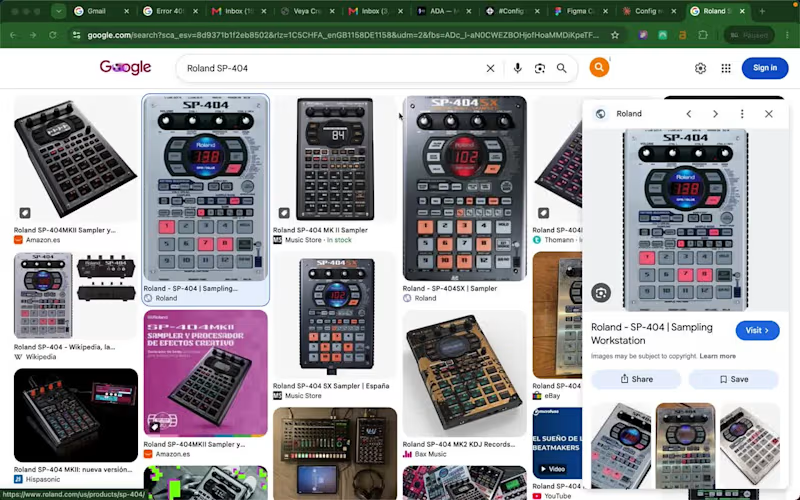
Cover image for 🎹 🎶 PadLab: an SP-404
🎹 🎶 PadLab: an SP-404 sampler that lives in your browser I used to make beats on a Roland SP-404. Chop a sample, lay down a drum loop, play melodies over the top, resample, repeat. It's one of the most fun ways to make music there is. The problem is you need the hardware in front of you, you need the space to set it up, and if an idea hits while you're away from your gear, it's gone by the time you get back. So I built the thing I wished existed: a browser-based SP-404 that captures that exact workflow, with nothing to buy and nothing to install. Open a tab and you're making beats. The problem it solves Hardware samplers are expensive and they tie you to a desk. Beginners can't justify the cost to find out if they even like sampling. Producers with ideas on the move have nowhere to put them. PadLab lowers the barrier to basically zero. If you want to learn the SP-404 workflow, capture a quick idea, or just mess around, you can do it from any laptop. What it does It's a faithful recreation of the SP-404 feel, not just the look. The core of it is built around two things the real hardware nails and most software forgets: Chop. Load a drum break or a sample, slice it on the waveform (tap in time or auto-detect the hits), and each slice lands on its own pad ready to play. This is the heart of sampling and it's the most satisfying part to use. Quantised recording. Hit record, get a one bar count-in, and your performance is captured locked to the beat. No mouse fumbling, no dead air at the start of your loop. Everything is keyboard driven so your hands stay on the pads the way they would on real hardware. Then you layer loops, resample them down, arrange them on a timeline, and export straight into your DAW. How I built it (this is the fun part) This project was as much about the workflow as the app. Here's the actual pipeline. I started in Claude with the Figma MCP connected, and used it to turn my rough idea into a proper project brief before touching Make. That's where the thinking happened: the visual direction, typography, colour system, the UI layout, how the SP-404 workflow should map to a screen. Doing this planning up front meant I got the structure right early and conserved my AI budget for the complex build later instead of burning it re-prompting from scratch. From there, using the Figma MCP, we built the design system straight into Figma, made a sample UI, and assembled a reference board packed with in-depth build specs. Then I spun up a new Figma Make project and imported that whole design board as context, so Make started with a fully briefed understanding of what it was building rather than a one-line prompt. Then came the real work: a prototype first, then feature by feature, wiring each one up, testing, debugging, repeating. Seventy-four versions in total. Make's Plan feature was key for working through the complex tasks and integrations (the audio engine, quantised recording, the chop tool), and I leaned on higher-power models like Opus inside Make to push through the gnarly debugging and problem areas. So the flow was: Claude + Figma MCP to plan and design, a spec-rich reference board to brief Make, then Make to build and iterate. Designing the hardware visually, briefing it thoroughly, and watching it become real playable software across 74 passes is a way of building that didn't exist a year ago. 🌐 Try it live: https://spill-size-79673265.figma.site/ (https://spill-size-79673265.figma.site/)🔗 Working file: https://www.figma.com/make/l5Izmvzog8il3W3IxUWyLS/PADLab--Sampler-Emulator---Digital-Audio-Workstation (https://www.figma.com/make/l5Izmvzog8il3W3IxUWyLS/PADLab--Sampler-Emulator---Digital-Audio-Workstation)🎨 Figma Community: https://www.figma.com/community/file/1649544820794263929/padlab-physical-sampler-emulator-audio-workstation Built for the Config Makeathon with Figma Make + MCP. #ConfigMakeathon @figma Have fun!
2
4
114
Building Websites & Brands - Fast | 5 Star Rating on Clutch
$1k+
Earned
1x
Hired
5.0
Rating
13
Followers
Building Websites & Brands - Fast | 5 Star Rating on Clutch