AI Campaign Assets + Agents for DTC Growth


AI Campaign Assets + Agents for DTC Growth






Websites, videos and logos for your business
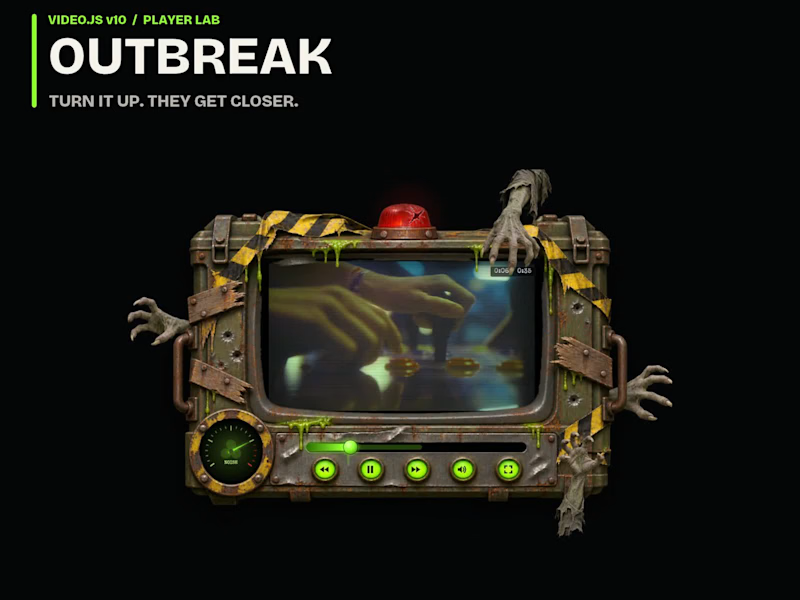




Building intuitive experiences. From concept to launch


Building intuitive experiences. From concept to launch


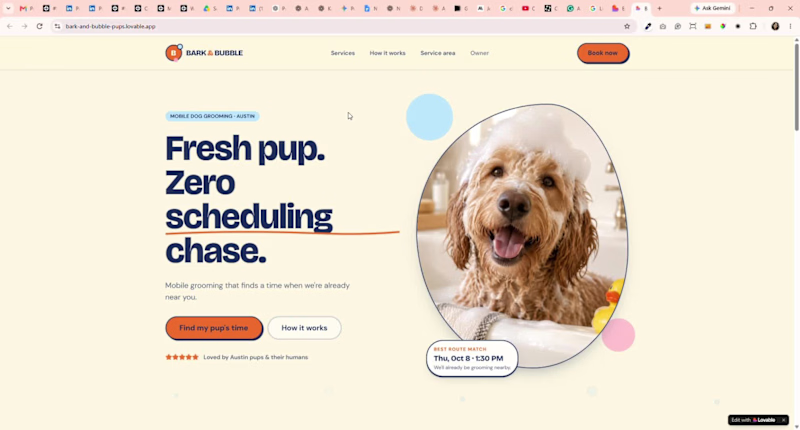
Built BARK & BUBBLE 🐾 for the @Lovable challenge — a booking experience for a solo mobile dog groomer where scheduling isn’t just about finding an open time.
The flow considers the dog, service time, location, and the van’s existing route to suggest smarter appointments. Customers can book and pay a deposit without the usual back-and-forth, while the owner’s schedule updates automatically.
My favorite part: when a cancellation happens, the system checks the waitlist, finds the best route-friendly match, sends the offer, and fills the opening if they accept — without the owner having to chase anyone.
From “Can I book my dog?” to “You’re booked.” 🐶🚐
1
182


Webflow Expert & UX/UI Technical Partner


Full-stack developer

🚨 “It works on my machine.” The developer's most dangerous sentence 😂
Your app works perfectly locally, then suddenly breaks in production.
Before blaming the code, check:
🔹 Environment variables
🔹 Node.js versions
🔹 Database connection
🔹 API URLs
🔹 CORS configuration
🔹 Production build settings
Local success ≠ production readiness.
Always test your application in an environment as close to production as possible.
What’s the funniest “works locally, breaks in production” bug you've faced? 👇
4
11
615

🚨 The API is returning 200… but your data is wrong?
This can be harder to debug than a clear error.
When I troubleshoot backend issues, I check:
🔍 Database queries
🔍 API request/response data
🔍 Authentication state
🔍 Backend logs
🔍 Frontend data handling
A successful API response doesn't always mean the application is working correctly.
Sometimes, the real bug is hiding in the data flow.
Have you ever spent hours debugging a problem that turned out to be one small line of code? 😅
4
10
647

Getting this error in Next.js? You’re not alone.
Hydration failed because the initial UI does not match what was rendered on the server.
This usually happens when your server-rendered HTML doesn't match what React renders in the browser.
Common causes:
• Using window or localStorage during server rendering
• Rendering different content based on browser-only values
• Incorrect date/time rendering
• Invalid HTML nesting
My first fix:
Move browser-only logic into useEffect, or make the component client-side when necessary.
💡 Tip: Don't just hide the error. Find out why the server and client are rendering different UI.
Have you encountered this error before? 👇
2
18
598

Building digital products that solve real problems. 🚀
Recently, I've been working on projects across mobile apps, user experiences, and digital products, turning ideas into functional experiences that people can actually use.
I'm excited to keep building, learning, and collaborating with great people here on Contra.
What are you building?
4
18
818

Experienced Web Design & Dev Generalist 👩🏼💻
Experienced Web Design & Dev Generalist 👩🏼💻


Get Your MVP in Just Week 🚀
Get Your MVP in Just Week 🚀


AI automation, bots & web apps developer from California
New to Contra
AI automation, bots & web apps developer from California