AI-powered Nutrition and Weight Management Experience Design

Irina Zubareva


Landing page: https://caloriesflow.replit.app/landing/
CalorieFlow: AI-first calorie tracker, designed and shipped
Role: Product designer and builder, solo · Timeline: may – ongoing · Status: live PWA, 40+ users, B2B2C version in progress
1. What it is
What it is
Every calorie tracker I tried felt like data entry. So I built my own. You describe your meal in plain language, the AI estimates calories and macros, you correct what's wrong, done. I designed it end to end and built it by directing an AI coding agent with strict specs. It's live as a PWA, 40+ people use it daily.
The estimate card
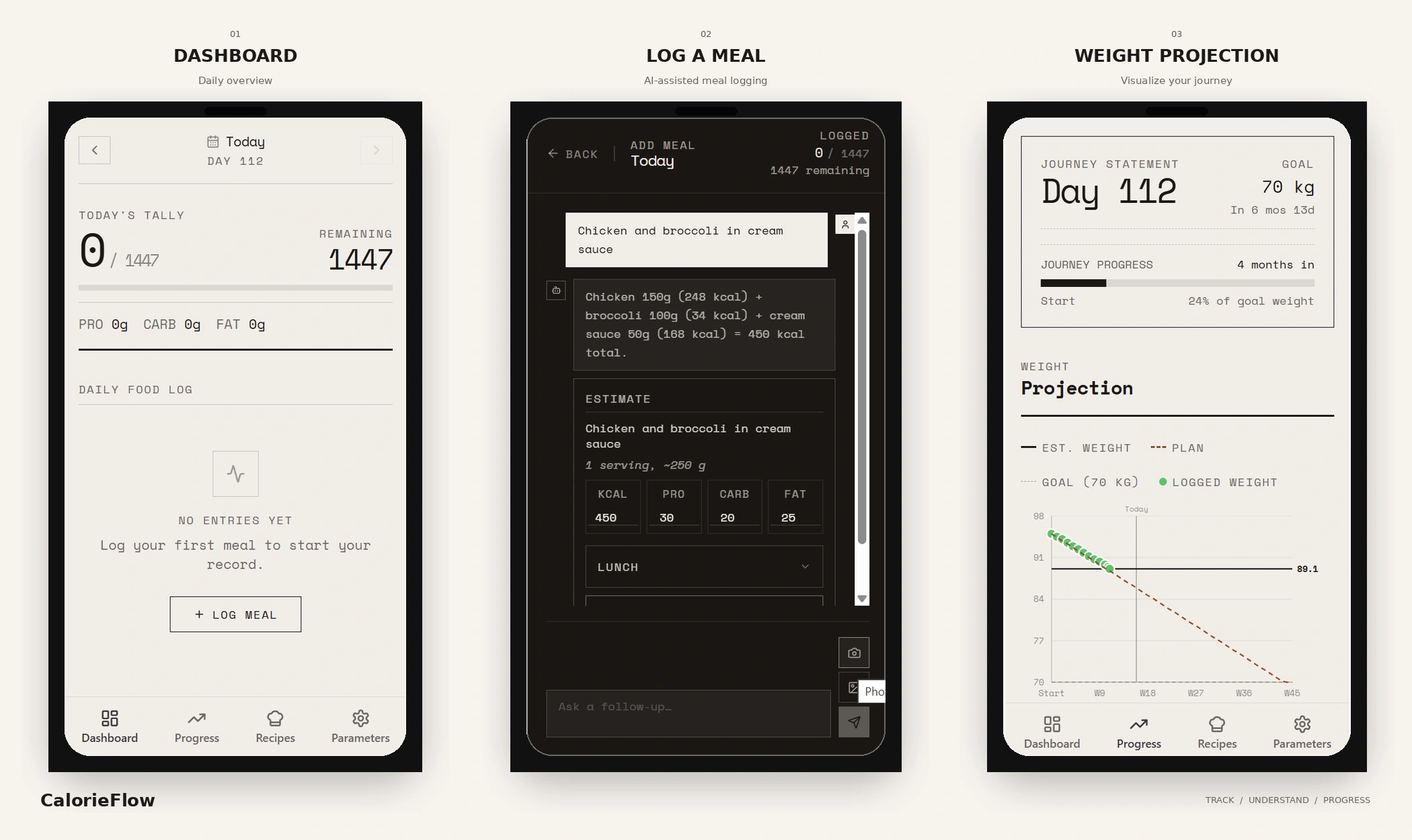
The chat is where trust is won or lost. "Muffin, 350 kcal" is a guess in a lab coat: a real muffin is 150 to 600. So the card says what it assumed ("1 medium, ~110 g"). Calories and macros are tap-to-edit before logging. After logging you see the exact effect, "Added to Lunch · +350 kcal", with 5 seconds to undo.
Guardrails
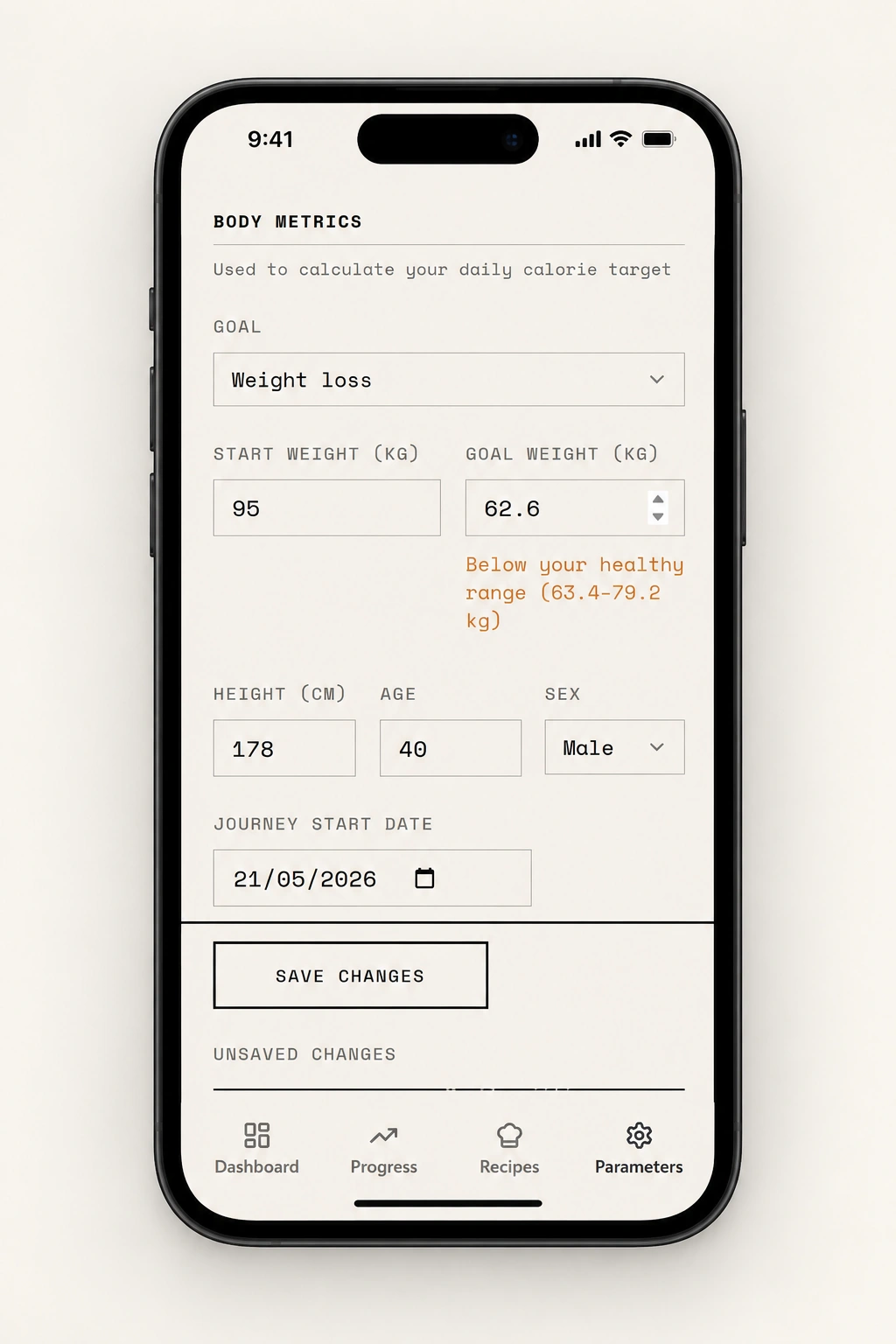
The first version calculated a healthy BMI range, then accepted goals below it and called the plan "Recommended". Now: inline warnings for out-of-range goals, a 1,200 kcal floor, a mirrored cap for gain mode. Warnings inform, never block. For a health product this is ethics, not polish.
Designing trust in AI actions
The AI chat is the core input — and the easiest place to lose trust. Three rules shaped it:
Show assumptions. "Muffin — 350 kcal" is a guess in a lab coat (a real muffin is 150–600). The estimate card states its portion assumption ("1 medium, ~110 g").
Make outputs editable. Calories and macros are tap-to-edit before logging — not just the meal category, the one field that didn't matter.
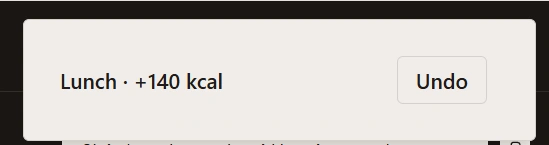
Make actions reversible. Logging shows the exact effect ("Added to Lunch · +350 kcal") with a 5-second Undo.
3. Working with an AI agent as design material
My real deliverables were prompts: scoped specs with explicit constraints and verification criteria. Method that emerged:
Constraints first — every prompt opens with what the agent must not do, or it helpfully redesigns everything it touches. Audit before fix — "report findings" and "fix only what the audit shows" are separate steps. Verify the render, not the report — one bug survived two claimed "fixes" until I required printed evidence at each step of the data path: database → API → chart props. Kill duplicated logic — the plan calculator diverged from the recommendation three times, always because two copies of the same formula drifted; the durable fix was one shared projection function.
What's next
The consumer app is the wedge. Next is a dashboard for nutritionists: they bring their clients in, see logs and adherence, adjust plans. The dashboard pays, the app retains.
What I'd do differently: define the calculation model before any UI. Every expensive bug came from math being an afterthought.
Like this project
Posted May 25, 2026
Designed an AI-powered nutrition app reducing friction in calorie tracking. https://caloriesflow.replit.app