Freelancers using StitchFreelancers using Stitch✈️ AI Travel App Concept for the Stitch Challenge
For this Stitch Challenge, I decided to test what AI can do in my strongest zone - mobile app design.
My agency and I have created 350+ mobile apps across AI, hospitality, wellness, hotel platforms, marketplaces, and travel-related products. So instead of creating just a nice UI shot, I wanted to test Stitch on something closer to a real product.
The concept:
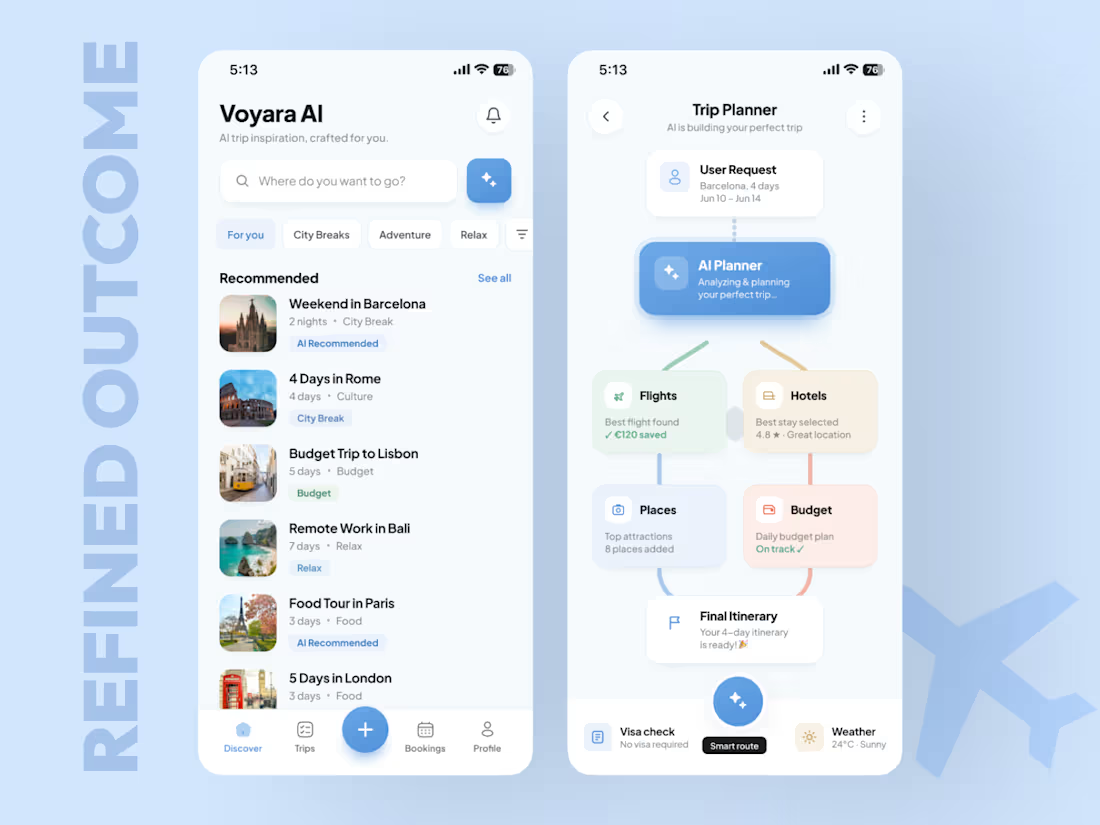
An AI Trip Planner App that helps users discover trips, generate a personalized travel plan, optimize the budget, and turn everything into a ready itinerary.The main UX idea was to show how an AI travel agent can guide the user from curiosity to action:
→ Discover trip ideas
→ Generate a plan
→ Build a route
→ Optimize budget
→ Show savings
→ Push the user toward booking
I used:
a product specification
a Claude-generated visual reference
the same prompt direction in Stitch
then Figma polishing to improve spacing, hierarchy, consistency, and final presentation
Claude gave me a strong visual reference.
Stitch gave me the first working structure.
The biggest advantage of Stitch for me was iteration speed. With the free / Gemini access, I could generate and test more without constantly thinking about tokens. Claude is paid in my workflow, so for fast visual exploration Stitch was actually useful.
After Stitch generated the first version, I refined it in Figma and turned it into a cleaner, more premium mobile concept.
Final outcome:
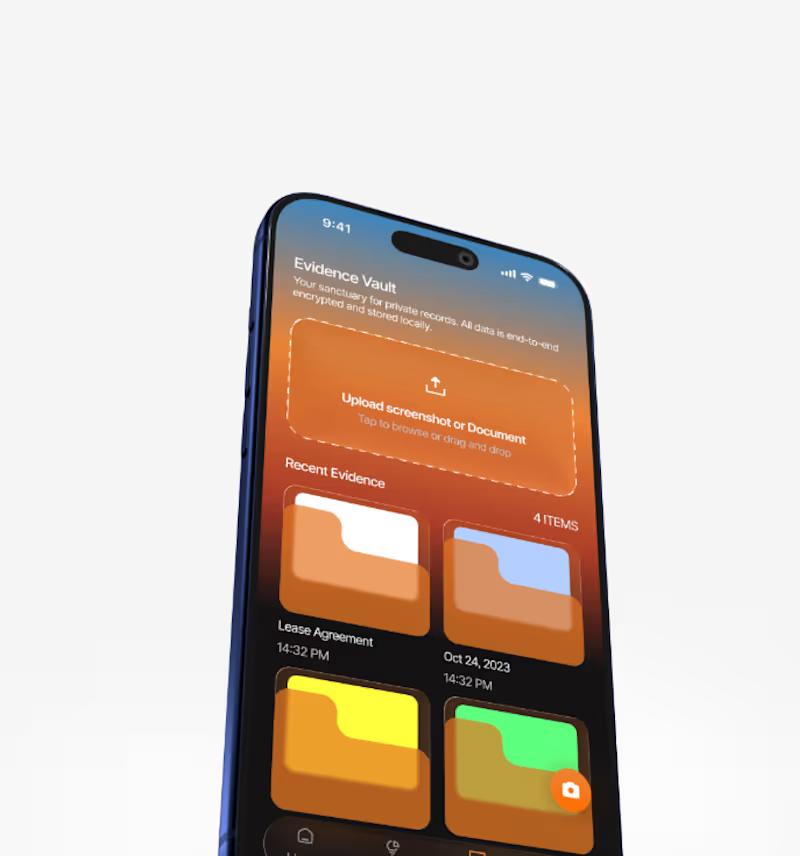
AI Travel mobile app concept
Trip discovery experience
AI trip planning flow
Budget and savings logic
Smart recommendations
This challenge was not only about “can AI generate screens?”
🟢For me, the real question was:
Can AI help a senior mobile designer move faster from reference and prompt to a product idea that actually feels usable, structured, and business-focused?
My answer: yes - but the depth still comes from UX strategy, product thinking, visual direction, and final design judgment.
Live Link:
https://stitch.withgoogle.com/preview/3633210786682110568?node-id=6fcf2b2aafa9411b8a6f7e377f220b81
If your mobile app looks good but users still don’t activate, return, or convert - I can help you find the leak.
Book a Mobile App Diagnostic Call:
https://calendly.com/asol_design/book-diagnostic-call-linkedin-clone
#stitchchallenge #stitch #mobileappdesign #uidesign #uxdesign #productdesign #aitravel #figma #growthdesign #mobileux I'm jumping headfirst into this challenge and sharing a project that will reimagine the health industry and showcase the full capabilities of Google Stitch. Everything that came out of this project exceeded all expectations. Nothing else could do what Stitch did.
In this video, you'll see with your own eyes and fully realize that the time of AI has arrived. Big changes await us. Whoever is first to show this to the world will be the conductor of the future cyberpunk 2089.
The project is called SomaOS Pulse. It's a wellness intelligence dashboard concept that integrates sleep, HRV, glucose, stress, activity, and nutrition signals into a single, vibrant interface. Stitch was used to generate the design system, screens, prototype, and animations, and then the project was polished into an interactive web prototype.
I'm sharing my thoughts on the project. Follow the links: Google Stitch, prototype, interactive web version, my social media. Be sure to watch the video.
Links
Stitch prototype: https://stitch.withgoogle.com/preview/15691040717386817?node-id=f575de351f2d47719ea3f175cdbf726a
Stitch: https://stitch.withgoogle.com/projects/15691040717386817
(https://stitch.withgoogle.com/projects/15691040717386817)Social Media
X: https://x.com/den_turbin/status/2062278635923669285
Linkedin: https://www.linkedin.com/posts/denis-turbin_i-built-a-unified-live-ai-interface-that-ugcPost-7468044445842649090-QHnY/?utm_source=share&utm_medium=member_desktop&rcm=ACoAAEYVHPYB02O3S94UQCKAOJsgErYsJovzstc
Threads: https://www.threads.com/@den_turbin/post/DZI1hm9kc5d
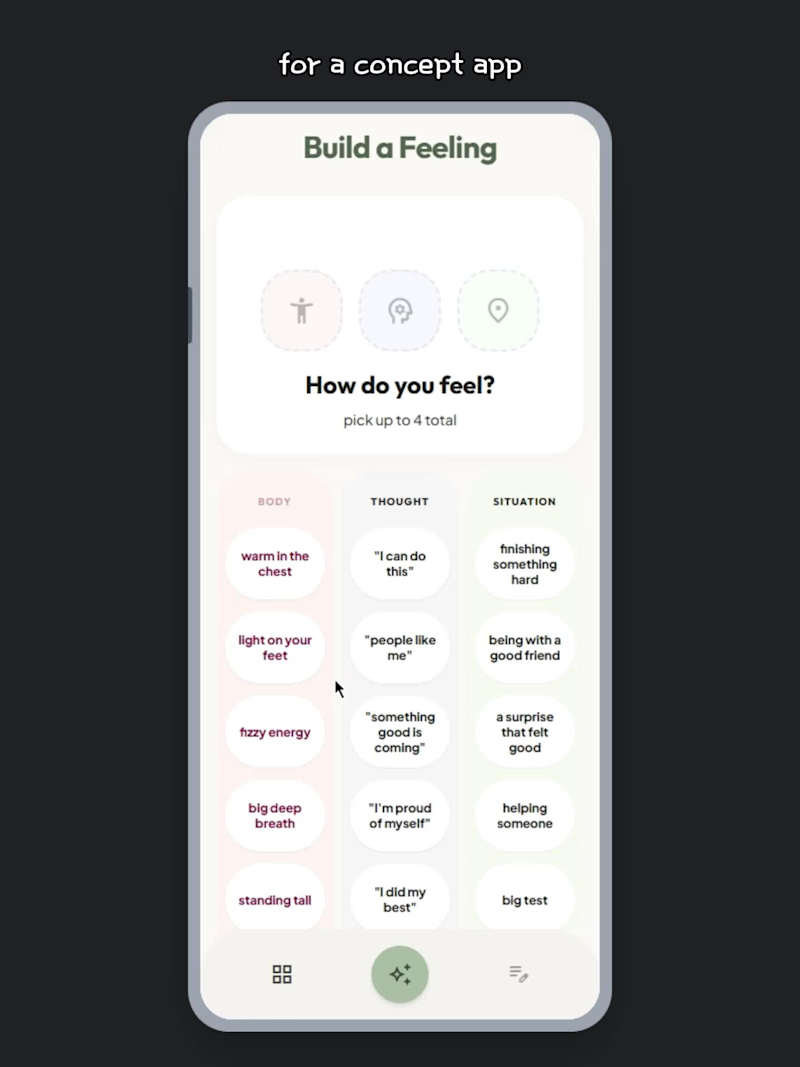
Kisses and greetings to everyone. Let's cook this challenge! My submission for the Google Stitch Challenge is an UI experience in a concept app I called Build a Feeling. 😊
Link to project: click here
(https://stitch.withgoogle.com/preview/17121082665788458271?node-id=8132fa1568f147f4828adc7feee02636)Some if not most kids usually have harder times opening up to adults about their emotions, especially if they don't know what they are feeling themselves.
This app helps a child understand some of the more complex emotions they may be feeling, but don't know the words for just yet.
Describe an experience by taping text bubbles.
Can be as low as 1 or as many as 4.
The app tells you which emotions they may have felt, description, and validation, making them heard.
The user can log their emotion(s) for the session and have them stored on a separate page with dates and all the other important information.
For this project I used Gemini 3, Gemini 3.1 Pro, and Redesign with Nano Banana in Google Stitch.
This is just a concept design, but can be tuned up with more features, animations, statistics, etc.
I actually loved using Stitch by Google, especially with absolutely zero coding experience prior.
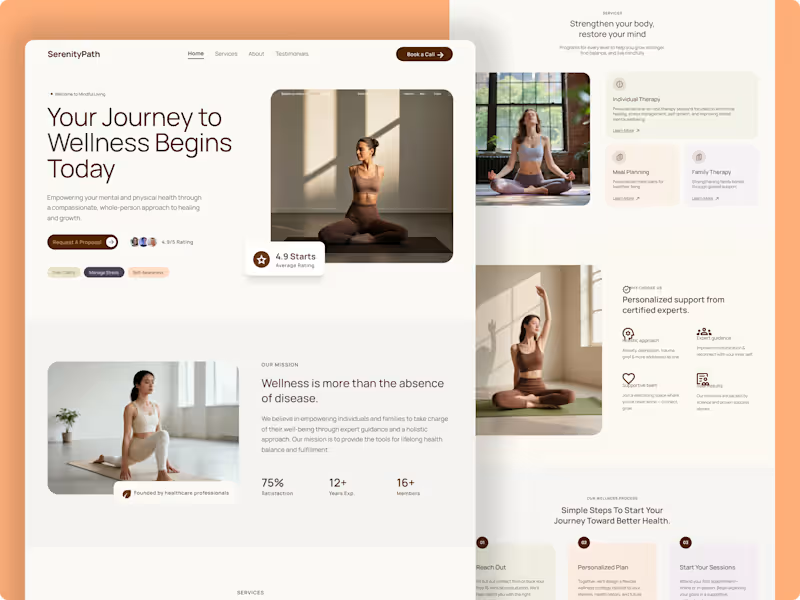
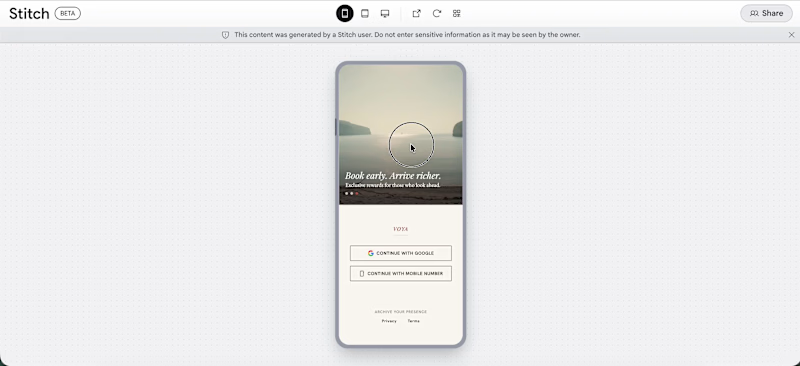
SerenityPath — Luxury Health & Wellness Platform
A complete, high-end digital experience designed from scratch for a modern Health & Wellness platform.
The core goal of this project was to move away from typical, cluttered medical layouts and focus entirely on a calm, sophisticated, and premium aesthetic. By leveraging warm earth tones, generous whitespace, and precise editorial typography, the interface builds immediate trust and connection with users.
Key Highlights:
Premium Editorial UI: A carefully curated typography hierarchy that maintains an elegant, high-end feel across the entire layout.
Warm Minimalist Aesthetic: Balancing whitespace with rich, clean imagery to convey a sense of calm and well-being.
Conversion-Driven Architecture: Seamlessly blending structured service grids, client testimonials, and intuitive CTAs to drive natural appointment bookings.
Designed end-to-end in Figma with a fully component-driven workflow.
Tolls: Figma, Lummi Built a complete multi-page digital experience using Google Stitch.
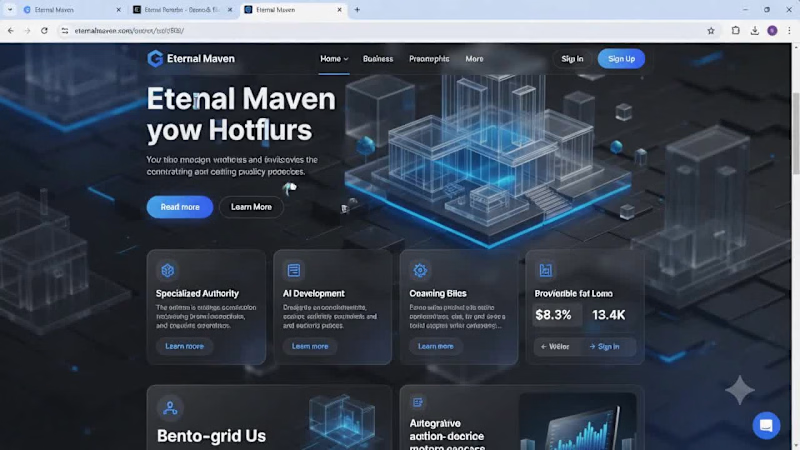
For this project, I designed and prototyped Eternal Maven, a modern AI and technology agency website focused on communicating technical expertise, credibility, and premium brand positioning.
What I created:
• Homepage with a bold, future-focused visual identity
• AI Development, Web Development, and Solutions pages
• Case Study section featuring project outcomes and impact metrics
• Industry-specific expertise showcase
• Technology Stack page highlighting modern tools and platforms
• Portfolio gallery for featured work
• Blog & Insights hub for thought leadership content
• Contact and conversion-focused lead generation experience
How I used Google Stitch:
I leveraged Stitch to rapidly generate, refine, and prototype high-fidelity screens while maintaining a consistent design system across the entire experience. The platform made it easy to explore ideas, iterate quickly, and build a cohesive multi-page user journey.
Design Direction:
Dark immersive UI, electric blue accents, glassmorphic elements, modern typography, and premium visual storytelling designed for a 2026-ready digital presence.
Prototype: https://stitch.withgoogle.com/preview/10522833652304720789?node-id=98d3602ef68e4bcb88b235a2ac03a4d0
#GoogleStitch #WebDesign #UIDesign #UXDesign #AI #ProductDesign #Prototype #DigitalExperience #Contra AREA is a fictional creative technology studio exploring how AI-native workflows can shape modern digital identity design.
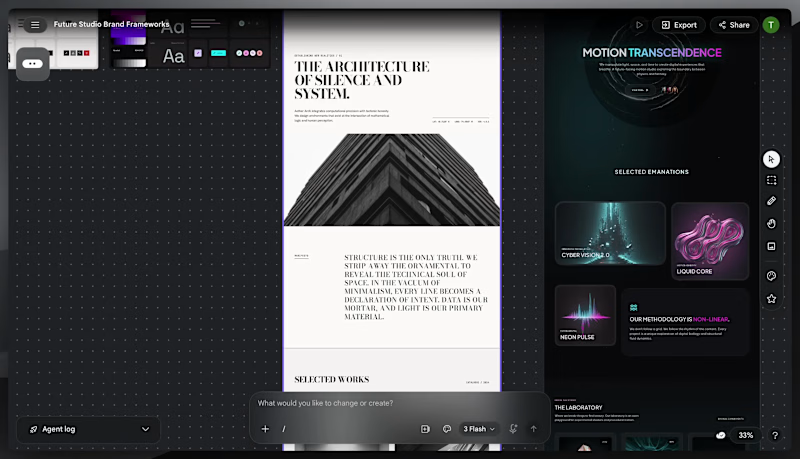
I used Google Stitch to explore and refine the brand direction through typography studies, interaction concepts, motion systems, colour exploration, and in-place AI edits before rebuilding the final experience in Next.js with Framer Motion and deploying it on Vercel.
The final site focuses on cinematic pacing, editorial restraint, atmospheric motion, and immersive interaction design inspired by modern creative studio websites.
Live Site:
https://area-snowy.vercel.app
Stitch was strongest as a rapid creative direction and identity exploration tool. The in-place editing workflow made it easy to iteratively refine layouts, spacing, typography, and atmosphere while maintaining creative momentum.
The workflow became most powerful when paired with production tooling, using Stitch to establish the creative system first, then translating the final direction into code for deeper interaction and motion refinement.