Coach Command Center — All-in-One Notion System for Coaches

Ali Mohamed Mukhtar


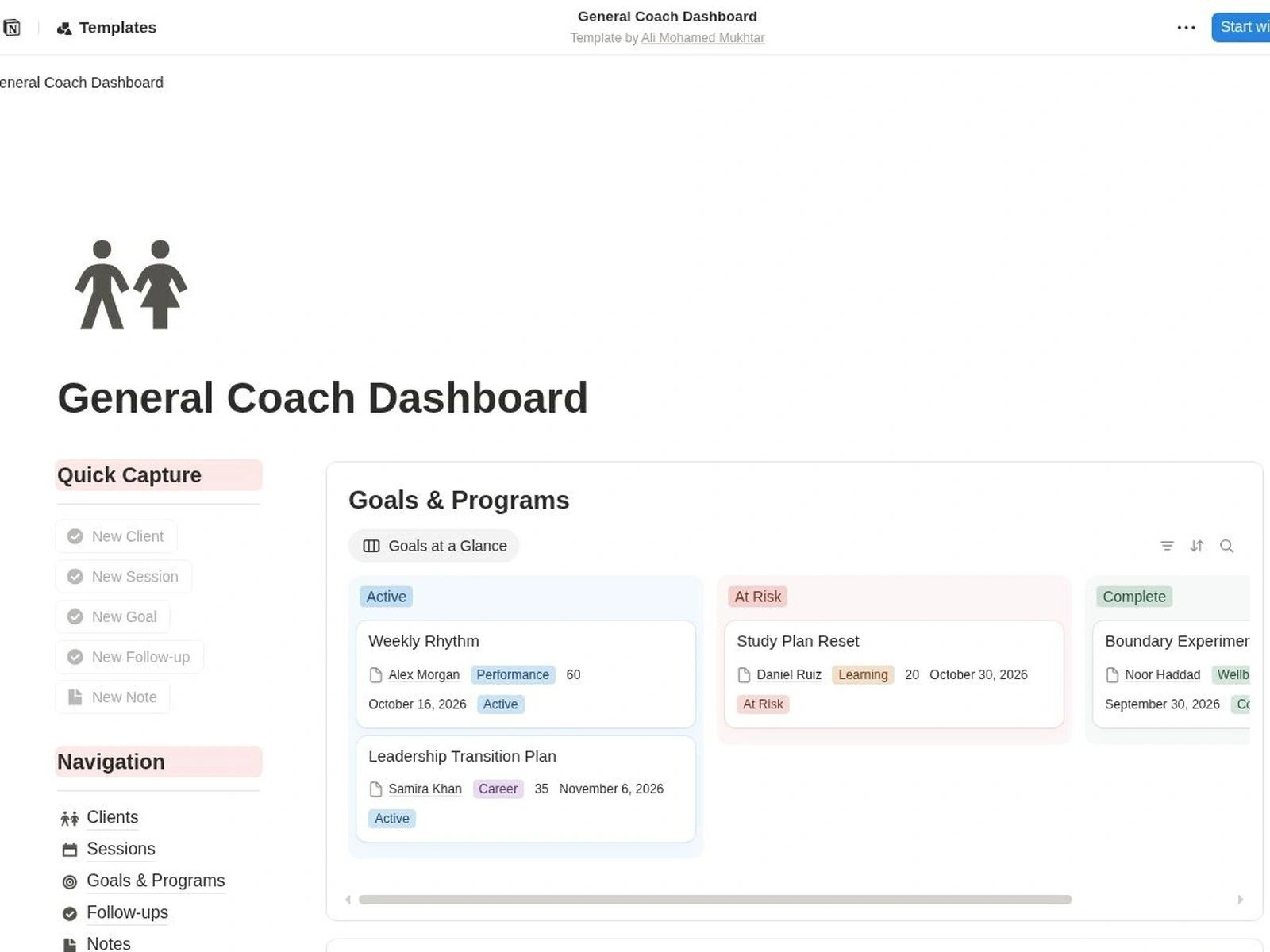
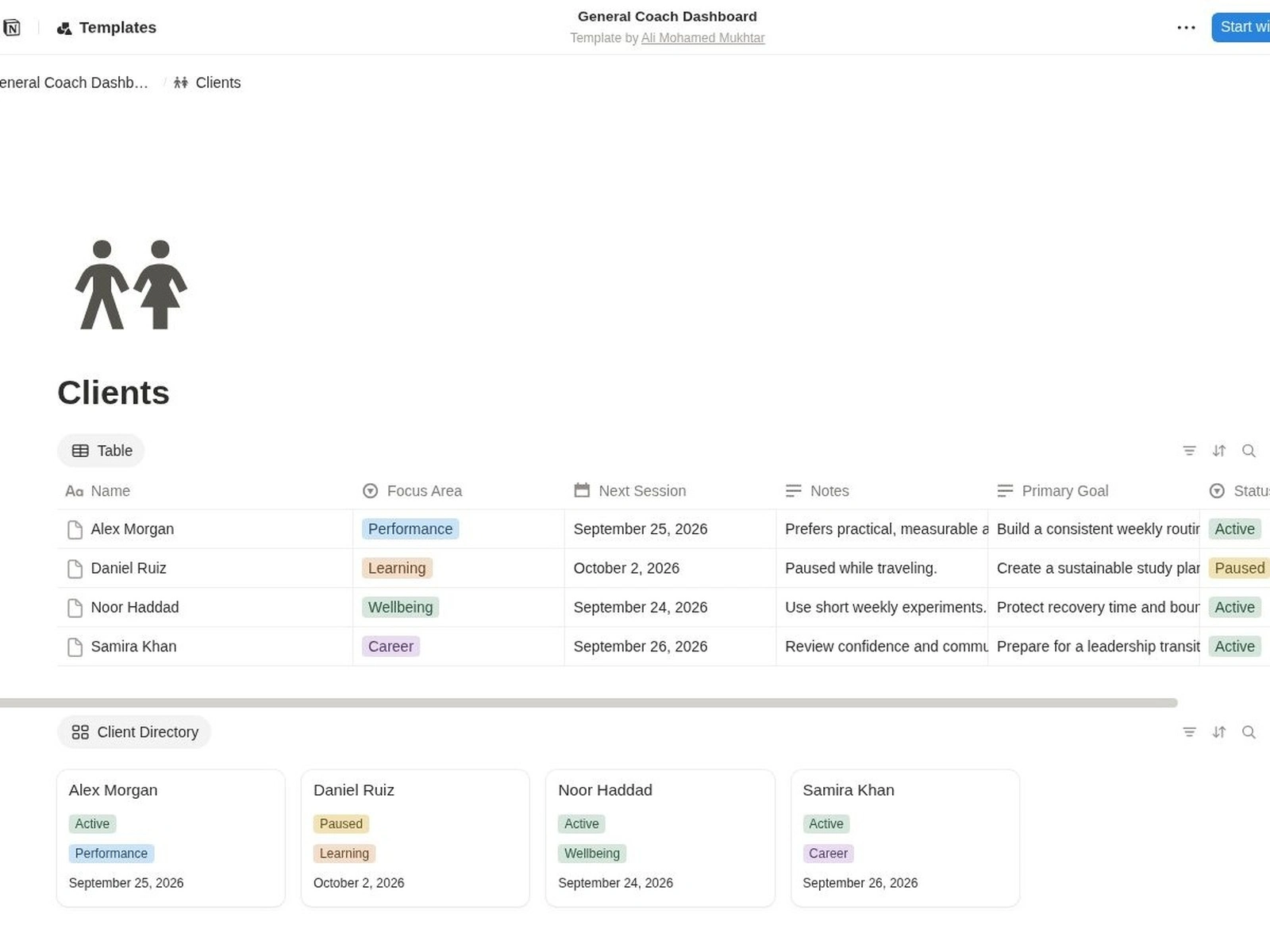
Client records with linked program and progress context.
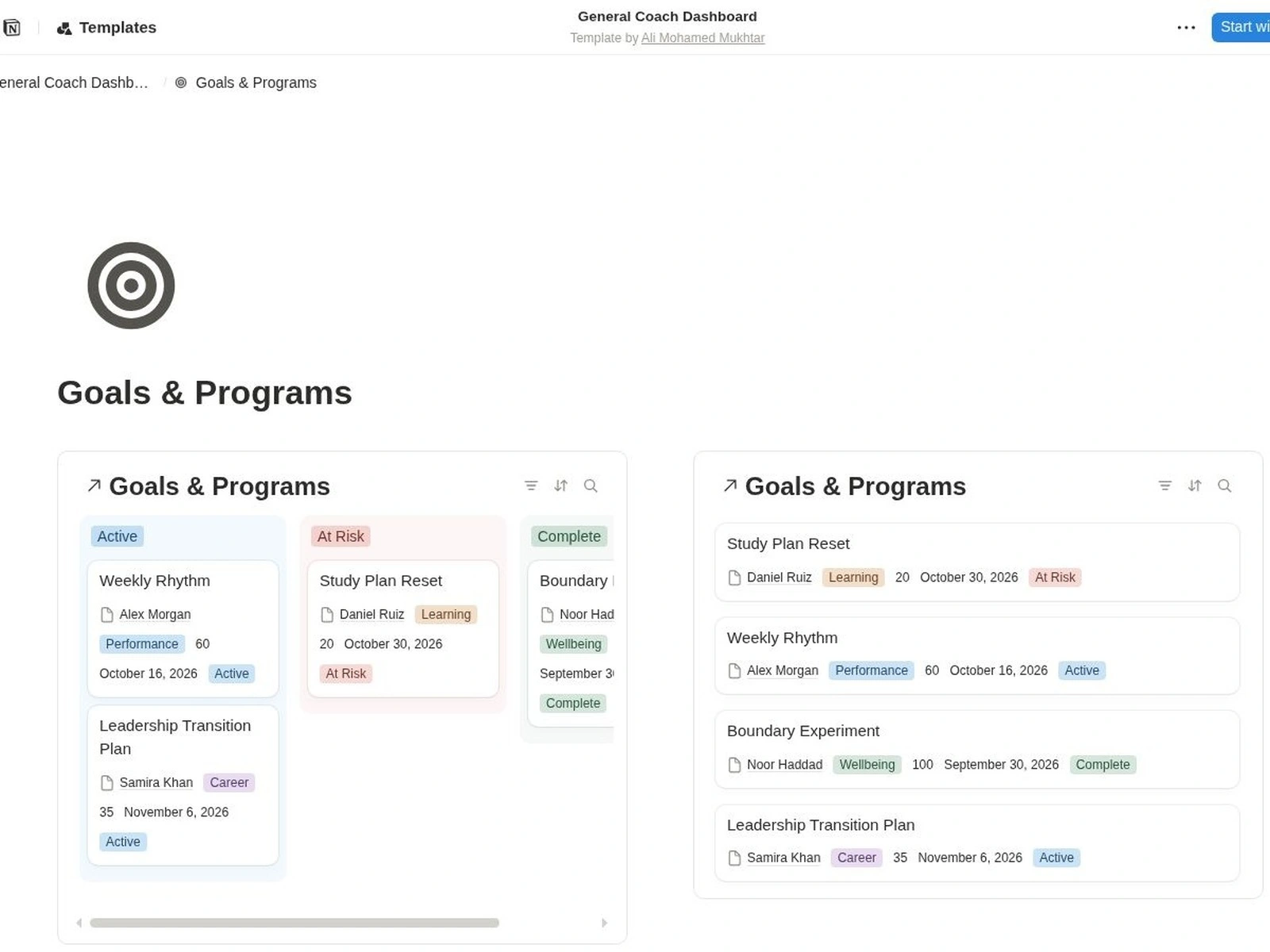
Goals & Programs: organize coaching programs and review progress.
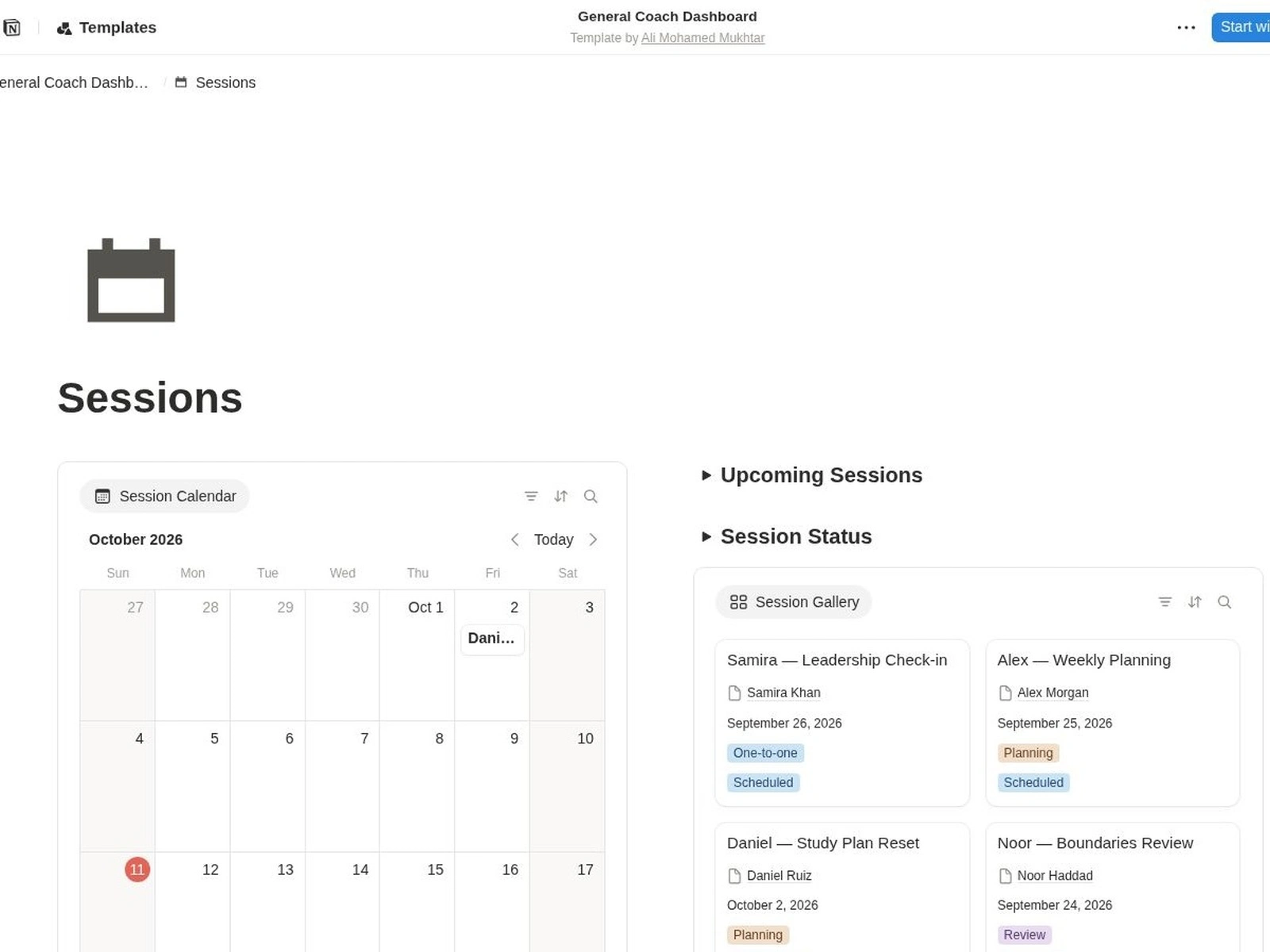
Sessions: see the schedule and keep next steps visible.
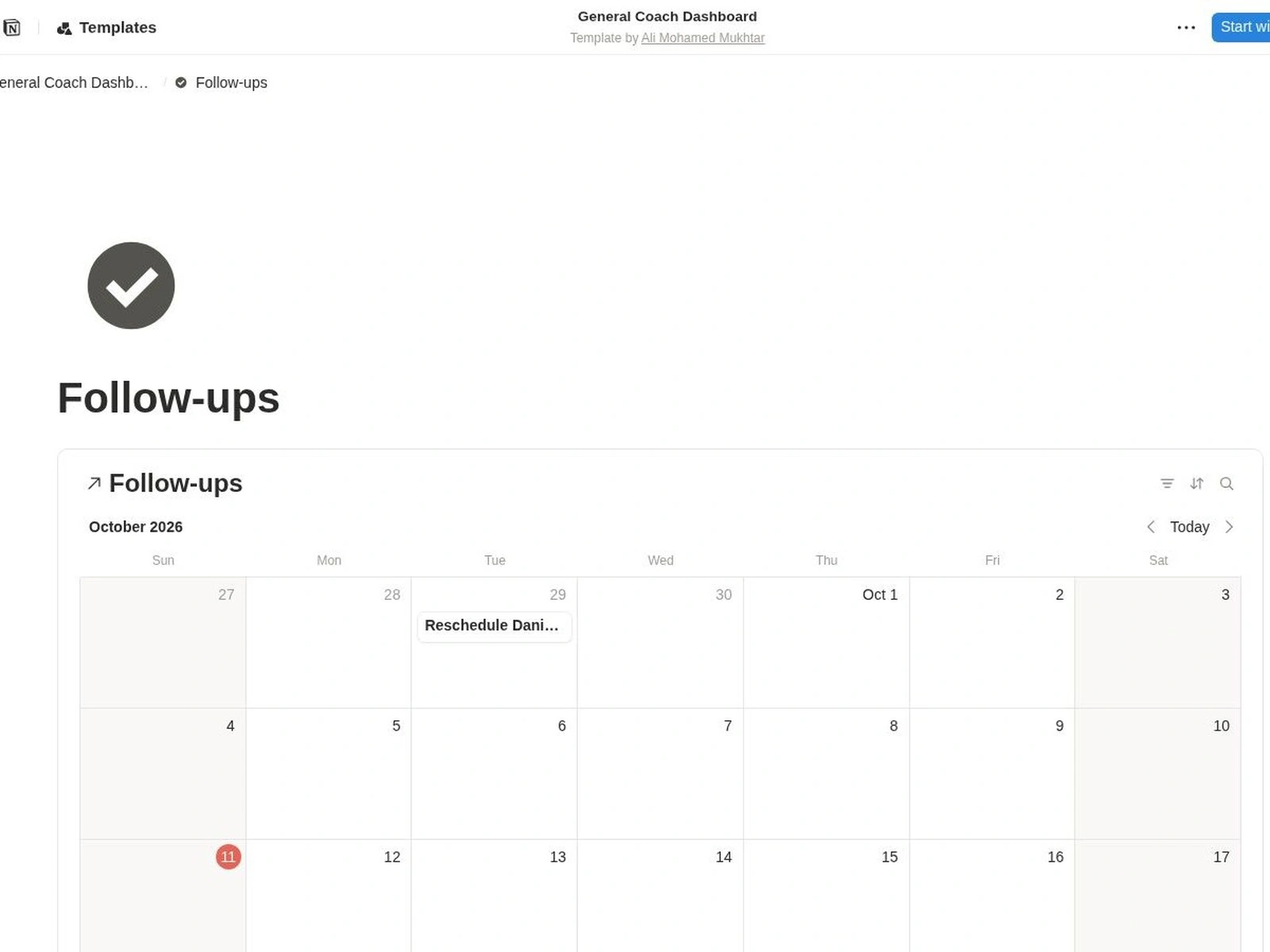
Follow-ups: keep due reminders visible alongside each client record.
Overview
Self-initiated demonstration. This Notion workflow system was not commissioned by a coaching client. Names, contact details, schedules, payments and figures shown in the cover or demo are fictional sample records.
Workflow goal
Keep the next action visible across client follow-ups, sessions, programs, nutrition and payment status. The workspace connects those records around the coach’s operating day.
System structure
Coach dashboard: linked views for active clients, upcoming sessions, follow-ups and open payment records.
Connected client records: clients link to their program, session, nutrition and progress entries so the coach can move between related information without re-entering the same context.
Reusable references: supporting libraries organize training and nutrition references for repeated use.
Finance tracking: payment status is recorded in Notion for review; the workspace does not process payments.
Client-facing pages: the template organizes information a coach may choose to share. Access must be configured and tested separately for each client.
Example daily flow
Open the dashboard and review active clients, upcoming sessions and due follow-ups.
Open a client record and add a linked session or program entry.
Record progress and set the next follow-up date.
Review open payment statuses and update them manually when information changes.
Design and quality decisions
Keep one source database for each record type and use linked views to avoid duplicate records.
Use clear status stages and next-action dates to make the next step visible.
Separate coach-only tracking from client-facing pages.
Filters organize views; they do not provide privacy. Client permissions require separate configuration and testing.
Demo scope
This case demonstrates a Notion template structure and example workflow. It does not claim client outcomes, generated revenue, medical or nutrition advice, or automated payment and messaging services.
Setup service
The starter setup configures up to three selected modules and up to three agreed field, status or view adjustments. Please share anonymized examples only.
Like this project
Posted Aug 14, 2026
Self-initiated Notion demo for coaching workflows. Fictional records show linked client, program, session, nutrition, progress and payment tracking.