Dynamic image generation on Make.com: certificates, alert cards

Prem Patel


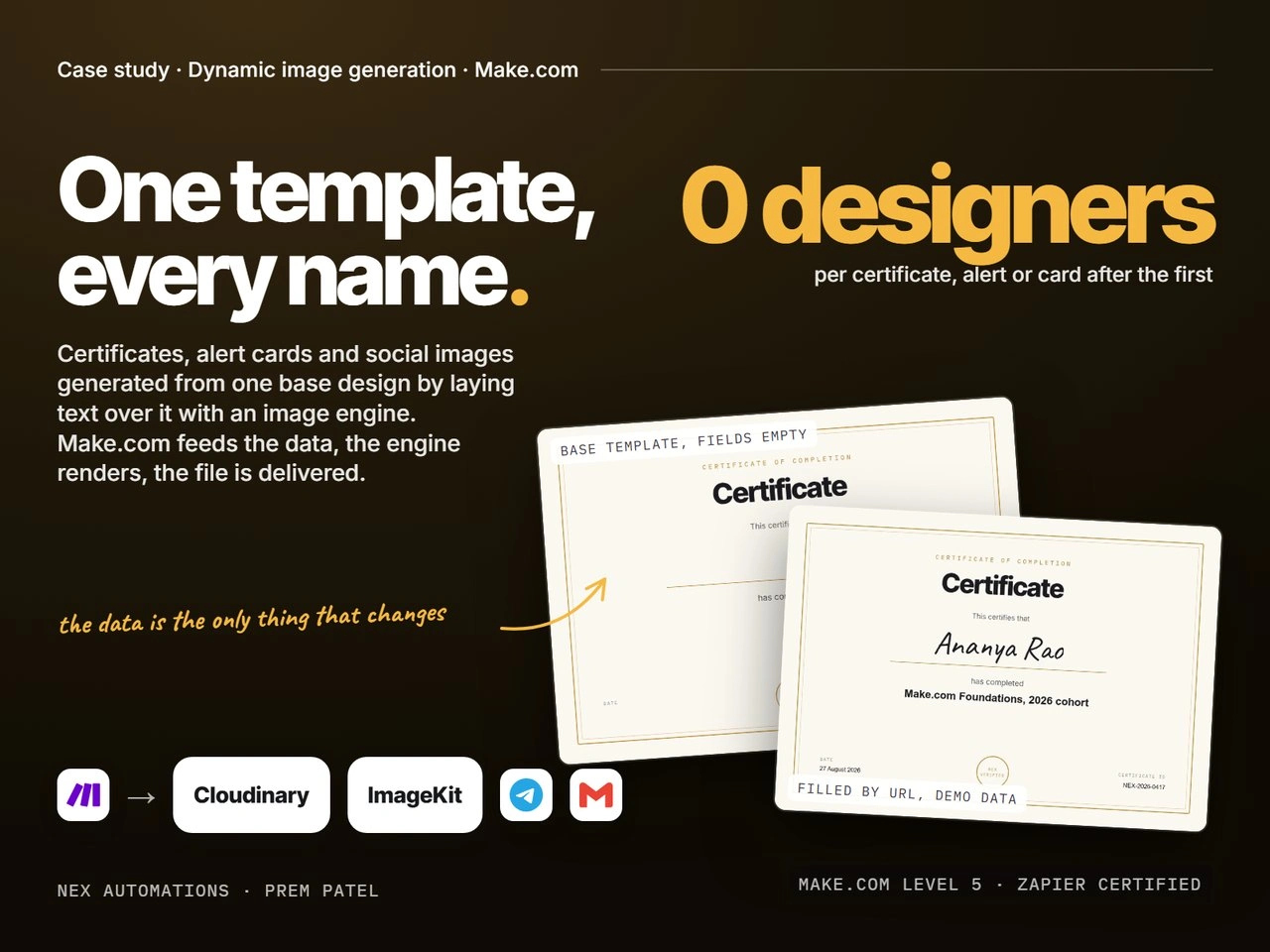
A certificate, a branded alert card or a social image is a base design plus a few fields that change per record. Once the base is exported once (from Canva, Figma or a designer's file), an image engine can lay the text over it on demand, and Make.com can feed it a name, a date, a price or a headline from any trigger. The result: every certificate for a cohort, every alert for a trading channel, every card for a campaign, generated in under a second each, with no designer in the loop after the first file. The alert-card version of this system has run 24/7 for a registered research analyst in India since 2025, delivering to Telegram in under 2 seconds. The certificate example below is the same technique on demo data, labelled as such.
Key facts
Fact | Detail |
|---|---|
What it is | A reusable pipeline: trigger, data, template choice, image render, verification, delivery |
Platform | Make.com as the orchestrator |
Image engines | Cloudinary (text overlay by URL), ImageKit (same idea), Bannerbear, APITemplate or Placid (template APIs), or a self-hosted Sharp service at volume |
In production | Branded alert cards per TradingView signal, Telegram delivery, 24/7 since 2025 (see the TradingView case study on this profile) |
Demonstrated | Certificate of completion from one blank base template, filled by a Cloudinary transformation URL, demo data |
Render time | Under a second per image on Cloudinary and ImageKit; 50 to 150 ms on a self-hosted Sharp service |
Design time after the first | Zero: a new template is one exported file plus a field map |
Why this matters
Teams keep a designer or an intern on repetitive image work: certificates after every course, a card for every signal or listing, a social tile for every article. The design never changes; only the words do. Canva's own bulk tools cover a spreadsheet run by hand, but not an event that fires at 2 AM, not a webhook, and not delivery to Telegram, email or a CMS in the same motion. Putting an image engine behind Make.com turns the design into a function: give it data, get a file.
The choice of engine is the real decision. URL-based overlay engines (Cloudinary, ImageKit) need no server and render on the CDN, which is why they are the default here. Template APIs (Bannerbear, APITemplate, Placid) trade a monthly fee for a visual template editor. A self-hosted renderer (Sharp or node-canvas on a small server) wins once volume passes a few hundred thousand images a month or the layout needs gradients, shadows and custom fonts a URL cannot carry.
What we built
A base template per document type, exported once at full resolution with the dynamic fields left empty and uploaded to the image engine
A field map per template: which value goes where, in which font, size, colour and alignment, with a maximum width so long names never overflow
A Make.com scenario that takes the trigger (new row, form entry, webhook, TradingView alert), validates the fields, picks the template and builds the render call
A verification step that fetches the rendered file, checks it exists and is the expected size, and logs the certificate or alert ID with its URL
Delivery to wherever the record needs to go: email attachment, Telegram channel, Google Drive folder, Shopify or the CMS, and the URL written back to the source row
Error routes on every call, so a failed render parks the record with the reason instead of sending a blank image
How it runs, step by step
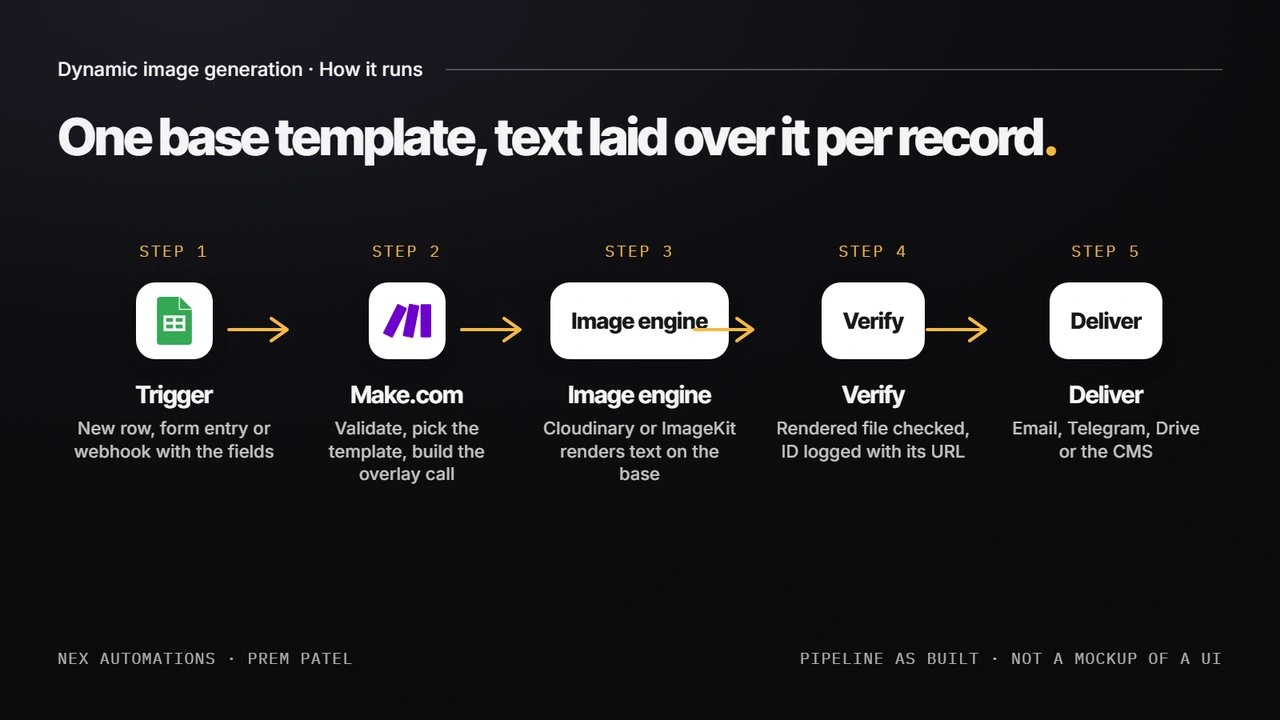
How dynamic image generation runs: trigger, Make.com, image engine, verify, deliver
A record arrives: a course completion in Google Sheets or Airtable, a form submission, or a webhook such as a TradingView alert.
Make.com validates the fields (name present, date valid, text within the width the template allows) and picks the template by type.
The scenario builds the render request. On Cloudinary that is a URL: the base asset plus one text layer per field, each with font, size, colour, gravity and offset. On ImageKit the same fields become transformation parameters. On a template API it is a JSON POST with the field values.
The engine renders the image on request and returns it; Make.com fetches the file and confirms it rendered.
The file is delivered (email, Telegram, Drive, CMS) and the record is updated with the certificate ID or alert ID and the final URL.
A failed step routes to an error handler that parks the record and alerts the owner, so a burst of two hundred certificates never ships one blank.
The certificate example, filled by URL
This is the blank base template. The name, course, date and ID areas are empty on purpose; nothing is baked in.
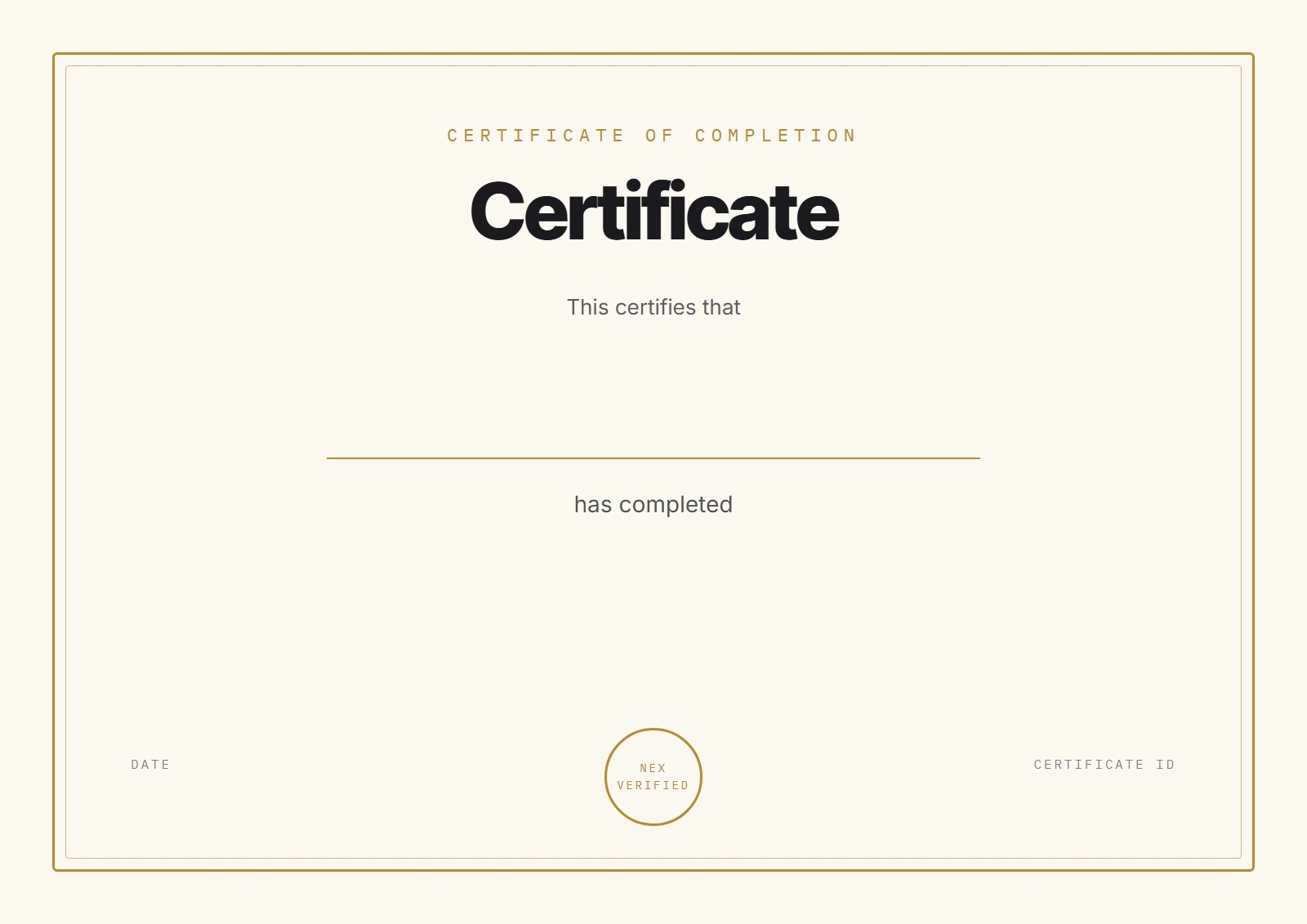
Blank certificate base template, dynamic fields empty
This is the same file rendered by Cloudinary with four text layers laid over it, one per field. No editor was opened; the image below is the output of a transformation URL that a Make.com HTTP module builds from the record. The data is demo data.
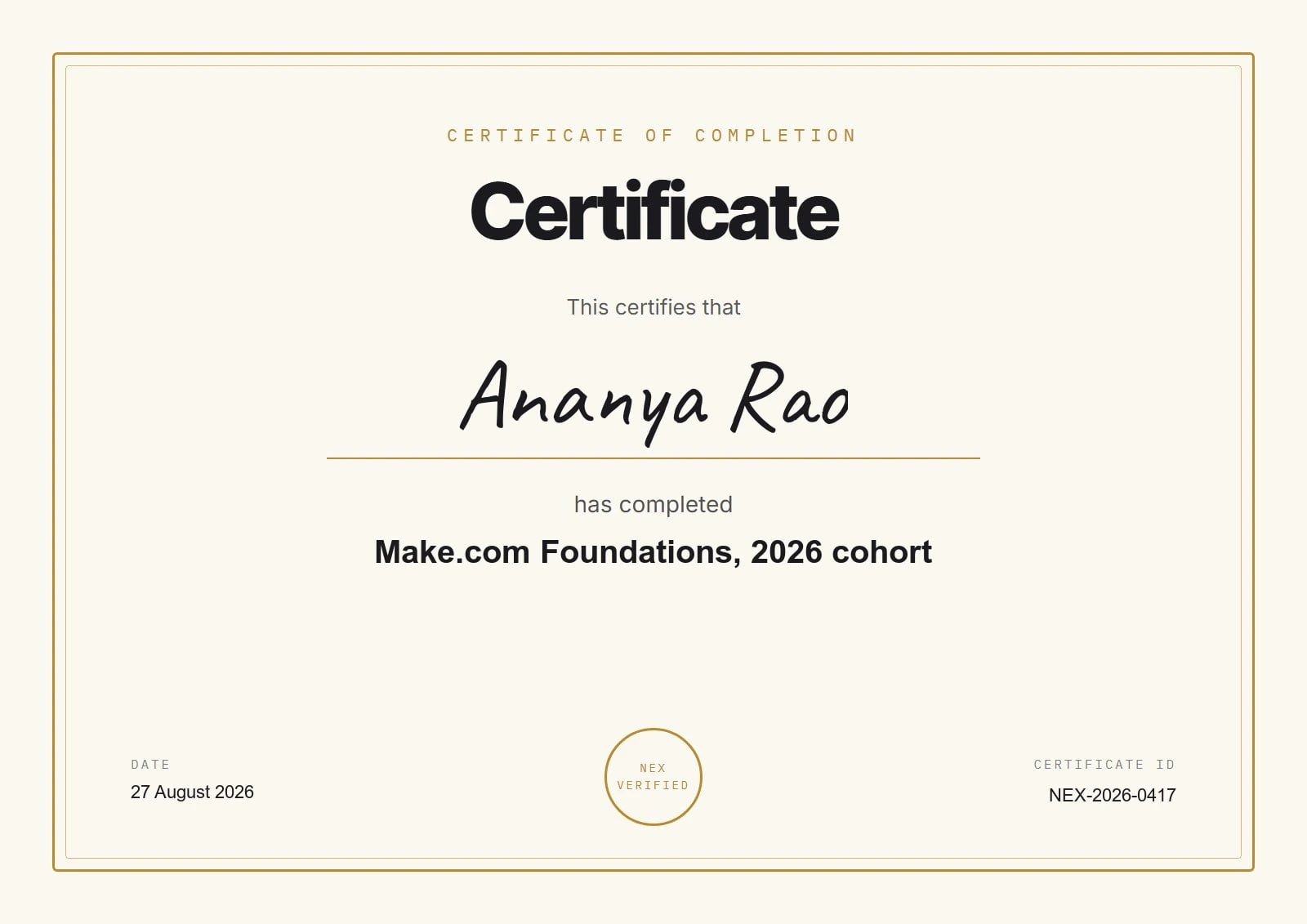
The same base template filled by a Cloudinary transformation URL: name, course, date and certificate ID laid over the base, demo data
The live transformation URL for that image is public and can be opened directly: res.cloudinary.com, cert-base with four l_text layers. Change the name in the URL and the certificate changes; that is the whole mechanism.
The alert-card version, in production
The same pipeline generates a branded image for every trading signal for a registered research analyst: symbol, direction, entry and targets laid over the analyst's branded base, posted to Telegram with the alert text. It has to acknowledge TradingView inside its 3-second webhook window, render, queue under Telegram's rate cap and post, and it has done that 24/7 since 2025. The full build is the TradingView case study on this profile, and its live scenario canvas is shown there.
What to watch for
URL encoding: commas, slashes and special characters in a name break a Cloudinary or ImageKit overlay unless double-encoded; the scenario does this before the call.
URL length: complex multi-field layouts hit URL limits; beyond six or seven fields a template API or a self-hosted renderer is cleaner.
Fonts: URL engines support a fixed set plus Google Fonts; a brand font needs a template API or a self-hosted renderer with the font file installed.
Long text: every field carries a maximum width so a 40-character name shrinks rather than running off the edge.
Cost at volume: URL engines meter transformations; at hundreds of thousands of images a month a $5 server running Sharp renders for free and is the recommendation.
Verification: always fetch the rendered file before delivering it; a 404 or a 0-byte image should never reach a customer.
Result
Certificates, cards or social images generated per record with no design work after the first template
Alert cards live in production since 2025, delivered to Telegram in under 2 seconds per signal
Under a second per render on Cloudinary or ImageKit; new templates added as one file plus a field map
Every failure parked with a reason, never a blank image sent
How to verify
Open the transformation URL above and change the name; the certificate re-renders. The alert-card pipeline is documented with its live scenario canvas in the TradingView case study on this profile. The work is listed at nex-automations.com/work, and Nex Automations is listed in the Make partner directory.
Who this is for
Course creators and training teams issuing certificates, trading and research channels posting branded signals, e-commerce teams needing a card per product or offer, agencies producing social tiles per article, and anyone who exports the same Canva design fifty times a month with different words on it.
Questions people ask
Can Make.com generate certificates automatically from a template?
Yes. A trigger such as a new row or a form submission gives Make.com the name and date, an image engine lays the text over the blank base template, and the file is emailed or saved in the same run. The certificate above was generated exactly that way.
Can I reuse my Canva template for automated image generation?
Yes. Export the design once with the dynamic fields empty, upload it to the image engine as the base, and map each field to a position, font and size. Canva's design stays the source; the engine only writes the words.
Cloudinary or ImageKit, which is better for text overlays?
Both render text over an image through URL parameters with no server. Cloudinary has the deeper transformation language and font support; ImageKit is simpler and often cheaper at moderate volume. The pipeline is the same, so the choice is usually whichever the client already pays for.
When is Bannerbear or a self-hosted renderer the better choice?
When the layout needs more than a few fields, brand fonts, gradients or shadows, or when volume passes a few hundred thousand images a month. A template API gives a visual editor for a monthly fee; a self-hosted Sharp service renders in 50 to 150 ms with no per-image cost.
How do you stop a long name breaking the design?
Every field in the map has a maximum width; the engine shrinks the text to fit, and the scenario rejects values above a character limit before rendering. The rendered file is fetched and checked before it is sent.
What does an automated image pipeline like this cost to build?
A single template with one trigger and one delivery channel is a small build; multi-template systems with branded outputs and several channels run higher. Both are quoted fixed after a short mapping call, and the Make.com Expert service on this profile lists the starting rate.
Related work
About the builder
Prem Patel is the founder of Nex Automations, an automation studio based in India with 1,200+ automations in production for 210+ clients across 12+ countries over six years (figures from nex-automations.com, August 2026). Make.com Level 5 certified, the top of Make's certification ladder, and an official Make partner listed in the Make partner directory. Zapier Certified Expert and a listed Zapier Solution Partner. 5-star average across 94 public reviews on Fiverr and Topmate.
Website: nex-automations.com · LinkedIn: linkedin.com/in/iamprempatel
Last updated: 27 August 2026.
Like this project
Posted Aug 27, 2026
One base design, every name: certificates, branded alert cards and social images generated by laying text over a template with Cloudinary or ImageKit, fed by Make.com. The alert-card version has run 24/7 for a research analyst since 2025.
Likes
1
Views
12
Clients
Nex Automations