Enterprise Onboarding Automation in Arthur

Hamza Waqas


Overview
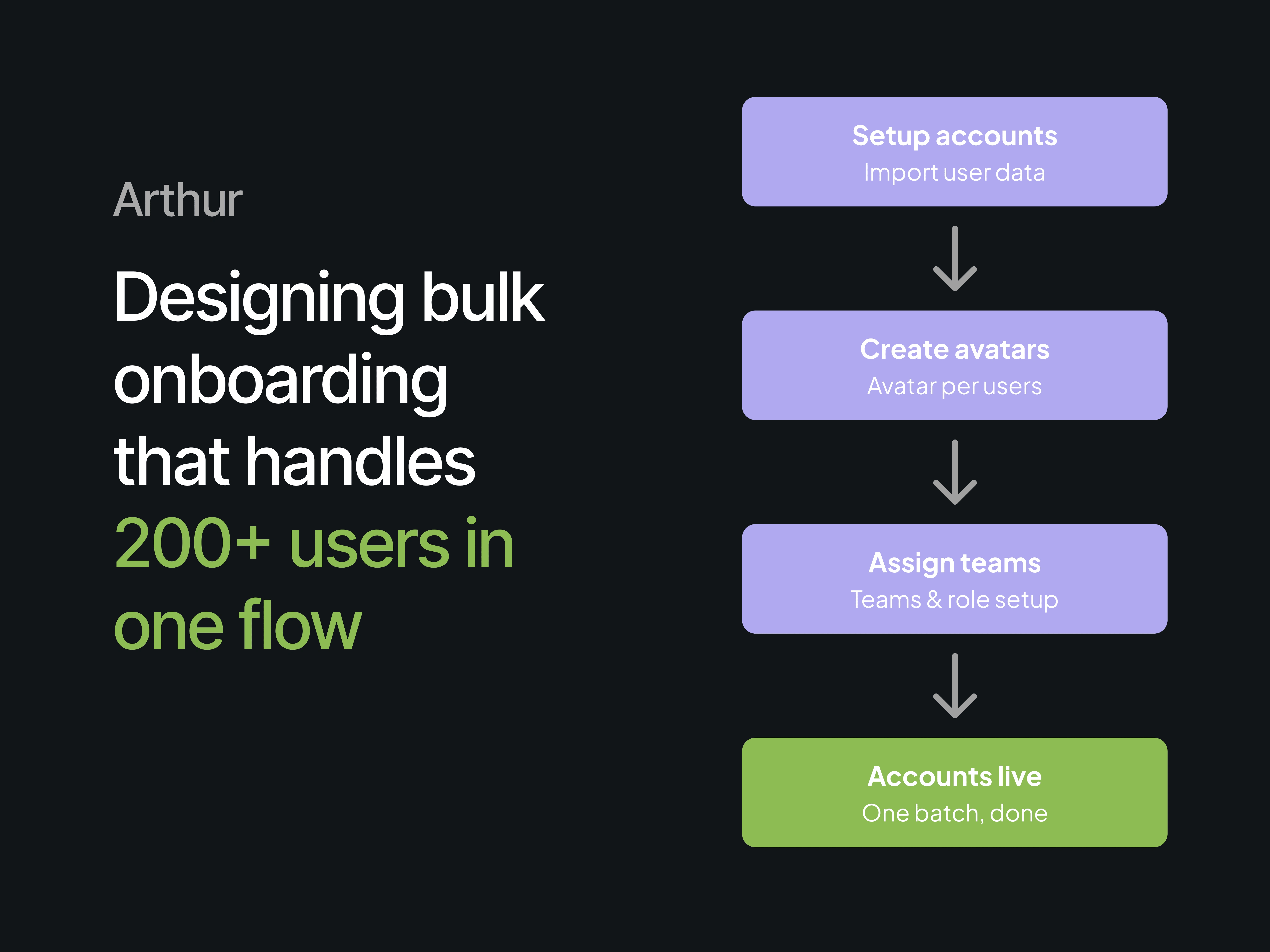
I designed a reviewable batch onboarding workflow that brought account setup, avatar generation, team assignment, and final approval into one guided process.
The Problem
Onboarding a new enterprise client meant creating an account for every employee individually. Name, email, authentication method, avatar, team assignment, one user at a time. There was no shortcut for scale. A client with a few hundred people meant a few hundred repetitions of the same steps, handled by the CS team by hand.
What used to take an entire day of manual setup, sometimes spread across multiple sessions, needed to happen in one sitting instead.
My Role
I designed the end-to-end enterprise onboarding workflow, from account setup through final account creation. My work included the information architecture for a 3-step flow, editable imported-user data, flexible authentication paths, bulk avatar and team assignment, error recovery, and a final review layer for high-impact batch actions.
Setup Accounts
Design Decision
Let admins import and edit user data before account creation, so errors can be corrected without rebuilding the batch.
I designed an editable account details table so mistakes could be caught before moving forward, along with a separate authentication step offering random passwords, verification codes, or email invites. Different clients needed different onboarding paths, so this had to stay flexible.
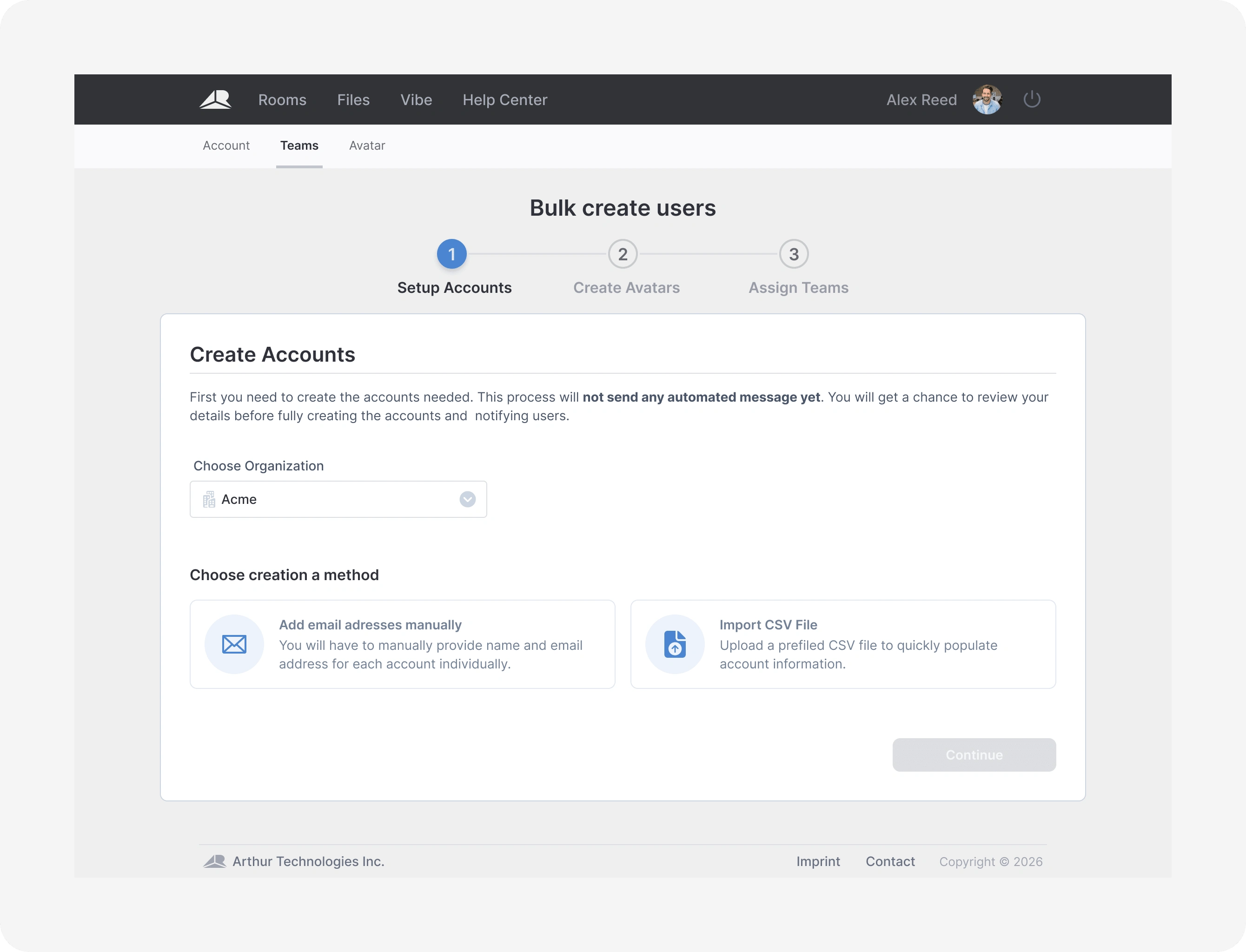
Starting the bulk creation flow by choosing an organization and setup method
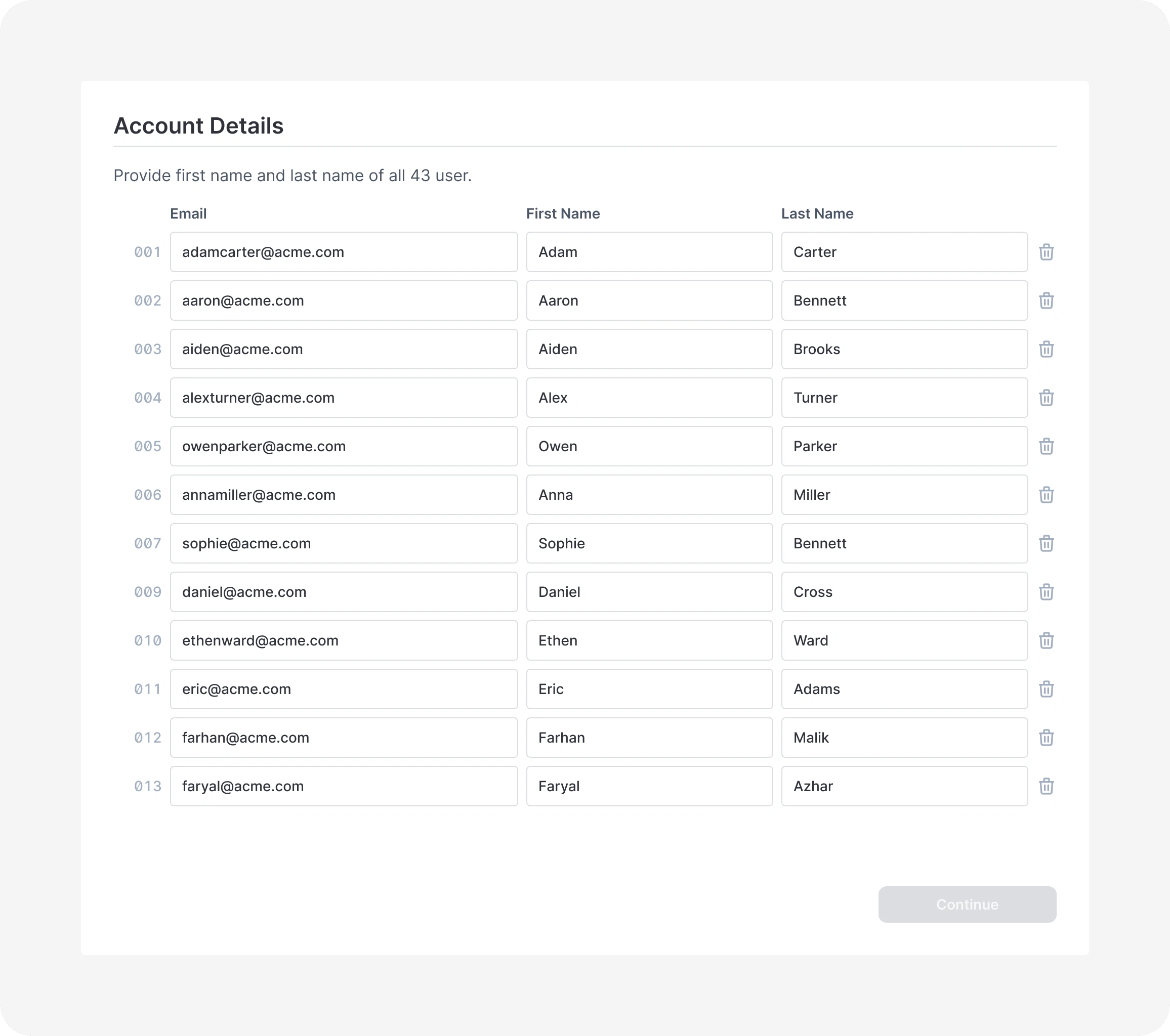
Editable grid showing imported user details before account creation
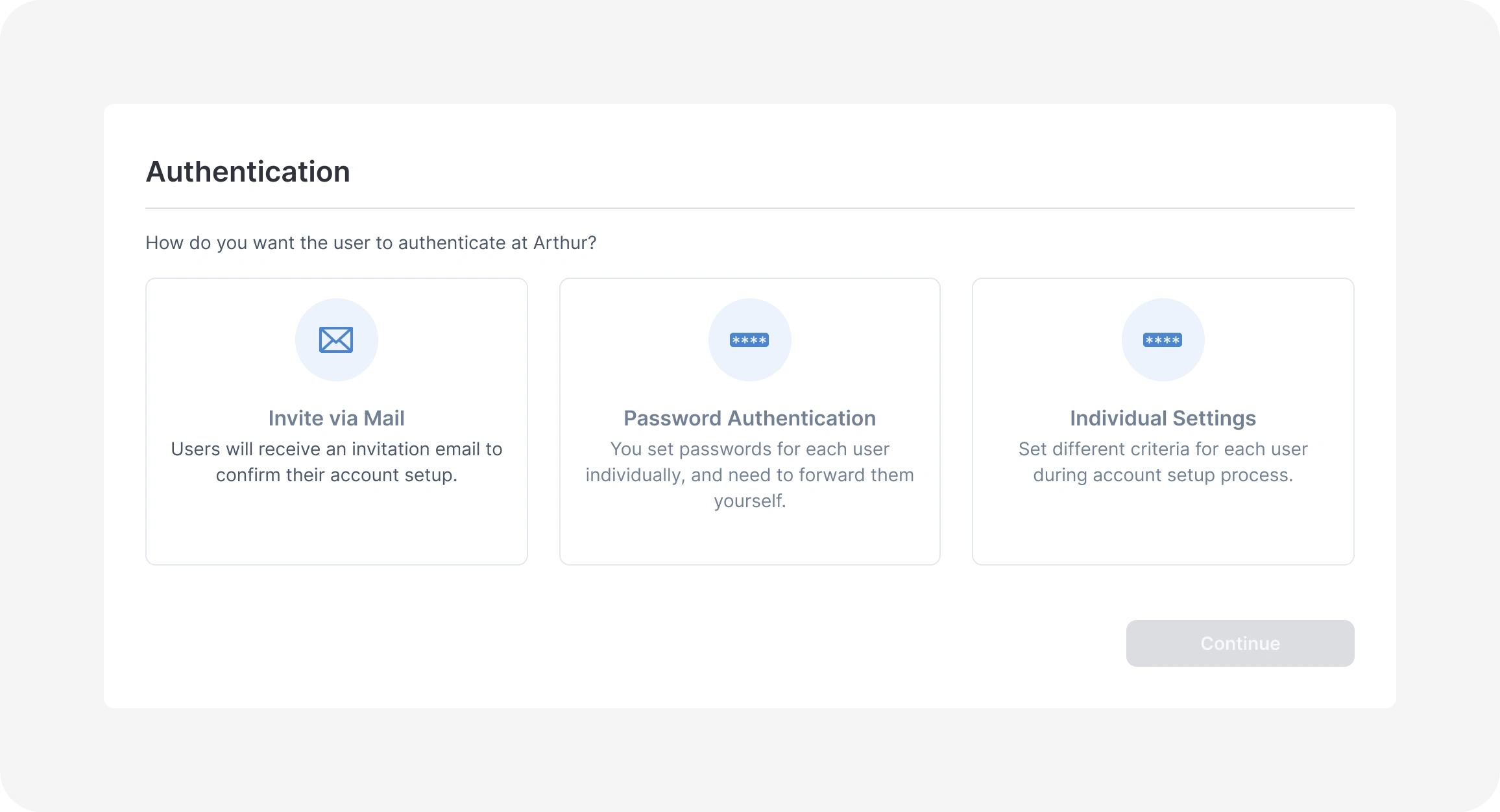
Choosing how new users authenticate, with flexible options per client
Avatar Generation
Design Decision
Keep avatar setup inside the batch workflow, with visible generation states and retry paths, so a single failure doesn’t block the entire onboarding run.
Doing avatars one by one would have defeated the purpose of a bulk flow. I designed a step where admins could bulk upload one image for every user, or assign pictures per person, with avatars queued for generation automatically. Clear status states, in progress, complete, and failed, meant admins always knew what needed a retry.
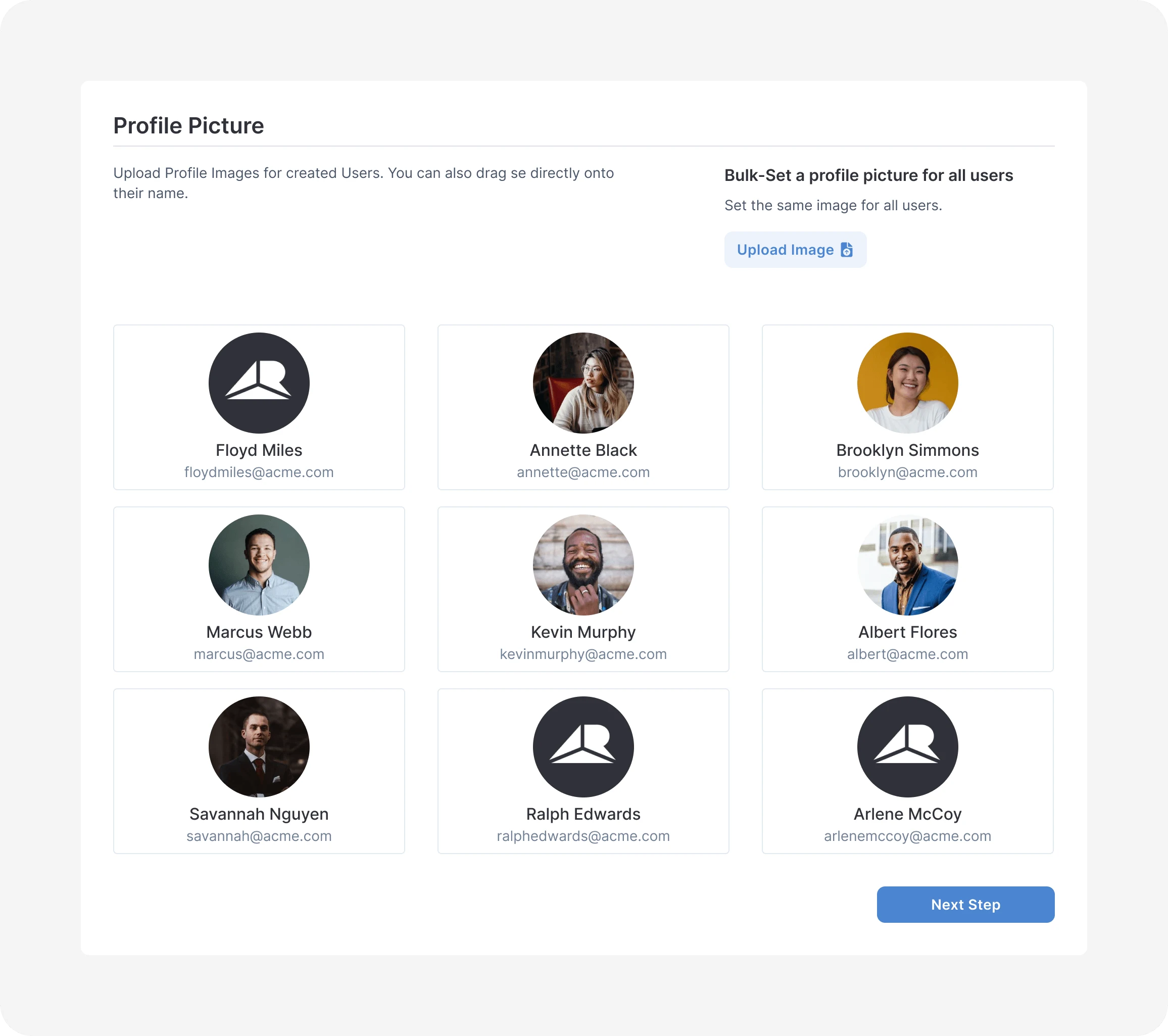
Bulk assigning profile pictures across all users at once
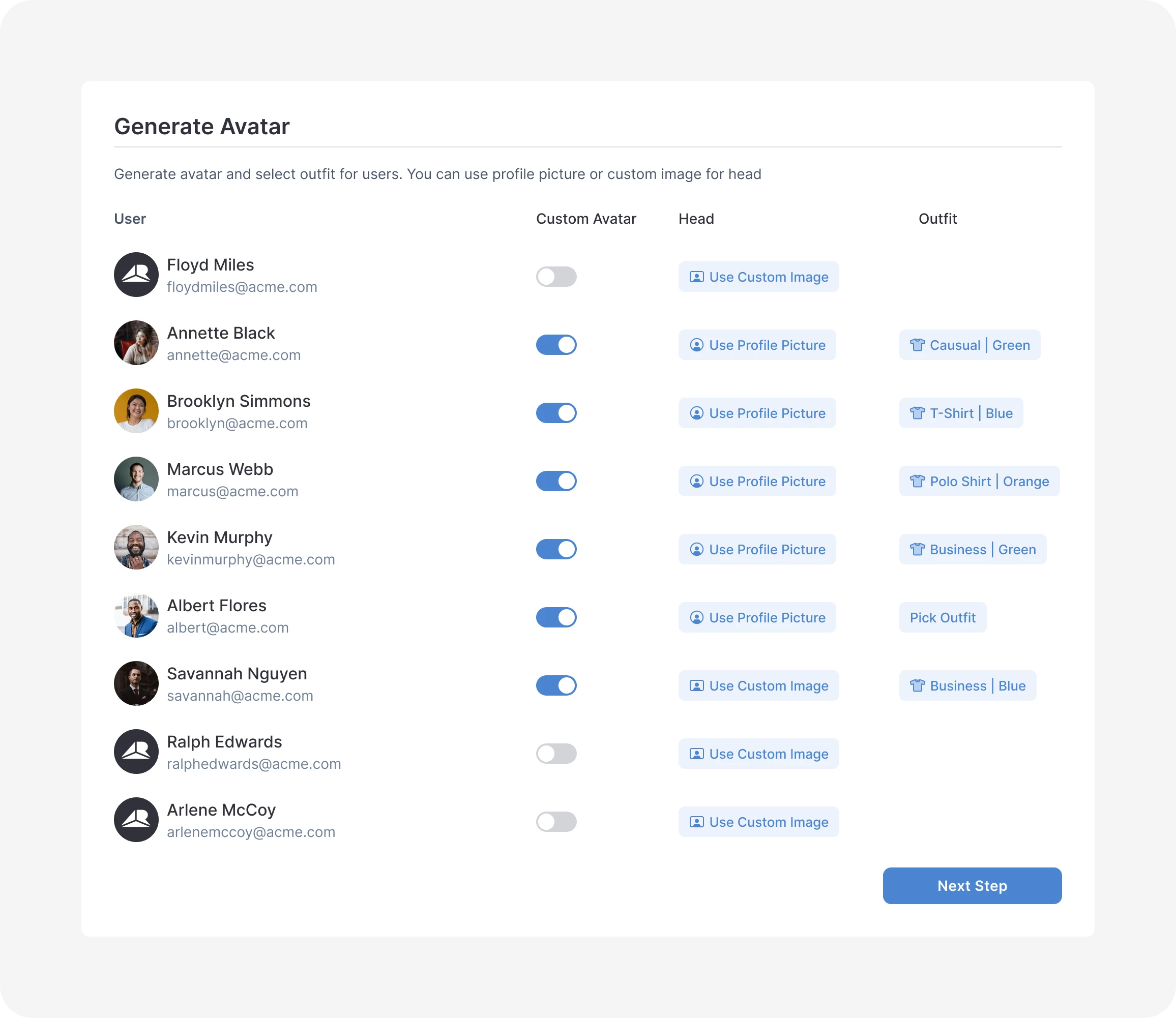
Reviewing and adjusting head and outfit selection per user before generation
Assign Teams
Design Decision
Support multi-team and role assignment in one place, so admins can handle complex organization structures without repeating the same action user by user.
Users needed to land in the right teams with the right roles. I designed a table where admins could assign multiple teams through a searchable dropdown, then set individual roles per team without leaving the screen. For organizations with many teams, bulk editing meant not repeating the same action user by user.
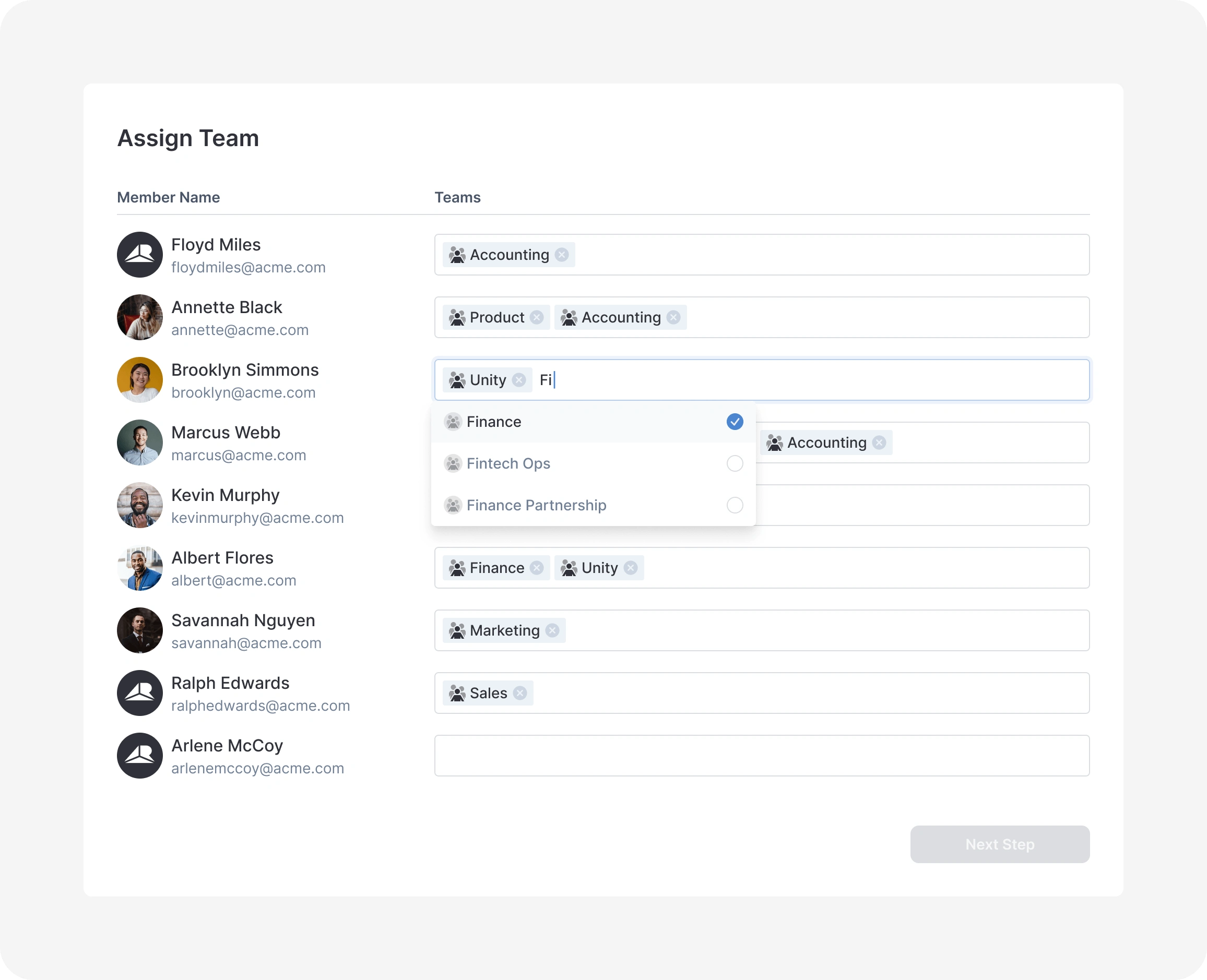
Assigning users to one or multiple teams, with a searchable dropdown to quickly filter by name
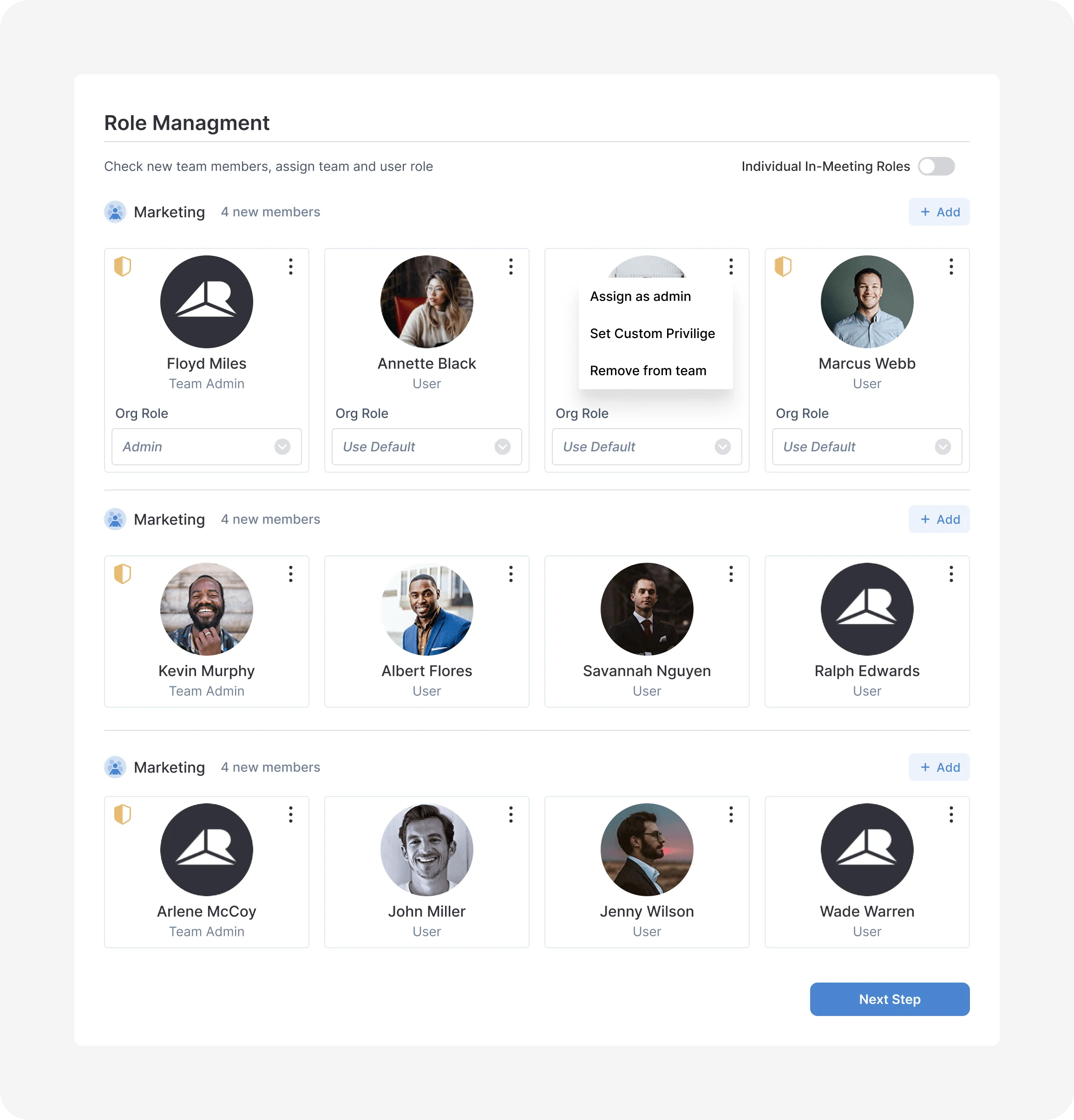
Managing both team role and organization-level role for each member in one step
Summary and Review
Design Decision
Require a complete review before account creation because batch actions affecting hundreds of users are difficult to undo.
Before anything was final, I designed a summary screen showing every user, their avatar status, and their team assignments in one place, with a retry option for any failed avatar. Bulk actions are hard to undo, so this last check mattered before committing to creating accounts for hundreds of people at once.
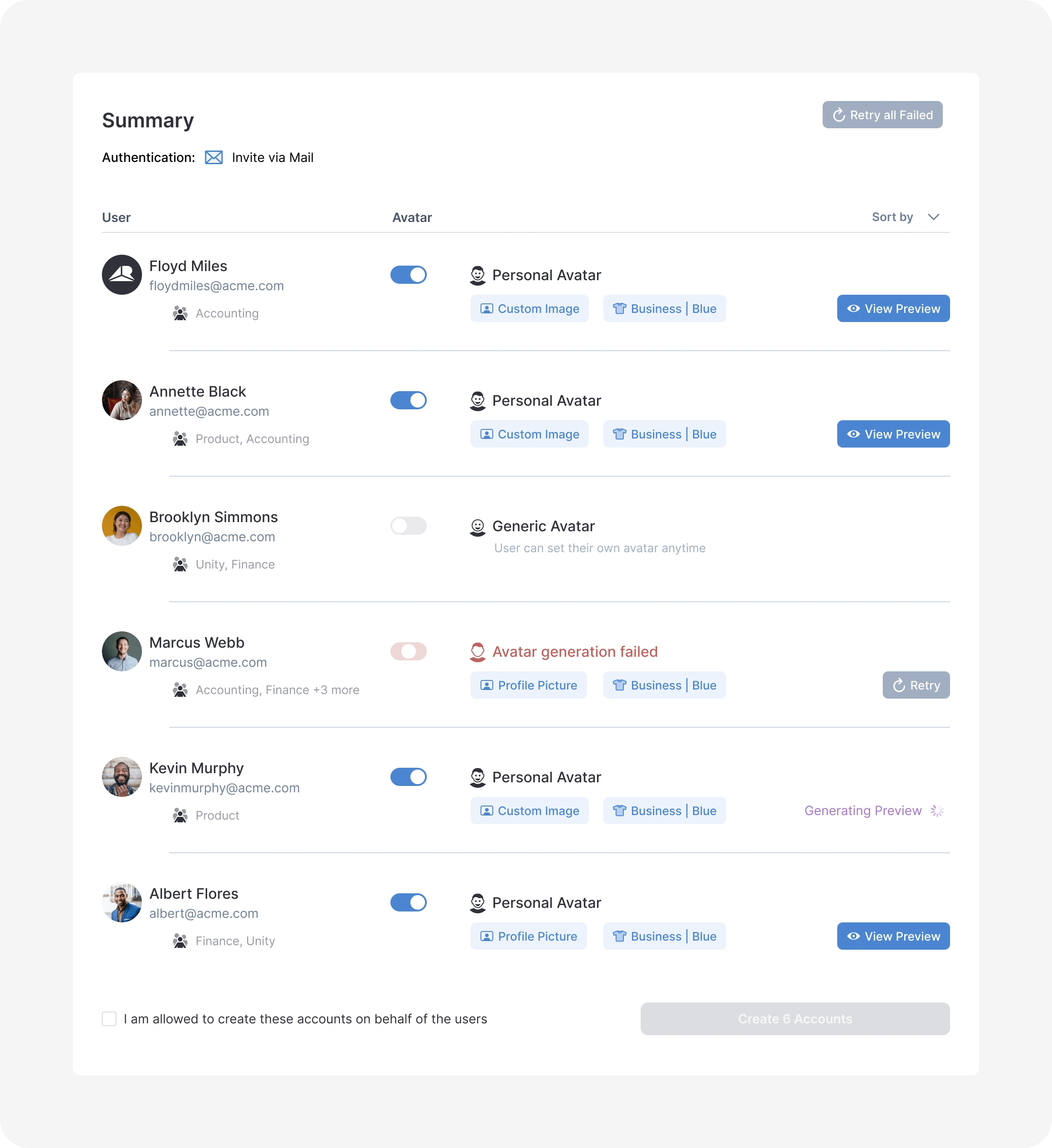
Final review, including retry for any failed avatar before accounts go live
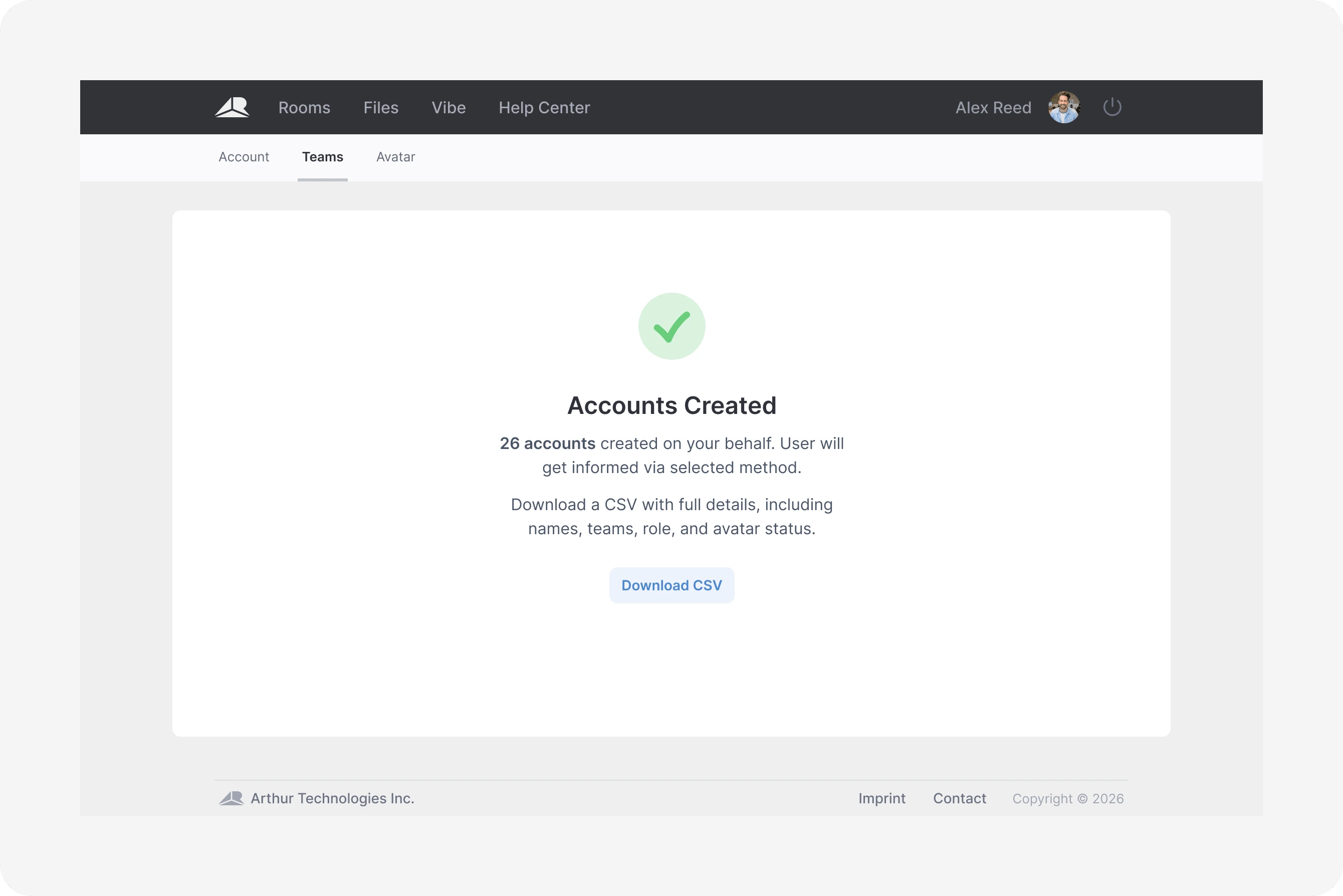
Confirmation once accounts are created and users are notified
Outcome
The final workflow enabled admins to set up 200 or more users in one guided session, rather than creating each account individually. It combined account details, authentication choices, avatar generation, team and role assignment, failure recovery, and final review in one place.
Admins could identify and retry failed avatar generation without restarting the batch, then verify every user’s setup before accounts went live.
Like this project
Posted Jul 19, 2026
Designed a reviewable batch onboarding workflow for enterprise teams, replacing one-by-one setup across accounts, avatars, and team assignments.