Pet Health Certificate Web App UI/UX (SaaS MVP)

Rizki Arsyad

The Problem
Veterinary clinics that issue pet travel health certificates face a painful workflow. Every certificate must comply with destination-country regulations, which vary wildly. Vets spend hours cross-referencing requirements, manually checking records for missing vaccinations or expired tests, and hand-signing paper documents. One mistake means a rejected certificate and a pet owner who can't travel.
PetClear set out to fix this: build a SaaS web app that automates compliance checking, pre-fills certificate data from medical records, and lets veterinarians sign off digitally in seconds instead of minutes.
I led the UI/UX design for the MVP from February to March 2025.
My Role
End-to-end product design: research, user flows, wireframes, high-fidelity UI, and interactive prototype
Designed the AI compliance verification interface
Created the digital certificate preview and e-signature flow
Built the component system and design handoff files in Figma
Understanding the Users
The primary users are veterinarians and clinic staff. Two things stood out during the discovery phase:
Vets are time-poor. They're between appointments, often reviewing certificates during breaks. The interface needed to minimize cognitive load and let them complete reviews in under 2 minutes.
Compliance is the anxiety point. A rejected certificate means an angry client and potential liability. The design needed to make compliance status unmistakably clear at every step, so vets feel confident signing off.
Mapping the Flow
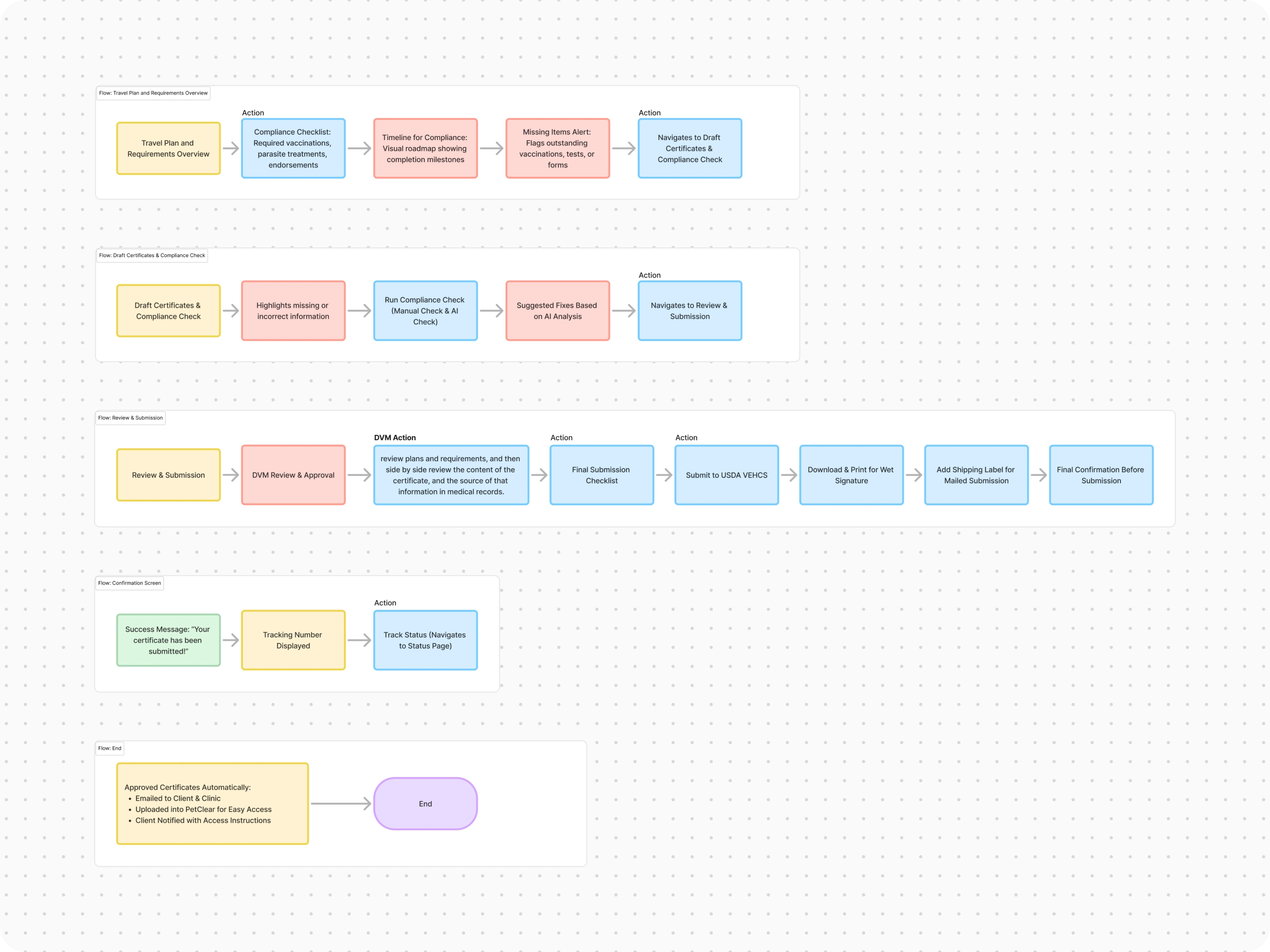
I started in FigJam, mapping the end-to-end certificate issuance workflow. The core flow has 4 stages:
Upload medical records (vaccination history, test results)
AI review automatically checks records against destination-country requirements
Vet review of flagged issues with side-by-side record comparison
Sign and issue the certificate digitally
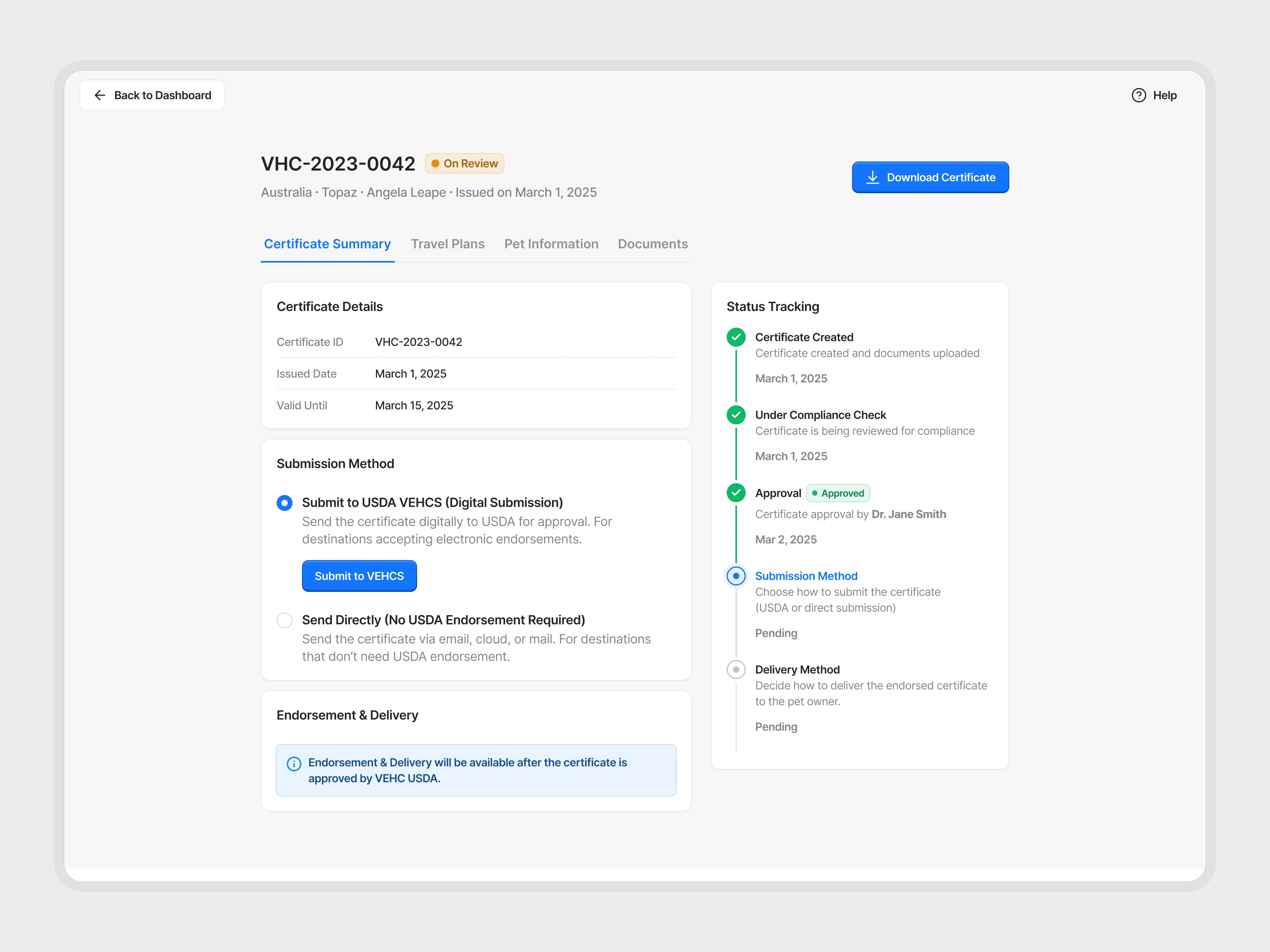
The key insight from flow mapping: stages 1 and 2 should feel almost invisible. The system does the heavy lifting. The vet only needs to engage deeply at stage 3, where their clinical judgment matters.
Wireframes
Before jumping to high-fidelity, I wireframed the key screens to validate the information architecture. The wireframes focused on:
Dashboard layout: How do clinic staff see pending, in-progress, and completed certificates at a glance?
Review screen: How do you show AI-flagged issues alongside the original medical records without overwhelming the vet?
Certificate preview: How does the final document look before signing?
The wireframes went through two rounds of iteration. The biggest change: I moved the AI compliance summary from a separate page to an inline panel on the review screen, so vets never lose context switching between tabs.
Designing the AI Compliance Check
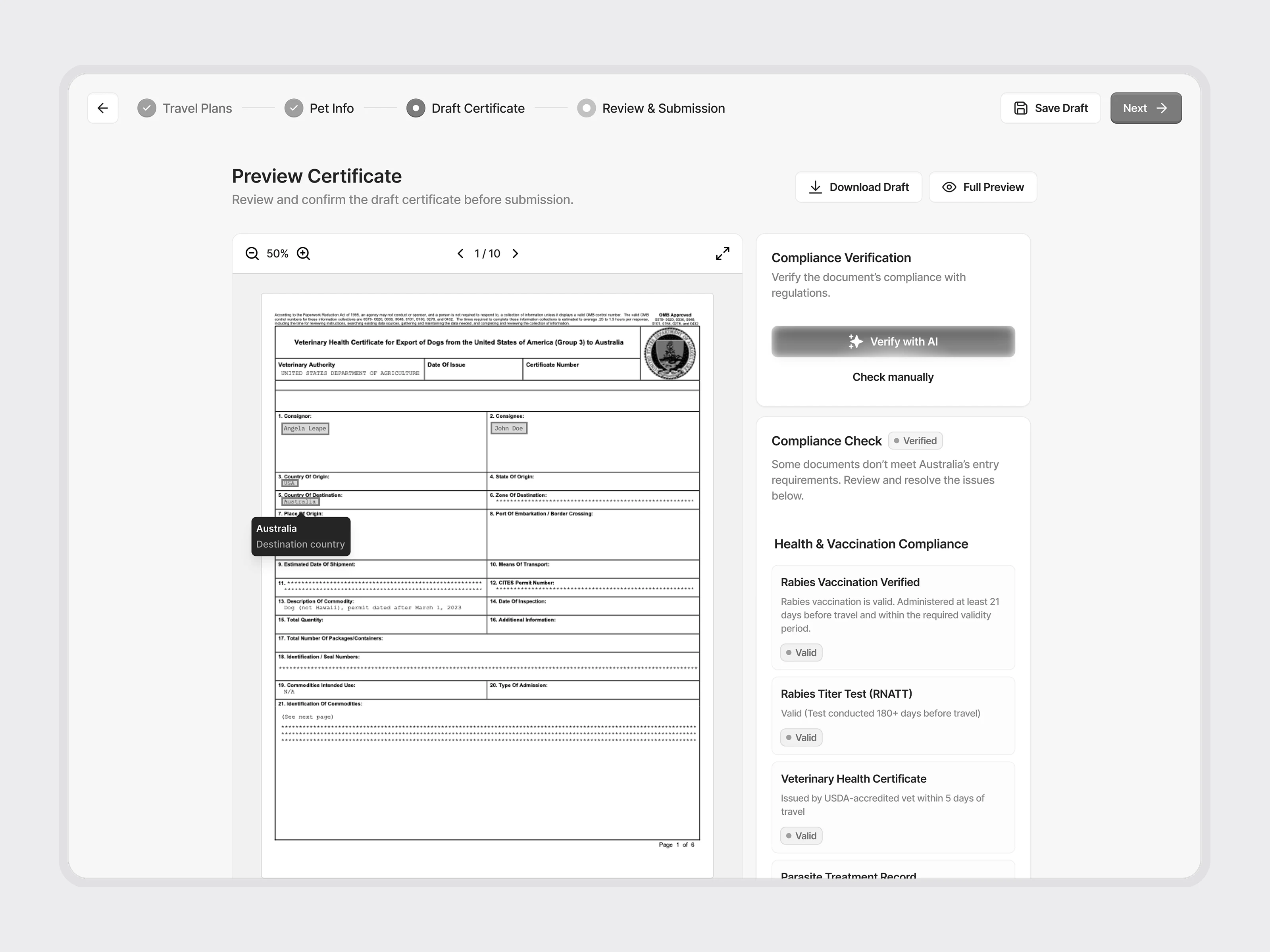
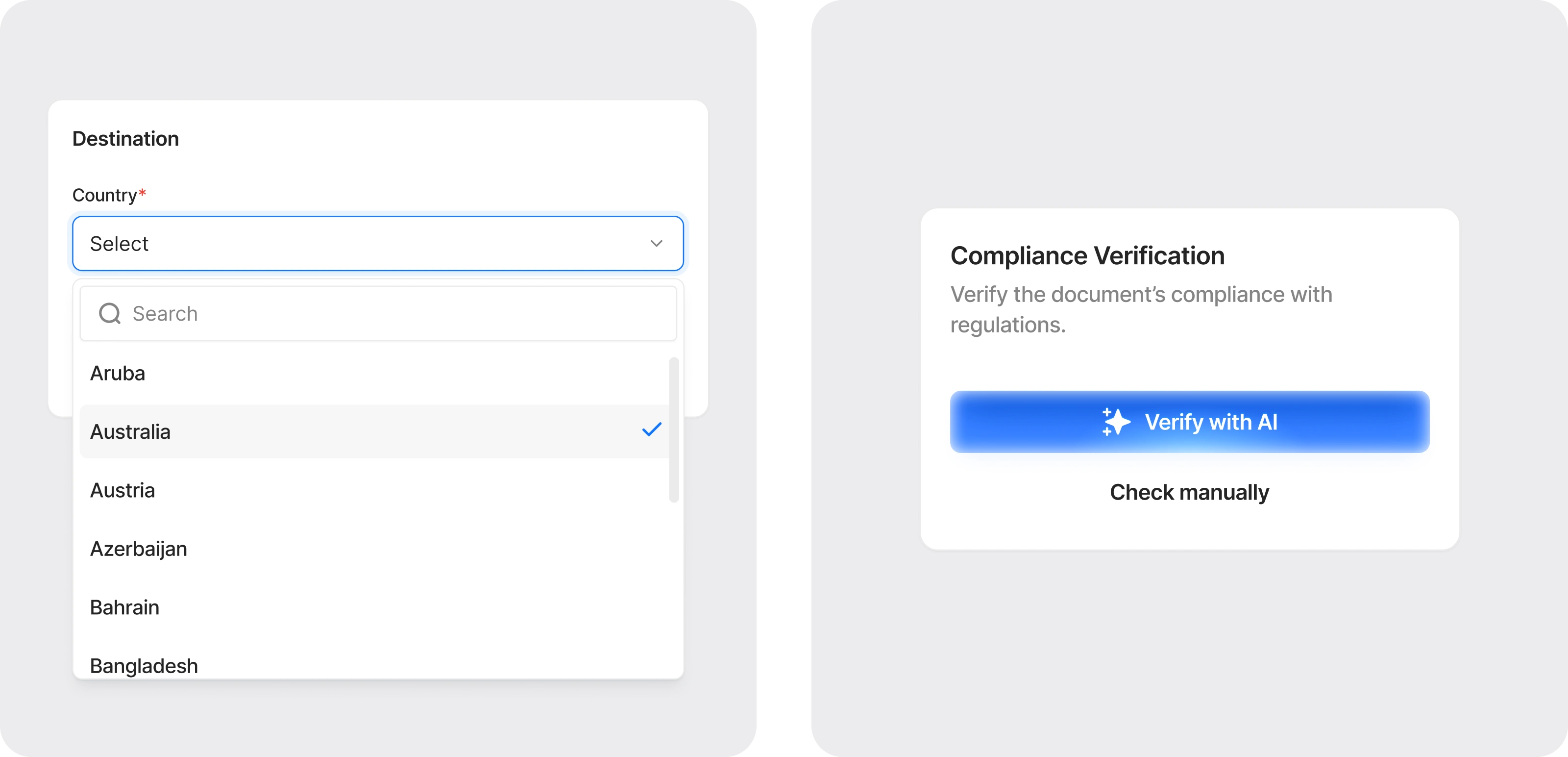
This was the most interesting design challenge in the project. The AI engine scans uploaded veterinary records and checks them against a database of country-specific travel requirements. It flags missing vaccinations, expired tests, and incorrect data.
The design problem: how do you present AI-generated compliance feedback in a way that feels trustworthy and actionable, not alarming?
The solution: A traffic-light status system. Each requirement shows green (passed), yellow (needs attention), or red (blocking issue). Flagged items expand to show the specific problem and a suggested fix. The vet can accept the suggestion with one click or override it manually.
The animated walkthrough below shows the full flow: records are uploaded, the AI extracts and validates data, flags are raised, and the vet reviews corrections before sign-off.
The E-Signature Flow
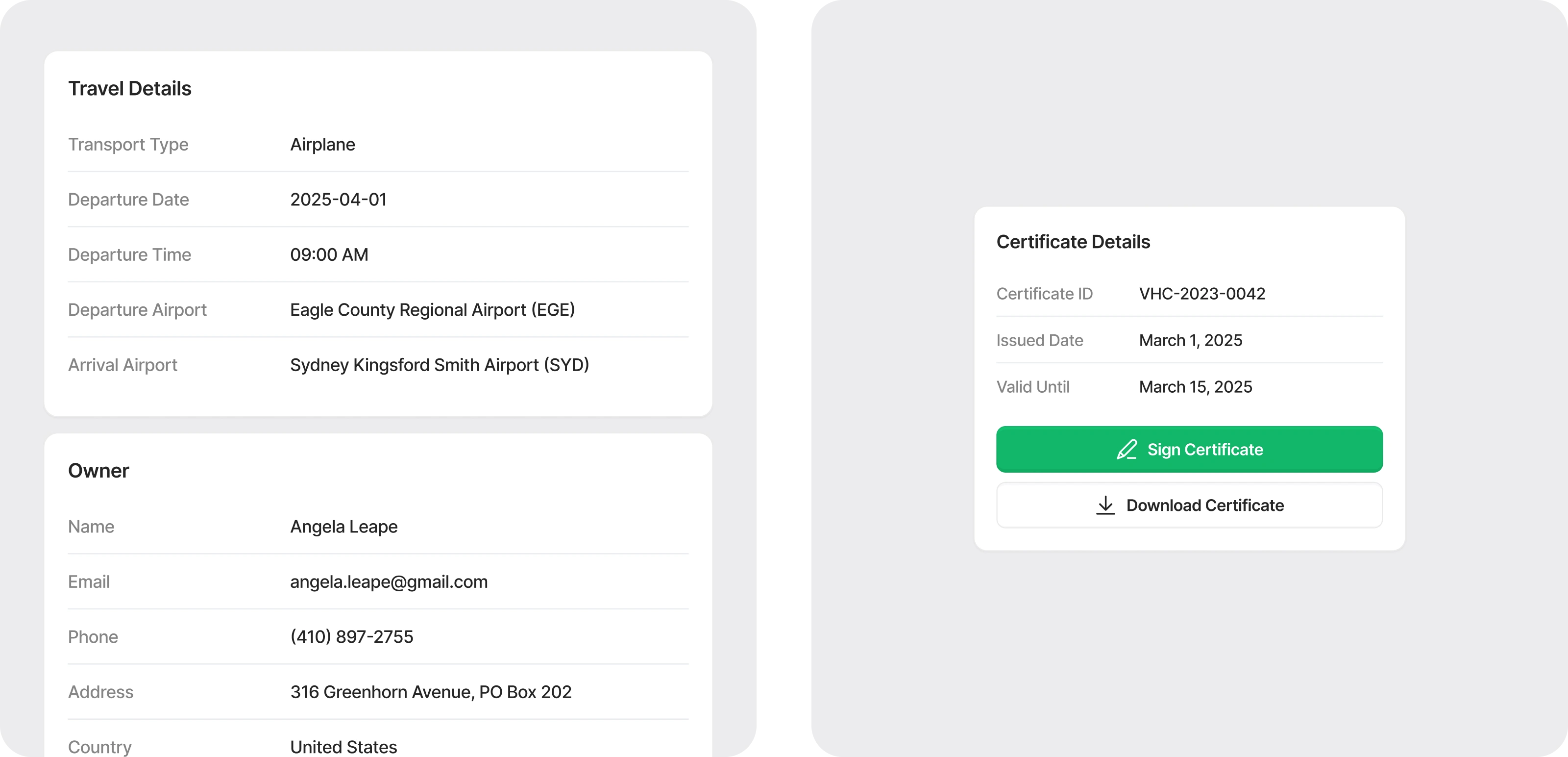
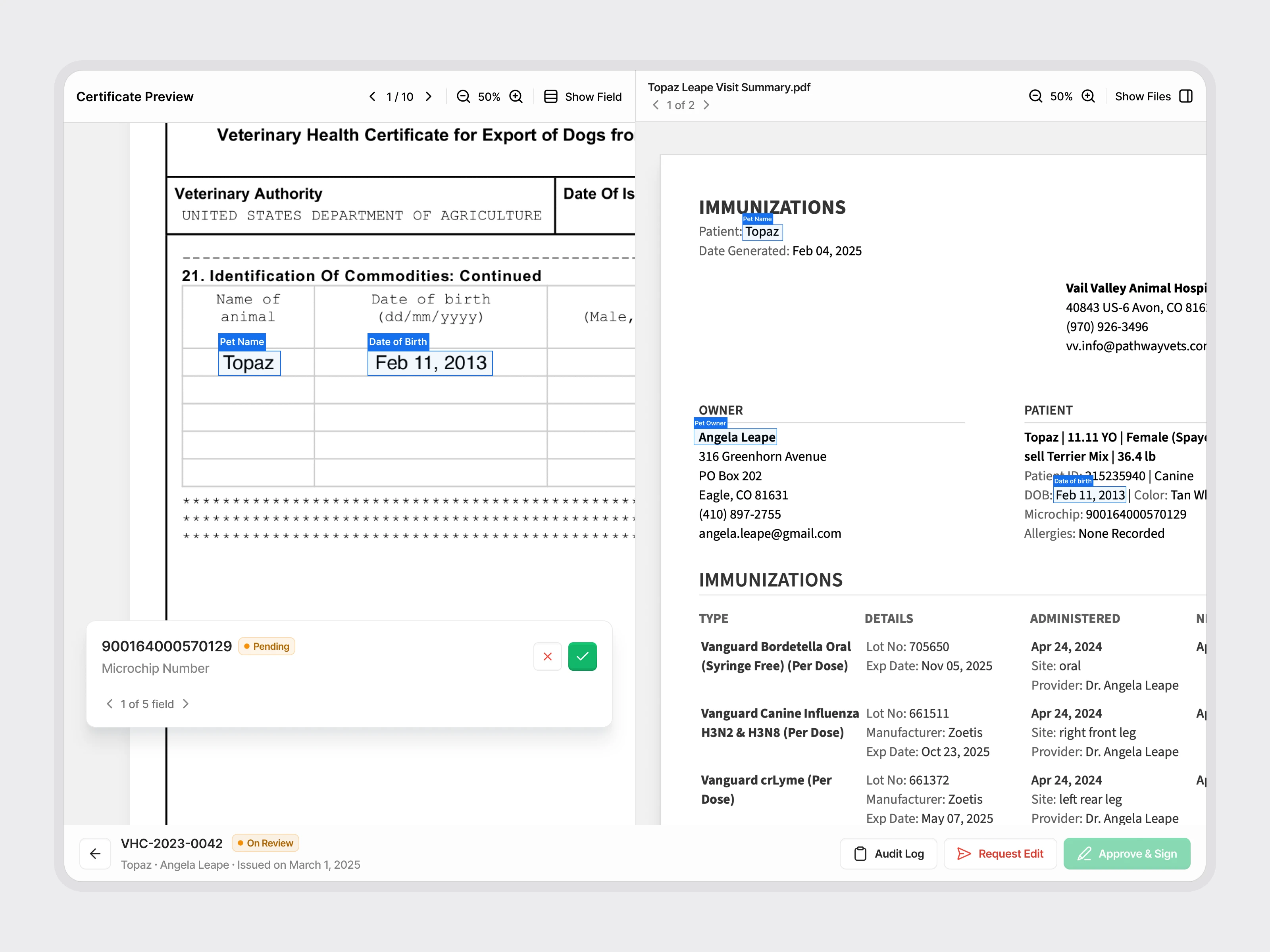
The final step needed to feel both fast and legally sound. I designed a split-screen layout: the completed certificate on the left, the original medical records on the right. The vet can scroll through both simultaneously for a final check.
The signature itself is a single tap. The system logs the signer's identity, timestamp, and approval status in an audit trail, which is visible in the certificate metadata. This gives clinics a defensible record if a certificate is ever questioned.
The Dashboard
The clinic dashboard is the home screen for staff managing multiple certificates. It shows:
Active certificates grouped by status (draft, in review, signed, issued)
Quick filters for urgency (travel date approaching)
A search bar for finding specific pets or owners
The card-based layout keeps information scannable. Each certificate card shows the pet name, destination country, compliance status, and assigned vet, so staff can triage without opening individual records.

What I Delivered
Complete user flow mapping in FigJam
Wireframes for all key screens (2 iteration rounds)
High-fidelity UI for dashboard, upload, AI review, certificate preview, and e-signature
Interactive Figma prototype for stakeholder demos and user testing
Structured Figma files with auto layout, naming conventions, and developer annotations
Component library covering forms, status badges, data tables, and modal dialogs
The MVP design was completed in 5 weeks and handed off to the engineering team for development.
Like this project
Posted May 27, 2025
Designed the MVP for PetClear, a SaaS web app that helps veterinary clinics issue travel-compliant pet health certificates using AI-powered compliance checks and digital signatures.
Likes
2
Views
19