
How to design iOS app navigation in Figma
Hey designers, I'm happy to share the ultimate guide to tab bars in-app designs with you. This post includes a free Figma file, additional tips, and a tutorial on designing better iOS app navigations. 💜
1) Let's start with the full tutorial on how to design an iOS app in navigation in Figma easily!👇
How to design iOS app navigation in Figma
2. Duplicate this Figma file with seven free interactive tab bar variants. 🎁
3. Finally, here are additional tips for designing better tab bar navigations.
Number of Items
Keep the number of navigation items to a minimum, typically between three to five. Overloading the bottom navigation can lead to confusion and a cluttered UI.
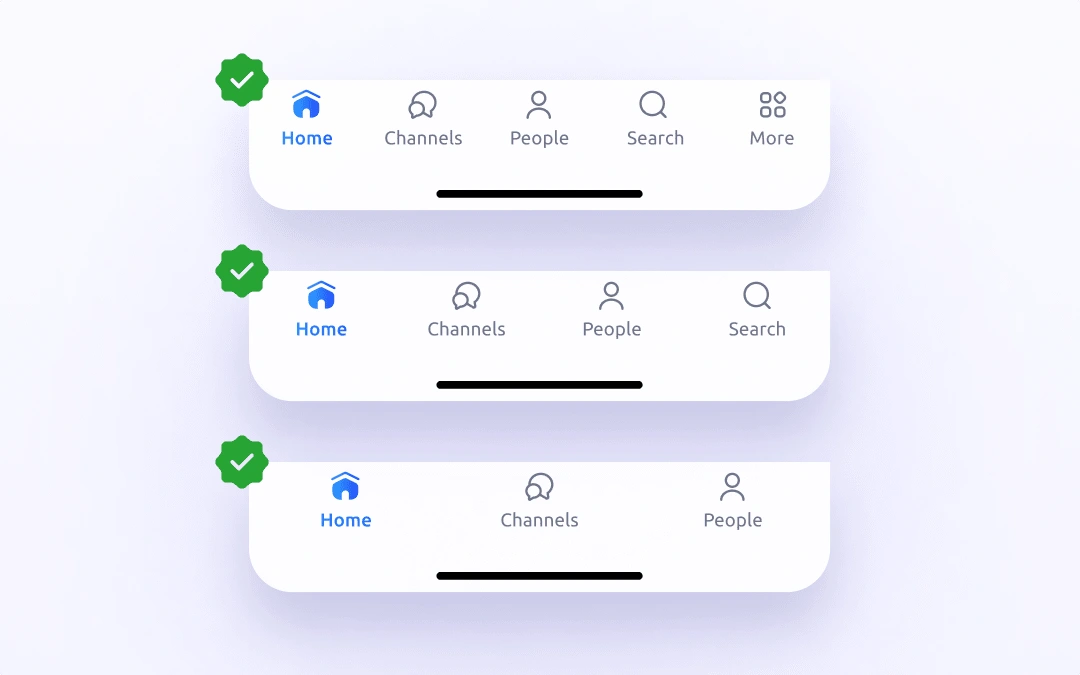
Number of items in Tab Bar
Prioritize Core Actions
Place the most important and frequently used actions at the bottom. This ensures that users can quickly access your app's primary features.
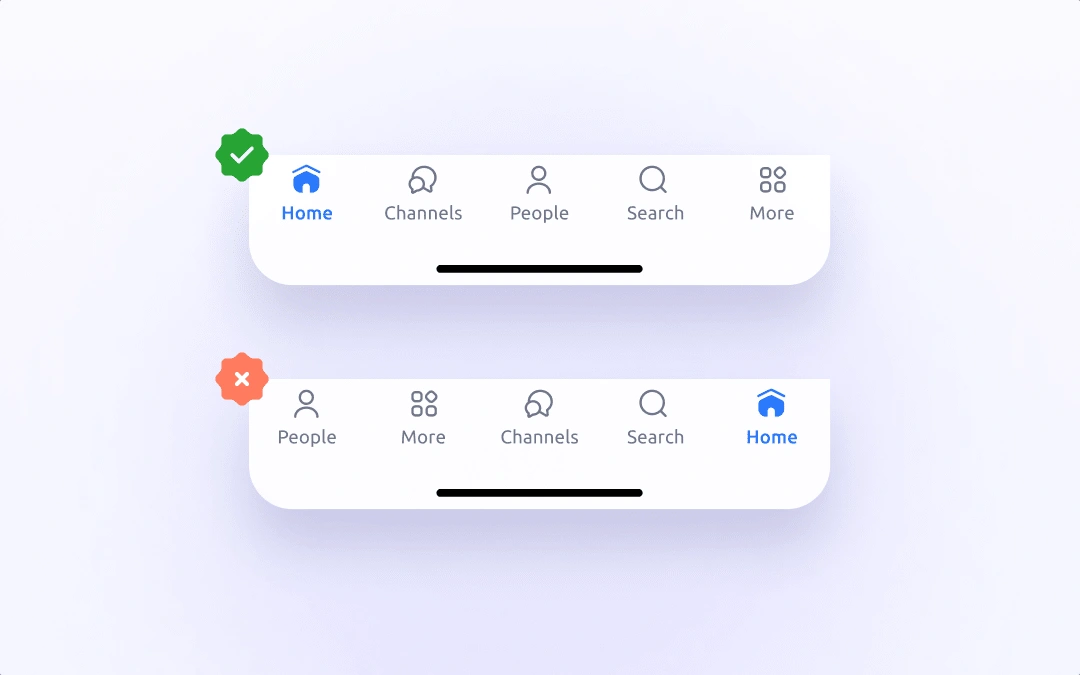
Core actions prioritization
Label Icons
While icons are essential, consider adding labels to each icon to provide explicit information about the action or destination. This can help eliminate ambiguity. If the icons are self-explanatory and really common, the labels are optional.
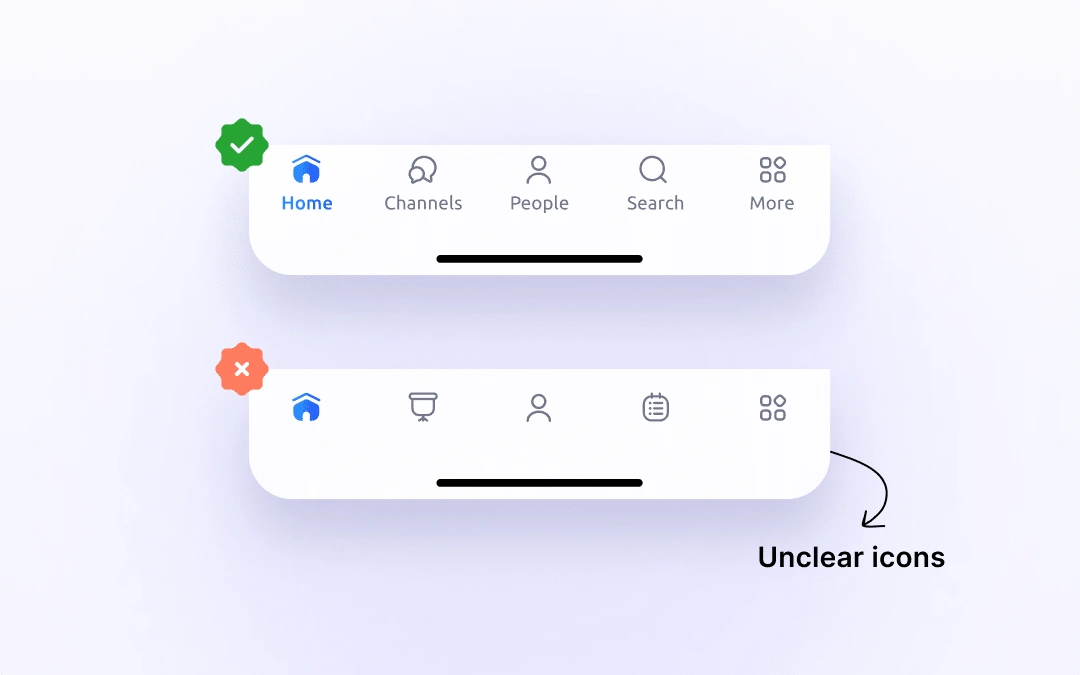
Labels for Tab Bar items
Highlight the Active Item
Make it clear which item is selected using visual cues like color changes, underlines, or bold text.
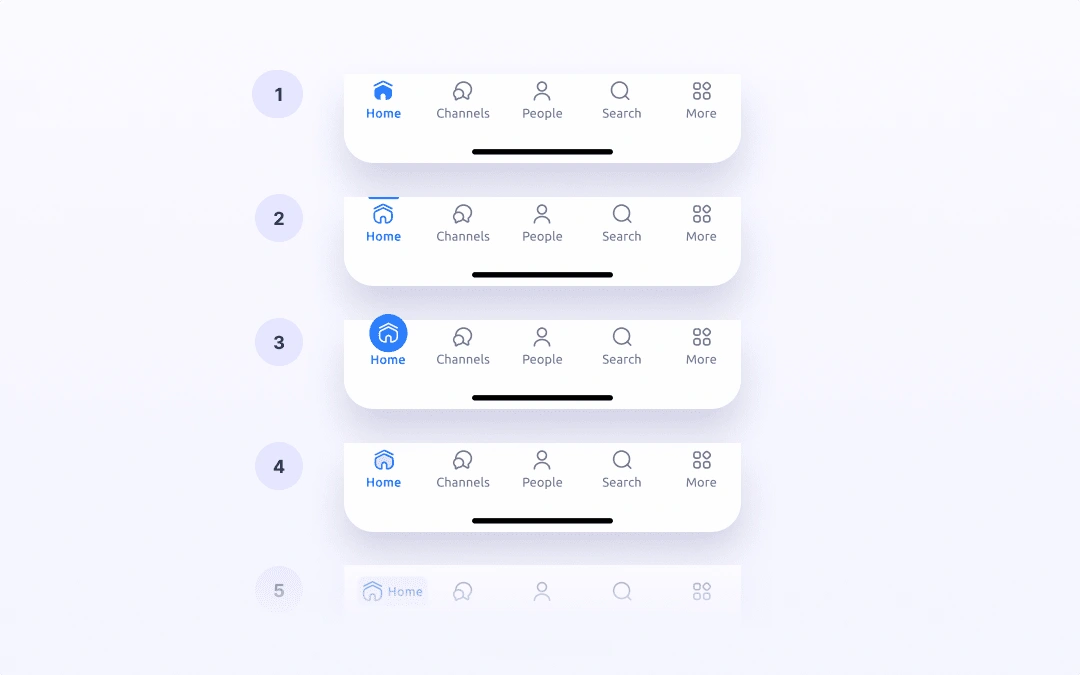
Highlighting an active Tab Bar item
Consider CTA
When there is a strong call to action within the app, consider placing it directly in the center of the bottom navigation. The alternative is to place it on the right above the bottom navigation.
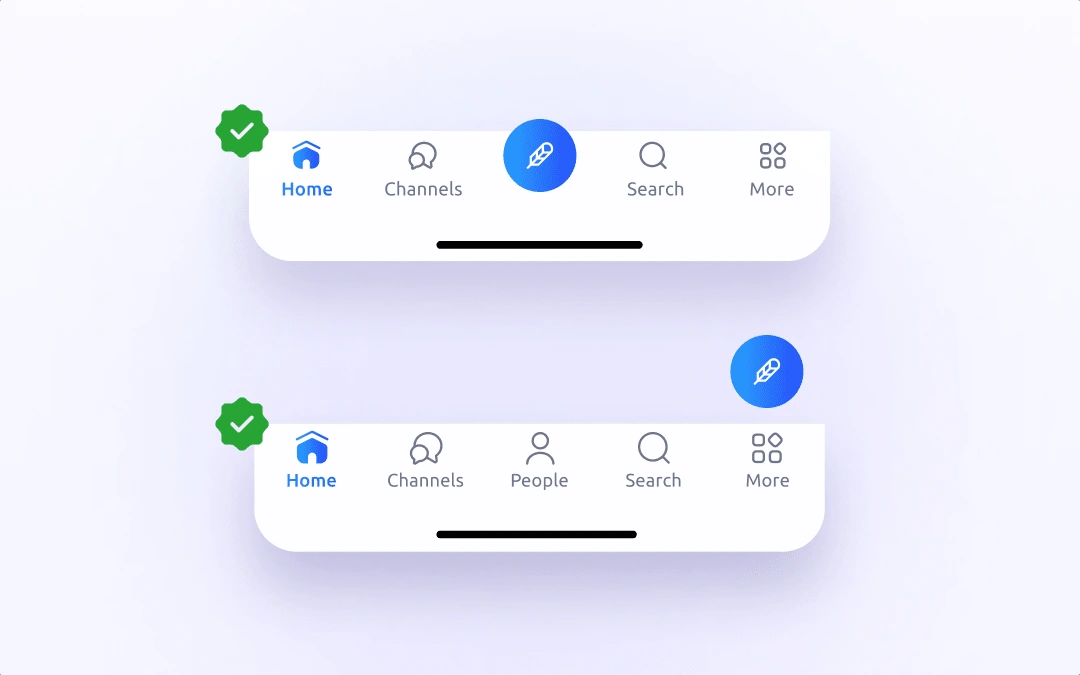
Primary call to actions in Tab Bar
Proportions & Spacing
I recommend following iOS guidelines for the Tab bar (Bottom navigation) proportions. This way, you can be sure that you meet touch point standards.
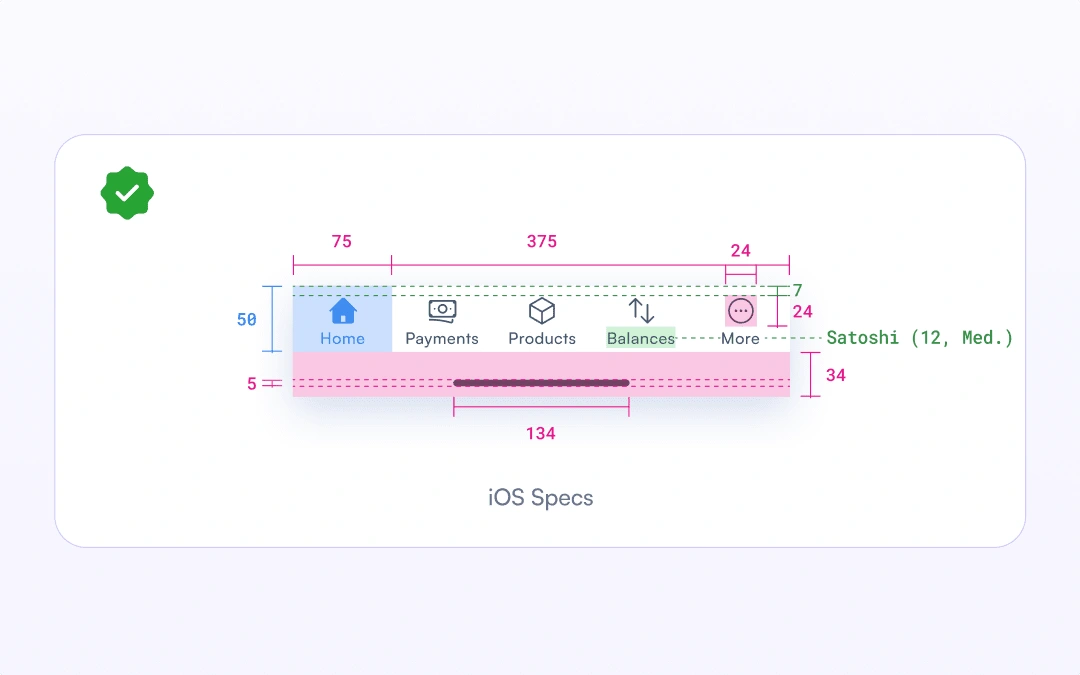
iOS Tab Bar specification
Thanks for reading the post! Don't forget to drop the like and follow for more design content! - Yours Jan 💜
27 likes · 866 views · Mar 27, 2025
This post includes a free Figma file with seven tab bar variants, additional tips, and a tutorial on designing better iOS app navigations. 💜
