Learning Management System

Srikar Suresh

Introduction
Würth India’s Learning Management System is designed to give administrators full control over employee training while keeping the learning experience simple and motivating for users. The platform streamlines course creation, assignment, tracking, and reporting into one organised workspace, making it easy to manage large teams and diverse skill paths. For employees, the system delivers a structured mix of courses, quizzes, and learning paths supported by badges, points, and leaderboards that encourage consistent progress. The result is a clear, data-driven training ecosystem that helps the organisation upskill efficiently and recognise top performers.
Dashboard
Learning Management System Dashboard
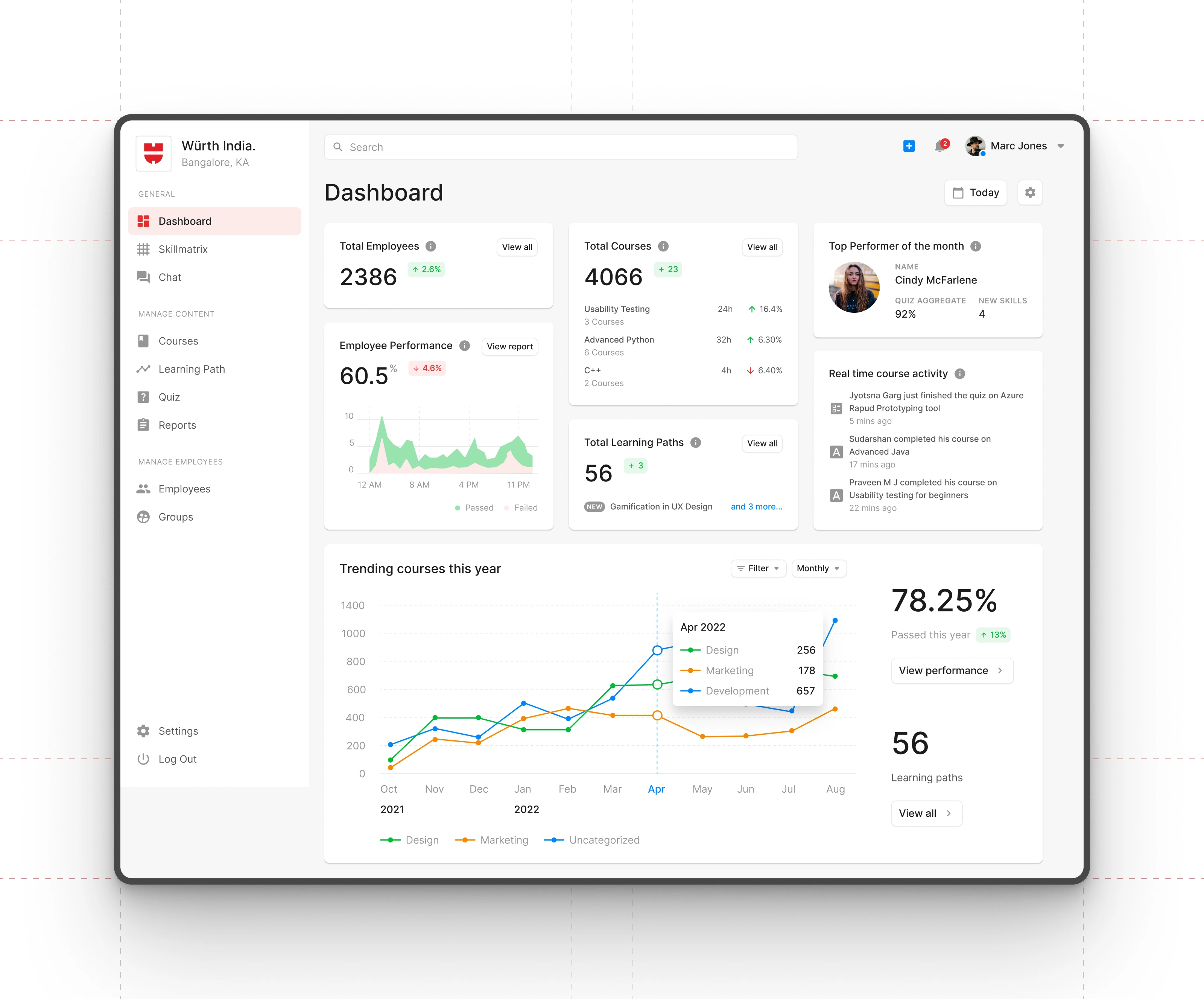
The dashboard gives LMS administrators a clear snapshot of organisational learning activity. Key metrics - total employees, courses, learning paths, and performance trends are surfaced upfront to help administrators monitor progress at a glance. Real-time course activity, top performers, and monthly trends add contextual insights, while clean card-based layouts keep the interface structured and scannable. The design prioritises quick interpretation of data, enabling administrators to track learning engagement, identify gaps, and act without navigating deeper into the system.
Courses
Course List Screen
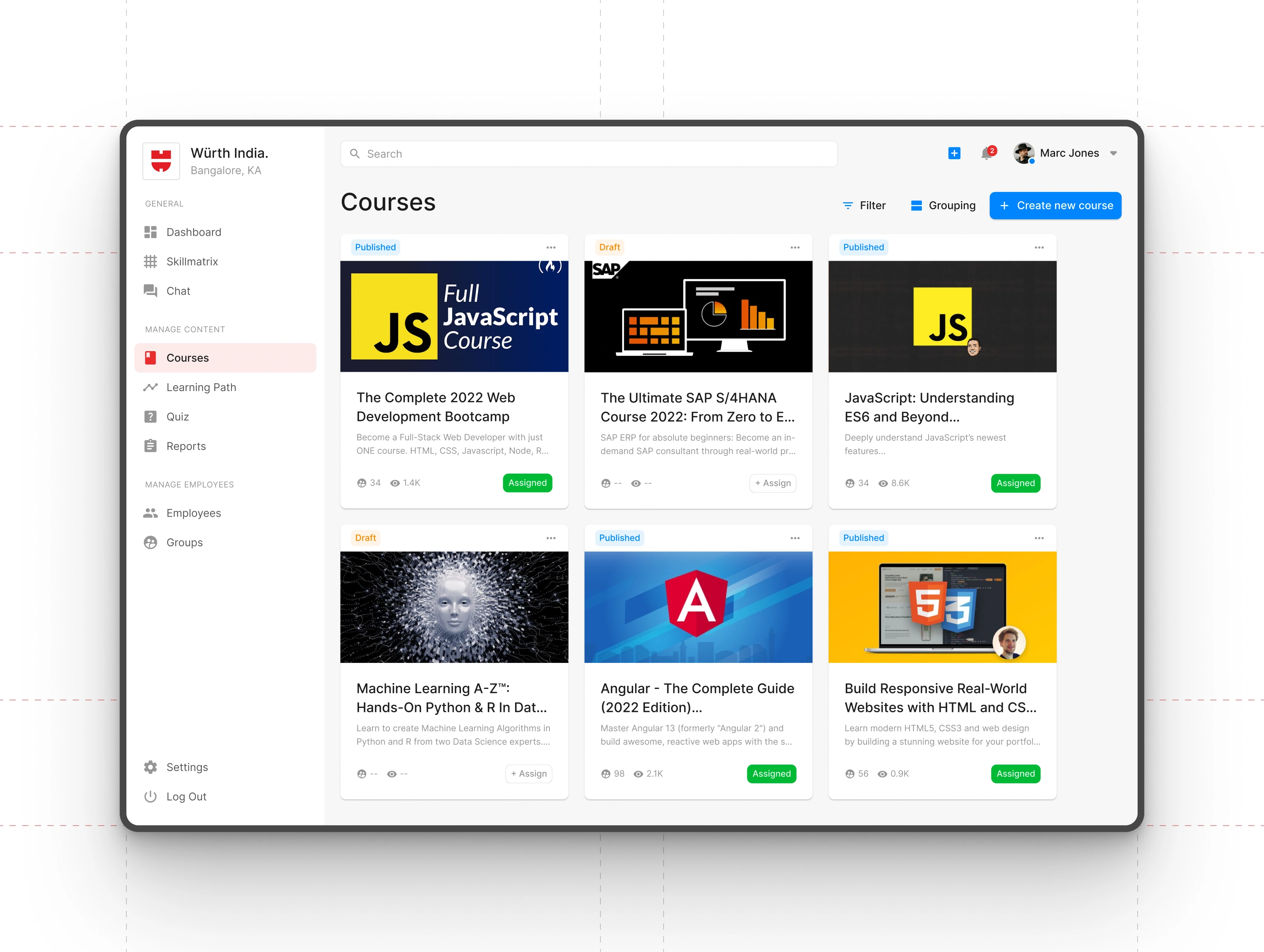
This screen gives administrators a clean overview of all courses published, draft, or ready for assignment. Each course card highlights key details such as status, engagement, and assignment state, helping admins make quick decisions. Filters, grouping options, and a prominent “Create new course” action streamline content management and make it easy to organise large learning libraries. The layout keeps discovery efficient while supporting fast course creation and distribution across teams.
Course Home
Course Content Screen
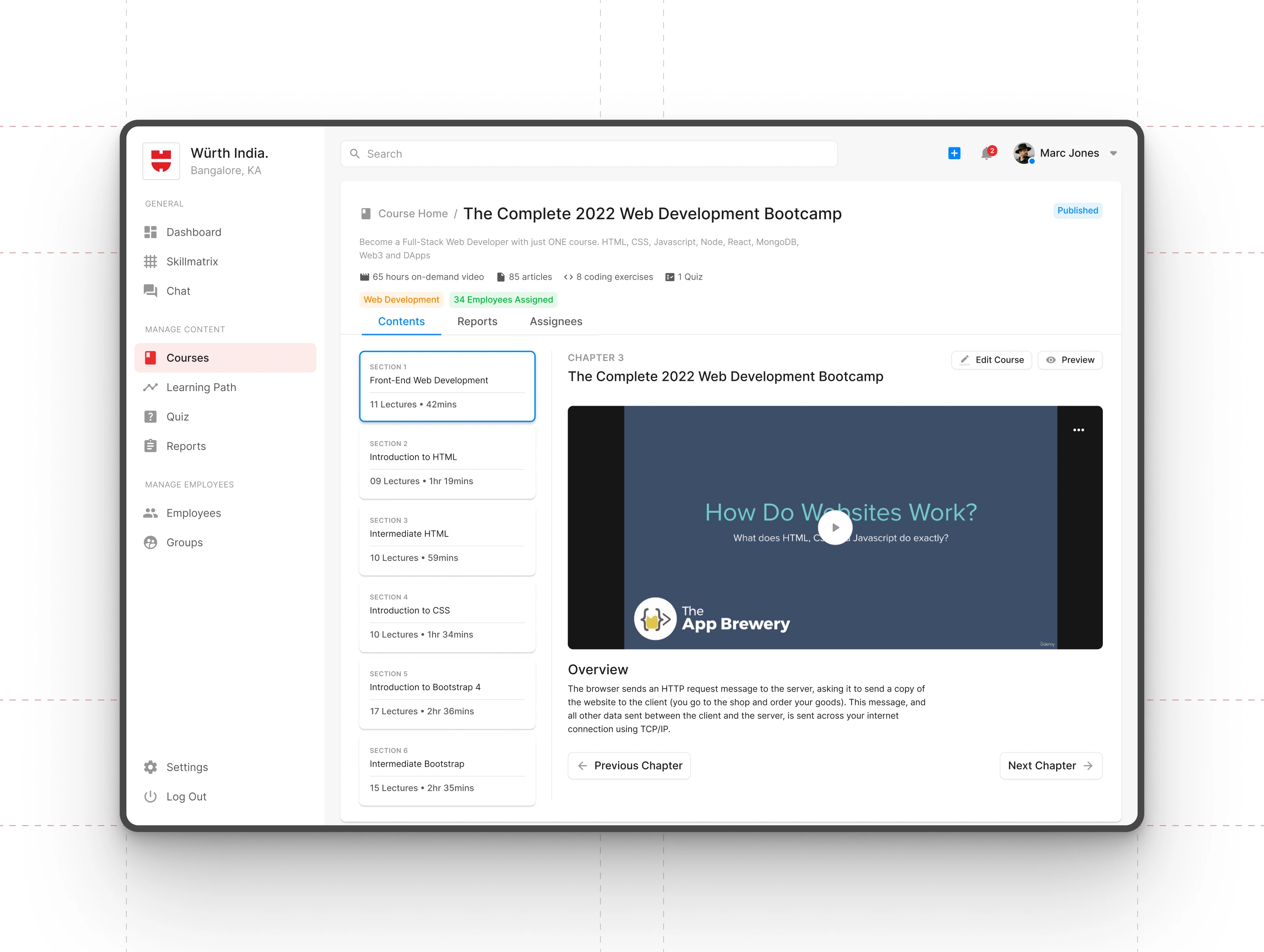
This screen serves as the central workspace for course creators and administrators. All modules, lectures, and media are organised in a clear chapter-based structure, making content assembly straightforward. Built-in tabs for reports and assignees let admins instantly switch between editing, tracking course performance, and managing who receives the course. The layout keeps creation and oversight tightly connected, ensuring experts can build, review, and distribute learning content without leaving the page.
Course Reports
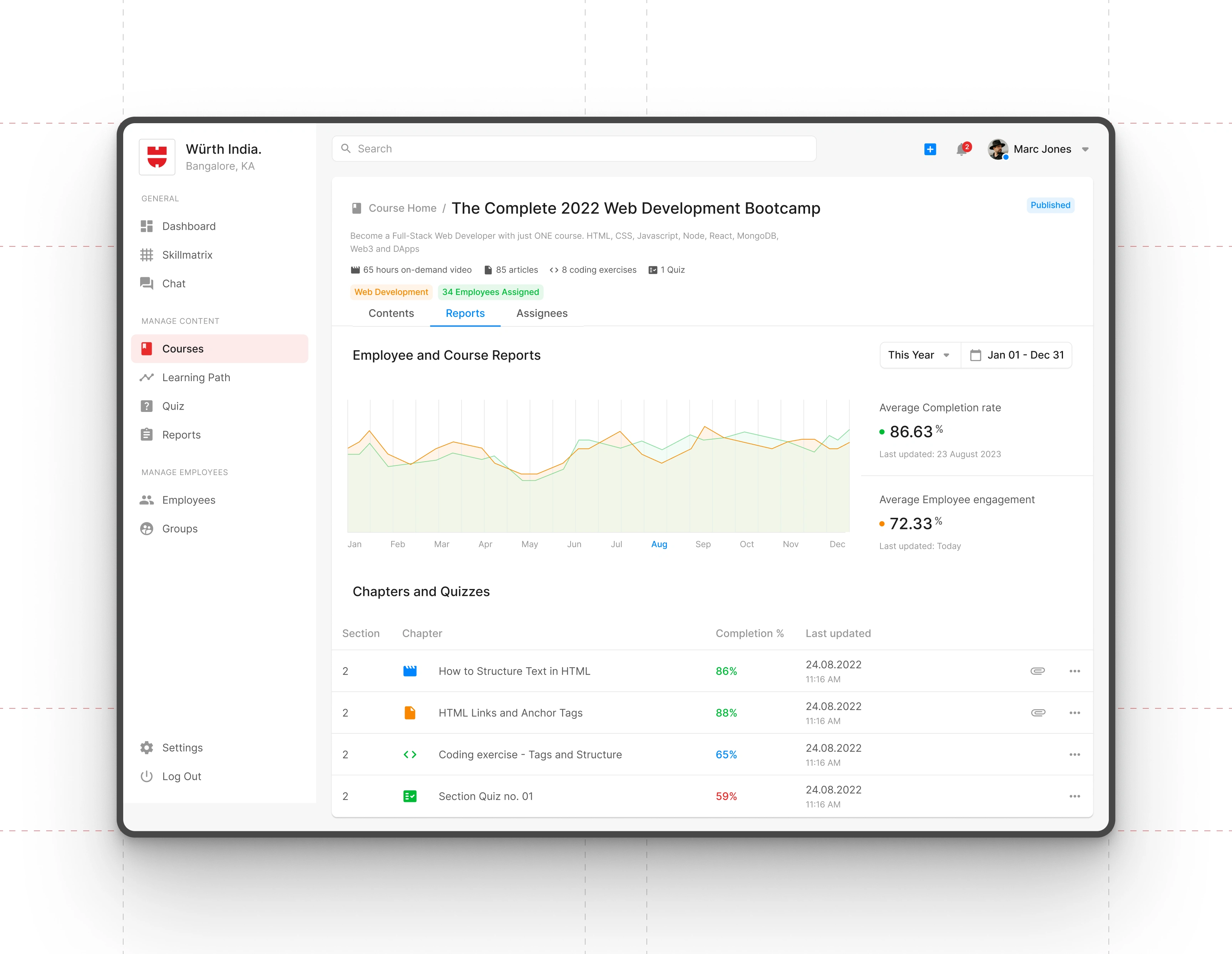
Course Reports Screen
The reports view gives administrators clear insight into course performance and learner progress. A trend graph highlights engagement and completion patterns over time, while key metrics like average completion rate and employee engagement are surfaced for quick assessment. Detailed chapter-level data makes it easy to identify where learners excel or struggle. The layout keeps analytics lightweight and actionable, supporting data-driven improvements to course content.
Course Assignees
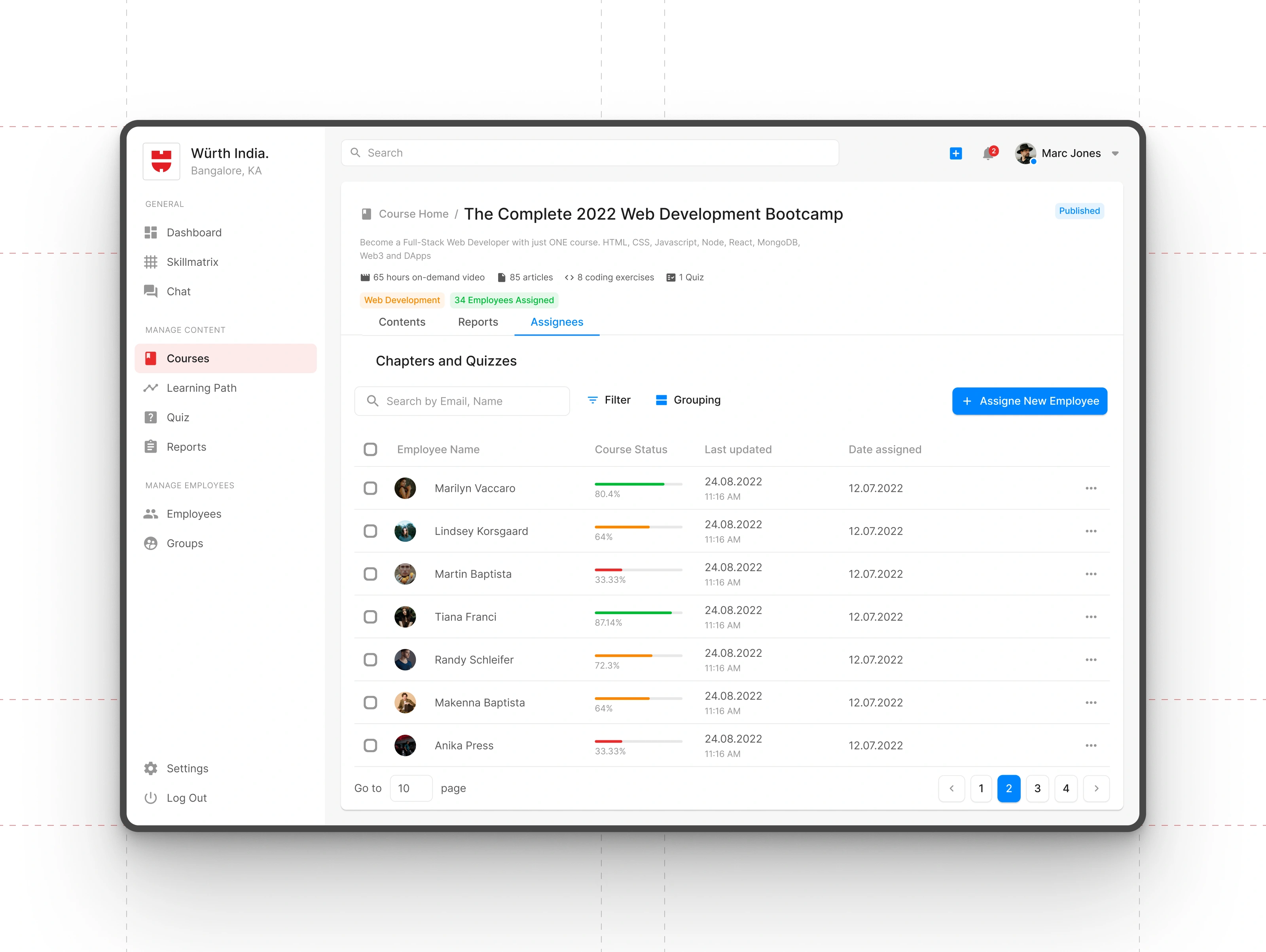
Assignees Screen
This view gives administrators a clear overview of every employee assigned to the course, along with their individual progress. Status bars, timestamps, and assignment dates help track momentum and spot learners who may need support. Search, filters, and grouping options make it easy to manage large teams, while the “Assign New Employee” action keeps distribution fast and flexible. The table layout keeps everything structured for quick scanning and bulk actions.
Badges
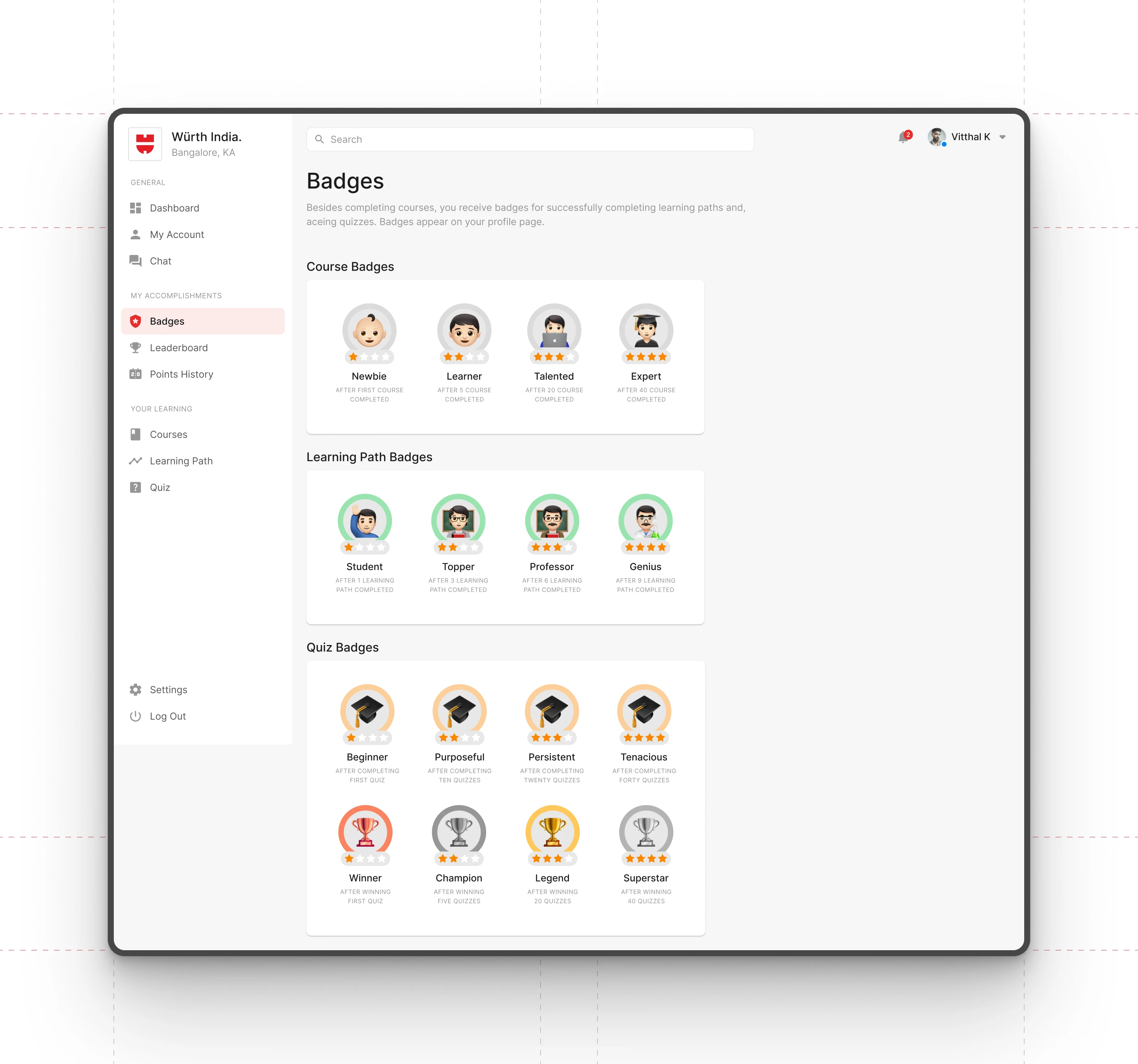
Employees Badges Screen
The badges screen showcases all achievement tiers employees can earn across courses, learning paths, quizzes, and specialised skill tracks. Each badge clearly communicates its criteria, motivating learners to progress toward higher milestones. The visual hierarchy keeps categories distinct, while consistent iconography reinforces accomplishment. This gamified layer adds recognition and encourages sustained engagement with the LMS.
Leaderboard
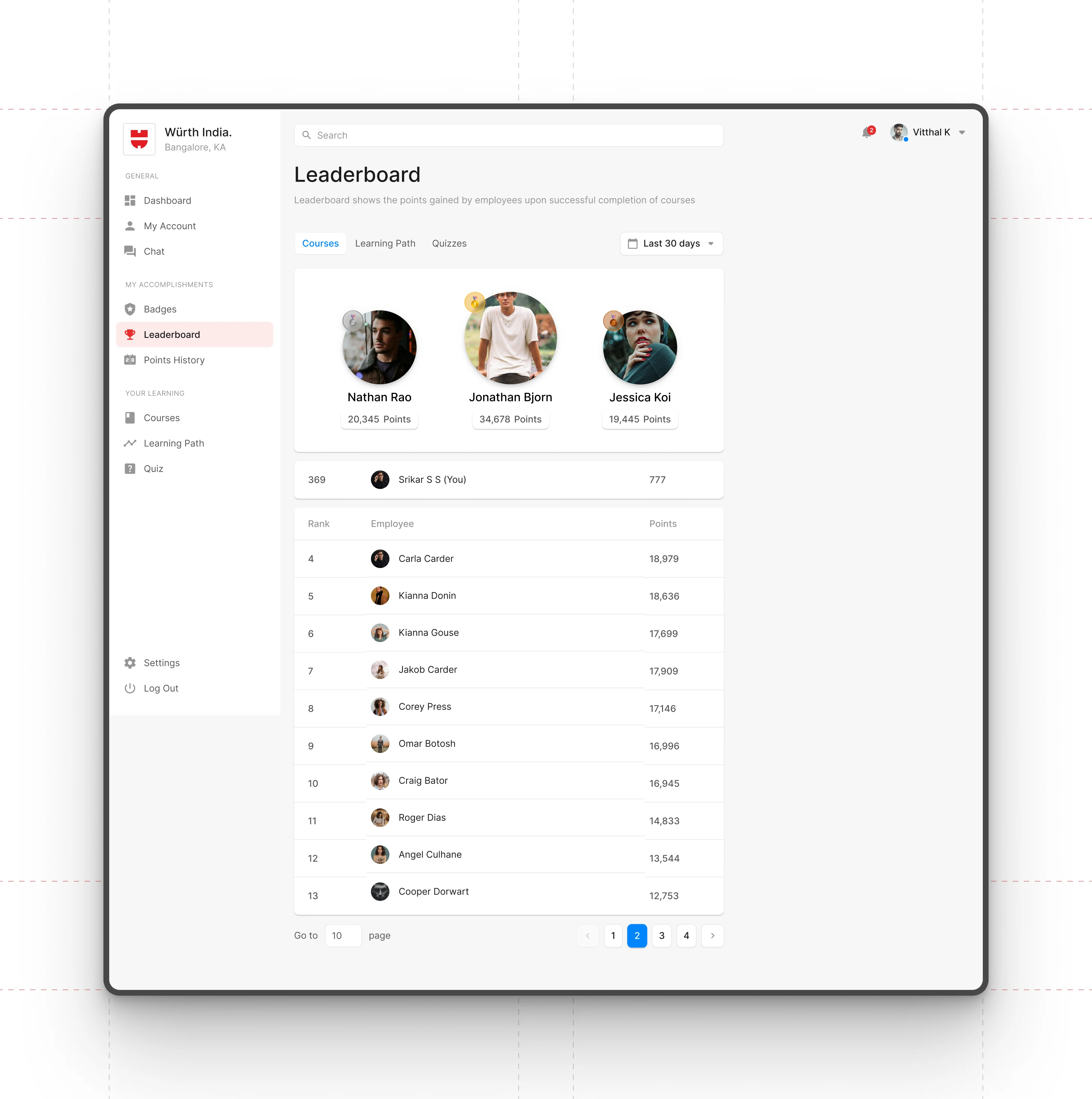
Leaderboard Screen
The leaderboard ranks employees based on points earned from completing courses, learning paths, and quizzes. It highlights top performers upfront while allowing every employee to track their own position in the list. The simple table layout keeps the ranking system transparent and easy to scan, and the time-range filter supports periodic evaluations. This system encourages healthy competition, provides a measurable way to assess skill growth, and helps employers identify high performers for future opportunities.
Like this project
Posted Dec 6, 2025
An efficient LMS that simplifies training management and motivates employees through structured learning, progress tracking, badges, and leaderboards.
Likes
1
Views
12