Gainsight: one business question, made a buildable feature

Catherine Hicks

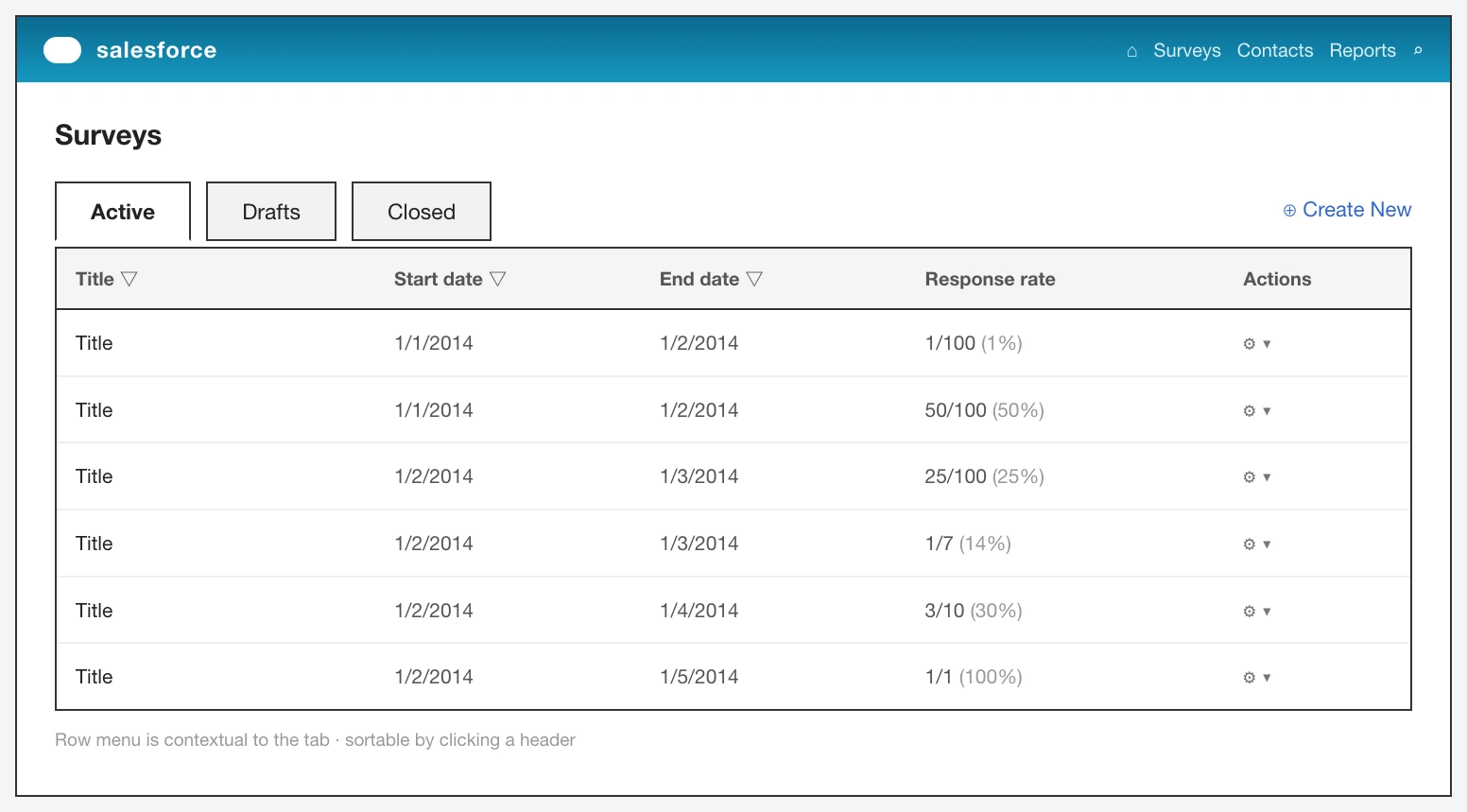
Gainsight is a customer success platform, and its whole job is reducing churn and growing accounts. I was asked to design survey creation directly into it — living inside Salesforce — so teams never have to leave the platform to ask their customers a question. It started as a broad question, not a backlog: how would you build a way to survey users as part of the tool suite? No wireframes to inherit, no research repository, just a business question and the expectation that I could reason my way to a design.
The seam
Surveys — NPS, CSAT, health checks — are core to the feedback loop Gainsight exists to serve. If you're the platform CS teams live in all day, sending them to a separate vendor to run a survey is a real seam: friction at every handoff, and a real reason for their attention and their data to leave your product. That's the gap the feature closes. I kept the goal deliberately narrow so it stayed buildable — not reinvent SurveyMonkey, just close the loop so building, sending, editing, and retiring a survey all happen where the workflow already lives.
Then I turned on my own hypothesis
The working premise was straightforward — users want to create surveys from the platform because it makes their lives easier. But baked into that sentence is an untested assumption, and I want to be honest that catching it became the most useful part of the project. So the first real move wasn't design, it was checking my own premise. I spoke with a few current users to confirm the need and pressure-test which capabilities actually mattered, rather than designing to a wish list I'd invented. Then I studied how established engines — SurveyMonkey chief among them — approach creation and management, to meet users at conventions they already carry in their heads.
The constraint is where it got specifically hard
Gainsight lived inside Salesforce — its own structure, components, and rules about what you can and can't do. The most important thing to learn before drawing anything wasn't what a survey should look like; it was where this feature could sit and what Salesforce would actually let me build. So I worked through Salesforce's own developer documentation and designed from what was real. That's the part I'm proudest of, precisely because it's the least glamorous: reading dev docs as a designer, before wireframing, is what separates a concept that can ship from one that dies in an engineering review.
Then the walk
The concept resolved into a sitemap organized around three views — Active, Drafts, and Closed — and I designed the full lifecycle in Salesforce Lightning.
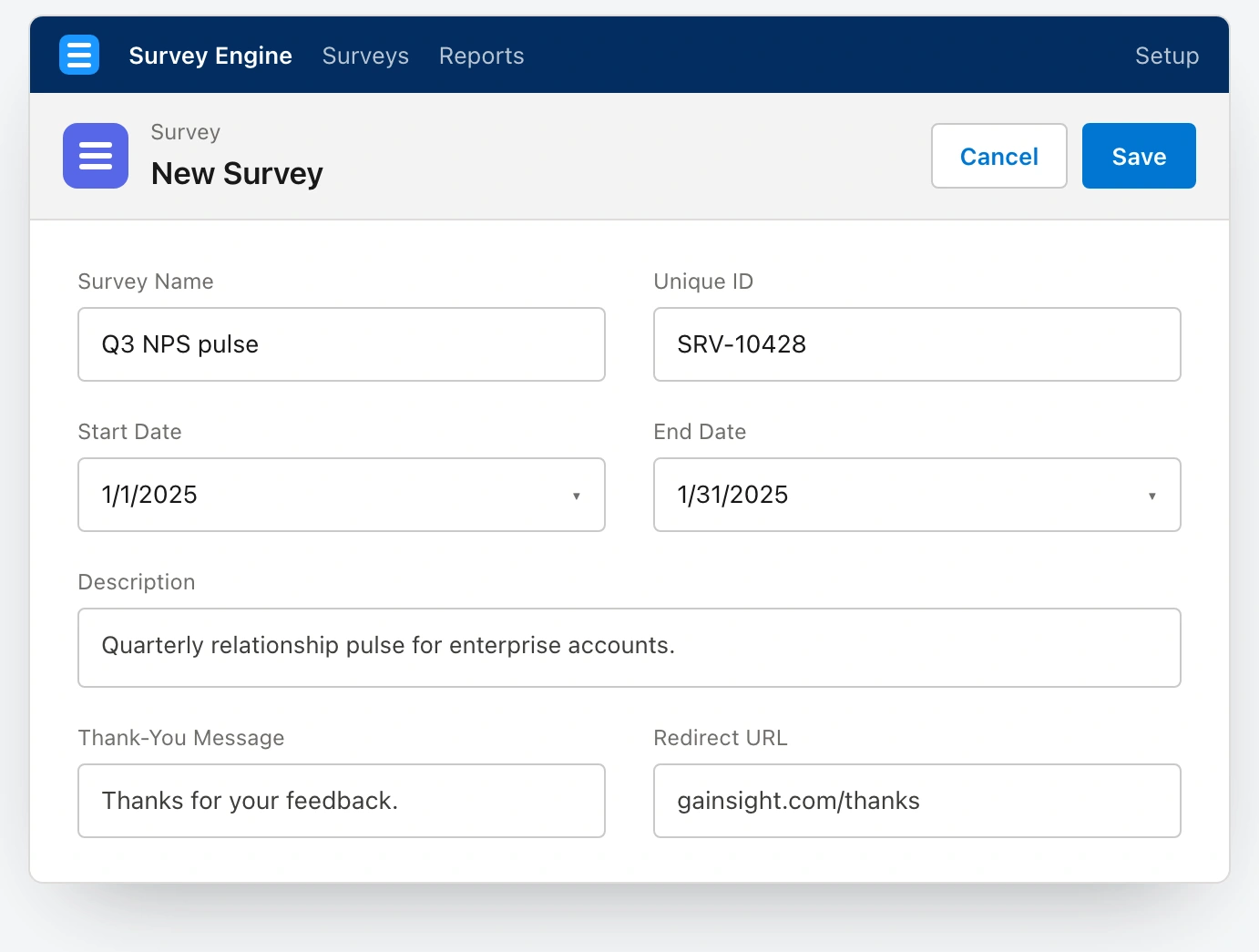
The Create step in Salesforce Lightning — the record page that scopes a survey: name, unique ID, start and end dates, description, thank-you message, and redirect.
Create is the record page that scopes a survey. Design is the builder — reorderable questions, inline answers, branching logic, rendered as Lightning cards with a draft-to-published status path.
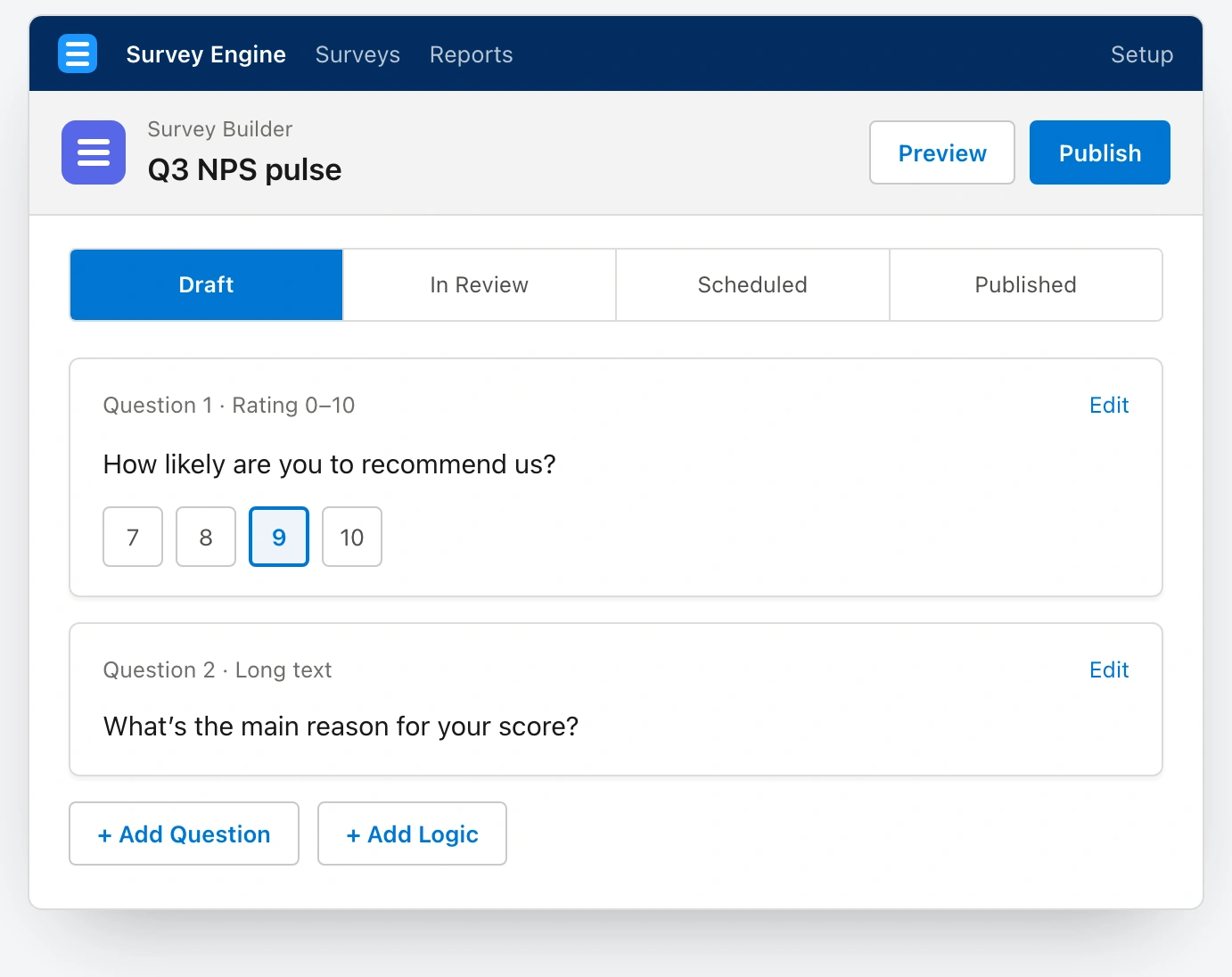
The Design step — the survey builder with reorderable questions, inline answers, and branching logic rendered as Lightning cards.
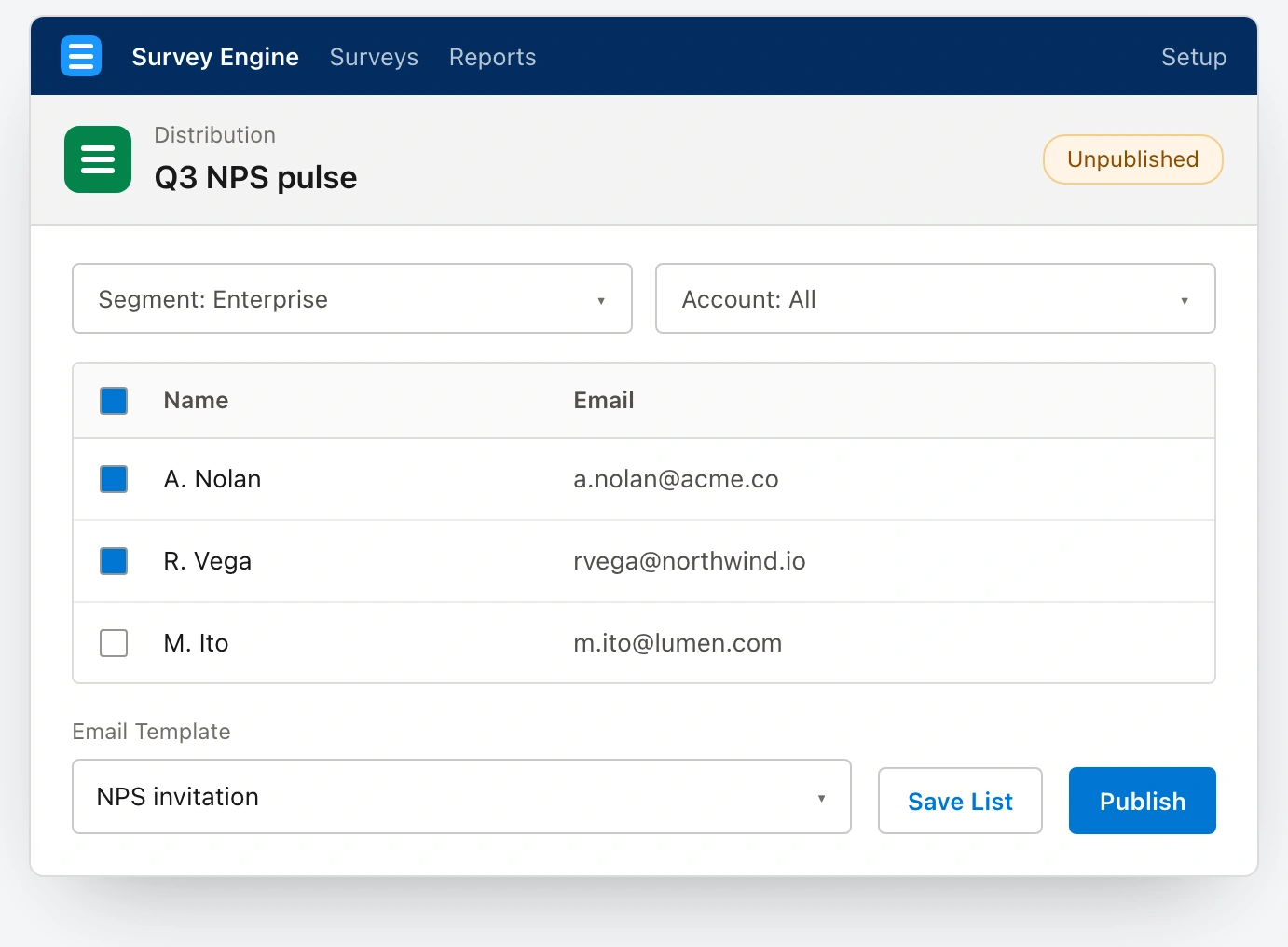
The Distribute step, building the participant list straight from filtered Salesforce contacts with a publish status and email template — no export required.
Distribute builds the participant list straight from filtered Salesforce contacts, because the audience is already in the platform. Manage is the portfolio: one list, three tabs, status pills, row-level actions, and a guarded close with a real confirmation dialog.
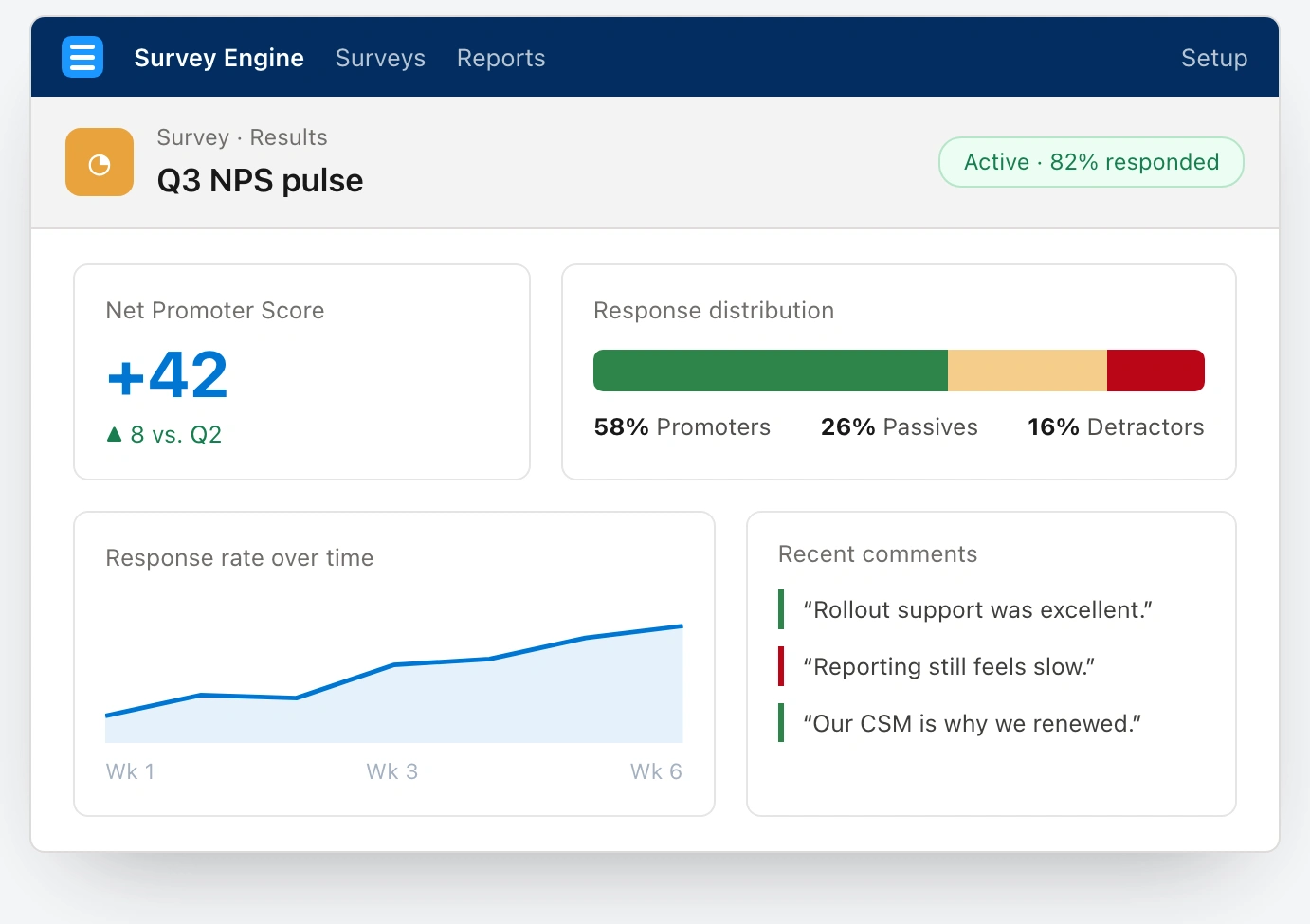
The Analyze step — a headline NPS score, response-rate trend, promoter/passive/detractor split, and verbatim comments, read natively rather than exported to a vendor's dashboard.
Analyze is the loop the whole feature exists to close — and I'll keep it honest: this screen was scoped as the next step rather than drawn at the time, so I'm showing it as a concept. The answers land where the customer's account data already lives, never exported.
What stuck
Designing a genuinely new capability inside a platform I didn't control is a very different muscle from designing greenfield. And how easy it is to fall in love with a feature that's obviously useful and skip the step of actually asking users. Catching that assumption in my own hypothesis is the discipline I carry forward — the concept was stronger for being suspicious of itself.
See the full case study → https://design-case-studies.vercel.app/gainsight
Like this project
Posted Aug 3, 2026
I was asked to design survey creation directly into a customer-success platform, living inside Salesforce — so teams never leave to ask their customers a question. The catch: no wireframes, no research, just a business question.
Likes
0
Views
8