Urbit Apps: Developer Tools UX/UI Design

Robert Licau

Urbit Apps
Making complex developer workflows easier to navigate across three connected tools.
Role
Head of Design at dcSpark, dcSpark Inc., 2021-2023
Scope
Browser extensions, Web dashboard, Developer tools
5,000+
Active developer installations
3 tools
A connected suite of interfaces
Browser + web
Extensions and a data dashboard
01 - Brief
Urbit is a decentralized computing platform where users run their own personal servers and applications. Working with it involves managing connections, permissions, and data across a technical environment.
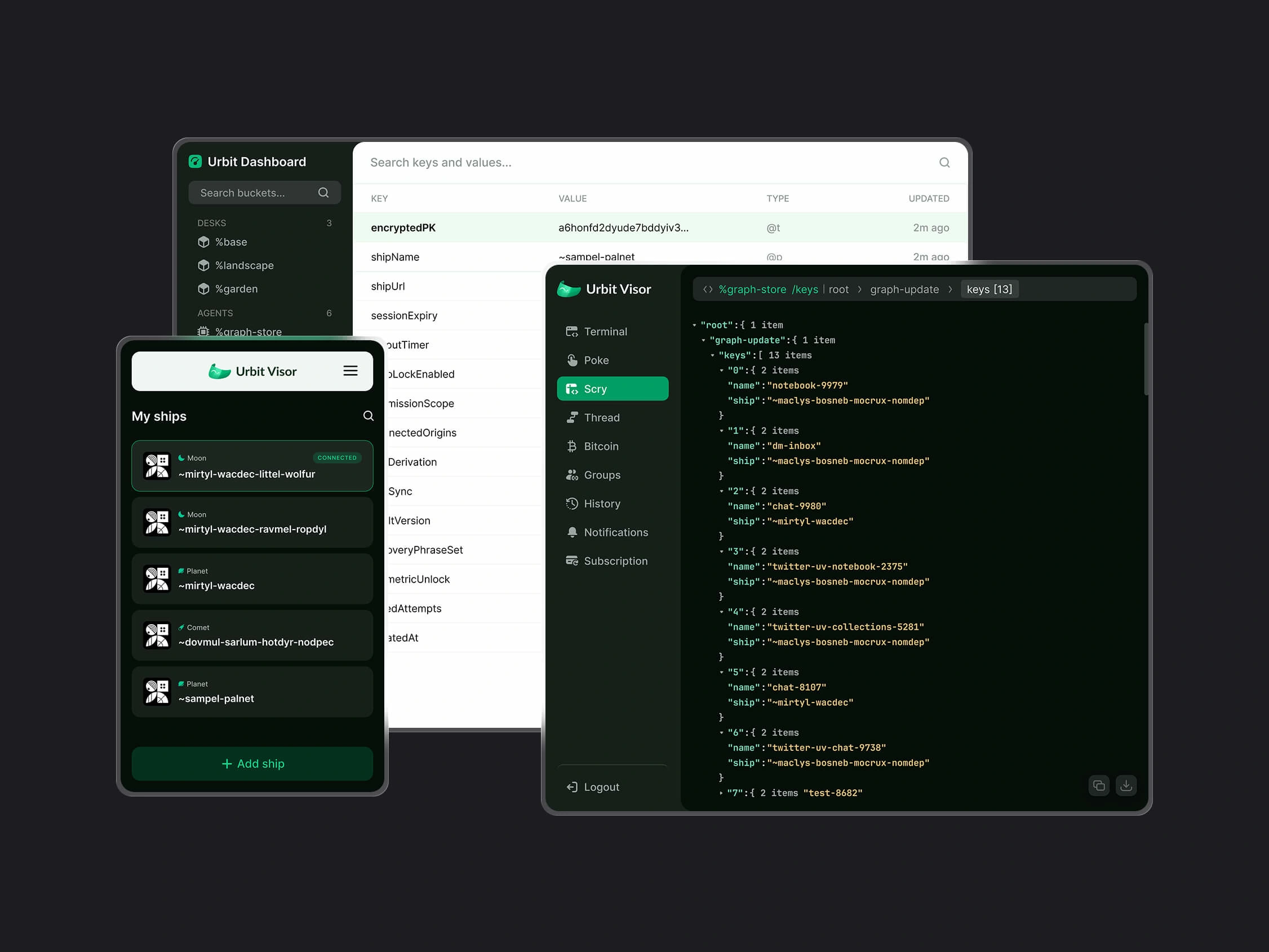
As Head of Design at dcSpark, I designed interfaces for three tools: Urbit Visor, a browser extension connecting Urbit to web applications; Twitter UV, an integration for sharing and archiving tweets; and Urbit Dashboard, a web interface for managing Urbit-hosted data.
My role was to turn these capabilities into clear workflows. The tools needed to support different tasks while giving users a consistent way to navigate the system, understand its state, and take action.
02 - Challenge
Making a technical system readable.
The interfaces needed to expose concepts specific to Urbit, including server identities, permissions, and data structures. Clear organization was essential, while technical names and controls needed to remain accessible to experienced users.
Working within browser constraints.
Connection management and sharing flows had to fit into compact browser interfaces. The challenge was to prioritize actions and maintain context within limited space.
Supporting different kinds of tasks.
Connecting a server, sharing a tweet, and inspecting stored data require different levels of detail. Each tool needed an interface suited to its purpose, with enough consistency to feel part of the same suite.
Designing for knowledgeable users.
Developer workflows depend on precise information. I needed to understand which details users relied on and make them easier to find, inspect, and act on.
03 - Approach
I approached the three tools as a related suite, identifying where navigation, terminology, and recurring controls could be shared.
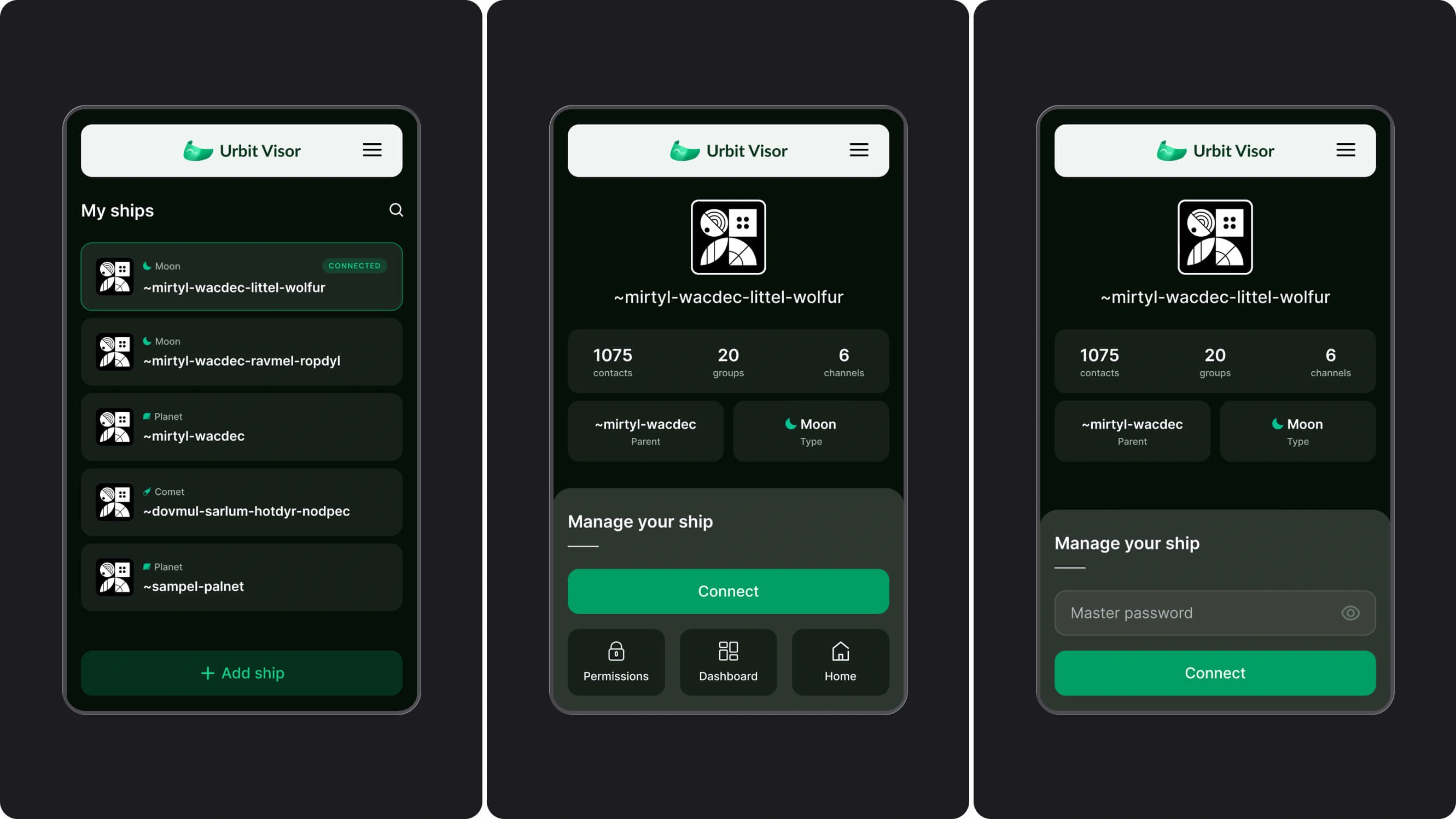
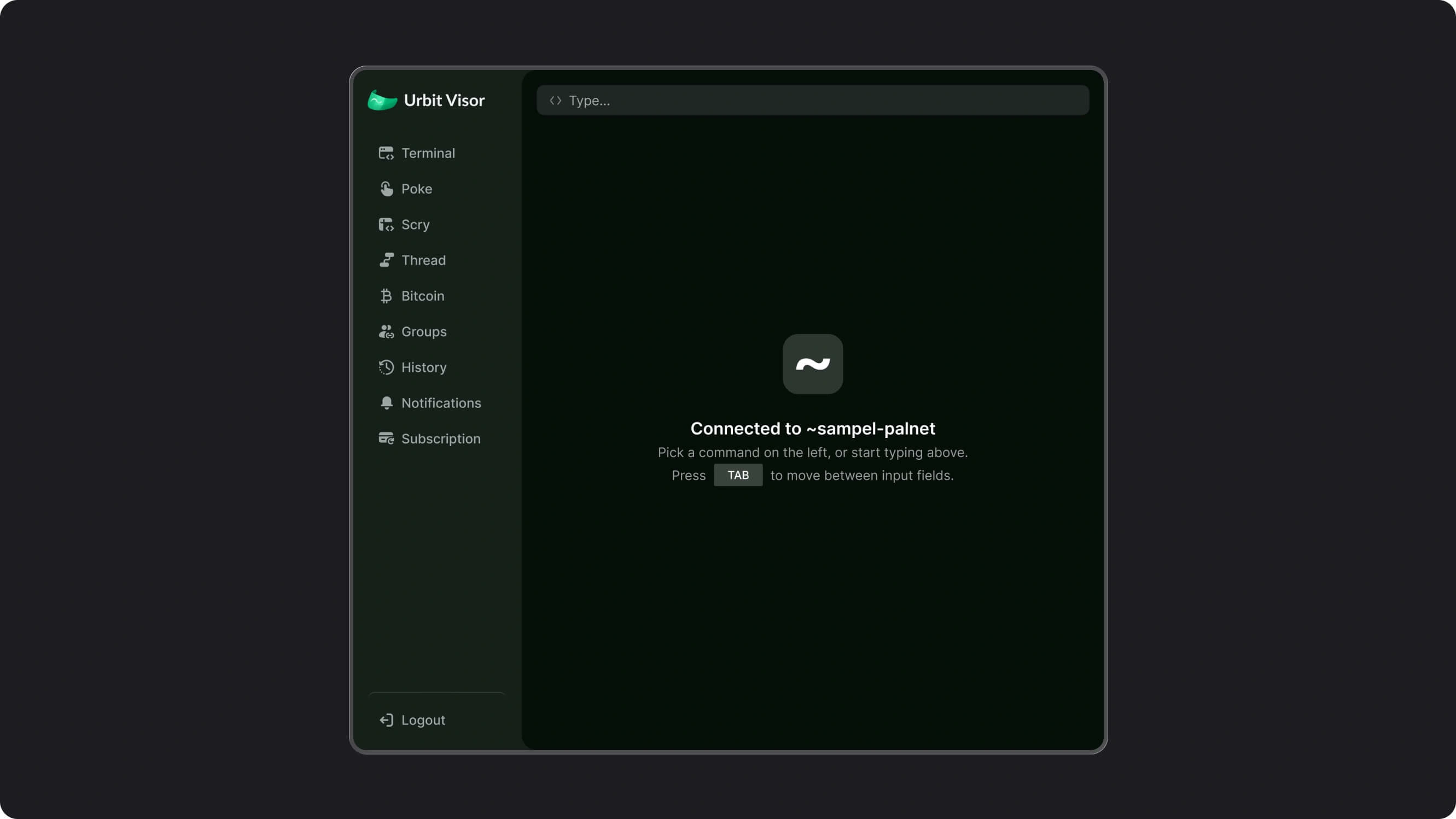
For Visor, I separated connection management from detailed developer interactions. Compact views focused on selecting and connecting an Urbit server, while the developer interface provided space for commands and their output.
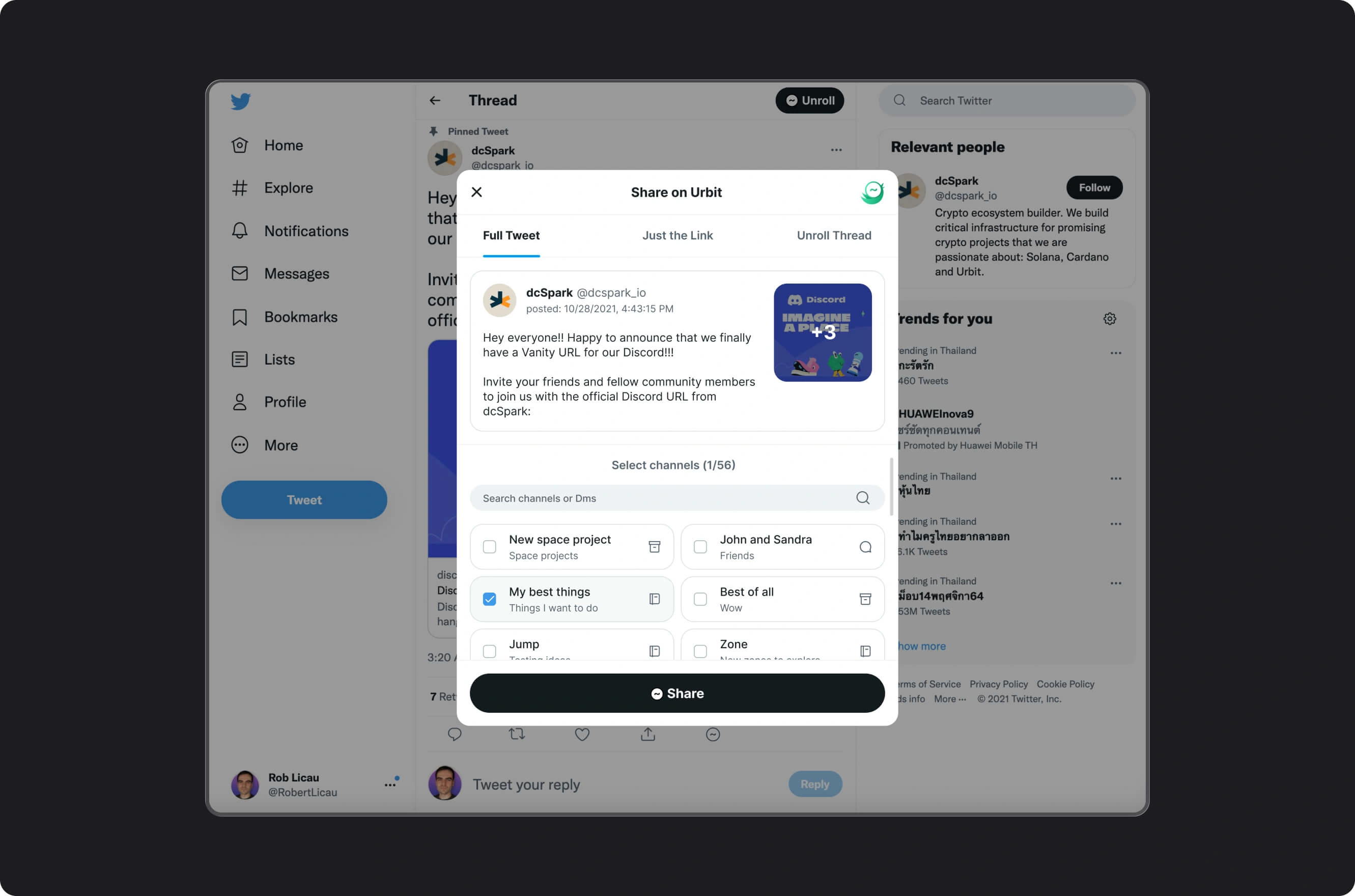
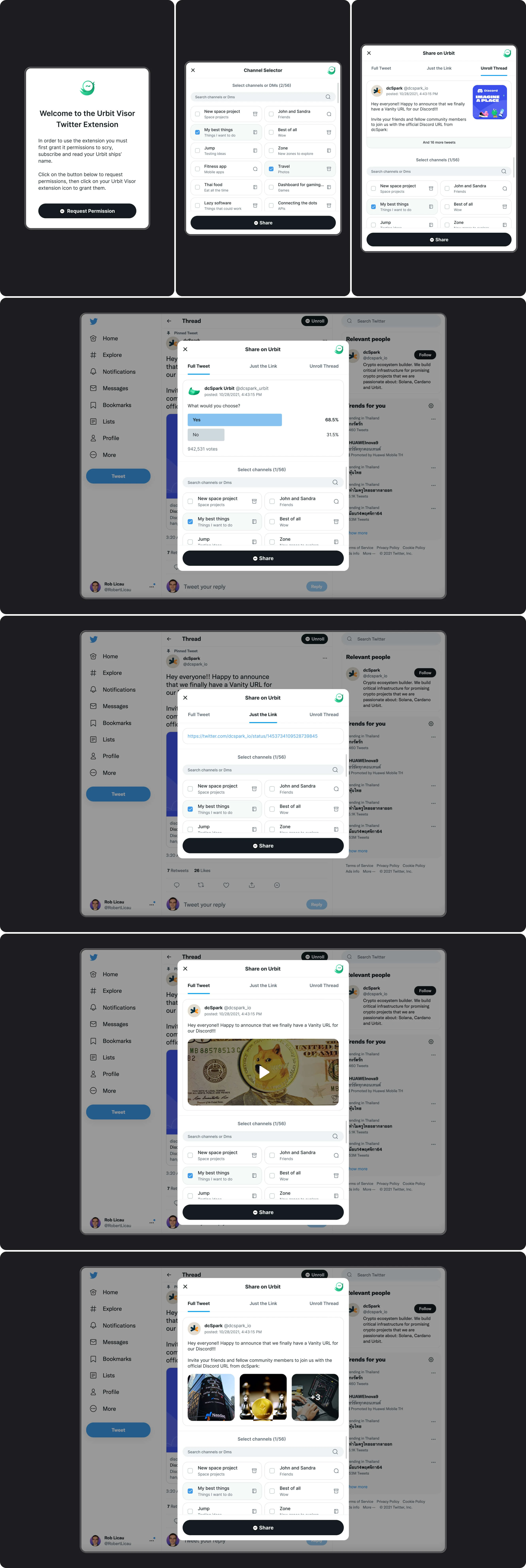
For Twitter UV, I worked with Twitter’s existing visual conventions. The sharing interface kept the tweet visible while introducing the choices needed to send it to Urbit: content format, destination channels, and permissions.
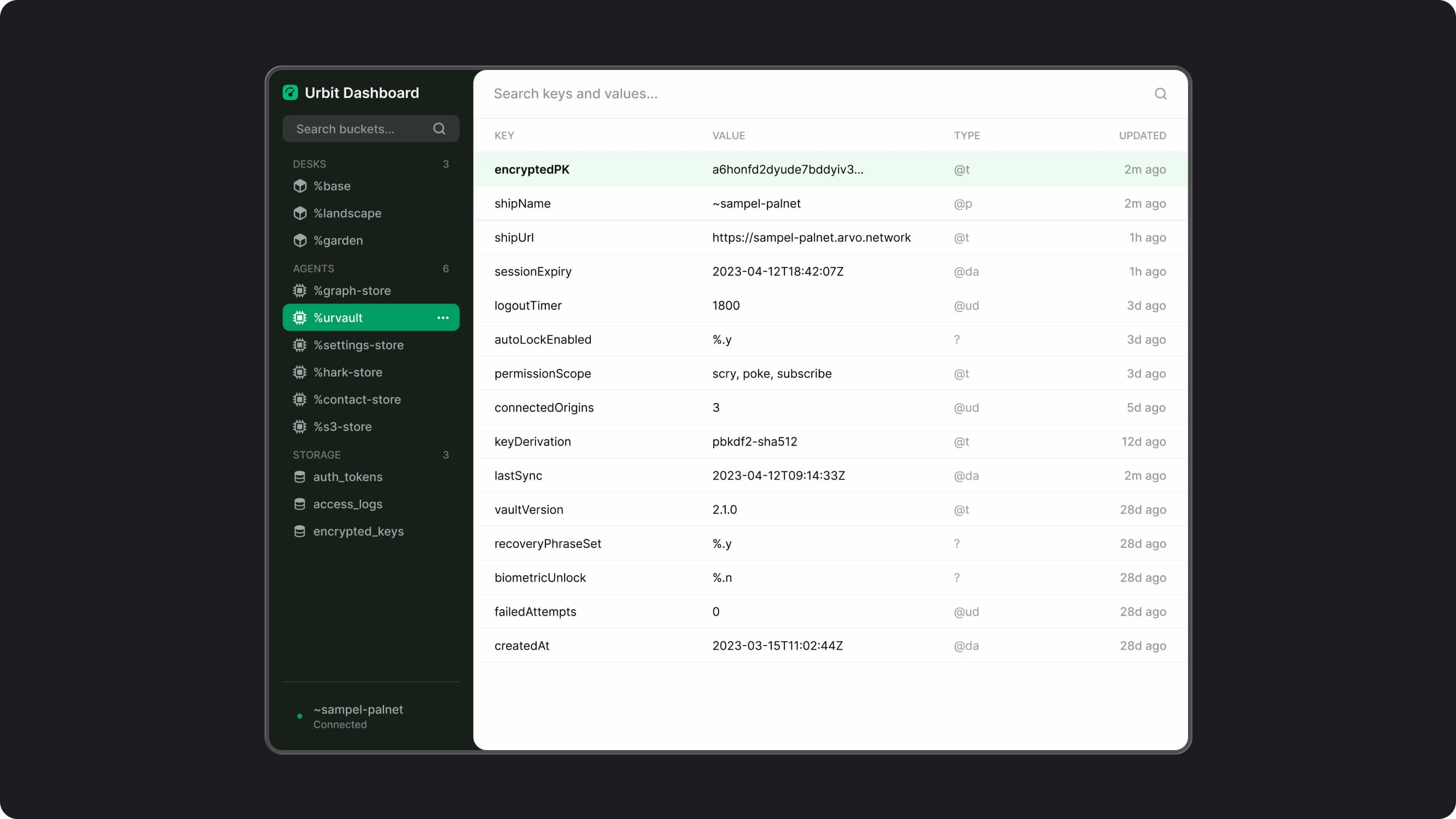
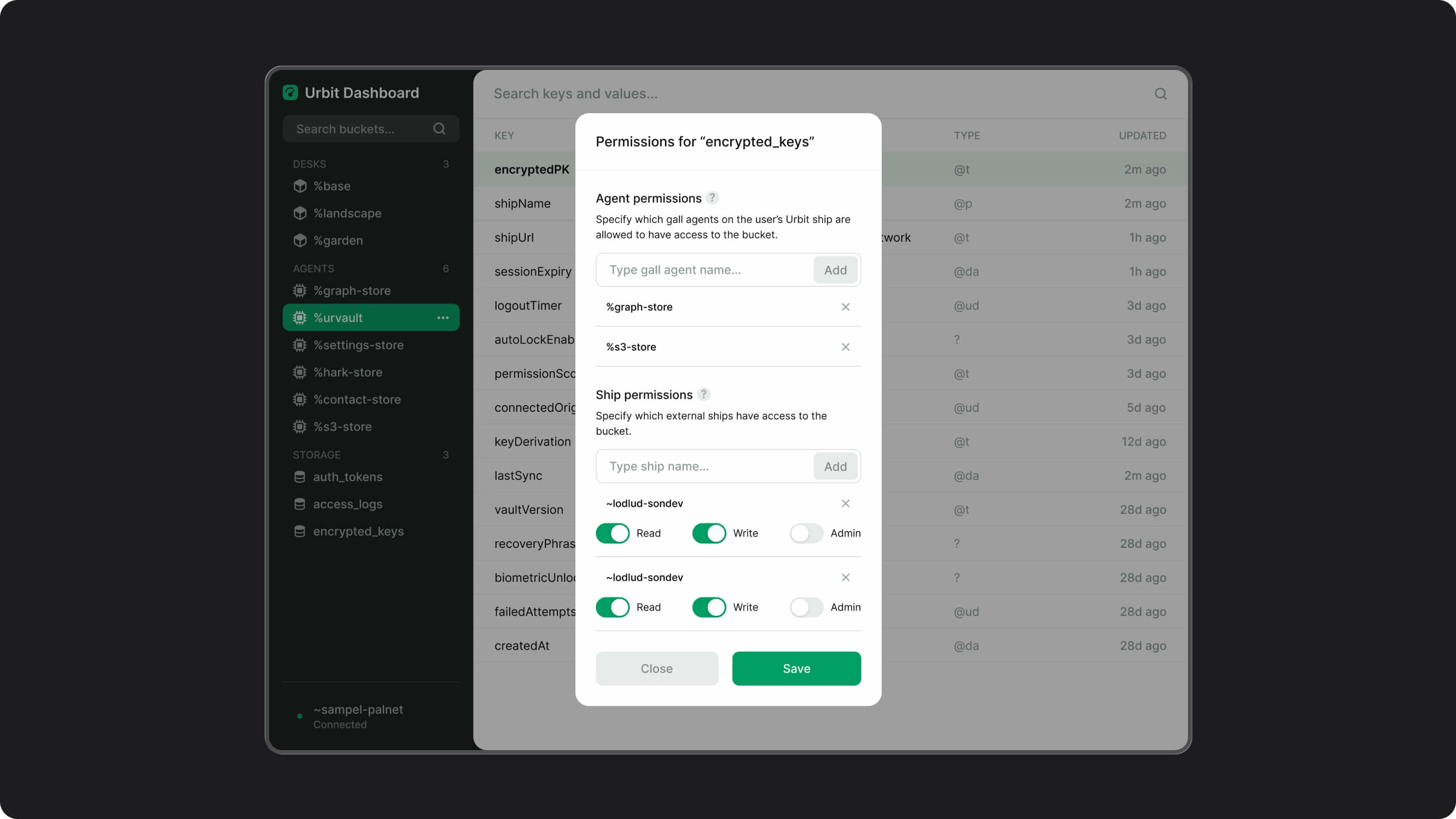
For the Dashboard, I organized the interface around browsing stored data and managing access. Navigation established the data context, while the main view supported scanning keys and values and opening focused permission controls.
04 - Decisions
DECISION 1: Use shared patterns across the three tools
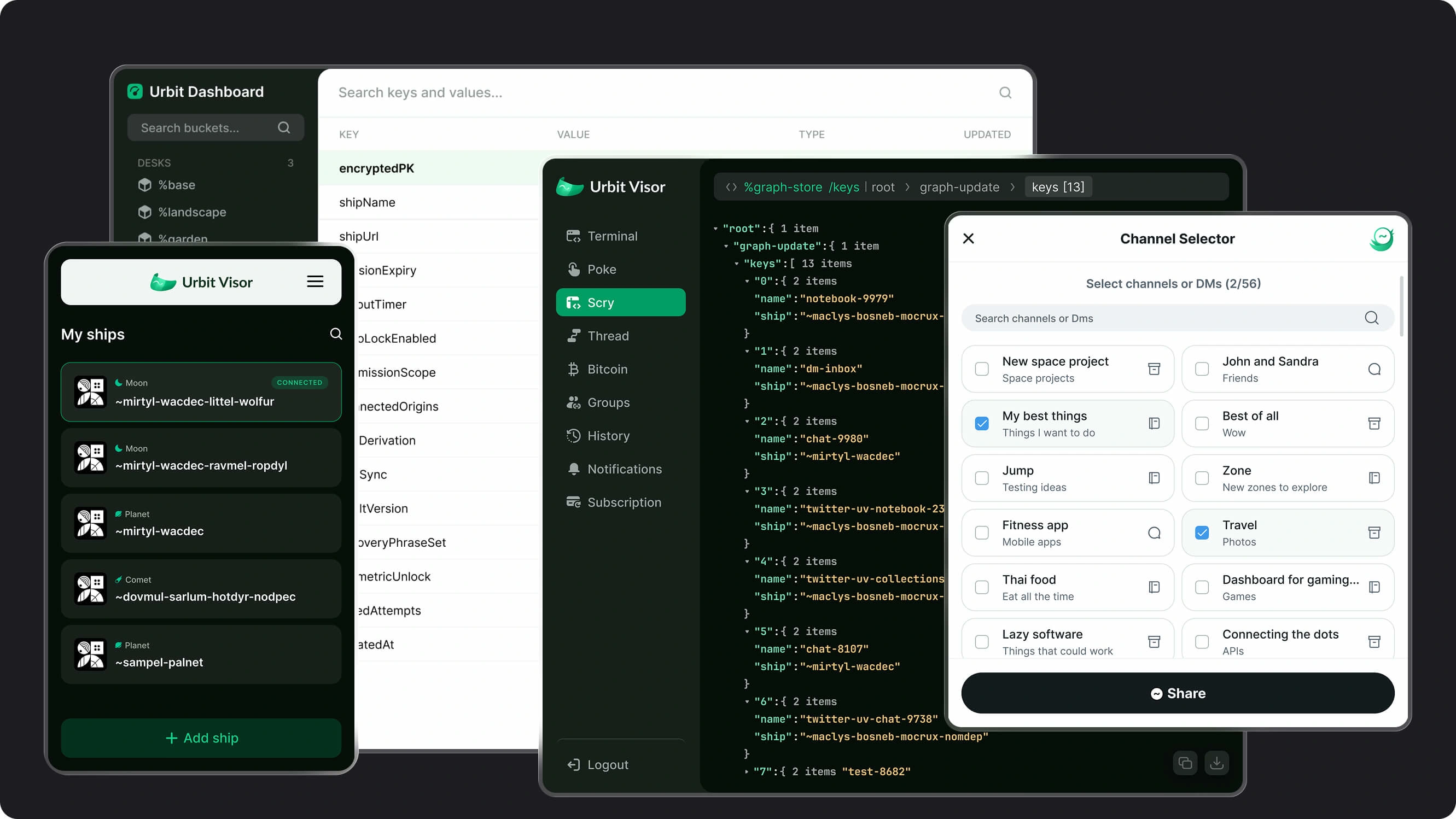
I developed a consistent visual language for related controls, navigation elements, and interface states across the suite.
Each tool retained a layout suited to its task. Shared patterns connected the experience, while the developer views, browser popup, and Twitter integration could accommodate different amounts of information.
DECISION 2: Separate quick connection tasks from detailed developer work
In Visor’s compact views, I prioritized the server list, connection status, and actions associated with the selected server.
Detailed commands and output had their own interface. This gave connection management a focused layout and provided more space for technical work when users needed it.
DECISION 3: Keep Twitter UV familiar within Twitter
I used Twitter’s visual conventions as the starting point for the integration, matching the surrounding interface as it appeared at the time.
The sharing flow kept the source content visible while users chose between a full tweet, a link, or an expanded thread and selected destination channels. The goal was to make the additional Urbit actions understandable within an existing browsing workflow.
DECISION 4: Preserve technical detail and organize it clearly
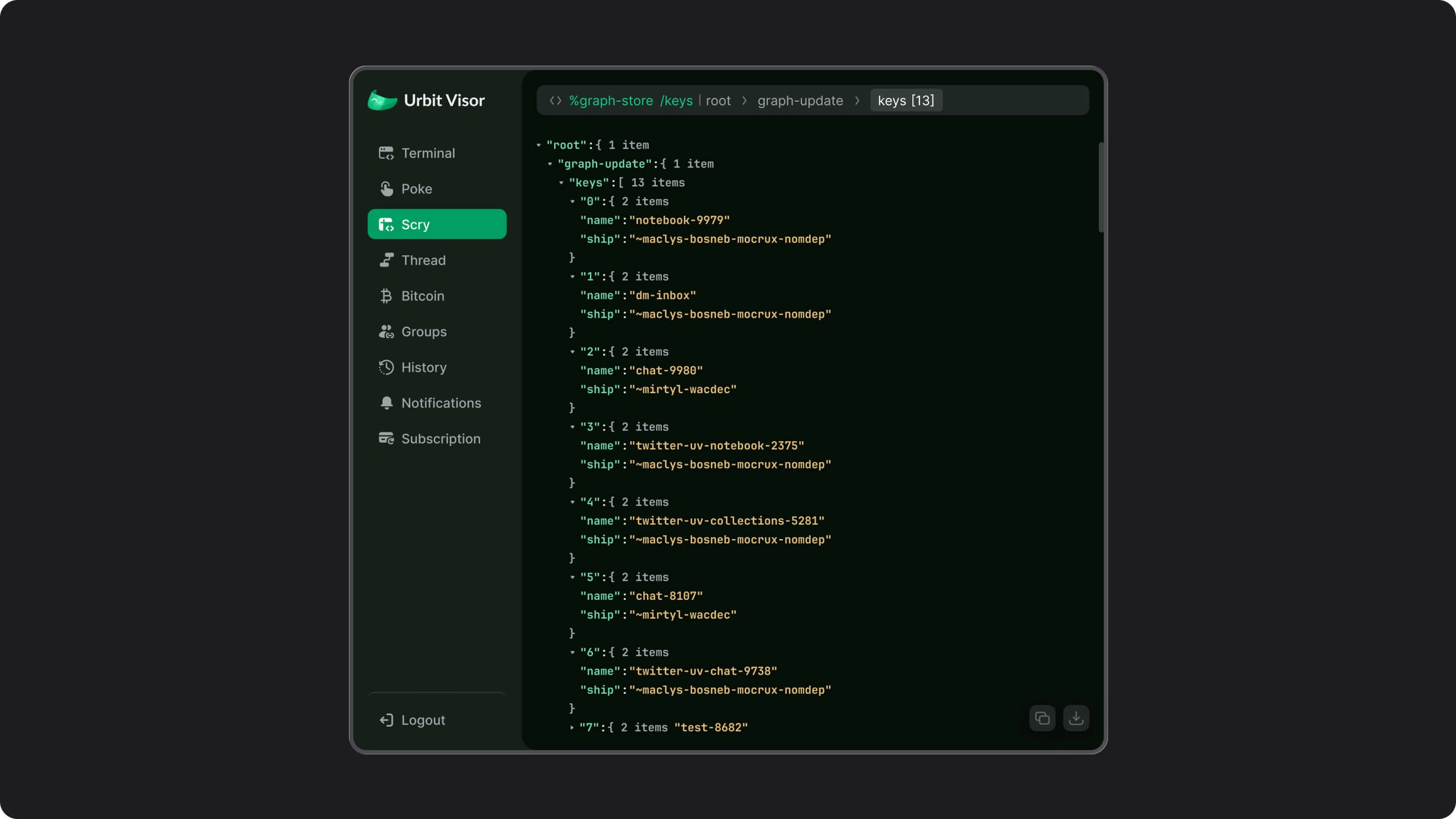
For the developer interfaces, I kept commands, structured output, and data fields visible. Navigation and hierarchy helped users move through that information.
The Dashboard used a table for inspecting keys and values, with permissions handled in a focused dialog. This let users move from reviewing data to managing access while retaining the context of the selected item.
05 - The work
A. Urbit Visor
A browser extension for managing Urbit connections and accessing developer tools. The designs cover server selection, connection states, permissions, and a dedicated interface for commands and structured output.
B. Twitter UV
A Twitter-to-Urbit integration for sharing and archiving content. The flow covers permission requests, content previews, sharing formats, and destination selection, using an interface designed to fit naturally within Twitter.
C. Urbit Dashboard
A web dashboard for browsing Urbit-hosted data and managing access. A persistent navigation panel establishes context, while searchable key-value tables and permission dialogs support more detailed work.
06 - Outcomes
The design work covered three complementary workflows: connecting Urbit to the browser, sharing content from Twitter, and inspecting and managing hosted data.
Together, the interfaces gave the toolset a consistent visual foundation while accommodating the different needs of connection management, content sharing, and developer operations.
What I delivered:
Urbit Visor connection and server-management interfaces
Developer views for commands and structured output
Twitter UV permission, preview, and sharing flows
Urbit Dashboard navigation and data tables
Access-management dialogs
Shared visual patterns across the three tools
Rob is a highly gifted designer whose work has significantly elevated our company’s online presence. His creativity in developing engaging, impactful designs never ceased to amaze us, consistently adding the ‘wow’ effect that set our websites and branding apart. Though his contributions will be greatly missed, his talent is undeniable, and I have no doubt that he will continue to create remarkable digital experiences in his future endeavors.
Nicolás Arqueros
CEO at dcspark
07 - Reflection
Urbit reinforced the importance of understanding what experienced users need to see. Technical names, structured data, and detailed controls can be essential parts of a workflow. The design task is to give that information a clear hierarchy and make the available actions understandable.
Working across the three tools also required balancing consistency with context. Visor needed compact connection views, Twitter UV needed to fit into an existing platform, and the Dashboard needed room for detailed data.
That balance is central to how I approach complex products: understand the task, preserve the information that matters, and shape the interface around how people use it.
Like this project
Posted Oct 8, 2026
Designed UX/UI for 3 Urbit tools, covering server connections, permissions, content sharing and data management within a consistent interface.
Likes
1
Views
0
Timeline
Jan 1, 2021 - Jan 1, 2023
Clients
dcSpark