AI Kids App UX/UI Design for iOS | Kiddio

Ivan Anisimov


Kiddio — Making Generative AI Safe and Simple for Kids
Overview
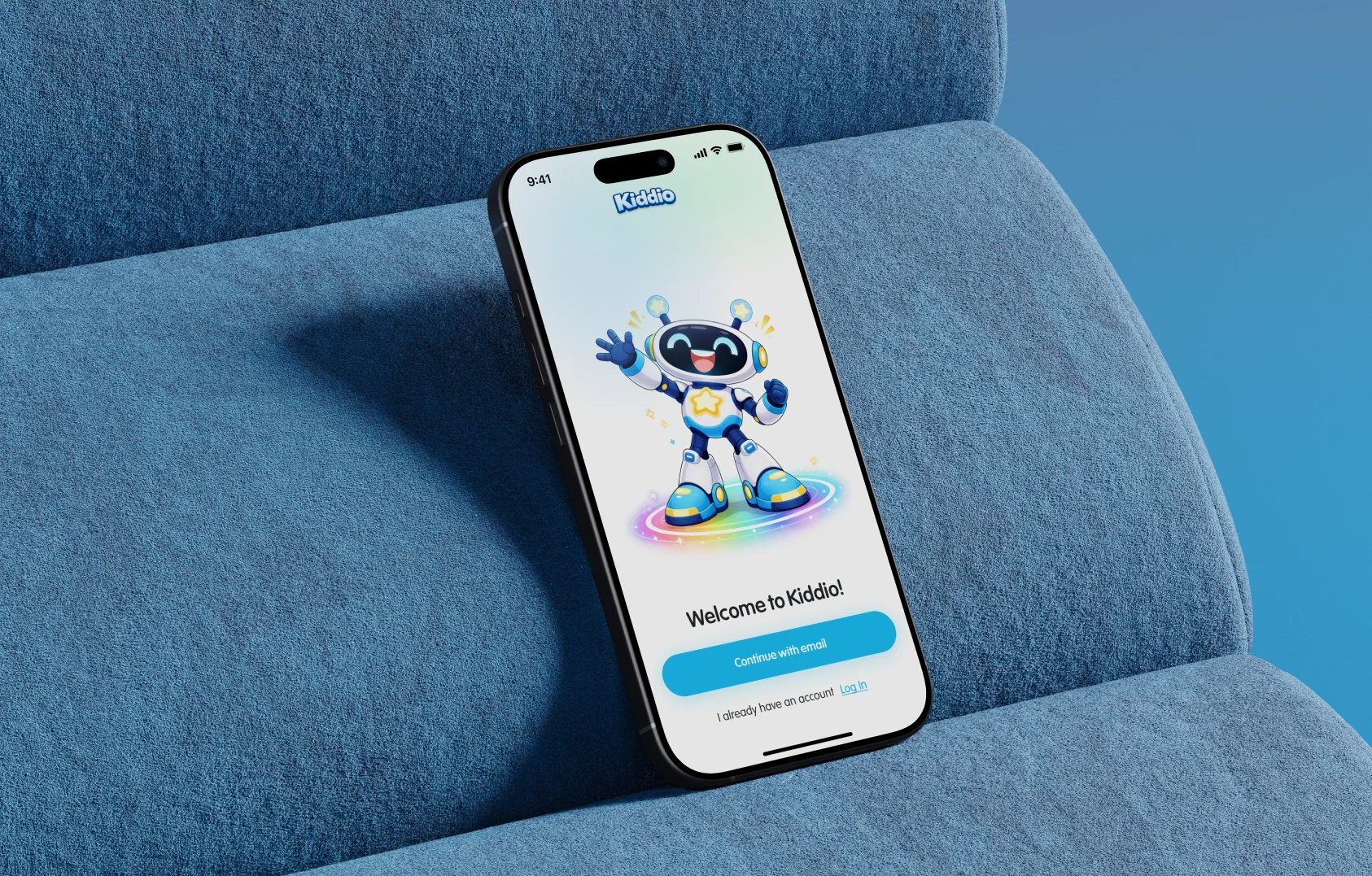
Kiddio is an AI creative mobile app for iPhone and iPad where kids aged 6–11 can chat, create pictures and write stories together with AI. The product combines a friendly AI mascot, selection-based creative tools and a locked parent zone into one safe, COPPA-conscious ecosystem with parental verification and a subscription model. Our goal was to create a mobile app design that feels magical for children and absolutely clear for parents, turning complex generative AI into something a 7-year-old can use without typing a single prompt.
The Challenge
Kiddio arrived with sketches, storyboards and a clear mission, but generative AI is built around text prompts, and children don't think in prompts. The product had to serve two audiences with opposite needs: kids want an immersive, playful world, while parents need clarity, control and proof that the space is safe. On top of that, a blank text field is intimidating for young users, so the AI image and story tools would go unused without a simpler way in. The challenge was to design a dual-centered UI that balances both needs and presents AI chat and image generation in a way that feels natural for a child.
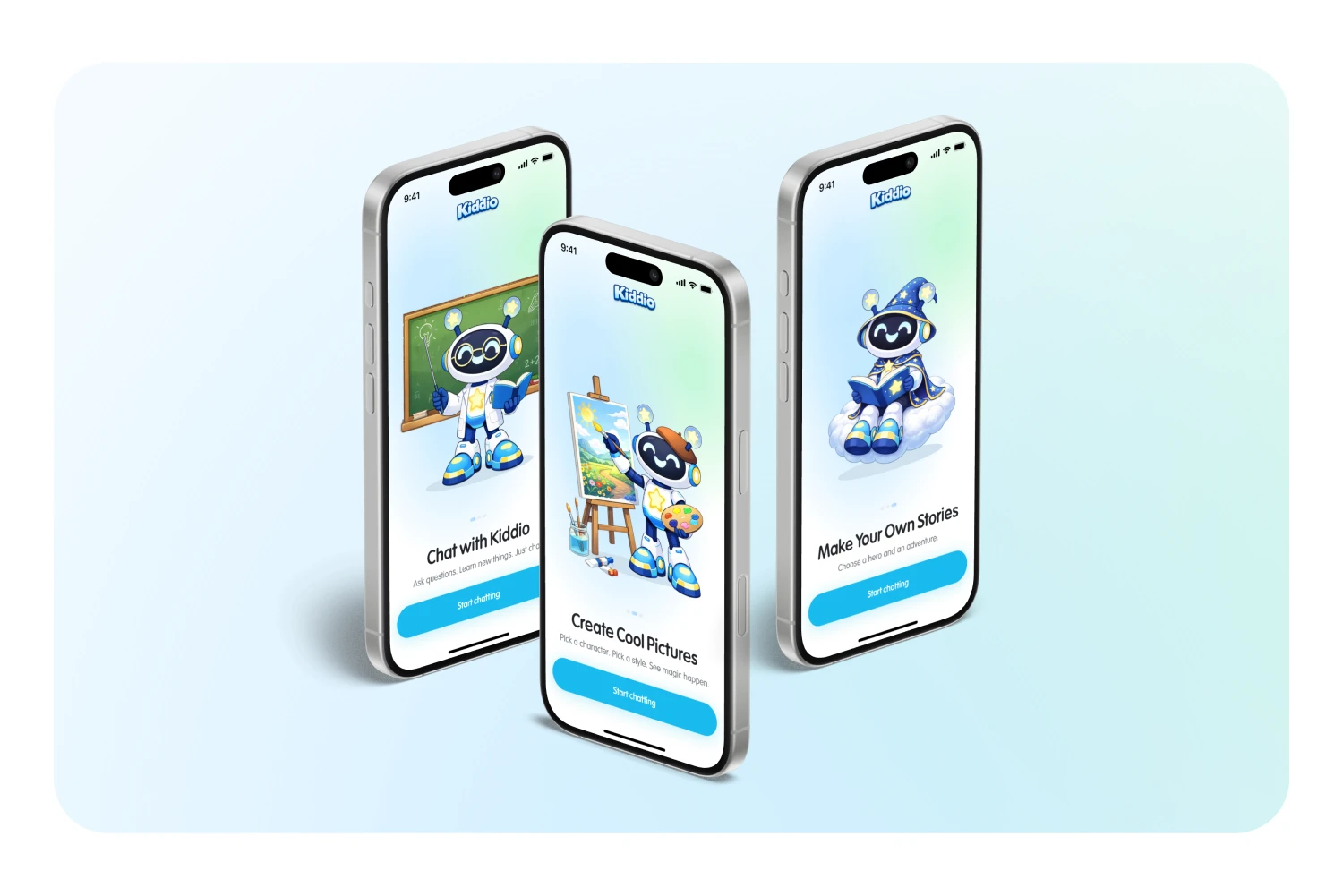
Our core principle was simple: kids shouldn't write prompts. Every creative flow runs on taps, choices and visual options. A friendly AI mascot turns abstract technology into a companion that explains, reacts and shows when the AI is "thinking," while everything that matters to adults lives behind a separate, structured and locked space.
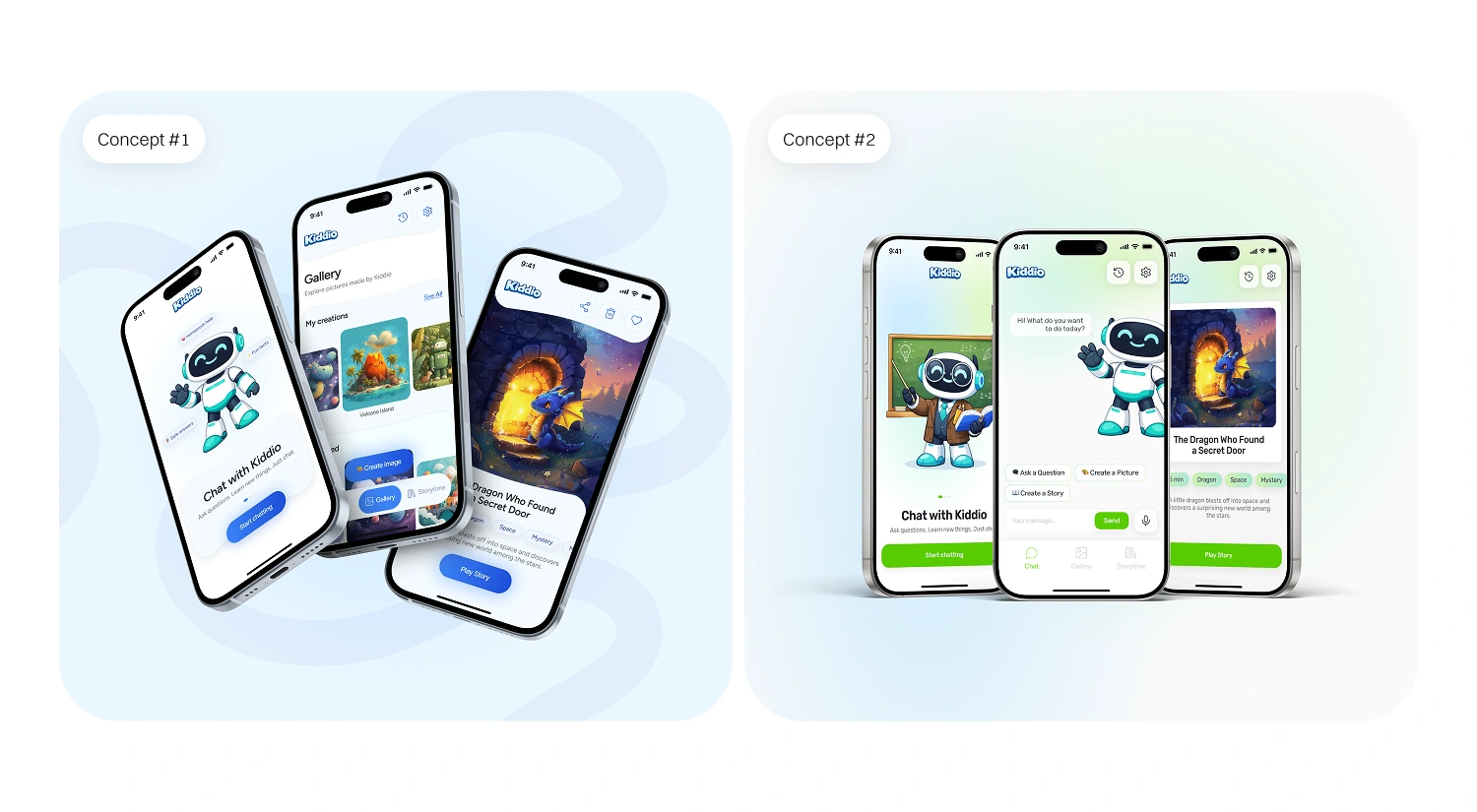
Before the final UI design, we explored four design concepts to test mascot placement, tab bar navigation and AI content layouts.
Our Approach
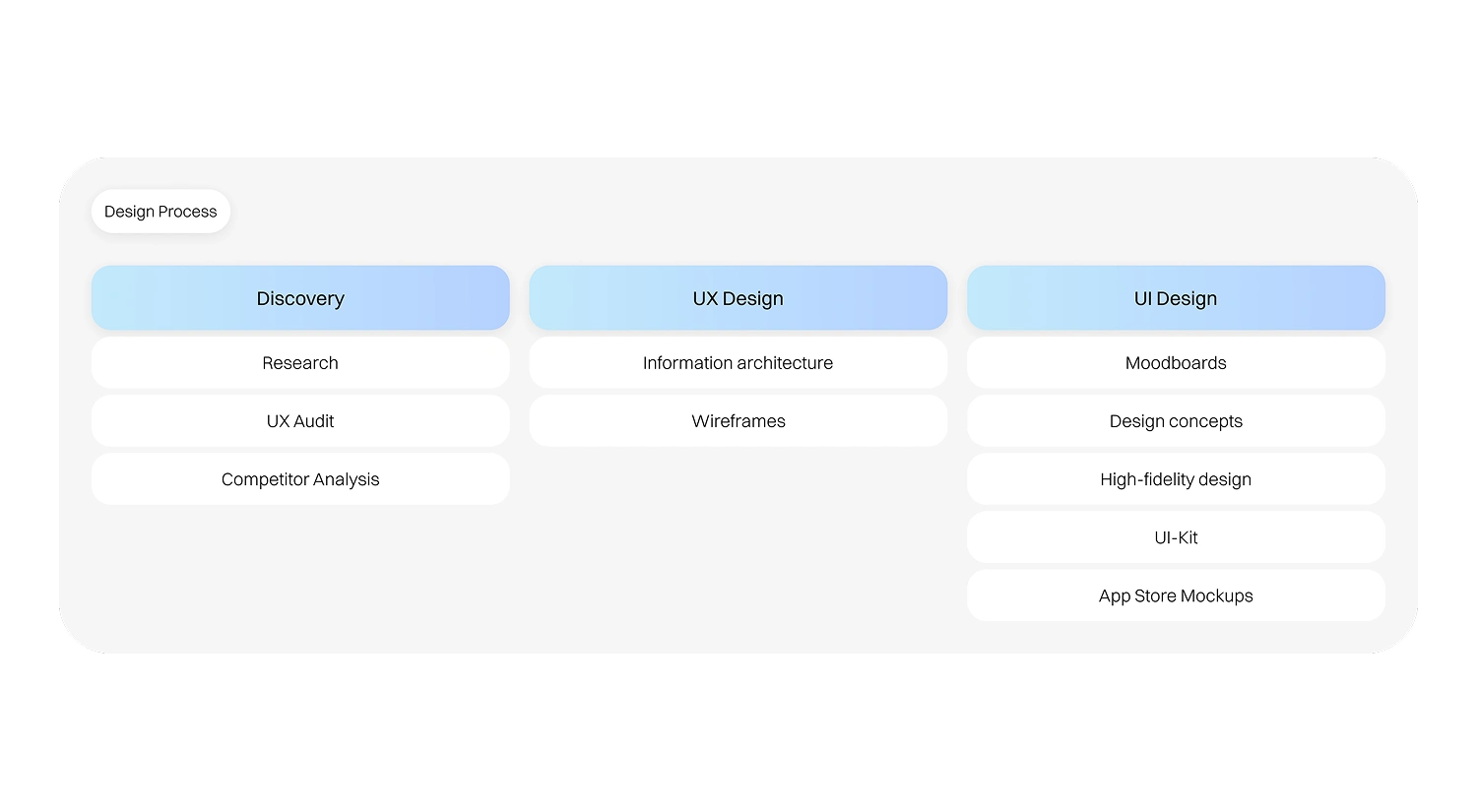
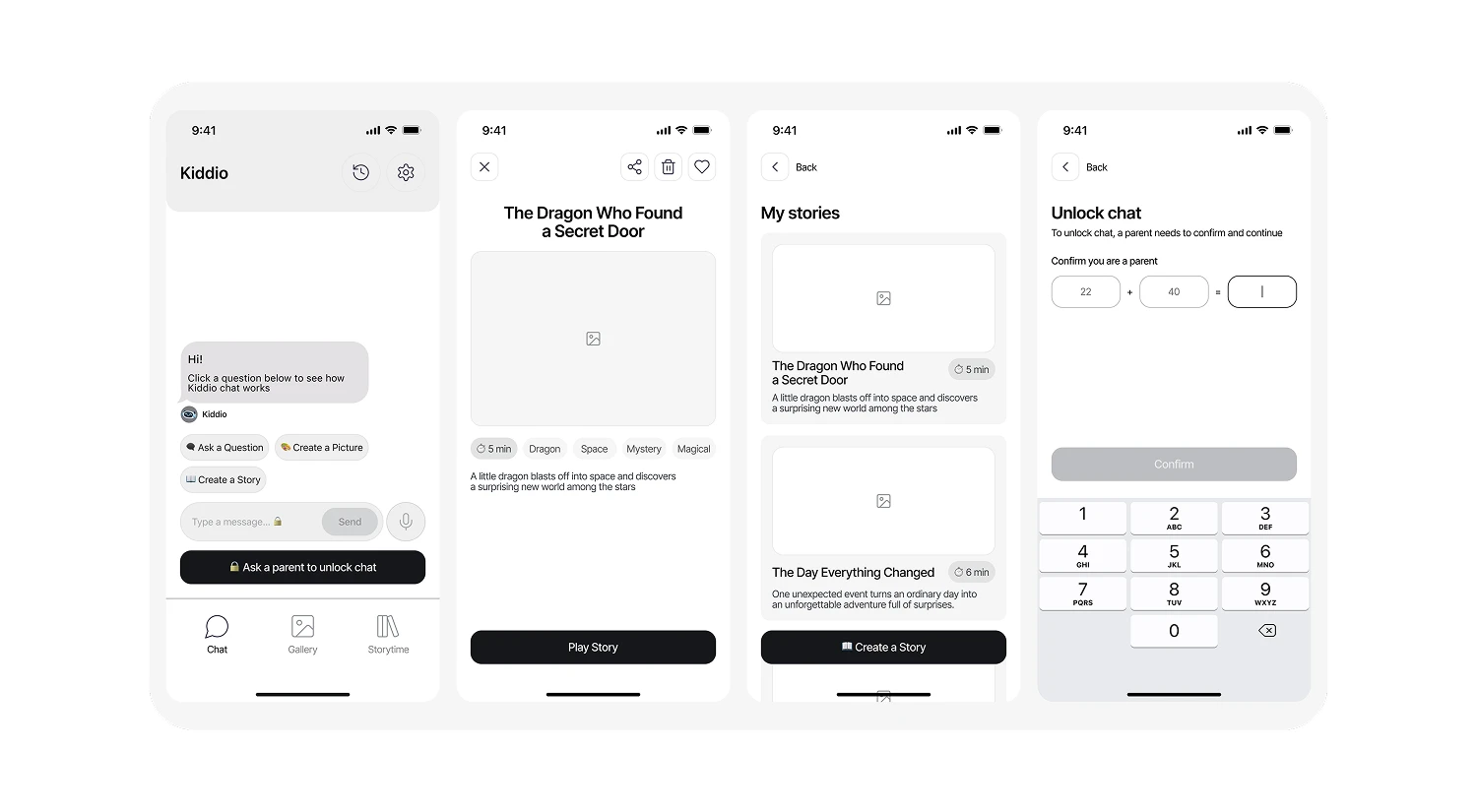
We started with discovery: research, a UX audit and competitor analysis of AI and kids' apps. Then we built the information architecture and wireframes to map out screens, prioritize content and define a clear user flow.
UX/UI Design Solution
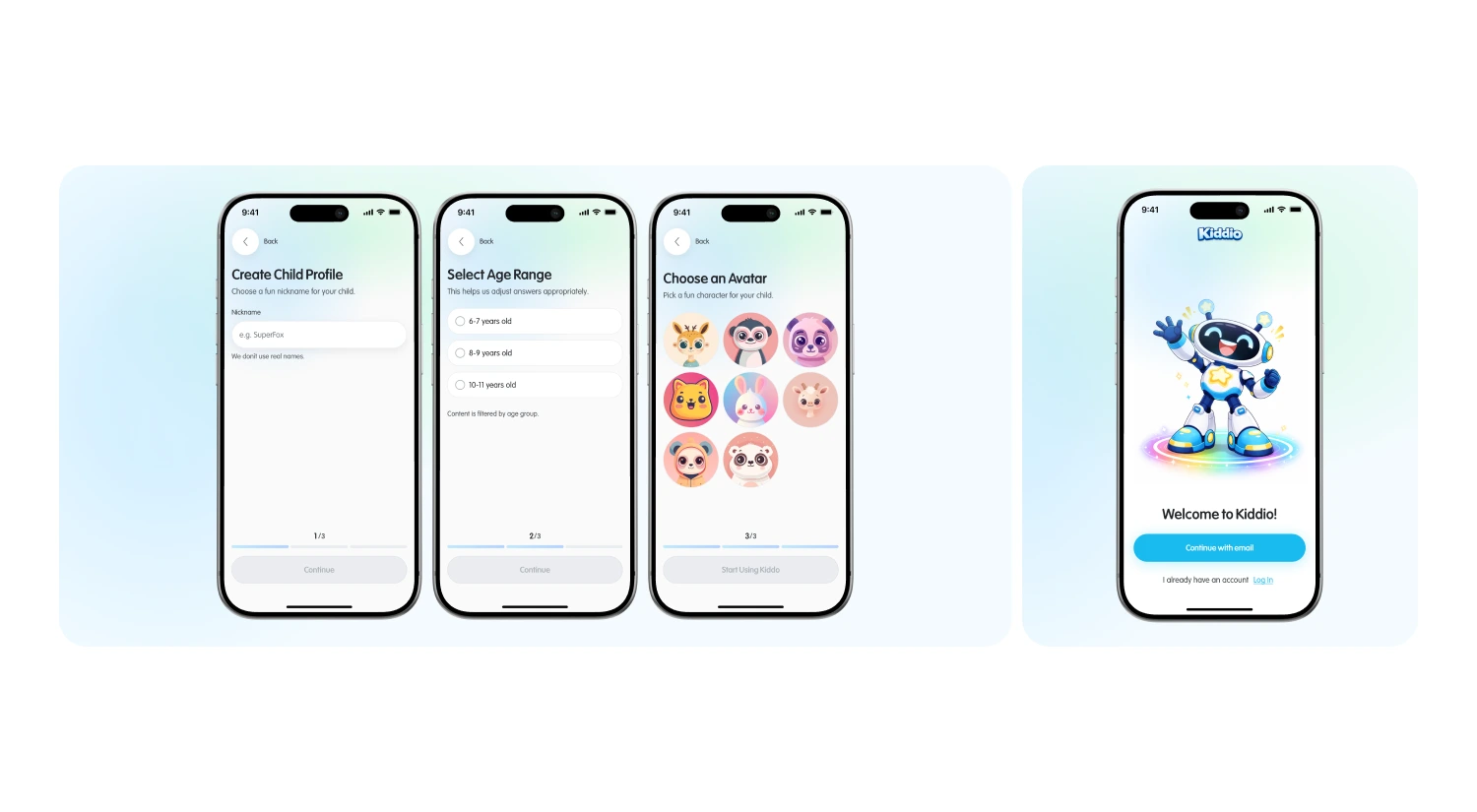
Parent-First Onboarding & Account Setup
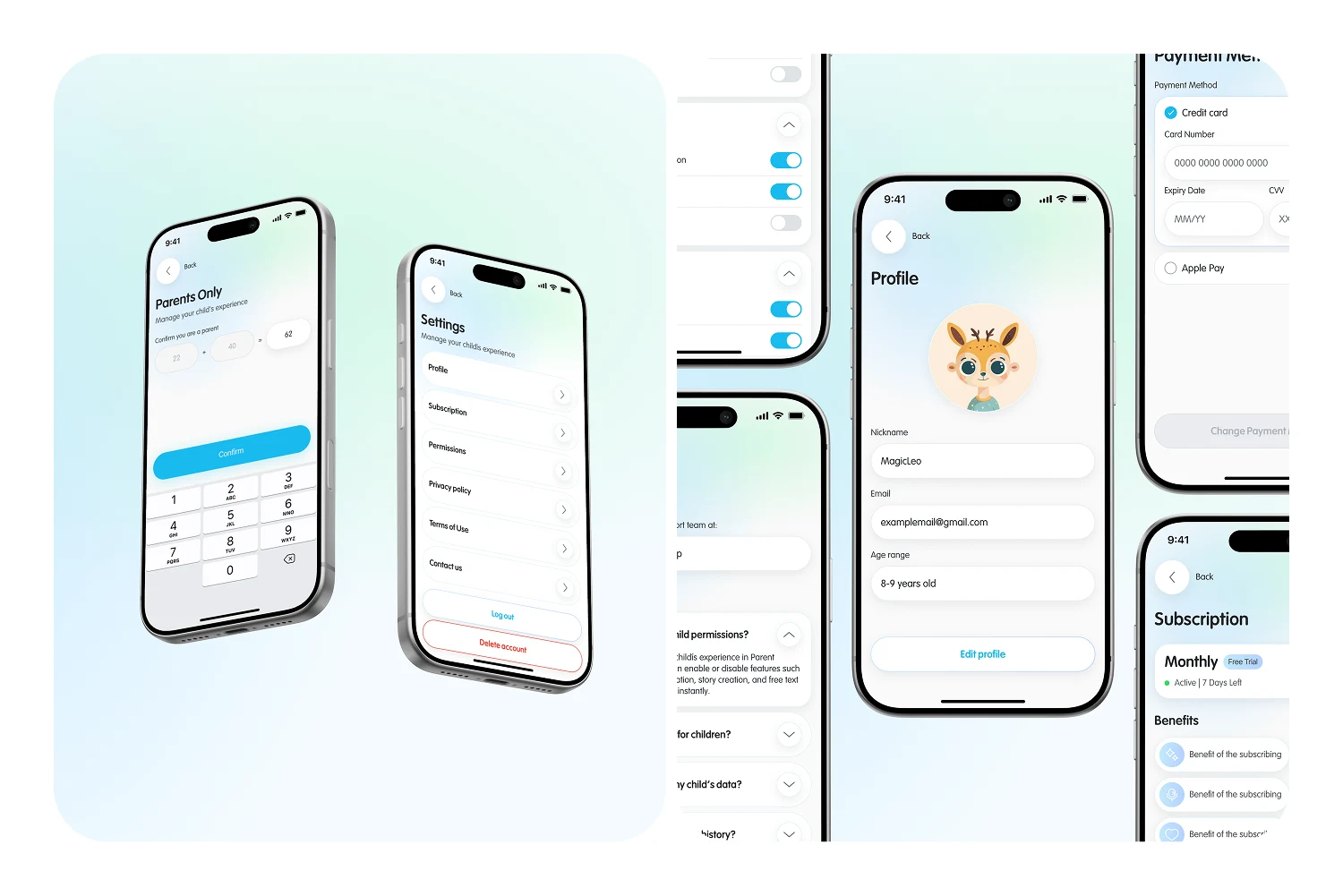
Consent, verification and the paywall come first. Then a progressive 3-step setup lets families create a nickname, select an age range for AI content filtering and pick a fun avatar.
Chat With Smart Starters
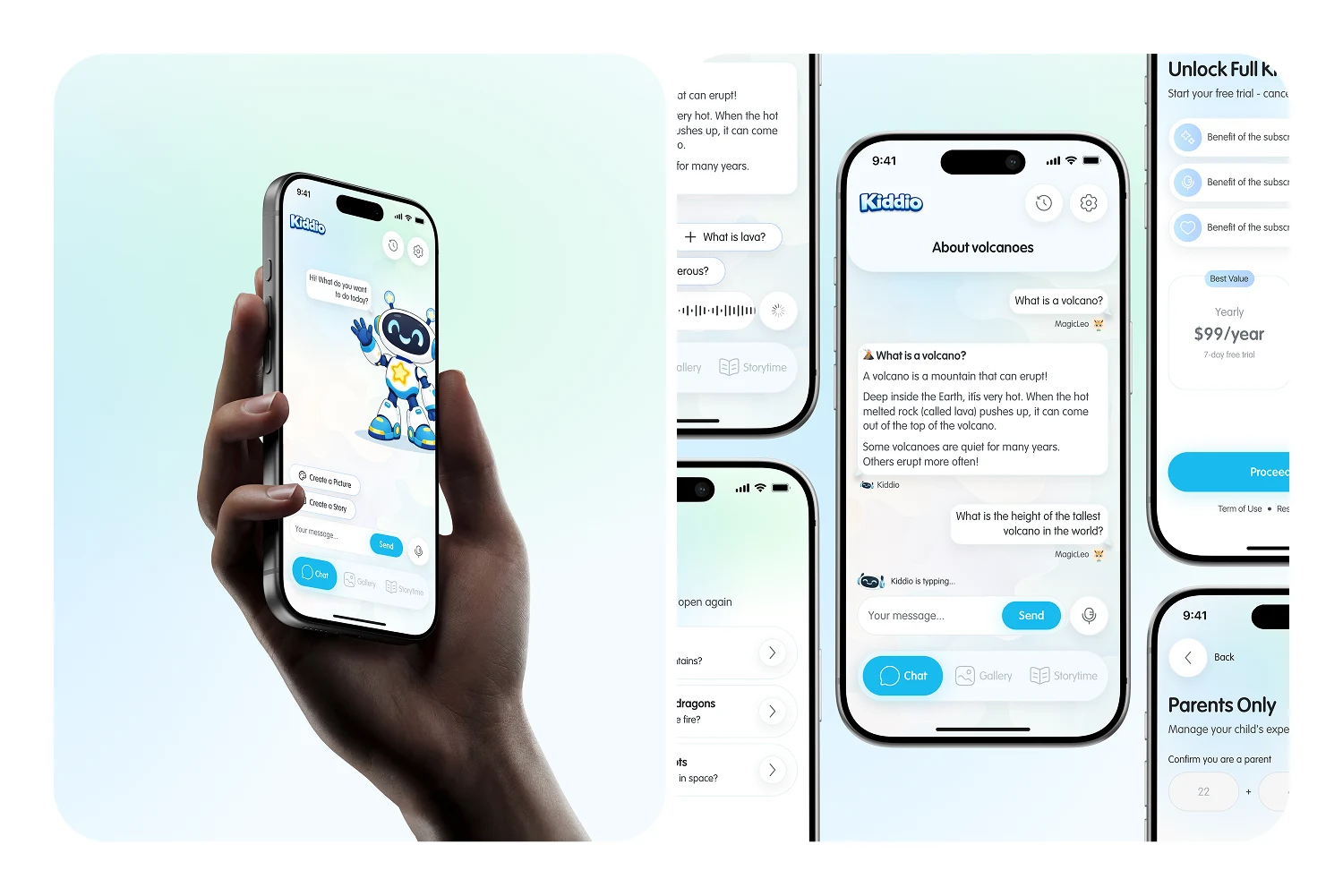
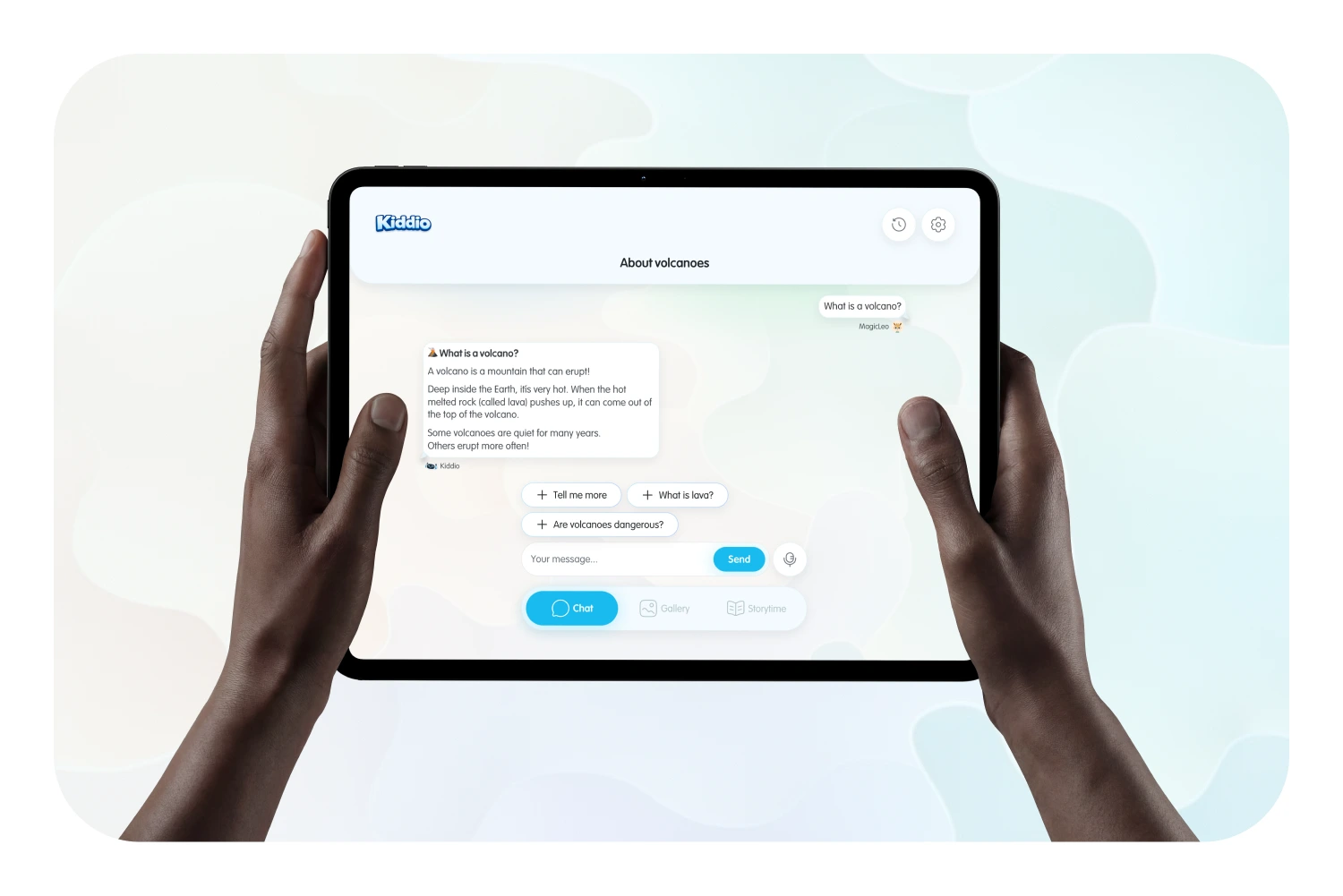
Quick actions like "Ask a Question," "Create a Picture" and "Create a Story," plus voice input, replace the empty chat field. The mascot shows when the AI is typing, making the conversation feel warm and alive.
4-Tap Image Builder & Gallery
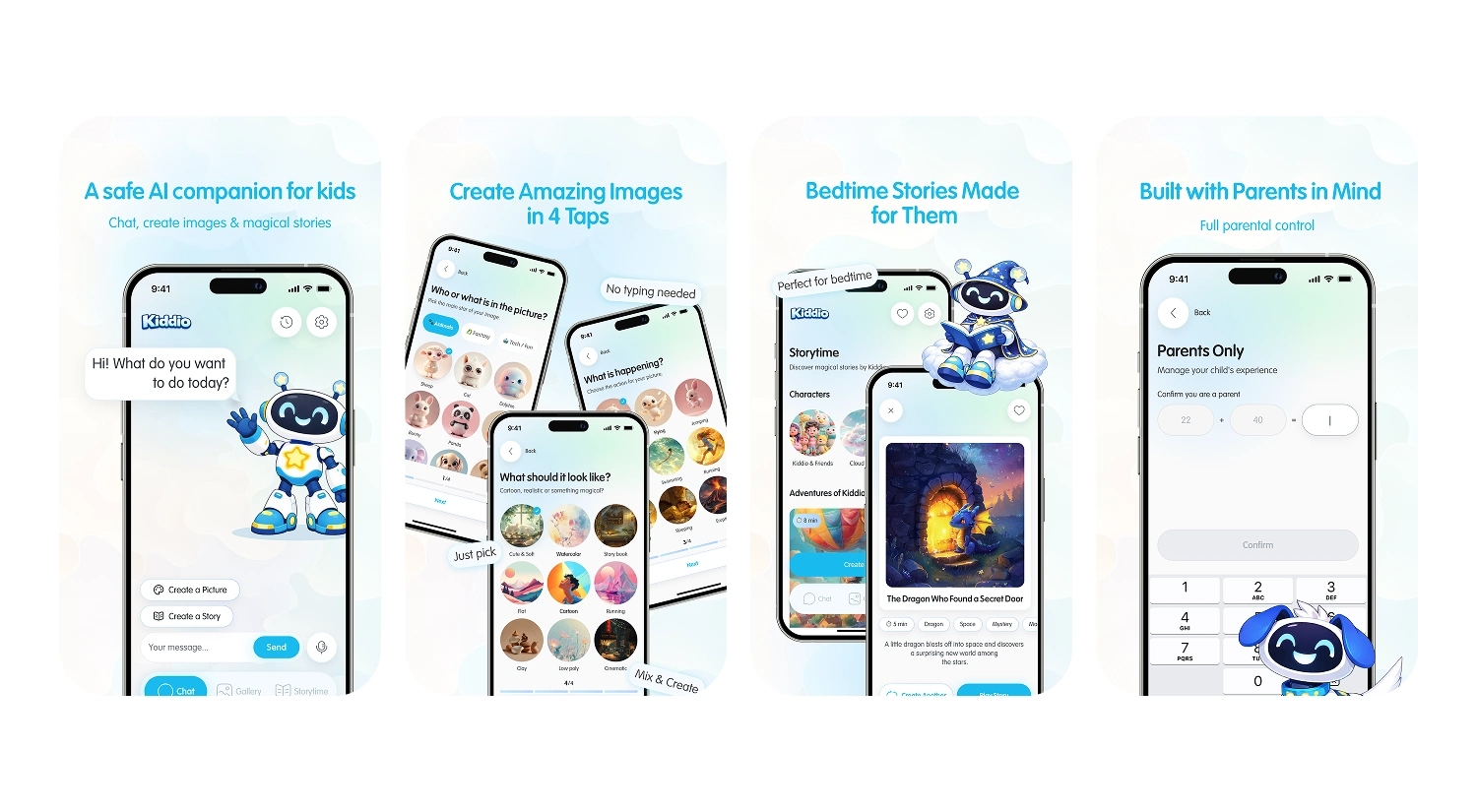
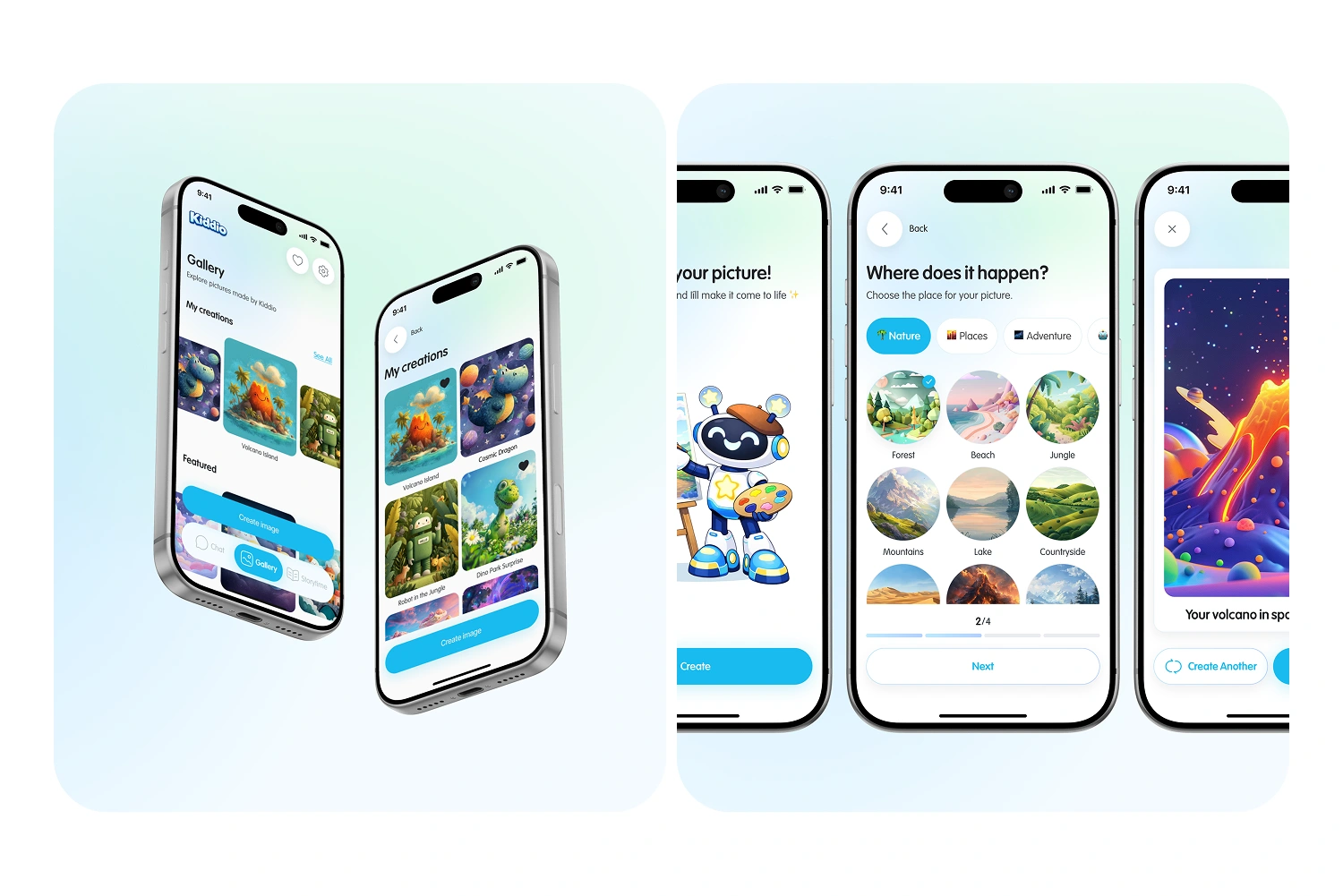
Kids create AI images by tapping visual settings such as Nature, Places and Adventure, with no input fields at all. Results are saved to a clean grid gallery that works as the child's personal art space.
Storytime & Math-Locked Parent Zone
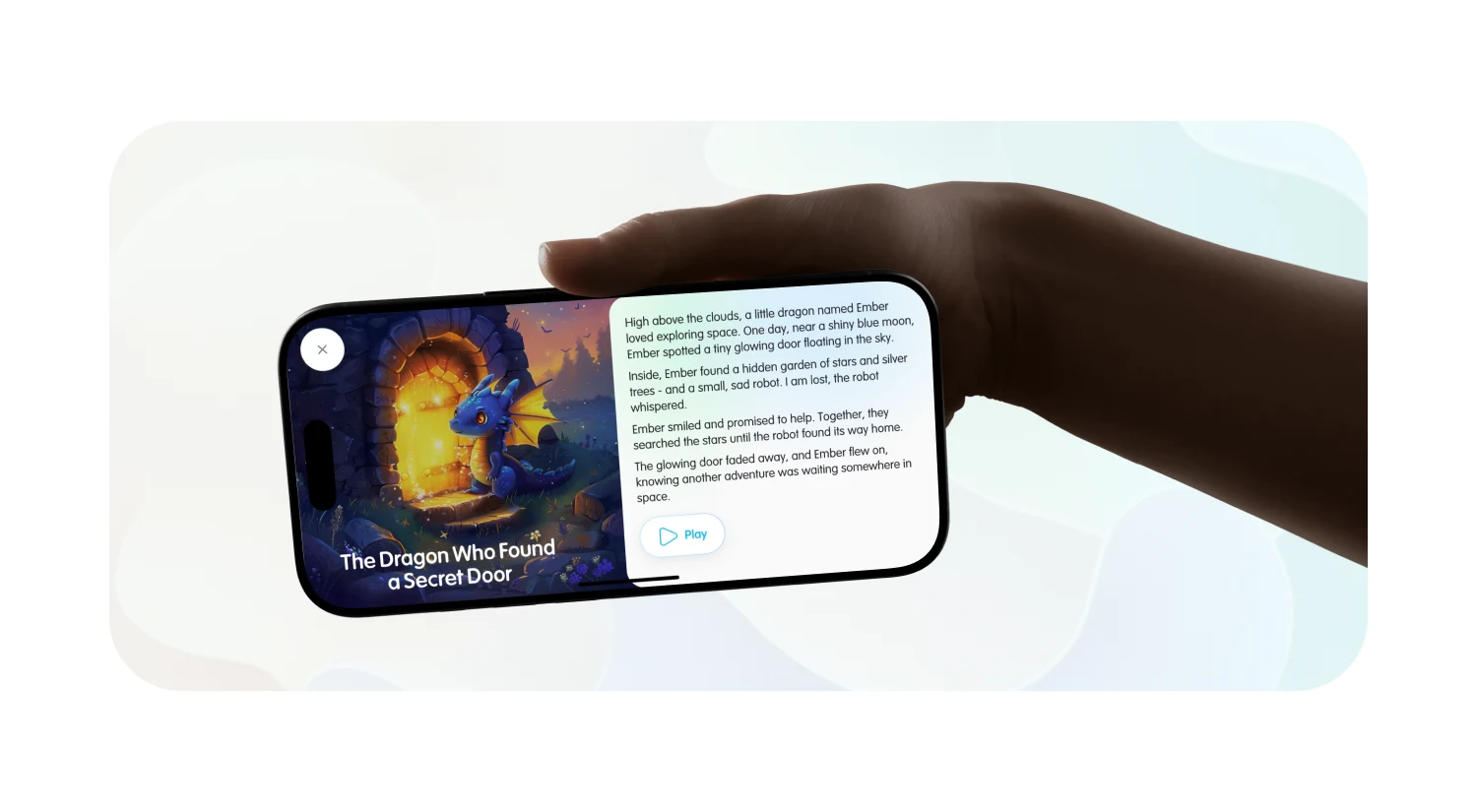
Kids pick a story's tone and length, then read finished stories as book-like cards with duration tags. A math gate keeps kids out of the parent zone, where parents manage profiles, subscriptions and safety settings.
Deliverables:
Research, UX Audit & Competitor Analysis
Information Architecture & Wireframes
Moodboards & 4 Design Concepts
High-Fidelity Mobile App UX/UI Design (iPhone & iPad)
Design System & UI Kit in Figma
App Store Mockups
Outcome
The final design bridges sophisticated generative AI features and strict child safety requirements. A selection-based, zero-typing interface removes friction for young users, while the AI mascot makes the experience feel like a conversation rather than a tool. Kiddio now has a scalable, component-based design system with an Aqua Blue signature accent and defined interaction states, ready for native iOS or Flutter development.

Like this project
Posted Oct 19, 2026
Designed Kiddio's AI mobile app for kids 6–11. UX/UI design of a safe AI companion for chat, image creation and storytelling with full parental control.