
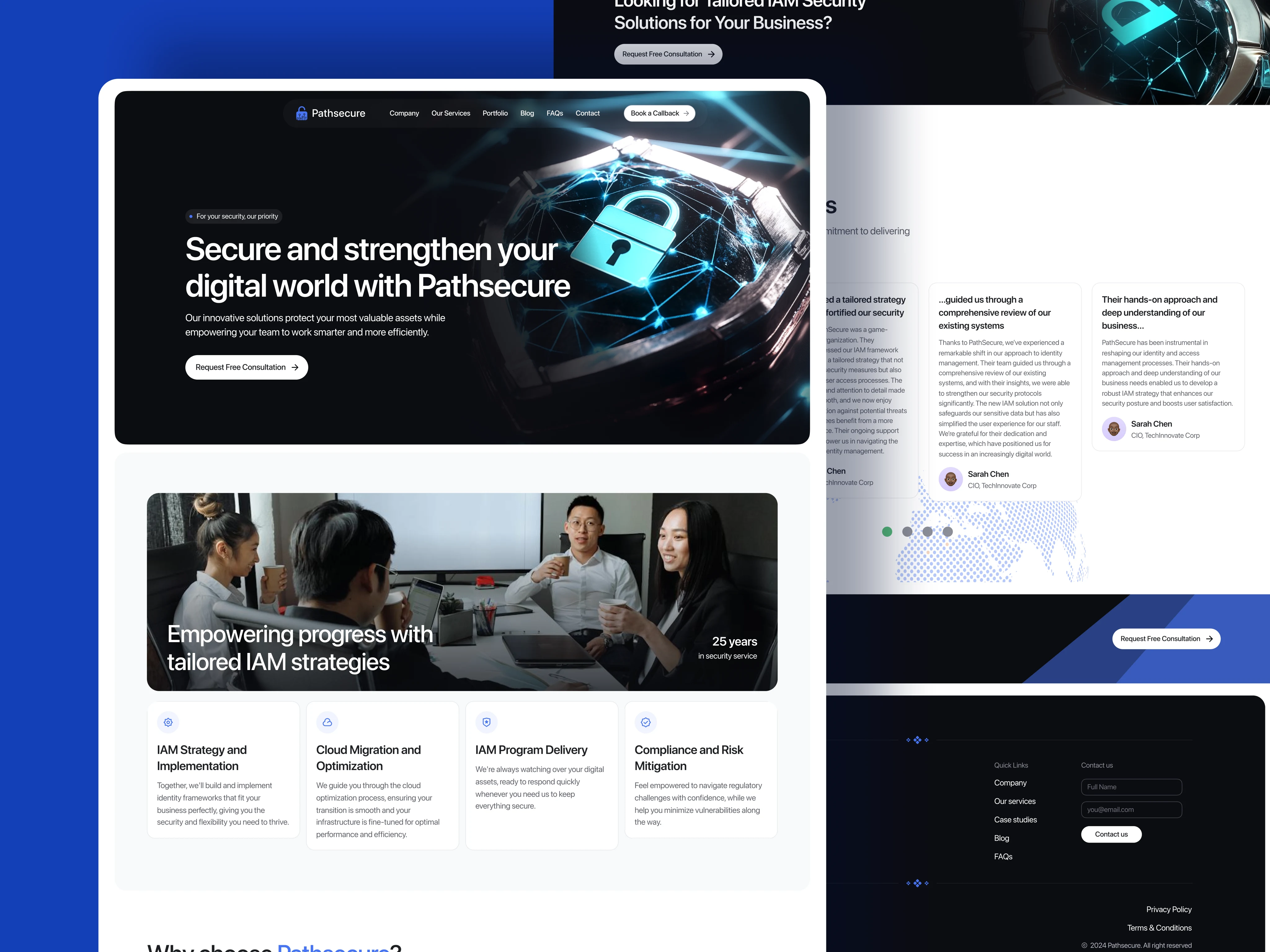
Pathsecure: IAM & Cloud Consulting Platform
Industry: Cybersecurity & Cloud Consulting
Role: Lead Product Designer
Timeline: 12 weeks
Deliverables: Website Redesign + Web Application Design
The Challenge
Pathsecure, an Identity Access Management (IAM) and cloud consulting firm, needed a complete digital transformation. Their existing online presence didn't reflect their expertise in cybersecurity, and they lacked a robust platform for clients and consultants to collaborate effectively.
Key Problems:
No centralized platform for client-consultant collaboration
Complex IAM concepts were difficult for potential clients to understand
No way to track consulting projects or share sensitive documents securely
Multiple user types (Clients, Consultants, Admins, Support) needed distinct experiences
My Approach
I started by understanding the cybersecurity consulting landscape and the specific needs of Pathsecure's audience.
Research Activities:
Stakeholder interviews with Pathsecure leadership and consultants
Competitive analysis of enterprise consulting platforms
User interviews with existing and potential clients
Technical requirements gathering for security compliance (GDPR, CCPA)
Key Insights:
Clients felt intimidated by technical jargon around IAM and cloud security
Consultants needed a streamlined way to manage multiple projects simultaneously
Trust and security perception were critical for conversion
Document sharing and project tracking were major pain points
Design Solutions
1. Website Redesign
Homepage:
Hero section with clear value proposition: "Secure Your Digital Infrastructure with Expert IAM Consulting"
Trust indicators: Client logos, certifications, case study highlights
Service cards with simplified explanations of complex concepts
CTA strategy: "Request Free Security Assessment"
Service Pages:
Broke down technical services into digestible sections
Used analogies to explain IAM concepts (e.g., "Think of IAM as your building's security system—but for your digital assets")
Interactive consultation request forms
Consultant expertise showcase
2. Web Application Design
Dashboard Design Philosophy: I designed each dashboard to prioritize the most important information for that user type while minimizing cognitive load.
Client Dashboard:
Project status cards with progress indicators
Quick access to recent reports and documents
Unread messages counter
Upcoming milestones timeline
One-click consultation requests
Consultant Dashboard:
Active projects overview with priority indicators
Time-sensitive tasks highlighted
Client message notifications
Quick document upload functionality
Performance metrics (optional view)
Technical Considerations
Security-First Design:
Multi-Factor Authentication UI flows
Session timeout warnings
Secure file upload with progress indicators
Role-based access control visual hierarchy
HTTPS indicators and security badges
Integration Points:
SSO login flows (Google, Microsoft, Okta)
Cloud platform connections (AWS, Azure, GCP)
Payment gateway integration (Stripe)
CRM integration considerations (Salesforce, HubSpot)
Results & Impact
For Pathsecure:
40% reduction in project coordination time
65% increase in consultation requests post-launch
95% client satisfaction with platform usability
Streamlined consultant workflow, allowing 30% more project capacity
For Clients:
Average time to access reports: reduced from 3 days to instant
Project visibility increased from monthly emails to real-time updates
Consultant communication response time reduced by 60%
For Consultants:
50% reduction in administrative overhead
Centralized client communication (previously across email, Slack, and calls)
Standardized report delivery process
Learnings & Takeaways
1. Simplifying Complex Concepts: Working in cybersecurity taught me the importance of translating technical jargon into everyday language. I created a "translation guide" that the Pathsecure team still uses in their sales process.
2. Balancing Security with Usability: There's a constant tension between robust security and smooth user experience. I learned to make security features feel reassuring rather than burdensome—using clear indicators and explanations rather than just adding friction.
3. Designing for Multiple User Types: Creating distinct yet cohesive experiences for four different user types was challenging. The key was identifying shared components while allowing role-specific customization.
4. The Power of Progressive Enhancement: Rather than launching with every feature, we prioritized core functionality and planned for phased rollouts. This allowed us to validate assumptions and iterate based on real usage data.
Tools Used
Design: Figma (for all design work)
Prototyping: Figma, ProtoPie (for advanced interactions)
User Research: Maze, UserTesting, Zoom
Collaboration: Miro (for workshops), Notion (for documentation)
Handoff: Figma Dev Mode, Zeplin
Conclusion
The Pathsecure project was an incredible opportunity to design for a complex, security-focused domain. By prioritizing user needs, simplifying technical concepts, and creating distinct experiences for each user type, we built a platform that not only looks professional but genuinely improves how Pathsecure and their clients work together.
The success of this project reinforced my belief that good design isn't just about aesthetics — it's about understanding business goals, user needs, and technical constraints, then crafting solutions that balance all three.
Client review
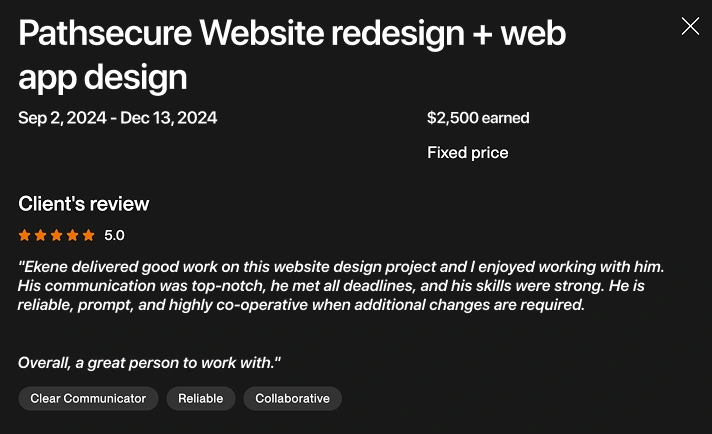
The client's review on Upwork
Some of my favorite pages
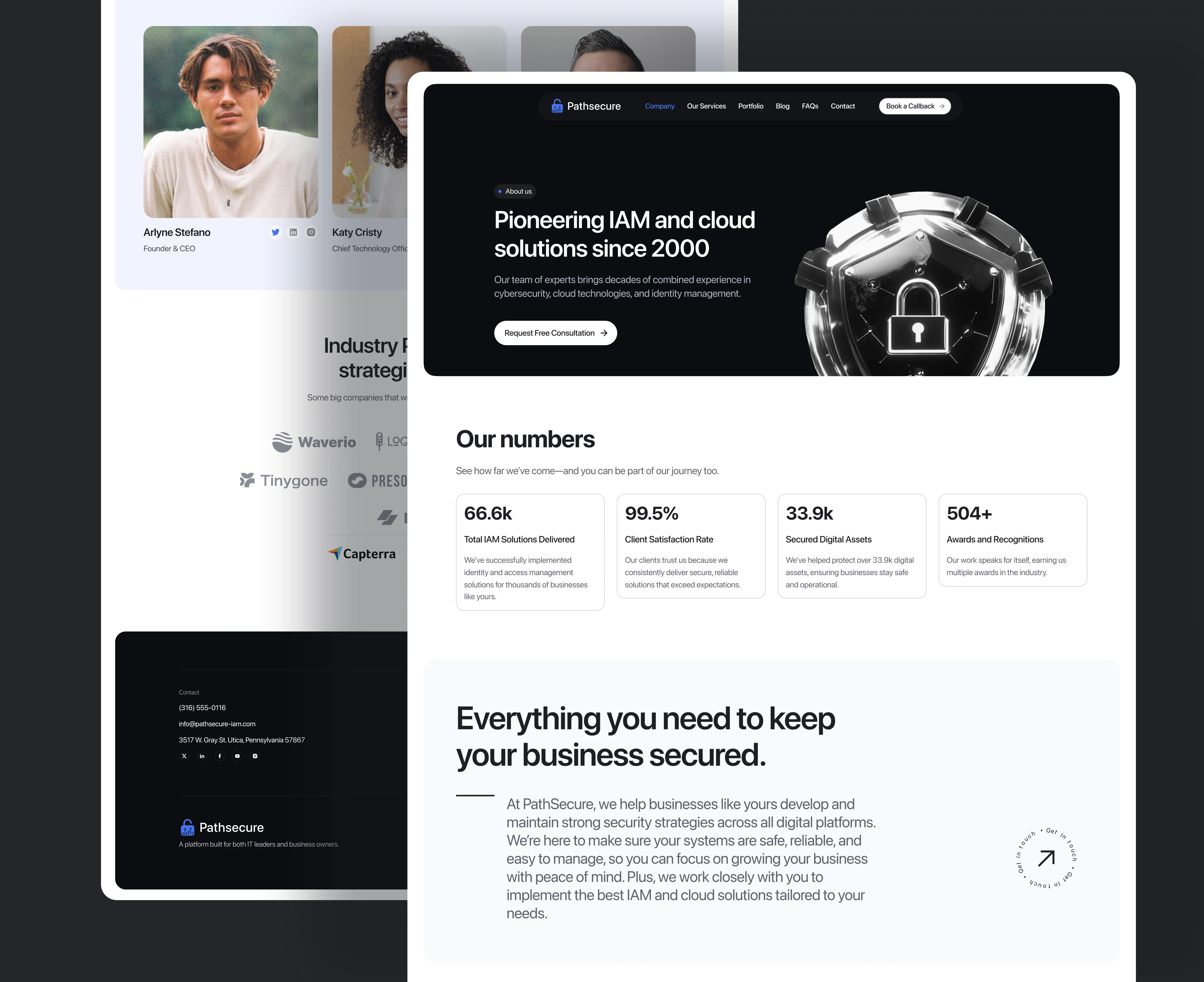
The About Us page design
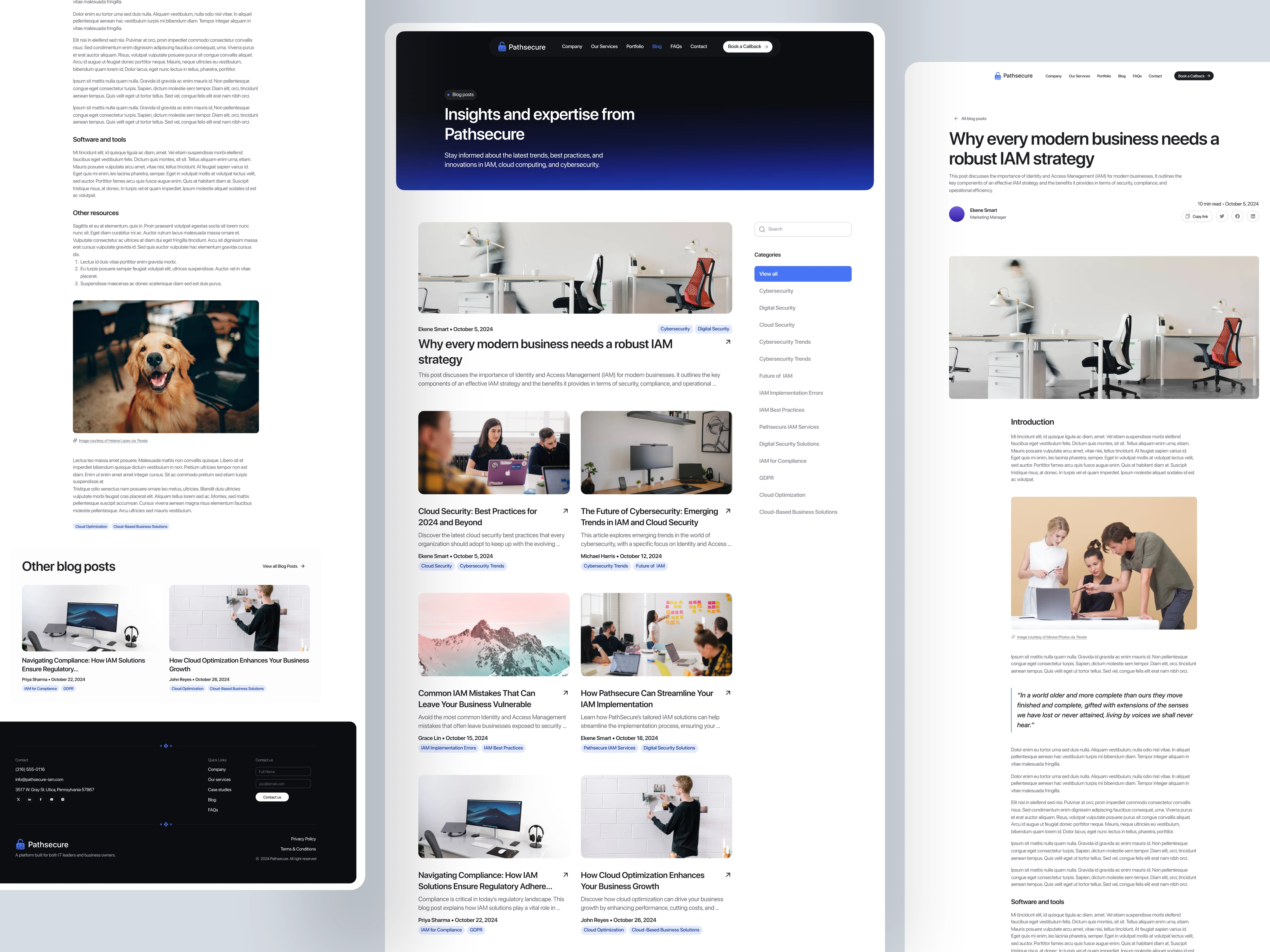
Blog gallery and post detail pages
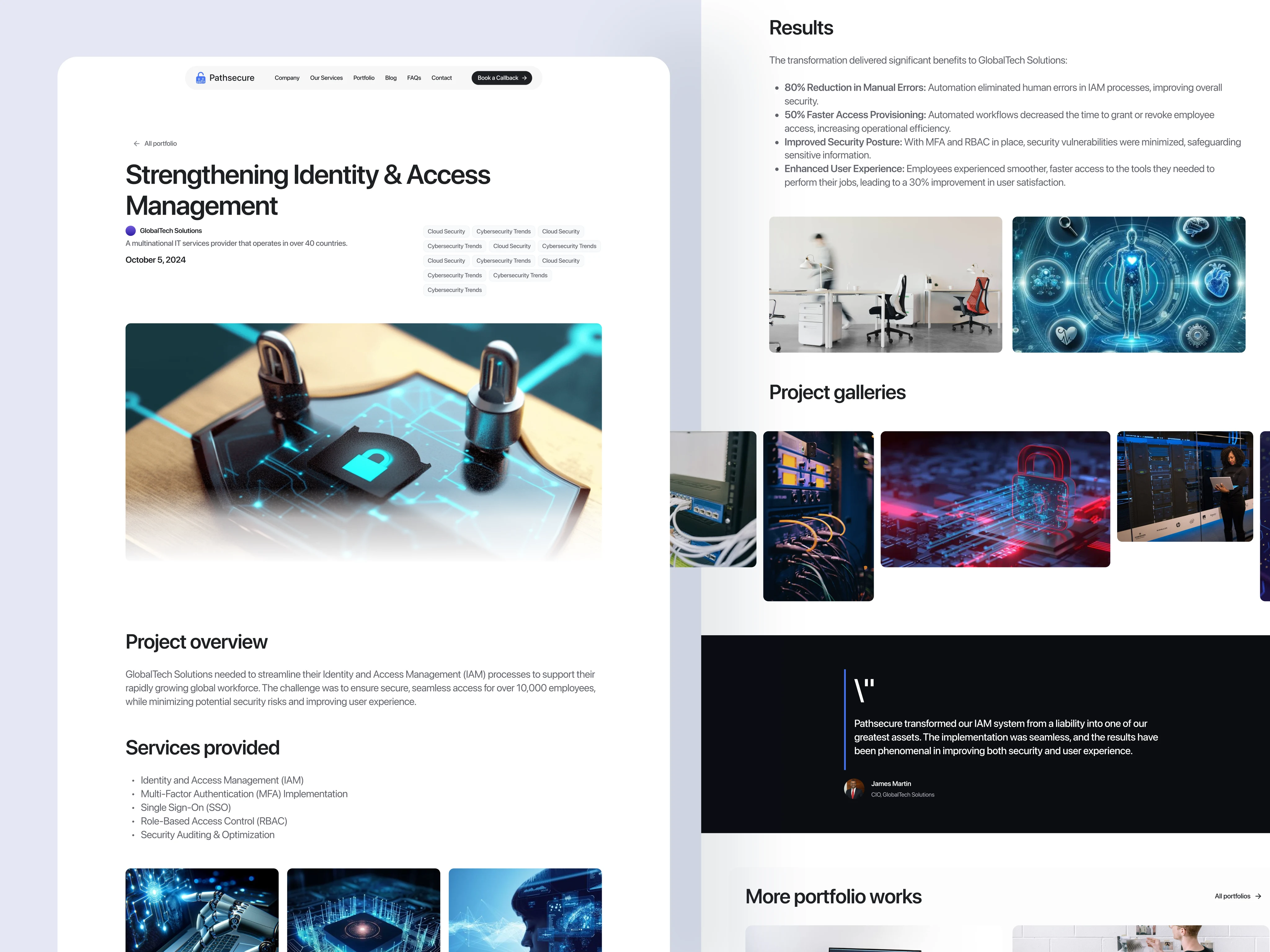
Portfolio project page
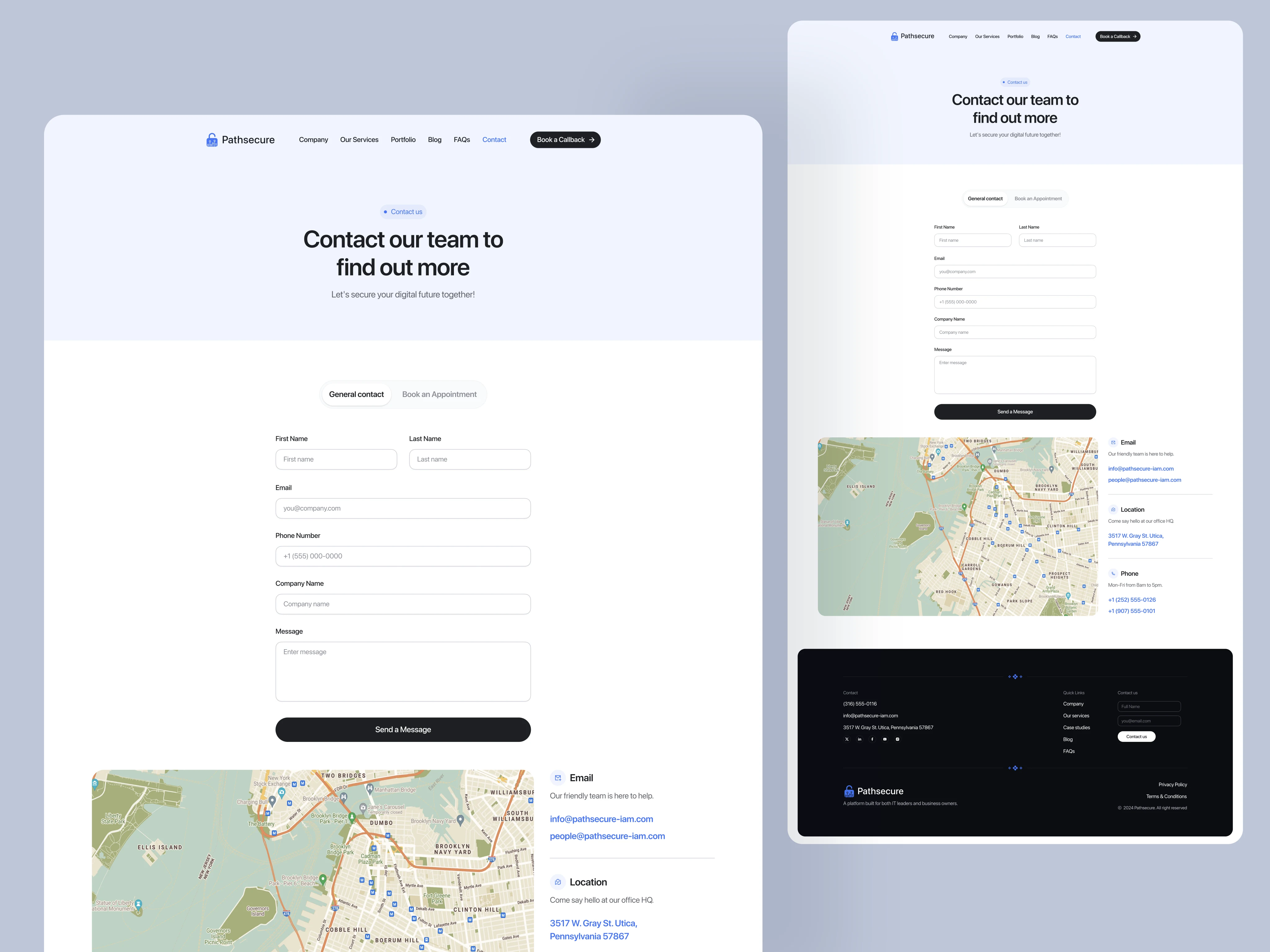
Contact us form page
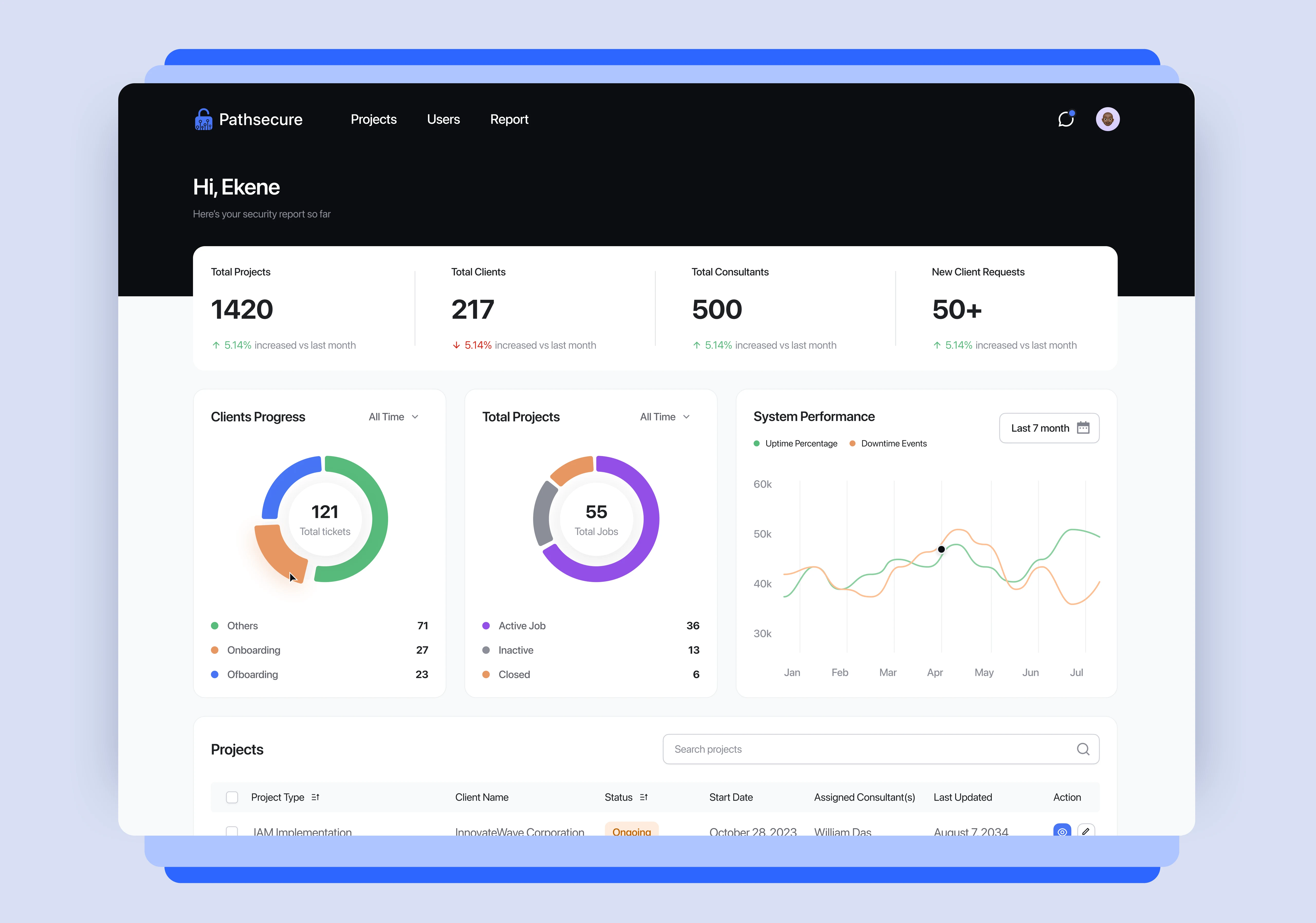
The admin dashboard
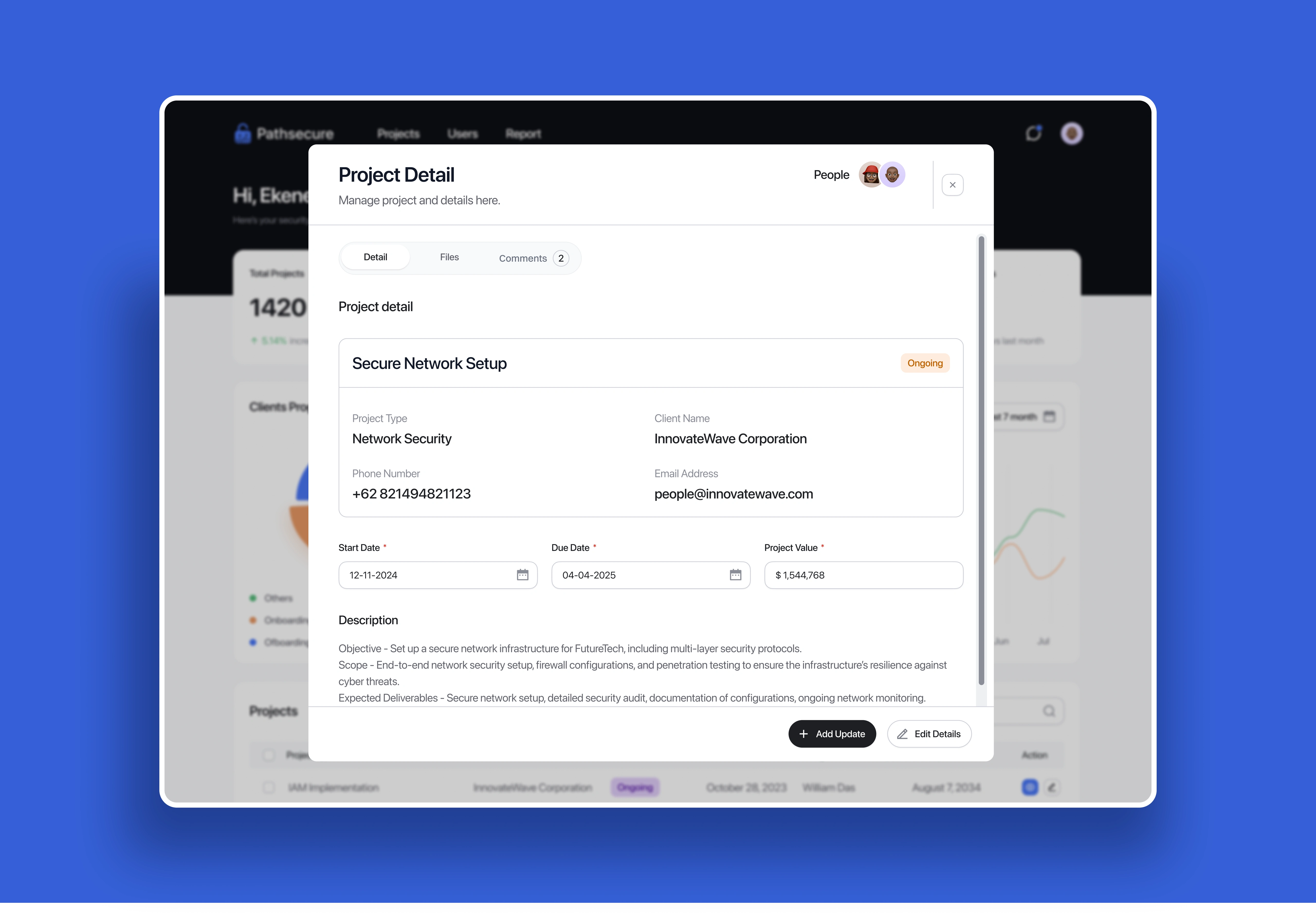
The project details page
5 likes · 26 views · Jan 5, 2026
Redesigned Pathsecure's digital presence — transforming complex IAM consulting into an intuitive platform for clients, consultants, and admins.
Timeline
Sep 2, 2024 - Dec 13, 2024


