Designing Medbelle OS for Enhanced Clinical Workflows

Yuri Segalerba


Overview
Medbelle is working to digitise the healthcare experience in the UK, replacing outdated processes with a cohesive and modern infrastructure. Medbelle OS is central to this vision, providing an integrated platform that brings together patient information, communication, and everyday clinical workflows. The software is directly connected to the patient app, ensuring seamless integration and communication between patients and the surgical team.
My work focused on delivering an efficient, intuitive, and on-brand user experience that supports clinicians in providing high-quality care.
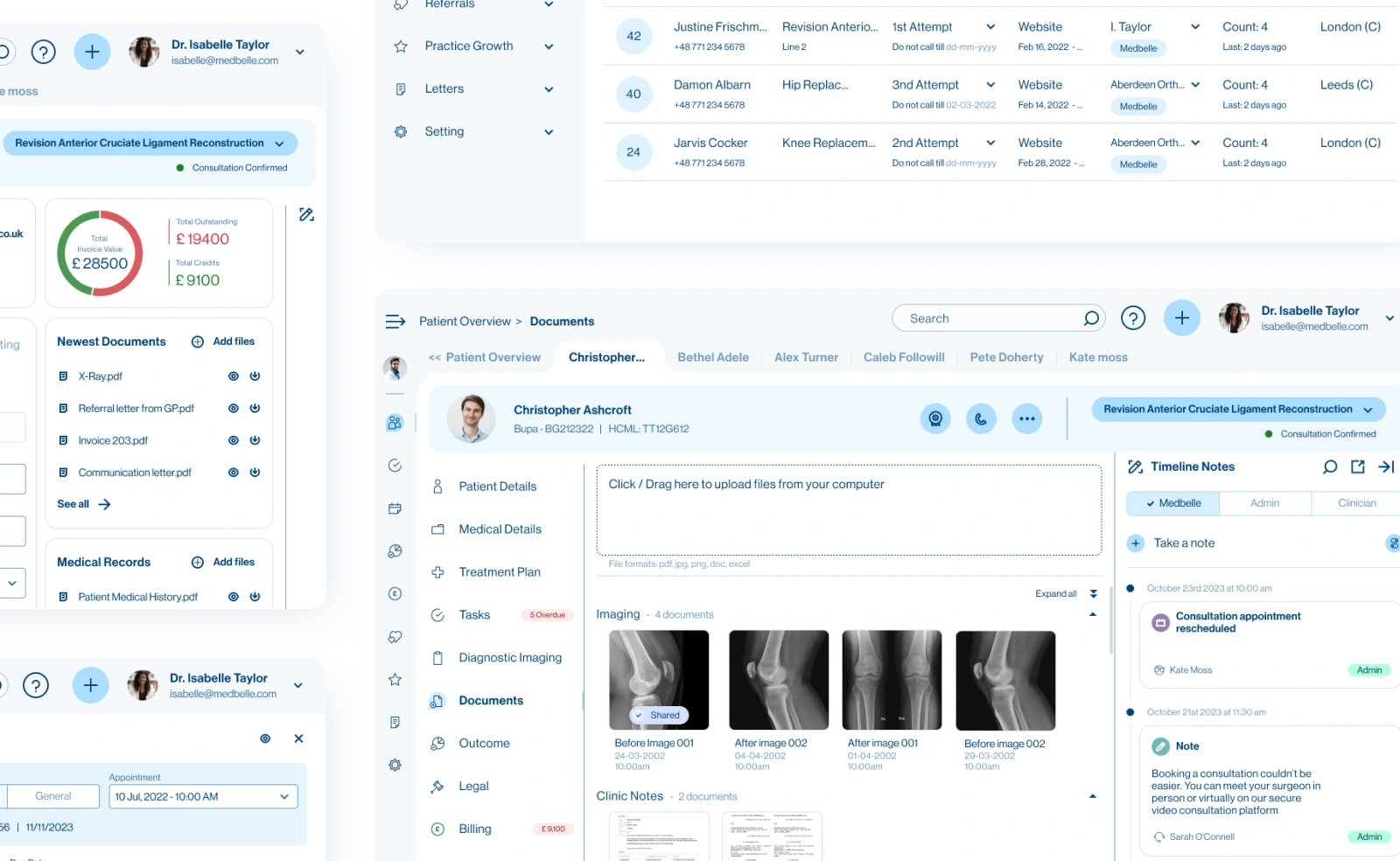
Selected Screens
The Challenge
Building Medbelle OS required bringing clarity and structure to a highly complex clinical environment. Surgeons, secretaries, and clinicians needed a single system capable of managing appointments, patient data, documents, billing, and communication without creating additional cognitive load. Every feature had to support real-world workflows across different roles, remain consistent throughout the product, and integrate seamlessly with the patient app. The challenge was to design an experience that centralised these operations while staying fast, intuitive, and reliable, even as the product continued to evolve and expand.
The key challenges I faced included:
✅ Manage complex appointment logic efficiently.
✅ Provide fast access to actions without disrupting workflow.
✅ Centralise patient data while keeping key information always accessible.
✅ Maintain usability as the product expanded.
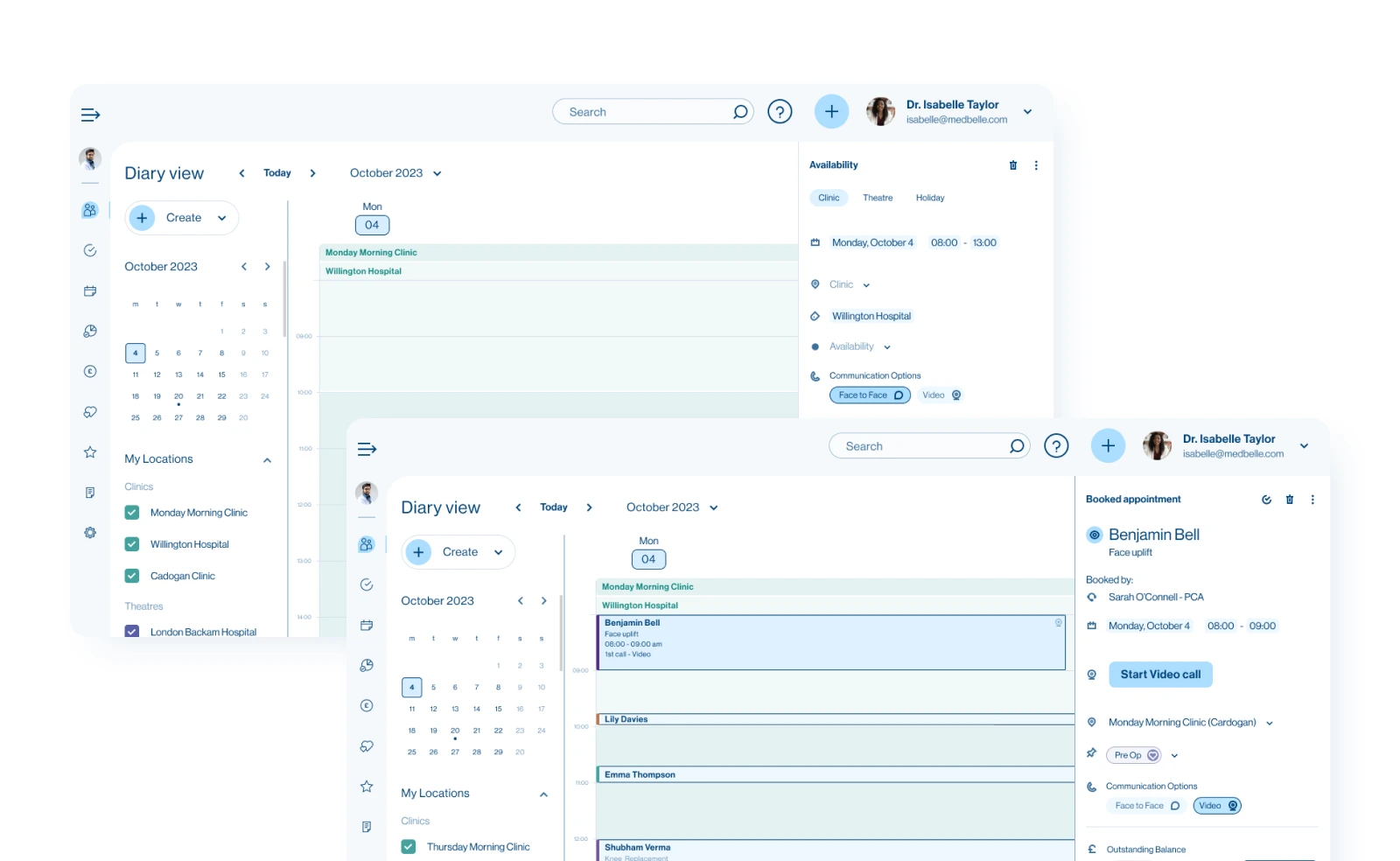
1. The Diary: A Solution for Complex Appointment Logic
To address the challenge of managing complex appointment workflows efficiently, I designed the diary as the central hub of Medbelle OS. It brings together scheduling, patient information, and practice management in a single interface, fully integrated with the patient app to keep bookings synchronized.
💡 Key Improvements:
✔ Automatic updates from the patient app for real-time appointment accuracy.
✔ Full access to all appointment-related actions, including documents, invoices, and tasks, without leaving the diary
✔ Consistent interaction patterns that guide users smoothly through workflows.
This solution streamlines appointment management, reduces errors, and keeps clinical teams focused on patient care.
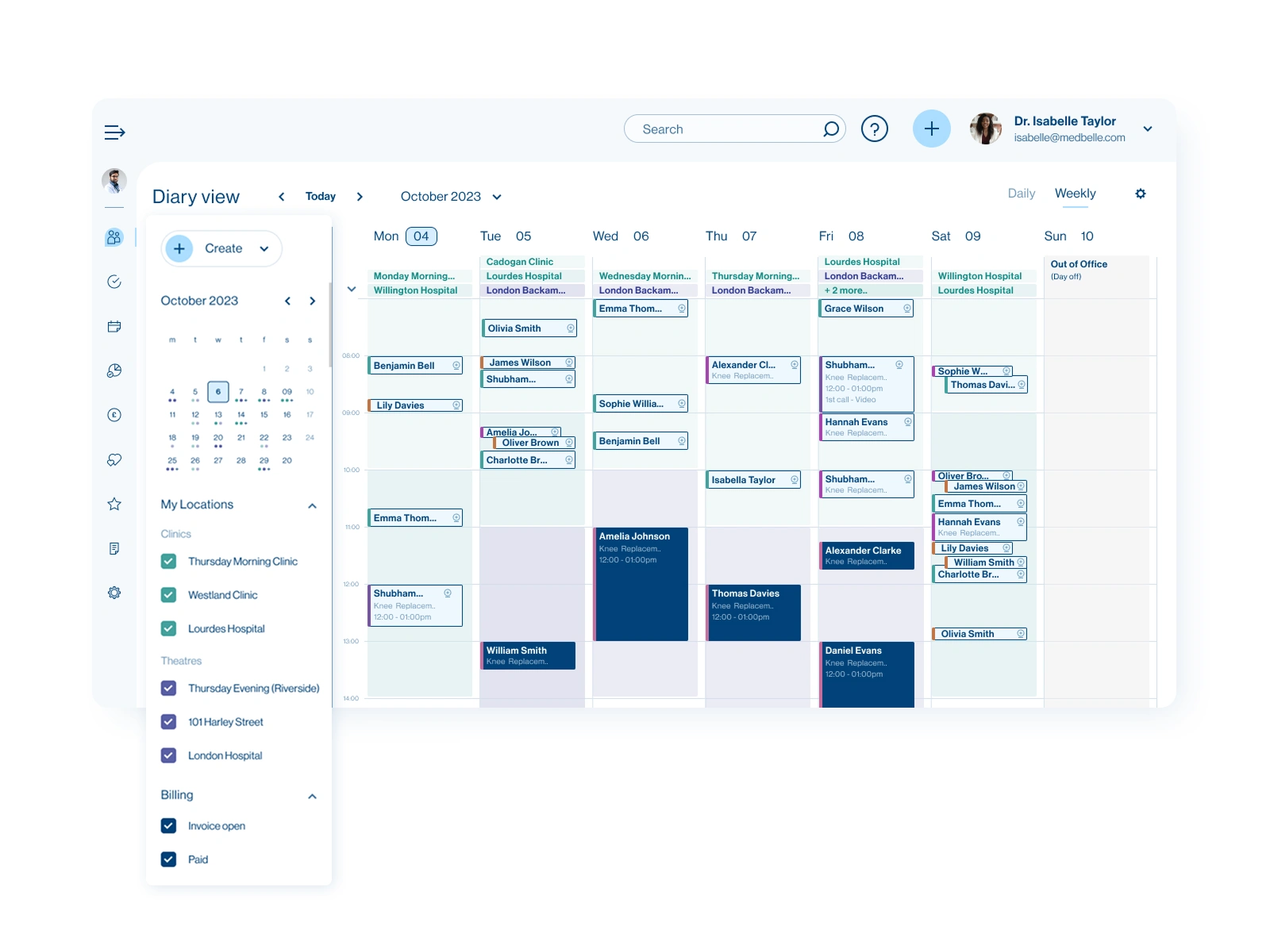
The Diary
2. Patient-Centric Area with Quick Access to Key Data
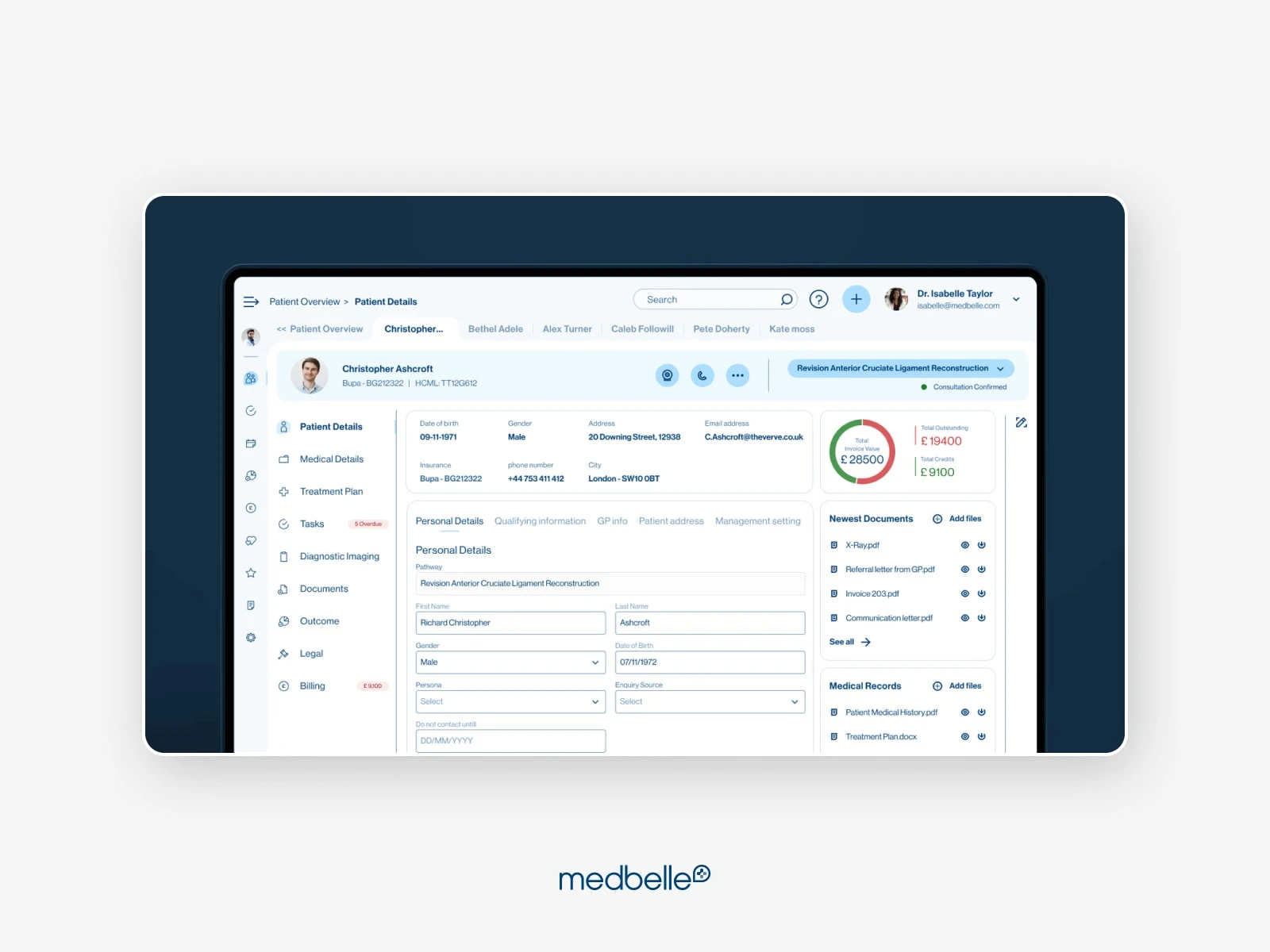
To make patient information instantly accessible, I created a dedicated patient-centric area where each patient has their own dashboard, menu, and persistent overview. A top bar with essential patient details and a timeline with built-in actions stays visible across pages. This ensures clinicians can view and act on critical information without leaving the current context.
💡 Key Improvements:
✔ Patient dashboard with key metrics, data, and a dedicated patient menu for accessing all patient-specific features
✔ Timeline with built-in actions, allowing users to review appointments, notes, tasks, and upload files directly from each timeline entry
✔ Unified navigation and persistent elements that keep essential actions within reach, reducing interruptions and unnecessary context switching
This solution enhances visibility, supports quick decision-making, and reduces errors when managing patient care.
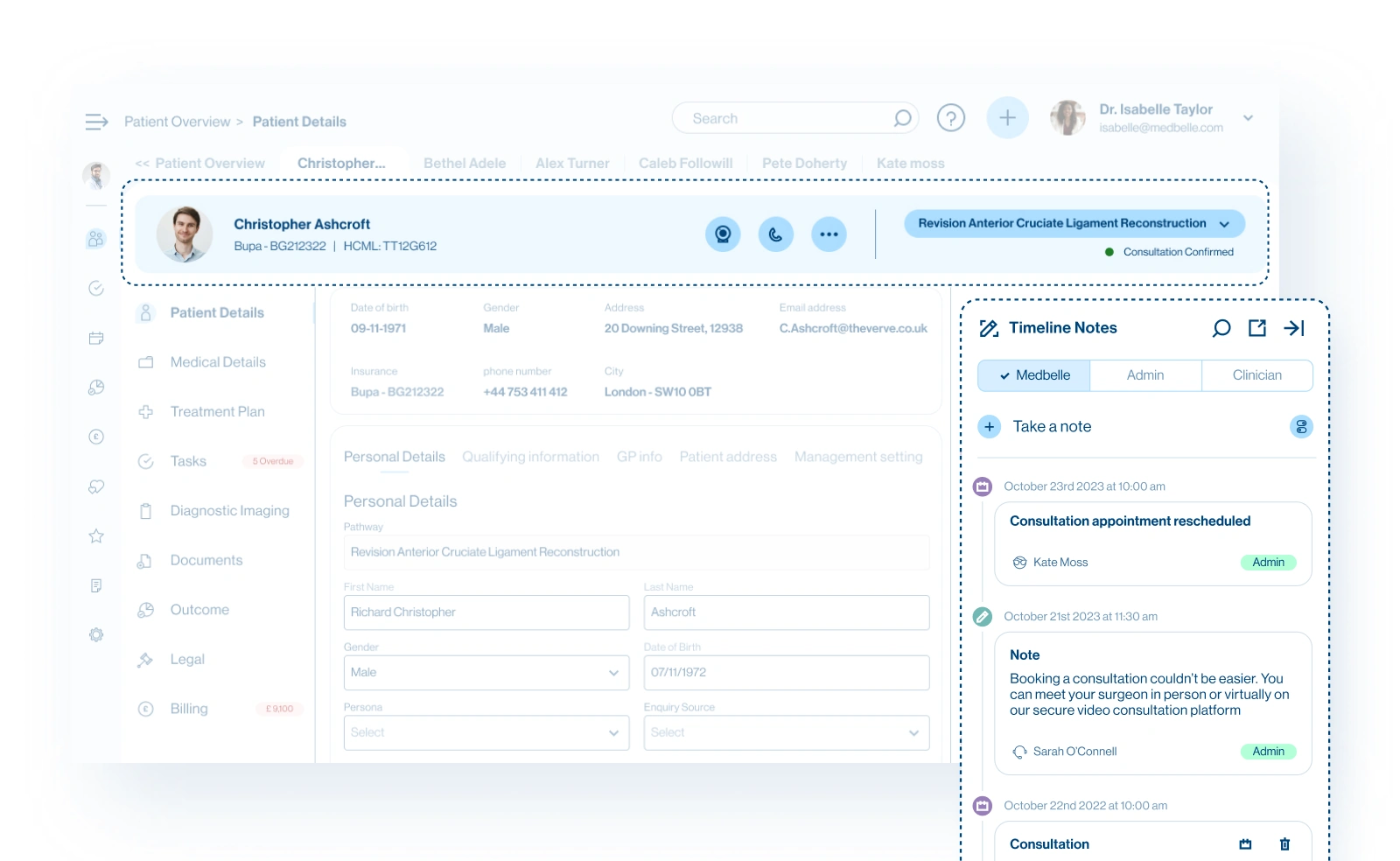
Patient-Centric Dashboard with Persistent Elements
3. Multi-Patient Workflow for Faster Navigation
During the validation phase, it became clear that clinicians often needed to work across multiple patient pages at the same time. To solve this, I introduced a multi-patient tab system that lets users keep several patient profiles open simultaneously and switch between them without losing context.
💡 Key Improvements:
✔ Tabbed patient views enabling multiple patient pages to stay open at once for seamless cross-patient work
✔ Smooth switching between patients without reloading data or navigating back to the dashboard
✔ Consistent context maintained across tabs, reducing cognitive load and improving focus
This enhancement accelerates navigation, supports parallel workflows, and keeps clinicians fully immersed in the tasks that matter.
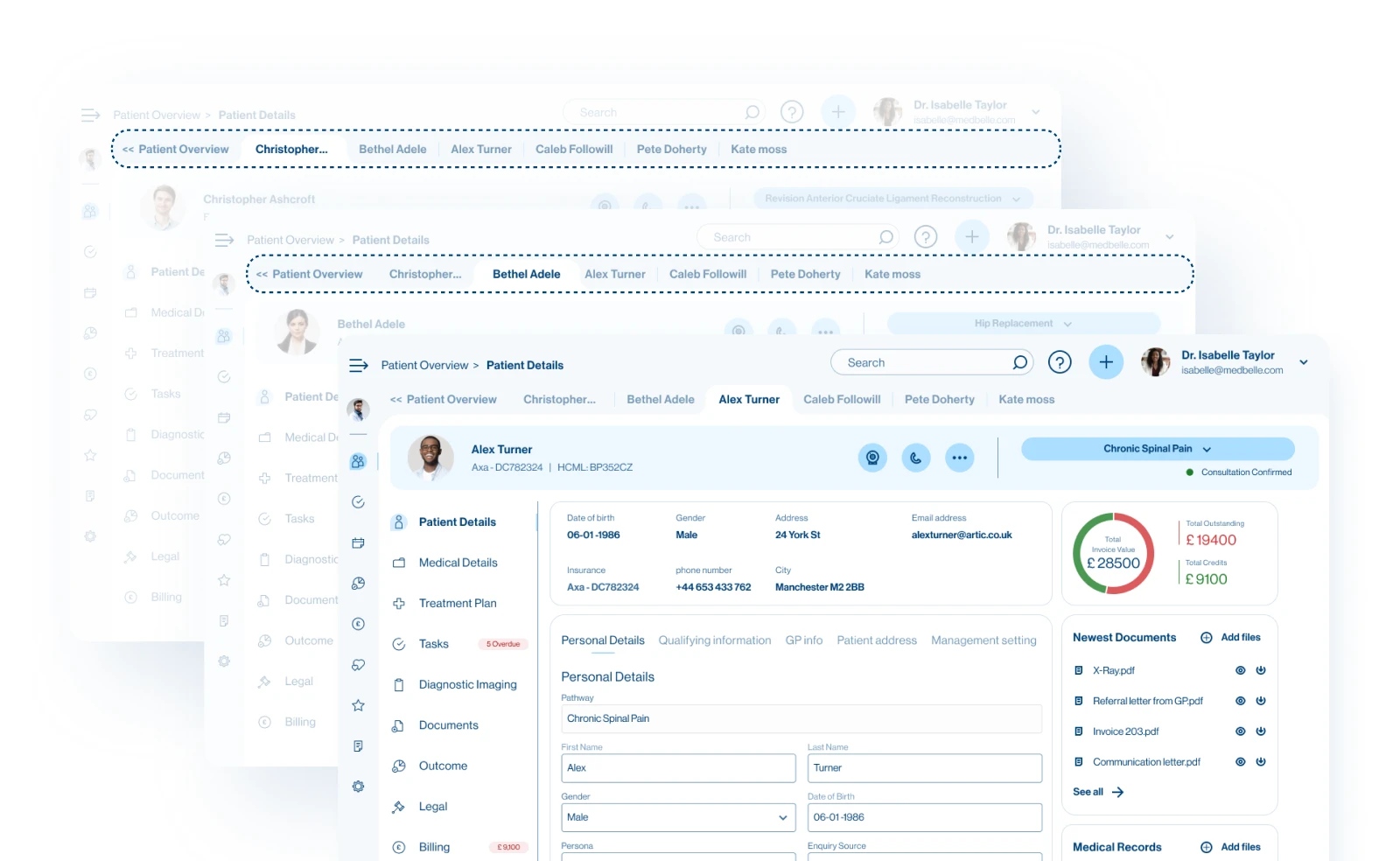
Multi-Patient Workflow
The Impact: A Smoother, More Reliable Experience
Since implementing these solutions, Medbelle OS has seen:
✅ Clinicians accessing and acting on patient information more quickly, reducing time spent navigating the system.
✅ Smoother management of appointments and workflows, minimizing errors and miscommunications.
✅ Enhanced ability to work across multiple patients simultaneously, keeping teams focused and productive.
Designed for Mobility, Ready for Every Workflow
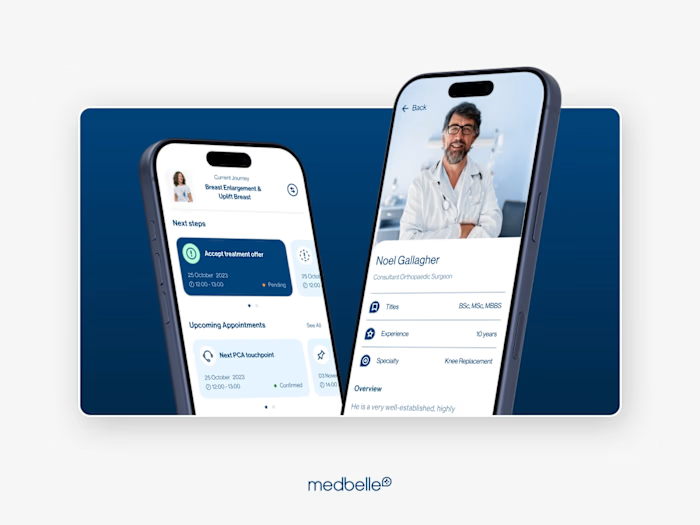
Medbelle OS is also fully available on mobile, allowing clinicians to review patient information, manage appointments, and perform key actions on the go. Whether they’re between consultations or away from their desk, the experience remains fast, secure, and consistent across devices.
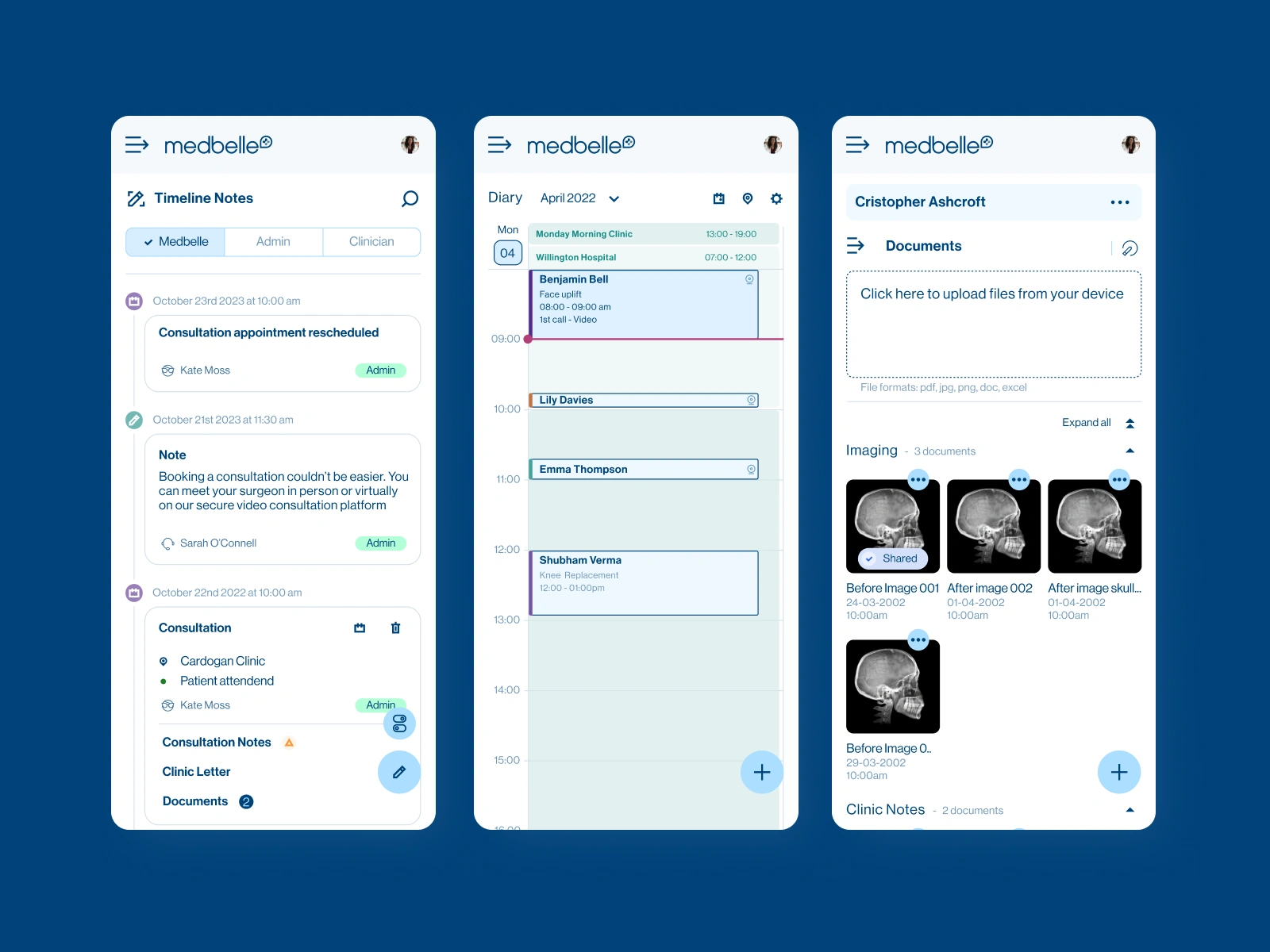
Some Screens for Mobile
Like this project
Posted Nov 26, 2025
Designed Medbelle OS with a smarter UX, refined navigation, and a polished interface to help healthcare providers streamline workflows.
Likes
2
Views
8
Timeline
Sep 26, 2020 - Sep 26, 2024
Clients
Medbelle