Visitor screening product for multi-location safety teams

Zach Smyth


Overview
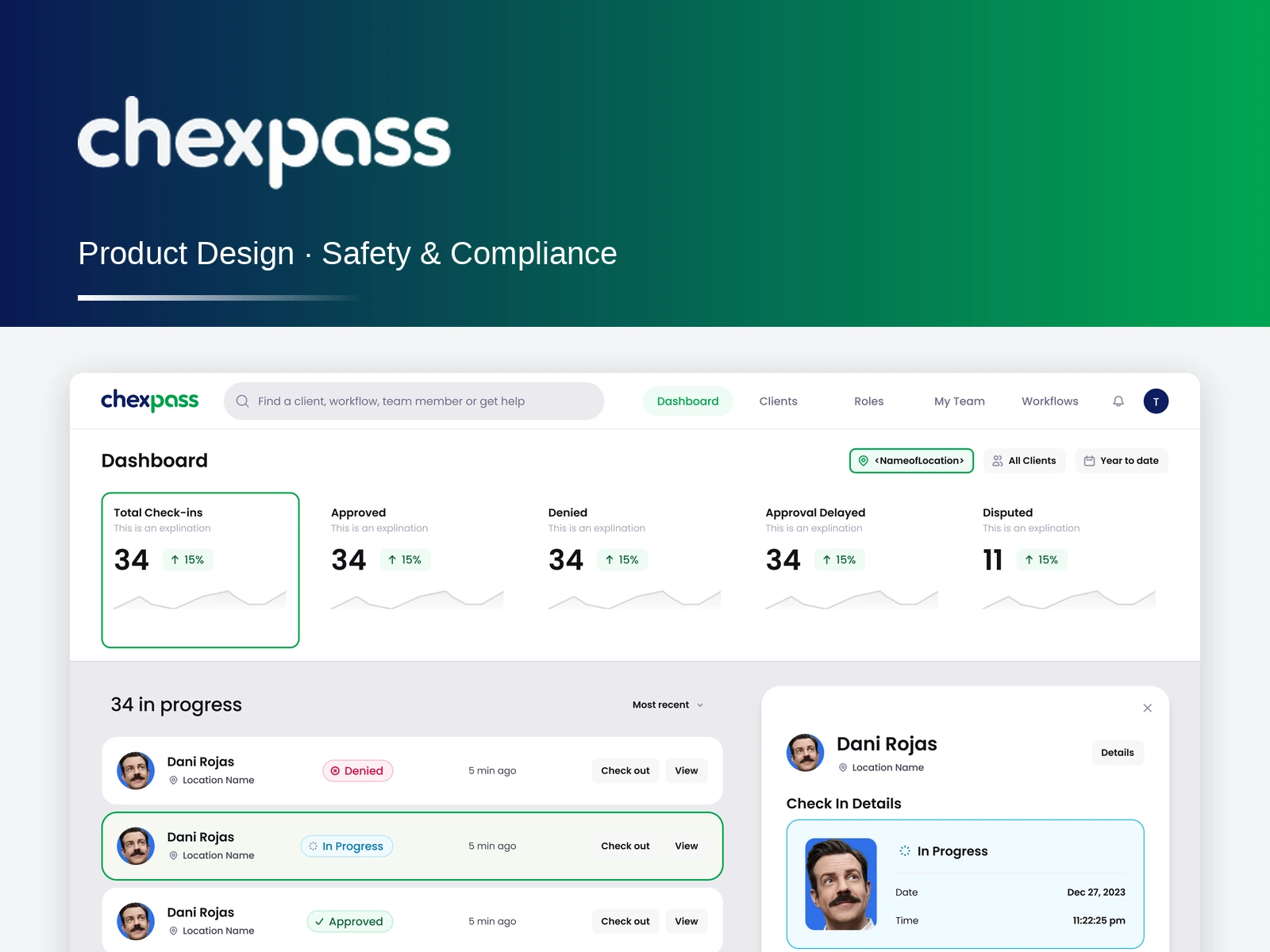
Chexpass screens visitors against sex offender registries at the moment they walk in. I designed both sides of it: the check-in a guest, volunteer or member completes on their own phone, and the platform the organisations behind it run — clients, locations, configurable screening workflows, roles, team and the live check-in dashboard.
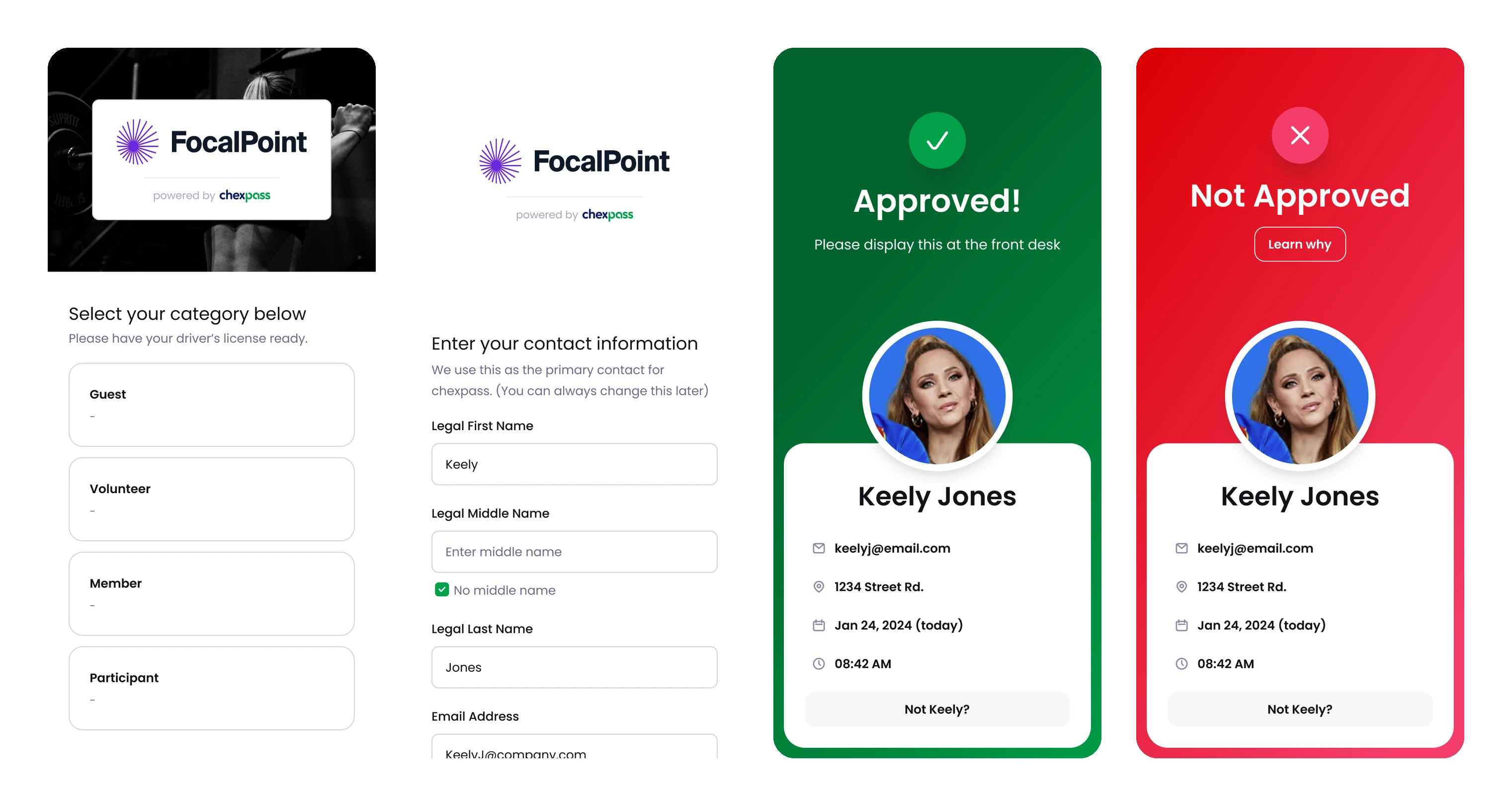
The visitor's check-in — category, legal identity, then a pass built to be shown across a desk rather than read
The challenge
This product has to deliver one of three answers to a person standing at a front desk — approved, delayed, or not approved — and every one of them is socially loaded. Say it wrong and you have either waved someone through who shouldn't be, or humiliated a parent in a lobby full of people. The check-in also has to be finishable by a stranger with no account, no app and no patience, while collecting enough identity to make a registry search meaningful. And the organisation side is genuinely multi-tenant: a screening company serves clients like a YMCA, each client has locations, and each location runs its own workflow.
Approach
Designed the pass to be shown, not read — one colour, one word, one photo, and the instruction 'please display this at the front desk', so the desk staff resolve it at a glance instead of interpreting a result.
Treated the three outcomes as three different design problems rather than three colours of the same screen: approved is quiet, delayed explains itself, and not approved never explains itself on the pass.
Put a 'Not Keely?' escape on every pass — a mis-identified person is the most likely failure of a name-based registry search, and it needs an exit that isn't an argument with a receptionist.
Wrote the delay screen as a list of ordinary causes — a common name, missing identifying information, a state repository being down — so waiting reads as the system being careful rather than as an accusation.
Designed a dispute path that says plainly what was searched and lets the person correct the record, because the fastest way to lose trust is to return a verdict with no way to answer it.
Built the check-in as a phone flow reached by a QR code printed per location — no app, no account, and category first (guest, volunteer, member, participant) so people self-select into the right screening.
Designed screening as a composable workflow — check-in, licence scan, registry search, ongoing monitoring, check-out — assigned per location, so one client can screen a volunteer differently from a drop-in guest.
Led the operator dashboard with the five counts that matter to a safety officer — total, approved, denied, delayed, disputed — over a live in-progress list, so the screen answers 'who is in my building right now' before anything else.
Opened self-serve onboarding with the one question that decides everything downstream — organisation with multiple clients and locations, or a single company with one — so an account is routed into the right hierarchy before it asks for a company name.
Carried the whole platform to mobile and designed the onboarding, billing and notification email set, so the product works for an administrator who is standing in the building rather than sitting at a desk.
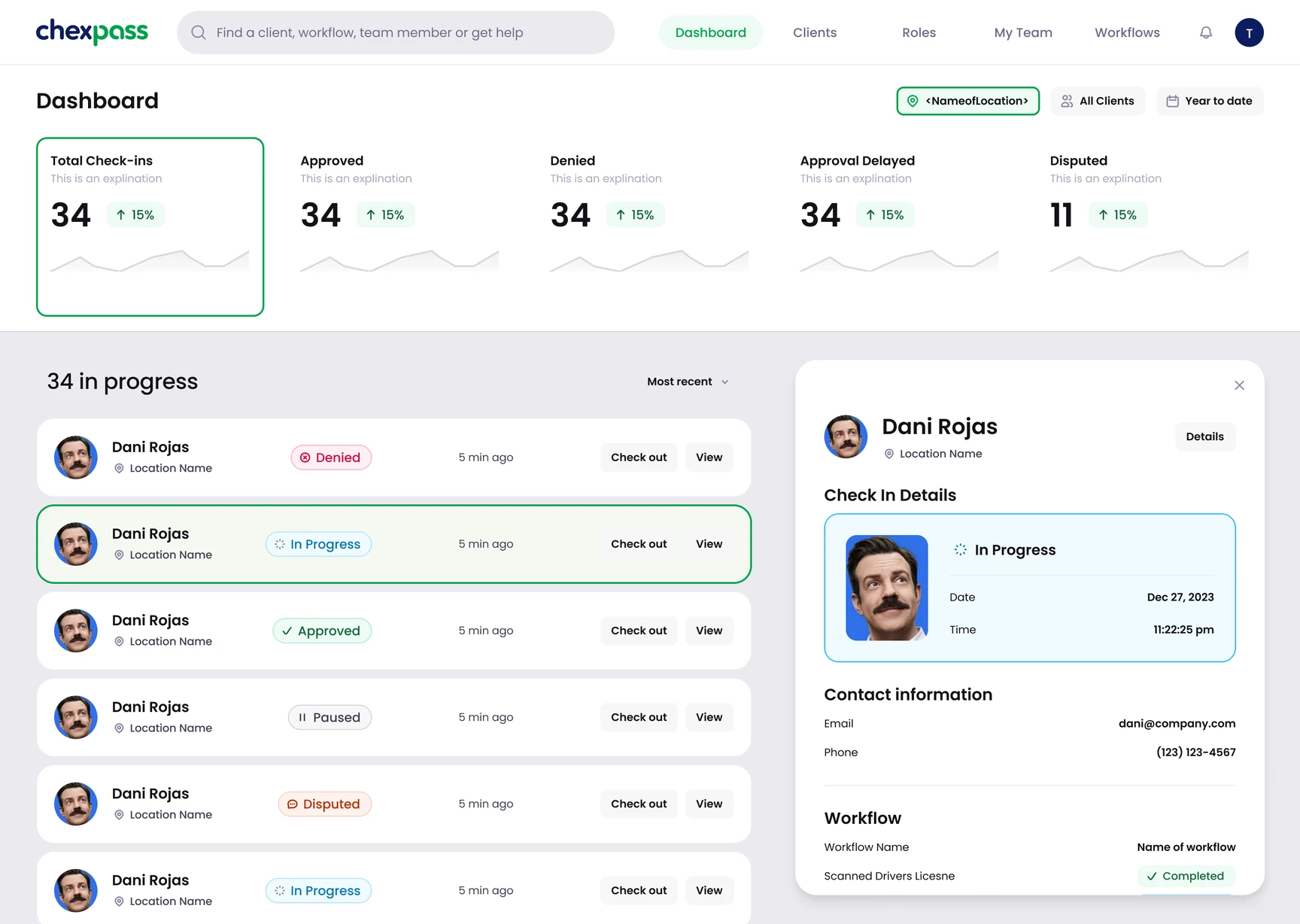
The operator dashboard — five counts, then a live in-progress list answering who is in the building right now
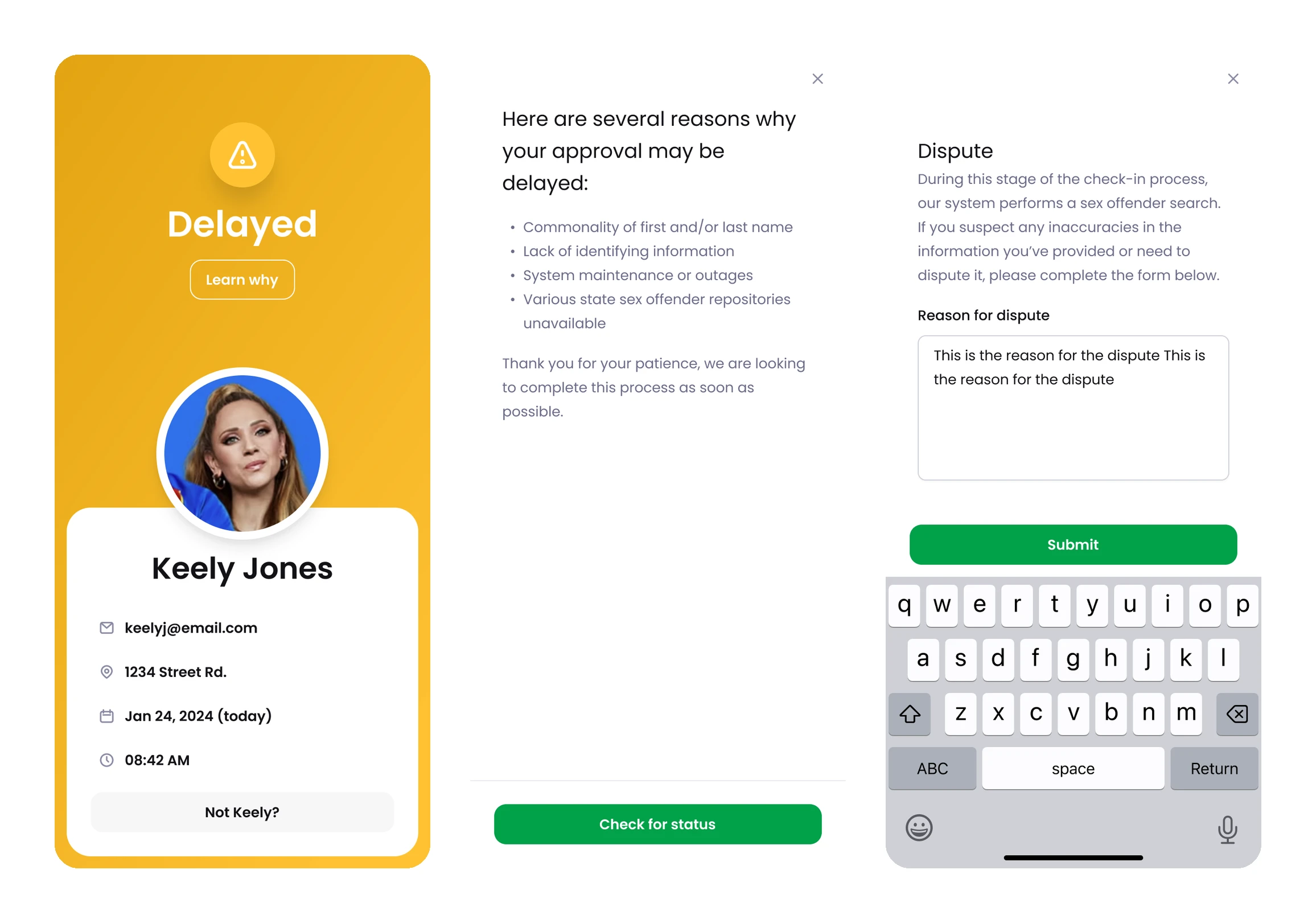
The answers that aren't a clean yes — a delay that explains itself, and a dispute route that names what was searched
The solution
One product with two audiences that never meet. Visitors get a QR-code check-in on their own phone that takes a category, a legal name and a licence, and returns a pass built to be shown across a desk — with a mis-identification exit and a real dispute route when the answer is wrong. Operators get a multi-tenant platform: clients and their locations, per-location QR codes, screening assembled as workflows rather than hard-coded, roles and team, and a dashboard that leads with who is in progress right now. Both halves are designed on one system and both work on a phone.
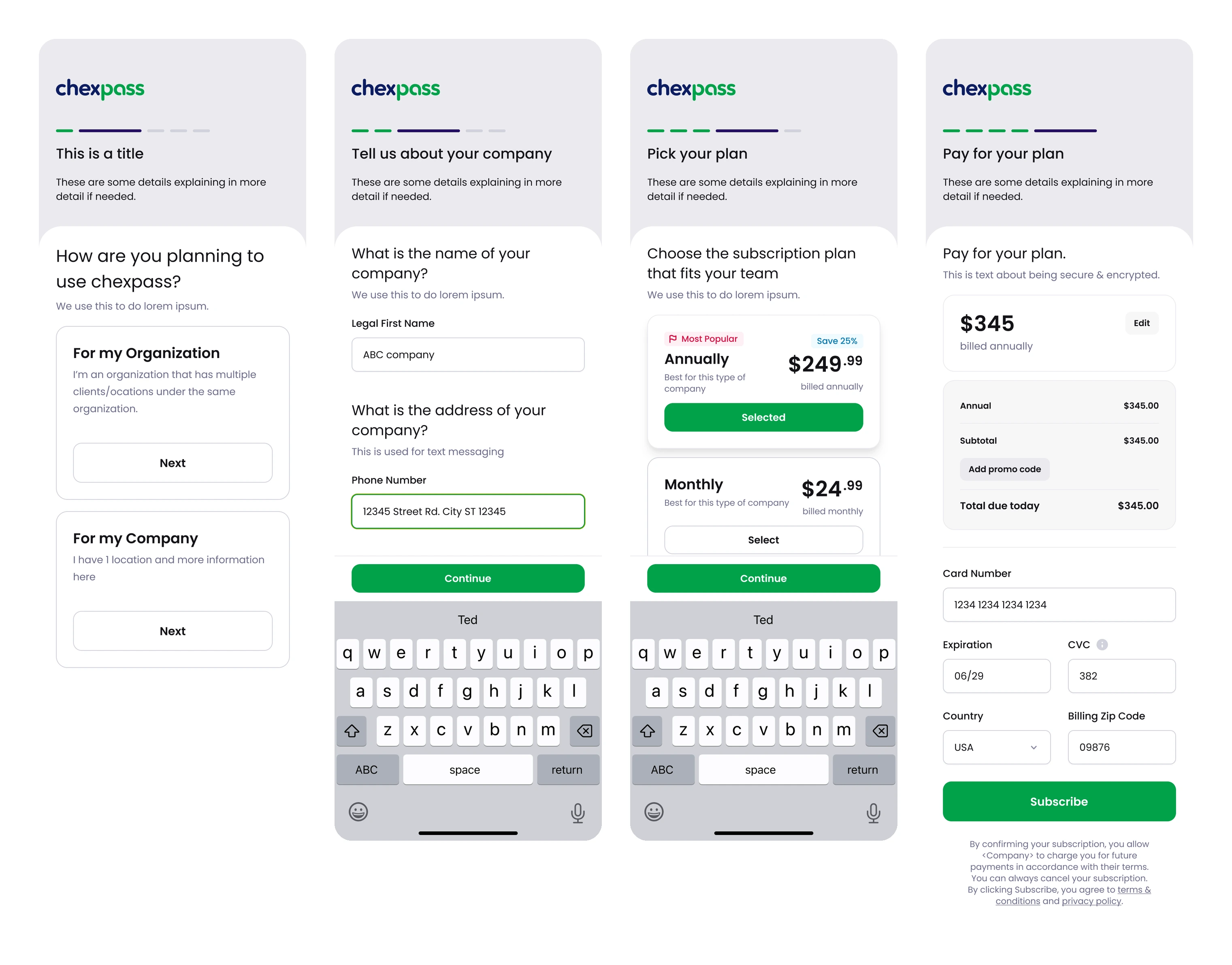
Self-serve onboarding — one question forks an account into a single company or a multi-client hierarchy, then plan and payment
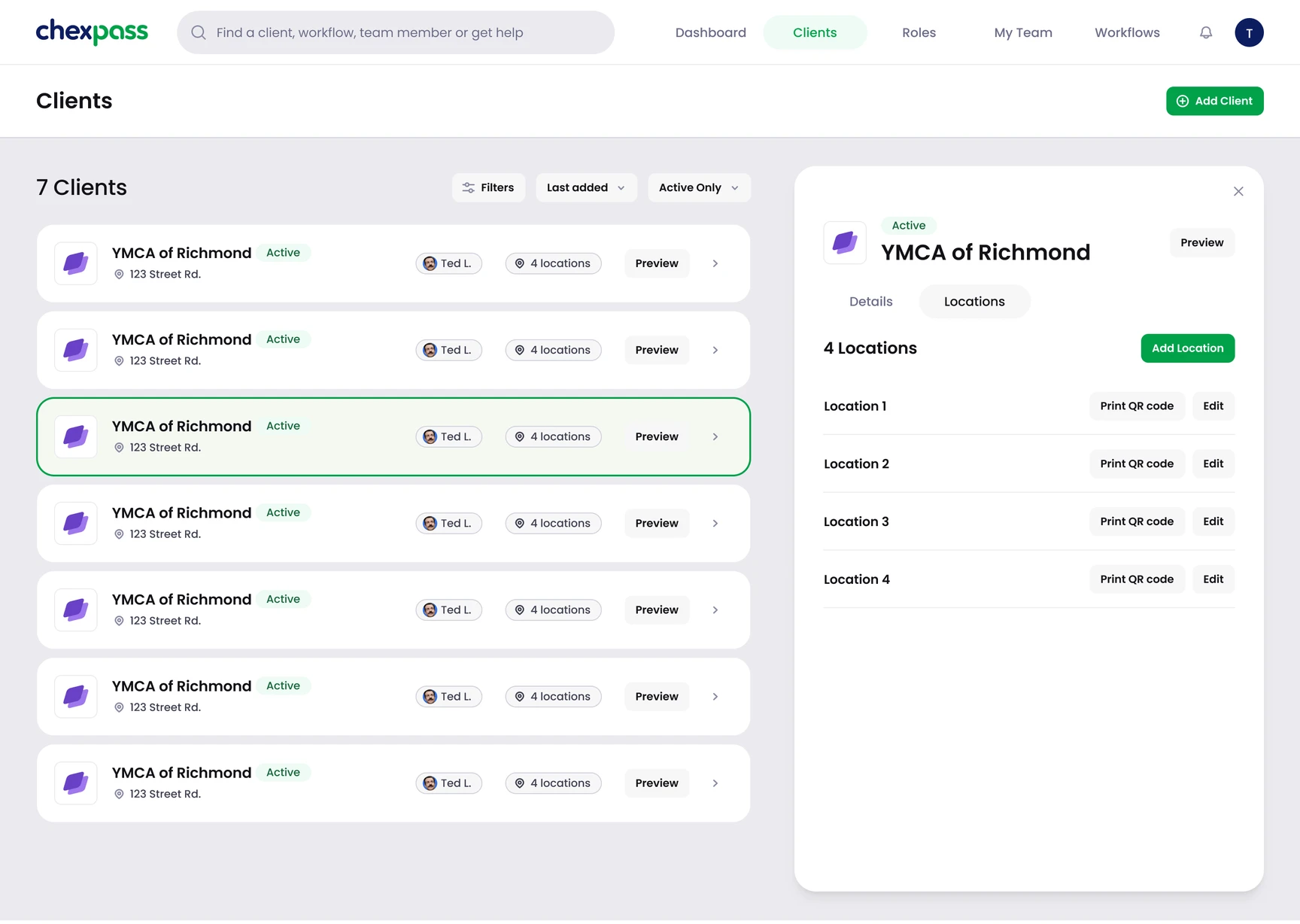
Clients and their locations, each with its own printable QR code — which is how a visitor reaches the check-in at all
Like this project
Posted Mar 12, 2025
Designed both halves: a 90-second phone check-in for visitors, and the multi-tenant platform operators run — clients, locations, workflows, roles.