Color Before the Lines: a reverse coloring app

Valerio Donfrancesco


Context
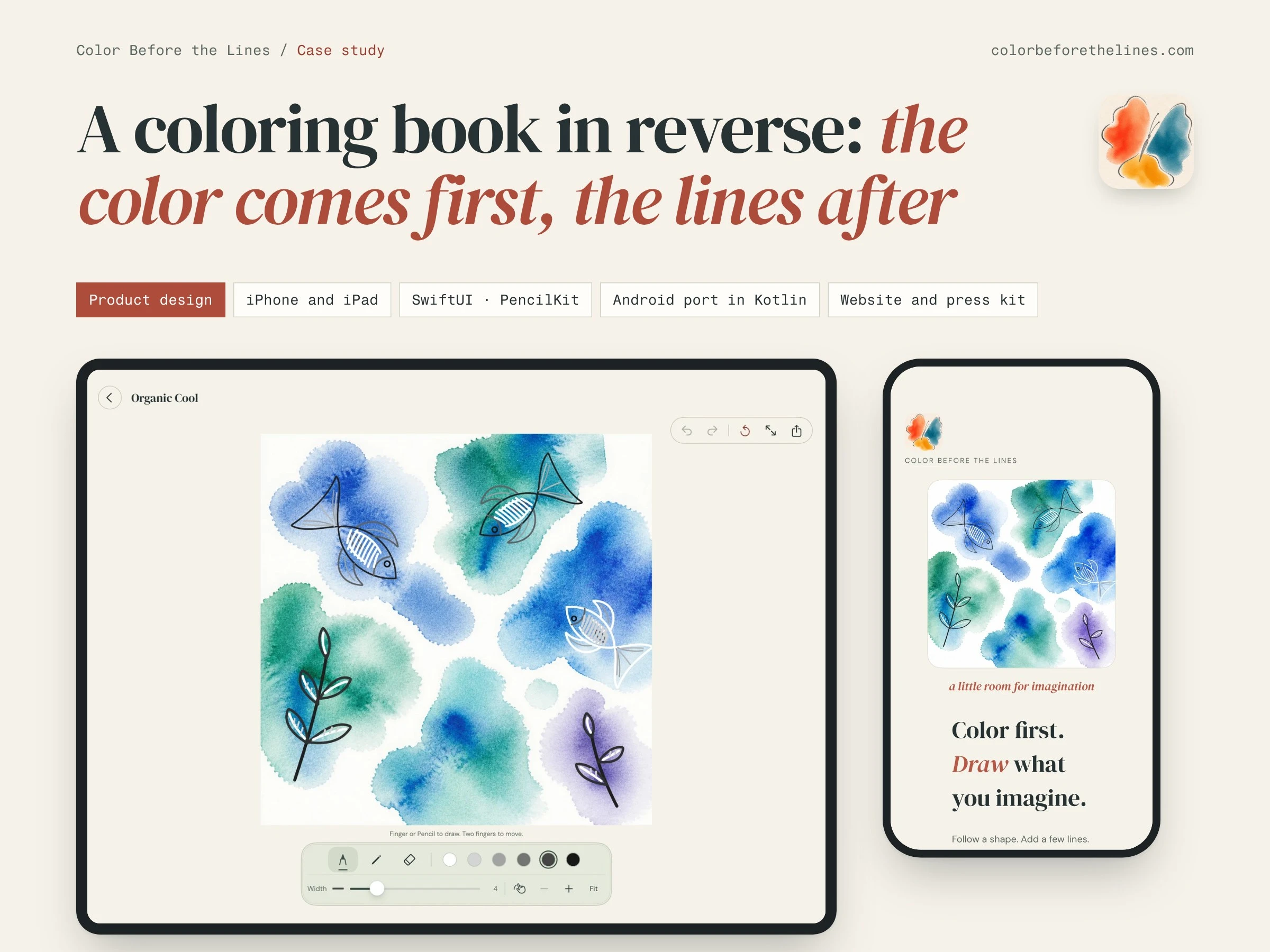
Coloring books ask you to stay inside the lines. Reverse coloring books turn that around: loose color is printed first and the reader draws the outlines. Color Before the Lines brings the idea to the phone and the tablet. Every page starts as a finished watercolor, and the person drawing decides what it becomes: a fish hidden in a blue wash, a leaf, a face, or just a few loose loops. It is free, with no account and no ads, and the drawings stay on the device.
My role
It is my own product, from concept to the App Store. I designed the experience and the interface, wrote the iOS app in Swift (SwiftUI and PencilKit), art directed the watercolor collections, ported the app to Android in Kotlin and built the website with its press kit. It draws on both sides of my work: UX/UI design and eleven years as an iOS developer.
What I designed and built
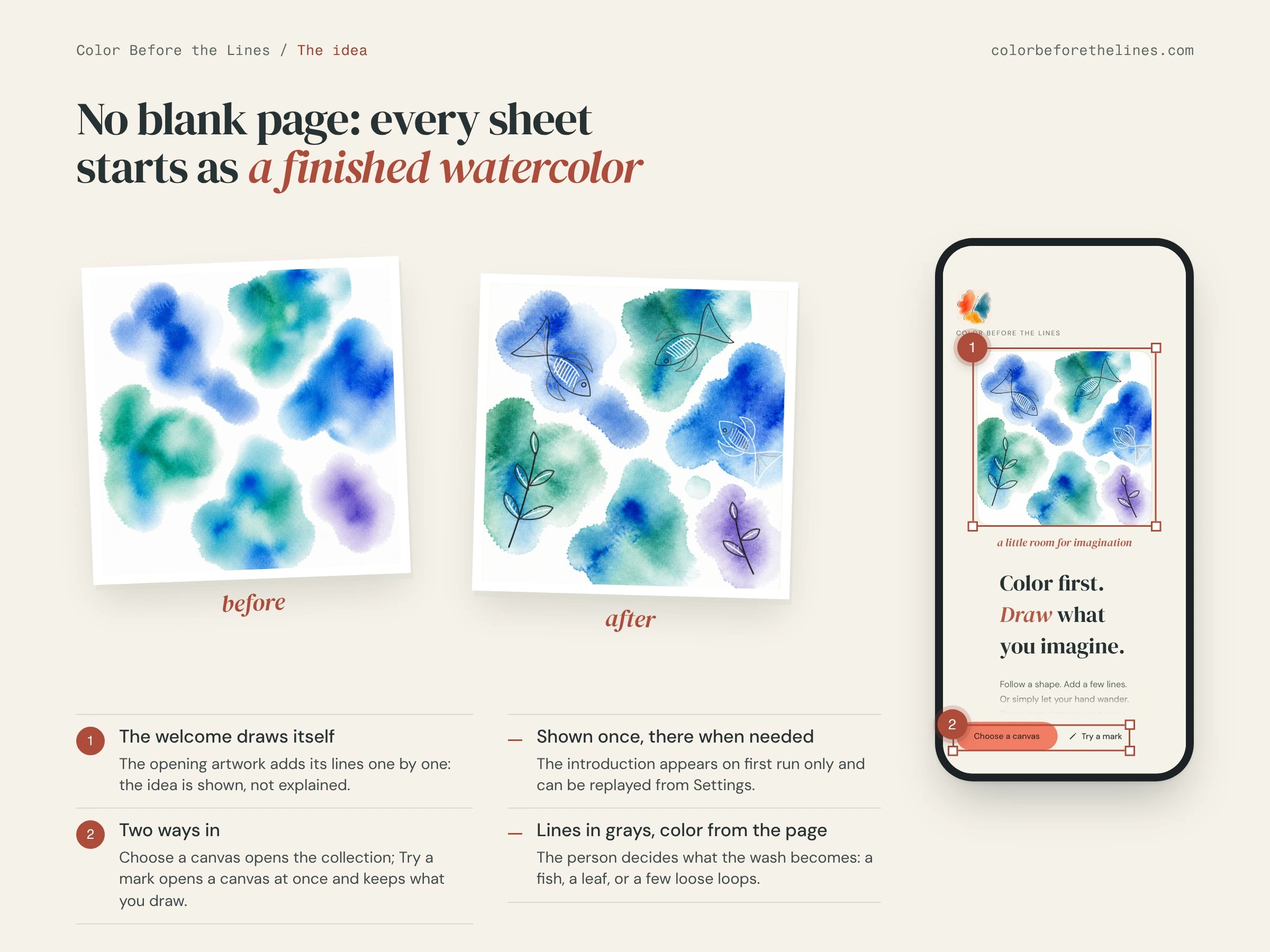
The idea, shown before it is explained. There is no blank page: you always start from color, so nobody has to be "good at drawing". The welcome screen draws its own artwork line by line, offers two ways in (choose a canvas, or try a mark right away) and appears only on the first run; it can be replayed from Settings.
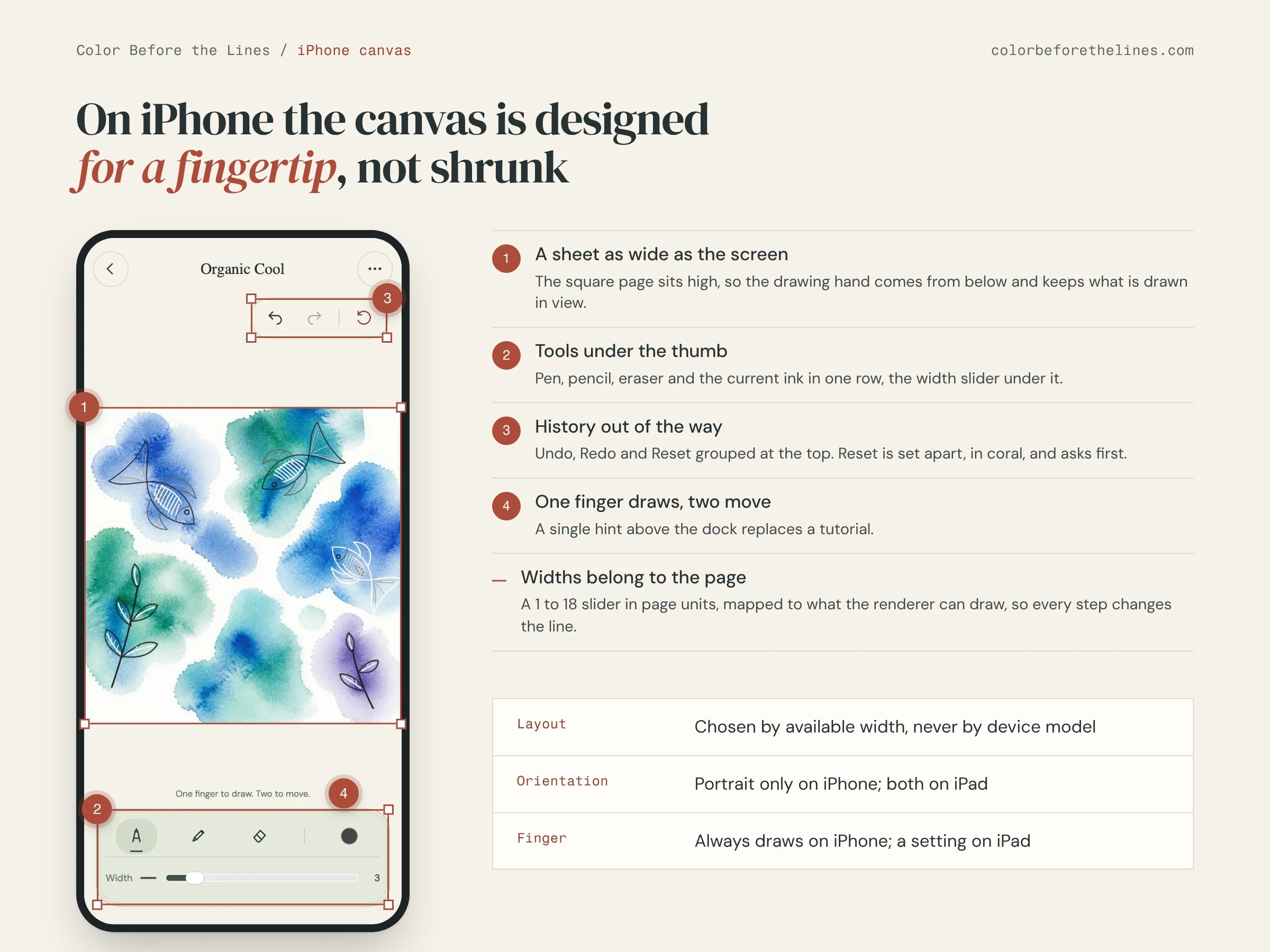
An iPhone canvas designed for a fingertip, not shrunk from the iPad. The square sheet runs edge to edge and sits high, so the hand comes from below without covering the drawing. Pen, pencil, eraser and ink sit in one row under the thumb; Undo, Redo and Reset are grouped at the top, with Reset set apart and confirmed first.
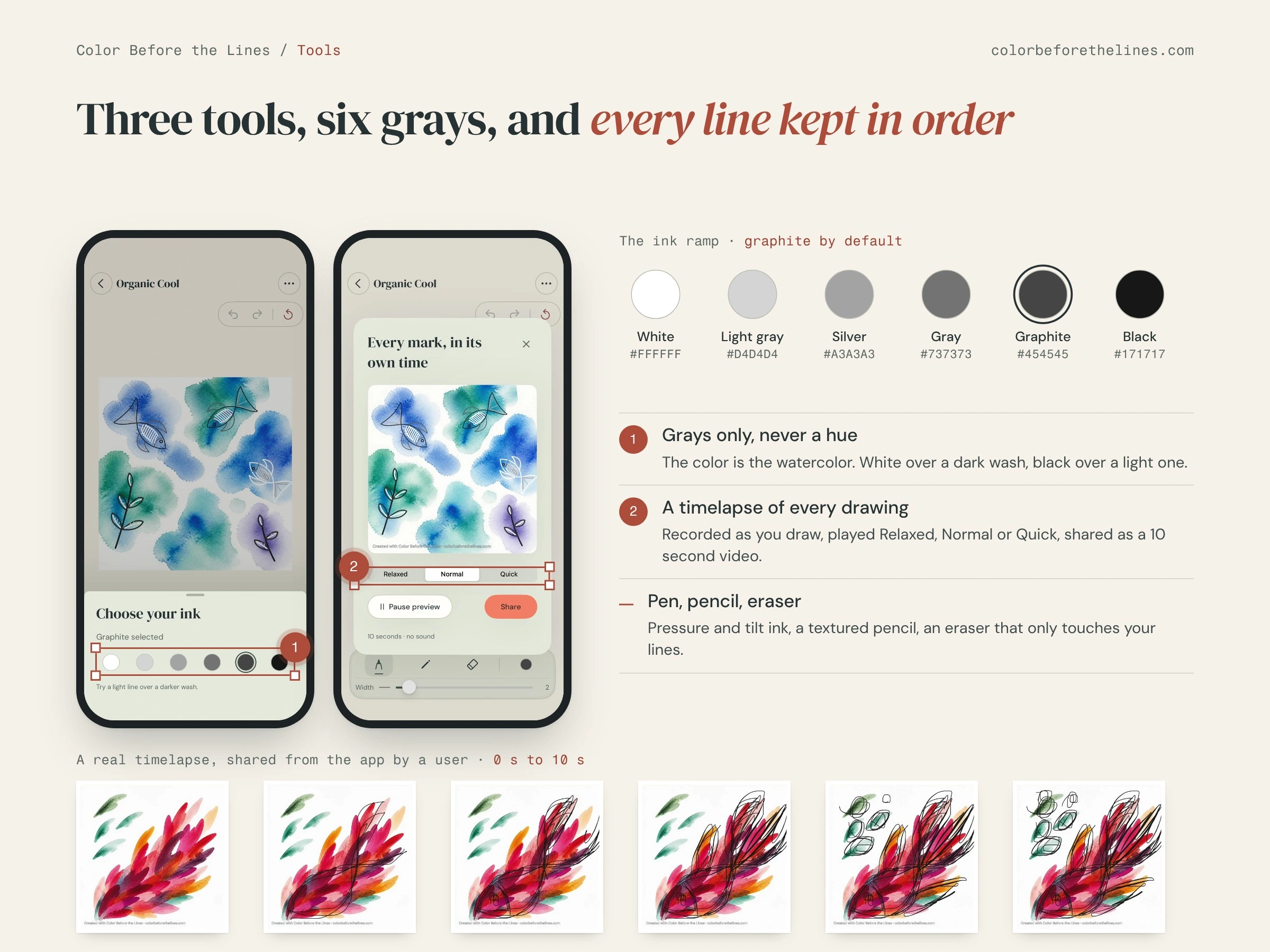
Three tools and six grays. The color lives in the watercolor, so the inks are a fixed ramp from white to black, graphite by default: white over a dark wash, black over a light one. With Apple Pencil the pen responds to pressure and tilt, the pencil is textured, and the eraser only touches your lines, never the paint. Every drawing is recorded as it happens and can be shared as a 10 second timelapse at three speeds.
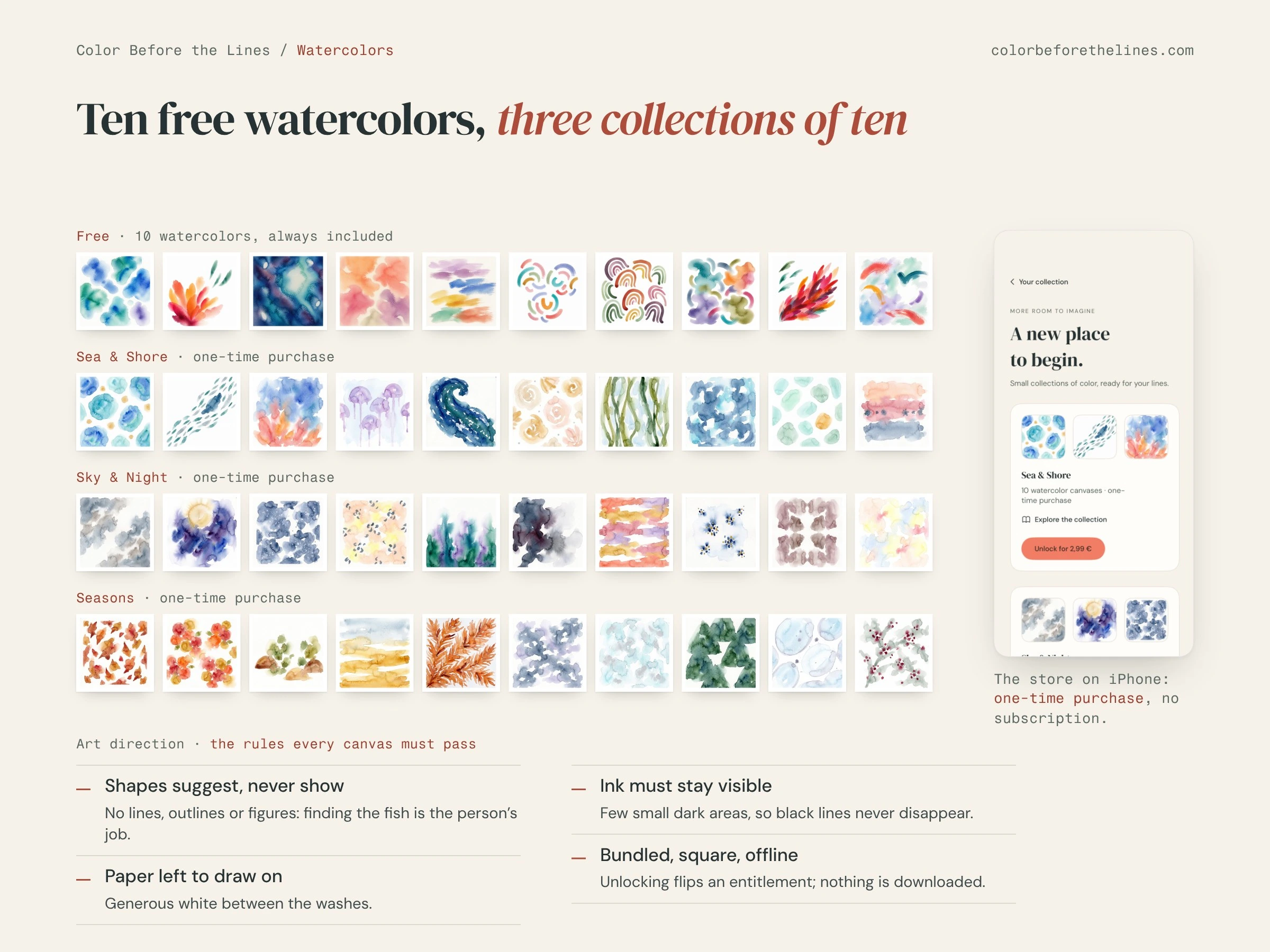
A watercolor collection. Ten watercolors are free. Version 1.2.0 adds a store with three collections of ten (Sea & Shore, Sky & Night and Seasons), each a one-time purchase with no subscription. For the new sets I wrote the art direction every canvas must pass: shapes that only suggest, white paper left to draw on, no dark areas that would swallow a black line.
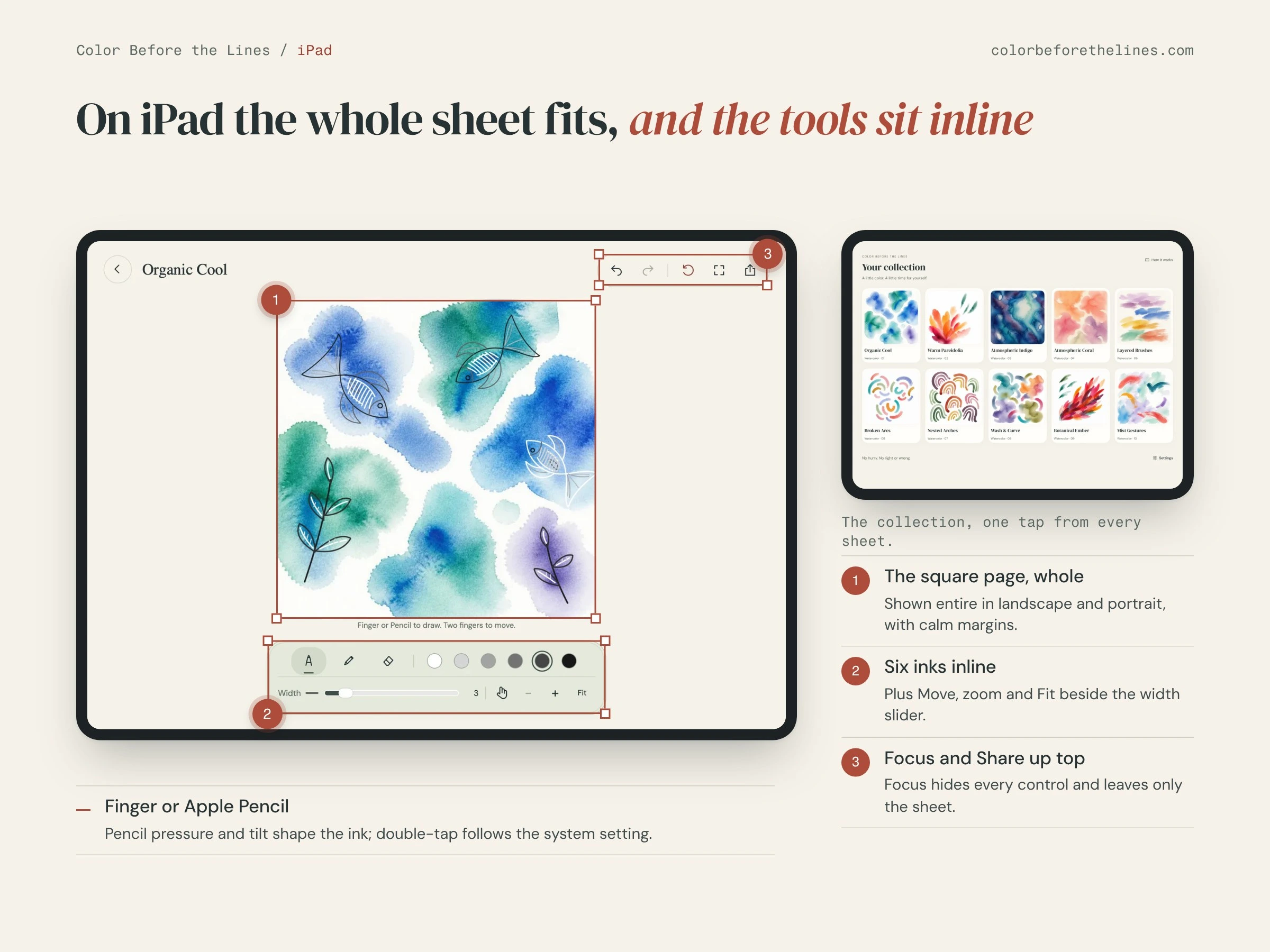
An iPad layout where the whole square sheet fits in landscape and portrait, the six inks and the zoom controls sit inline, and Focus hides every control to leave only the page. It works with a finger or Apple Pencil.
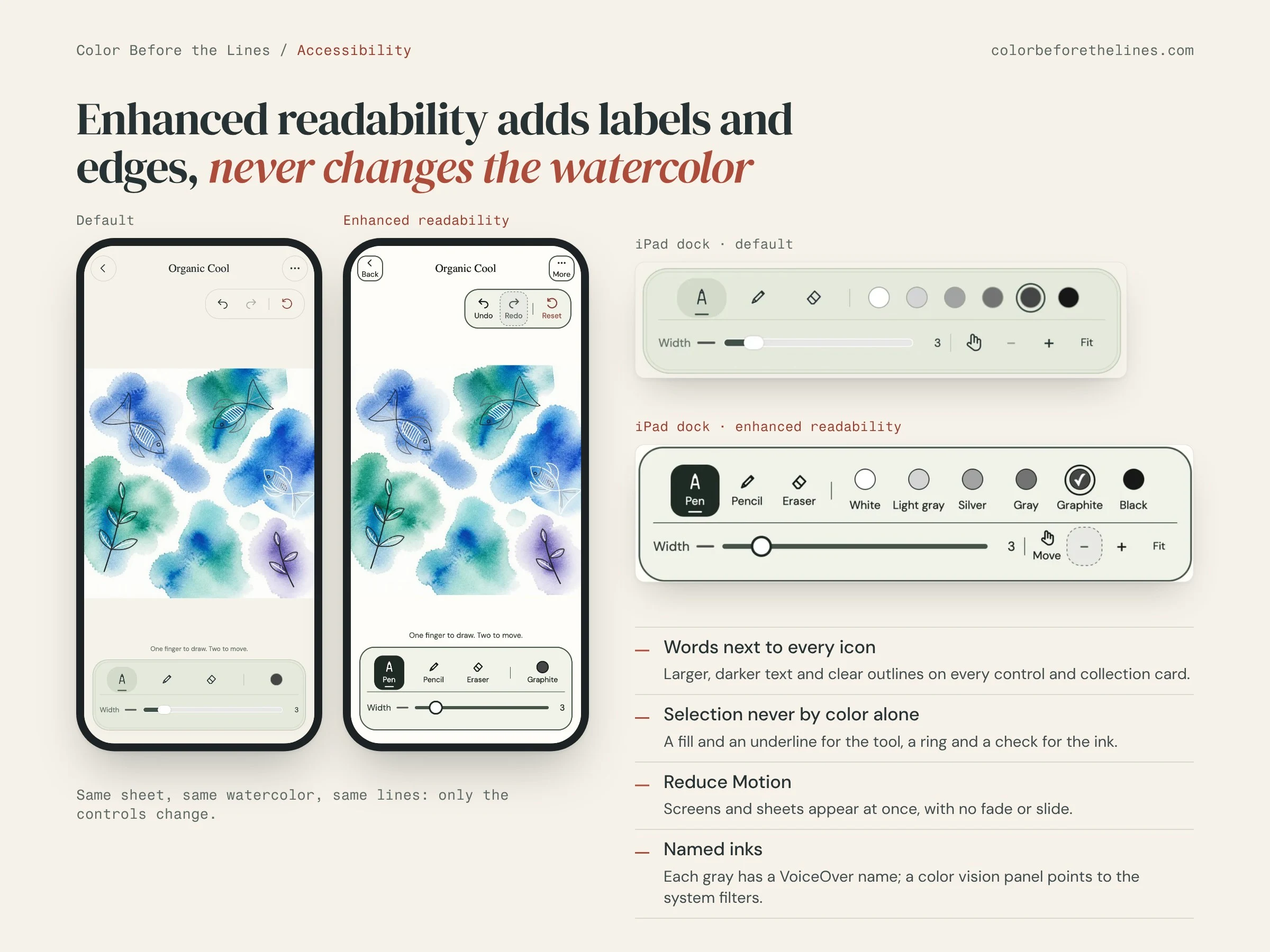
Accessibility built into the same screens. Enhanced readability adds text labels to every icon, larger and darker text and clear outlines; selection is never shown by color alone; each gray has a VoiceOver name; Reduce Motion makes screens appear at once. None of it changes the watercolor.
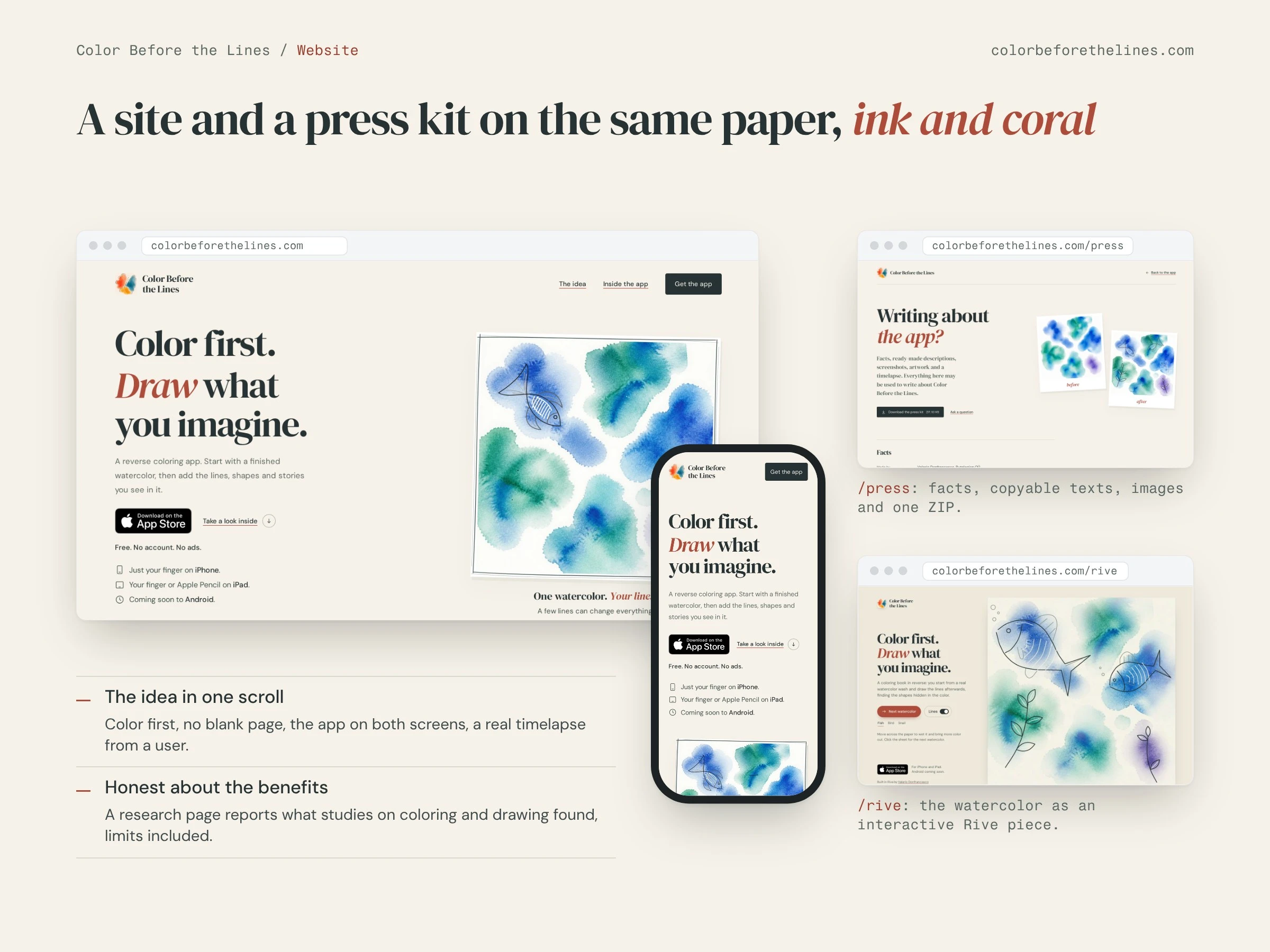
The website at colorbeforethelines.com, on the same paper, ink and coral as the app: the idea in one scroll, the app on both screens, a real timelapse shared by a user. It has a press kit with facts, copyable descriptions, screenshots, artwork and a ZIP, and a research page that reports what studies on coloring and drawing found, limits included. The watercolor also lives as an interactive Rive piece at https://colorbeforethelines.com/rive (a separate Contra project).
Key decisions
Painted watercolors over generated ones. I prototyped three ways to generate the backgrounds in code (Core Image, a Metal shader, recolored vectors). The painted images looked clearly better, so the app ships them as square bundled assets.
One universal app, two designed layouts. Layout follows the available width, never the device model. The iPhone is portrait only and a finger always draws there; on iPad finger drawing is a choice.
Fewer tools, no decisions about color. Three tools and six grays keep the attention on the page. Stroke widths are a 1 to 18 slider in page units, so a line belongs to the page and every step changes it.
Calm by design. No account, no ads, no streaks. Paid collections are one-time purchases, bundled with the app and unlocked by purchase, so nothing is downloaded and nothing phones home except anonymous usage statistics.
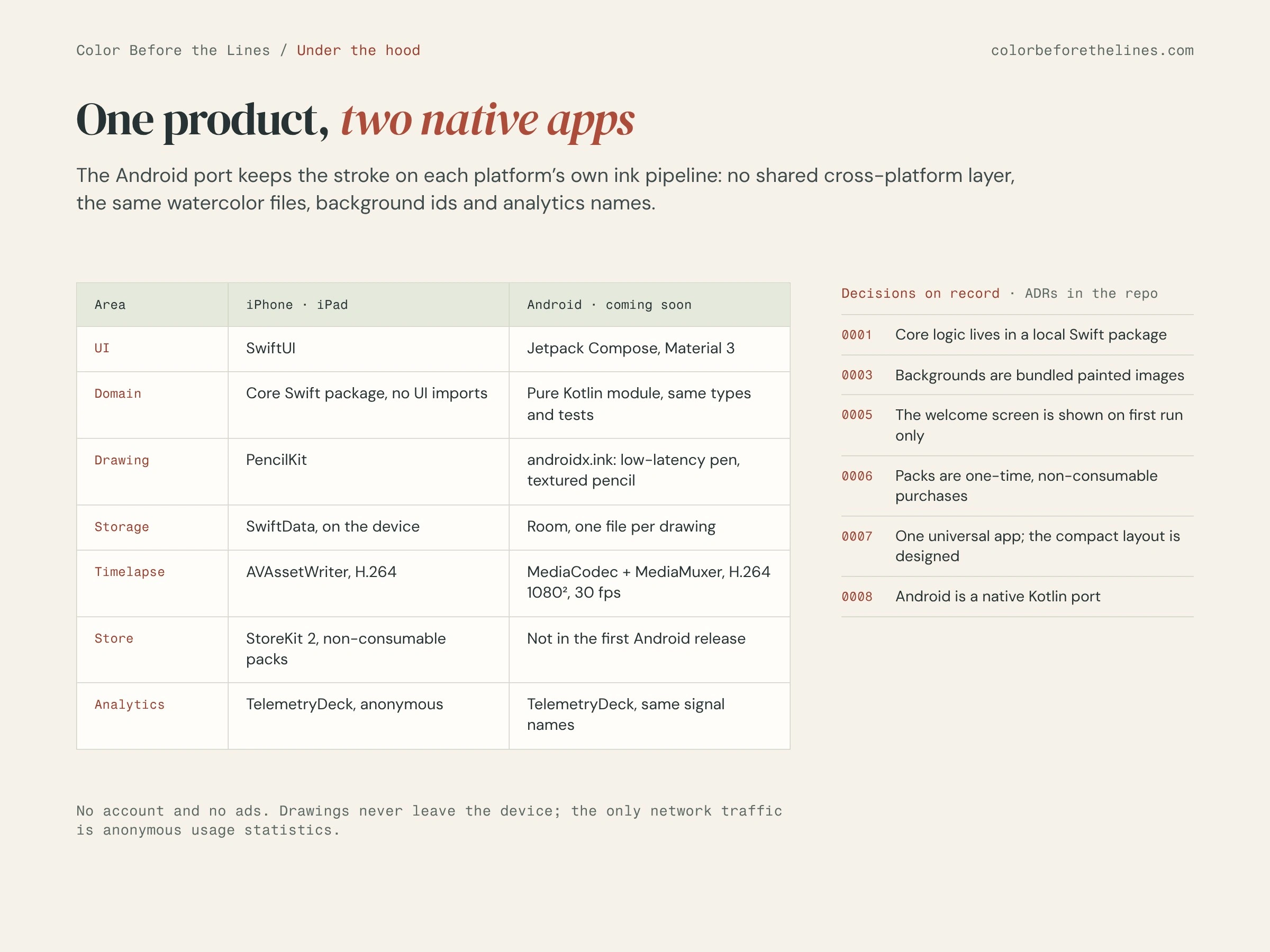
Native on both platforms. The Android port keeps the stroke on each platform's own ink pipeline instead of a shared cross-platform layer, and reads the same watercolor files.
Under the hood
iOS: SwiftUI, PencilKit, SwiftData, StoreKit 2; a UI-free Core Swift package holds the domain, the catalogue and the store entitlements, with its own tests.
Timelapse rendered on the device to H.264, 1080 × 1080, 30 fps, ending on the finished drawing.
Android: Kotlin and Jetpack Compose, androidx.ink for low-latency strokes, Room, MediaCodec for the timelapse; a pure Kotlin core mirrors the Swift one.
Anonymous analytics with TelemetryDeck, the same signal names on both platforms.
The key product and technical decisions are recorded as architecture decision records in the repository.
Result
Color Before the Lines is live and free on the App Store for iPhone and iPad, with ten watercolors, a timelapse of every drawing and accessibility options built in. Three paid collections are ready in version 1.2.0, the native Android version is coming to Google Play, and the website gives press a complete kit to write about it.
Like this project
Posted Oct 12, 2026
My own app for iPhone and iPad, designed and built in Swift: start from a watercolor and draw the lines after. Native Android port in Kotlin.