AI-Powered Design Platform | UX/UI Design for Web App & Website

Yuliia Ishchenko


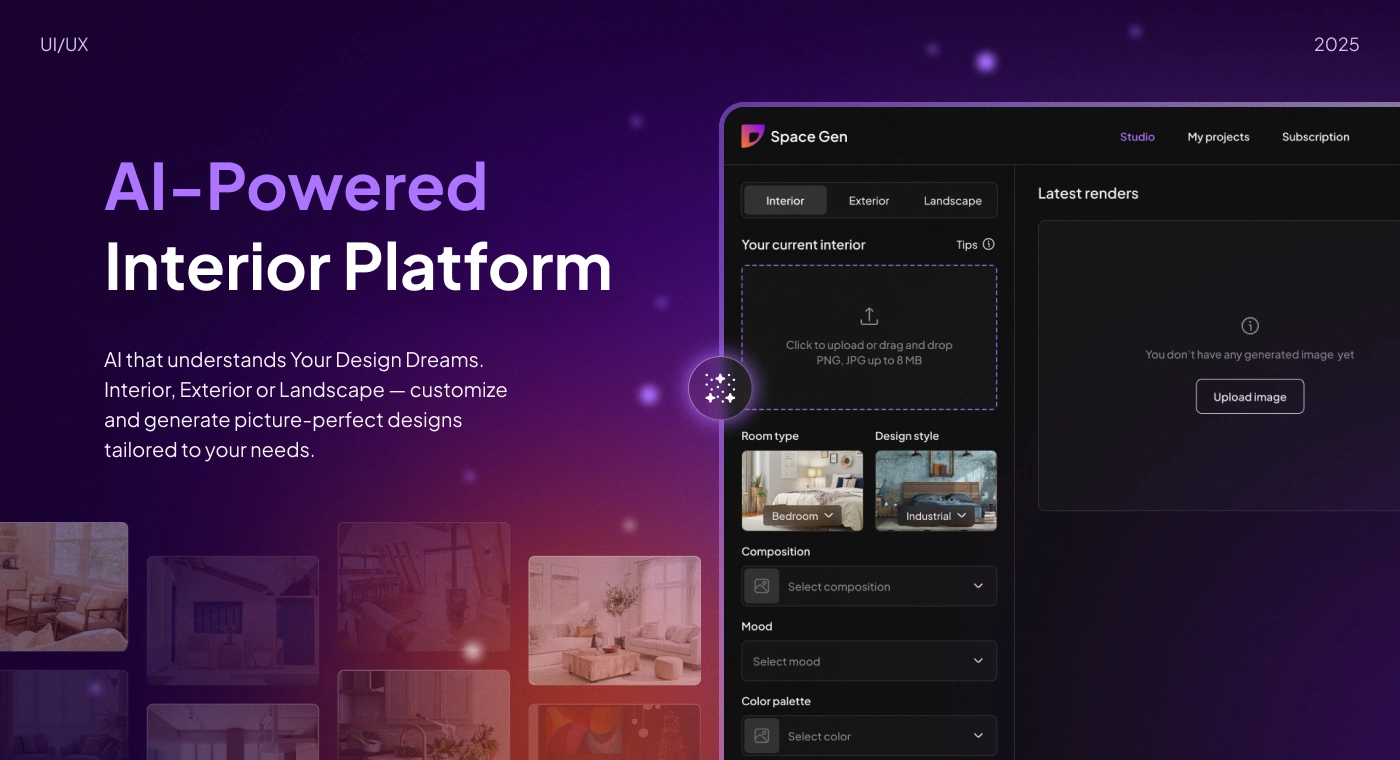
AI-Powered Interior Design Platform
An AI-powered design platform that helps users transform interiors, exteriors, and landscapes through intelligent customization and fast visual generation.
Space Gen is a SaaS platform designed for homeowners, interior designers, architects, and real estate agents who want to generate realistic design concepts for different spaces. Users can upload a photo, define their preferences, choose a room type or outdoor area, select style settings, and generate personalized design renders.
Year: 2025
Industry: AI SaaS, Interior Design, Architecture, Real Estate Tech, Home Improvement
Project Type: UX/UI Design, SaaS Platform, Website Design, Design System
Scope: Competitor Analysis, User Flow, UI/UX Design, SaaS Platform, Dark / Light Mode, Website, Design System
Contribution: Product UX, UI Design, Visual Identity, Design System, Web Platform Design, Website Design, Dark & Light Mode
Project Overview
Space Gen was created as an AI-powered design platform that makes interior, exterior, and landscape visualization easier for different types of users.
The platform allows users to redesign spaces without needing advanced design tools. Instead of manually creating moodboards or working with complex rendering software, users can upload an image, choose design preferences, and receive AI-generated visual concepts.
The main goal was to design a product experience that feels simple, inspiring, and professional while supporting a technically complex AI generation flow.
The design had to work both as a functional SaaS interface and as a strong visual brand that could attract users through the marketing website.
Problems
Interior visualization can feel complex for non-designers
Many users want to redesign a room, exterior, or landscape but do not know how to describe the desired result professionally. The product needed to make this process simple and guided.
AI generation needs clear user input
To create useful results, the system needs structured input: space type, room type, style, composition, mood, colors, lighting, and additional preferences. The challenge was to collect this information without overwhelming the user.
Different audiences have different needs
Homeowners want inspiration, interior designers need quick concepts, architects need visual direction, and real estate agents need better property presentation. The interface had to feel flexible enough for all of them.
Generated results needed to be easy to review and manage
Users needed a clear way to see latest renders, compare generated images, save projects, and return to previous designs.
The platform needed both dark and light modes
Because visual design tools are used in different contexts, the product needed a flexible interface system that works in both dark and light themes.
The website had to explain the product quickly
The landing page needed to communicate the product value, show examples, explain the flow, present pricing, and guide users toward redesigning their space.
Goals
Design a clear AI-powered platform for interior, exterior, and landscape generation.
Create a simple main flow: choose space, upload image, refine design, generate.
Make design customization understandable for non-technical users.
Support different user groups: homeowners, architects, interior designers, and real estate agents.
Build a scalable design system for the SaaS platform and website.
Create both dark and light mode versions.
Design a marketing website that clearly explains the product and supports conversion.
Keep the visual identity modern, magical, and technology-driven.
About the Project
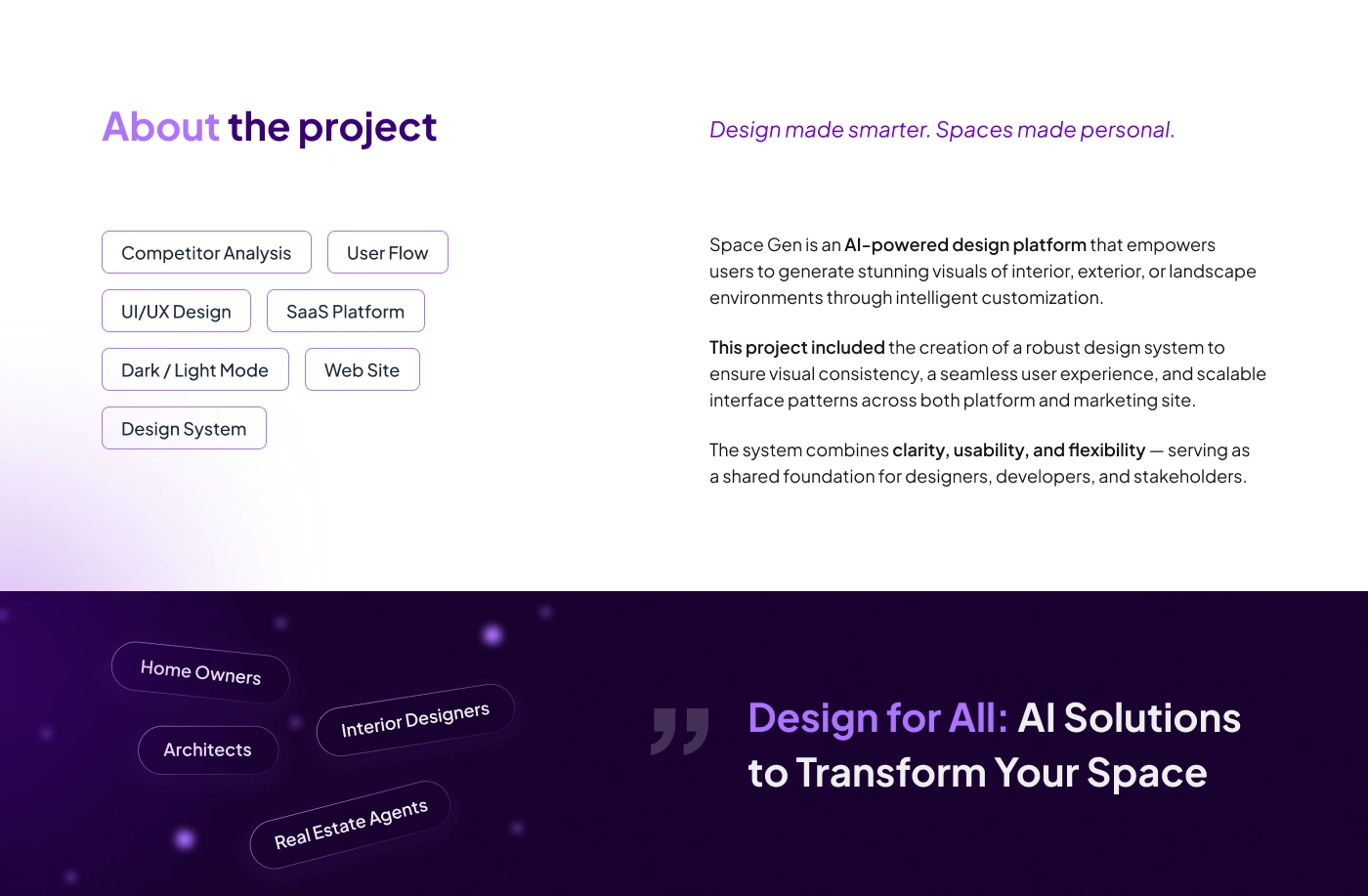
Space Gen is built around the idea: Design made smarter. Spaces made personal.
The product empowers users to generate visuals of interior, exterior, and landscape environments through intelligent customization.
The project included the creation of a robust design system to ensure visual consistency, scalable interface patterns, and a seamless user experience across both the platform and marketing website.
The system combines clarity, usability, and flexibility, serving as a shared foundation for designers, developers, and stakeholders.
Target Audience
The platform was designed for several key user groups:
Homeowners | People who want to redesign their homes, explore styles, and visualize renovation ideas before making decisions.
Interior Designers | Professionals who need to generate quick concepts, present visual options, and speed up early-stage ideation.
Architects | Specialists who want to explore exterior, landscape, and architectural visualization directions faster.
Real Estate Agents | Users who need to improve property presentation, show redesign potential, and make listings more attractive.
UX Approach
The main UX challenge was to turn AI-powered design generation into a simple and predictable flow.
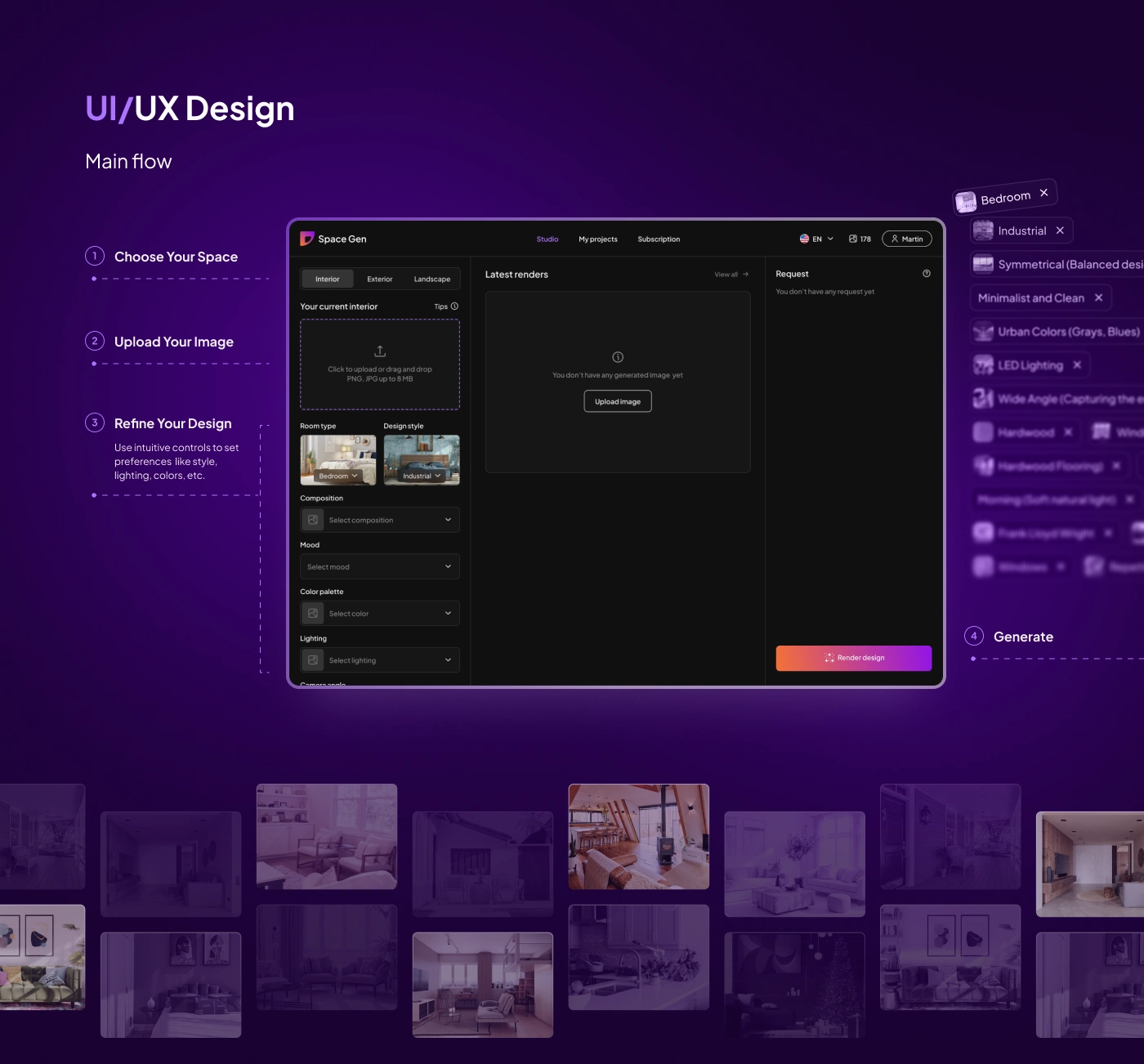
The core platform flow was structured into four steps:
Choose Your Space
Users select whether they want to work with an interior, exterior, or landscape.
Upload Your Image
Users upload a photo of the current space.
Refine Your Design
Users define preferences such as room type, design style, composition, mood, color palette, lighting, materials, and other details.
Generate
The platform uses the selected preferences to create design renders.
This structure helps users feel guided while still giving them enough control over the final result.
Visual Identity
The visual identity was designed to feel modern, creative, and AI-driven.
The overall direction combines a dark interface, purple gradients, soft glowing elements, and orange-to-violet accents. This creates a sense of creativity, transformation, and “magic” around the AI generation process.
Typography
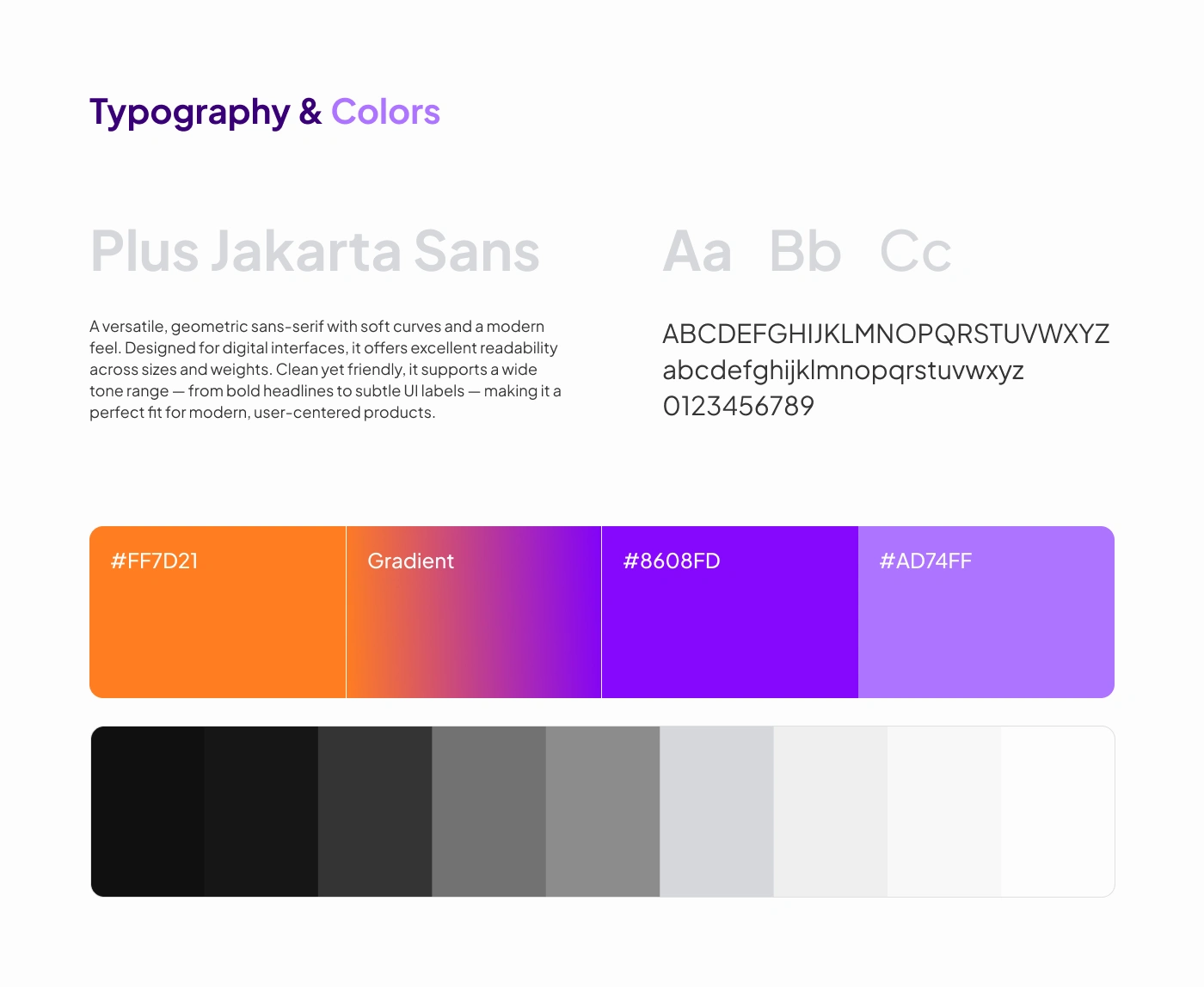
Plus Jakarta Sans was selected as the main typeface.
It is a versatile geometric sans-serif with soft curves and strong readability. It works well for digital interfaces because it feels modern, friendly, and clean across headings, labels, buttons, and dashboard screens.
Color Palette
The palette combines expressive AI-inspired colors with practical neutral tones:
#FF7D21 — bright orange accent for energy and primary actions.
#8608FD — strong violet for AI-driven highlights and brand expression.
#AD74FF — soft purple accent for supporting states and gradients.
Dark neutrals — used for the main SaaS interface and visual focus.
Light neutrals — used for light mode, website sections, and clean content areas.
The gradient system helps the product feel dynamic and futuristic without making the interface visually chaotic.
SaaS Platform Design
The main platform was designed as a studio workspace where users can generate and manage design renders.
The interface includes:
Space type selection
Image upload area
Room type selector
Design style selector
Composition settings
Mood selector
Color palette selector
Lighting selector
Latest renders section
Request panel
Project management
Subscription area
User profile and credits
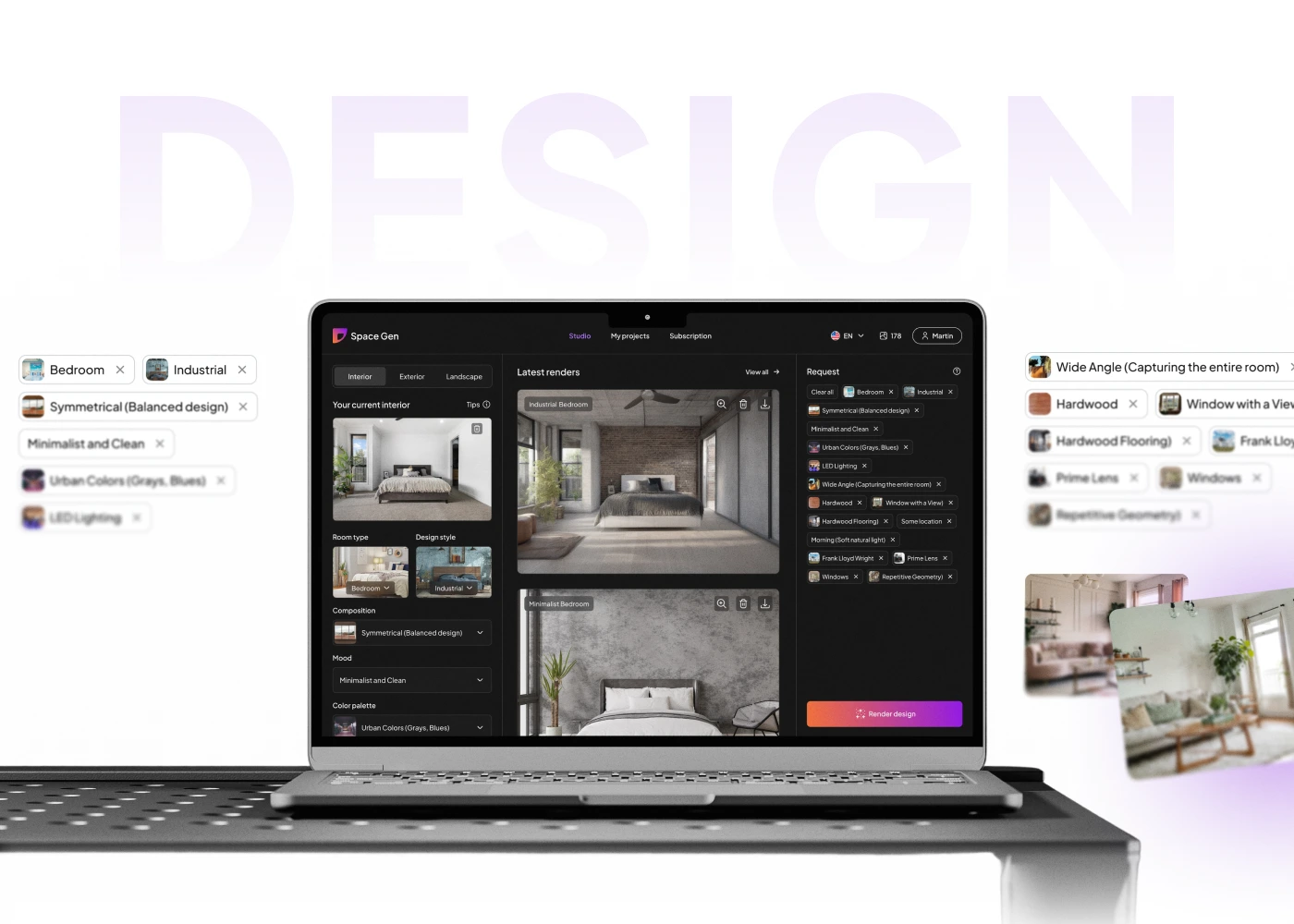
The layout keeps the input controls on the left, generated renders in the center, and selected request details on the right. This makes the experience structured and easy to follow.
AI Design Generation Flow
The AI generation flow was designed to make customization feel visual and intuitive.
Instead of asking users to write a long prompt from scratch, the interface breaks preferences into clear selectable options.
Users can choose design characteristics such as:
Bedroom
Industrial style
Symmetrical composition
Minimalist and clean mood
Urban color palette
LED lighting
Wide-angle view
Hardwood materials
Windows
Geometric patterns
Natural light direction
This helps users create detailed AI requests without needing design terminology or prompt-writing skills.
Dark & Light Mode
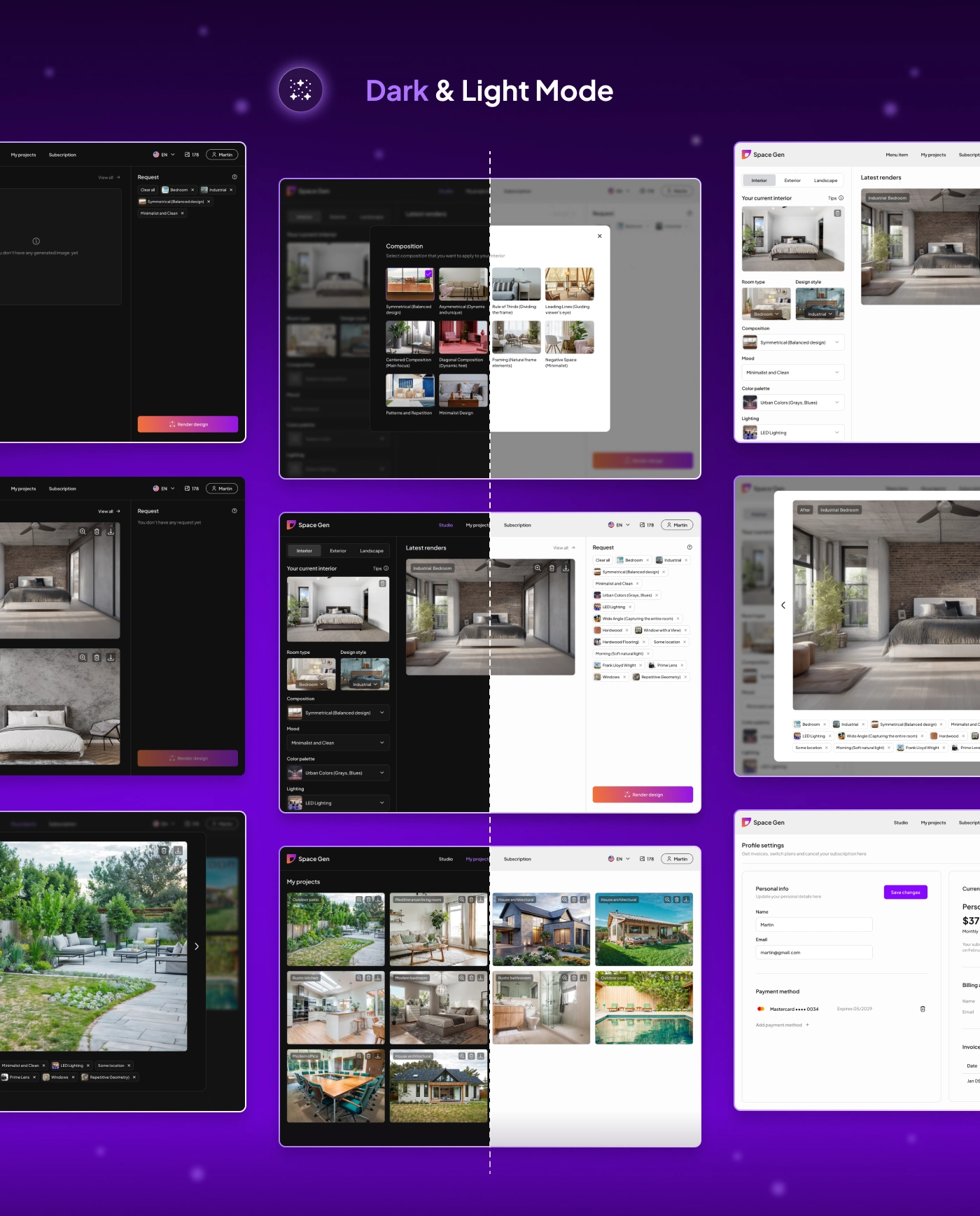
The platform includes both dark and light mode versions.
The dark mode creates a premium studio-like environment where generated visuals stand out. It supports focus, contrast, and a more immersive creative experience.
The light mode provides a cleaner and more accessible version of the same product. It works well for users who prefer brighter interfaces or need to review multiple projects in a more neutral workspace.
The design system was built to support both modes while keeping components, spacing, typography, and interactions consistent.
Project Gallery and Render Management
The platform includes a project gallery where users can view previously generated designs.
Generated images are displayed as cards with tags, actions, and project context. Users can review different design variations, compare outputs, and return to previous ideas.
This helps transform the product from a one-time image generator into a complete workspace for managing design concepts.
Website Design
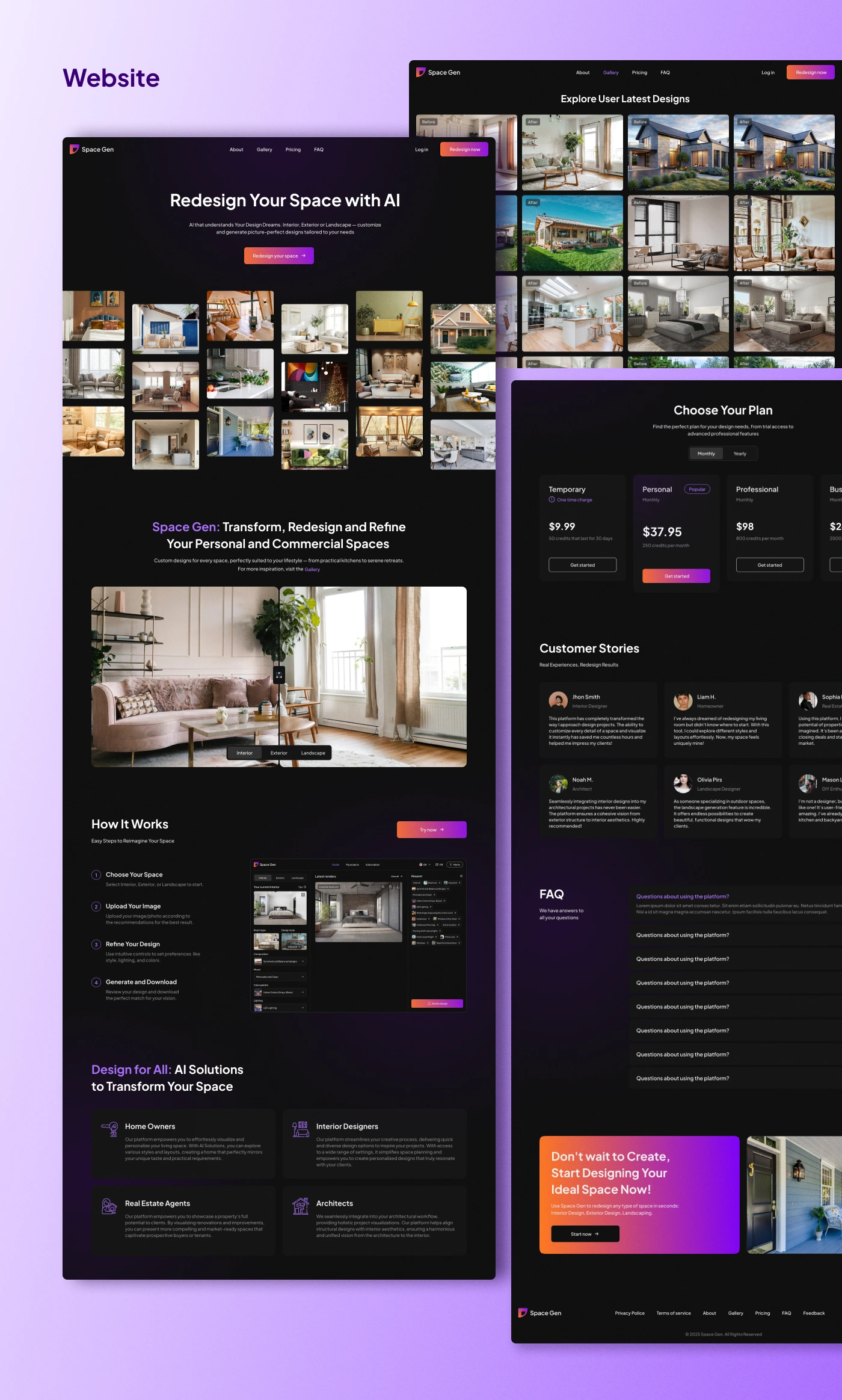
A marketing website was designed to explain Space Gen’s value and convert visitors into users.
The website includes:
Hero section
Product gallery
Main product explanation
How it works
Target audience sections
Pricing plans
Customer stories
FAQ
Final CTA section
Footer navigation
The main website message focuses on helping users redesign their space with AI.
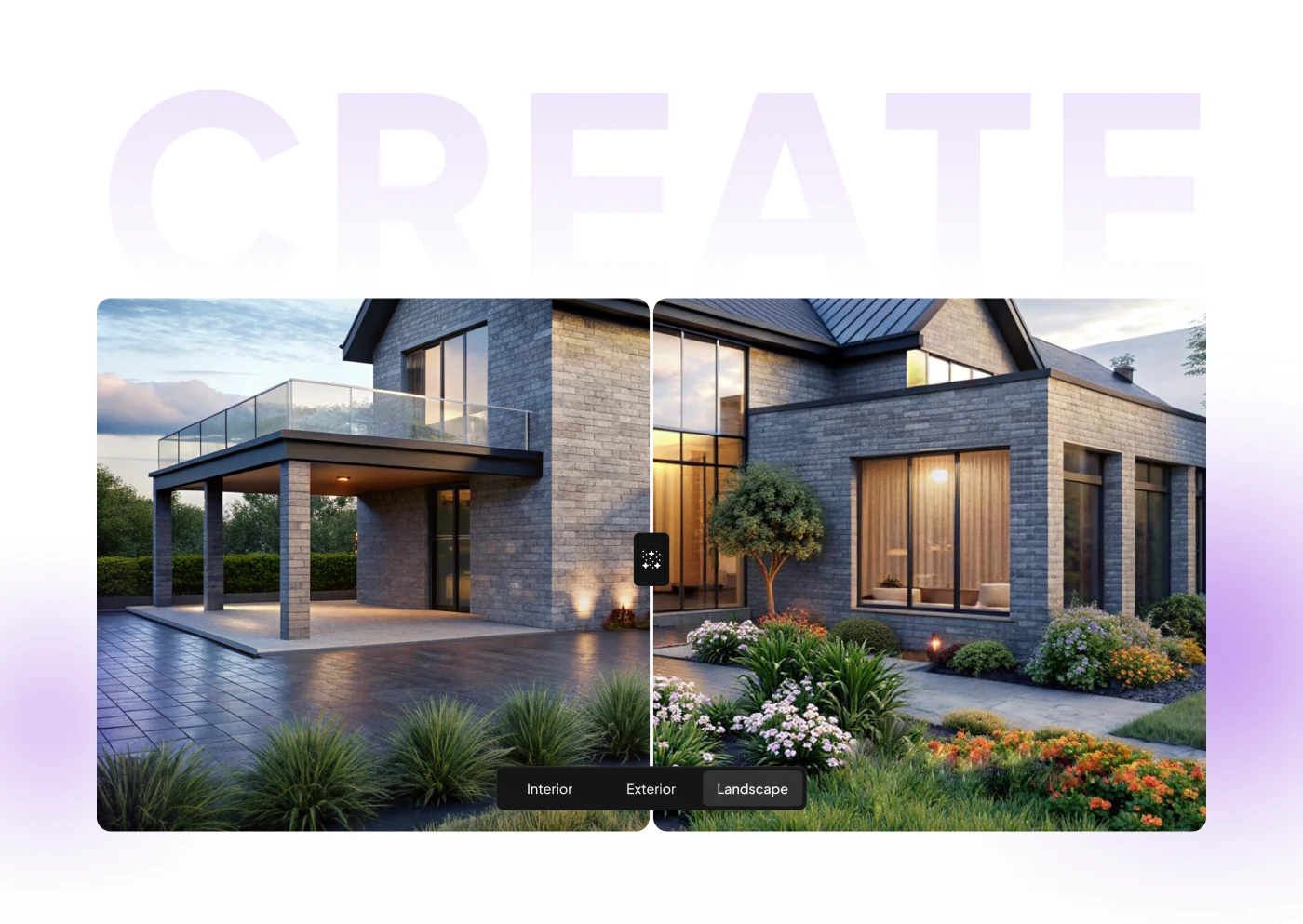
The website visually connects with the product through dark UI, gradient accents, interior imagery, before/after visuals, and product screenshots.
How It Works Section
The website explains the product flow in four simple steps:
Choose your space
Upload your image
Refine your design
Generate and download
This makes the product easy to understand even for users who are new to AI design tools.
Pricing and Subscription
The website includes pricing plans for different user needs, from temporary access to personal, professional, and business-level usage.
The subscription area inside the SaaS platform also gives users access to profile settings, billing information, payment methods, and current plan details.
This creates a complete product ecosystem from acquisition to account management.
Design System
A design system was created to keep the platform and website consistent.
The design system made the product easier to scale and helped maintain consistency across platform screens, website pages, and future product features.
Results
The final design created a complete AI SaaS experience for generating personalized interior, exterior, and landscape visuals.
Key Results
A complete AI-powered studio interface for uploading, customizing, generating, and reviewing designs.
A clear four-step user flow that simplifies AI design generation.
Dark and light mode design system for flexible product usage.
Scalable component library for platform and website consistency.
Project gallery and render management for reviewing generated concepts.
Marketing website design with pricing, gallery, FAQ, testimonials, and conversion-focused CTAs.
Audience-specific positioning for homeowners, designers, architects, and real estate agents.
Modern AI visual identity built around purple gradients, dark UI, and creative transformation.
Project Scope
This case study covers the first full design phase of Space Gen, including competitor analysis, user flow, SaaS platform UI/UX, dark and light mode, website design, and design system.
The product was designed as a scalable foundation for future AI generation features, expanded style libraries, project collaboration, image history, and advanced customization options.
Conclusion
Space Gen turns AI-powered interior and exterior visualization into a clear, guided, and inspiring product experience.
The design makes it easy for users to upload a space, define preferences, generate design concepts, and manage results in one platform.
The final result is a modern AI SaaS product that combines creativity, usability, and scalable interface logic for both everyday users and professionals.
✍️ Contact me and I will provide you with an estimate for your project!
Like this project
Posted Apr 21, 2026
UX/UI design for Space Gen, an AI-powered interior platform helping users redesign interiors, exteriors, and landscapes with custom renders and workflows daily.
Likes
1
Views
12
Timeline
Mar 23, 2025 - May 7, 2025