
Yuliia Ishchenko
Senior UI/UX designer turning strategy into launch-ready UX


Luxury Private Jet Membership Landing Page UX/UI Design
1
27
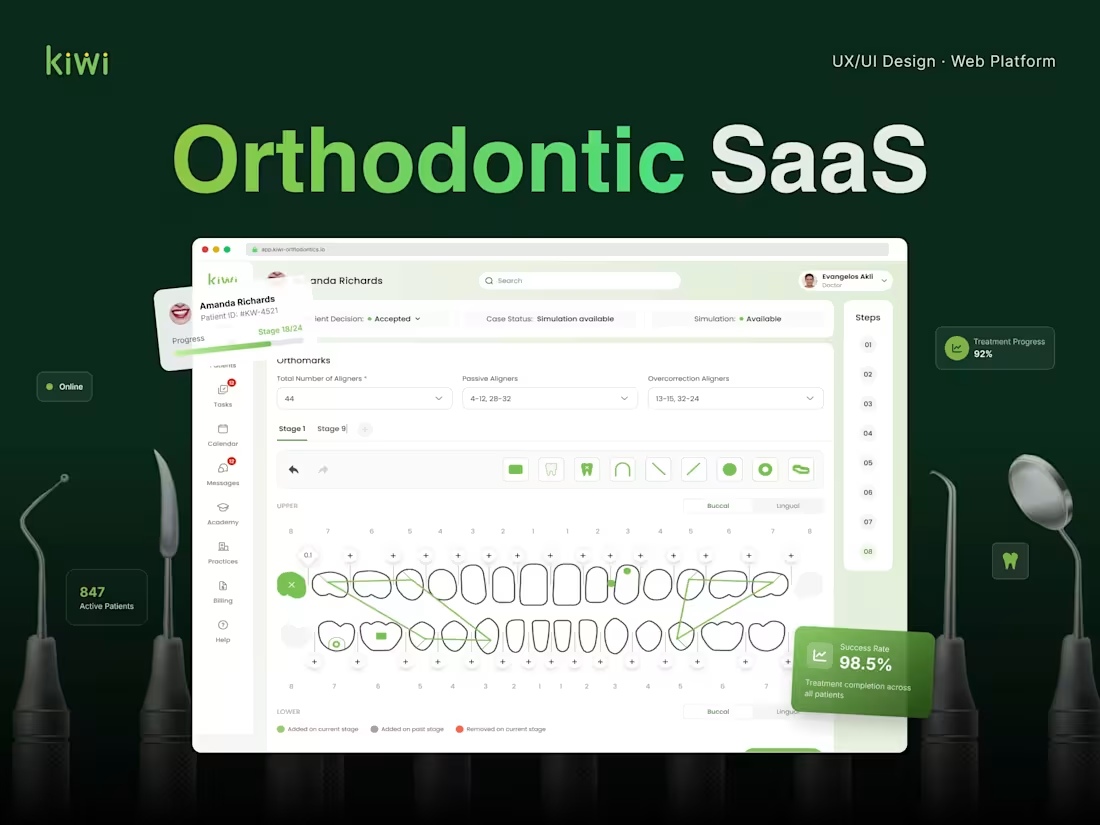
UX/UI Design for Orthodontic SaaS, Web Platform Design
0
35
📸 𝗠𝘂𝗹𝘁𝗶-𝗥𝗼𝗹𝗲 𝗣𝗹𝗮𝘁𝗳𝗼𝗿𝗺 𝗳𝗼𝗿 𝗘𝘃𝗲𝗻𝘁𝘀 & 𝗠𝗲𝗱𝗶𝗮 𝗦𝗵𝗮𝗿𝗶𝗻𝗴
I designed a multi-role web platform for event management and media sharing. The product was created for a startup founder from the Netherlands who wanted to build a platform where different types of users could interact before, during, and after events.
The main idea of the platform was to make event-related content sharing easier and more organized. Instead of having event photos, videos, participants, hosts, and guests spread across different tools or chats, the platform brings everything into one structured digital experience.
The product includes multiple user roles, event-based flows, media galleries, upload functionality, and a clean interface for managing and accessing event content.
👨🏻💻 𝗧𝗵𝗲 𝗖𝗹𝗶𝗲𝗻𝘁
The client was a startup founder from the Netherlands who was building an early-stage digital product in the events and media-sharing space.
As a founder, the client needed more than just attractive screens. They needed a clear product structure, understandable user flows, and a scalable design foundation that could be used for development, investor conversations, and future product growth.
The main priority was to transform the startup idea into a clear, professional, and user-friendly product concept.
🟡 𝗧𝗵𝗲 𝗖𝗵𝗮𝗹𝗹𝗲𝗻𝗴𝗲
The biggest challenge was designing a platform with several user roles and different scenarios inside one product.
The main UX challenges were:
- Creating a clear structure for multiple user roles
- Designing simple event creation and event participation flows
- Organizing photo and video sharing in a user-friendly way
- Making the platform scalable for future features
- Keeping the interface clean despite many functions
- Helping the founder present the product as a professional startup solution
🔗 𝗞𝗲𝘆 𝗙𝗲𝗮𝘁𝘂𝗿𝗲𝘀
- Multi-role platform structure
- Event creation flow
- Event management dashboard
- Guest access flow
- Media upload functionality
- Photo and video sharing
- Event-based media galleries
- User role permissions
- Clean onboarding experience
- Responsive web platform structure
- Scalable UI components
💡 𝗧𝗵𝗲 𝗦𝗼𝗹𝘂𝘁𝗶𝗼𝗻
The final design turns a complex multi-role product idea into a clear and organized platform experience.
Hosts can manage events and shared content, while guests can easily access event spaces, upload media, and view galleries. The platform keeps the experience simple for users while still supporting more advanced product logic behind the scenes.
✅ 𝗧𝗵𝗲 𝗥𝗲𝘀𝘂𝗹𝘁
The final outcome is a clean, modern, and scalable web platform concept for event management and media sharing.
The design helped turn the founder’s early-stage idea into a structured digital product with clear user flows, professional UI, and a strong foundation for future development.
The platform is now easier to explain, present, and build because the product logic is visually organized and user-friendly.
1
386
🚛 𝗥𝗶𝗱𝗲 𝗠𝗮𝗻𝗮𝗴𝗲𝗺𝗲𝗻𝘁 𝗣𝗹𝗮𝘁𝗳𝗼𝗿𝗺
I designed a web-based ride management platform focused on helping transportation teams manage riders, monitor ride activity, and access important operational data from one centralized dashboard.
The goal of the project was to create a clean, scalable, and easy-to-use interface for internal teams who need to work with a large amount of rider and trip-related information every day. The platform was designed to support fast decision-making, reduce visual overload, and make the ride management process more organized.
🧑🏼💼 𝗔𝗯𝗼𝘂𝘁 𝘁𝗵𝗲 𝗖𝗹𝗶𝗲𝗻𝘁
The client needed a professional dashboard solution for a ride management product. Their team required a system where admins or managers could easily view rider information, track ride activity, check statuses, and manage operational data without switching between multiple tools.
The main priority was to turn complex transportation data into a simple and intuitive interface that could be used efficiently by non-technical team members.
🟡 𝗧𝗵𝗲 𝗖𝗵𝗮𝗹𝗹𝗲𝗻𝗴𝗲
Ride management platforms usually include a lot of information: riders, trips, statuses, activity history, filters, and performance data. The challenge was to organize all of this in a way that felt clear and manageable.
The interface needed to be:
- Easy to scan
- Clean and professional
- Suitable for daily operational use
- Scalable for future features
- Clear enough for quick decision-making
The biggest UX challenge was balancing detailed data with a simple and lightweight user experience.
🤖 𝗞𝗲𝘆 𝗙𝗲𝗮𝘁𝘂𝗿𝗲𝘀:
- Riders dashboard
- Rider profile overview
- Ride activity tracking
- Data tables
- Search and filters
- Status indicators
- Key operational metrics
- Clean admin navigation
- Scalable dashboard layout
💡 𝗧𝗵𝗲 𝗦𝗼𝗹𝘂𝘁𝗶𝗼𝗻
The final design brings all key ride and rider data into one organized workspace. Instead of overwhelming users with too much information at once, the dashboard uses a clear structure that helps managers quickly understand what is happening and where action is needed.
The interface is designed to support both daily operations and future product growth. It gives the client a strong visual foundation for a professional SaaS-style ride management platform.
✅ 𝗧𝗵𝗲 𝗥𝗲𝘀𝘂𝗹𝘁
The final platform design is clean, functional, and easy to use. It helps transportation teams manage riders and ride activity more efficiently by giving them fast access to the information they need.
The result is a polished dashboard experience that improves clarity, supports faster decisions, and creates a more professional product presentation for the client.
1
385