Hiring & Management Platform UX/UI Design

Yuliia Ishchenko


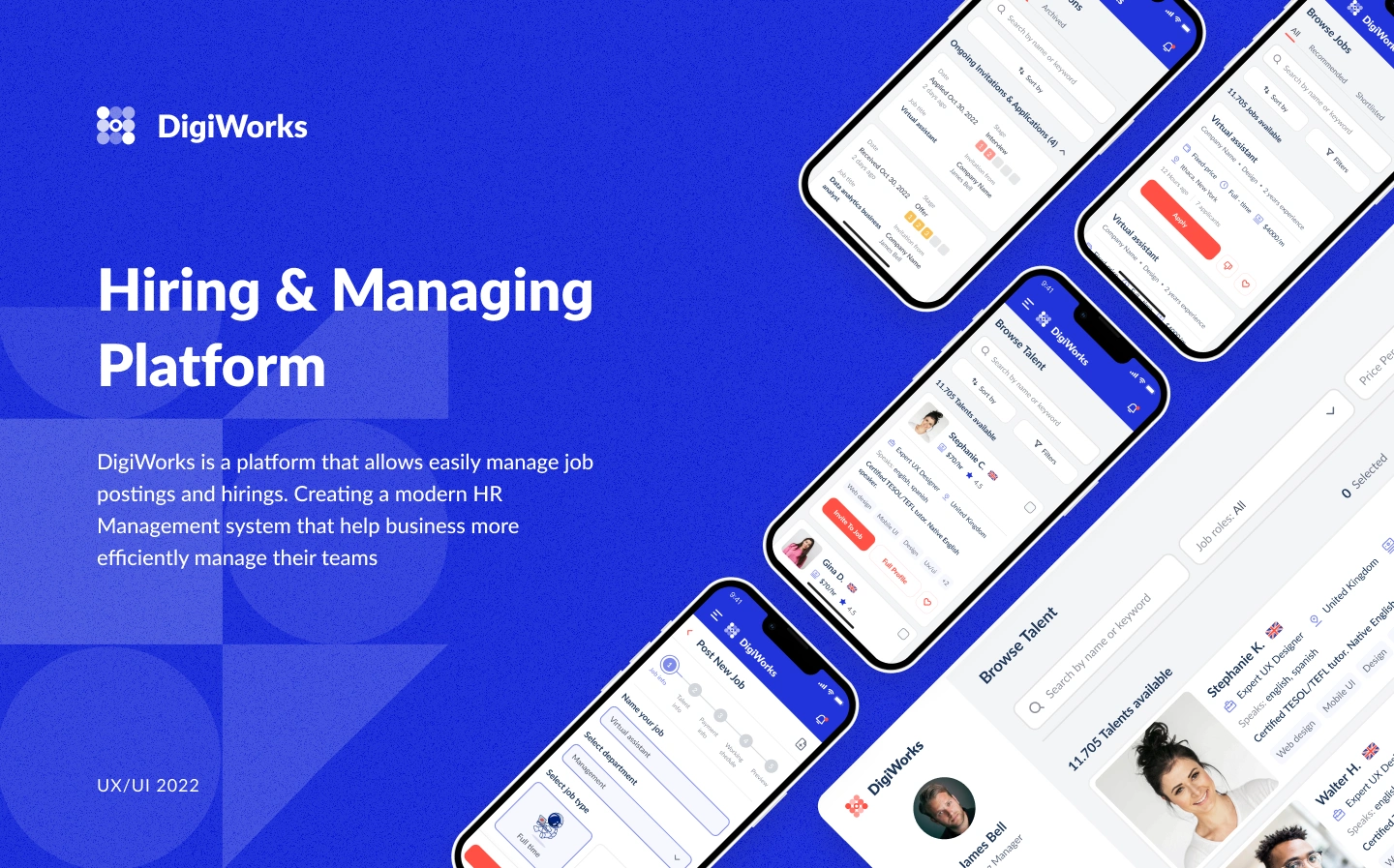
Hiring & Managing Platform
A modern HR management platform designed to help companies hire talent, manage job postings, communicate with candidates, and organize team workflows in one place.
DigiWorks is a hiring and workforce management platform that connects companies with talent and supports the full recruitment process: posting jobs, browsing candidates, managing applications, scheduling interviews, sending offers, signing contracts, tracking work, and managing team members.
Year: 2022
Industry: HR Tech, Recruitment, Freelance Marketplace, Workforce Management, SaaS
Project Type: UX/UI Design, Web Platform, Mobile Adaptation
Scope: Research, User Flow, UX/UI Design, Hiring Flow, Talent Flow, Employer Dashboard, Mobile Screens
Contribution: Product UX, UI Design, User Flow, Web App Design, Mobile App Design, Visual System
Project Overview
DigiWorks was designed as a platform that helps businesses manage job postings and hiring more efficiently.
The product serves two main user groups: companies looking for talent and specialists looking for jobs or projects. For companies, the platform supports the full hiring process from posting a job to adding a hired person to the team. For talents, it helps find relevant opportunities, apply for jobs, manage invitations, communicate with employers, and track work after a contract starts.
The main goal was to create a clear HR management system that combines recruitment, communication, contracts, payments, and team management in one connected platform.
Problems
Hiring workflows are often fragmented
Companies usually manage job posts, candidate communication, interviews, contracts, payments, and team management across different tools. This makes the hiring process slower and harder to control.
Employers need a clear candidate pipeline
The platform needed to help employers track candidates across different stages: applicants, interview, offer, contract, and adding to the team.
Talent users need an easy job search experience
Specialists needed a simple way to browse jobs, filter opportunities, review invitations, apply, and track their application progress.
Communication needed to stay connected to the hiring process
Messages, feedback, files, interview details, and contract-related information had to be accessible inside the platform instead of being scattered across external channels.
The system had to support post-hiring management
After a contract is signed, employers still need to manage team members, timesheets, invoices, payments, documents, vacation requests, and work reports.
The product needed both desktop and mobile experiences
Users needed access to the platform from both web and mobile devices, especially for job browsing, interview availability, notifications, and quick actions.
Goals
Create a modern HR platform for hiring and managing talent.
Design separate but connected flows for employers and talents.
Make candidate search, job posting, and hiring pipeline management intuitive.
Help talents find jobs, apply, and manage invitations easily.
Design a clear contract and work management experience after hiring.
Support payments, invoices, timesheets, and team management inside one system.
Create a clean visual style suitable for a SaaS HR product.
Adapt key platform screens for mobile use.
About the Project
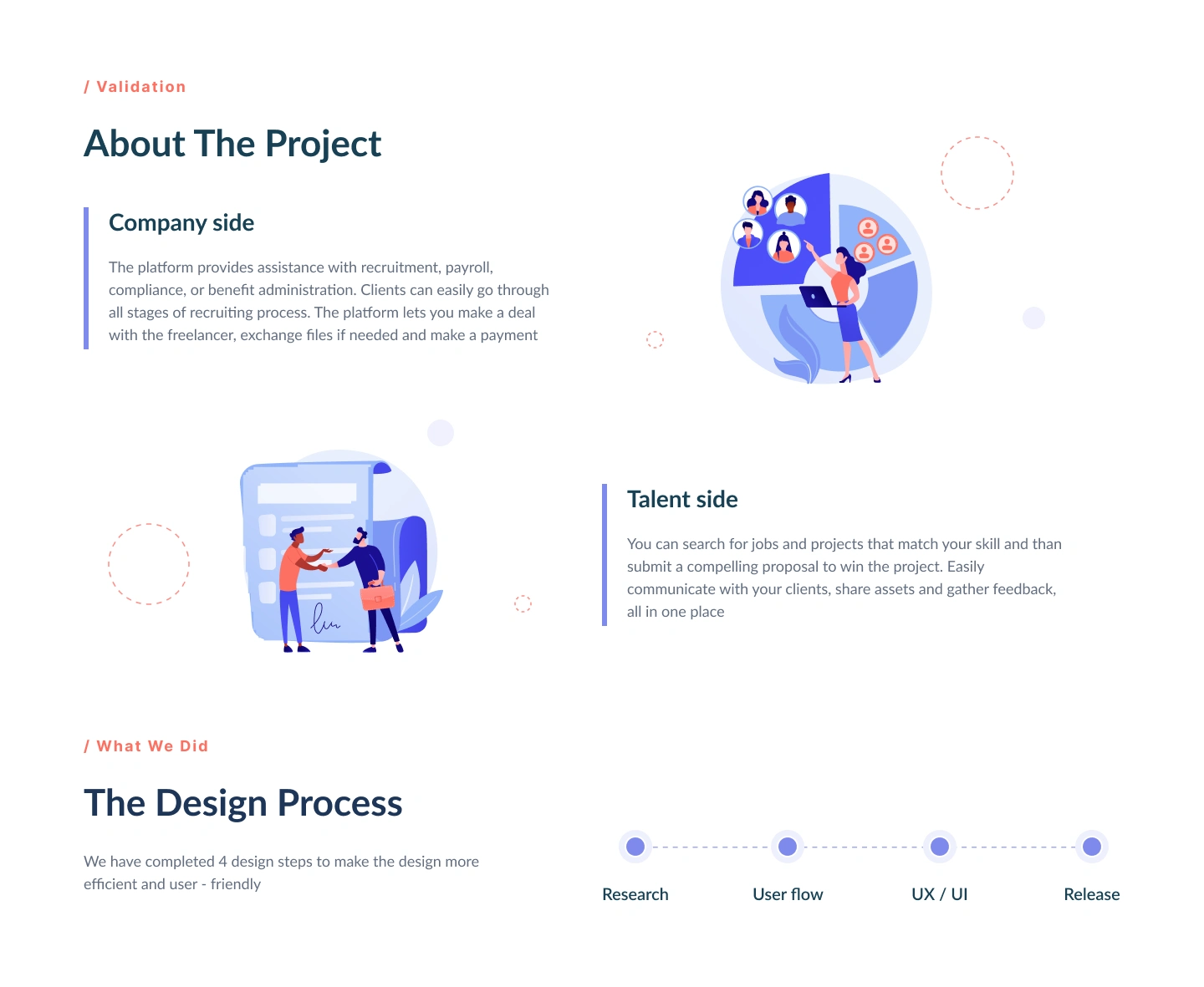
DigiWorks was designed around two core sides of the platform.
Company Side
The company side provides tools for recruitment, payroll, compliance, benefit administration, job posting, candidate management, contract handling, file exchange, and payments.
Employers can browse available talent, invite candidates to jobs, view candidate profiles, move applicants through a hiring pipeline, schedule interviews, send offers, and add hired specialists to the team.
Talent Side
The talent side helps users search for jobs and projects that match their skills.
Talents can browse job opportunities, submit proposals, manage applications and invitations, communicate with clients, share files, receive feedback, and track their work after being hired.
Design Process
The design process was structured into four main stages:
1. Research
The first step was to understand how both sides of the platform work: what companies need during hiring and what talents need while searching for jobs.
The research focused on recruitment stages, candidate filtering, job applications, interview scheduling, contract flow, payments, and team management.
2. User Flow
After research, the user flows were mapped for both employers and talents.
This helped structure the product logic and define how users move from one stage to another: from browsing and applying to interviewing, signing contracts, and managing work.
3. UX/UI Design
The next stage focused on creating the web and mobile interfaces.
The design had to make a complex HR workflow feel simple, structured, and easy to navigate. Special attention was paid to dashboards, lists, candidate cards, filters, pipeline stages, forms, calendars, and details pages.
4. Release
The final stage included preparing polished screens and flows for implementation, making sure the platform structure was clear and ready for use.
Visual Identity
The visual identity was designed to feel clean, professional, and modern while keeping the product approachable for both companies and talents.
Typography
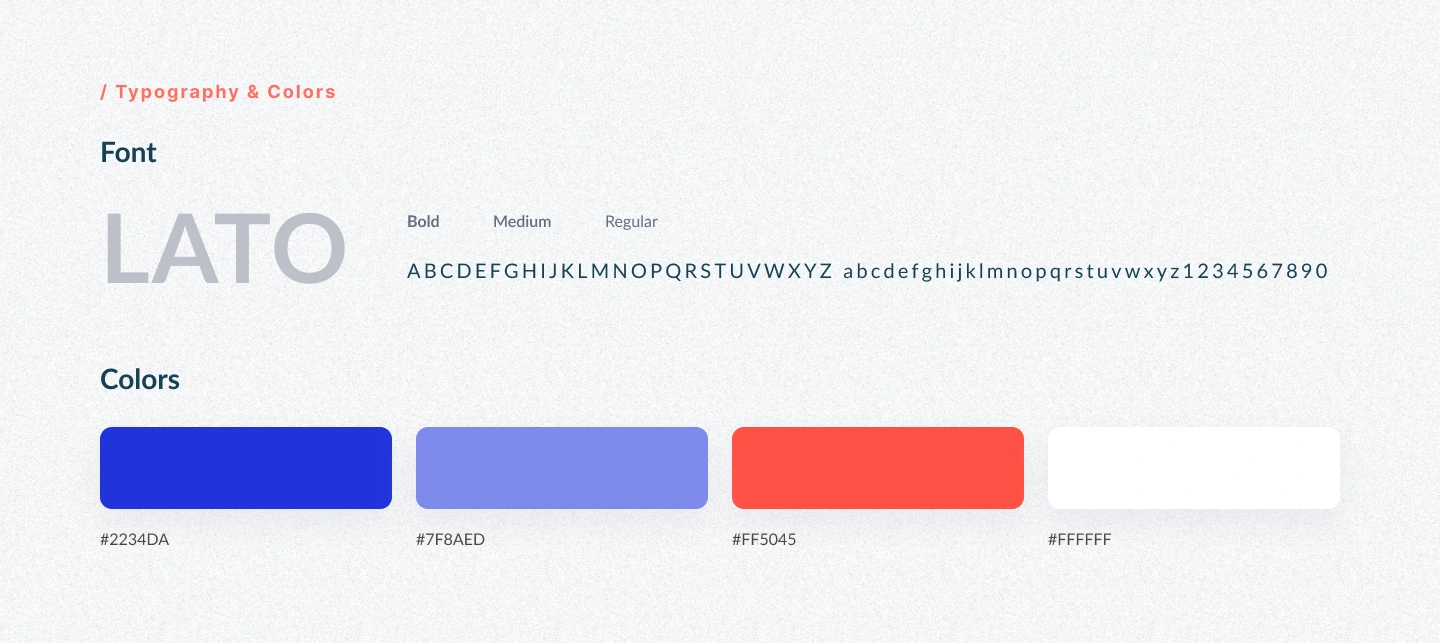
Lato was used as the main typeface.
Lato gives the interface a friendly and professional feel. It works well for dashboards, forms, tables, candidate cards, and mobile screens because it remains readable across different layouts.
Color Palette
The color palette combines strong blue tones with a coral accent:
#2234DA — primary blue used for brand identity, navigation, and key interface elements.
#7F8AED — secondary blue used for softer highlights, states, and supporting visuals.
#FF5045 — coral accent used for key actions, CTAs, alerts, and important buttons.
#FFFFFF — clean surface color used for cards, backgrounds, and content areas.
The combination creates a bright SaaS look while helping important actions stand out clearly.
Employer Flow
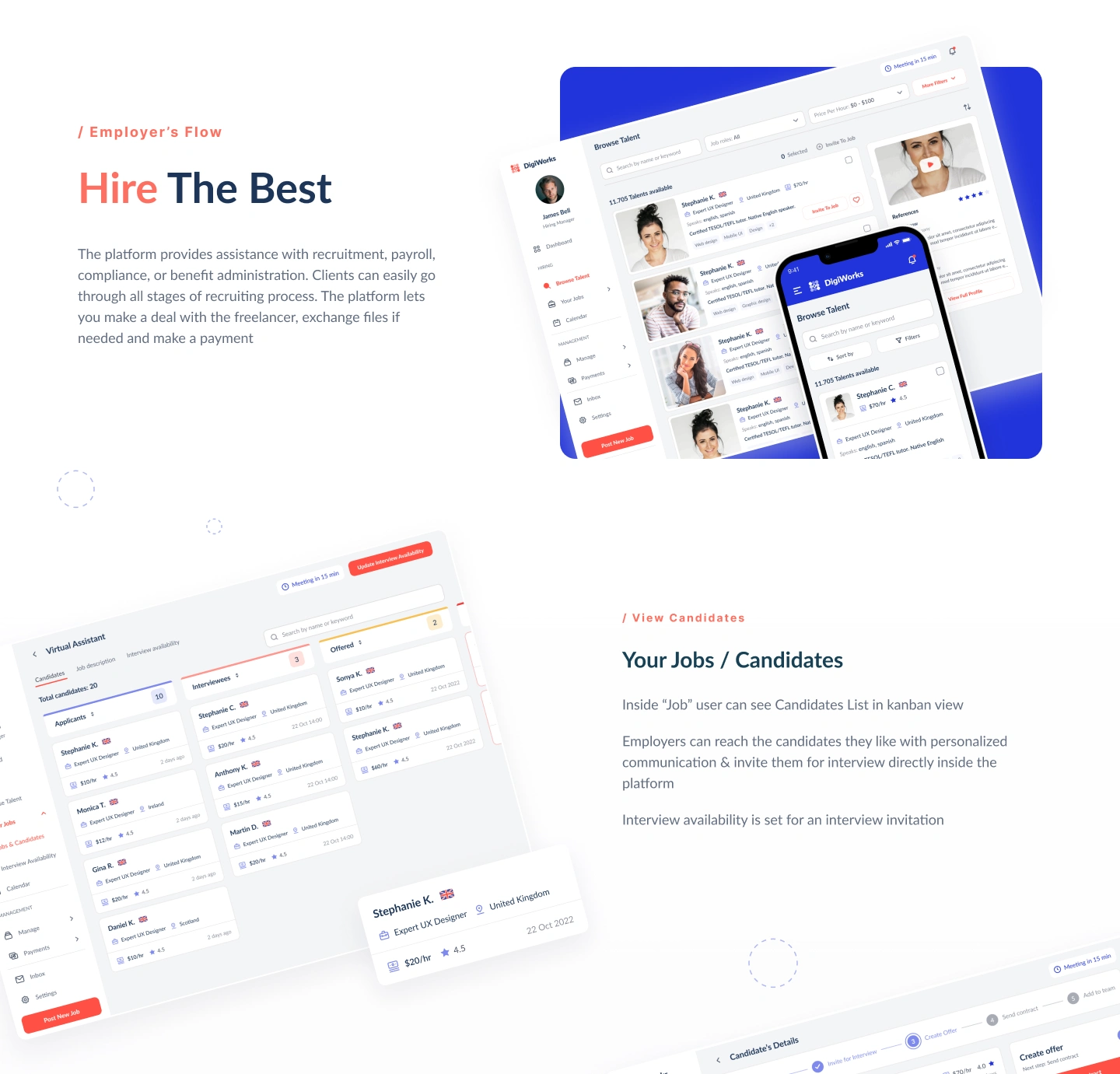
The employer experience was designed to support the full hiring process.
Browse Talent
Employers can search and filter available specialists by role, skills, location, hourly rate, language, experience, and job function.
Candidate cards show the most important information at a glance, including photo, role, location, skills, rating, rate, and availability.
This helps employers quickly compare candidates and shortlist the most relevant people.
Post a New Job
The job posting flow guides employers through creating a new job.
The form includes job title, department, job type, and other key details. The step-by-step structure helps reduce confusion and makes job creation easier.
Job Candidates / Kanban View
Inside each job, employers can view candidates in a kanban-style pipeline.
The pipeline organizes applicants by stage, such as applicants, interview, and offer. This makes it easier to understand the hiring status and move candidates forward.
Employers can reach out to selected candidates, invite them for interviews, and continue communication directly inside the platform.
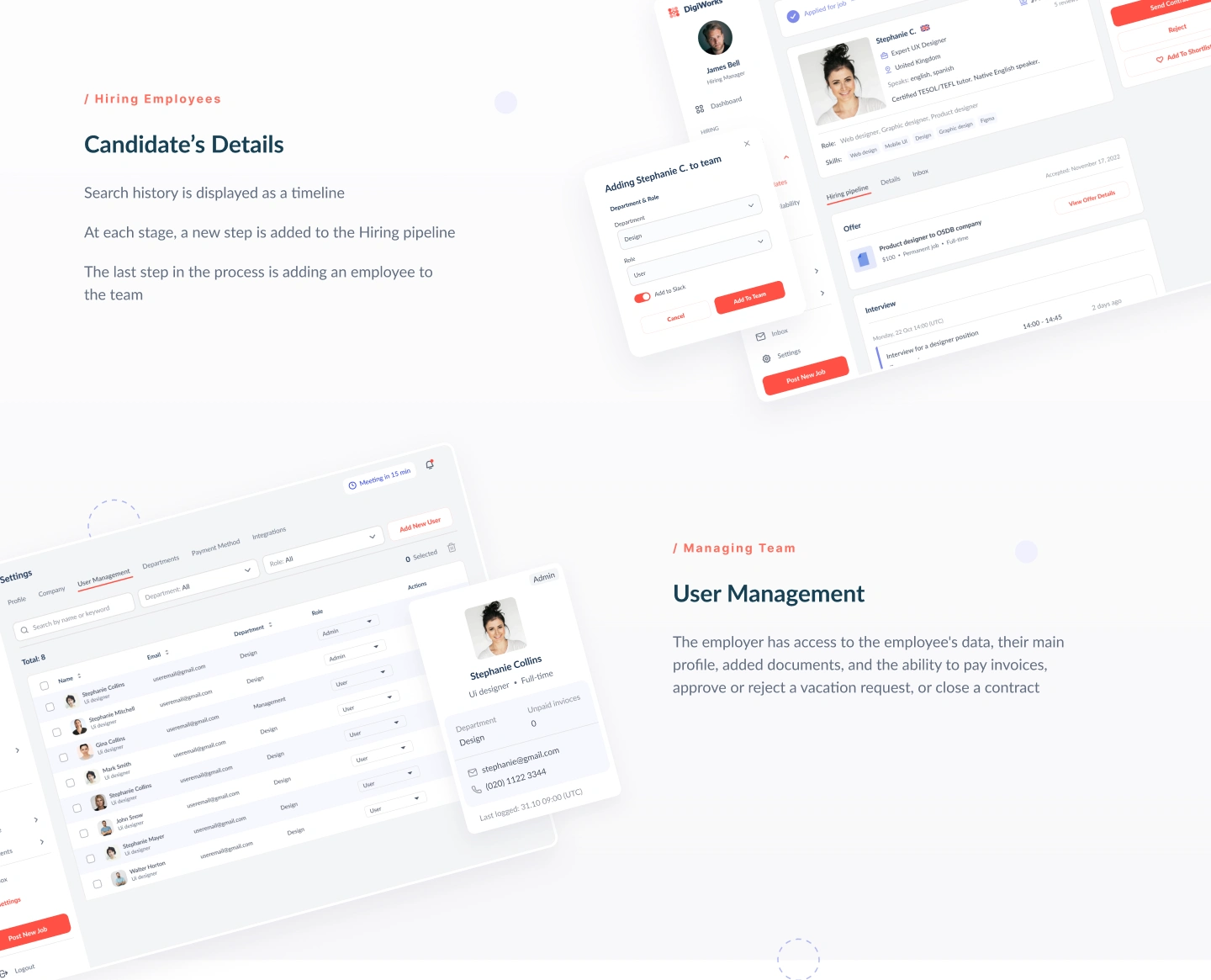
Candidate Details
The candidate detail page was designed to show the full hiring history as a timeline.
Each stage of the process is visible, including application, interview, offer, contract, and adding the candidate to the team.
This helps employers understand what has already happened and what action is needed next.
User Management
After hiring, employers can manage team members from one place.
The user management section includes employee data, profile details, role, department, documents, invoices, vacation requests, and contract-related actions.
This makes DigiWorks more than a hiring platform — it also supports team administration after the hiring process is complete.
Talent Flow
The talent experience was designed to help users find work and manage opportunities.
Find Your Ideal Job
Talents can browse jobs and projects that match their skills.
The job list includes search, filters, job details, company information, location, salary or budget, employment type, and quick apply actions.
This helps talent users quickly review opportunities and apply to the most relevant ones.
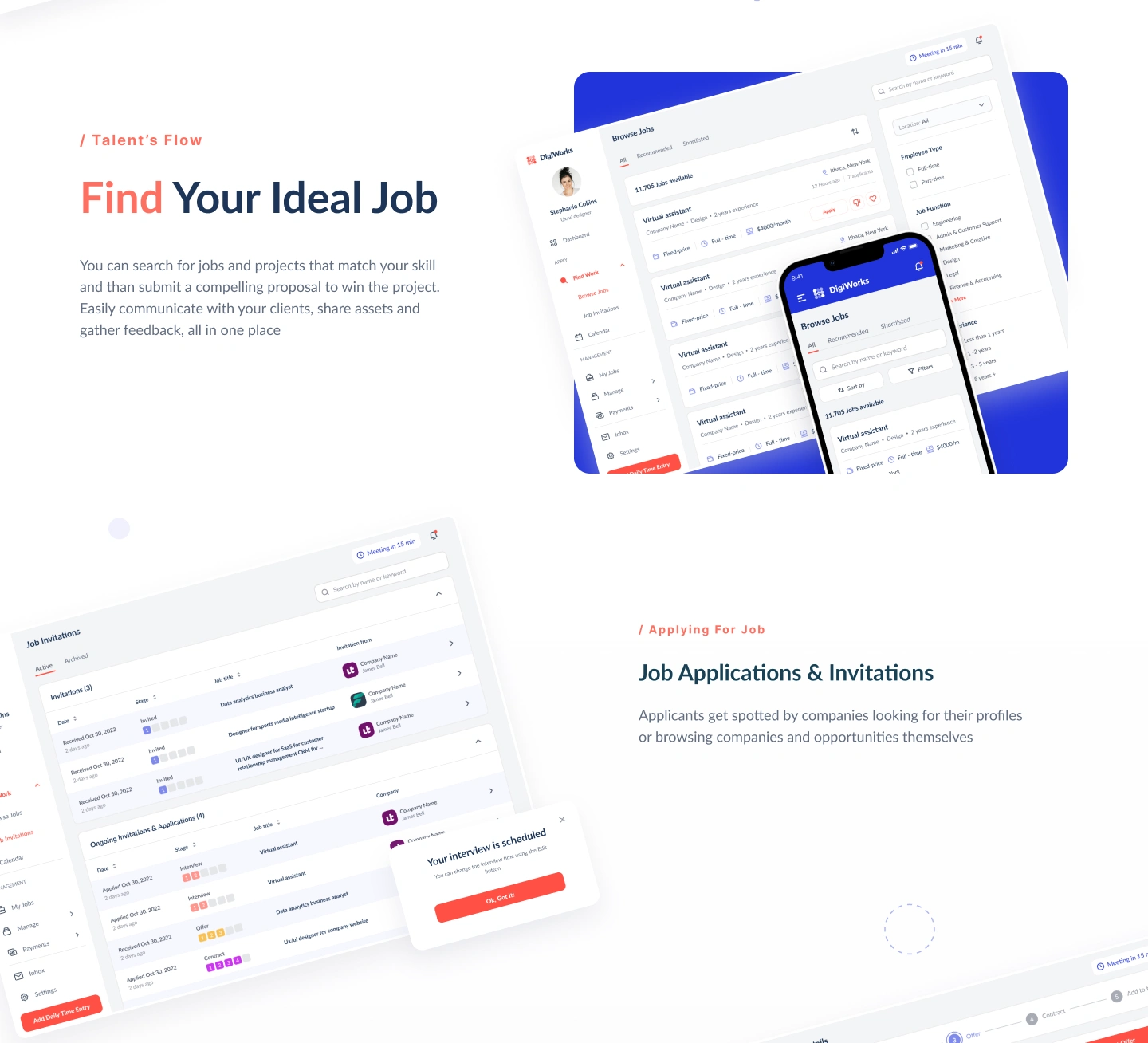
Job Applications & Invitations
The applications and invitations section allows talents to track active and archived invitations, ongoing applications, job titles, dates, stages, and company names.
This gives users a clear view of where they stand in the hiring process.
Interview Availability
Talents can update their availability for interviews directly inside the platform.
They can select time zones, available days, and time slots. This makes interview scheduling easier and reduces back-and-forth communication.
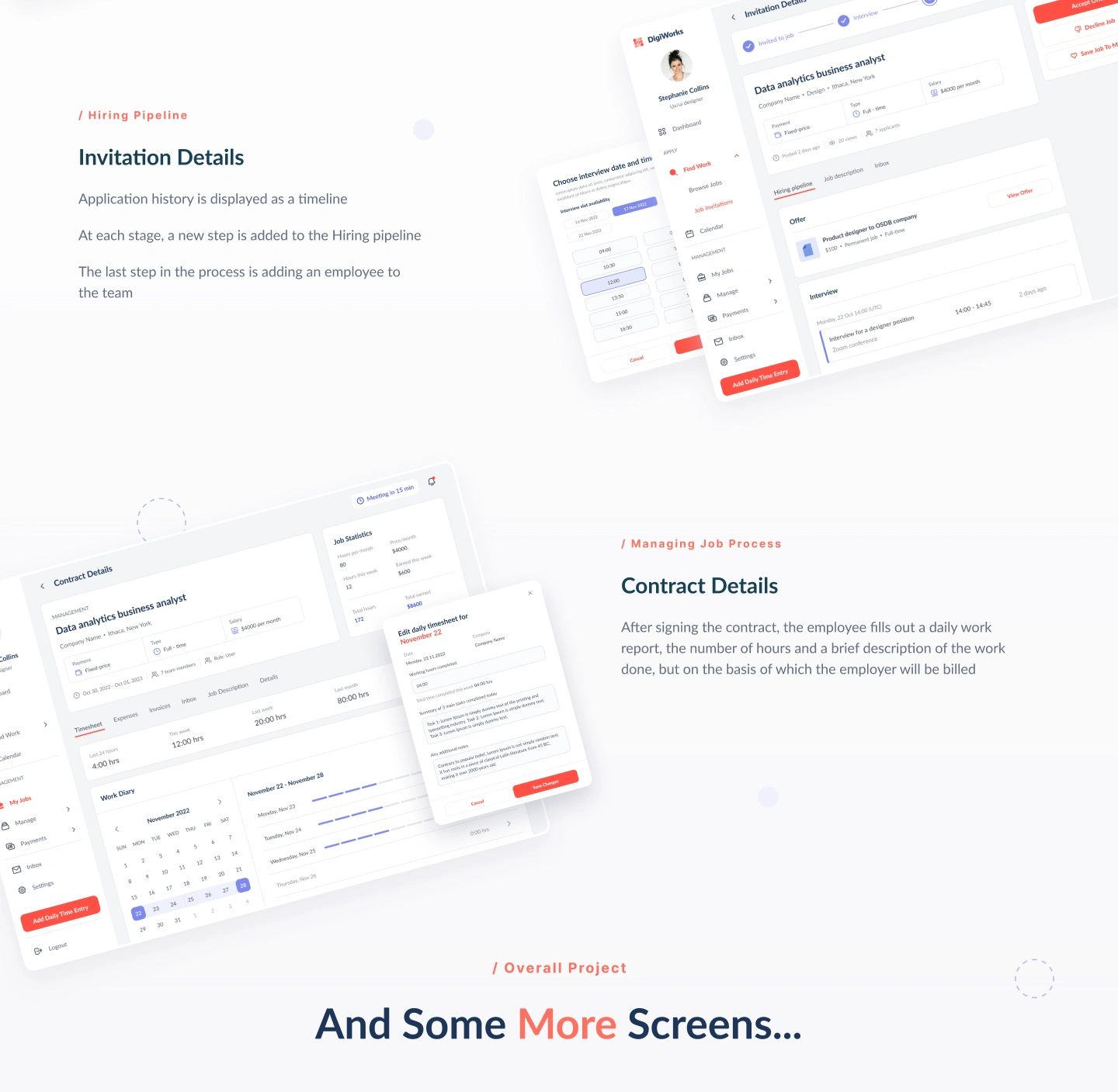
Invitation Details
Invitation details show the full application history as a pipeline.
Users can review job details, interview information, offer details, contract status, and next steps. This keeps the hiring process transparent for talents.
Contract Details
After signing a contract, the talent can track work details, timesheets, invoices, job description, expenses, and communication.
The timesheet flow allows users to submit daily work reports with hours and descriptions. This information is then used for billing and employer review.
Communication and Inbox
The platform includes an inbox where employers and talents can communicate directly.
Messages are connected to the user profile, contract, or hiring process. This helps keep communication organized and related to the correct job or team member.
The inbox supports quick discussion, file sharing, feedback, and follow-up communication without leaving the platform.
Calendar and Scheduling
A calendar interface was designed to support interviews, meetings, and work-related events.
Users can see scheduled interviews, upcoming meetings, and calendar events in a structured weekly view.
This makes the platform more useful for both hiring coordination and post-hiring work management.
Mobile Experience
The mobile version was designed for quick access to the most important actions.
Mobile screens include:
User type selection
Job browsing
Candidate lists
Job applications
Invitation details
Interview availability
Dashboard summaries
Team management
Calendar
Timesheets
Messages
Contract details
The mobile design uses card-based layouts, simplified navigation, and clear CTA buttons to keep the experience easy to use on smaller screens.
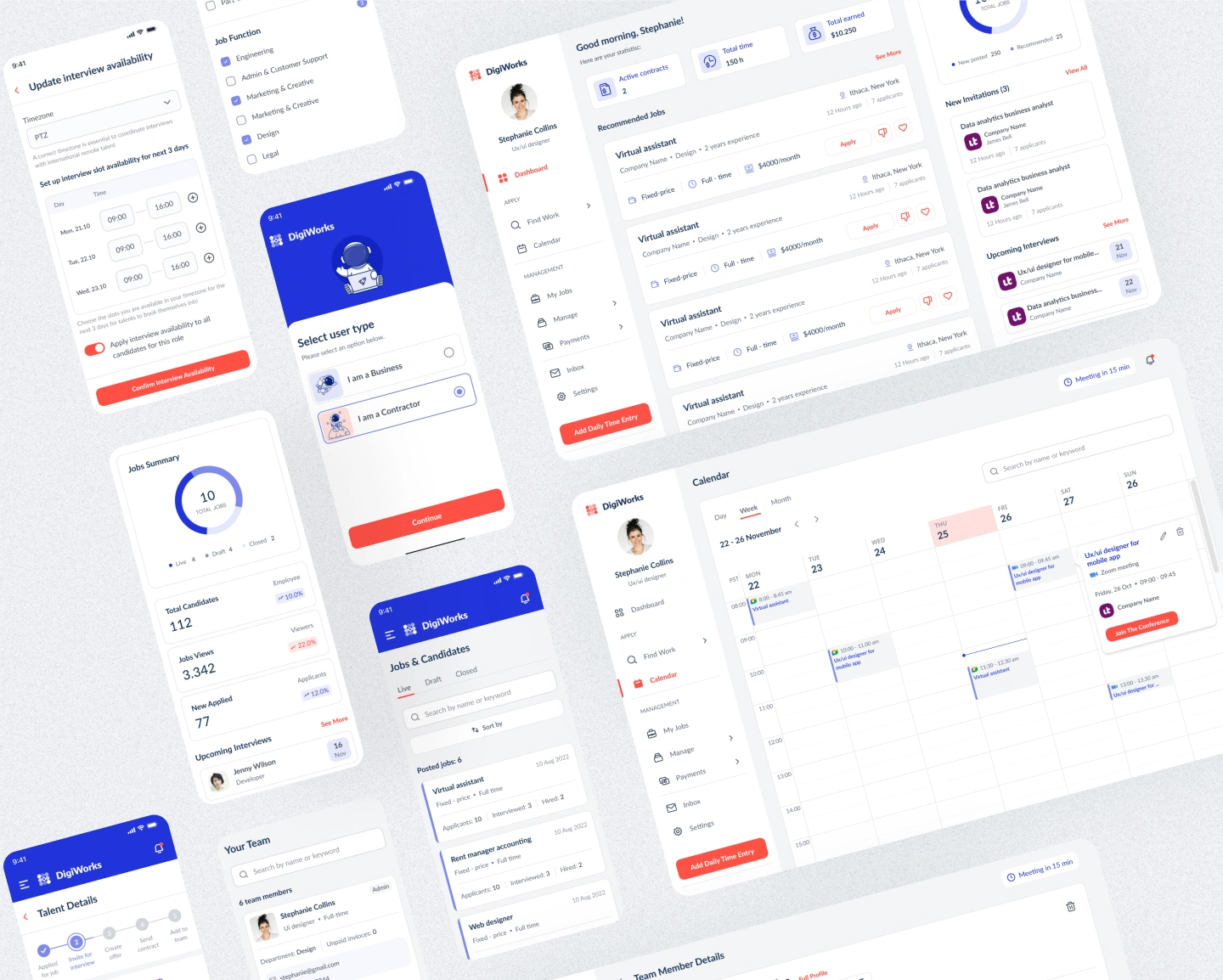
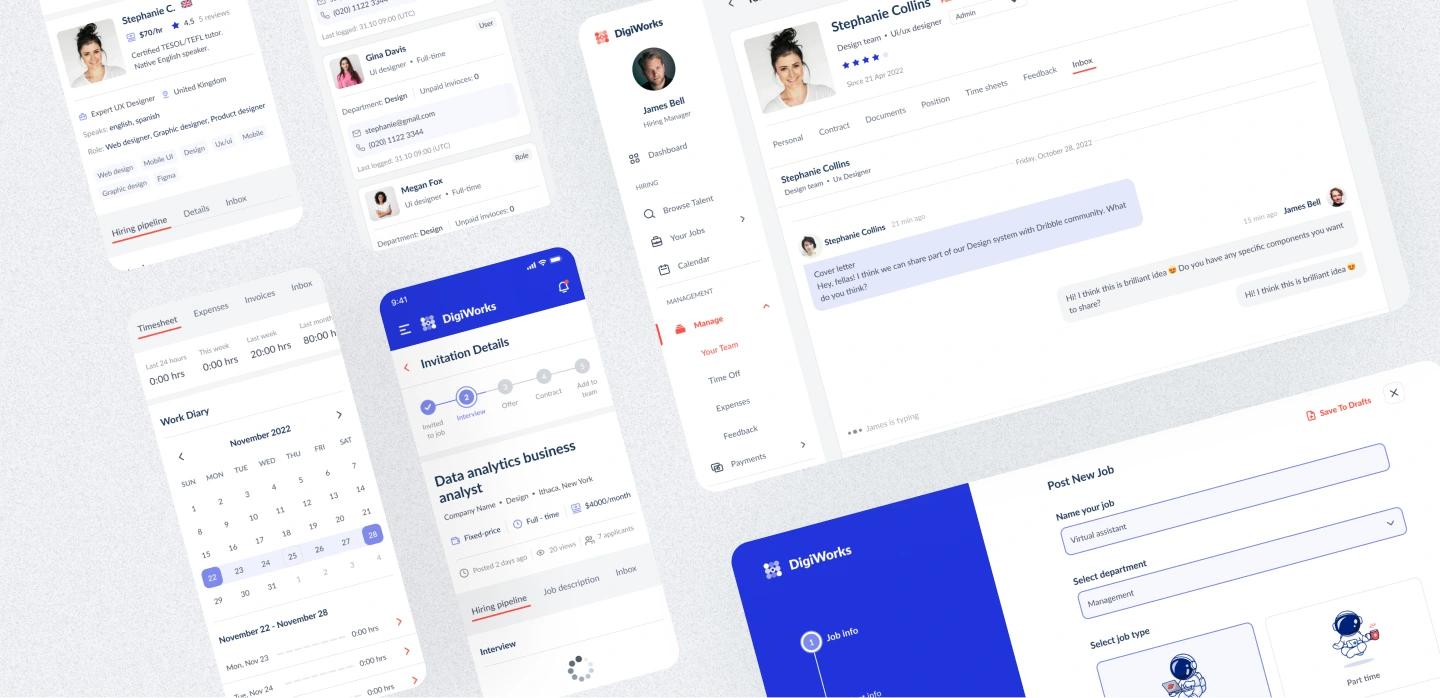
Additional Platform Screens
Beyond the main flows, the project also included many supporting screens:
Dashboard
Job summary
Recommended jobs
New invitations
Upcoming interviews
Your team
Team member details
Payments
Invoices
Time off
Expenses
Feedback
Settings
Inbox
Post new job
Daily time entry
Candidate profile
Contract details
Calendar
These screens helped turn the product into a complete HR and workforce management platform.
Results
The final design created a structured platform that connects hiring, candidate management, communication, contracts, and team administration.
Key Results
A complete employer hiring flow from browsing talent to adding a candidate to the team.
A complete talent flow for job search, applications, invitations, interviews, and contract management.
Clear hiring pipeline with stages for applicants, interviews, offers, contracts, and team onboarding.
Team management tools for employee profiles, documents, invoices, vacations, and payments.
Mobile adaptation for job search, interview availability, applications, and daily actions.
Consistent visual system based on Lato typography, strong blue branding, and coral action accents.
Integrated communication and scheduling through inbox and calendar screens.
A scalable SaaS structure that can support future HR, payroll, and workforce management features.
Project Scope
This case study covers the UX/UI design of the DigiWorks hiring and management platform, including employer flows, talent flows, candidate pipelines, job applications, user management, contracts, payments, inbox, calendar, and mobile screens.
The design was created as a scalable foundation for a two-sided HR platform that supports both recruitment and post-hiring management.
Conclusion
DigiWorks is a modern hiring and workforce management platform designed to help companies manage recruitment and teams more efficiently.
The design brings together job posting, talent search, candidate pipelines, interviews, contracts, payments, timesheets, and team management in one connected experience.
The final result is a clean and scalable HR Tech platform that supports both employers and talents from the first job search to long-term collaboration.
✍️ Contact me and I will provide you with an estimate for your project!
Like this project
Posted May 1, 2026
UX/UI design for DigiWorks, an HR platform helping companies hire talent, manage pipelines, contracts, payments, and team workflows.
Likes
0
Views
21
Timeline
Mar 1, 2025 - Apr 10, 2025