Planso – Task List View UI/UX | Project Management SaaS by Pulok Paul✦Planso – Task List View UI/UX | Project Management SaaS by Pulok Paul✦

Planso – Task List View UI/UX | Project Management SaaS

Pulok Paul✦

Pulok Paul✦

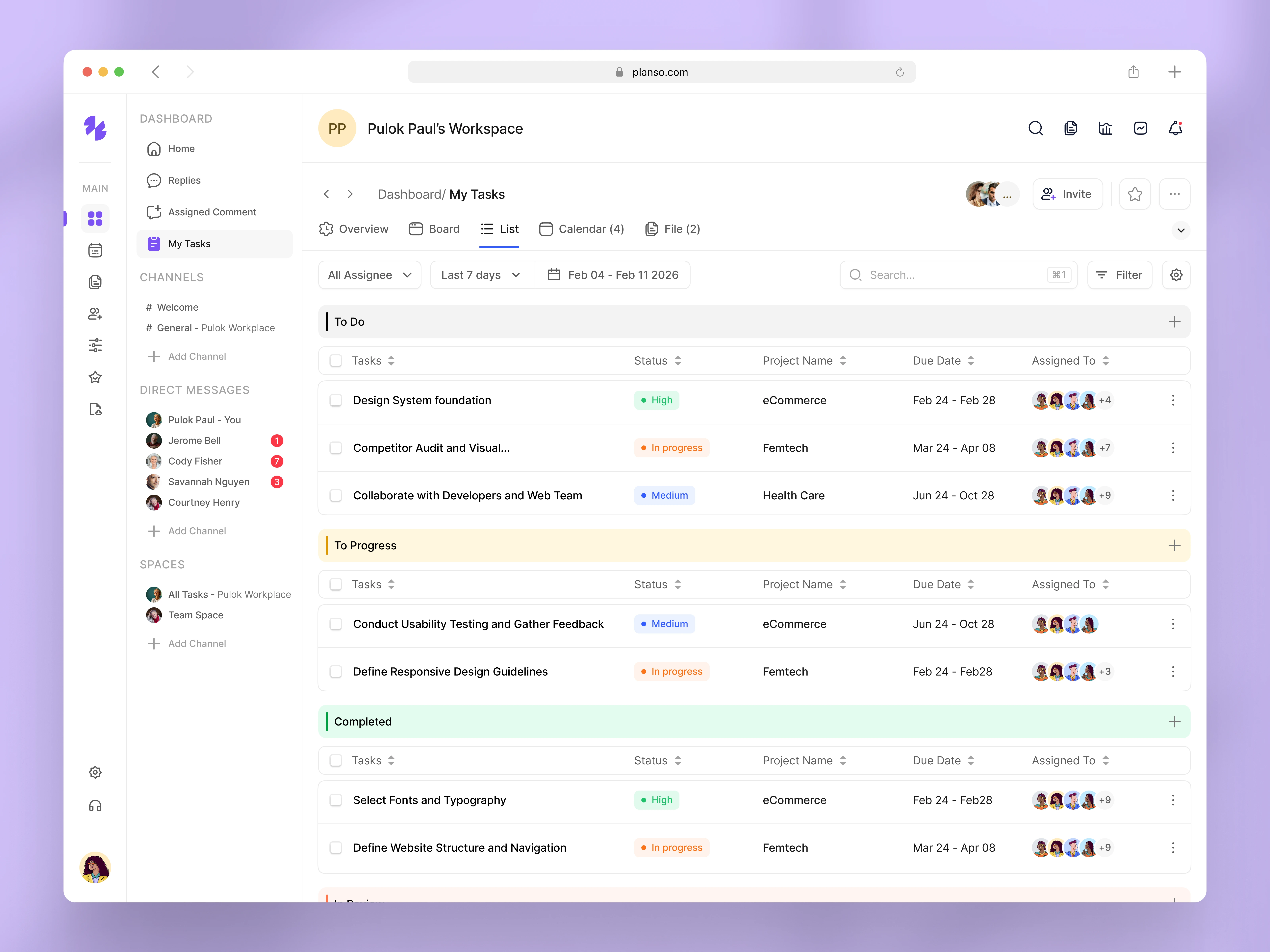
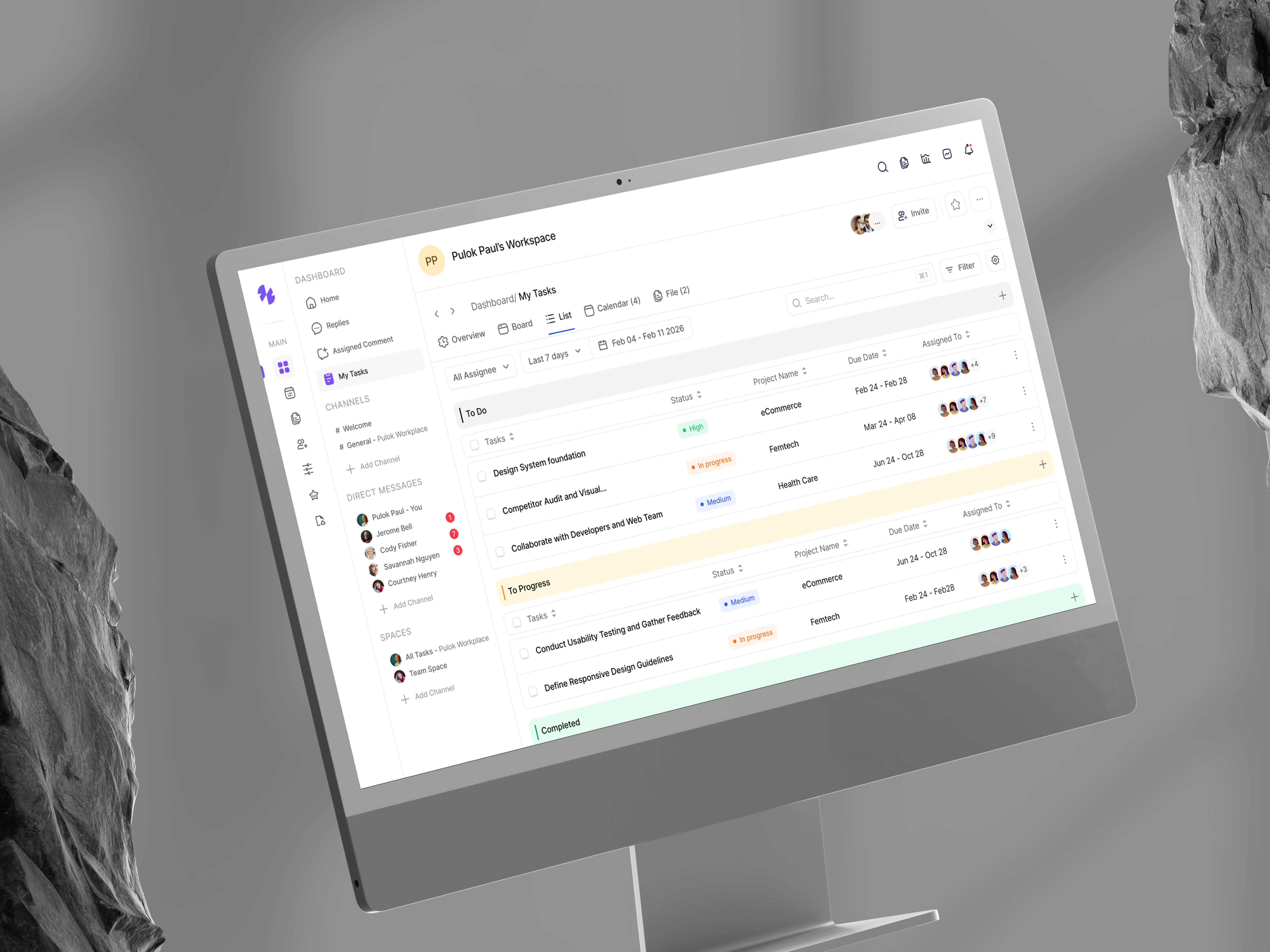
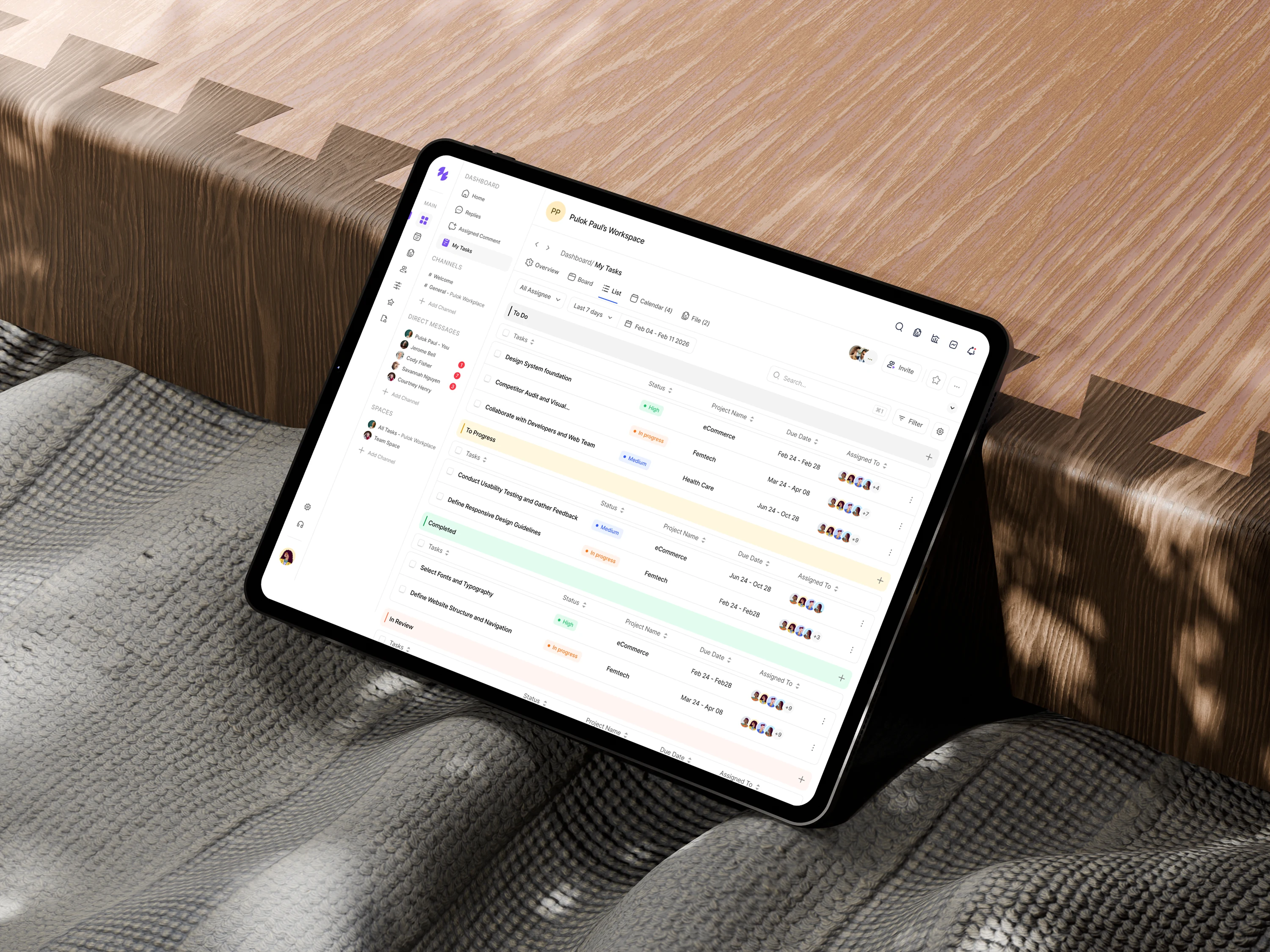
This design showcases the Task List view of Planso, a modern project management software built to help teams track work with clarity and control. The List view is designed for users who prefer structured, data-driven task management alongside collaboration.
🔍 Problem
As projects scale, task lists often become difficult to scan and manage.
→ Status and priority are not instantly visible
→ Ownership and deadlines get overlooked
→ Lists feel cluttered and overwhelming
→ Context switching slows productivity
🎯 Goal
Design a clean, readable Task List UI that enables teams to:
→ Scan tasks quickly
→ Understand status and priority at a glance
→ Track ownership and due dates easily
→ Stay focused on execution
🧠 UX Approach
Key UX decisions behind this design:
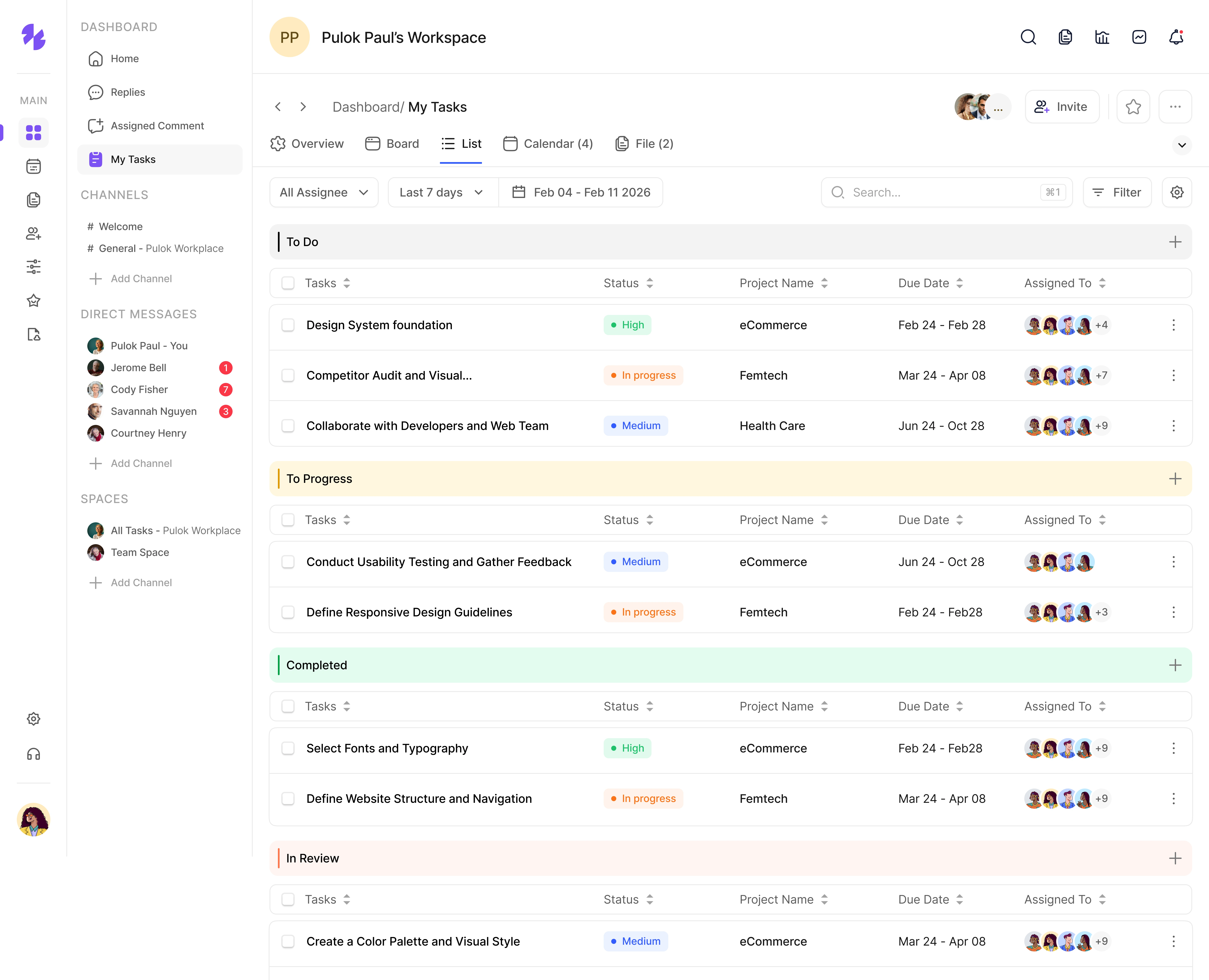
→ Clear column structure (Task, Status, Project, Due Date, Assignee)
→ Color-coded status & priority labels for fast recognition
→ Avatars to show ownership and team collaboration
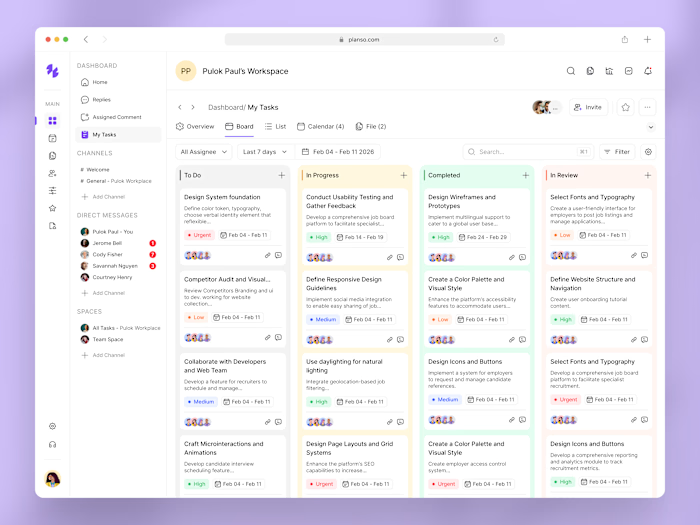
→ Section-based grouping (To Do, In Progress, Completed, Review)
→ Minimal UI to reduce cognitive load
🎨 UI Solution
The final List view delivers:
→ A modern SaaS task list interface
→ Strong visual hierarchy for quick scanning
→ Balanced spacing and typography for readability
→ Scalable components aligned with a design system
→ A calm, productivity-focused experience
📈 Outcome
→ Faster task review and prioritization
→ Improved visibility across projects
→ Reduced confusion in team collaboration
→ A scalable task management experience for growing teams
Follow us on
I am Available for New Projects & Remote Positions.
I'm currently available for new projects and remote positions. Let's chat!

Have a project in mind?
Like this project

Posted Oct 12, 2026

This design showcases the Task List view of Planso , a modern project management software built to help teams track work with clarity and control. The List view is designed for users who prefer structured, data-driven task management alongside collaboration. 🔍 Problem As projects scale, task lists often become difficult to scan and manage. → Status and priority are not instantly visible → Ownership and deadlines get overlooked → Lists feel cluttered and overwhelming → Context switching slows productivity 🎯 Goal Design a clean, readable Task List UI that enables teams to: → Scan tasks quickly → Understand status and priority at a glance → Track ownership and due dates easily → Stay focused on execution 🧠 UX Approach Key UX decisions behind this design: → Clear column structure (Task, Status, Project, Due Date, Assignee) → Color-coded status & priority labels for fast recognition → Avatars to show ownership and team collaboration → Section-based grouping (To Do, In Progress, Completed, Review) → Minimal UI to reduce cognitive load 🎨 UI Solution The final List view delivers: → A modern SaaS task list interface → Strong visual hierarchy for quick scanning → Balanced spacing and typography for readability → Scalable components aligned with a design system → A calm, productivity-focused experience 📈 Outcome → Faster task review and prioritization → Improved visibility across projects → Reduced confusion in team collaboration → A scalable task management experience for growing teams