Freelance QA Testers
Sign Up
Post a job
Sign Up
Log In
Filters
1
Projects
People
Aslam Zubair
Canada
ISTQB-Certified QA Engineer | Web, Mobile & API Testing

$1k+
Earned
1x
Hired
20
Followers
Follow
Message
ISTQB-Certified QA Engineer | Web, Mobile & API Testing
1
Mobile Game QA – Art Heist Puzzle (iOS & Android)
1
155
0
Virtusa | Digital Innovation Engineering
0
21
0
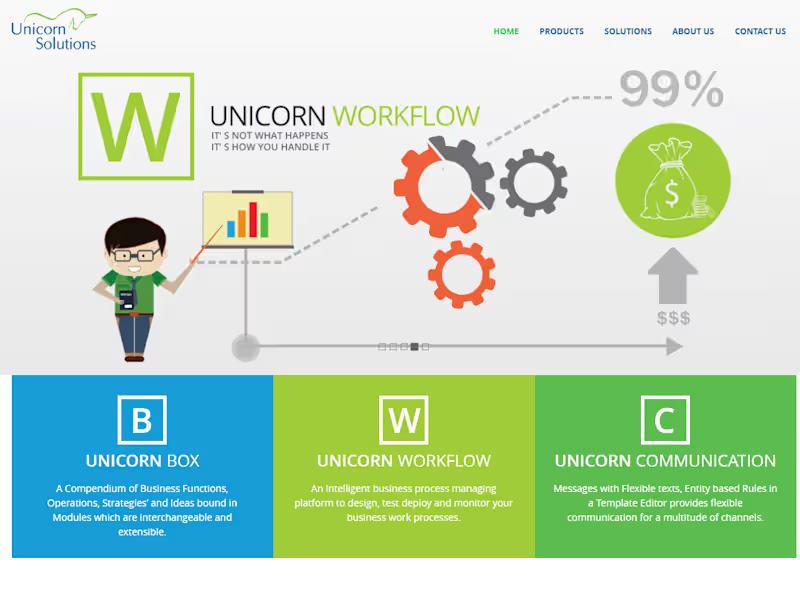
Unicorn Solutions | Credit Management
0
27
0
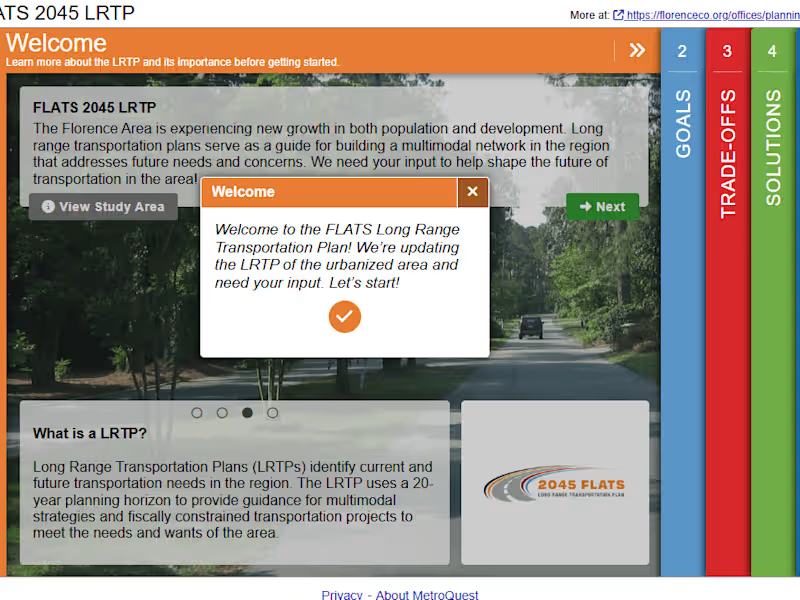
MetroQuest | Public Engagement
0
39
QA Tester
(4)
Follow
Message
Yash Dev
India
Mobile Engineer | Tech Consultant | Deputy Manager | UAE

$1k+
Earned
1x
Hired
5.0
Rating
25
Followers
Follow
Message
Mobile Engineer | Tech Consultant | Deputy Manager | UAE

0
Template based design tool | Mobile app
0
21
0
Restaurant App
0
27
0
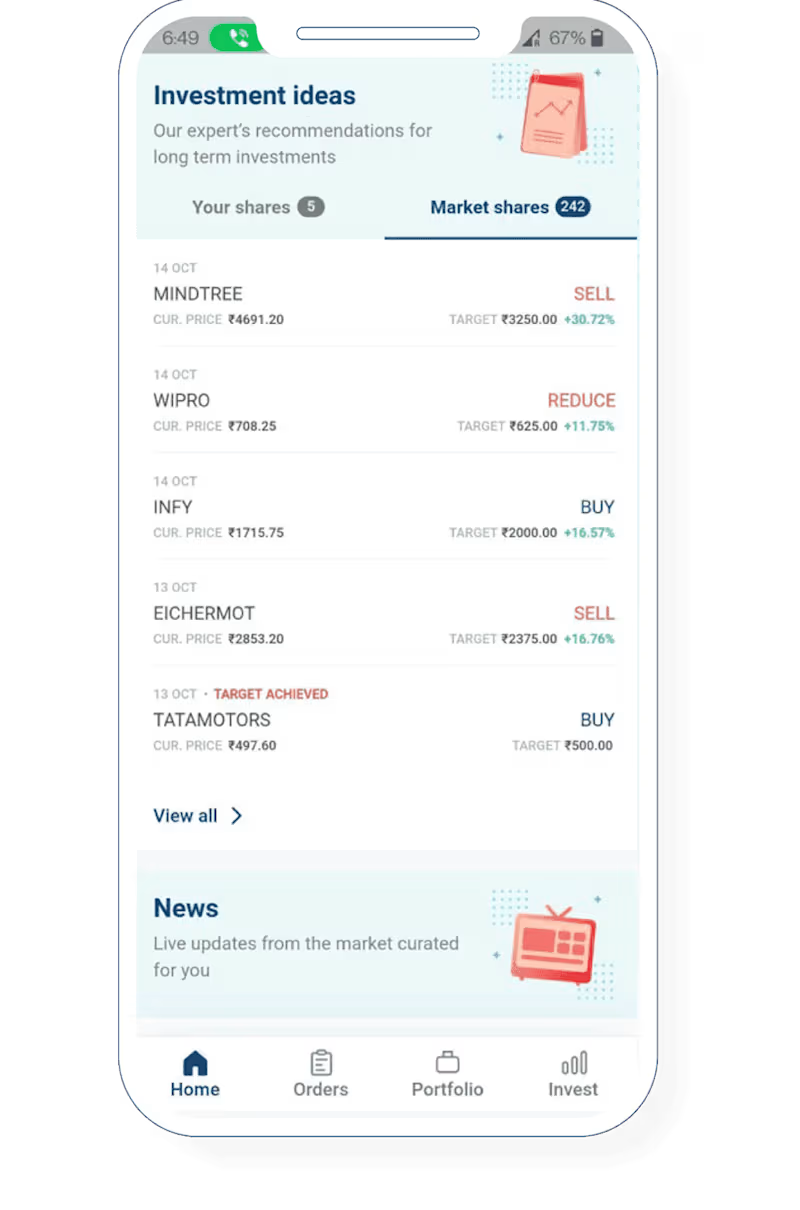
Stock Trading App
0
24
0
Brand Design & Digital Transformation in Concrete specialist
0
19
QA Tester
(3)
Follow
Message
Jason Roos
New York, USA
Seasoned Founder and Product Manager
$10k+
Earned
2x
Hired
5
Followers
Follow
Message
Seasoned Founder and Product Manager
0
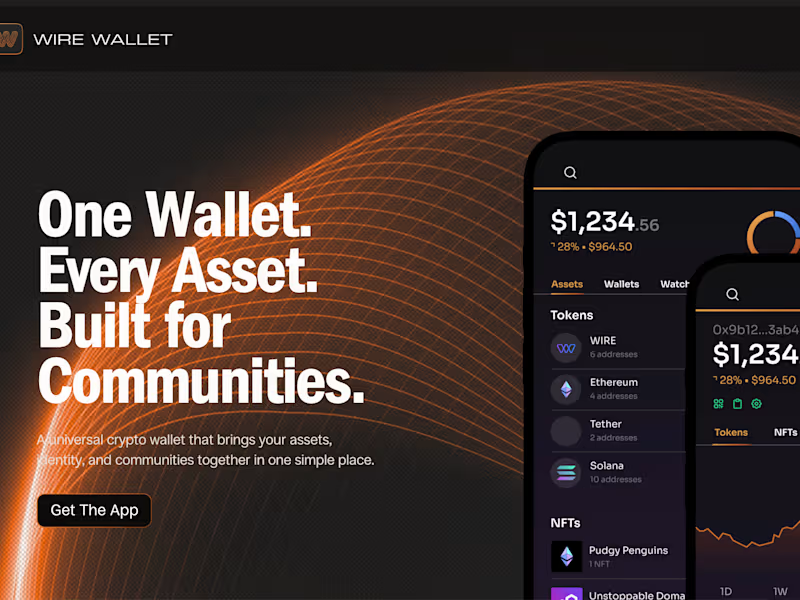
Wire Wallet
0
5
0
Glade AI
0
9
0
PARCREST
0
7
0
Dagger.io
0
4
QA Tester
(2)
Follow
Message
Nadzeya Yashchuk
Salzburg, Austria
Product Manager | Project Manager | Mobile, SaaS & Web
$10k+
Earned
1x
Hired
4
Followers
Follow
Message
Product Manager | Project Manager | Mobile, SaaS & Web
1
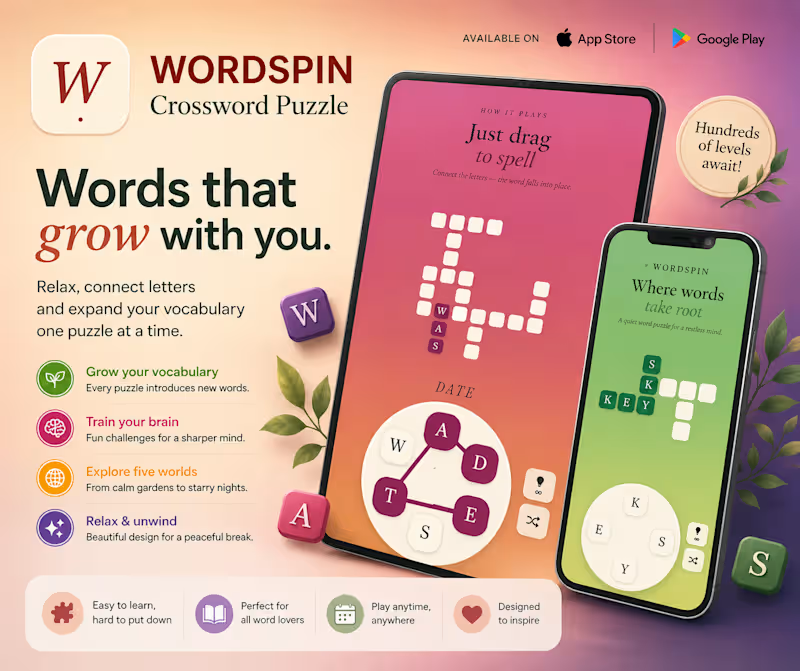
WordSpin is a calm crossword puzzle game for short, focused breaks. Spin the letters, drag to spell, and fill crossword-style grids one word at a time. It has 460 handcrafted levels, extra-word collecting, hints, achievements, and a gentle visual style built around relaxed play. No timers, no pressure — just letters, patterns, and that satisfying little moment when a word falls into place. iOS: https://apps.apple.com/us/app/wordspin-crossword-puzzle/id6774131462 Android: https://play.google.com/store/apps/details?id=com.enidev.wordspin #WordSpin #MobileApp #WordGame #PuzzleGame #GameDesign #iOS #Android #AppStore #GooglePlay
1
1
76
1
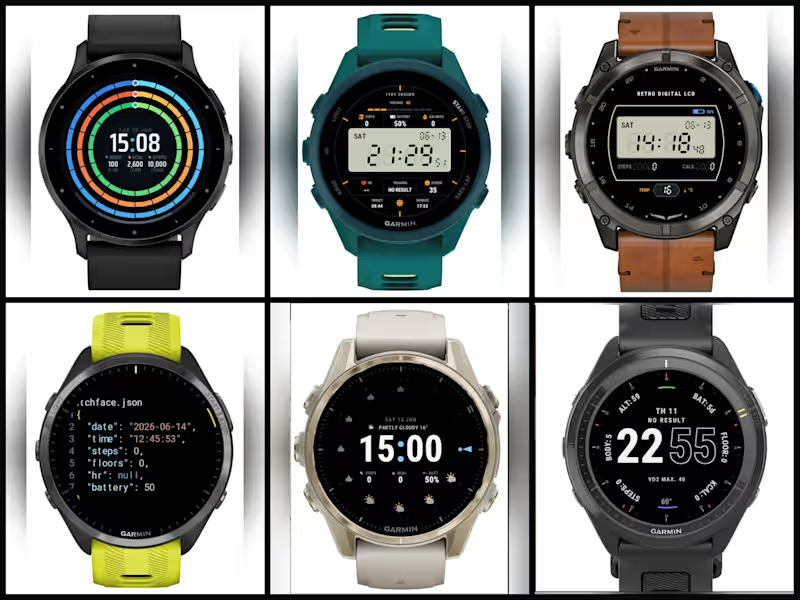
Built and shipped a collection of 16 Garmin watch faces and utility apps to the Connect IQ Store in collaboration with designer-developer Ivan Lukichev. My role covered the full publishing pipeline: writing app descriptions, preparing store listings, coordinating releases, testing on-device, and managing the submission process through Garmin's moderation. All 16 apps passed review on the first submission. The collection includes watch faces (Metric Rings, Progress Arcs, 1989 Sport LCD, Football 2026, and others) and utility data fields like Battery FIT. Apps are mostly free, actively downloaded, and have received 5-star reviews from users. More apps are currently in preparation. Connect IQ Store → apps.garmin.com/developer/99d754d0-1b13-4e24-b3af-833f50bc1ad1/apps
1
1
110
2
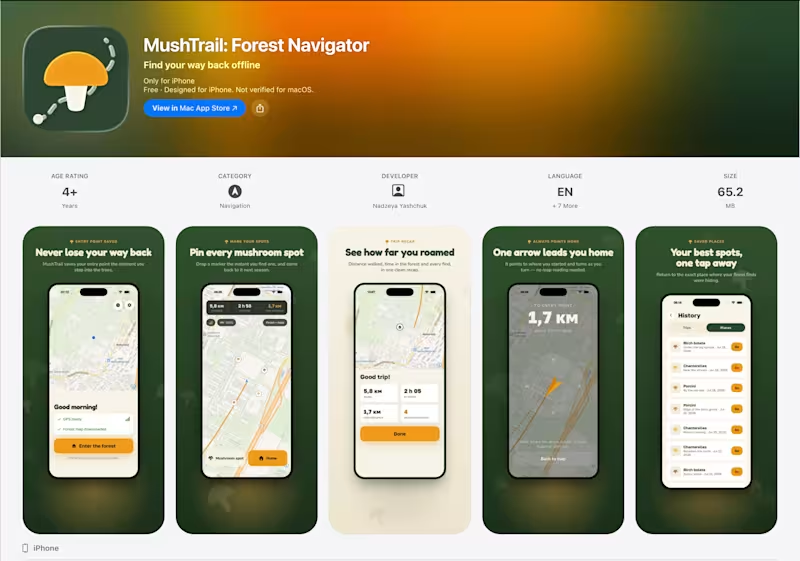
MushTrail helps you never lose your way in the forest. It records your path over GPS and always points you back home — fully offline, using just GPS and a compass. Built for mushroom foragers, it works for anyone who wanders off the trail. The idea and most of the engineering are Ivan's @Ivan Lukichev . I owned the part that takes a strong product and gets it into people's hands: • Localization into 8 languages (EN, DE, PL, FR, CS, FI, SV, RU) • Full ASO — names, subtitles, keywords, descriptions per locale • App Store Connect setup, subscriptions, and submission • Handling the App Review process end to end, including a Guideline 2.1 review round Result: approved and live on the App Store 🌲
1
2
54
2
Just shipped: VERT — Altimeter & Ski Tracker, live on the App Store. 🏔️ An honest altimeter and hike/ski tracker for iPhone, built around one idea: never lose your day, and never need a signal. The craft decisions I'm proudest of: → Crash-safe by design. Every recording writes to disk continuously — no "press stop to save," no lost day, ever. I tested it against real SIGKILLs. → Offline-first, for real. Barometer for altitude, no account, no cloud. Nothing leaves the phone. → Honest numbers. The ± you see is the accuracy the OS actually reports — I refused to fake a comforting figure. → Real photographs, not stock. The backgrounds are my own shots from the Austrian Alps, keyed to the altitude in their EXIF. → Buy once, $1.99. No subscription. The paywall isn't a hostage situation — the app is fully useful free. Ten languages. Made in Austria, on the trails it was built for. Version one — with plenty more, and Android, on the way. 🔗 apps.apple.com/app/id6791539934 🌐 vertaltimeter.app (http://vertaltimeter.app)
1
2
54
QA Tester
(2)
Follow
Message
Damilola Oludayo
Lagos, Nigeria
QA Engineer | Helping Teams Ship Reliable Web, Mobile, Web3
Follow
Message
QA Engineer | Helping Teams Ship Reliable Web, Mobile, Web3
0
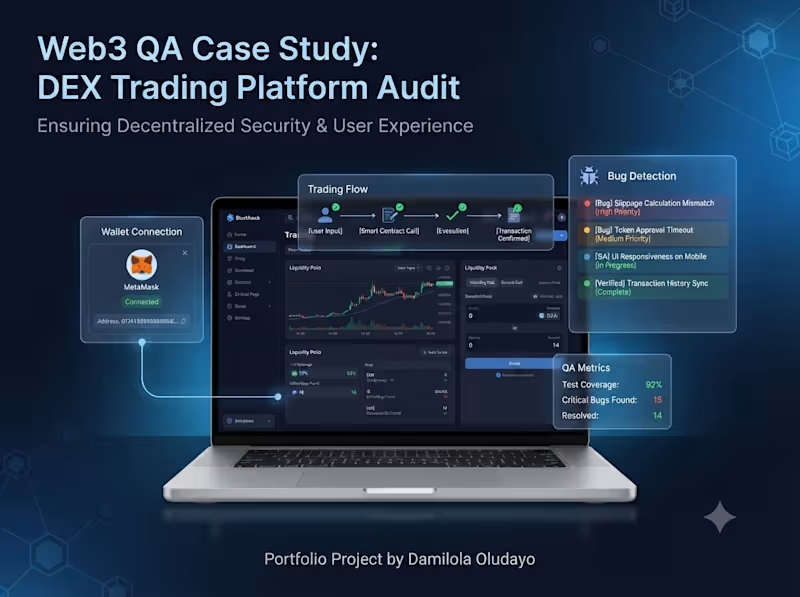
I conducted comprehensive QA testing on Fuji.Trade (http://Fuji.Trade), focusing on critical user journeys including wallet connectivity, trading workflows, onboarding, and overall user experience. During testing, I identified multiple functional and usability issues that could impact user confidence and platform reliability. Each issue was documented with clear reproduction steps, expected behavior, actual behavior, severity, and supporting evidence to help streamline developer investigation and resolution. This project highlights my ability to identify high-impact issues in Web3 applications while improving usability, reducing friction, and supporting more reliable product releases.
0
11
0
I conducted a structured UX and QA audit of a SaaS landing page to identify usability issues, conversion blockers, and onboarding friction that could reduce user sign-ups. The audit focused on mobile responsiveness, call-to-action visibility, navigation, sign-up flow, form validation, content hierarchy, and overall user experience. Each finding was documented with clear observations and practical recommendations designed to improve usability, increase conversions, and create a smoother onboarding experience. This sample project demonstrates the quality, structure, and level of detail clients can expect from my Landing Page & Sign-Up Flow UX Audit service.
0
21
3
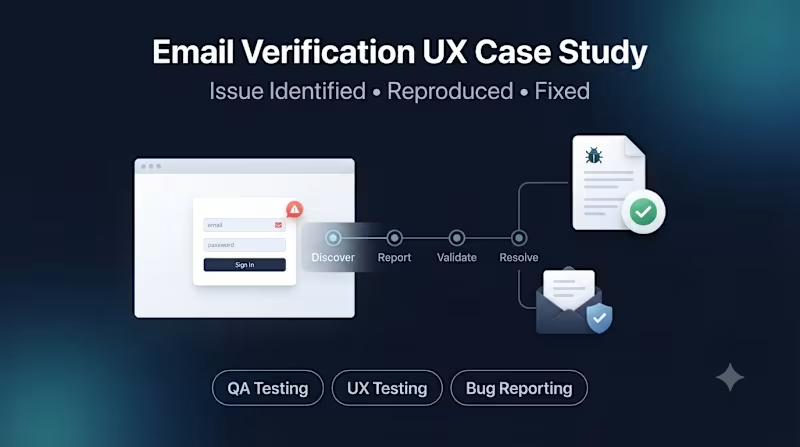
I went through it as if I were a founder deciding whether to hire you. This is the version I would publish. While testing Expirel as a public user, I identified a usability issue in the email verification flow that resulted in a confusing authentication error after successful verification. I documented the issue with clear reproduction steps, expected behavior, actual behavior, and testing environment details before submitting it to the product team. The team successfully reproduced the issue, acknowledged the UX concern, and later confirmed that the reported bug had been fixed. This case study demonstrates my approach to identifying reproducible issues, communicating them clearly, and contributing to product quality through structured QA and UX testing. If you’re building a SaaS, mobile, or Web3 product and want critical issues identified before your users find them, I’d be happy to help.
3
99
1
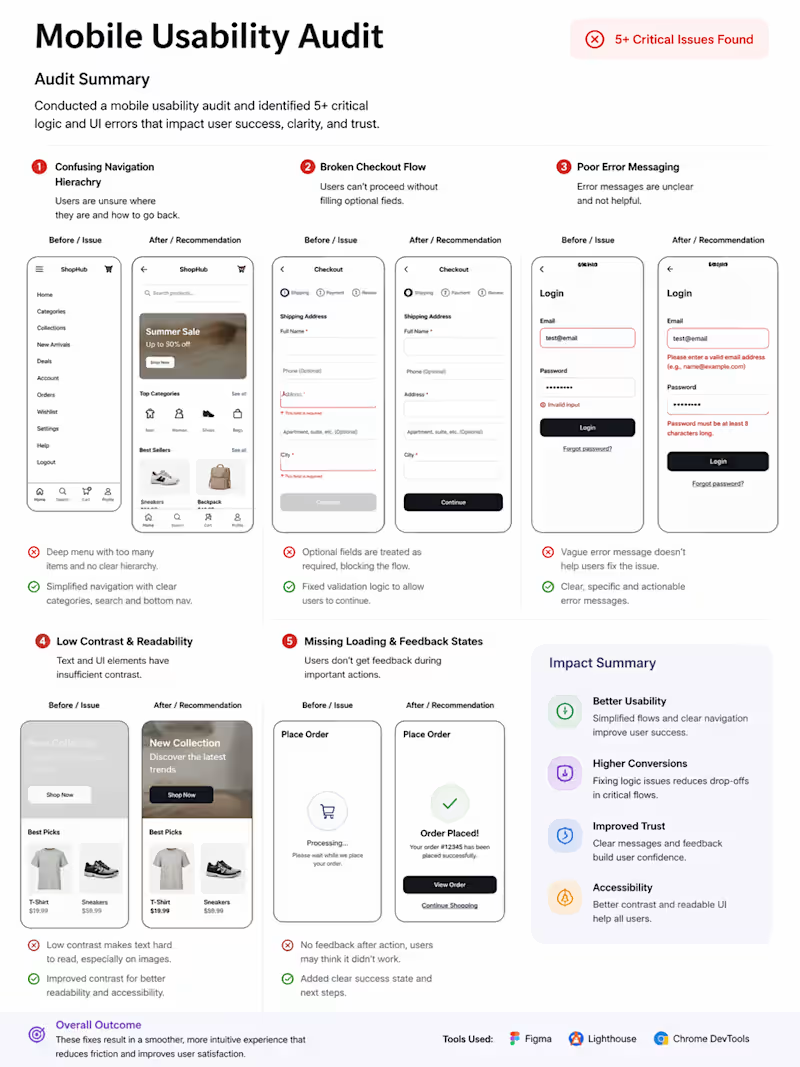
Identified 5+ critical UI & logic issues impacting user experience and conversions.
1
90
QA Tester
(6)
Follow
Message
Kaushik Bhingradiya
pro
Surat, India
Flutter & Full-Stack App Development Partner | MVPs, AI Apps
Follow
Message
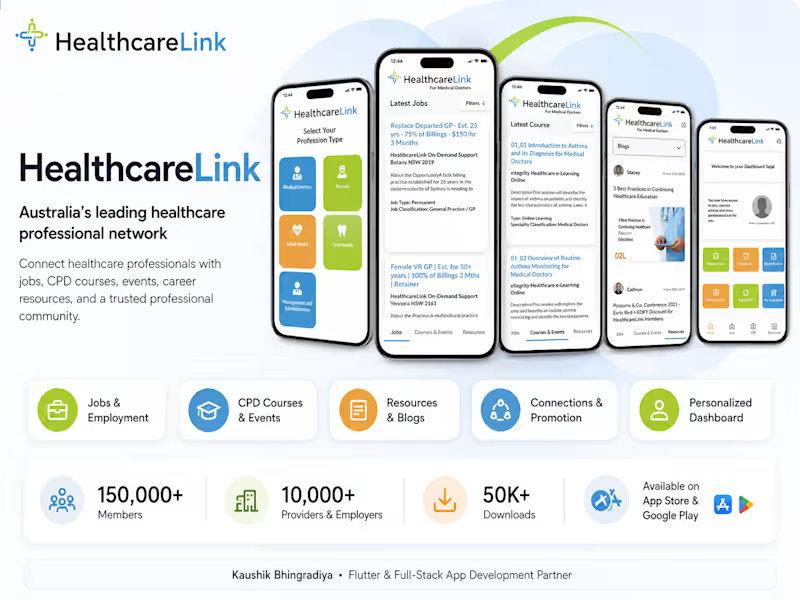
Flutter & Full-Stack App Development Partner | MVPs, AI Apps
1
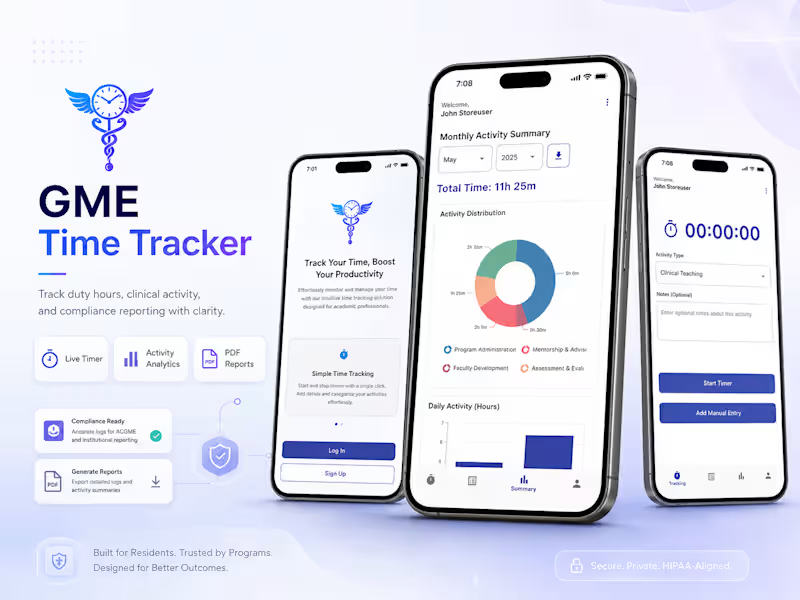
GME Time Tracker — Duty Hour & Clinical Activity Tracking Platform 1. Project Overview GME Time Tracker is a cross-platform mobile and web application built for Graduate Medical Education professionals, including medical residents, clinical fellows, attending physicians, and residency program administrators. The platform helps users accurately record duty hours and clinical activities, review logged time through visual summaries, and generate attestation-ready PDF reports for compliance and program audits. 2. Problem Statement Medical education programs require reliable tracking of resident duty hours and clinical activities to meet accreditation and reporting requirements. Manual tracking through paper records or fragmented spreadsheets can lead to inaccurate entries, missing logs, inconsistent time calculations, and difficulty preparing verified reports. The project needed a centralized system that could simplify time recording while improving the accuracy and reliability of compliance documentation. 3. Solution GME Time Tracker provides users with two flexible ways to record activities: live timers for ongoing shifts and manual entry for previously completed work. Users can categorize activities, add notes, review historical records, monitor time distribution through dashboards, and generate filtered PDF reports with formal attestation information when required. 4. Key Features Real-Time Activity Timer: Users can start, pause, and stop live timers while the application continuously calculates and stores elapsed time. Manual Time Entry: Past activities can be recorded using structured date, category, hour, minute, and note fields. PDF Report Generation: Users can select a date range and create downloadable reports containing logged activities, summary tables, and attestation statements. Activity Analytics: Interactive charts and category summaries provide a clearer view of total logged hours and activity distribution over time. Server Time Verification: Device time is checked against verified server timestamps to identify significant clock differences and reduce inaccurate time submissions. Professional Profile Management: Users can maintain academic and professional information such as degree, institution, medical position, and specialty. 5. User Experience Highlights The experience was designed around quick time recording with minimal interruption to clinical work. Users can choose between live tracking and manual entry depending on the situation, while dashboards summarize activity without requiring users to review individual records manually. Responsive layouts allow the same core workflow to remain accessible across mobile and web. 6. Technical Highlights The application was developed using Flutter and Dart for mobile and Flutter Web for browser access, with GetX handling state management. Firebase Authentication supports email and password login, while Firebase Firestore stores user profiles, active timers, and activity records. Firebase Hosting and CLI tools support web deployment. A server timestamp verification mechanism compares trusted backend time against the device clock to help prevent invalid time logs. 7. Challenges & Solutions Cross-platform PDF storage required different handling across Android, iOS, and Web. The implementation used platform-specific file-saving approaches, including mobile storage handling and browser-based downloads. Another challenge was maintaining accurate timer behavior when the application moved between foreground and background states. Server-backed timestamps and lifecycle-aware calculations were used to reduce inconsistencies caused by device clock manipulation or application state changes. 8. Results & Impact The project delivered a multi-platform duty-hour tracking solution for Android, iOS, and Web. Residents can record clinical shifts through live or manual workflows, review activity summaries, and generate verified PDF reports for compliance documentation. 9. Key Takeaway GME Time Tracker demonstrates how a compliance-focused healthcare workflow can be translated into a practical cross-platform product that combines reliable time tracking, reporting, analytics, and time-verification safeguards in one system.
1
57
1
RandaLogs Rider — Mobile Delivery Rider App Overview RandaLogs Rider is a cross-platform mobile application built for delivery riders and courier drivers in Nigeria. The app manages the complete rider journey from phone verification and document approval to receiving nearby delivery jobs, navigation, real-time tracking, customer communication, delivery completion, and cash collection. The application was delivered for both Android and iOS using Flutter. Problem Statement The delivery platform needed an efficient way to assign orders to available riders based on proximity and track each delivery until completion. Riders needed a mobile-first workflow that allowed them to quickly accept jobs, locate pickup and drop-off points, navigate between locations, update delivery status, communicate with customers, and manage Cash on Delivery orders without relying on multiple tools. Solution RandaLogs Rider brings the full delivery workflow into one application. After verifying their phone number, riders complete registration by uploading identity and vehicle documents for approval. Once approved, they can go online, continuously share their location, receive nearby orders in real time, view routes on a map, complete deliveries, and update payment and delivery statuses. Key Features OTP Authentication: Firebase Phone Authentication verifies riders through SMS before account creation. Rider Verification: Riders upload ID and vehicle documents, with access to orders restricted until approval. Online Availability & Live Tracking: Riders can switch online while foreground location services continuously send their position. Nearby Order Assignment: Current rider location is sent to the backend, which assigns nearby delivery requests. Real-Time Order Updates: Socket.IO (http://Socket.IO) keeps location, order state, and delivery activity synchronized. Maps & Navigation: Google Maps SDK and Directions API display pickup/drop-off locations and route polylines. Delivery & COD Management: Riders update pickup and delivery states and record cash collection at the required stage. Customer Chat: In-app messaging allows riders to contact customers without leaving the delivery workflow. Push Notifications: Firebase Cloud Messaging and APNs notify riders about new jobs and order updates. Technical Highlights The app was built with Flutter and Dart, using GetX for state management and dependency injection. A custom REST API handles backend communication, while Socket.IO (http://Socket.IO) supports real-time events. Firebase provides Phone Authentication, Cloud Messaging, App Check, and Crashlytics. Device location is captured through Geolocator, with foreground services maintaining updates while riders are travelling. Challenges & Solutions A key challenge was maintaining reliable live location while handling different Android and iOS permission requirements. The implementation combined native permission flows with foreground location services and required additional work to satisfy Apple’s review requirements. Real-time synchronization between rider location and order status also required careful Socket.IO (http://Socket.IO) handling. Results & Impact The two-person team completed the project in approximately two months and shipped the rider application on both Android and iOS. The finished product supports the complete operational flow from rider onboarding and verification through order assignment, navigation, delivery tracking, communication, and cash collection. Key Takeaway RandaLogs Rider demonstrates how real-time location, logistics workflows, mapping, authentication, and payment-status handling can be combined into a focused mobile experience built for riders working continuously on the move.
1
56
2
VEDV One app, four roles, turning printed textbooks into a connected school platform. Overview VEDV is a Flutter app (iOS, Android, web/desktop) that serves as VEDV Publication's all-in-one school platform. From a single codebase it presents four different experiences based on login , Student, Teacher, School Admin, or Guest/Parent with UI gated by role flags. At its core, it turns printed textbooks into connected digital lessons: students scan a QR code on a physical book and land directly on the matching video, PDF, quiz, or test. Around that sits a full learning library, three Gemini-powered AI assistants, and a School Hub that auto-generates school documents all layered over one educational-safety policy that keeps AI responses age- and subject-appropriate. For teachers and admins, the same app doubles as a school-operations backbone: attendance, marks, marksheet and ID-card generation, certificates, fees, notices, calendars, and real-time 1:1 chat. The Problem Schools run on disconnected tools one system for content, another for attendance, spreadsheets for fees, WhatsApp for parent updates with no link between a printed textbook and any digital follow-up. A publisher's book is a dead end once printed. The result is duplicated data entry and no single, trustworthy view into a child's attendance, results, or fees. VEDV bridges that gap: one role-aware app where the QR scan turns a static book into an interactive lesson, and the same platform runs the school's day-to-day operations so content and operations reinforce each other instead of living in silos. Key Features QR Book Scan — Scans a printed textbook's QR code and opens the exact matching content (video, PDF, quiz, audiobook), filtered by role, students see learning material, teachers additionally get lesson plans and answer keys. AI Assistant with Chapter-PDF & Multi-Format Export (Unique) — Type, speak, or photograph a question; the AI answers grounded in the actual chapter PDF and can export a real downloadable worksheet, lesson, or presentation as PDF, PowerPoint, or Word. School Hub AI Design Generator (Unique) — Describes a poster, ID card, or notice in plain language, asks smart follow-up questions, then generates a print-ready design using the school's real logo and brand colors. STEAM-L AI Tutoring Suite (Unique) — Six subjects (Science, Tech, Engineering, Arts, Math, Languages), each with an AI tutor, auto-generated quizzes, an English corrector, and a full voice-mode conversation gamified with streaks, XP, and hearts. Tech Stack Mobile: Flutter · Dart · GetX (state, routing, DI) · GetStorage (local persistence). Backend: REST API via Dio · Laravel · MySQL · Firebase (Auth, Realtime Database for chat/presence, Cloud Messaging). AI: Google Gemini (routed through a shared safety-guardrail layer). Infra: GitHub · Sentry (crash/performance monitoring). Results & Key Takeaways AI responses are unreliable in raw form the real fix was building a robust clean-up layer that recovers useful content even from malformed AI output, rather than trusting the model directly. Never hard-wire a single AI model each request tries a preferred model and falls back through alternatives with retries, since models get updated or retired often. Security gap flagged for next iteration: AI API keys currently live inside the app itself and should move server-side before wider distribution. The same AI-handling logic (retries, fallbacks, safety rules) was duplicated across features next step is consolidating it into one shared component. The "one app, four roles" model worked well but role-permission logic is scattered across screens recommend centralizing role management into a single control point.
2
73
1
CarHeat Turns "it's hot outside" into a car-specific cabin temperature, before it's dangerous. Overview CarHeat is a Flutter app (iOS + Android) that predicts how hot a parked car's cabin will actually get, using live weather for the exact parking location combined with the vehicle's own physical properties like paint color, body type, interior material, and window tint. It returns one number with a severity band (SAFE / WARM / HOT / DANGEROUS / EXTREME) and a plain-language warning like "dangerous for kids and pets." The Problem Standard weather apps report ambient temperature only they don't account for how a black SUV with leather seats in full sun heats up completely differently from an untinted white hatchback in shade, even on the same day. Parked cars can hit lethal temperatures far faster than people expect, and there's no trustworthy signal telling drivers when or how to act. CarHeat closes that gap by turning "it's hot out" into a concrete, car-specific cabin number backed by the physics behind it. Key Features Parked-Car Heat Estimate (Unique) — Steady-state thermal model combining solar load, body/window heat absorption, interior material, ambient boost, wind cooling, and UV, calibrated against two published heatstroke studies (McLaren 2005, Vanos 2018). Live Weather via Apple WeatherKit — Real-time conditions for the car's exact location, pulled server-side via a signed JWT. Apple Watch Companion & Complication (Unique) — Check cabin heat, mark "I parked here," and manage reminders from the wrist; built as a fail-safe native bridge that's inert on non-iOS devices. Tech Stack Mobile: Flutter · Riverpod (state) · Dart, Swift, Kotlin. Backend: Firebase (Cloud Firestore, Cloud Functions on Node 22/TypeScript, Auth, Cloud Messaging, Remote Config, Crashlytics, Analytics) · REST API. Infra: GitHub · Server-side cron sweep (3-min interval) for reminder dispatch instead of per-job scheduling, to keep costs near zero at scale. Results & Key Takeaways Removed account creation entirely (was stalling ~2 min on some Android devices) device-based identity restores the same user silently after reinstall. Every ad placement is remote-configured, not baked into the build, so ad load can be tuned or killed with no app release. Batched reminder delivery keeps server cost near zero, trading a few minutes of delivery precision for near-zero unit economics. The core differentiator a vehicle-specific, physics-calibrated cabin temperature rather than a generic weather reading is the clearest thing to lead with in store listing and marketing copy.
1
77
QA Tester
(4)
Follow
Message
Manoj Rana
Dadri, India
A Full Stack QA[6+ YOE] to perform End to End testing.
New to Contra
Follow
Message
A Full Stack QA[6+ YOE] to perform End to End testing.
0
🚀 Need reliable test automation for your web application? I recently set up a complete CI pipeline using Jenkins + Selenium + Java + TestNG + Maven, where Jenkins automatically: ✅ Pulls the latest automation code from Git ✅ Executes end-to-end test suites ✅ Generates detailed HTML reports ✅ Provides quick visibility into test results and failures I help businesses build and maintain: 🔹 UI Test Automation Frameworks 🔹 CI/CD Integration with Jenkins 🔹 Regression Test Automation 🔹 Performance Testing with JMeter & k6 🔹 Custom QA Automation Solutions If you're looking to reduce manual testing efforts and improve release confidence, let's connect. #QAAutomation #SDET #Selenium #Jenkins #TestAutomation #Java #TestNG #Maven #CI #SoftwareTesting #PerformanceTesting #WebAutomation
0
65
0
Professional End-to-End Test Automation Framework for SauceDemo A production-ready Playwright test automation suite built with TypeScript, demonstrating industry best practices for modern QA automation. 🎯 KEY FEATURES: ✅ Page Object Model (POM) architecture for maintainable test code ✅ Comprehensive test coverage including: • User login flows (valid/invalid credentials, locked accounts, performance users) • Complete e-commerce purchase workflows • Multiple user personas & edge cases ✅ TypeScript for type-safe, scalable test development ✅ Data-driven testing with JSON test data management ✅ Playwright test runner with HTML reporting ✅ Cross-browser test capability configuration 📂 PROJECT STRUCTURE: • Page Objects (web/pages/) - LoginPage, BuyProductPage • Test Cases (web/testcases/) - Login tests, Purchase flow tests • Test Data (dataObjects/testData/) - User credentials & scenarios • Configuration files (playwright.config.ts, tsconfig.json) 🔧 TECHNOLOGIES: • Playwright 1.61.0 • TypeScript • Node.js • HTML Test Reports
1
0
156
0
Built a Selenium Automation Framework using Java and TestNG for automated web application testing. Implemented Page Object Model (POM), DataProvider-based parallel execution, reusable utility classes, cross-browser support, and automated validations for multiple application modules. Integrated assertions, browser management, and scalable framework design to improve test execution efficiency and maintainability. github - https://github.com/mrmanojrana431/saucedemo-selenium-java-automation-test
0
63
0
Designed and executed an end-to-end performance test scenario for flight booking workflow on BlazeDemo. Created JMeter scripts covering: ->Launch Application ->Select Departure & Destination ->Choose Flight ->Complete Flight Booking ->Booking Confirmation Implemented dynamic correlation using XPath Extractors and Regular Expression Extractors. Added Assertions for response validation. Configured Think Time to simulate realistic user behavior. Executed load test with 10 concurrent virtual users. Analyzed performance metrics using Aggregate Report. Maintained test scripts in Git repository with version control. Tools & Technologies: Apache JMeter 5.6 XPath Extractor Regular Expression Extractor HTTP Cookie Manager Git & GitHub Deliverables: JMeter Test Plan (.jmx) Execution Video Recording Test Results & Aggregate Report Source Code Repository Github - https://github.com/mrmanojrana431/jmeter_blazedemo
0
58
QA Tester
(4)
Follow
Message
Natalie Becker
Germany
Funnel System Setup & Testing Online Events, Full User Flows
5.0
Rating
2
Followers
Follow
Message
Funnel System Setup & Testing Online Events, Full User Flows
1
I went through a full purchase flow just recently before our webinar launch — sales page, checkout, upsell, emails, the whole flow. At first glance, nothing looked off. But going through it like an actual user, a few things started to surface. In one path, the upsell linked to the wrong offer. In another, the welcome email never arrived. Access only worked because I used the password reset option — otherwise, nothing happened. These were the kinds of issues that started to surface. What I notice quite often in funnels is this: everything works in isolation, but the transitions between systems are where things actually break. And no one really sees it, because most tests follow the expected path, and most testers are part of the bubble in which the flow was originally created. This is often where it helps to have someone outside the original setup, with an eye for UX, flow logic and the smaller details that tend to be overlooked. That’s usually where QA becomes less about checking things and more about understanding how the system actually behaves under slightly different conditions. Not perfect conditions, just ordinary ones. I’d be curious how you currently approach testing your purchase or access flows.
1
1
105
0
QA-Driven Testing of Purchase, Access & Email Automation Flows This work involved QA-driven testing and validation of complete digital purchase and access flows for online products and summit-related offers. The scope covered functional verification of the full user journey — from checkout to post-purchase access — with a focus on system reliability, logical consistency, edge cases, and real user behavior. Key responsibilities included: - End-to-end testing of purchase flows (products, add-ons, upsells, all possible paths) - Verification of checkout behavior, pricing logic, and product availability - Validation of redirects, thank-you pages, and upsell sequences - Testing of post-purchase access logic (email delivery, member area access, product unlocks) - QA checks of email automation systems (tags, lists, sequences) - Validation of form logic and embedded workflows (e.g. Typeform) - Re-testing after implemented fixes to ensure stable behavior Testing was performed with a strict QA mindset, focusing on functional correctness and system behavior — not on visual design, UX/UI, or business strategy. Service Output: Documented QA findings and a validated purchase & access flow, including minor fixes where feasible. Scope boundary: This work concludes with documented QA validation and implemented minor fixes. Ongoing optimization, redesign, or long-term system responsibility are excluded.
0
78
0
Live Event Technical Support & QA Monitoring (Online Summits & Live Events) This work involved real-time technical support and QA monitoring during live online events and multi-day summits. The focus was on ensuring system stability during critical live phases, including event start, livestream transitions, and speaker handovers. Key responsibilities included: - Monitoring livestream setups (e.g. YouTube, Facebook) - Observing WordPress-based event environments - Validating system behavior against expected configurations - Identifying technical issues and inconsistencies in real time - Performing defined interventions where possible - Documenting issues and handover for further resolution The work required continuous attention to system behavior under real-time conditions, with a strong focus on reliability and structured issue handling. This role was not focused on full troubleshooting or event management, but on maintaining technical stability and visibility during live execution.
0
76
0
AI-Powered Event Operations: Automating Attendee Insights Overview: I designed and implemented a custom automation ecosystem for a large-scale online event to eliminate manual data handling. By connecting Typeform, OneDrive, and Slack, I transformed a chaotic manual process into a streamlined, AI-categorized workflow that recovers critical "brain capacity" for the core event team. The Challenge: The project faced a massive manual workload behind the scenes. Attendee data had to be exported, analyzed, and filed into spreadsheets by hand. This led to a significant delay in information sharing, leaving the team on Slack without real-time insights during critical event phases. The Solution: I built a multi-step automation using Zapier that does more than just move data: AI Categorization: Integrated an AI step (GPT-4 via Zapier) to analyze and categorize attendee responses in real-time. Automated Filing: Structured data is automatically filed into a Slack Canvas for immediate team access and a OneDrive Excel sheet for long-term tracking. Smart Quality Assurance: Built-in filters ensure only relevant, high-quality entries proceed to the team view. Interval Notifications: To prevent "notification fatigue," I added a digest step that sends a summary report to the Slack channel every three days, including direct links to new entries. The Results: - Time Savings: Manual operations were reduced from several hours per week to just a few minutes of monitoring. - Reduced Dependency: Shifted the process from permanent human dependency to sporadic system maintenance. The client is no longer reliant on a full-time assistant for data handling, only on occasional oversight. - Scalability: The system is built for "qualified maintenance"—it can be quickly adapted for future events, replacing repetitive copy-pasting with a scalable architecture. - Deliverables: In addition to the automation, I provided a visual process map (SOP) and a Loom walkthrough to ensure the client’s team can manage the system internally.
0
47
QA Tester
(3)
Follow
Message
Explore people