AI-First App Developer | Claude, Supabase, n8n

AI-First App Developer | Claude, Supabase, n8n

Nocode/Lowcode Expert: Build Apps, and AI Automations
Nocode/Lowcode Expert: Build Apps, and AI Automations






2xCommunity champion of the year | Flutterflow Expert



View more →

SaaS MVP Expert | 3 MVPs Shipped | Full-Stack Developer
SaaS MVP Expert | 3 MVPs Shipped | Full-Stack Developer




Make.com Level 5 & Zapier Expert: AI and Ops Automation

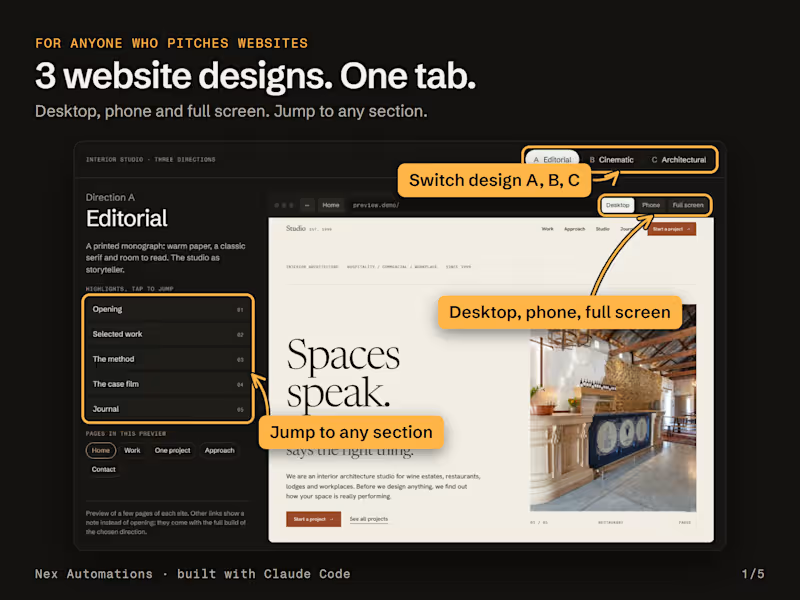
How do you show a client three website directions on one call without drowning in tabs?
This week we stopped juggling. We built a presenter page with Claude Code and ran the whole call from one tab.
The problem it solves: on a design call you open a tab per concept, resize the window to "show mobile", scroll hunting for the section you meant, and the client loses track of which version is which. The work was fine. The way we showed it wasn't.
What it does, all in one tab:
Direction tabs across the top. The real site runs inside a browser frame, so scrolling, hover states, animations and video all work live.
Desktop or Phone. Phone is a true 390 px view. Desktop renders the real 1440 px layout scaled to fit, so you see the actual design, not a squeezed one.
Full screen in one click, made for screen sharing.
Highlight buttons that jump the site straight to the section you are talking about: the opening, the work grid, the film.
A short page list (home, one project and contact), so the walkthrough has a beginning, middle and end.
The guardrail designers will appreciate: only 4 or 5 pages of each site open. The landing page, one full project and the key pages. Every other link shows "This page comes with the full build" instead of opening. You pitch the real thing without handing over the build before there is an agreement.
It travels too. Packed as a zip, it runs from a double-click with no server and no install, so our partner can run the same demo on his own calls.
Why not just send a staging link? It opens every page, and on a call the client wanders off on their own. This keeps everyone on the same screen.
What I would tell any designer pitching websites: show the site moving. Scroll, hover and motion are exactly what a PDF can't show.
How do you present website concepts today: a PDF, a Figma prototype or a live link?
1
1
131
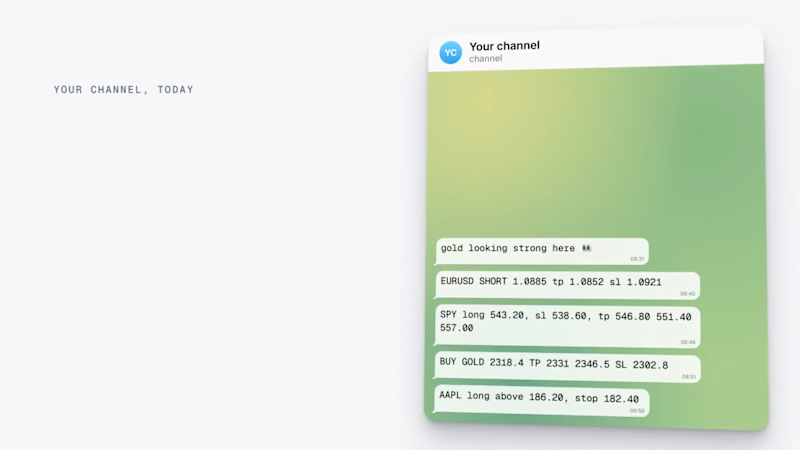
I made launch video for my own new Saas called Tickershare using Claude code. Rate it, share feedback and give me some tips.
2
2
176
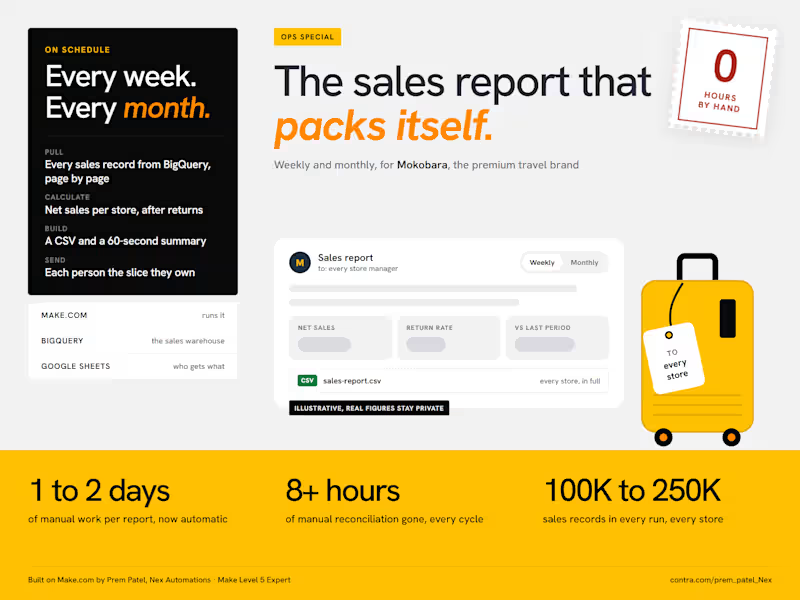
Does someone on your team lose a day or two building the sales report every week or month?
That was the starting point at Mokobara, the premium travel brand. Pulling sales across all their stores, checking returns, reconciling the numbers and emailing each manager took 1 to 2 days every cycle, with 8+ hours of that spent just reconciling.
I built them an automation on Make.com (http://Make.com) a few months ago. It has run on its own ever since, weekly and monthly:
Make pulls every sales record from BigQuery, 100K to 250K per cycle. That is too many for one request, so it reads them page by page and stitches them back together.
It calculates the numbers the team actually uses: net sales per store after returns and discounts, return rates and the change against the last period.
It builds a CSV with the full breakdown and a short email summary you can read in 60 seconds.
It reads a Google Sheet of store representatives and emails every one of them the report for their own store.
The result: the reporting problem is gone. The report went from 1 to 2 days of manual work to fully automatic, and the 8+ hours of reconciliation dropped to zero.
Two things I would do the same way again:
Calculate "net sales" in the automation, not in the warehouse. The business rule for what counts as a net sale is not what the raw data stores.
Send people their slice, not the whole report. One report for everyone gets skimmed by everyone.
The figures in the image are placeholders, the real ones stay with the client.
What report is your team still building by hand? Tell me where the data lives and I will tell you how I would automate it.
5
637

Naval Architect | AutoCAD, Rhino, Maxsurf & ANSYS
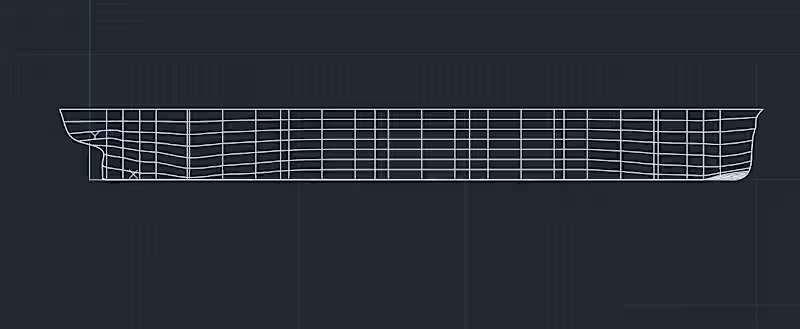
Ship Hull Lines Plan & 3D Modelling
Project Overview
This project showcases the development of ship hull geometry through an integrated 2D and 3D CAD design workflow.
The work combines a detailed Lines Plan with a corresponding 3D Hull Model, providing a coordinated representation of the vessel's hull form for naval architecture and marine design applications.
Project Objective
The objective was to develop a clear and consistent representation of the vessel's hull geometry, connecting traditional naval architecture drawings with three-dimensional hull modelling.
Design Process
1. Hull Lines Plan Development
Preparation of the principal hull geometry drawings, including:
Profile Plan (Sheer Plan)
Body Plan
Half-Breadth Plan
Stations and transverse sections
Waterlines and buttock lines
2. 3D Hull Modelling
Development of the corresponding three-dimensional hull form, representing the vessel's external geometry and surface arrangement.
3. 2D and 3D Geometry Coordinates
Organization of the 2D drawings and 3D model to provide a consistent representation of the hull form for design visualization and further engineering development.
Project Deliverables
Ship Lines Plan
Profile, Body, and Half-Breadth views
3D Hull Model
Hull Geometry Visualizations
CAD Drawings for Naval Architecture Applications
Final Outcome
The project demonstrates an integrated approach to hull geometry development, combining traditional 2D ship design documentation with modern 3D CAD modelling.
The resulting drawings and model provide a useful geometric foundation for design review and potential subsequent naval architecture and structural engineering work.
0
45
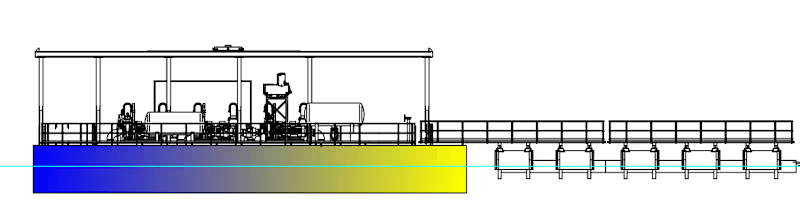
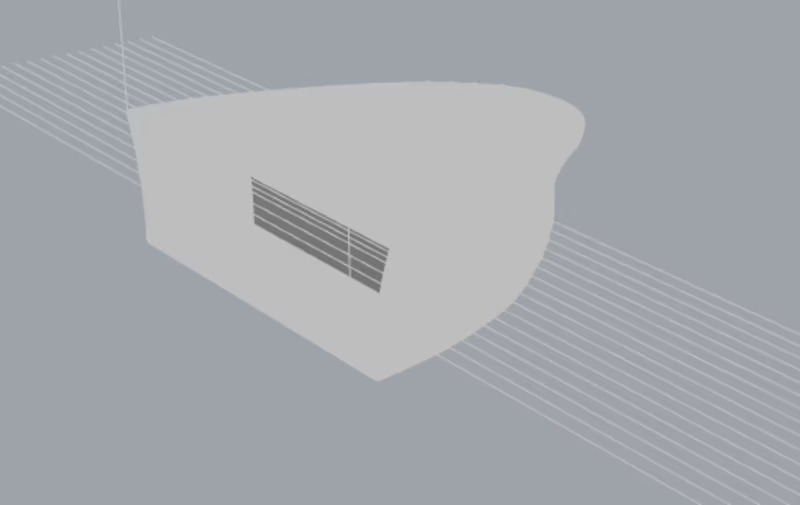
Ship Hull Reconstruction from Unclear Lines Plan
The original vessel lines plan was unclear and difficult to use directly for 3D modeling.
I reconstructed and refined the hull geometry based on the available lines, corrected inconsistencies, and created a clean 3D hull model suitable for further naval architecture work and design development.
0
93
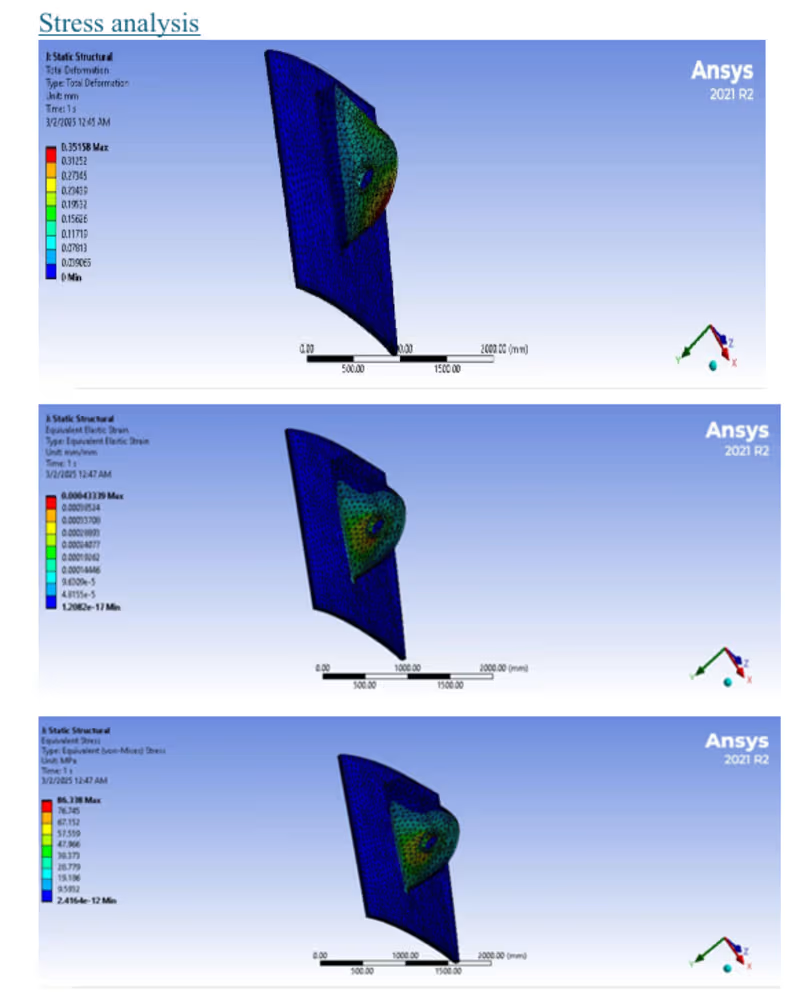
FEA Structural Analysis using ANSYS
Finite Element Analysis (FEA) project focused on structural stress evaluation using ANSYS Mechanical. The simulation includes stress distribution, deformation analysis, and structural performance assessment to validate the design under applied loads.
Tools: ANSYS Mechanical | Finite Element Analysis | Structural Simulation
0
100

Art Director & Content Creator for social and digital brands
New to Contra
Art Director & Content Creator for social and digital brands





Website Developer • UX UI Designer • WebApp Designer