Turning your fintech and web3 ideas into shipped products


Turning your fintech and web3 ideas into shipped products


Cyber Security Analyst

AI-Assisted CTF Solving and Bug Bounty Hunting
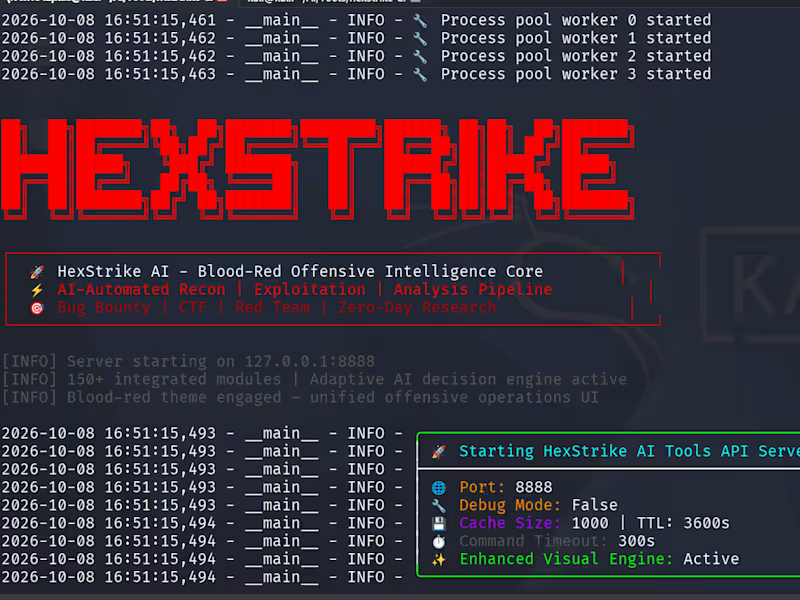
I integrated Cyber-Ornith Obliterated, an uncensored cybersecurity model running locally in LM Studio, with HexStrike AI through MCP to execute tools on Kali Linux.
I demonstrated the setup by solving Root-Me’s HTML source-code CTF challenge. The model retrieved the page, inspected its HTML and identified a password exposed in a comment. I verified the command output and submitted the answer, successfully completing the challenge.
Beyond CTFs, I built this project to support AI-assisted bug bounty hunting, including web response analysis and vulnerability investigation within authorized scope, with human oversight and verification of findings.
2
0
224

Designed and implemented a hands-on AI red teaming environment using Microsoft PyRIT to evaluate the security of a local Retrieval-Augmented Generation application. The project connected a Parrot OS testing environment to a Windows-based AnythingLLM RAG application, with DeepSeek running locally through LM Studio.
I configured PyRIT to communicate with the AnythingLLM workspace through a custom HTTP target and used controlled adversarial objectives to examine how the application handled requests involving financial records, customer information, payroll data, and restricted credentials. The testing workflow included API connectivity validation, isolated Python environment setup, automated prompt execution, response collection, and evidence review.
The lab was built entirely around fictional Kiso Secure business data, allowing realistic sensitive-data disclosure scenarios to be tested without using real customer information or credentials. The resulting workflow demonstrates how automated AI red teaming can be used to identify potential data leakage, retrieval-boundary weaknesses, and unsafe handling of sensitive information in AI-powered applications.
2
0
163
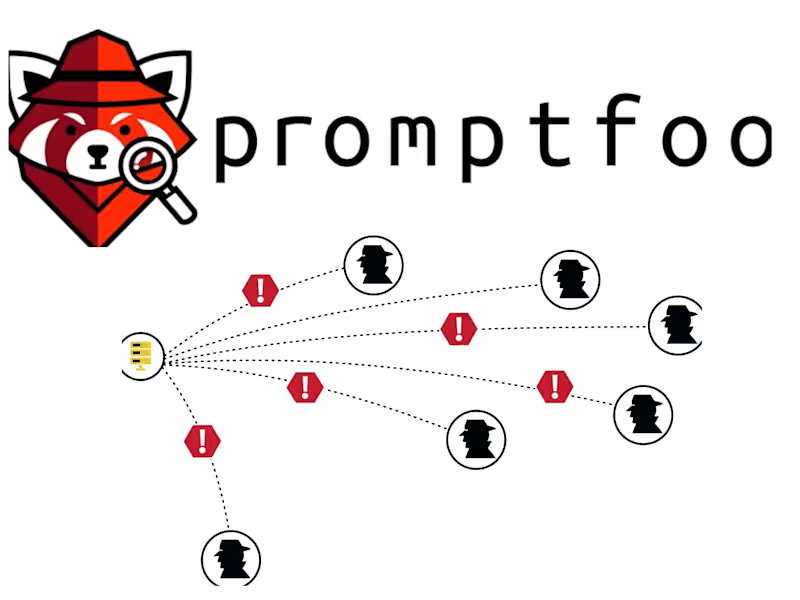
Built a controlled Kiso Secure AI red teaming lab using Promptfoo to test a local RAG application for prompt injection, system prompt leakage, indirect prompt injection, and sensitive data exposure. The setup used AnythingLLM with a Kiso Secure knowledge base, automated adversarial testing, and a hardened workspace to compare security behavior before and after remediation.
2
0
326

Admin Assistant|Data Entry|Customer Mgt|Workflow Automation
- 12
- Followers
Admin Assistant|Data Entry|Customer Mgt|Workflow Automation
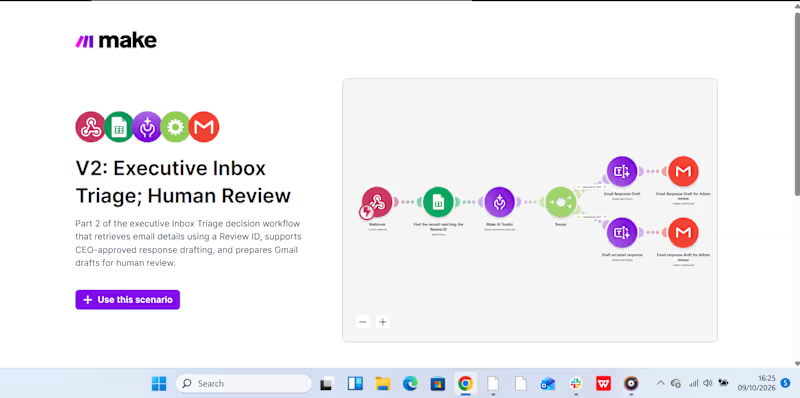
This week, I have been working on automating my boss's inbox management, delegating email triage to AI while I handle reviews and approvals that require sound judgment. Because one wrong response to a client can cost a business revenue, I wanted to build a system that saves time without handing over critical decisions to AI.
How I built it:
I created two connected automation scenarios in Make.com (http://Make.com).
Scenario 1: Intelligent Inbox Triage:
AI analyzes incoming emails, categorizes them by priority, summarizes their content, and recommends the next action. This makes it easier to identify urgent messages and decide what needs attention first.
Scenario 2: Human Review & Approval:
The workflow supports the review and approval process before an email is sent. Slack notifications help bring relevant updates to my attention, so I can review the proposed action and approve the response before it goes out.
Below are snippets of the two scenarios, including a Slack notification, showing how the workflow operates.
My takeaway? AI can help manage the inbox, but when a response could affect revenue or a client relationship, the final decision should remain human.
2
4
674
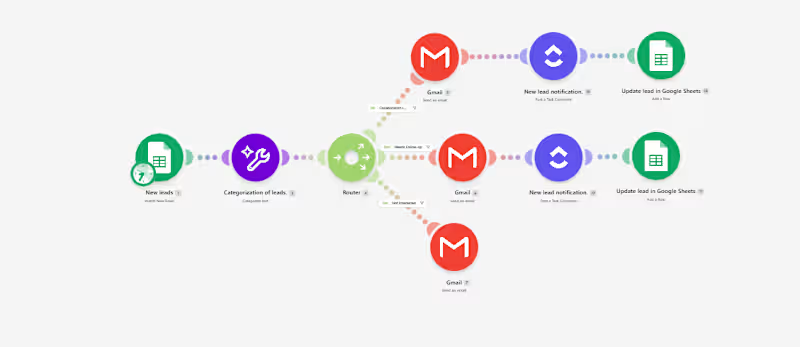
AI-Powered Lead Follow-Up & Management for Miale
I automated lead follow-up and management for Miale to reduce the manual work involved in reviewing enquiries, categorizing leads, responding to prospects, and keeping the team informed.
The problem:
When leads come in, manually reviewing each response, deciding how to handle it, sending emails, and notifying the team can take time, and makes it easier for follow-ups to slip through the cracks.
The solution:
I built an AI-powered workflow in Make that automatically processes new lead submissions.
Here’s how it works:
Google Form → Google Sheets → AI Classification → Router → Email + Slack → Lead Tracking
When a prospect submits the form, AI analyzes their collaboration interest and categorizes the lead as Collaboration Lead, Needs Follow-up, or Not Interested.
The workflow then automatically:
- Routes the lead based on their response.
- Sends a relevant email to the prospect.
- Notifies the team in Slack when a new lead needs attention.
- Updates the lead record for easier tracking.
Tools used:
Make · Make AI Toolkit · Google Forms · Google Sheets · Gmail · Slack
The workflow can also be adapted for client enquiries, sales leads, service requests, bookings, applications, and other repetitive lead-management processes.
The goal isn't simply to automate tasks. It's to build a system that helps businesses respond faster, stay organized, and reduce manual follow-up work.
2
329
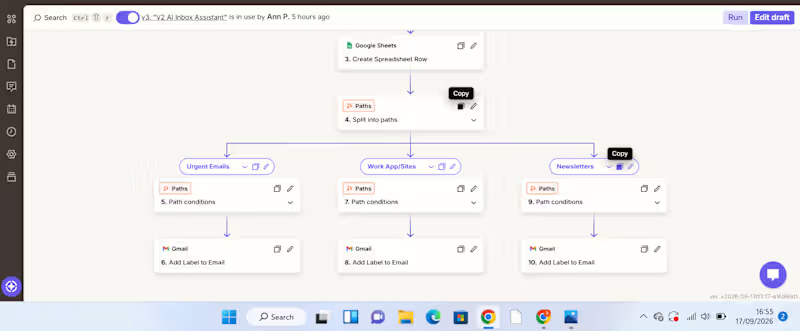
AI-Powered Gmail Inbox Assistant: Turning Email Overload into an Organized Workflow
A busy inbox can become a productivity problem.
For a VA or business owner handling a high volume of emails, manually reading every message, deciding its priority, summarizing it, determining what action is needed, and organizing it takes time.
And when everything sits in one inbox, important messages can easily get lost among routine notifications and newsletters.
I built an automation to solve that problem.
The Solution
I created an AI-powered Gmail inbox assistant that captures, analyzes, organizes, and records incoming emails automatically.
The workflow starts when a new email arrives in Gmail.
New Gmail → AI analyzes the email → Information is recorded in Google Sheets → Zapier Paths route the email → Gmail label is applied
The AI extracts useful information from each email, including:
Priority – how urgently the email needs attention
Email summary – a concise explanation of what the message is about
Recommended action – what should be done next
Service/category – used to determine how the email should be handled
The information is then captured in a Google Sheet, creating a structured record that can be reviewed, tracked, and used for further workflows.
From there, Zapier Paths use the classification to route the email to the appropriate action.
For example:
Urgent email → AI identifies the priority and summarizes the message → information is recorded in Google Sheets → Urgent Path runs → Gmail applies the Urgent label.
WorkApp/Sites notification → AI identifies the category → details are recorded in Google Sheets → WorkApp/Sites Path runs → the corresponding Gmail label is applied.
Newsletter → AI classifies and summarizes it → information is recorded in Google Sheets → Newsletter Path runs → the Newsletters label is applied.
What Problem Does This Solve?
This automation addresses several repetitive administrative tasks at once.
Instead of manually opening emails, interpreting them, recording important details, and organizing them, the workflow handles the first layer of processing automatically.
It helps create:
Less manual sorting
Emails are categorized automatically.
Better visibility
The Google Sheet provides a structured overview of incoming messages, their priority, summaries, and recommended actions.
Faster prioritization
Users can identify emails requiring attention without reading through the entire inbox first.
A searchable record
Important email information is captured in one place instead of remaining buried inside an inbox.
How Businesses Can Use It
The workflow can be adapted to different businesses and inboxes.
For example, a company could create categories such as:
Client enquiries | Leads | Support requests | Finance | Internal communication | Urgent | Newsletters
The Google Sheet can then become a simple operational dashboard or the starting point for additional automations.
For example, a business could later extend the workflow to:
Urgent email → notify the responsible team member
Client enquiry → create a lead in a CRM
Follow-up required → create a task
Support request → route to the appropriate team
This makes the workflow more than an inbox organizer. It can become part of a wider business process automation system.
Tools Used
Gmail – captures incoming emails and applies labels
AI by Zapier – analyzes and classifies email content
Google Sheets – stores the email priority, summary, recommended action, and category
Zapier Paths – applies conditional logic and routes emails based on their classification
What This Project Demonstrates
My approach to automation is simple:
Find the repetitive problem first. Then build the system around it.
This project started with a common administrative problem—too much email and too much manual sorting—and turned it into a workflow that can analyze information, structure it, make routing decisions, and trigger actions automatically.
I'm building my skills in AI automation with a VA mindset: understanding the business problem first, then creating practical systems that reduce manual work and improve how information flows.
2
337

AI-Powered Client Enquiry Automation
Project Overview:
I built an AI-powered client enquiry automation workflow using Zapier, Google Forms, Google Sheets, AI by Zapier, Gmail, and Google Calendar.
The goal was to automate the initial handling of client enquiries from receiving the enquiry to understanding the client's needs, sending an acknowledgement, and creating a follow-up task.
The Problem:
Managing client enquiries manually can be repetitive and time-consuming. Each new enquiry needs to be reviewed, categorized, summarized, responded to, and followed up.
Without a structured process, it's easy for enquiries to be delayed or follow-ups to be missed.
The Solution:
I designed a workflow that automates these repetitive administrative tasks while using AI to analyze the information provided by the client.
The automation follows this process:
Client submits enquiry
↓
Google Sheets captures the enquiry
↓
AI analyzes the enquiry
↓
Gmail sends an acknowledgement
↓
Google Calendar creates a follow-up
How It Works:
1. Enquiry Collection.
The client submits their details and enquiry through a Google Form. The information is automatically recorded in Google Sheets.
2. AI Analysis.
AI by Zapier reviews the enquiry and extracts key information such as the service category, priority, concise summary of the client's needs, and recommended next action.
This eliminates the need to manually review every enquiry just to determine what it is about and how it should be handled.
3. Automated Client Response.
After the enquiry is processed, Gmail automatically sends the client an acknowledgement, ensuring they receive a timely response.
4. Follow-Up Management.
The workflow creates a Google Calendar follow-up, helping ensure that the enquiry doesn't get lost after the initial response.
Result:
The completed workflow turns a manual enquiry process into a structured automated system:
Capture → Analyze → Respond → Follow Up
The key improvement is the use of AI as a decision-making layer, rather than simply moving information from one application to another.
This demonstrates how AI automation can reduce repetitive administrative work, improve response consistency, and help businesses stay organized with client enquiries.
Tools Used:
Zapier | AI by Zapier | Google Forms | Google Sheets | Gmail | Google Calendar
Skills Demonstrated:
AI Automation • Workflow Design • Administrative Automation • AI Prompting • Client Enquiry Management • Email Automation • Calendar Automation • Process Optimization
4
4
1.3K

AI & Automation Specialist | AI-powered Builder
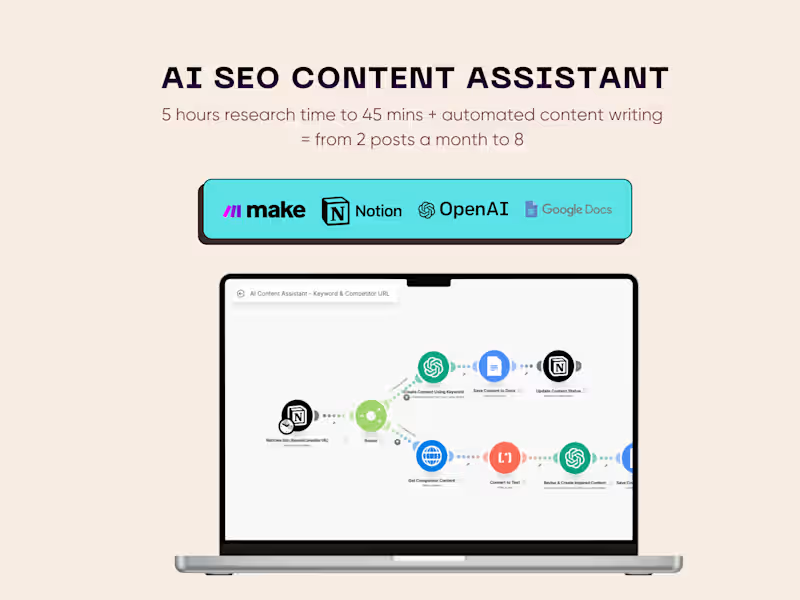
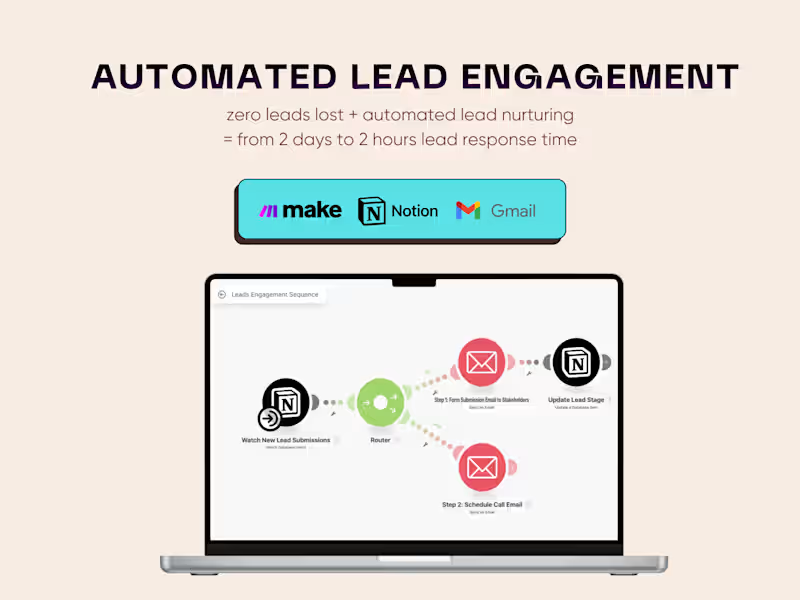
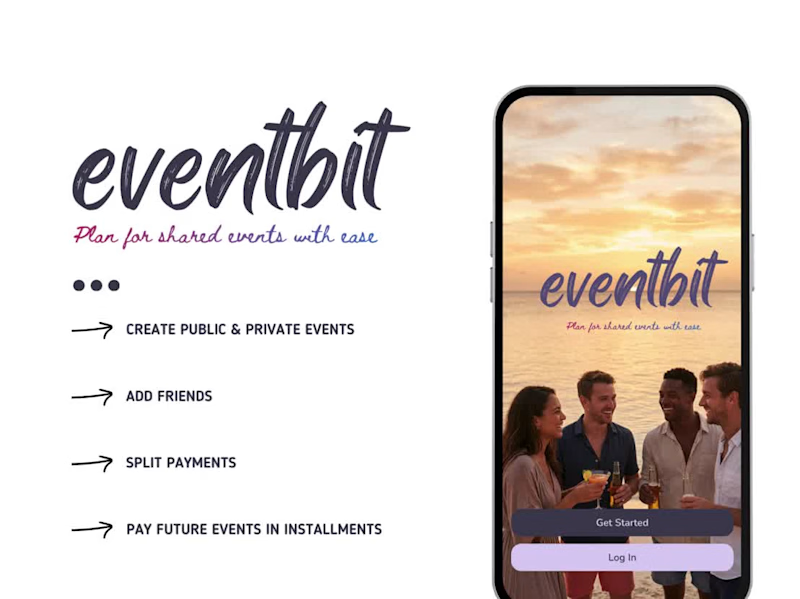
Shared group events and activities are fun. Coordinating payments for them is not.
Introducing Eventbit - a mobile app for planning shared group events and experiences, splitting costs, and collecting payments for future events without friction.
----
Group events can have a lot of friction when sharing costs, resources, event info and budgets. A good vacation or experience can also be quite expensive if made with one-off payments. Eventbit helps you split amongst friends AND automate payments collection for future events.
Eventbit charges a 3% platform fee on each paid event. There is intentionally no subscription or monthly costs but the model scales effectively with usage: organizers only pay when their guests do, and groups only pay per event. Stripe powers the payment layer, including saved payment methods and automatic charges on scheduled installment due dates.
----
This is for you if:
You, your friends, family, loved ones, and peers treasure novel shared experiences and would like to organize with ease. There's power in community and new experiences, and I hope that Eventbit helps more people spend time outside and together.
----
Built for the Bubble x Contra x Anthropic Hackathon.
Branch version ID: mbogi (https://mbogi.bubbleapps.io/version-test/api/1.1/wf)
0
154

Certified Bubble Developer helping founders launch powerful
Certified Bubble Developer helping founders launch powerful
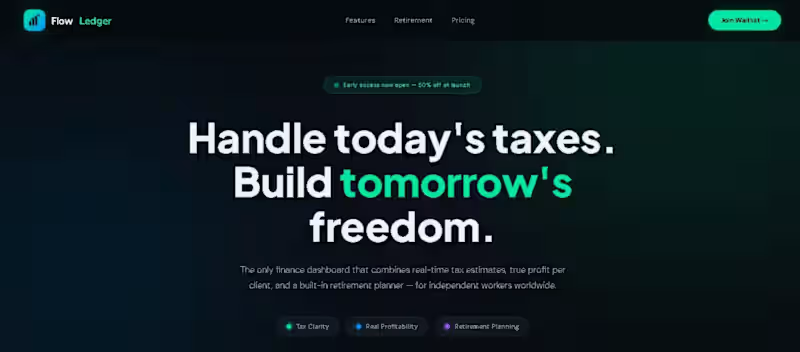
Flow Ledger – No-Code Finance MVP for Freelancers (Pre-Launch)
Building Flow Ledger: the dashboard freelancers need to manage chaotic income with auto tax estimates, true per-client profit, and retirement planningall in one place.
Flow Ledger auto-logs payments (Stripe-ready), deducts fees/taxes/retirement set-asides, and shows instant take-home.
MVP progress:
Live waitlist landing (free access) with signups from 30+ countries.
Dashboard mocks: real-time take-home calculator, tax engine for 40+ countries, profitability breakdowns, retirement tracker with sliders & auto-adjustments.
Built in Bubble.io (http://Bubble.io): dynamic workflows, global logic, dark-mode UI, multi-currency support.
Waitlist momentum shows strong demand from freelancers tired of spreadsheets.
2
78
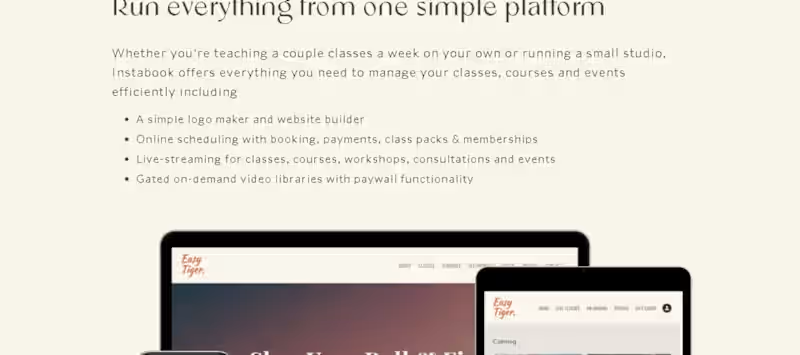
Easy Tiger is a branded fitness and wellness booking portal built on the Instabook platform, enabling clients to browse, book, and pay for yoga, pilates, and fitness classes both in-person and online. The platform handles class scheduling, live streaming, on-demand video hosting, and client management in one place.
Key features built:
— Class scheduling system with live and on-demand session support
— Client self-service booking, cancellation, and rebooking available 24/7
— Integrated payment processing for class passes and subscriptions
— Automated client re-engagement emails and promotional offers
— Branded landing page with custom identity for Easy Tiger
— Instructor and studio management dashboard
Platform: Bubble.io (http://Bubble.io) / Instabook
1
70
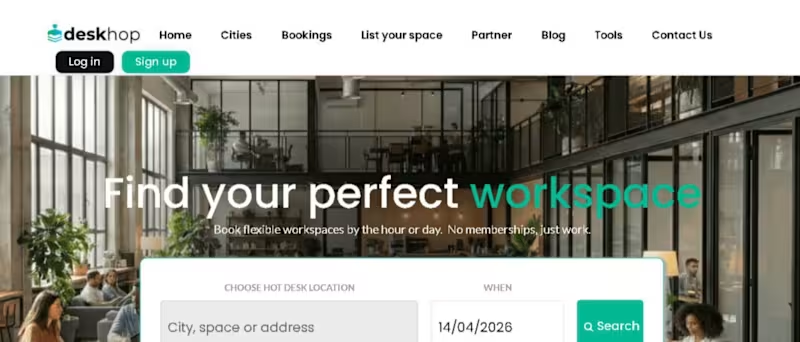
Built and launched DeskHop.work (http://DeskHop.work) — a clean, modern platform that lets remote workers and digital nomads book coworking spaces and hot desks by the hour or day with zero commitment or membership.
What I delivered:
Real-time search and booking system (by location, date, and hours/days)
Dynamic availability calendar
Partner dashboard for coworking spaces to list desks and manage bookings
Instant Stripe payments
Clean, mobile-responsive design (works perfectly on iOS & Android)
Scalable Bubble architecture with repeating groups, custom states, and background jobs
Live Results:
Now active in 30+ cities across 10 countries
45+ partner coworking spaces
200+ active users
Tech: Bubble.io (http://Bubble.io) (full no-code development)
Live link: https://deskhop.work/
This project shows how I turn complex booking logic into simple, user-friendly experiences that actually get used and generate revenue for both sides.
1
78
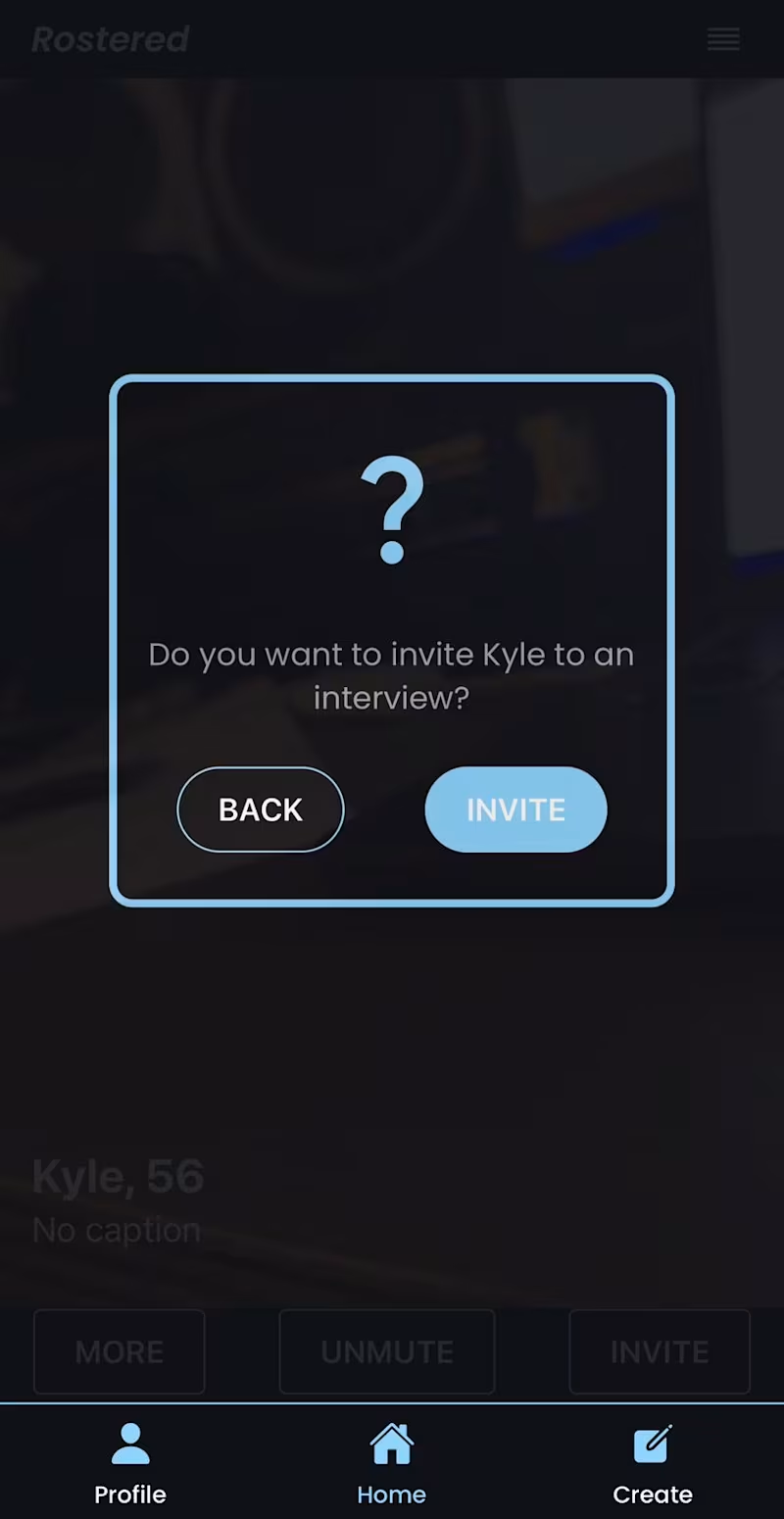
Rostered is an invite-only hospitality hiring platform connecting employers with job seekers through a scrollable video feed. I was brought in as a Bubble developer to handle the full App Store submission and compliance process for the iOS mobile app built in Bubble Mobile Native.
I resolved multiple Apple review rejections by fixing iOS permission strings, making signup fields compliant with Apple's data collection guidelines, updating the privacy policy and writing the business model clarification response to the Apple review team.
The app is now live on the Apple App Store globally.
🔗 https://apps.apple.com/us/app/rostered/id6758422814
2
71

I build workflow automations that help businesses save time,
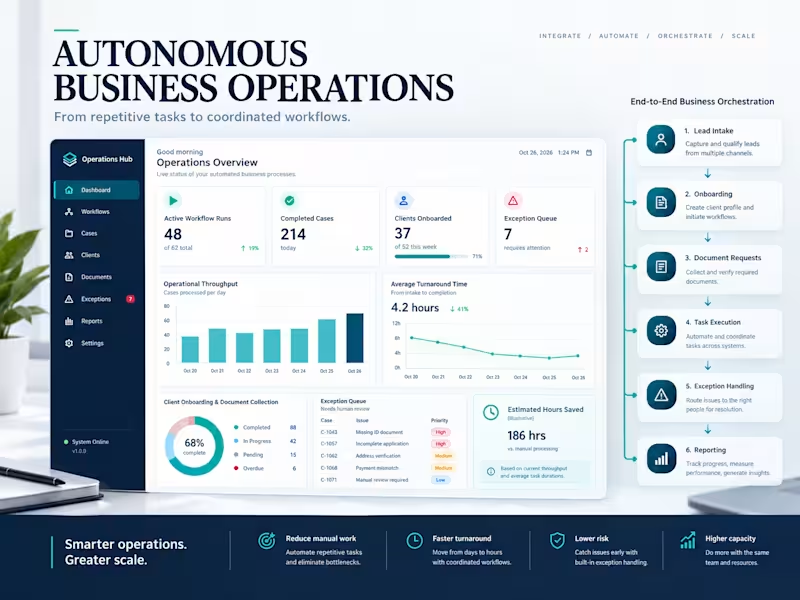
Autonomous Business Operations System
Connecting business processes into one coordinated automation system.
I build workflow automation systems that reduce repetitive administrative work, coordinate tasks across business applications, and give teams greater visibility into daily operations.
This project brings together the core stages of business operations, from lead intake and client onboarding to document collection, task routing, exception handling, and performance reporting.
What the system does
Automates repetitive, rules-based administrative tasks.
Moves information between connected business tools.
Coordinates multi-step workflows across business processes.
Tracks incomplete tasks and escalates exceptions for human review.
Provides centralised operational reporting and performance visibility.
Business value
The objective is to reduce manual processing, minimise avoidable errors, shorten administrative delays, and allow existing staff to focus on decisions and customer interactions that require human judgement.
Technology
n8n, API integrations, email automation, structured data processing, conditional logic, and operational dashboards.
The architecture can be adapted to different business processes depending on the available applications, requirements, and controls.
The goal: build a business operation that relies less on manual coordination and more on reliable, observable systems.
0
27
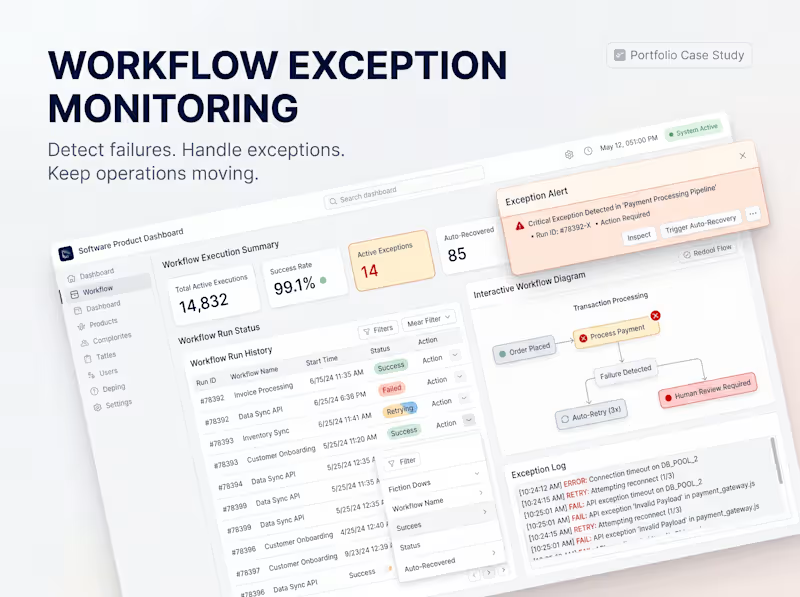
Project title: Workflow Exception Monitoring & Recovery System
Project description
I built a workflow automation system designed to identify failed processes, flag exceptions, and make operational issues easier to investigate.
Instead of allowing errors or incomplete tasks to go unnoticed, the system uses conditional logic and exception tracking to highlight cases that require attention.
Key features
Exception detection and error tracking.
Conditional handling for failed or incomplete workflow steps.
Alerts for issues requiring human intervention.
Retry or recovery paths where appropriate.
A central dashboard for reviewing failures and their resolution status.
Business outcome
Improved visibility into workflow failures, faster identification of issues, and less time spent manually investigating incomplete processes.
Technology: n8n, workflow integrations, conditional logic, and dashboard reporting.
0
83
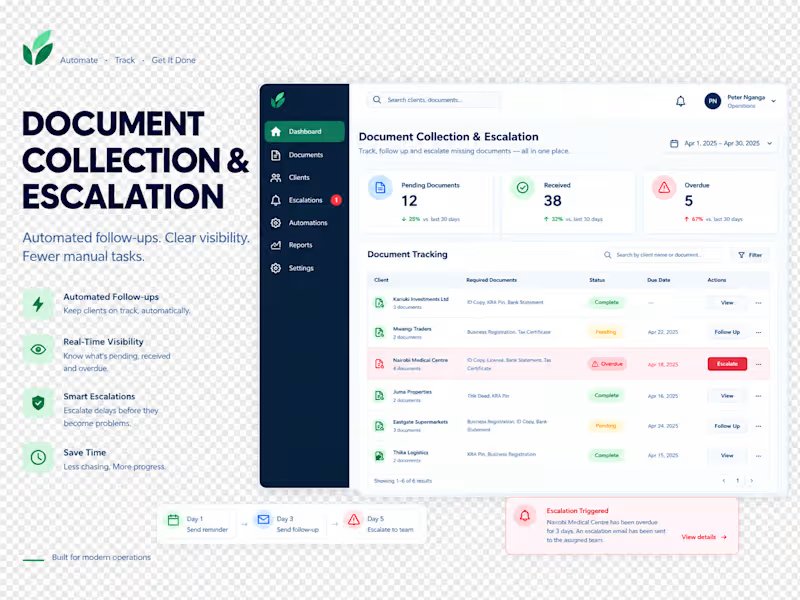
Create a premium, professional 4:3 portfolio cover image for my completed Contra project.
Project: Automated Document Collection & Escalation System
Canvas: 1200 × 900 pixels, landscape 4:3 ratio. Do not generate a 16:9 image. Keep all important content inside safe margins so nothing is cropped.
Design direction: Premium B2B SaaS product aesthetic. Clean white and very light grey background, deep navy typography, subtle green accents, crisp interface details, generous whitespace, realistic dashboard UI. It should look like a polished software product designed by an experienced workflow automation consultant.
Main headline:
DOCUMENT COLLECTION
& ESCALATION
Supporting text:
Automated follow-ups. Clear visibility. Fewer manual tasks.
Visual composition:
Show a realistic, elegant operations dashboard featuring:
Summary cards for Pending Documents, Received, and Overdue.
A document tracking table with fictional client names, required documents, and status labels.
A clear escalation indicator for an overdue request.
A small, tasteful visual representation of an automated email reminder workflow.
Use believable interface details, aligned tables, readable typography, consistent spacing, and restrained shadows. Make the dashboard the main visual focus, with the headline clearly visible.
Important constraints:
The image represents a completed portfolio project, not a service advertisement.
Do not invent customer testimonials, client logos, or performance statistics.
Do not include fake claims such as “90% faster.”
Avoid clutter, excessive gradients, neon colours, generic robot imagery, and oversized decorative icons.
Ensure all text is spelled correctly.
The finished result should look credible to business owners hiring a workflow automation specialist.
Deliver one finished image at exactly 1200 × 900 pixels, suitable for uploading directly as a Contra project cover.
0
23
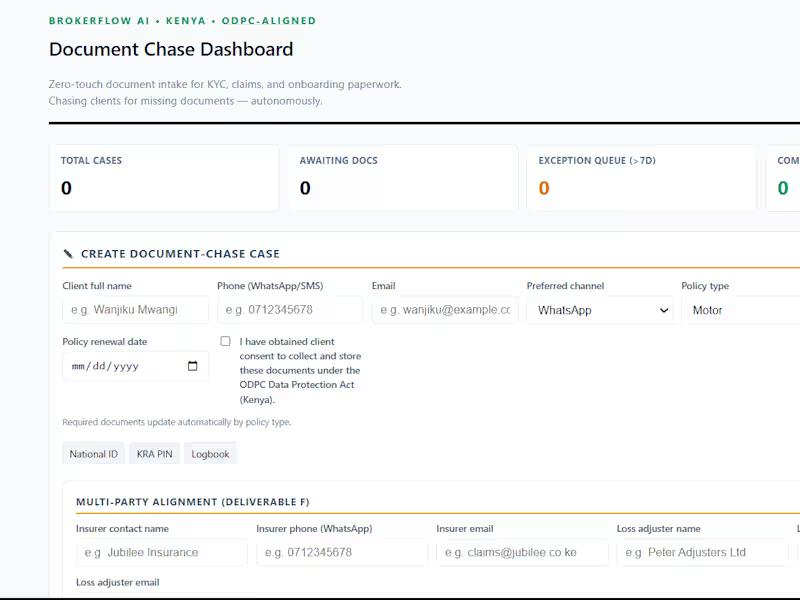
I built a workflow automation system that helps businesses track outstanding client requests, automate follow-ups, and monitor progress from one central dashboard.
The system reduces the need for manual reminders and scattered tracking by connecting follow-up workflows with a clear view of pending tasks and client responses.
Key features
Automated follow-ups: Sends reminders to clients when required information or responses are outstanding.
Centralised dashboard: Provides visibility into pending requests, follow-up status, and outstanding items.
Status tracking: Helps identify which requests need attention and which have been resolved.
Reduced manual work: Minimises repetitive follow-up tasks and makes the process easier to manage.
Tools: n8n, workflow integrations, and dashboard reporting.
The goal was to make client follow-ups more consistent, improve visibility, and give teams more time to focus on higher-value work.
0
48


Full Stack AI Engineer / Software engineer.
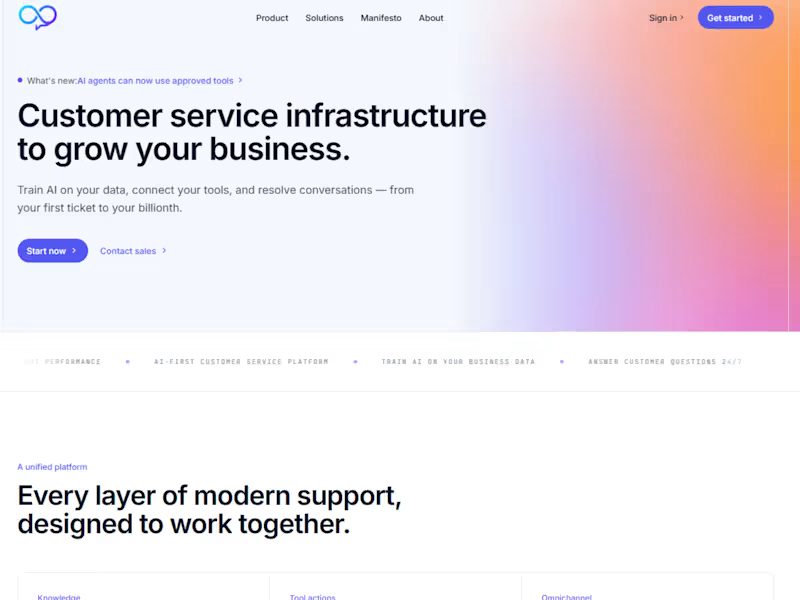
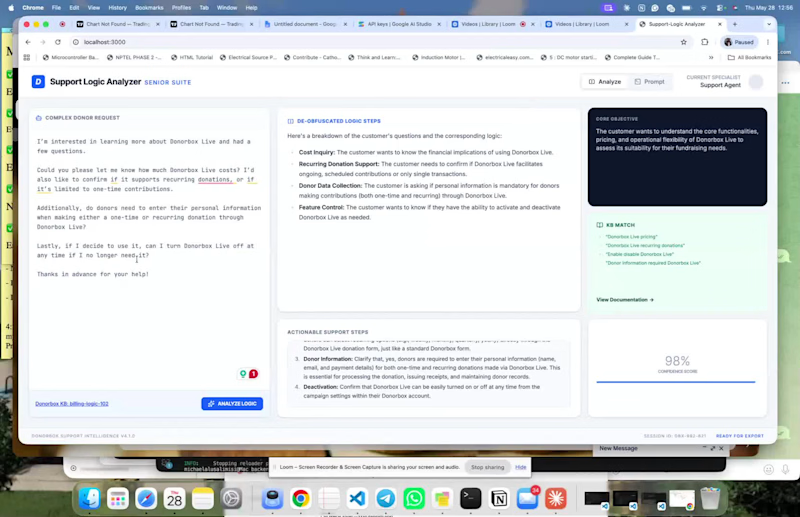
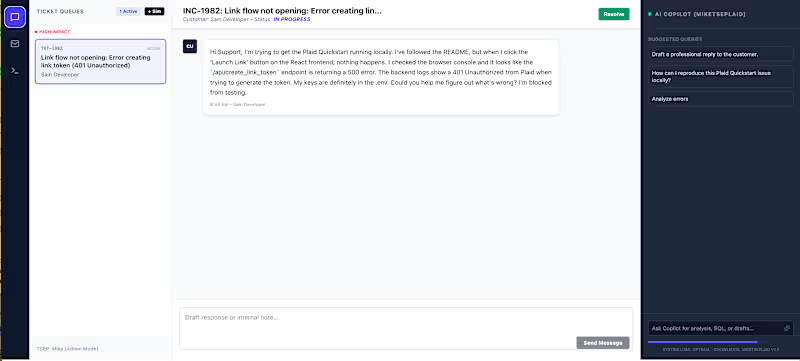
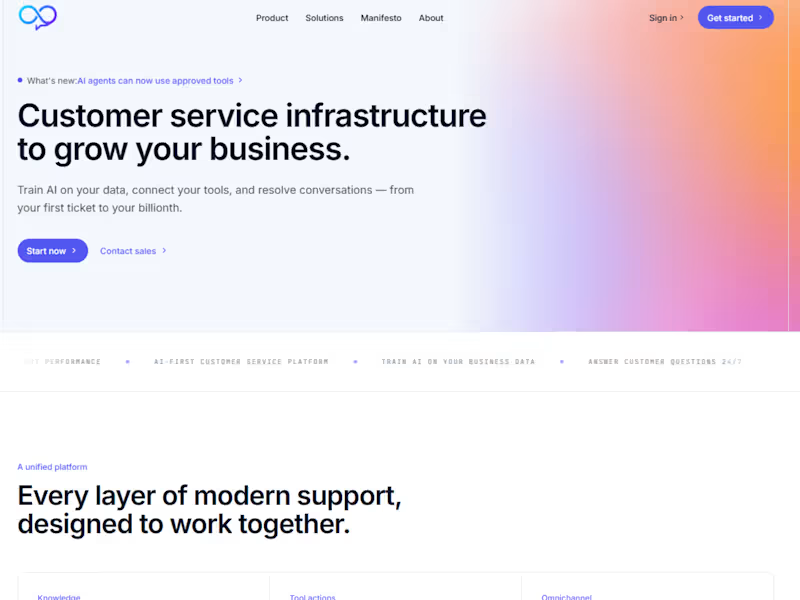
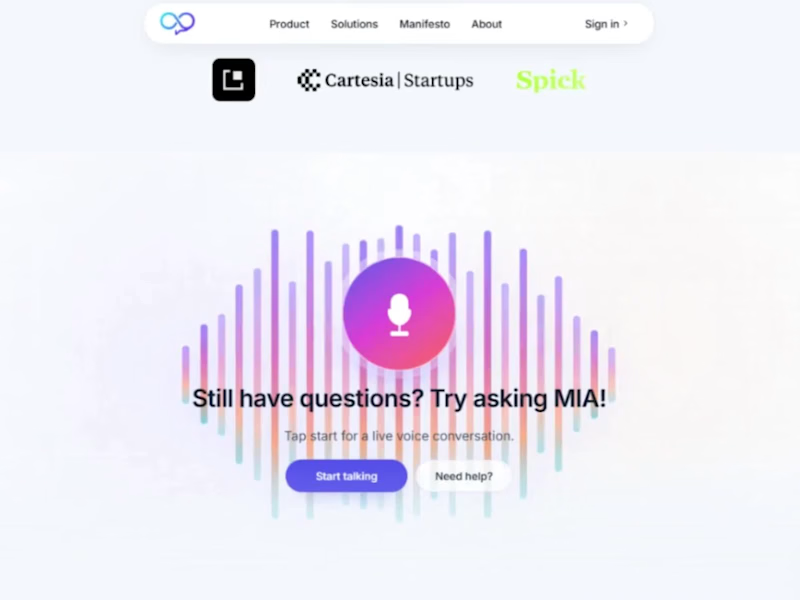
Built an AI first customer service platform (https://digitalepigram.com)
Knowledge - Trained on your business, Sync help centers, websites, PDFs and ticket history. Your AI stays current automatically.
Tool actions - Connected to your stack, Pre-built connectors for the platforms you already use — or wire any REST API in minutes.
Omnichannel - Wherever customers reach you, One agent, one knowledge base, every channel — web, WhatsApp, voice, email. and every thing live in one Inbox
This is not just a chat bot, its a full autonomous Agent that sticks to your knowledgebase and handles all your customer conversations.
3
570


Applied AI Engineer — AI Agents, RAG & Automation
Applied AI Engineer — AI Agents, RAG & Automation
Currently building autonomous AI systems that actually survive production — not just the demo.
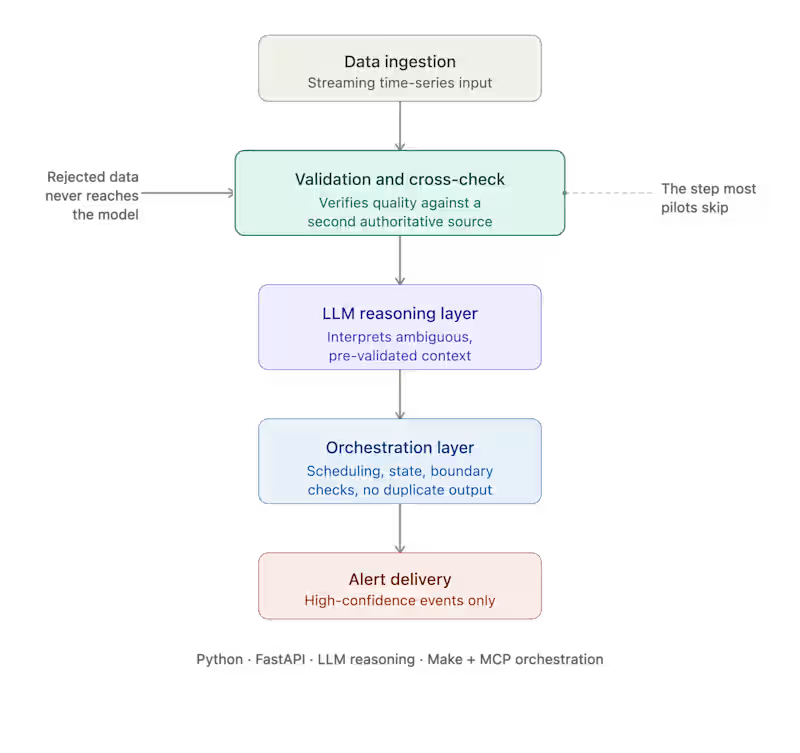
Most AI projects work beautifully in a controlled test and then quietly fall apart on real data, edge cases, and concurrency. I focus on the unglamorous engineering that closes that gap: data validation pipelines, boundary checks, error handling, and knowing exactly where deterministic logic should own the decision instead of the model.
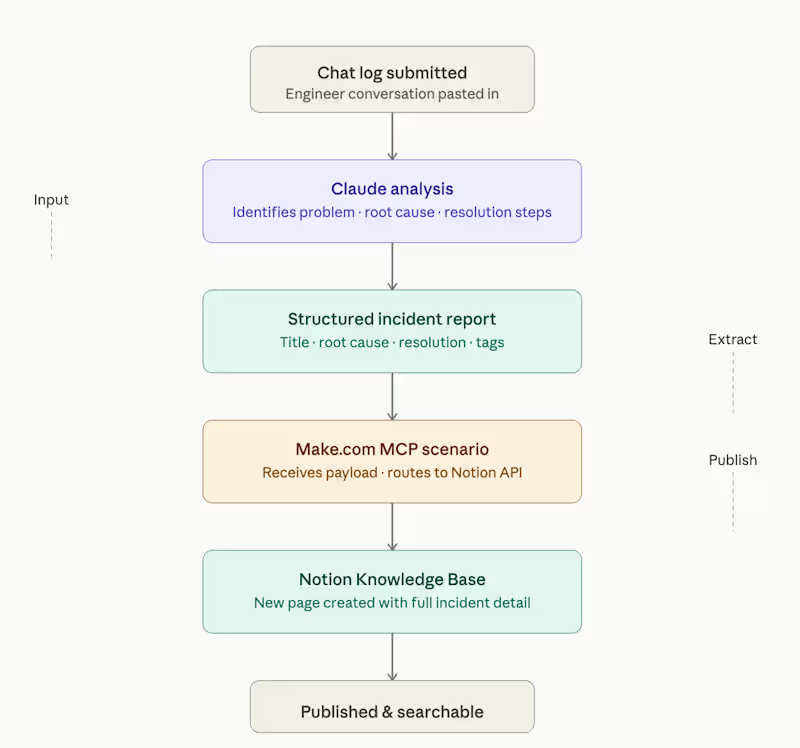
Recent work includes agentic workflows built with Python and FastAPI, an LLM reasoning layer for the genuinely ambiguous decisions, and automation orchestrated through Make with MCP. My background is technical support and operations, which means I design for the failure case first — I've spent years watching systems break in ways their builders never anticipated.
If you have an AI pilot that impressed everyone in the demo and then stalled on the way to something dependable, that gap is exactly what I build for.
Open to Applied AI / AI automation projects.
2
5
419