Freelancers in DingelstädtFreelancers in Dingelstädt
Branding & Graphic Design to boost your business.

$1k+
Earned
6x
Hired
5.0
Rating
7
Followers
Branding & Graphic Design to boost your business.

Brand Identities & Visual Worlds for Modern Brands

1x
Hired
5.0
Rating
3
Followers
Brand Identities & Visual Worlds for Modern Brands
Funnel System Setup & Testing Online Events, Full User Flows
5.0
Rating
1
Followers
Funnel System Setup & Testing Online Events, Full User Flows
Cover image for AI-Powered Event Operations: Automating Attendee
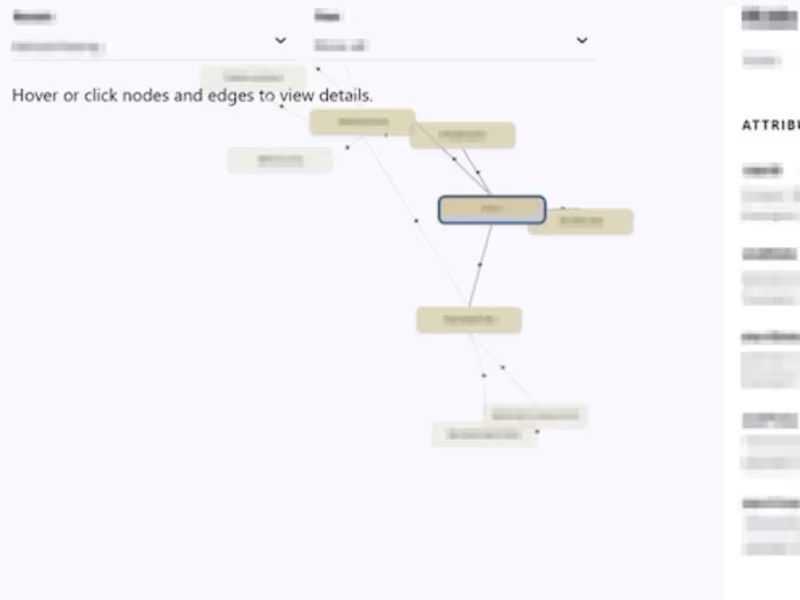
AI-Powered Event Operations: Automating Attendee Insights Overview: I designed and implemented a custom automation ecosystem for a large-scale online event to eliminate manual data handling. By connecting Typeform, OneDrive, and Slack, I transformed a chaotic manual process into a streamlined, AI-categorized workflow that recovers critical "brain capacity" for the core event team. The Challenge: The project faced a massive manual workload behind the scenes. Attendee data had to be exported, analyzed, and filed into spreadsheets by hand. This led to a significant delay in information sharing, leaving the team on Slack without real-time insights during critical event phases. The Solution: I built a multi-step automation using Zapier that does more than just move data: AI Categorization: Integrated an AI step (GPT-4 via Zapier) to analyze and categorize attendee responses in real-time. Automated Filing: Structured data is automatically filed into a Slack Canvas for immediate team access and a OneDrive Excel sheet for long-term tracking. Smart Quality Assurance: Built-in filters ensure only relevant, high-quality entries proceed to the team view. Interval Notifications: To prevent "notification fatigue," I added a digest step that sends a summary report to the Slack channel every three days, including direct links to new entries. The Results: - Time Savings: Manual operations were reduced from several hours per week to just a few minutes of monitoring. - Reduced Dependency: Shifted the process from permanent human dependency to sporadic system maintenance. The client is no longer reliant on a full-time assistant for data handling, only on occasional oversight. - Scalability: The system is built for "qualified maintenance"—it can be quickly adapted for future events, replacing repetitive copy-pasting with a scalable architecture. - Deliverables: In addition to the automation, I provided a visual process map (SOP) and a Loom walkthrough to ensure the client’s team can manage the system internally.
0
24
Cover image for Automated Crossposting System (Facebook →
Automated Crossposting System (Facebook → LinkedIn + Google Sheets Logging) Overview: Built an automated crossposting system for a social media use-case, where new posts from a Facebook business page are automatically published as LinkedIn text posts and simultaneously logged in Google Sheets. The system ensures consistent publishing, full transparency, and reliable tracking — without manual intervention. The Challenge: Crossposting content between platforms required repetitive manual work: - Switching between Facebook and LinkedIn - Copying and adapting post content - Publishing posts individually - Tracking whether posts were successfully published This created a time-consuming workflow and introduced uncertainty around completeness and consistency. The Solution: Developed a Zapier-based automation that handles publishing and logging in one continuous workflow: - New Facebook posts are automatically detected - Content is transformed into LinkedIn-compatible text posts - Posts are published on LinkedIn without manual input - Each execution is logged in Google Sheets for transparency and tracking Zap Architecture (Technical Setup): Trigger: - Facebook Pages → New Post Step 1 – Data Extraction & Preparation: - Extract post message, links, and metadata - Clean and normalize text for cross-platform use Step 2 – Content Transformation: - Adapt structure for LinkedIn (text-only format) - Handle formatting differences between platforms - Prepare final post payload Step 3 – LinkedIn Publishing: - Action: Create text post on LinkedIn profile - Ensure correct formatting and link handling Step 4 – Logging (Google Sheets): - Create new row with: - Post content - Included link - Timestamp - Execution status (success/error) Step 5 – Error Handling & Iteration: - Debugging via JSON inspection and payload validation - Iterative improvements to stabilize the workflow - AI-assisted troubleshooting to resolve edge cases faster Key Features: - Fully automated crossposting workflow - Platform-specific content transformation - Built-in tracking and documentation - Reliable error handling and validation - Transparent execution history Results & Impact: - Saved ~1 to 2 hours of manual work per week (4–8 posts) - Eliminated platform switching and repetitive publishing tasks - Reduced uncertainty around publishing status - Improved consistency across platforms - Created a reliable, scalable system for ongoing content distribution Tools Used: Facebook Pages · LinkedIn · Zapier · Google Sheets
0
38
Cover image for Automated YouTube Content Ideas Intake
Automated YouTube Content Ideas Intake (Typeform → Slack Canvas) Overview: Designed and implemented an automated content intake system for the YouTube Content Ideas use-case. New submissions are instantly structured, centralized, and made accessible to the team inside Slack Canvas — without any manual processing. The Challenge: Content ideas were collected via Typeform but handled through a manual workflow: - CSV export from Typeform - Import into Excel - Manual formatting and structuring - File storage and retrieval - Recurring task to ensure updates This created a repetitive, error-prone process tied to a single responsible person and limited real-time visibility for the team. The Solution: - Built a Zapier-based automation that connects Typeform with Slack Canvas and introduces a structured, low-maintenance system: - Every new submission is automatically captured and processed - Data is formatted into a consistent structure - Entries are appended directly into Slack Canvas - A scheduled notification keeps the team aligned without constant interruptions Zap Architecture (Technical Setup): Trigger: Typeform → New Entry Step 1 – Data Processing (Zapier Formatter): - Clean and normalize inputs (text fields, formatting) - Combine relevant fields into structured sections - Optional: timestamp formatting for readability Step 2 – Content Structuring: - Build a consistent entry format (e.g. idea title, description, target audience) - Prepare output for Slack Canvas (clean text blocks) Step 3 – Slack Integration: - Action: Append content to Slack Canvas - Placement within predefined section (e.g. “New Ideas”) - Ensures continuous, chronological documentation Step 4 – Scheduled Notification (Zapier Schedule): - Trigger: Every 3rd Monday - Action: Send message to Slack channel with Canvas link - Purpose: Batch visibility instead of constant notifications Key Features: - Fully automated end-to-end workflow - Structured and centralized idea repository - Asynchronous team visibility without notification overload - Clean, consistent formatting of all entries - Reliable system independent of individuals Results & Impact: - Removed all manual data handling steps - Reduced operational overhead and cognitive load - Eliminated single-point-of-failure risk - Increased transparency and accessibility of content ideas - Established a scalable system for ongoing content collection Tools Used: Typeform · Zapier · Slack Canvas
0
47
INSYNC - WEB DESIGN & DEVELOPMENT

4.9
Rating
6
Followers
INSYNC - WEB DESIGN & DEVELOPMENT