
Tabish Khan
I fix warehouse chaos SOPs, SAP & Excel system for ops team



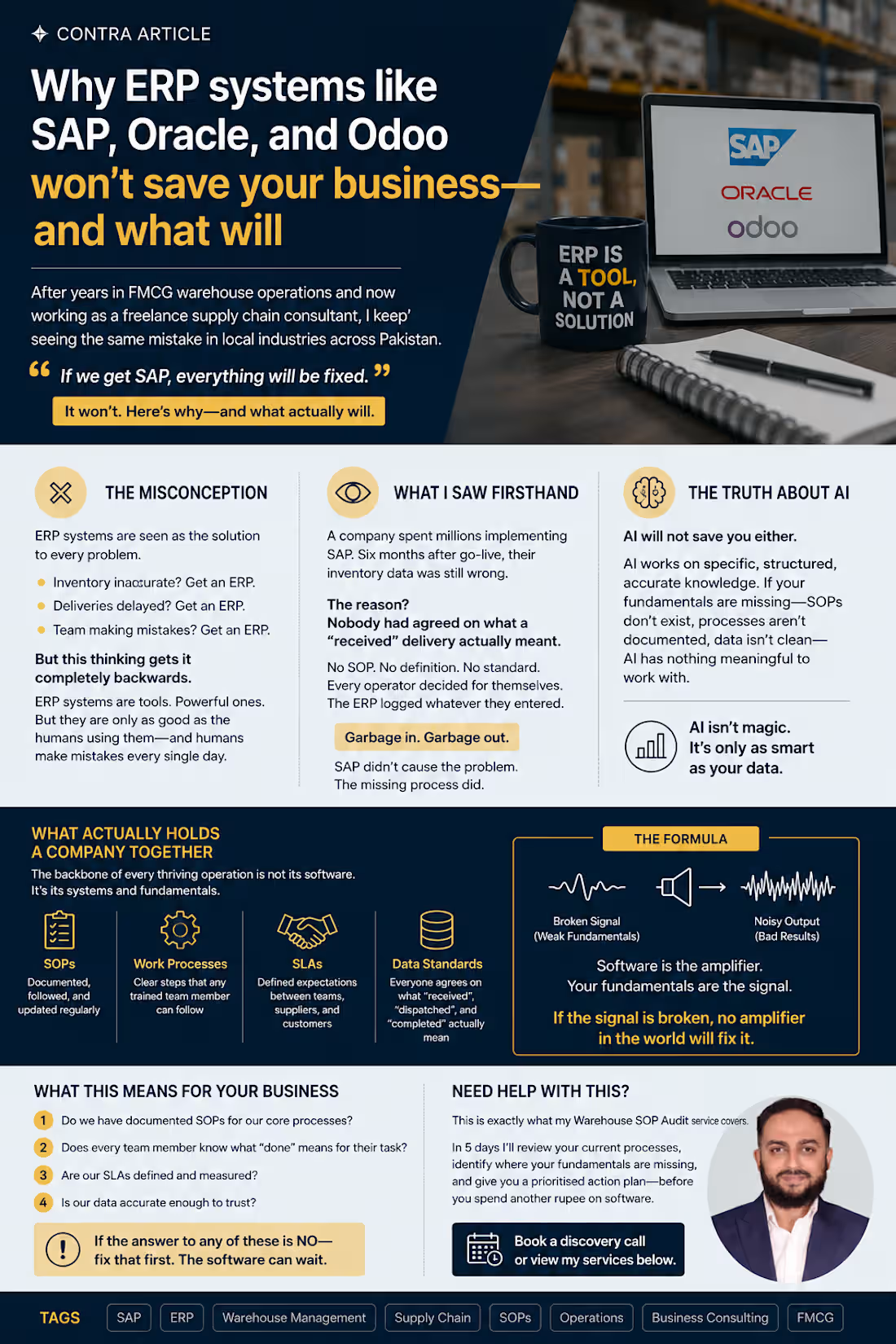
Why ERP systems like SAP, Oracle, and Odoo won't save your business — and what will
After years in FMCG warehouse operations and now working as a freelance supply chain consultant, I keep seeing the same mistake in local industries across Pakistan.
Every business owner, every operations manager, every CEO believes the same thing:
"If we get SAP, everything will be fixed."
It won't. Here's why — and what actually will.
The misconception
ERP systems — SAP, Oracle, Odoo, Microsoft Dynamics — are seen as the solution to every operational problem. Inventory inaccurate? Get an ERP. Deliveries delayed? Get an ERP. Team making mistakes? Get an ERP.
But this thinking gets it completely backwards.
ERP systems are tools. Powerful ones. But they are only as good as the humans using them — and humans, trained or untrained, make mistakes every single day in every single company.
What I saw firsthand
I consulted with a company that had spent millions implementing SAP.
Six months after go-live, their inventory data was still wrong.
The reason? Nobody had agreed on what a "received" delivery actually meant.
Was it received when the truck arrived? When the goods were scanned? When they were inspected? When they were put away in the correct location?
No SOP. No definition. No standard.
Every operator decided for themselves. The ERP logged whatever they entered.
Garbage in. Garbage out.
SAP didn't cause the problem. The missing process did. SAP just made it faster and more expensive.
The truth about AI
Now everyone is talking about AI as the next fix.
AI will not save you either.
AI works on specific, structured, accurate knowledge. If your fundamentals are missing — if your SOPs don't exist, your processes aren't documented, your data isn't clean — AI has nothing meaningful to work with.
I've seen this firsthand too. A business tried to use AI-powered demand forecasting on inventory data that hadn't been accurately recorded for 18 months. The AI produced confident, detailed forecasts. Every single one was wrong — because the underlying data was wrong.
The AI wasn't the problem. The missing process was.
What actually holds a company together
The backbone of every thriving operation is not its software. It's its systems and fundamentals:
→ SOPs — documented, followed, and updated regularly
→ Work processes — clear steps that any trained team member can follow
→ SLAs — defined expectations between teams, suppliers, and customers
→ Data standards — everyone agrees on what "received", "dispatched", and "completed" actually mean
Get these right first.
Then your ERP becomes powerful — because it's recording accurate, consistent data.
Then your AI becomes useful — because it has clean data to learn from.
Then your team stops making the same mistakes every quarter — because there's a standard to follow.
The formula
Software is the amplifier. Your fundamentals are the signal.
If the signal is broken, no amplifier in the world will fix it.
What this means for your business
Before your next software investment, ask these questions:
Do we have documented SOPs for our core processes?
Does every team member know what "done" means for their task?
Are our SLAs defined and measured?
Is our data accurate enough to trust?
If the answer to any of these is no — fix that first. The software can wait.
Need help with this?
This is exactly what my Warehouse SOP Audit service covers. In 5 days I'll review your current processes, identify where your fundamentals are missing, and give you a prioritised action plan — before you spend another rupee on software.
👉 Book a discovery call or view my services below.
https://contra.com/tabish_khan_r5d8g4t1/services?r=tabish_khan_r5d8g4t1
0
63
Most warehouse audits I've seen focus on the wrong things first. Neat labels, clean floors, a binder full of SOPs nobody's opened in months — all of it can look great and still sit on top of a warehouse that's quietly bleeding money.
And the SOP binder is usually worse than just outdated. Somewhere along the way, the actual process changed — someone found a faster way to do something, or worked around a problem — and that change lived in their head, not in the document. Everyone just adapts and moves on. Then that person leaves, and suddenly nobody can explain why the process works the way it does, because the only place it was ever really "written down" walked out the door.
If I only had fifteen minutes to walk a warehouse, here's honestly what I'd check.
I'd skip the month-end accuracy report and ask what's mismatched right now, today. A clean number at month-end really just tells you how good someone is at patching things up before a deadline. Asking about today tells you whether the process actually holds up when nobody's paying special attention to it.
Then I'd go find one picker and just watch them complete one real order, start to finish — not a demo, an actual order in the middle of a shift. You learn more in five minutes of watching someone walk a pick path than you do in an hour of reading reports. How far they're walking, how often they double back, how many times they have to stop and ask someone where something actually is.
I'd also want to know how long stock sits between receiving and put-away. Not how fast it gets scanned in — how long it physically sits on the dock before it's properly stored. That gap, more than almost anything else, is where damage, shrinkage, and "we can't find it" problems quietly start.
And I'd ask a warehouse worker why something's done a certain way — not a supervisor. If the answer is "that's just how we've always done it," that's usually a process nobody's questioned in years, or worse, a workaround that only exists in that one person's head.
Last thing, I'd look at what's actually sitting near the exit versus what's actually fast-moving. Layouts get set once and almost never revisited. More often than you'd think, the stuff people grab constantly is buried in the back, and something nobody's touched in months is sitting right up front for reasons nobody remembers anymore.
None of this needs a clipboard or a formal audit template. It just needs fifteen minutes and being willing to ask "why" one more time than feels comfortable — because the answer might only exist in one person's head, and that's the real audit finding.
0
92
Why your SAP data is inaccurate — and it's not SAP's fault.
Every time someone tells me "our SAP data is a mess," I ask a few questions, and almost every single time, the answer has nothing to do with SAP. The system did exactly what it was told, exactly when it was told. If the number on screen doesn't match what's actually on the shelf, something happened on the floor that never made it into the system — or it made it in late, or someone found a shortcut because doing it properly during a busy shift felt like a luxury nobody had time for.
Picture this: the shelf says 40. SAP says 42. Nobody's lying — the count on screen is just repeating something that was entered wrong, or late, or never corrected.
I've seen the same handful of patterns show up again and again, at different sites, with completely different teams.
Someone unloads a truck, and the goods receipt doesn't get posted until hours later because paperwork felt like it could wait until things calmed down. By the time it's finally entered, nobody actually remembers if it was 40 units or 42 — so whatever gets typed in is really just a best guess dressed up as data.
Or transactions get batched at the end of a shift instead of logged as they happen. The timestamps look fine, but the actual sequence of events is gone, which means when something doesn't match later, there's no way to trace back what caused it.
Or someone just overrides the number to make it "correct" for now, without asking why it was wrong in the first place. That fixes the symptom for exactly one day. The actual cause is still sitting there, waiting to cause the same problem next week.
And honestly, a lot of training doesn't help either — people get taught which buttons to press, but nobody explains why the timing or the order of steps actually matters. So they follow the steps, but they have no idea what breaks the moment one gets skipped.
None of this ever shows up as a system error. It just shows up as "SAP's wrong again," which is usually the one explanation that isn't actually true.
The fix is almost never a system change. It's a behavior change — closing the gap between the moment something physically happens and the moment it gets recorded, and making the right way to log it the easy way instead of the slow one.
If your numbers keep drifting from reality, the system isn't lying to you. It's just repeating exactly what it was told.
0
225
I spent the first couple of years treating inventory accuracy like a fire drill. Count everything the week before month-end, patch whatever didn't match, submit the report, forget about it until next month.
It worked, technically. Once. Then the small gaps started piling up faster than I could explain them.
What actually changed things wasn't a new tool or a new SOP. It was realizing IRA isn't something you report on — it's something you either protect every day or you don't. Every goods receipt, every issue, every transfer is a moment where the system and the actual shelf can quietly drift apart. Catch that drift the same day and it's a two-minute fix. Let it sit for three weeks and it turns into a full investigation, and usually nobody remembers what actually happened.
A few things I've genuinely stuck to since then:
Reconcile the same day, not at month-end. I know it sounds obvious written down, but most warehouses don't actually do this — batching corrections is just easier in the moment.
Let SAP flag mismatches early instead of waiting for someone to physically count and notice. The system usually knows before the floor does.
Ask what kind of discrepancy it is before writing it off — receiving error, system delay, handling mistake. They all look the same on a report and none of them are fixed the same way.
Whoever touched the transaction is the one who catches the error. Not an audit team three weeks later going through paperwork.
None of this is glamorous. It's mostly just refusing to let small things wait. But it's the reason we held 100% month-end IRA consistently, and it's also the reason the number actually meant something when auditors came through — not just a figure that looked clean on a slide.
If there's one thing 7 years taught me, it's that inventory accuracy was never really about the count. It was about how disciplined the process stayed on the days nobody was watching.
#InventoryManagement #SupplyChain #FMCG
0
174