MailChimp Creative Assistant

Bryan King


The Problem
MailChimp acquired Creative Assistant from Sawa, an AI-powered graphic design tool that automatically generated marketing assets. The technology was promising, as it could create social media graphics, email headers, and ad creative in seconds. But users weren't getting good results.
Why it wasn't working:
Users jumped straight into generating designs without providing sufficient brand context
Website scraping pulled brand assets but dropped users into the designer immediately
Incomplete brand kits (missing colors, fonts, or personality attributes) produced generic, unusable designs
Users without websites had no way to use the tool
No validation that brand assets were sufficient before generation
The core issue: Garbage in, garbage out. The AI needed robust brand information to create on-brand designs, but users weren't providing it.
The Challenge
Design an onboarding experience that:
Guides users through building a complete brand kit before generating designs
Validates brand completeness and prompts users to fill gaps
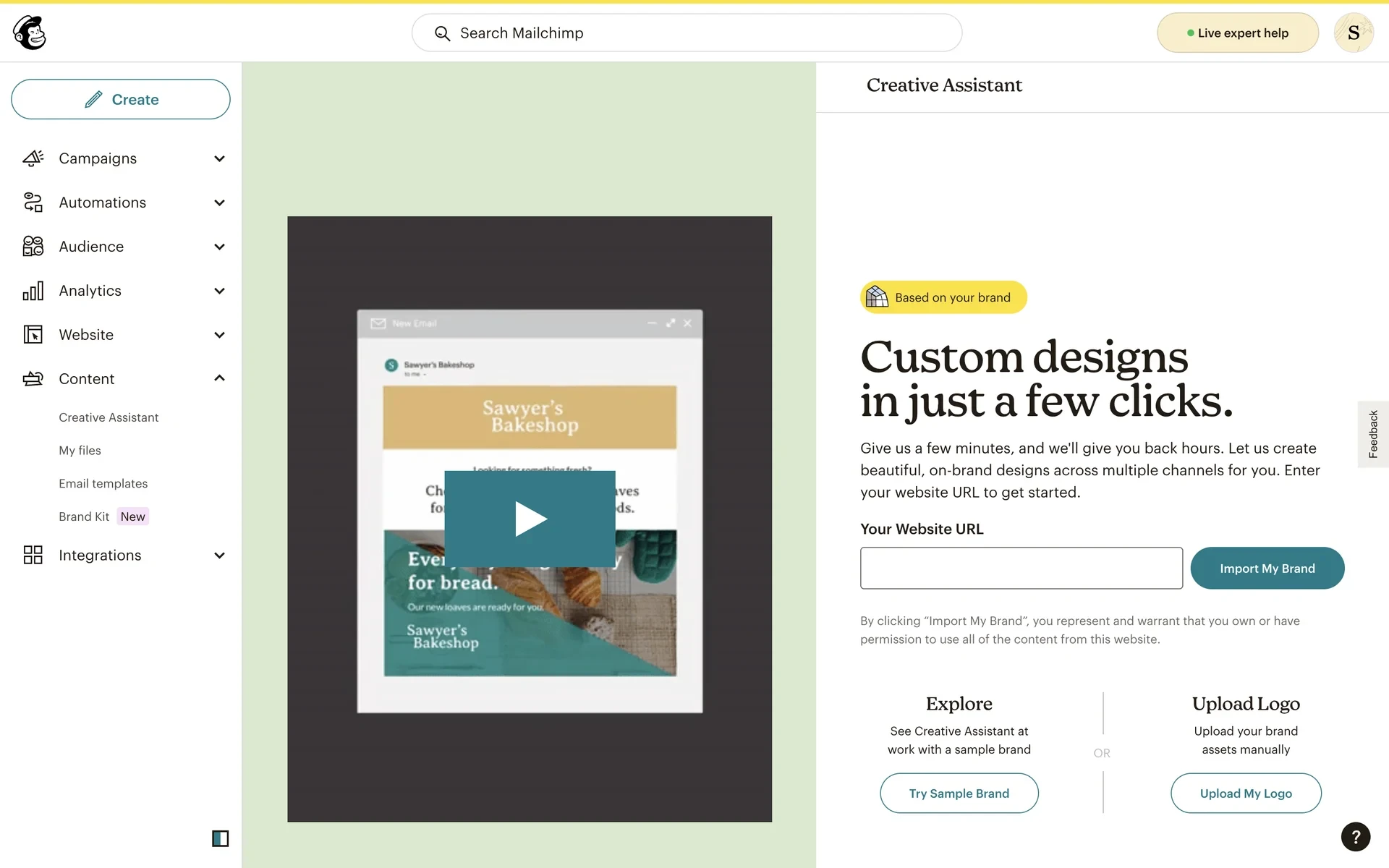
Provides multiple entry points for different user needs (website, sample brand, manual)
Builds trust in the AI by showing users exactly what information it's using
Ships in 3 months with a single designer-developer (me)
This was my first time using React, and I was working in a complex front-end architecture with tricky state management across parent-child components.
The Solution
I redesigned the onboarding flow to ensure users provided complete brand information before generating designs, with three pathways based on user needs:
1. Import My Brand (Website Scraping)
For users with existing websites:
Enter website URL
System scrapes logos, colors, fonts, and images
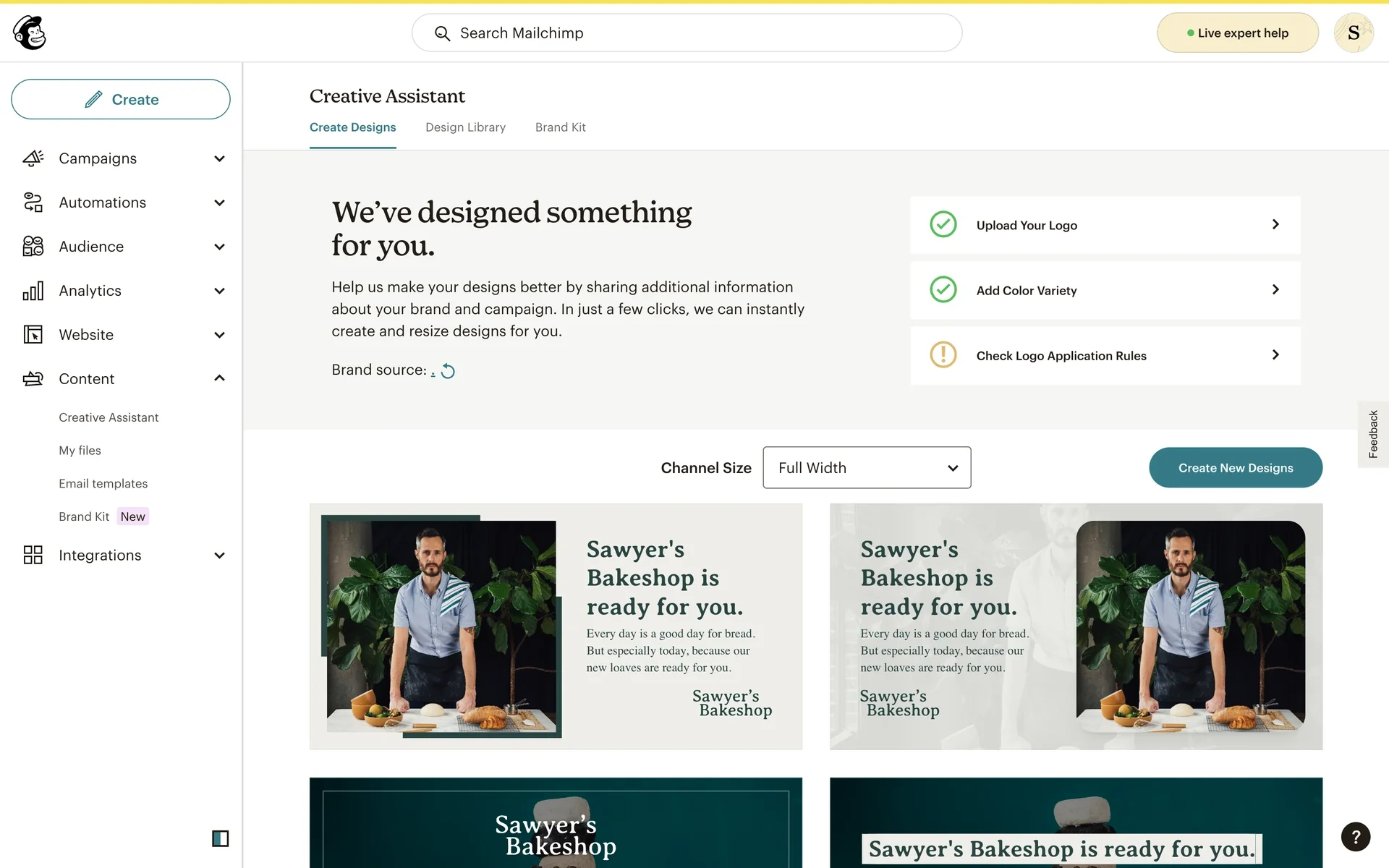
Review scraped brand kit with clear indicators (complete or incomplete)
Edit and refine before proceeding
2. Sample Brand (Try Before You Buy)
For users without websites or who want to explore first:
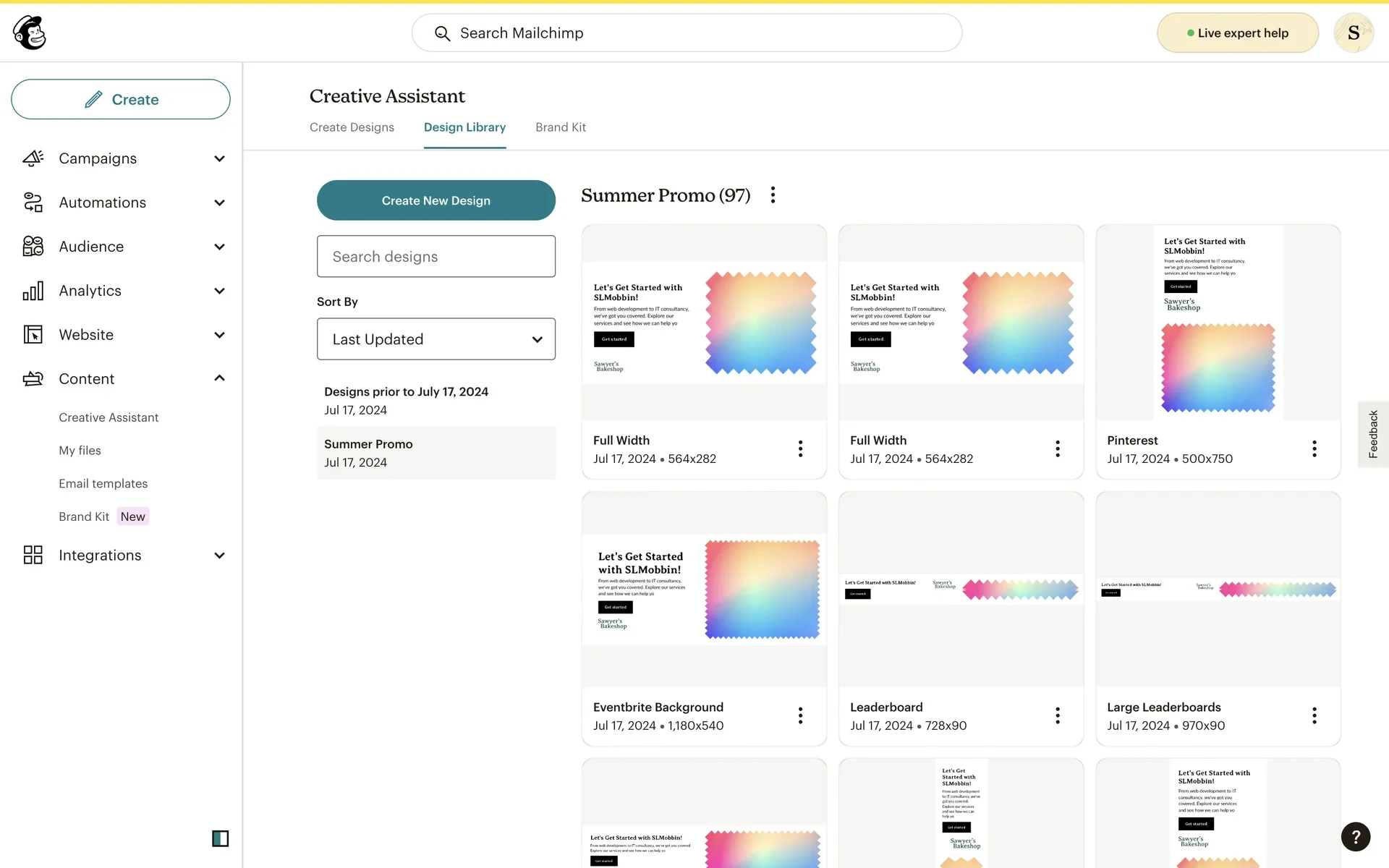
Pre-built sample brand
Fully populated with logos, colors, fonts, personality
Users can customize to match their actual brand
Removes barrier to entry for experimentation
3. Manual Upload
For users who want complete control:
Upload brand assets directly
Build brand kit from scratch
Full editing capabilities
Brand Kit Validation
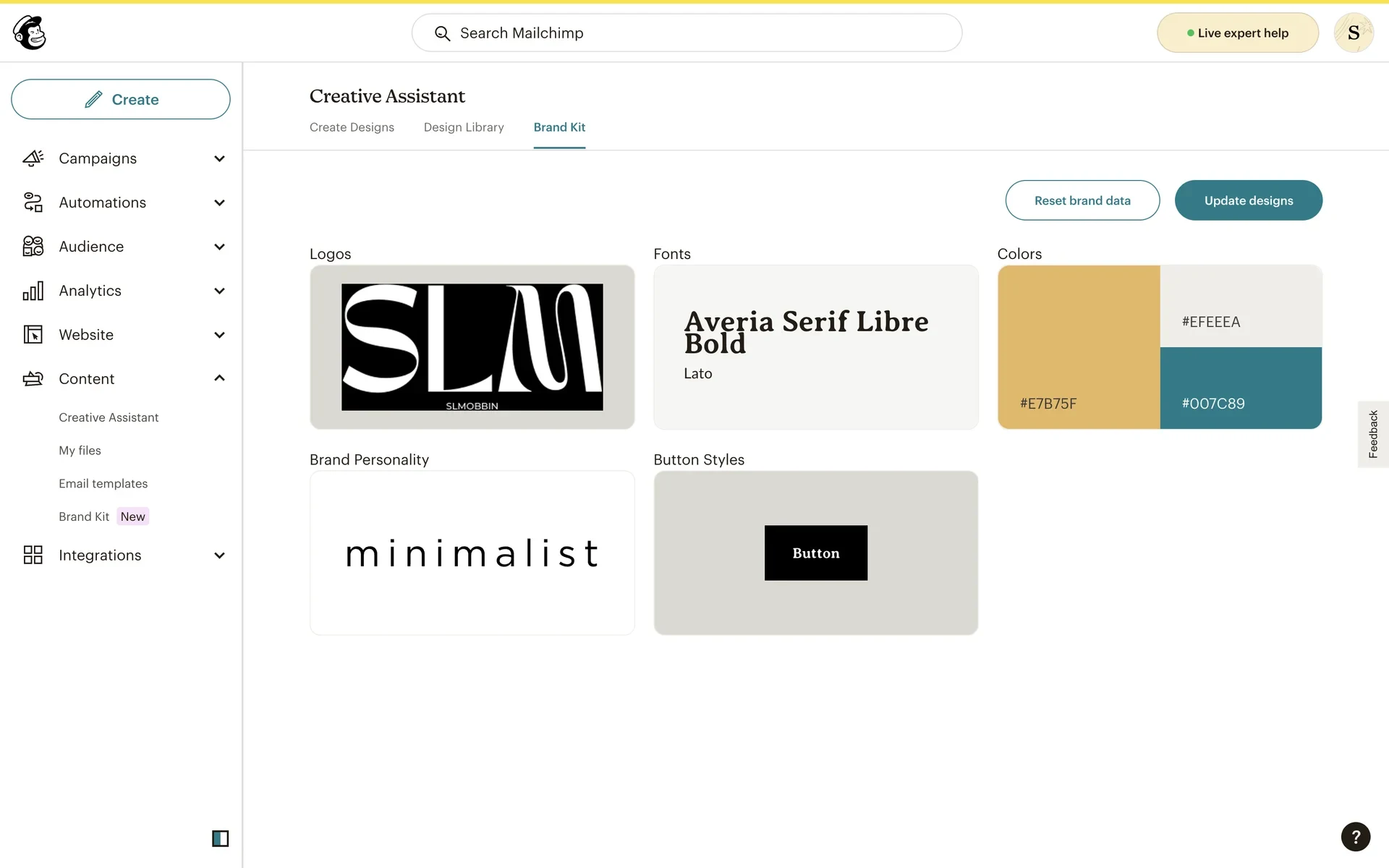
All paths converge on brand kit review:
Logos: Visual display with application rules
Colors: Palette with hex values, prompt to add variety if limited
Fonts: Primary and secondary typefaces
Brand Personality: Sliders for attributes (minimalist, bold, playful, etc.)
Button Styles: Preview of how UI elements will appear
Users can't proceed to design generation until their brand kit is sufficiently complete.
Technical Execution
Stack: React, MailChimp Design System
Timeline: 3 months (including React learning curve)
Scope: Designed, coded, and shipped the entire onboarding experience
Technical Challenges:
First time using React (steep learning curve)
Complex component architecture with parent-child interactions
Tricky state management across multi-step flow
Integrating with backend systems for website scraping and AI generation
Collaboration:
Worked with one engineer for backend integration
PM briefs from Sawa founder
Design manager guidance
Otherwise operated independently
Impact
Immediate Results:
Shipped onboarding to millions of MailChimp users in 3 months
Improved brand kit completion rates (no metrics available, but qualitative feedback was positive)
Reduced user confusion about why designs weren't on-brand
Enabled users without websites to try Creative Assistant
Long-term Validation:
After I left, the Creative Assistant team shifted to working on GPT-powered text generation and integrated Creative Assistant features into core MailChimp product. In December 2024, standalone Creative Assistant was sunset because all features had been rolled into the main platform.
This is actually a success story: The work was valuable enough to become part of MailChimp's core offering rather than remaining a separate tool.
What I Learned
Designing for AI requires designing for trust:
Users need to see what information the AI is using
Validation and editing capabilities build confidence
Transparent processes reduce 'black box' anxiety
Recovery paths for failures are critical
Multiple entry points serve different user needs:
Power users want control (manual upload)
New users want guidance (sample brand)
Most users want convenience (website scraping)
All paths should converge on the same quality bar
Early AI product design (2021) taught me lessons still relevant today:
The challenge isn't generation—it's refinement
UI affordances for editing AI output are critical
Users need to understand when AI will fail
Designing guardrails and constraints is product design, not limitation
Technical implementation matters:
Building in production code revealed constraints Figma couldn't
Working with engineers as peers (not handoffs) improved quality
Learning React during shipping taught me to design within technical reality
Reflection
This project was my introduction to AI product design—before ChatGPT, before widespread AI hype, when 'AI graphic design' felt like science fiction. I'm proud that the work was successful enough to be integrated into MailChimp's core product rather than abandoned as a failed experiment.
The onboarding flow I designed addressed a fundamental truth about AI tools: the quality of output depends entirely on the quality of input. By forcing users to build complete brand kits before generating designs, we ensured the AI had what it needed to produce useful results.
Three years later, this lesson still holds: AI product design isn't about the model—it's about the interface between human intent and machine capability.
Like this project
Posted Sep 16, 2025
Sample brands help users understand the power of Creative Assistant, showing them the polish and variety they can get from an AI-powered design tool.
Likes
0
Views
9