
Context
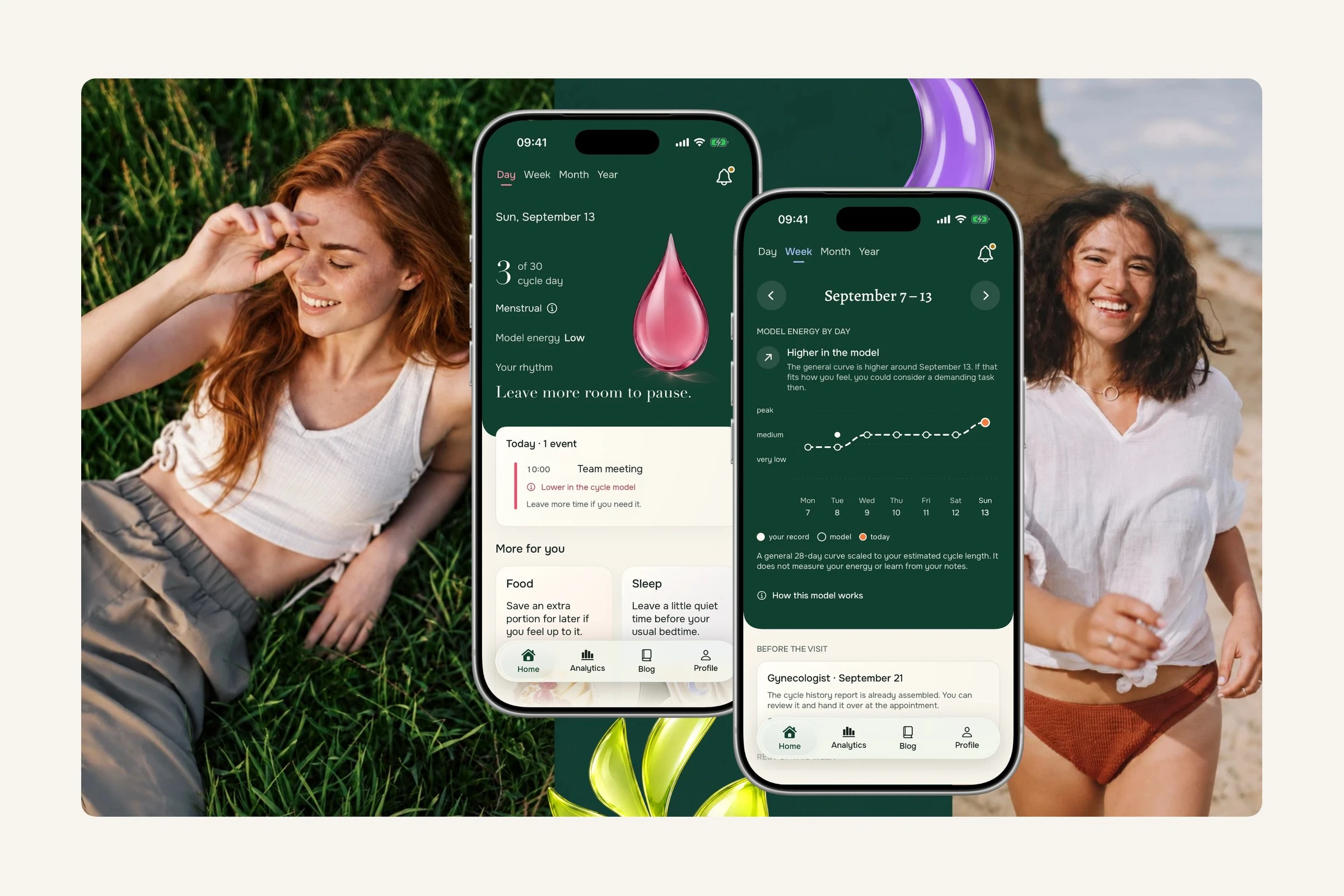
I designed and built Ennakko from research through the native iOS interface. Recorded period history informs date estimates; an optional general cycle model offers another way to look at the week beside calendar events. Personal energy and symptom notes stay separate from that model. The app does not require a daily check-in.
The challenge: make cycle information useful without daily tasks or false certainty.
Role: solo product designer and SwiftUI developer
Research: a 9-product benchmark and 20+ interviews
Status: soon on the App Store
Research
I tested assumptions around planning value, recurring effort, privacy, trust and willingness to pay before choosing what the first version had to prove. The benchmark became three constraints: the first version had to make guidance contextual, show value before commitment and meet privacy expectations without a separate Ennakko account.
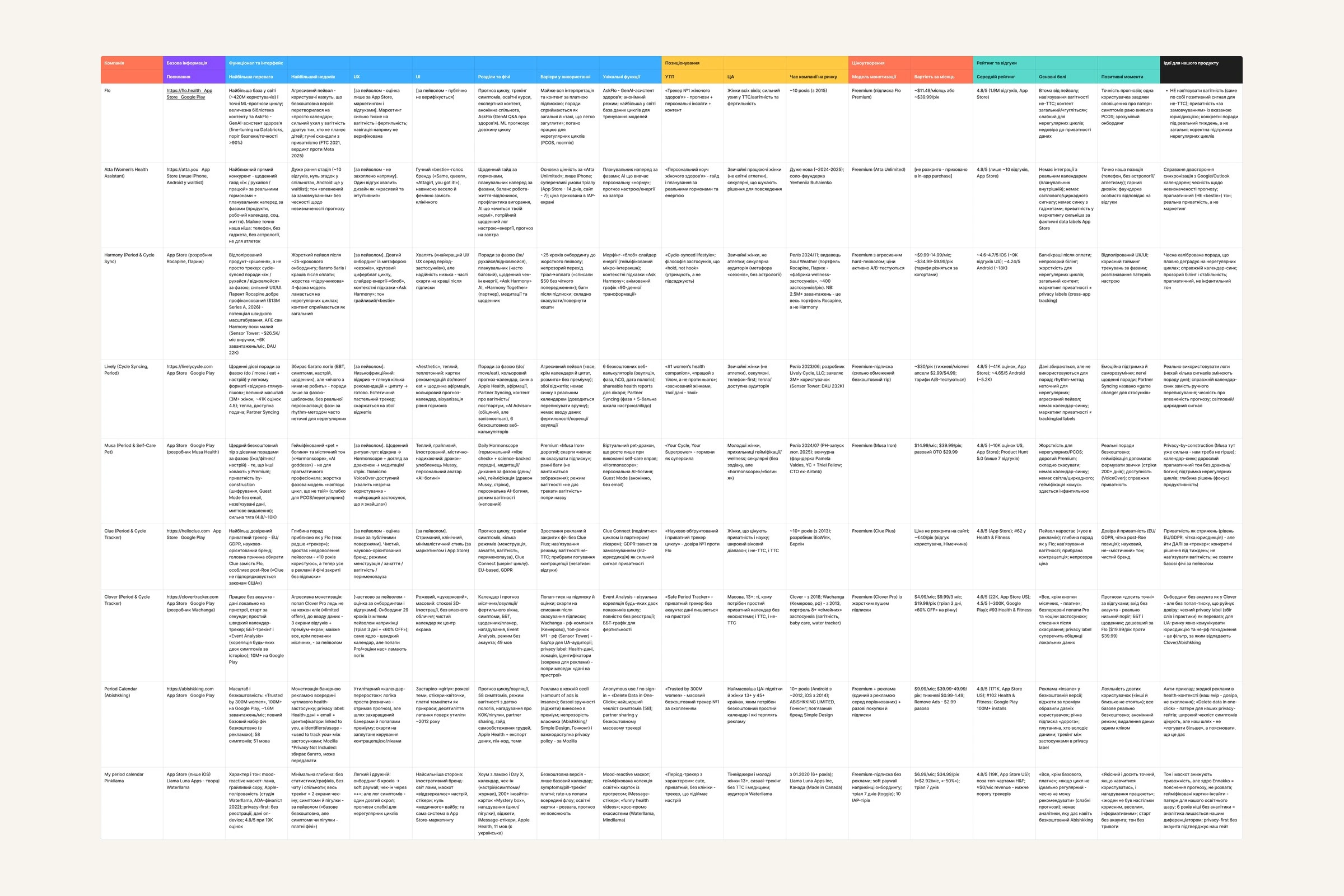
Original nine-product comparison in Ukrainian: strengths, barriers, guidance, positioning, monetisation, reviews and implications for Ennakko
The scope held to planning value, low recurring effort and visible model limits.
Planning already existed: asked about the previous three months, 65.5% had often or sometimes changed a real decision because of their cycle.
Daily logging broke down: the follow-up on abandoned tracking pointed to forgetting, time and low payoff rather than one single dropout reason.
Advice needed context: 58.8% called it generic, so the product needed personal patterns and clear model limits.
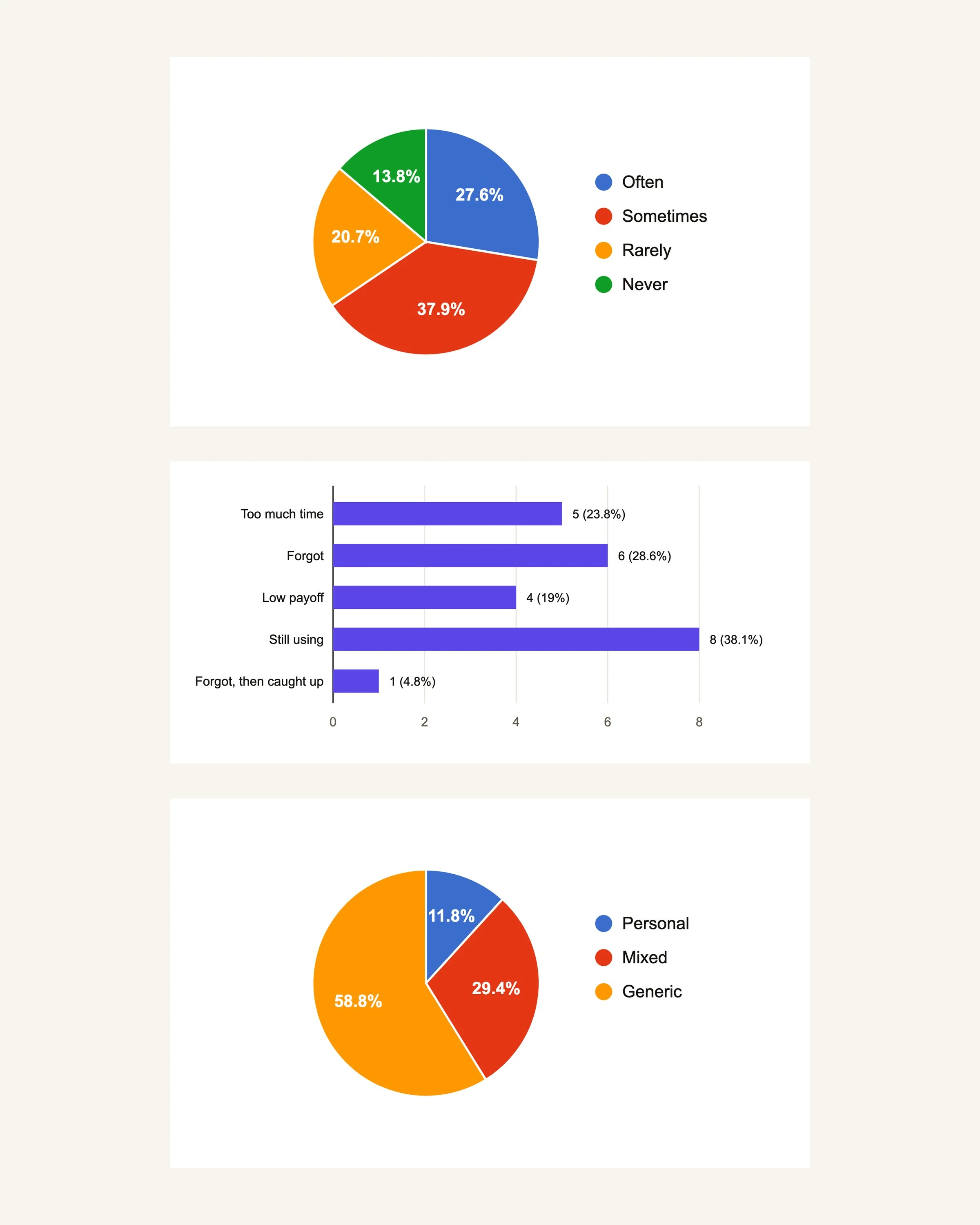
Redrawn survey charts — planning decisions, reasons logging stopped and how personal advice felt
Personas, JTBD and journey maps translated the same research into preparation and retrospective understanding: a Planner and an Observer instead of one generic user.
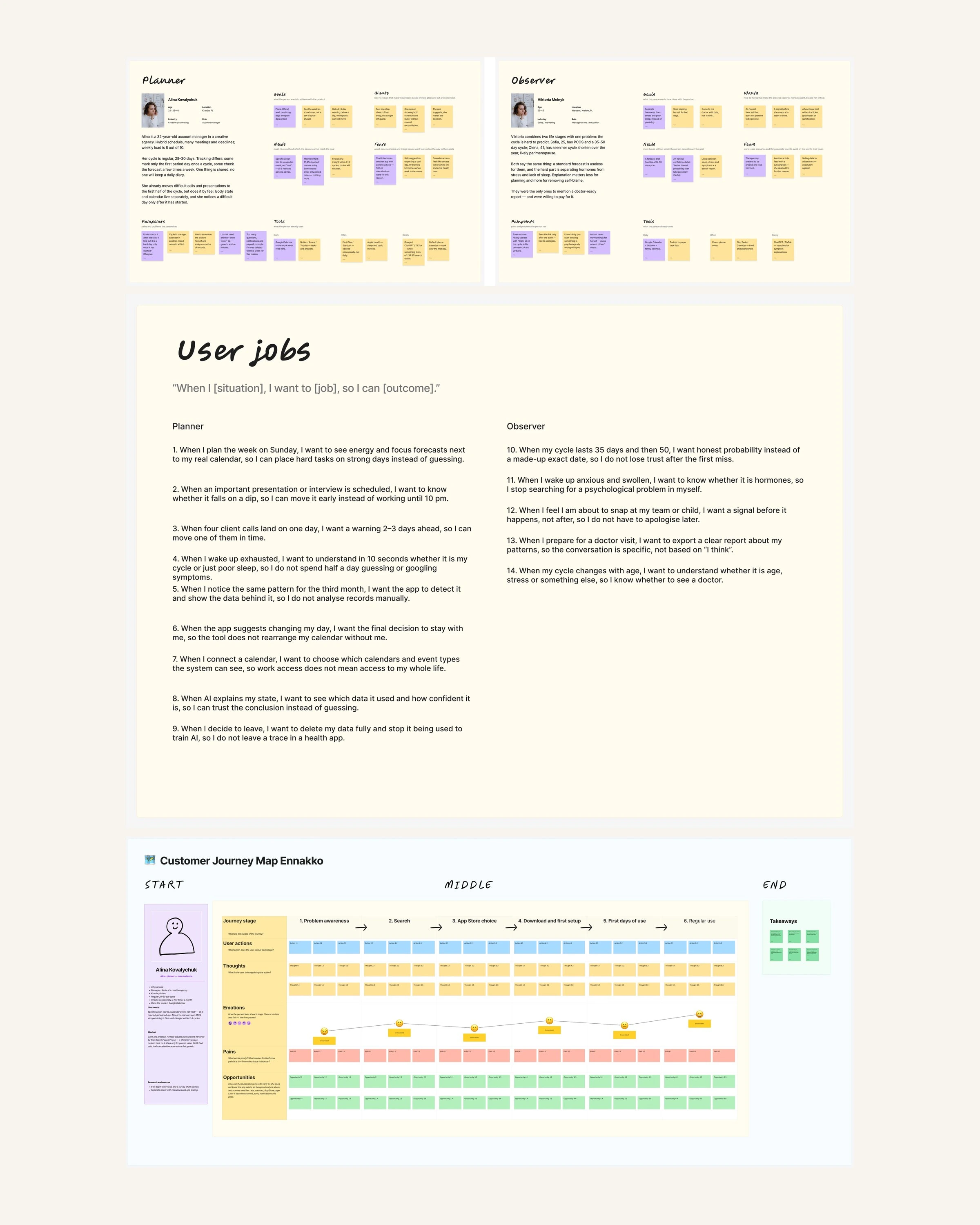
Planner and Observer personas, the JTBD board and the Planner journey map
A first preview without perfect recall
Three questions lead to a preview before payment. Known, approximate and missing dates all have a route; the subscription expectation is visible from the first screen.
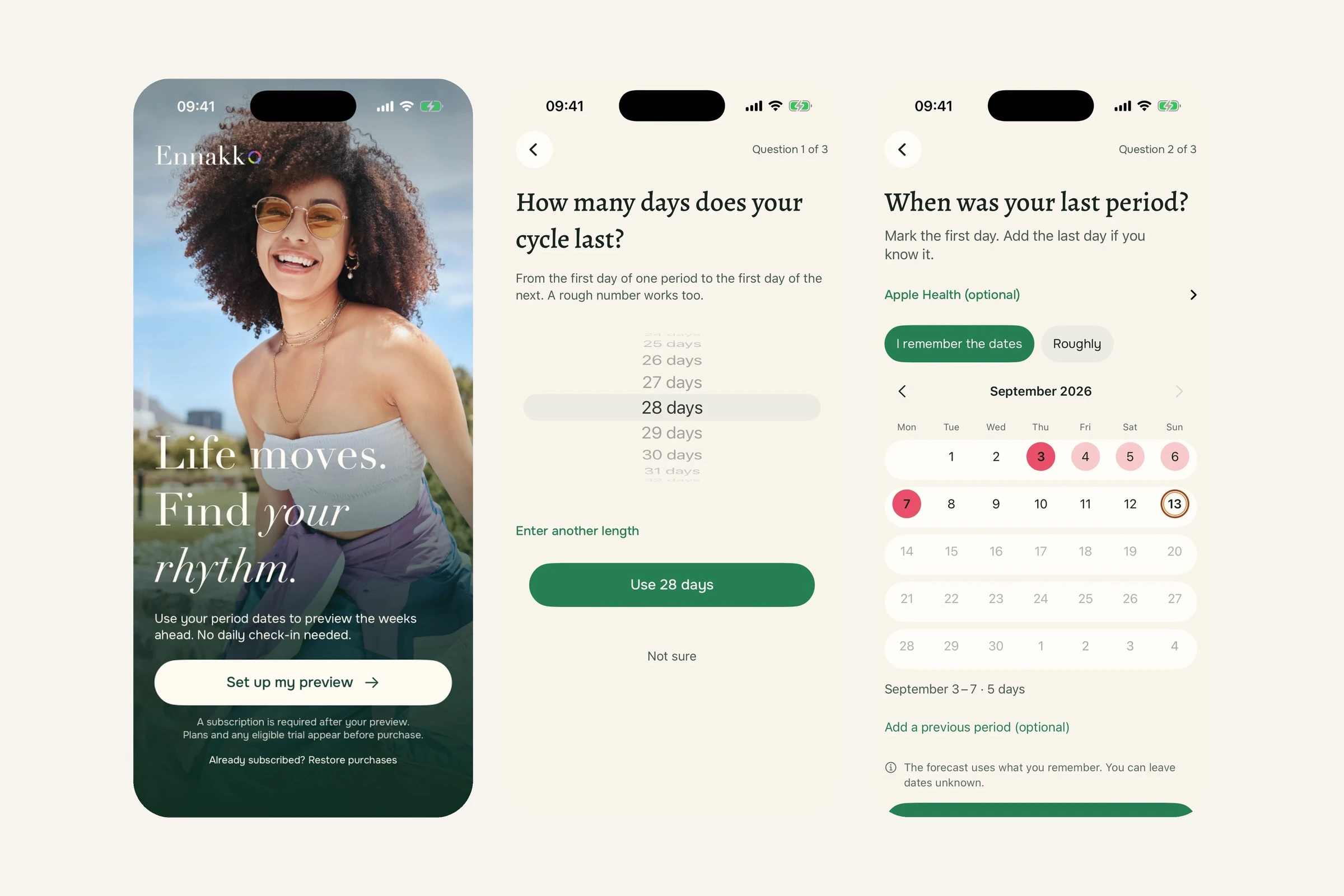
Set the expectation → start with a rough length → use the dates you remember
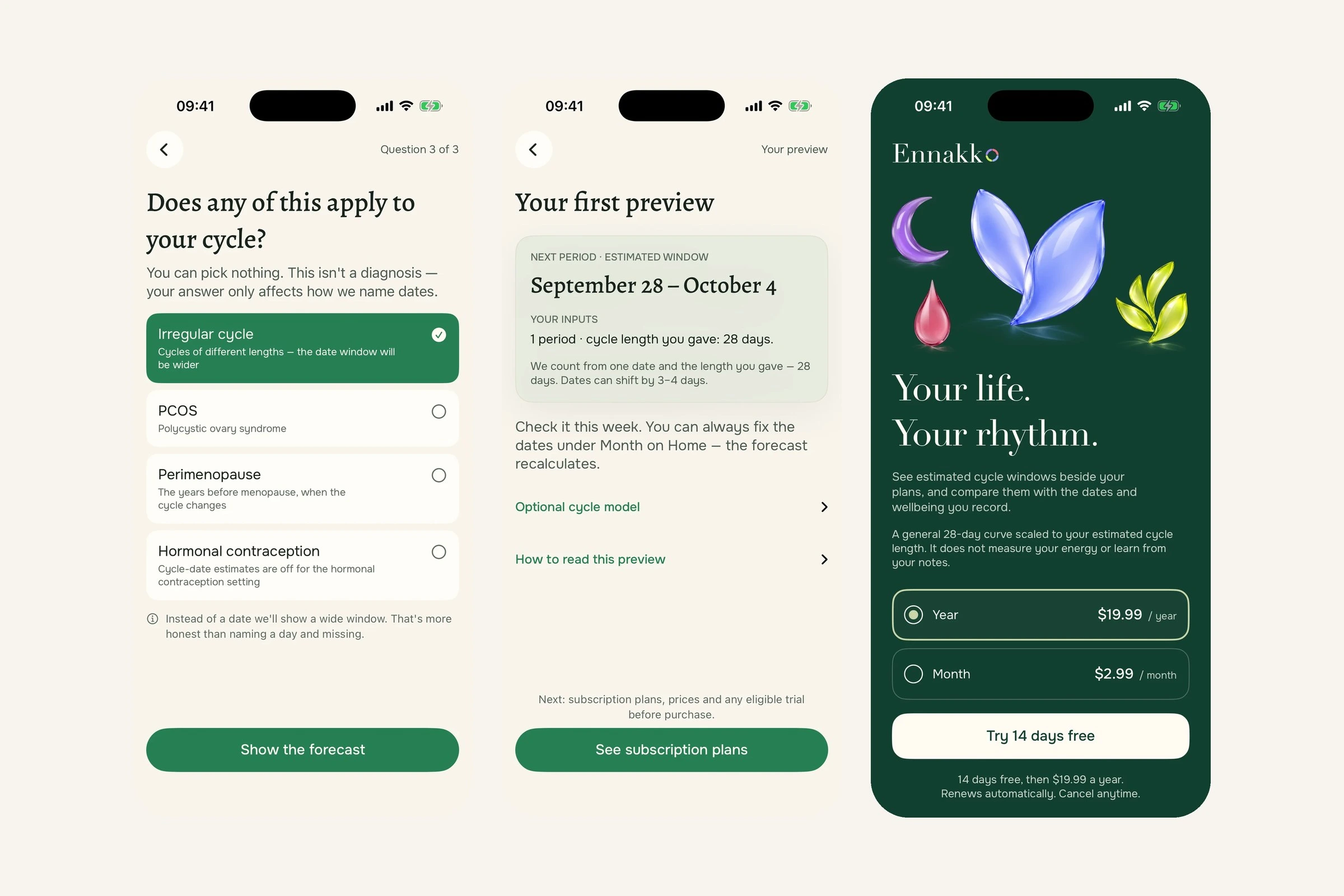
Allow for a different cycle → explain the first estimate → choose a plan
One phase language across themes
A shared visual system pairs glass phase symbols with written labels across light and dark themes. Evergreen anchors the daily summary; ivory and dark reading surfaces support the two themes. Screens use demo data.
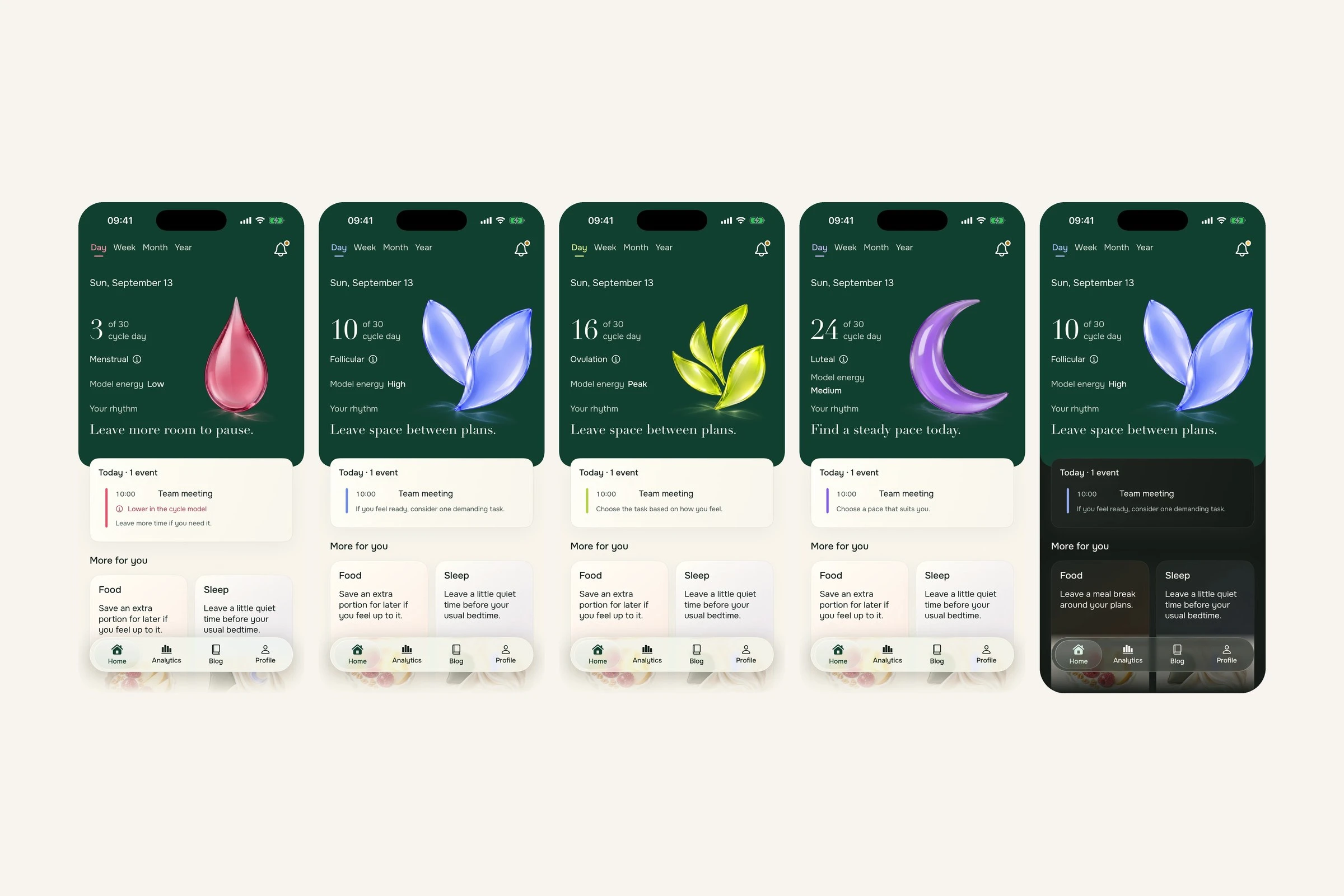
Menstrual, follicular, ovulation, luteal and the dark theme
Compare the model with real plans
The energy curve uses a general cycle model. It does not measure personal energy or learn from notes. Filled dots show personal records, open dots show the model and orange locates today.
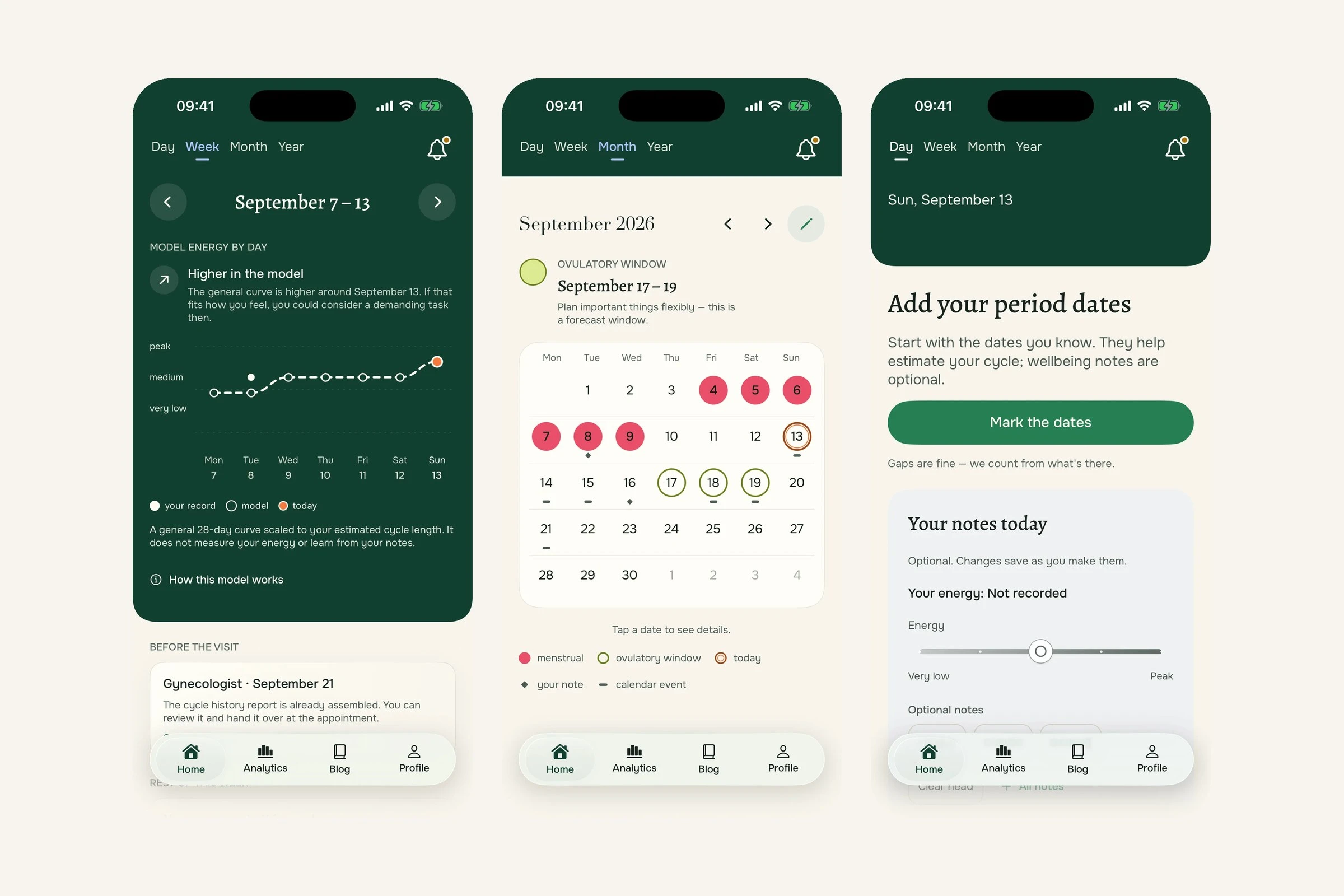
Compare the week → see dates and commitments → handle missing dates
Make optional records inspectable
The product does not ask for perfect daily input; it shows how remembered dates shape the estimate and its confidence.
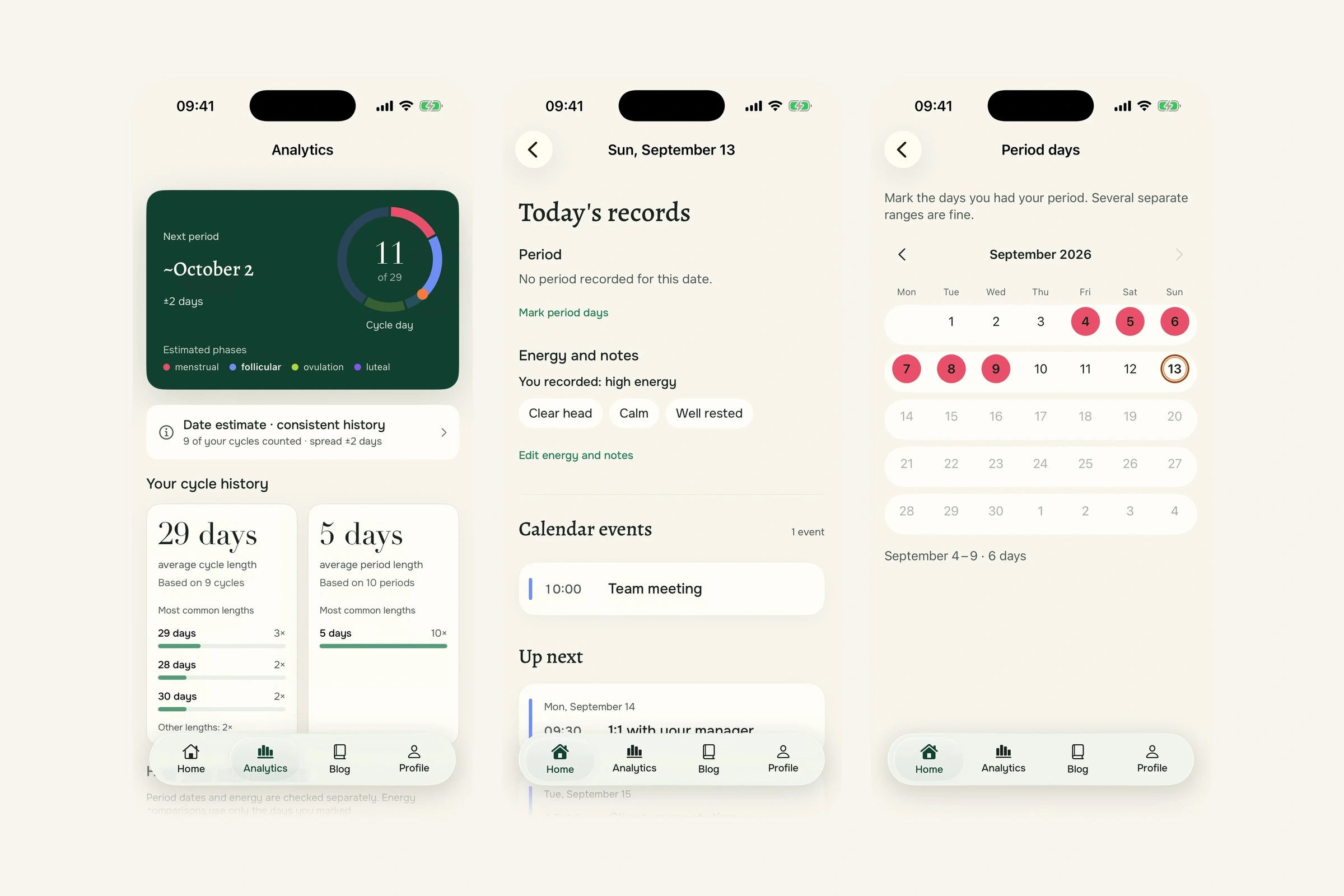
Check the estimate basis → return to a day → correct recorded history
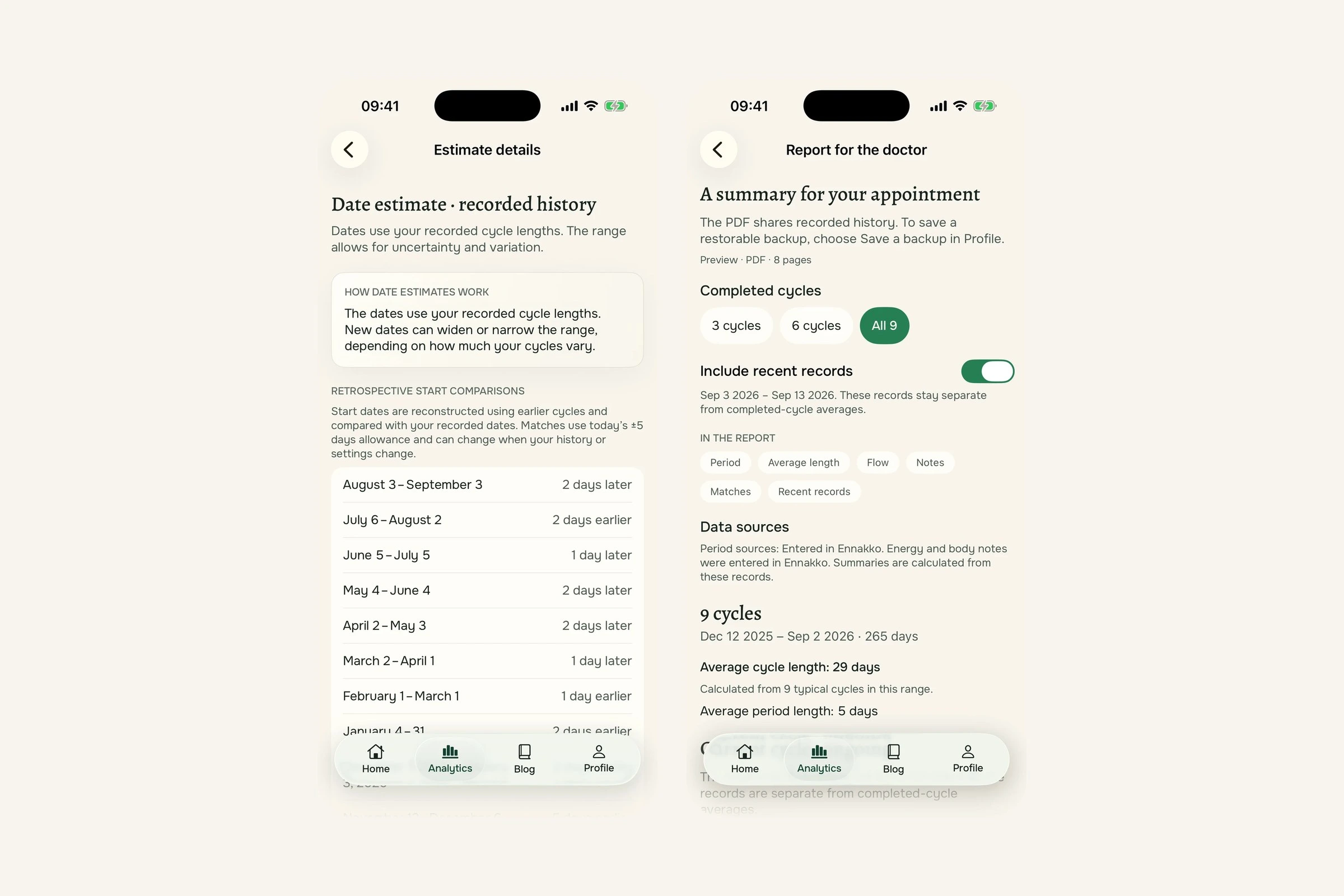
Inspect retrospective matches → prepare evidence for a visit
Key decisions
Required daily logging → period history with optional notes. Forgetting a check-in should not interrupt planning.
A single predicted date → date windows with recorded inputs. An estimate needs room for variation and a way to inspect its basis.
Separate registration screens → no Ennakko account. Apple handles purchases; processing stays on device and private iCloud sync is optional.
The AI assistant, cut. The first plan had a chat assistant. Interviewees raised privacy unprompted, along with control over AI and deleting their data.
Built with AI, checked against the design
I designed Ennakko and built it in SwiftUI with Claude as a coding partner (166 of the app’s 256 commits). The app itself has no AI in it: its estimates come from the period history a person records. Each key screen was built, captured on an iPhone 17 simulator and compared with its visual target at the same scale before it counted as done.
Outcome
Ennakko gives people a useful preview from remembered dates, keeps daily input optional and makes the model’s limits visible beside calendar context. The remaining product risk is whether people trust that distinction enough to return before real commitments and consider paying for it.
0 likes · 2 views · Nov 9, 2026
Turns cycle patterns into planning cues without daily tracking or false certainty. Designed and built solo in SwiftUI after 20+ interviews.


