
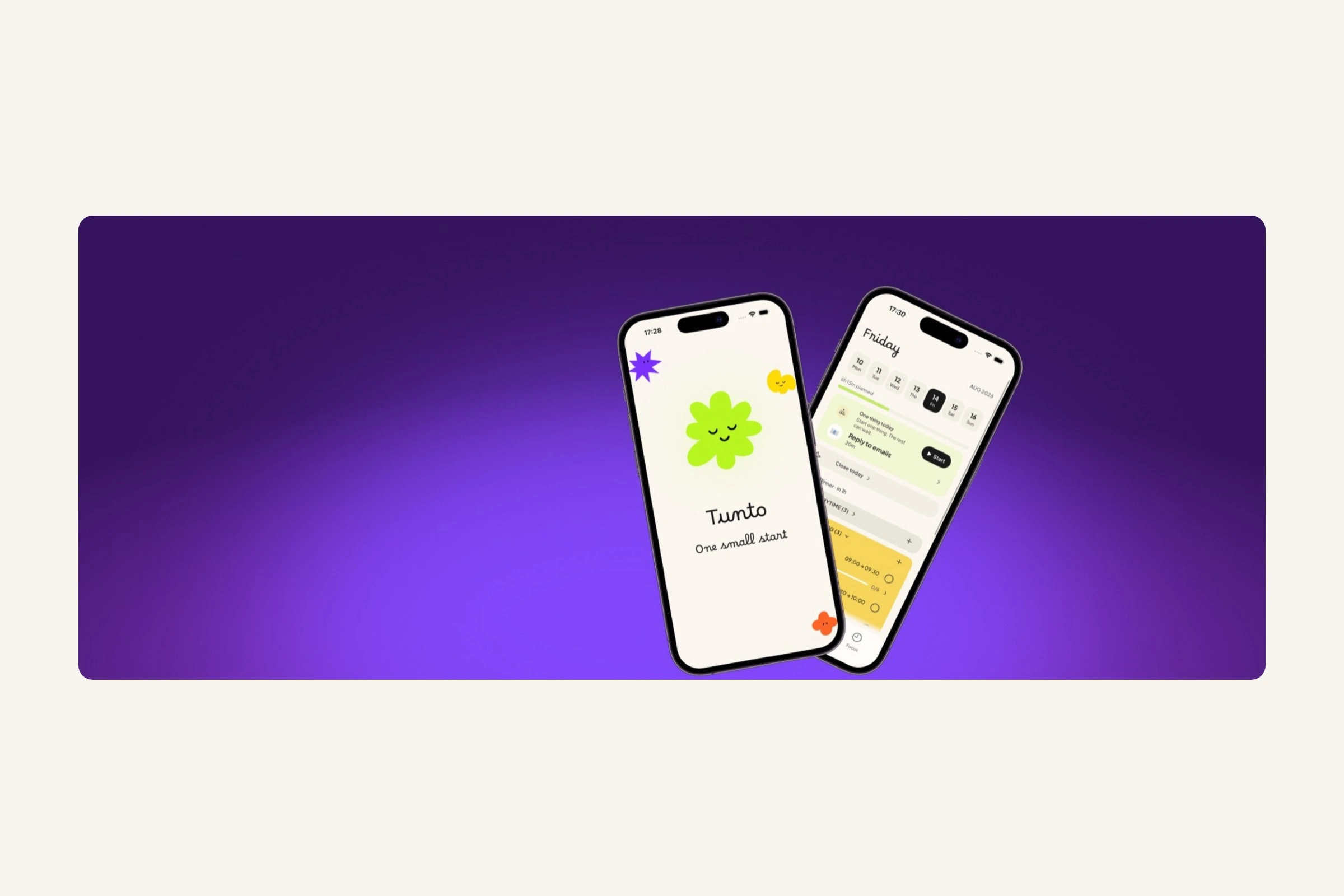
Context
Tunto is a daily planner for the 5-minute gap between “I should start” and “I’ve begun”. Exploratory conversations pointed to task initiation, not planning, so I designed that transition and built the app in SwiftUI.
Most planners assume you are ready to plan. Opening a long task list can add pressure instead of helping.
Role: solo Product Designer and SwiftUI builder — research, UX/UI, brand and implementation
Scope: 8 core flows, 25 screens in light and dark, a Live Activity and a Today widget
Research
Tunto began with a pattern I knew firsthand: I could choose a task, make a plan and still spend 20 minutes not starting. Remote creatives and freelancers described the same problem. These were exploratory conversations, not a clinical study; I did not record a participant count. The apps I reviewed organised the day but did not help with the 5 minutes before work began. That became the brief: help someone start, not build another list.
The problem is not the plan. Someone who is stuck often already knows what to do. Tunto helps them begin instead of asking them to organise more.
Seeing the full list while already overwhelmed adds pressure. Tunto shows one task now and folds the rest away.
Streaks and scores can turn support into judgement. Reminders are off by default, missed days are never counted and every permission is optional.
Name the block, start small
The full first run, 7 steps: hold to start, an optional Apple sign-in, name how you’re stuck, meet a plan smaller than the day and land a first tiny win. Reminders stay optional; the paywall comes last, once the case has been made.
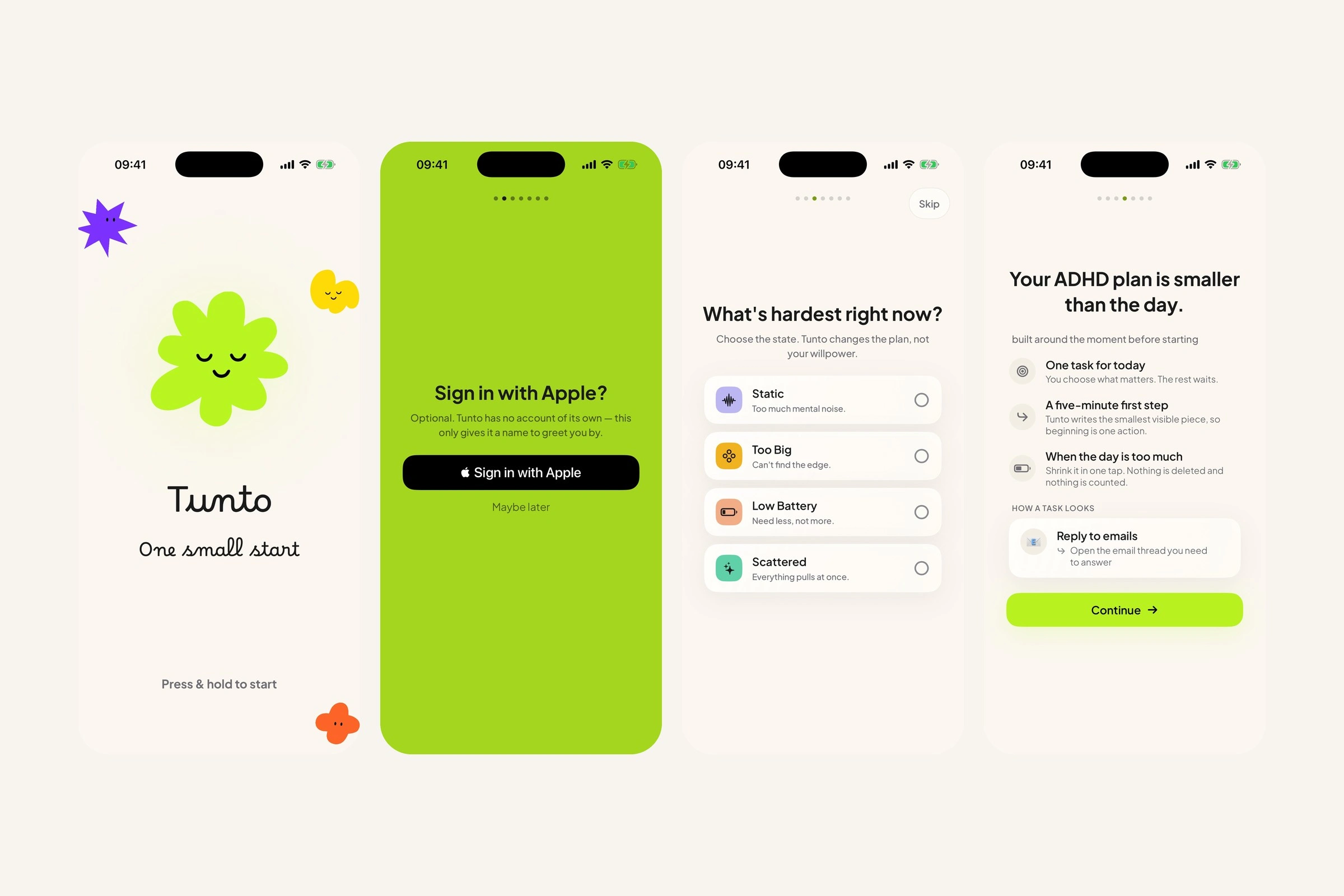
Hold to begin → sign in with Apple → name what’s hardest → the plan it gives back
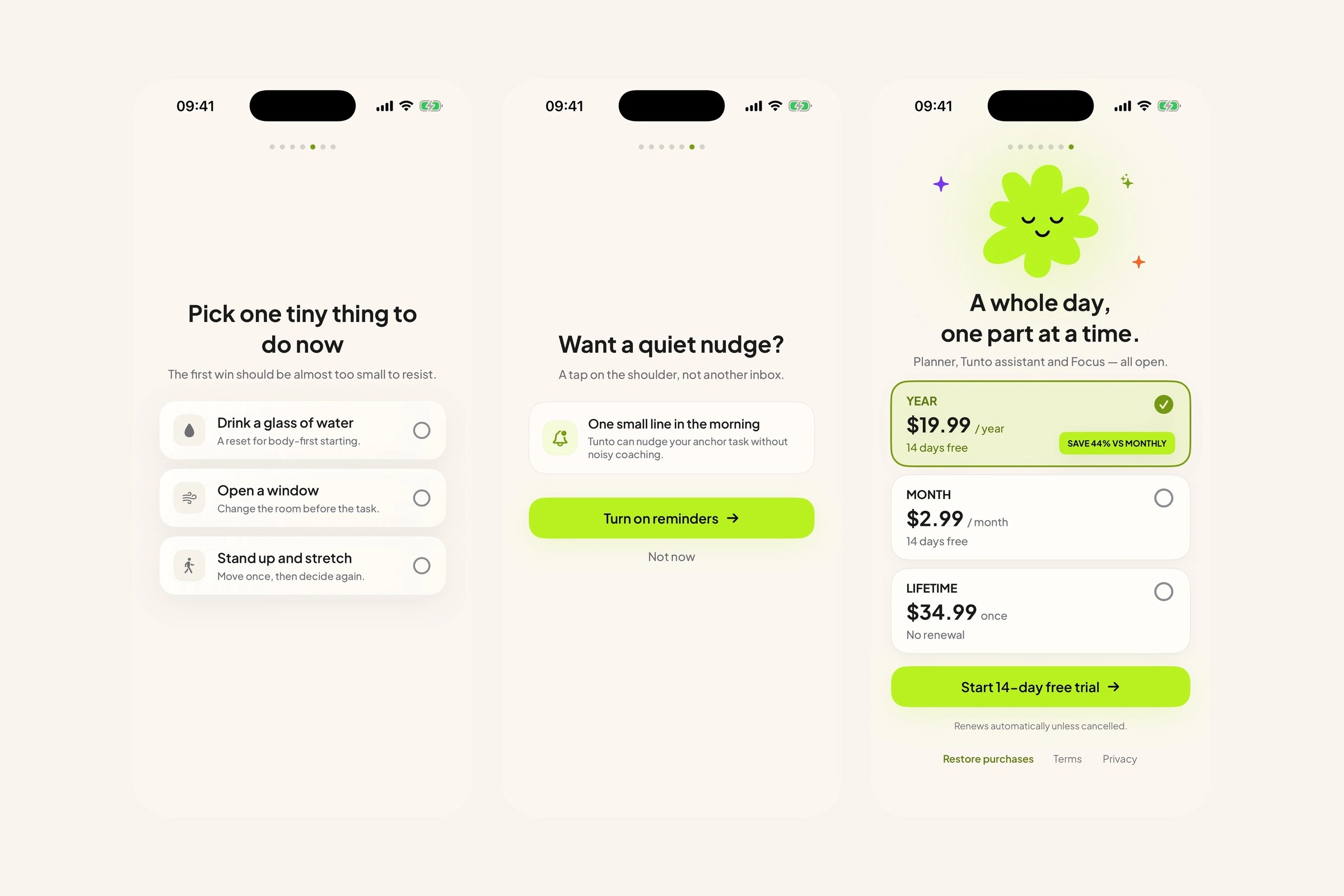
Pick a first win → allow one nudge → choose a plan
Brain dump to first steps
From a head full of everything to one task with its first step written: open the composer, dump it all, then open a task and let the app suggest the breakdown.
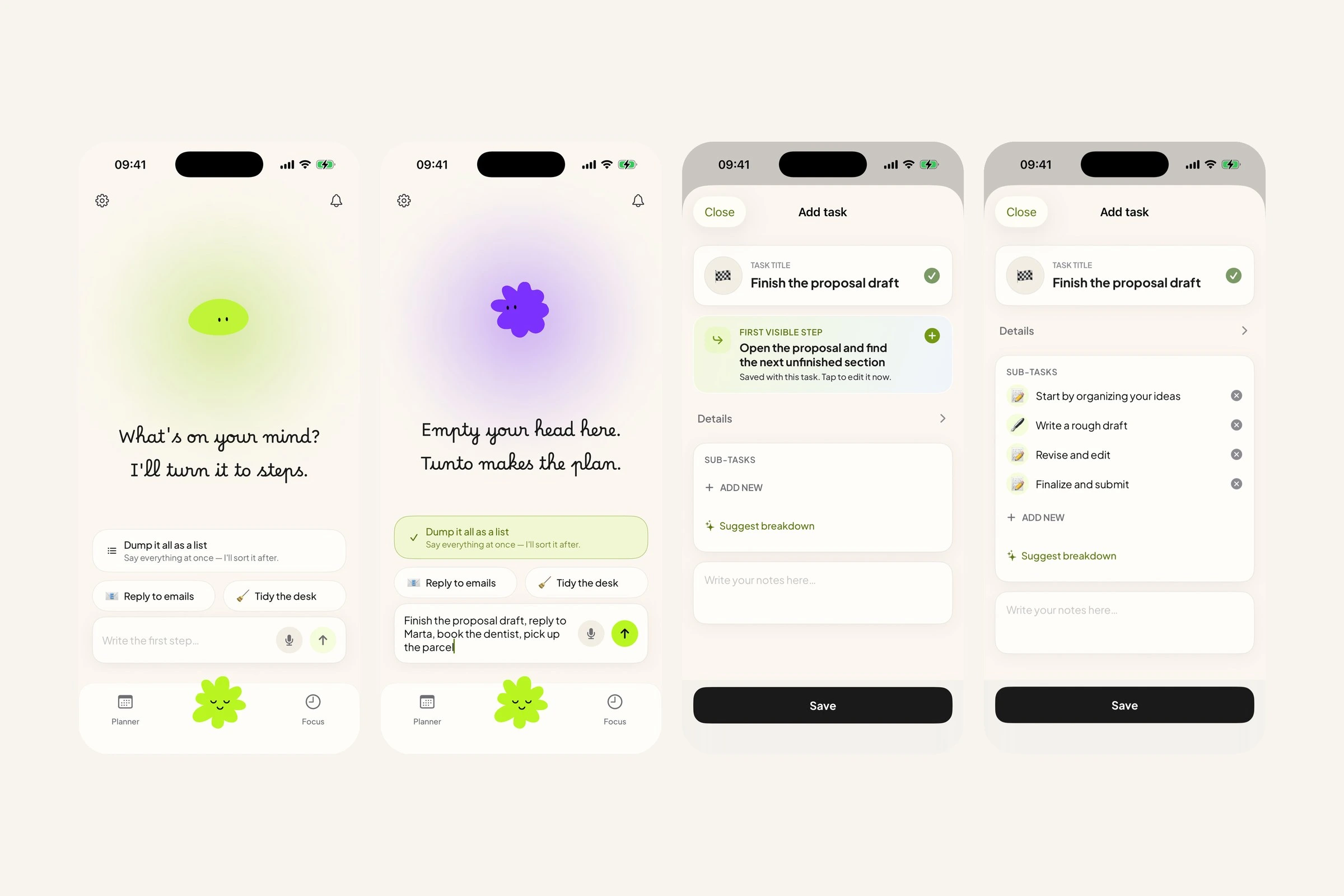
Open the composer → brain-dump everything → add the task → the app suggests the steps
Tunto runs Apple’s on-device model for the two things fixed rules did badly: naming the first step of what someone wrote and splitting a brain dump into tasks. Dates, times and the choice of flow stay in tested offline code. Nothing is sent off the phone to run it.
Never a question. The model must answer in one line with no “?” at the end. A question hands the decision back to someone who has just said they can’t decide.
Nothing lands without a yes. A split brain dump arrives as cards to review. Nothing reaches the planner, reminders or iCloud until the person confirms.
One timer fills the screen
Set a length or carry a task in, run one countdown that owns the screen, then close it when the timer is up — pause, park a thought or stop along the way.
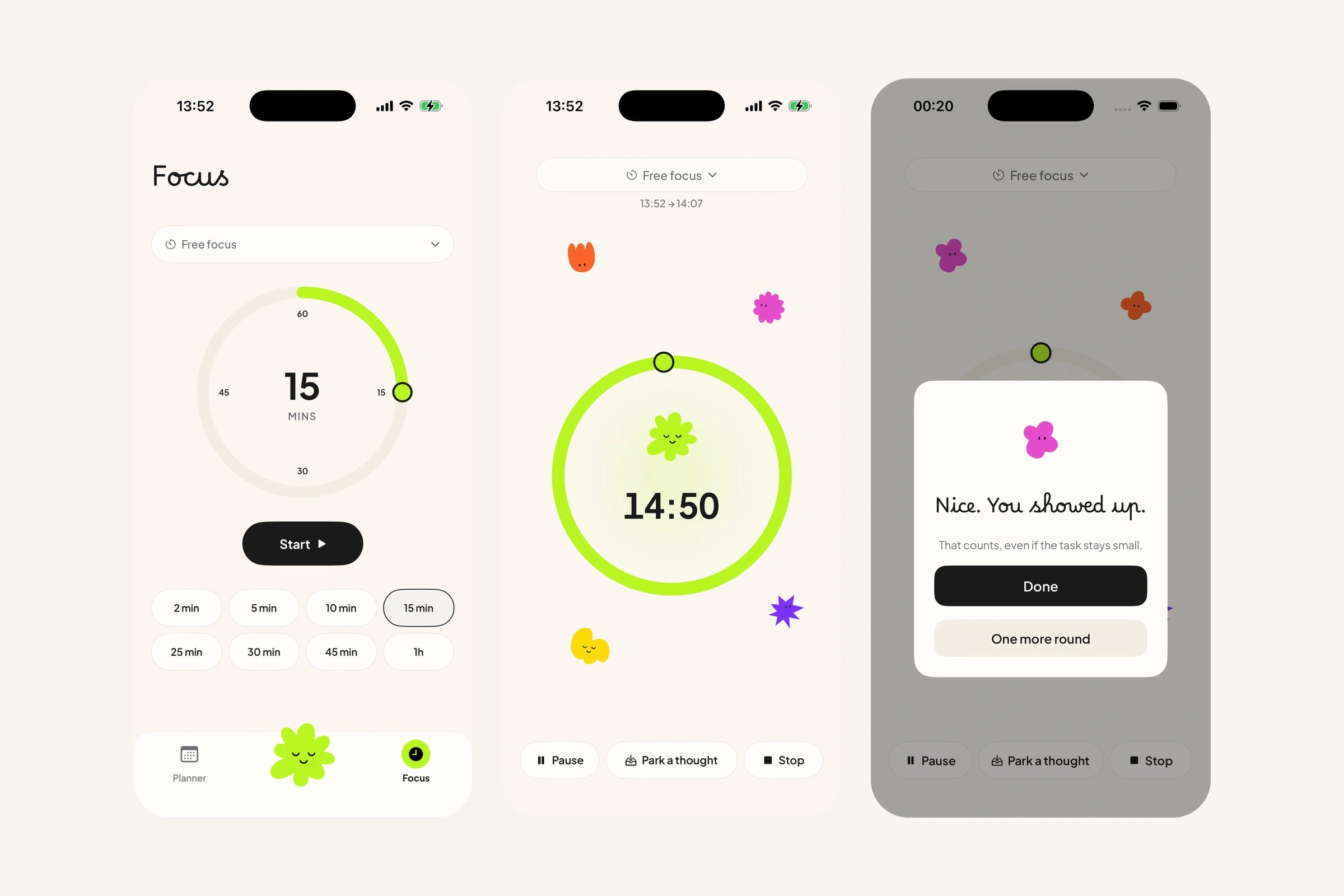
Set the dial → run the session → session complete
One part at a time
The day as a deck of parts, never the whole list at once: open a time of day, shrink today when it overflows and pull forward anything still open from earlier.
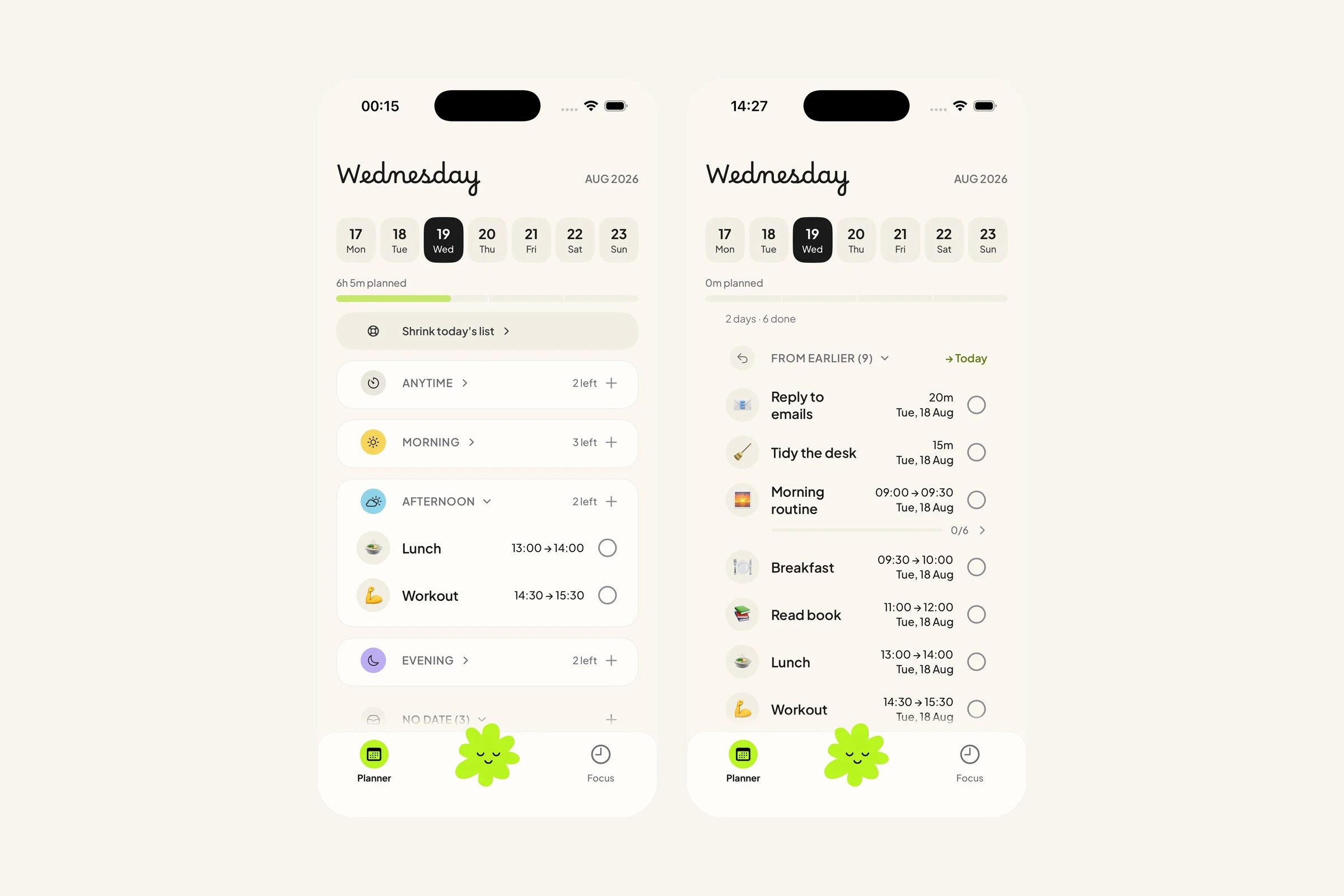
The day in parts · catch up from earlier
The end-of-day path shrinks an overloaded list, then moves unfinished work forward without deleting it, scoring it or hiding where it came from.
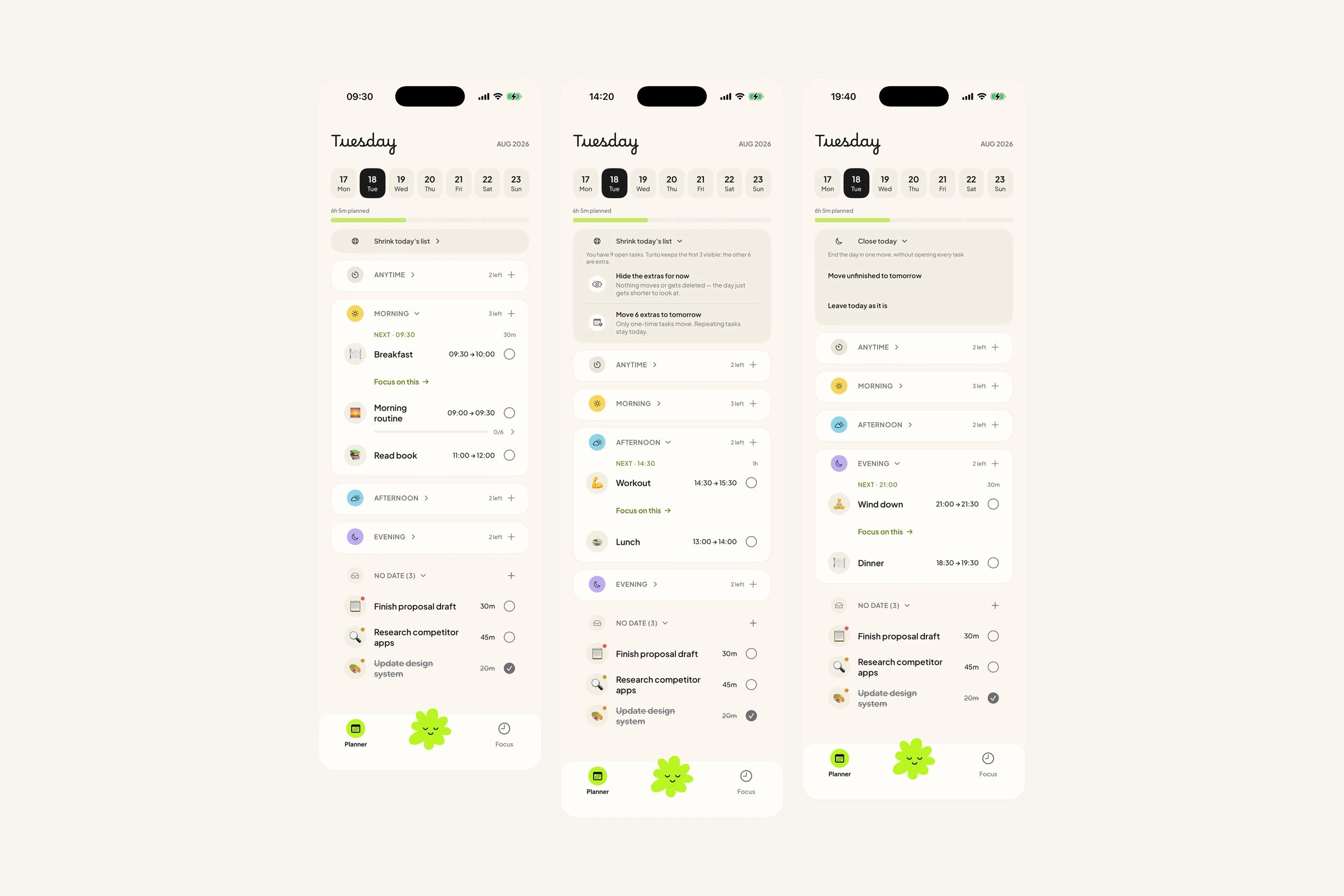
Morning → shrink today’s list → close today
Colour carries the time of day
Time of day is the only grouping in the planner. Colour carries it: warm in the morning, cool by evening, a neutral band for anything with no hour on it. Lime stays out of that scale. It is the one colour that means act — Start, Continue, the control you are meant to touch.
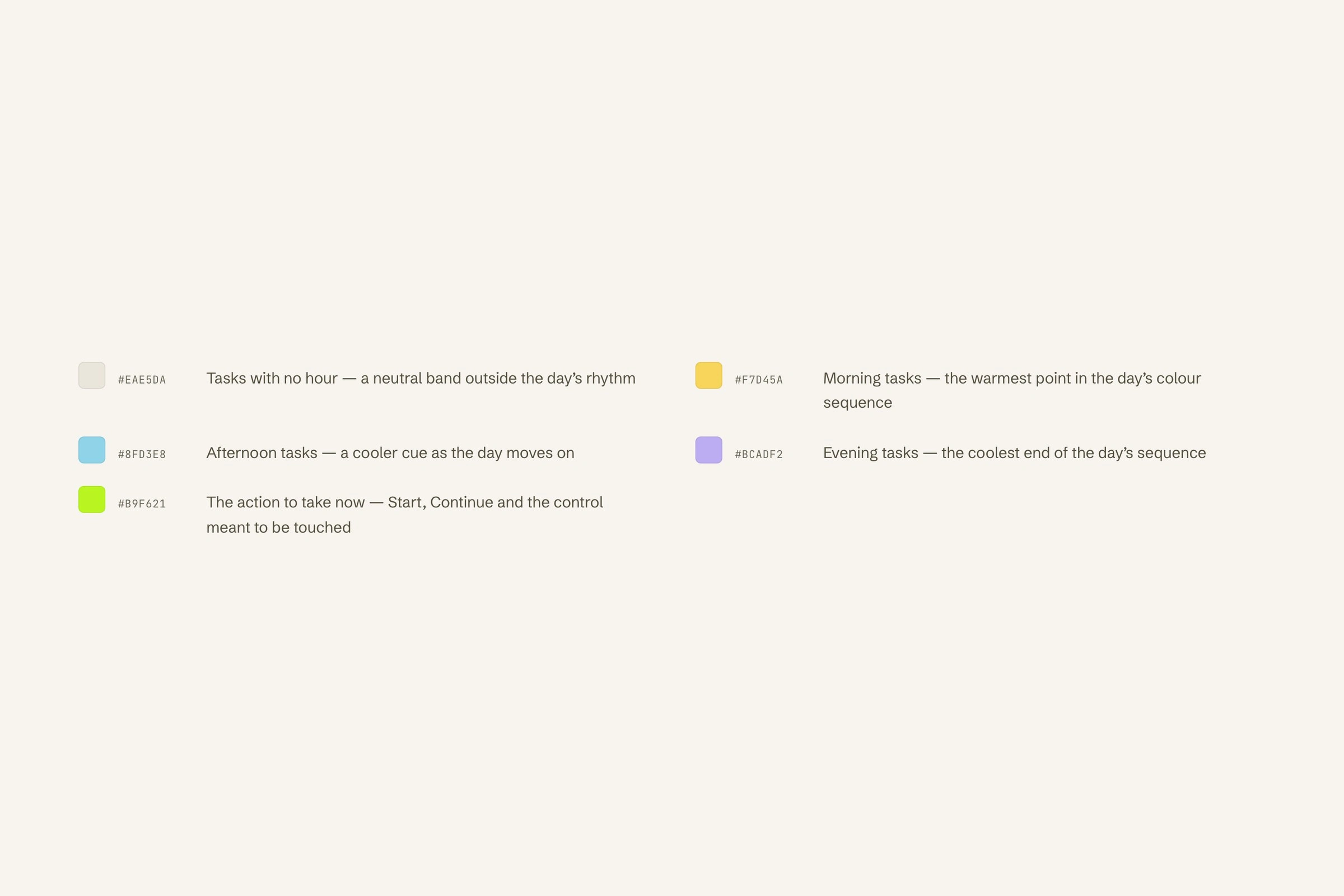
No hour, morning, afternoon, evening — and lime for the action to take now
Reminders without scorekeeping
2 screens keep the reminders honest: what is coming and what changed, then the switches, all off until you turn them on.
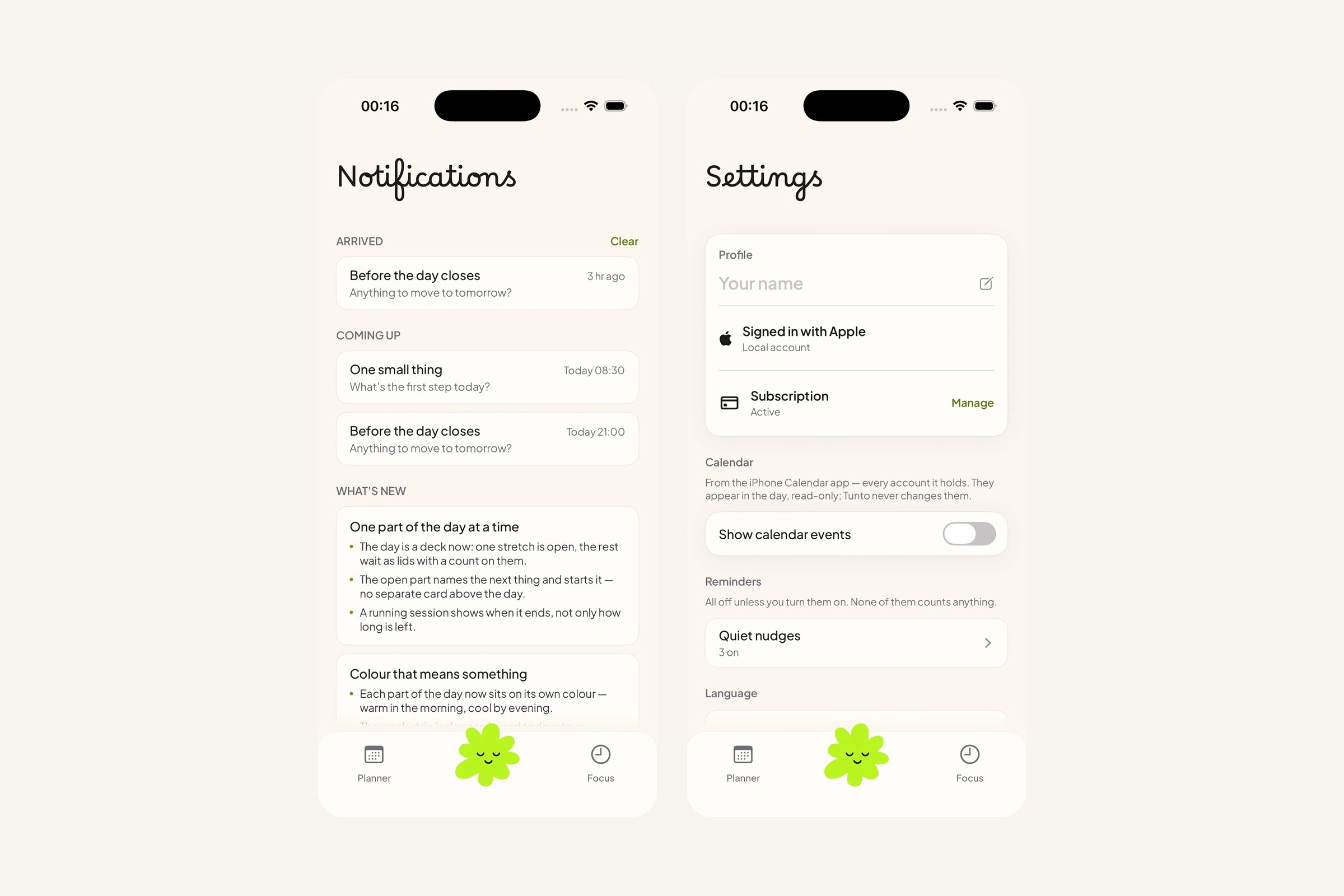
Notifications · Settings
Key decisions
Opening on the task list → a single stuck-entry prompt. A long list could make starting feel harder; the prompt reduces that first decision.
An account to keep tasks in sync → local first. There is no Tunto account or server; a private copy lives in the person’s own iCloud and the app stays fast and quiet offline.
A neutral productivity tone → a blob companion with real personality. The differentiator is how beginning feels; personality carries that transition without turning it into a score.
Outcome
I built it in SwiftUI with Claude as a coding partner (215 of the app’s 281 commits) and checked every built screen against the design in a written review before it shipped. A working HTML prototype came first, then SwiftUI; the Figma file was generated from that prototype.
I reviewed the prototype and then the working SwiftUI build against one question: once work begins, does the app get out of the way? These were self-reviews, not participant testing. Tunto is live on the App Store.
0 likes · 1 view · Nov 9, 2026
An ADHD planner built around the hardest part — actually beginning. Designed and built solo in SwiftUI, live on the App Store.


