Built with Framer

Dockmeter: Warehouse Dock Board Landing Page
A Framer landing page for Dockmeter, a live dock board that shows warehouse managers which bays are free, which trucks are running late and how long loads sit on the dock. The page is written for shift leads and operations managers at distribution centers.
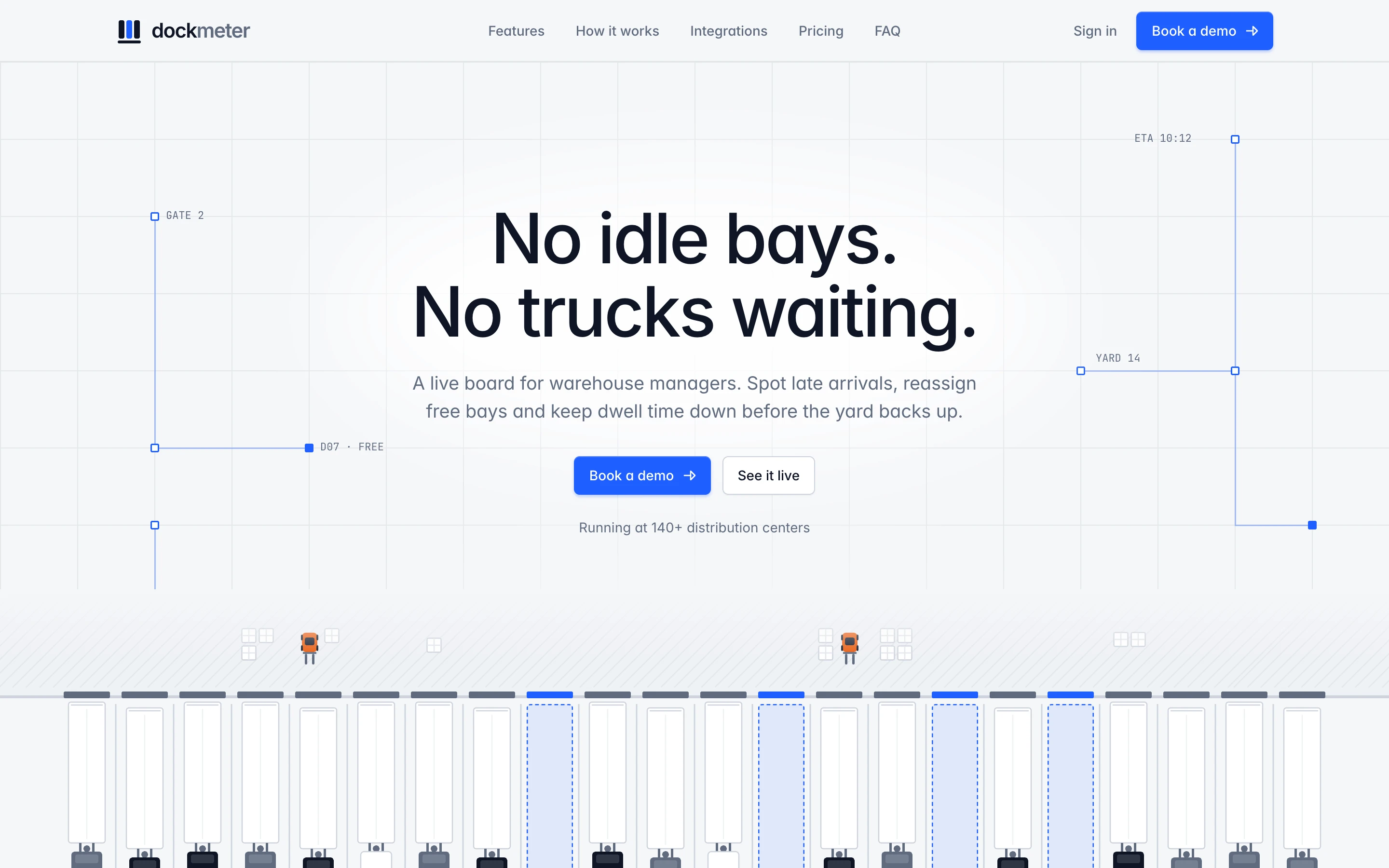
The challenge
Dock scheduling software is a hard sell to people who run docks. Shift leads already juggle a WMS, a scheduling tool and carrier calls, and the last thing they want is another system with a long rollout. The page had to show the daily problem in seconds, prove the product works with the tools they already have, and get operations teams to book a demo.
My role
Design and Framer development of the full responsive landing page: structure, copy direction, visual system and conversion flow.
The approach
Show the yard, not the software. The hero opens with “No idle bays. No trucks waiting.” Below it, an illustrated dock strip shows open bays highlighted and a late truck being routed to a free door. A visitor sees the job the product does before they see any UI.
Put the answers right under the hero. A short stats strip covers the questions buyers ask first: how much time it saves, how fast a truck can be moved, and whether it needs new hardware. The answer to the hardware question is $0, because Dockmeter runs on the schedule the team already keeps.
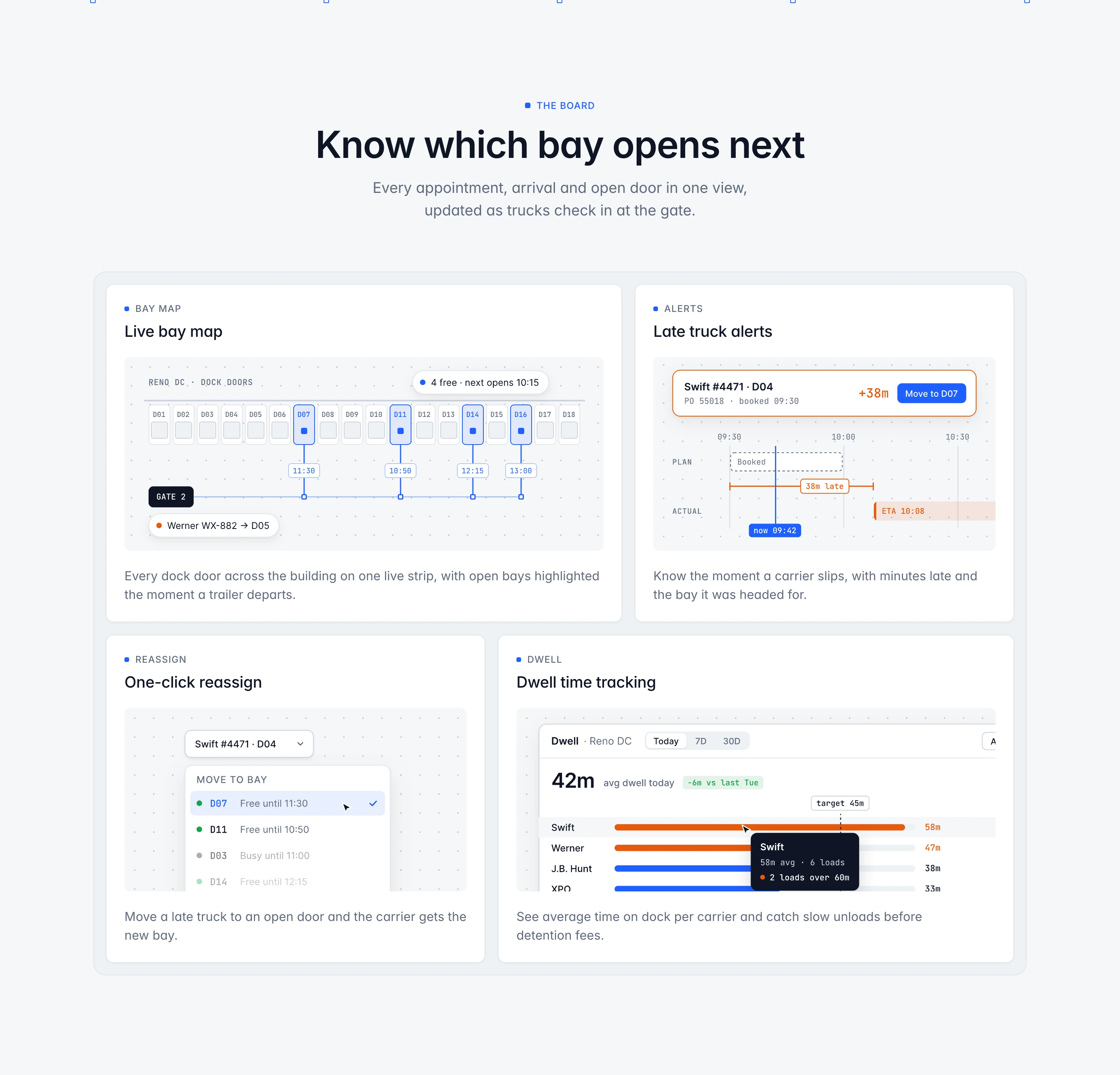
One board, four jobs. The features section is built around the tasks a shift lead does every day: the live bay map, late truck alerts, one-click reassignment and dwell time tracking. Each card names the task in dock language first, with a product view underneath as proof.
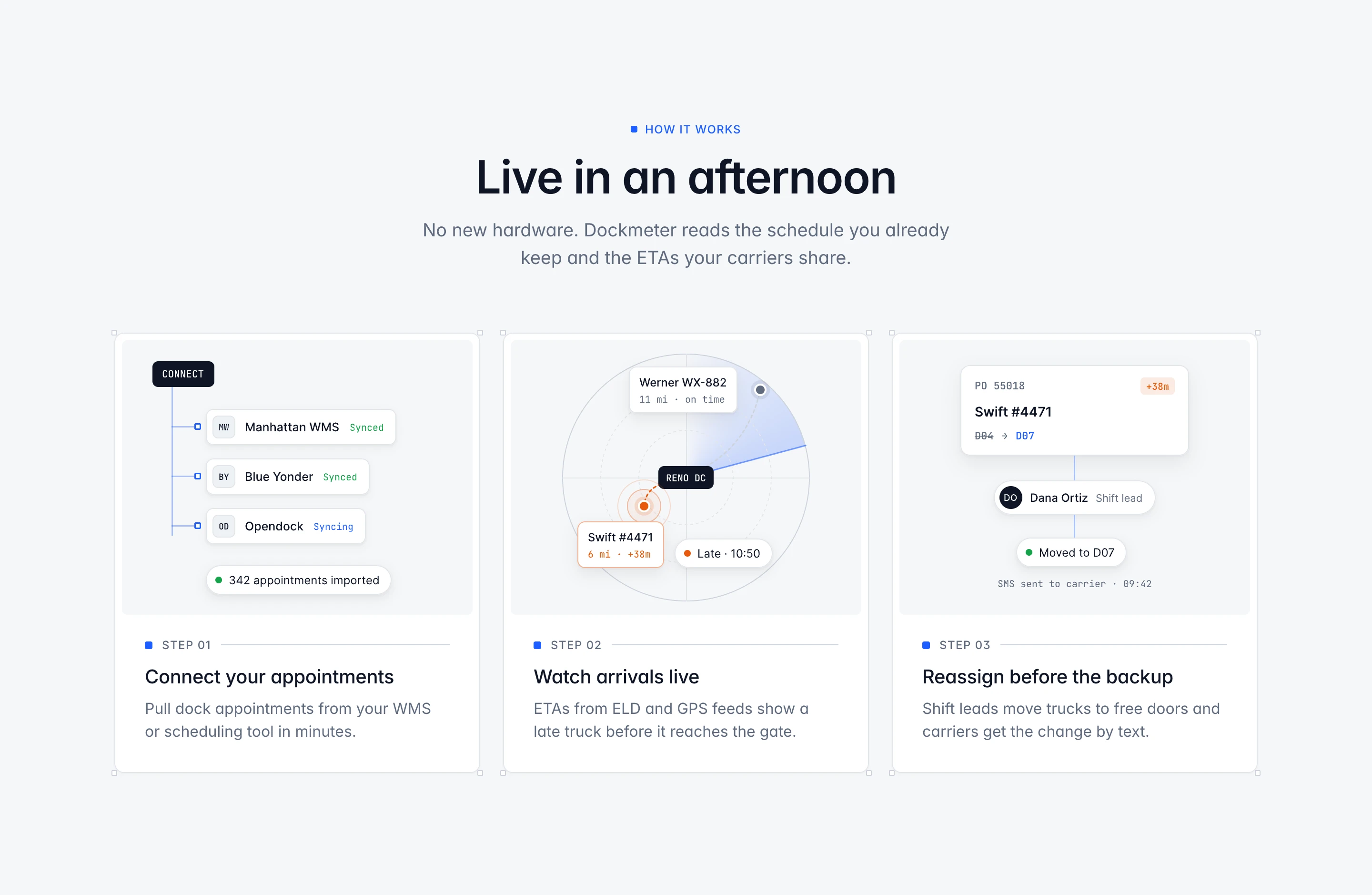
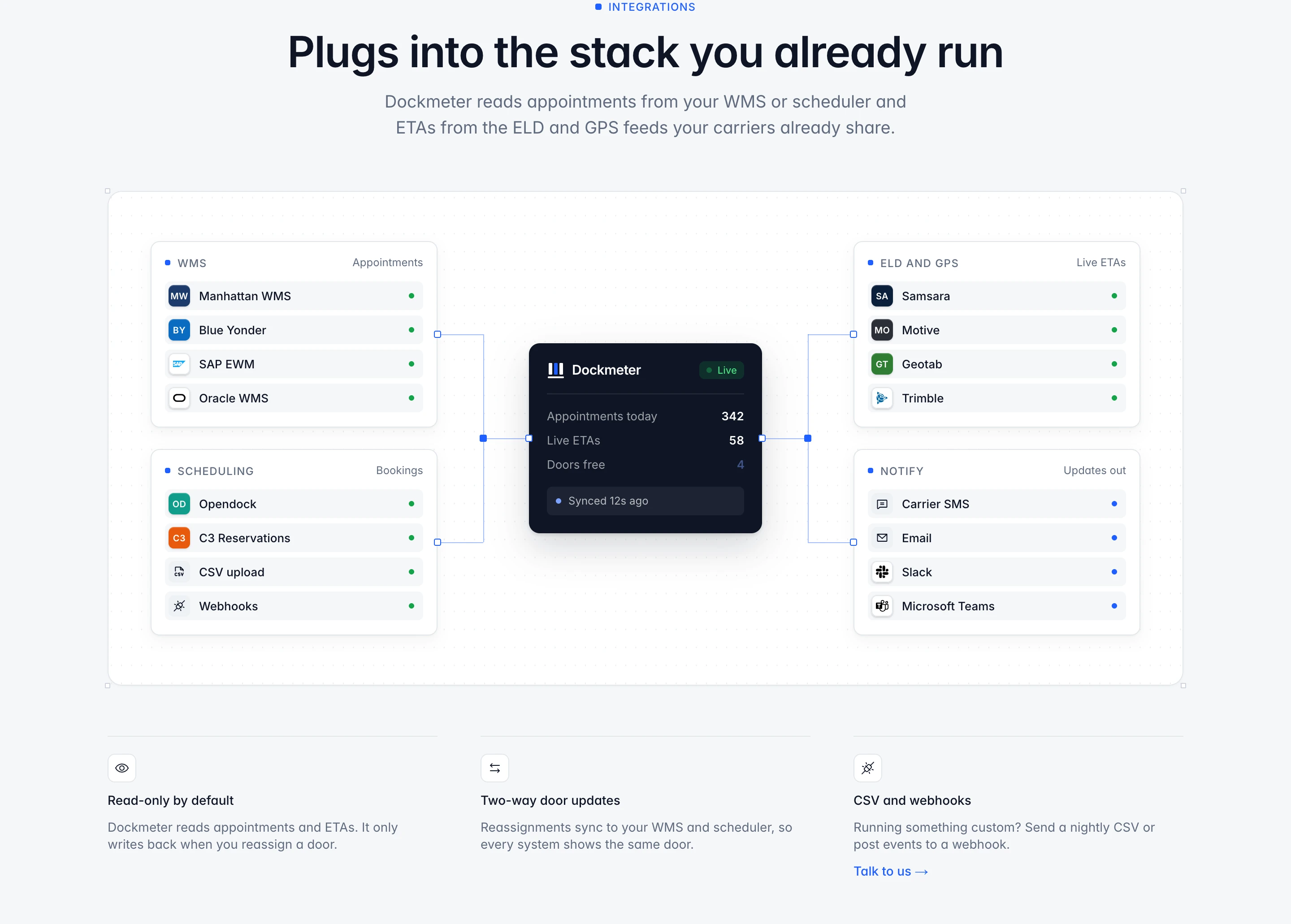
Head off the “another integration project” objection. “Live in an afternoon” sets the expectation, and three steps show how: connect appointments, watch arrivals, reassign before the backup. The integrations section then names the WMS, scheduling and ELD/GPS systems the page connects to, and makes clear Dockmeter is read-only by default.
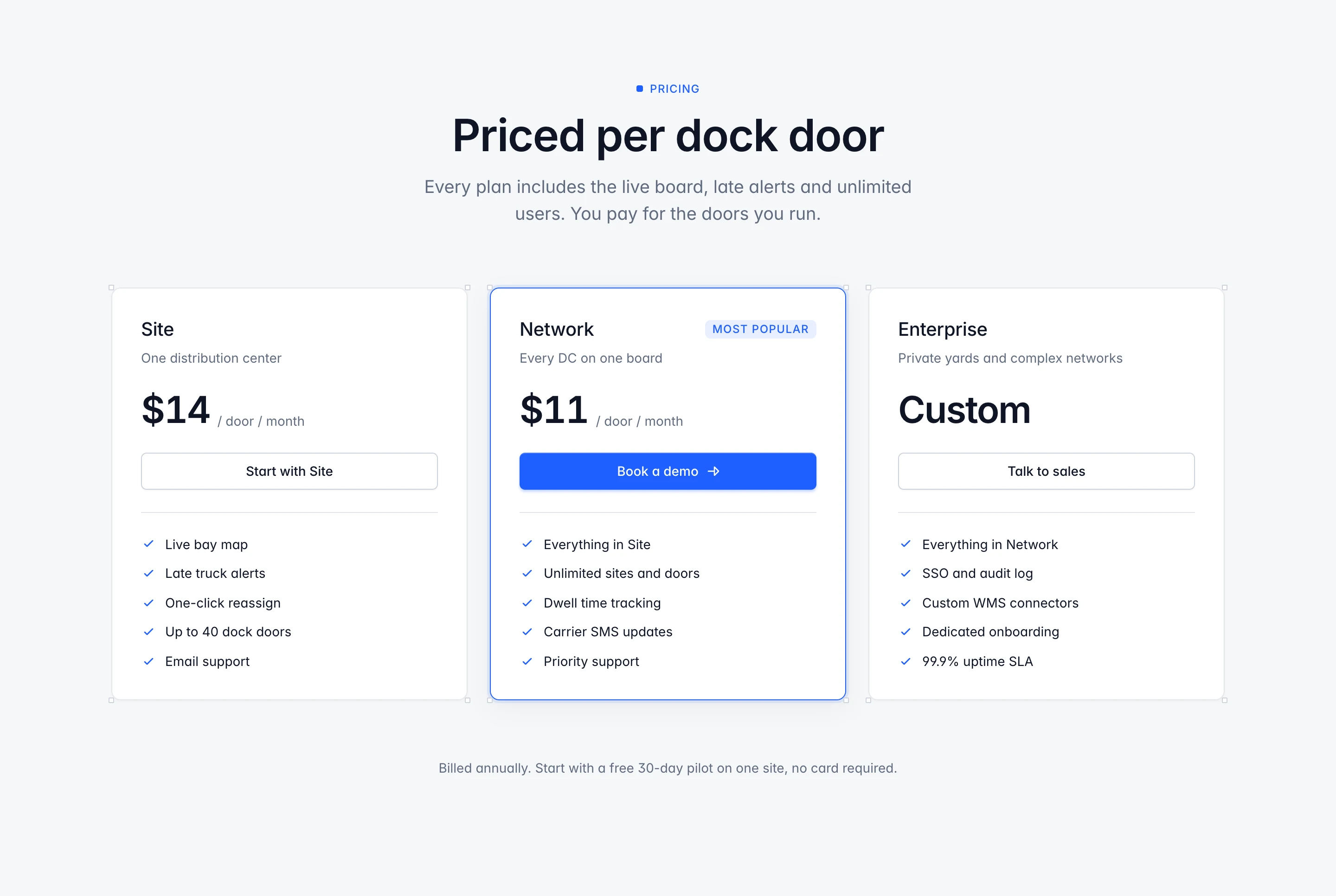
Price it the way docks are counted. Pricing is per dock door, because that is how operations teams think about capacity. There are three tiers: one site, a full network and enterprise. The network plan is highlighted and a free 30-day pilot removes the risk. The FAQ answers the questions shift leads ask before a pilot: hardware, setup time, carriers and detention.
Page flow
Problem-led hero with an illustrated dock strip and demo CTA
Stats strip answering time, speed and hardware questions
Four feature cards built around daily dock tasks
How it works in three steps
Integrations diagram with the systems teams already run
Testimonial from a shift lead
Per-door pricing with a highlighted plan and free pilot
FAQ covering setup and rollout objections
Closing CTA: “Stop guessing which bay is free”
What I delivered
Conversion-focused page structure built around demo bookings
Problem-first copy direction for every section, written in dock language
Light, blueprint-style visual system with custom illustrations and product UI
Integrations diagram and per-door pricing
Fully responsive Framer build across desktop, tablet and mobile
Outcome
A live, responsive landing page that turns dock scheduling into a clear story for operations teams: here’s the backup at your dock, here’s how Dockmeter shows it, here’s how fast you can start.
0 likes · 0 views · Nov 21, 2026
A Framer landing page for Dockmeter, a live dock board that shows warehouse teams free bays, late trucks and dwell time in one live view.

