Fern - B2B AI Сlient Intelligence Platform for Agencies

Dmitriy H.


SaaS | Startup | Web App | Product Design | AI Workflows | Design System
UseFern.ai helps agencies understand the health of their client relationships by bringing signals from everyday communication into one place. I audited and redesigned the core product experience, developed its visual identity and design system, and carried that direction into the website, product motion, and email templates.
Scope: UX audit, product redesign, visual identity, design system, marketing site, and implementation support
The starting point
Fern was an early-stage startup with a working backend and an initial interface built quickly with AI coding tools. The product could already gather and process client information, but its navigation, information structure, and paths between insights and actions were difficult to follow.
I worked directly with the founders and engineers to improve the experience ahead of a broader launch. The central challenge was to serve two related needs: agency leaders had to spot which clients needed attention, while the people managing those accounts needed to understand why—and what to do next. Much of the monitoring happens automatically; the user’s work is to review the findings and act on them.
The interface also lacked a consistent visual language. Colors, typography, and repeated elements felt disconnected across screens.
UX audit and core flows
I walked through the early build from a first-time user’s perspective, mapping the paths across the main dashboard, individual clients, agent insights, and tasks. I reviewed the experience against usability heuristics, including clear system status, consistent patterns, recognition over recall, and error prevention. Feedback from the founders and first customers helped me prioritize the issues that mattered most.
The audit revealed a recurring problem: the product had useful information, but it was not always clear how its views related to each other or how an insight became an action. I used those findings to restructure the flows before refining the interface.
Navigation and dashboard
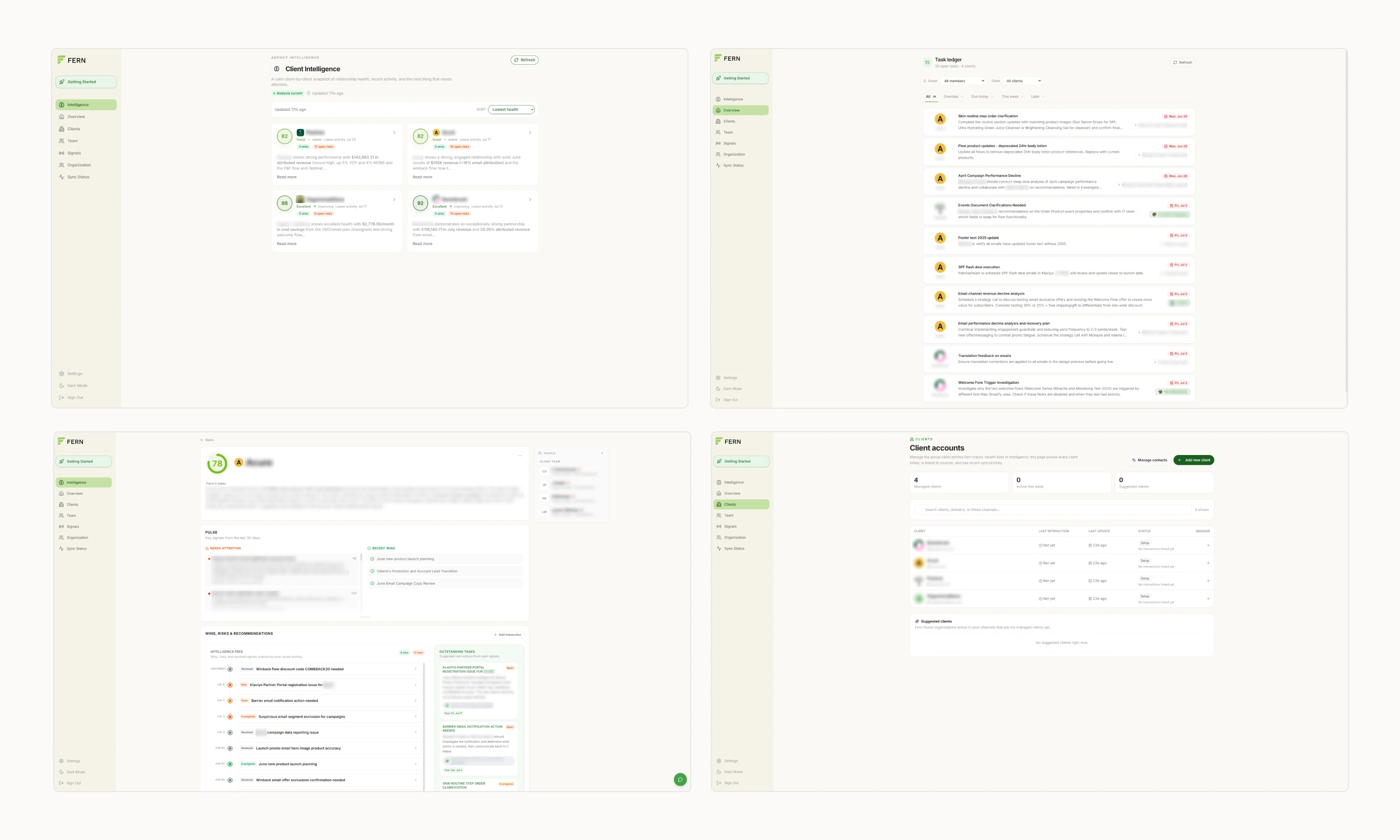
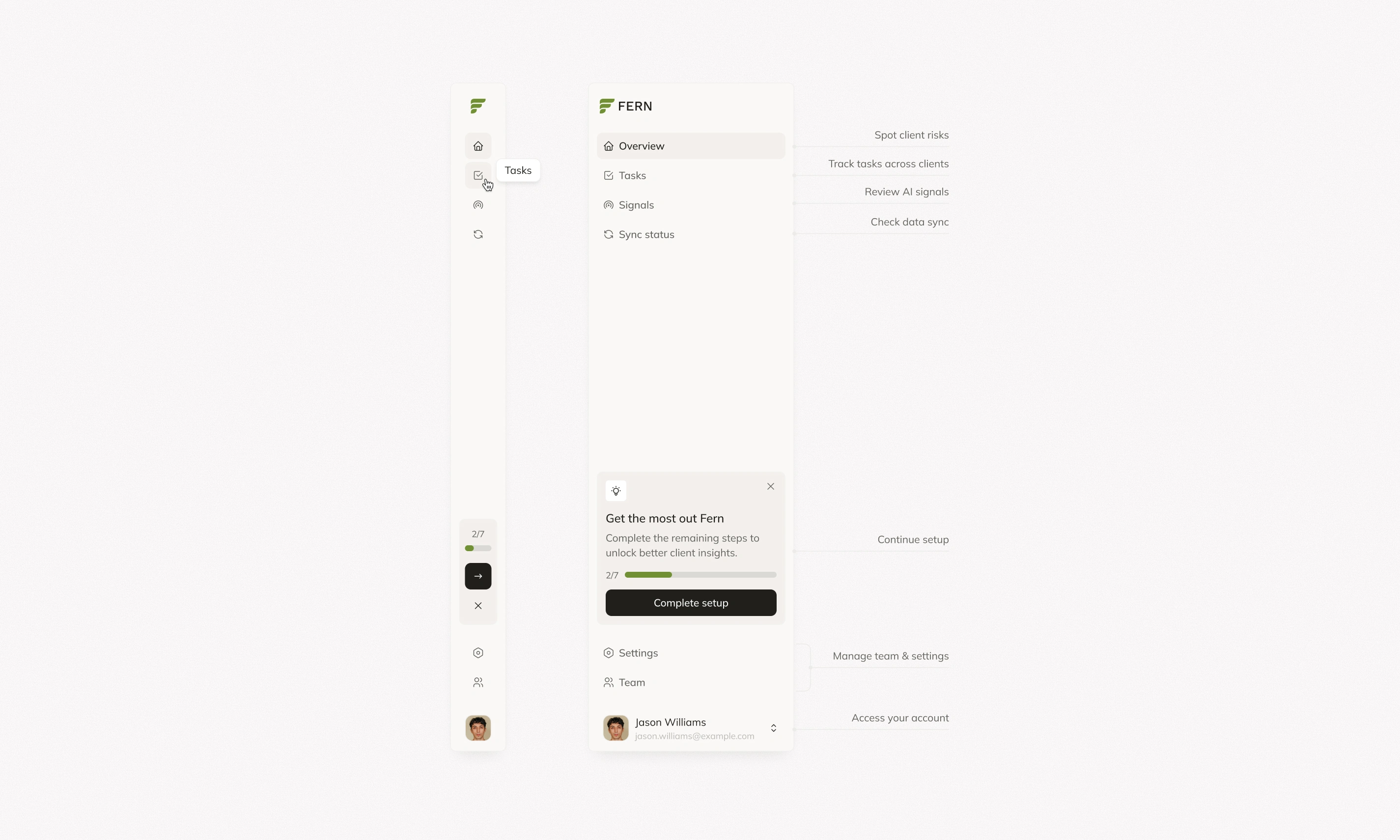
I reorganized the main navigation around the work users actually do: review the client portfolio, manage tasks, inspect signals, and check sync status. Inside each client, a smaller set of tabs keeps the overview, tasks, and interactions together.
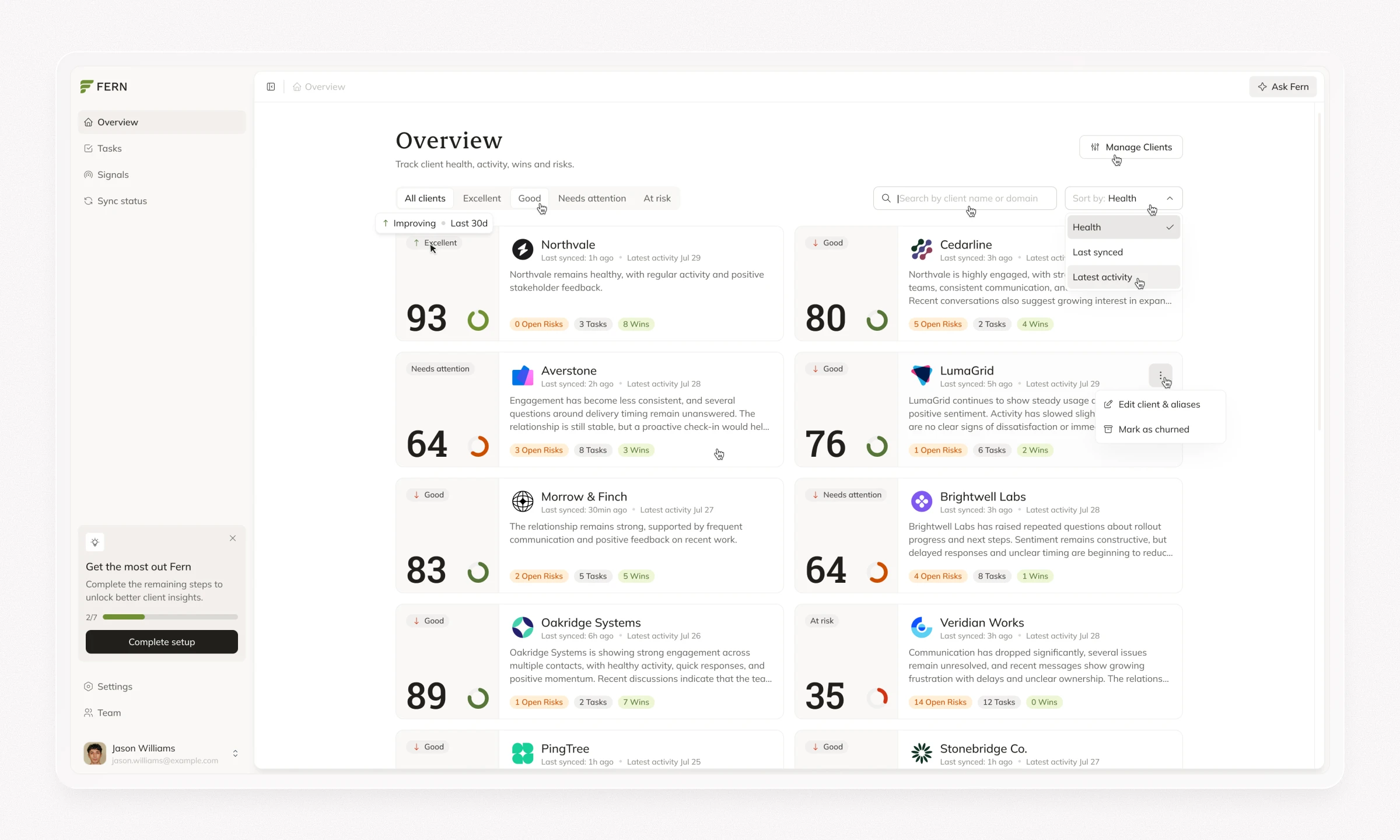
On the main dashboard, I made Client Health the primary signal. The score combines information across categories over a defined period, giving agency leaders a way to scan their portfolio. Health-based filters, search, sorting, and counts of risks, tasks, and wins help teams decide where to look first. Setup progress remains visible when incomplete connections may affect the picture.
Client overview
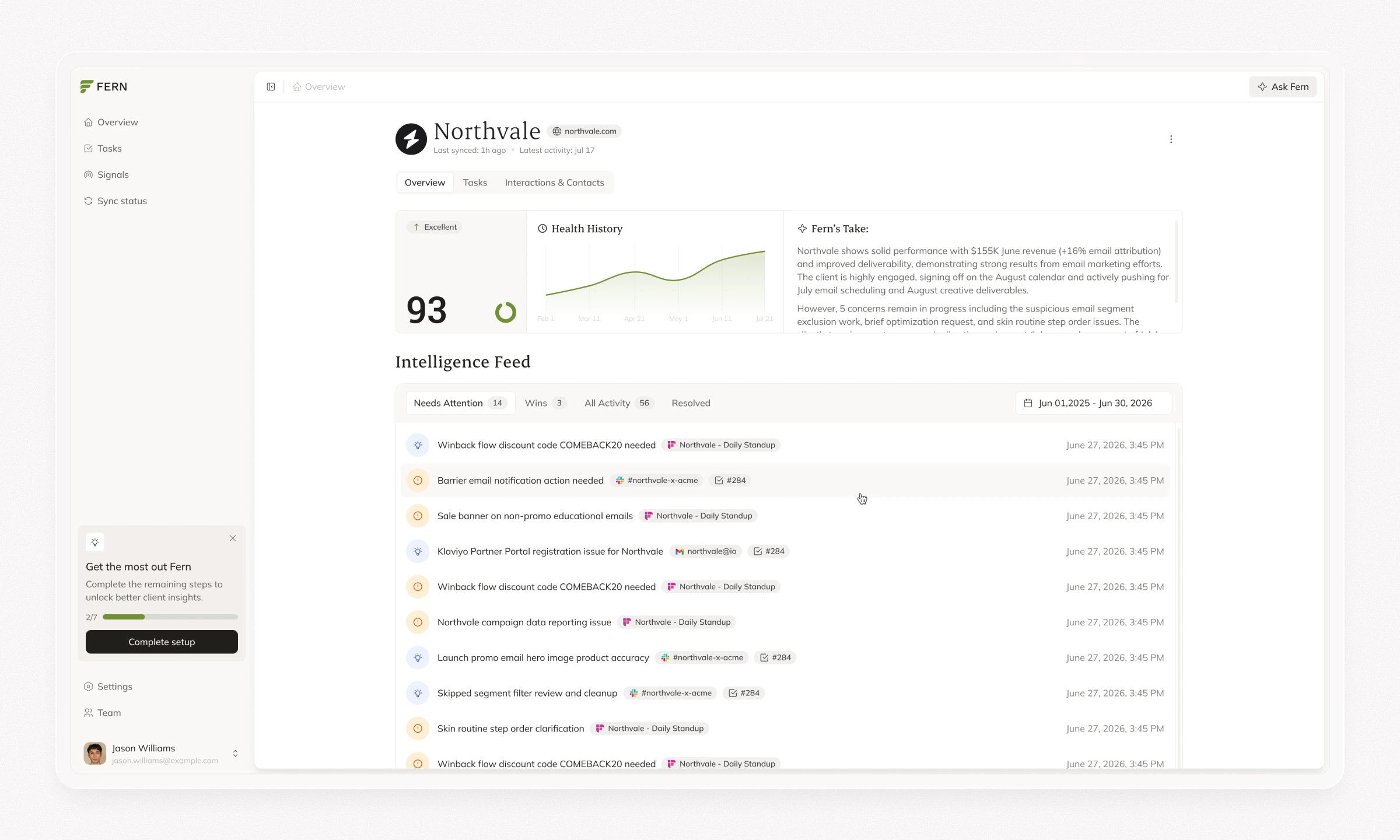
A score alone cannot explain a client relationship. I designed the client overview to pair the current health assessment with its history, an AI-generated summary, and an intelligence feed. The feed separates items that need attention from wins, other activity, and resolved issues.
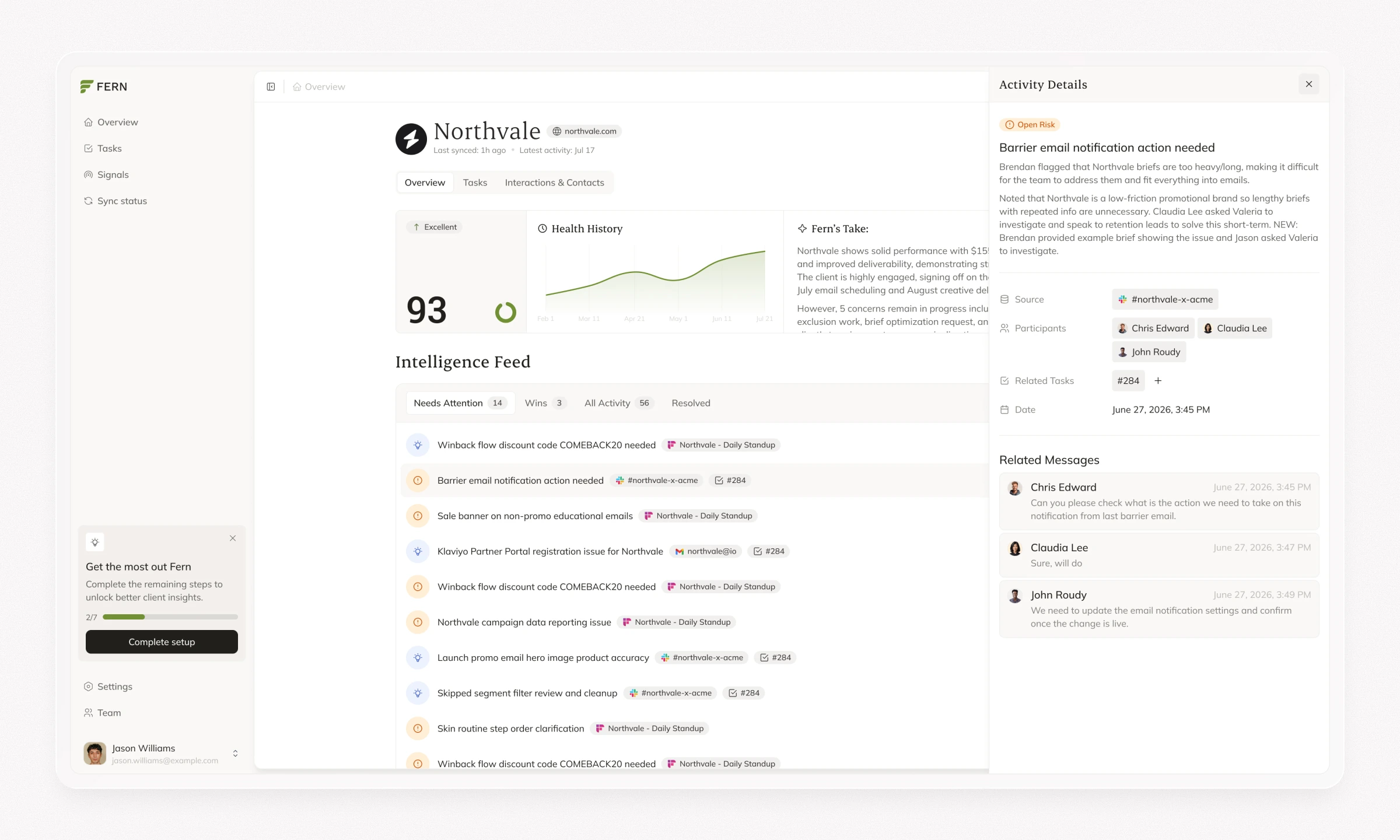
From an activity item, users can inspect more context, including its source, related messages, and connected tasks. This gives an account manager a path from “this client may be at risk” to the specific interaction behind the signal and the follow-up it requires.
Client tasks
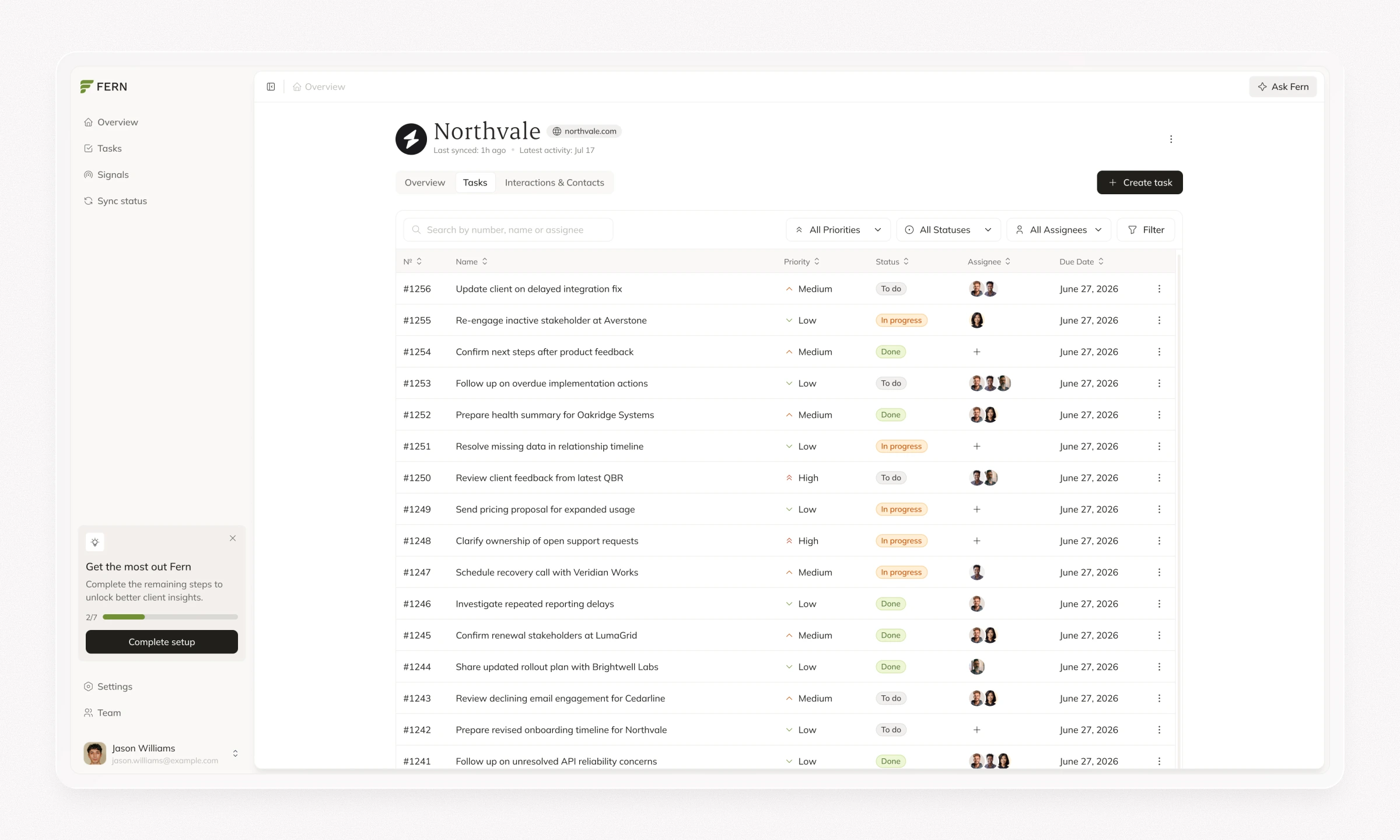
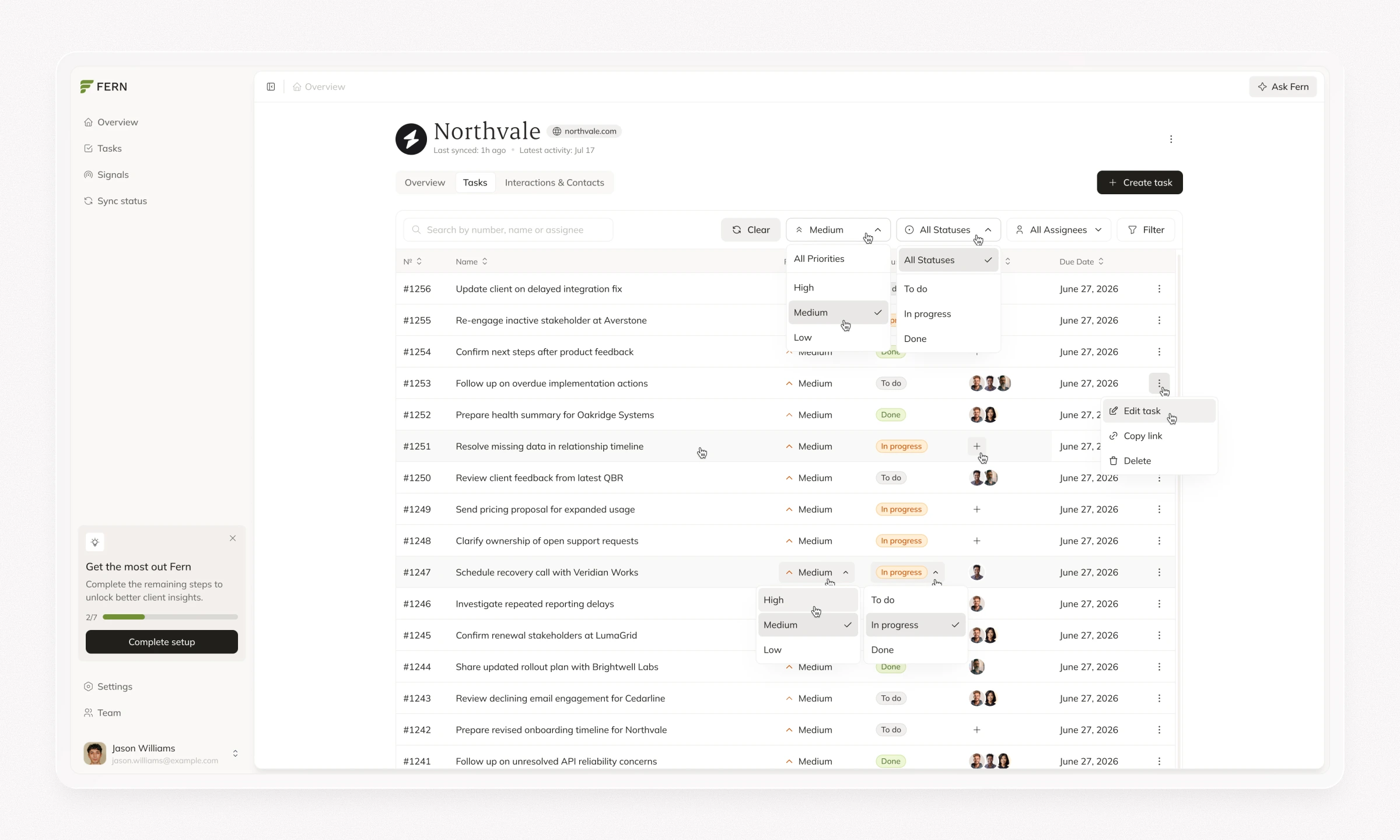
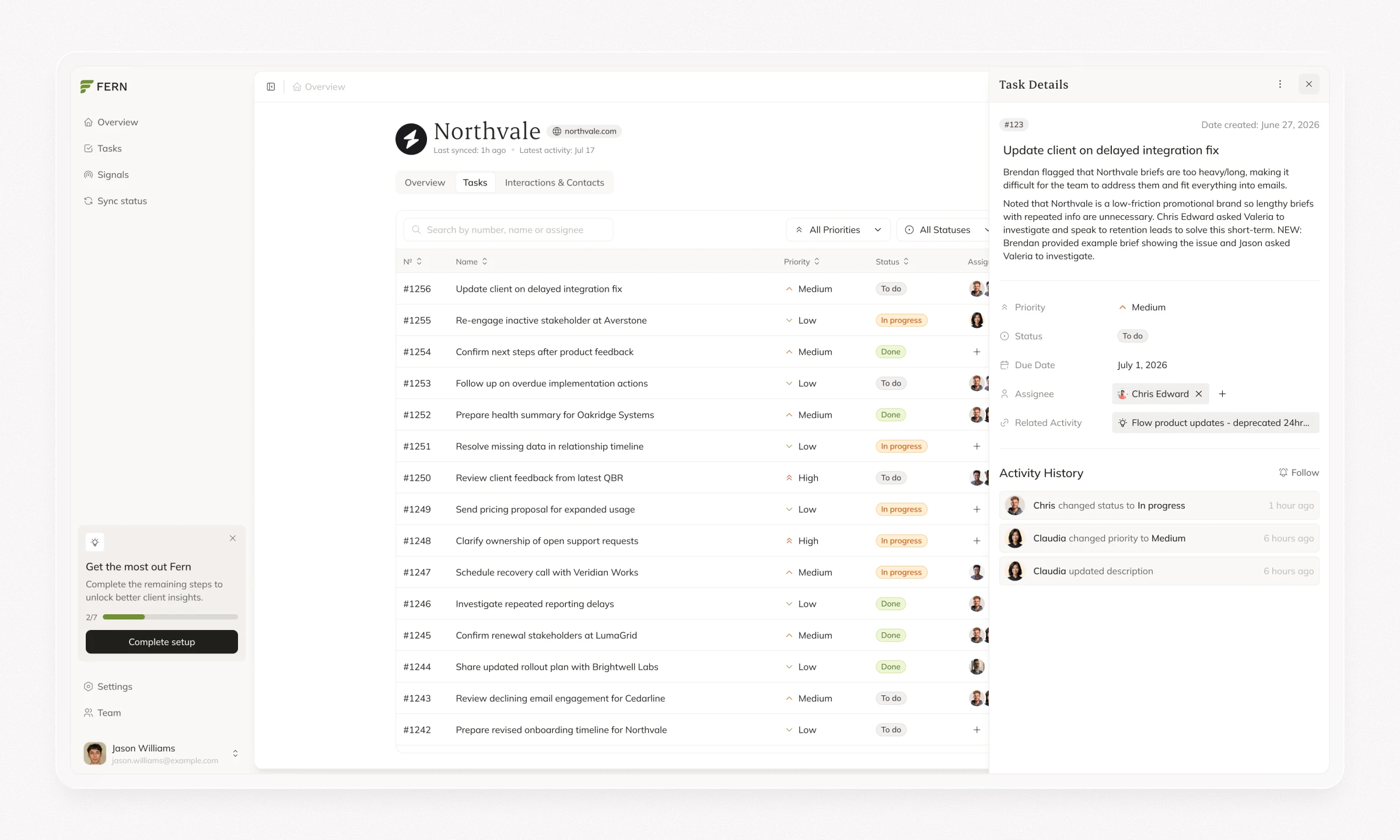
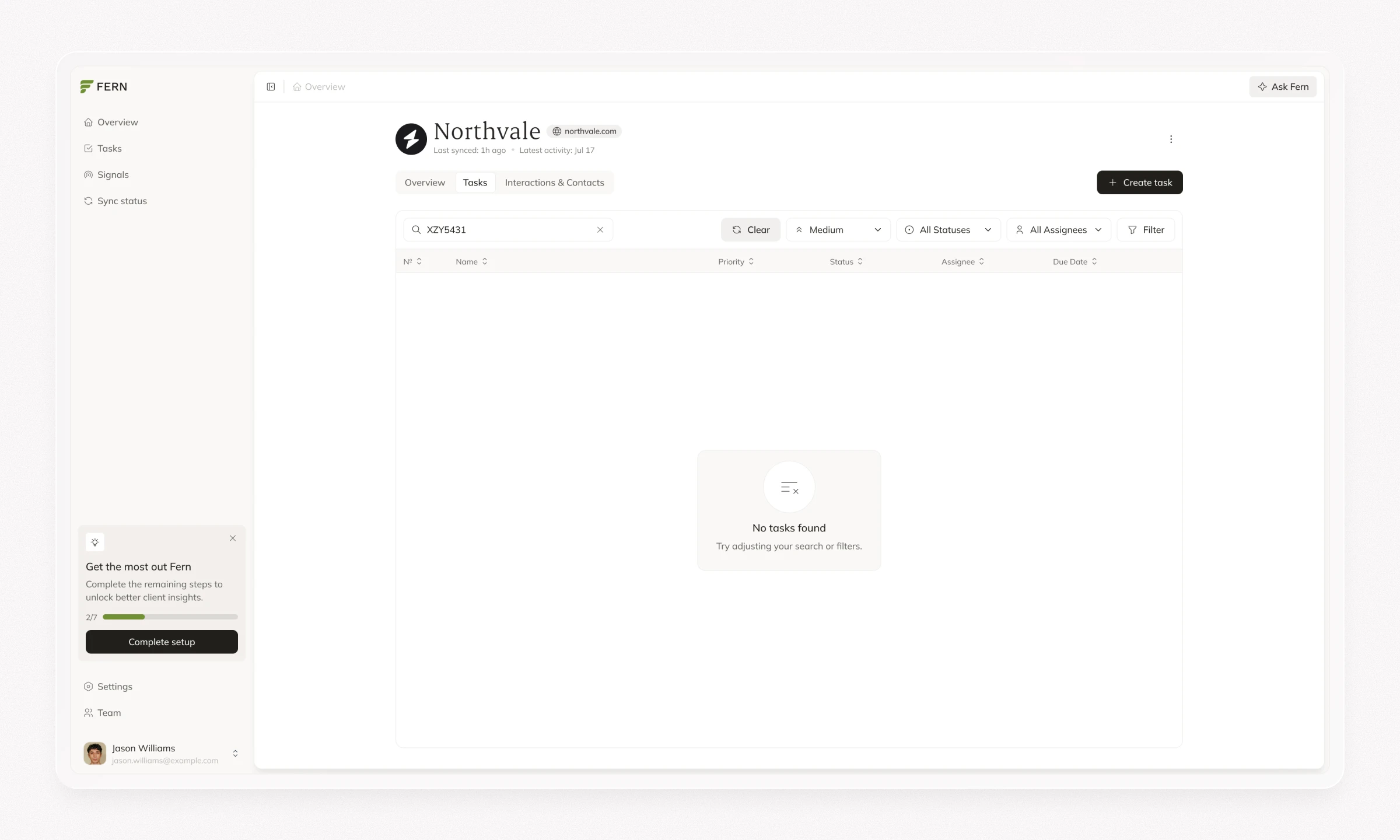
I connected the task experience to the signals that produce it. Users can review suggested follow-ups or create their own tasks, then manage priority, status, assignees, and due dates in a searchable, filterable view.
The task detail panel keeps the description, related activity, and change history together. Inline controls make routine updates quick, while the connection to the original insight helps the team understand why the work exists. The same task patterns carry across the broader platform and an individual client.
Visual identity and design system
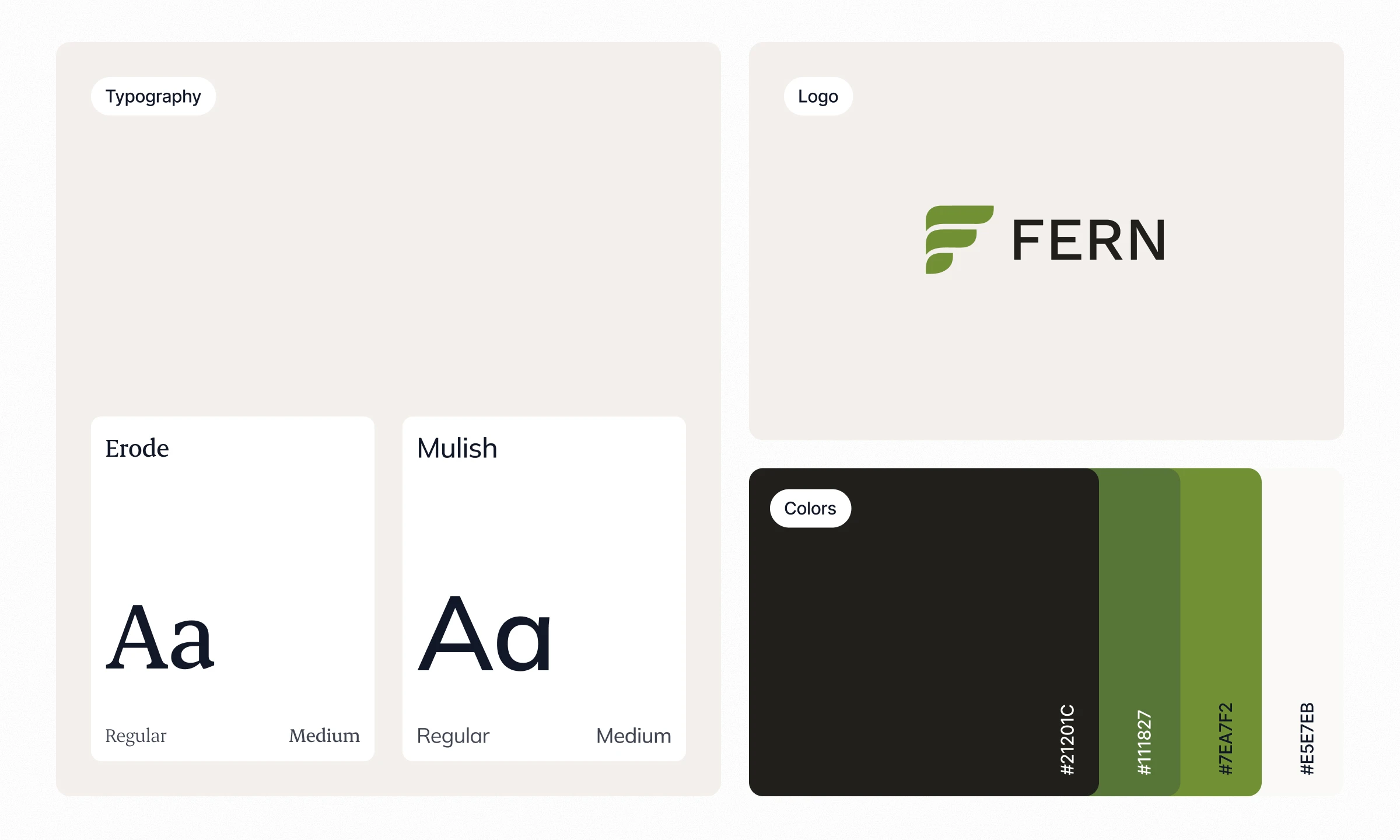
The redesign also needed a visual language Fern could use beyond a single release. I developed its palette, typography, data visualization, and interface patterns to convey trust and clarity while giving the company a recognizable identity.
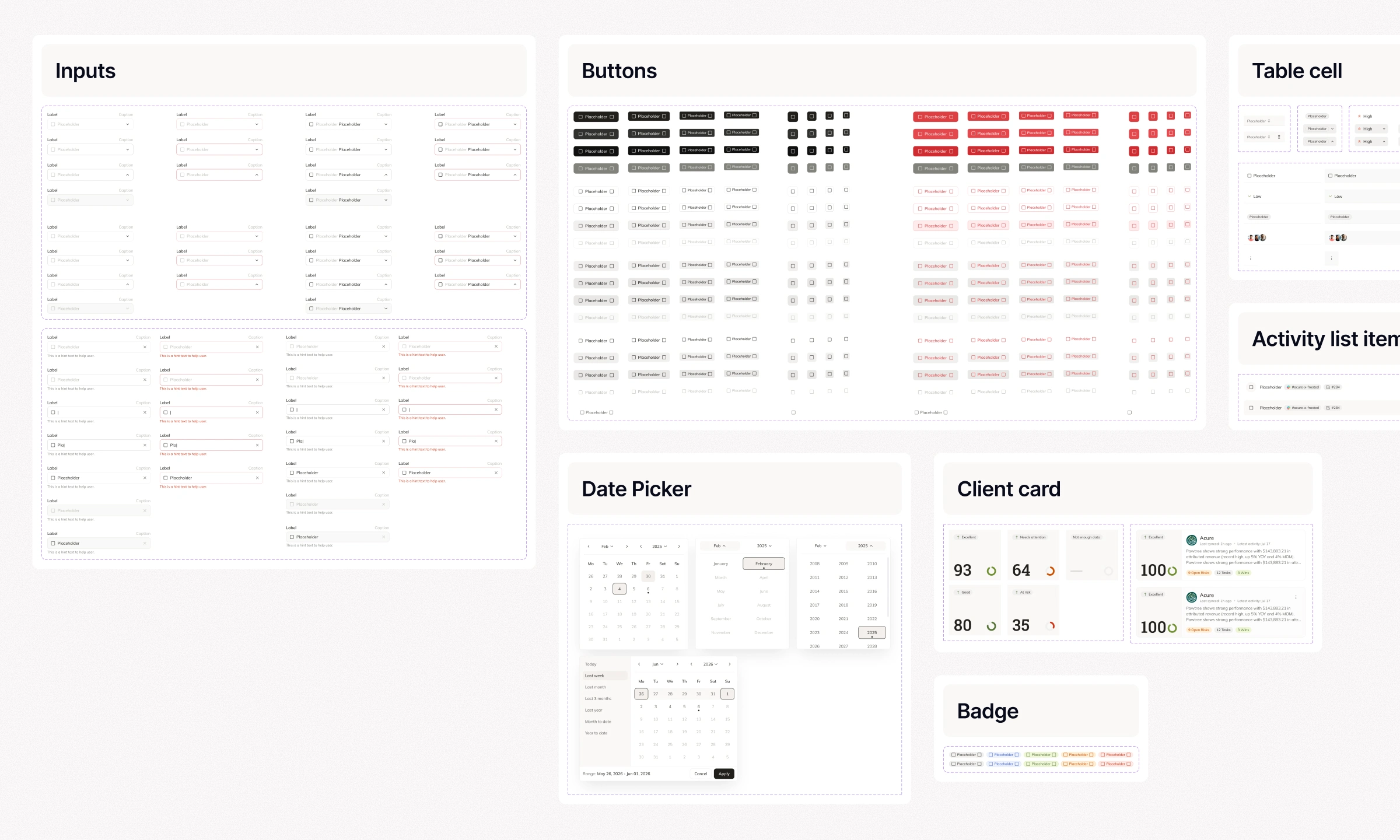
I built the design system with variables and component-based color tokens, covering navigation, tables, cards, health states, charts, forms, and feedback. I defined component variants, error and edge states, and behavior for smaller and larger desktop screens. Documentation and annotated Figma flows helped engineers implement the system quickly, including through Figma MCP and AI coding tools. I reviewed the implemented screens through design QA as the product evolved.
Email templates
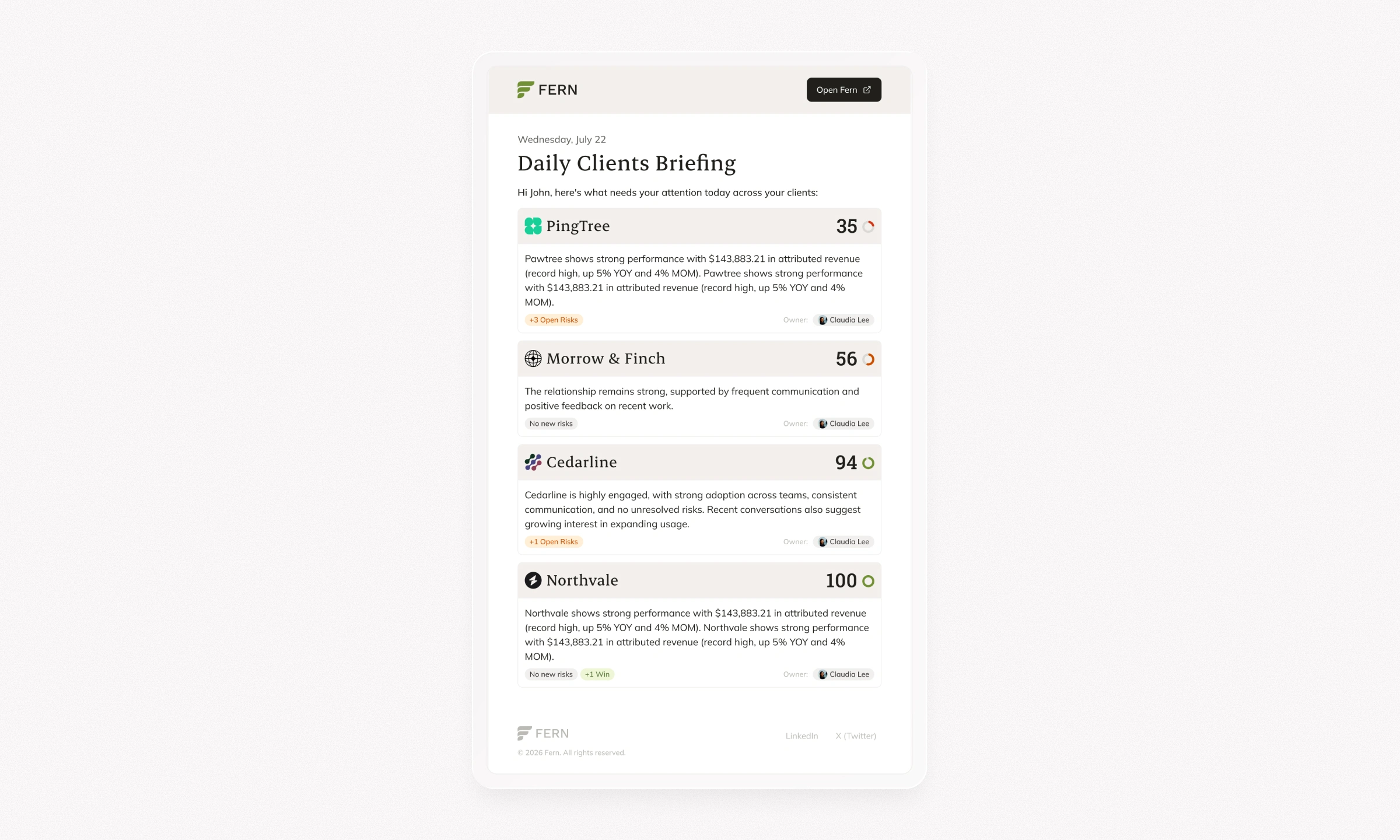
I extended the same visual direction into modular email templates. Typography, color, content hierarchy, and calls to action follow the website and product system, giving Fern a consistent voice across the touchpoints surrounding the platform.
Outcomes
The redesigned core flows, design system, and public-facing work were implemented in a fast-moving product cycle. The founders and first customers responded positively, and the engineering team was able to build the updated experience quickly from the design files and documentation.
Fern remains in beta and early production. Its available experience is still focused, and the team is preparing a broader launch while continuing to refine the product. Because its early users are agency professionals working with real client relationships, their feedback is particularly useful for the next iterations. Work is ongoing.
Like this project
Posted Aug 19, 2026
Designed and developed the UX/UI and brand for UseFern.ai, including a scalable design system, SaaS platform and marketing landing page.