B2B SaaS | AI Workflow Builder for email automation

Dmitriy H.


(#4 Day Rank on Product Hunt)
Role: Senior Product Designer · Sole designer
Scope: Product UX/UI, AI interactions, workflow builder, design system, website, and marketing
I designed Dreamlit’s product experience from the ground up: an AI agent that creates data-driven email workflows, a builder where teams can inspect and refine them, and the setup needed to send on-brand messages with confidence.
As the product grew, I also designed its workspace structure, team management, visual identity, and design system.
Dreamlit AI is an end‑to‑end email automation platform that lets SaaS teams create complex user communication flows through natural‑language prompts.
From an idea to a working workflow
The team was building a platform where users could connect their database, describe the emails they wanted to send, and let an AI agent create the workflow. That promise only worked if people could understand what the agent had built, test it against their data, and decide when it was ready to go live.
I worked across that entire journey—from onboarding and the first workflow to sending configuration, team settings, and performance views. Dreamlit evolved quickly, so the design had to accommodate new triggers, channels, and ways of working without making the core experience harder to understand.
Creating a workflow with an AI agent
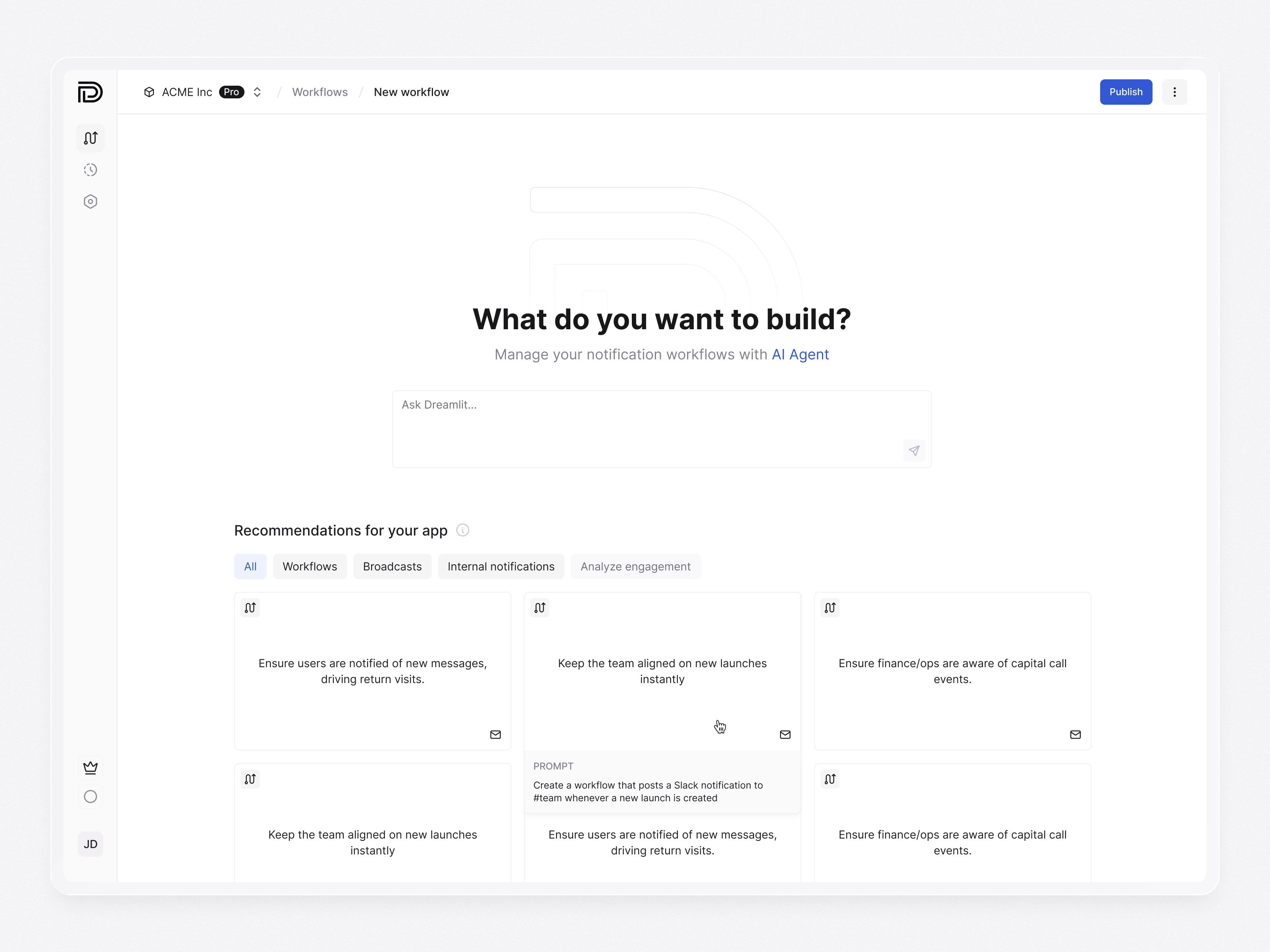
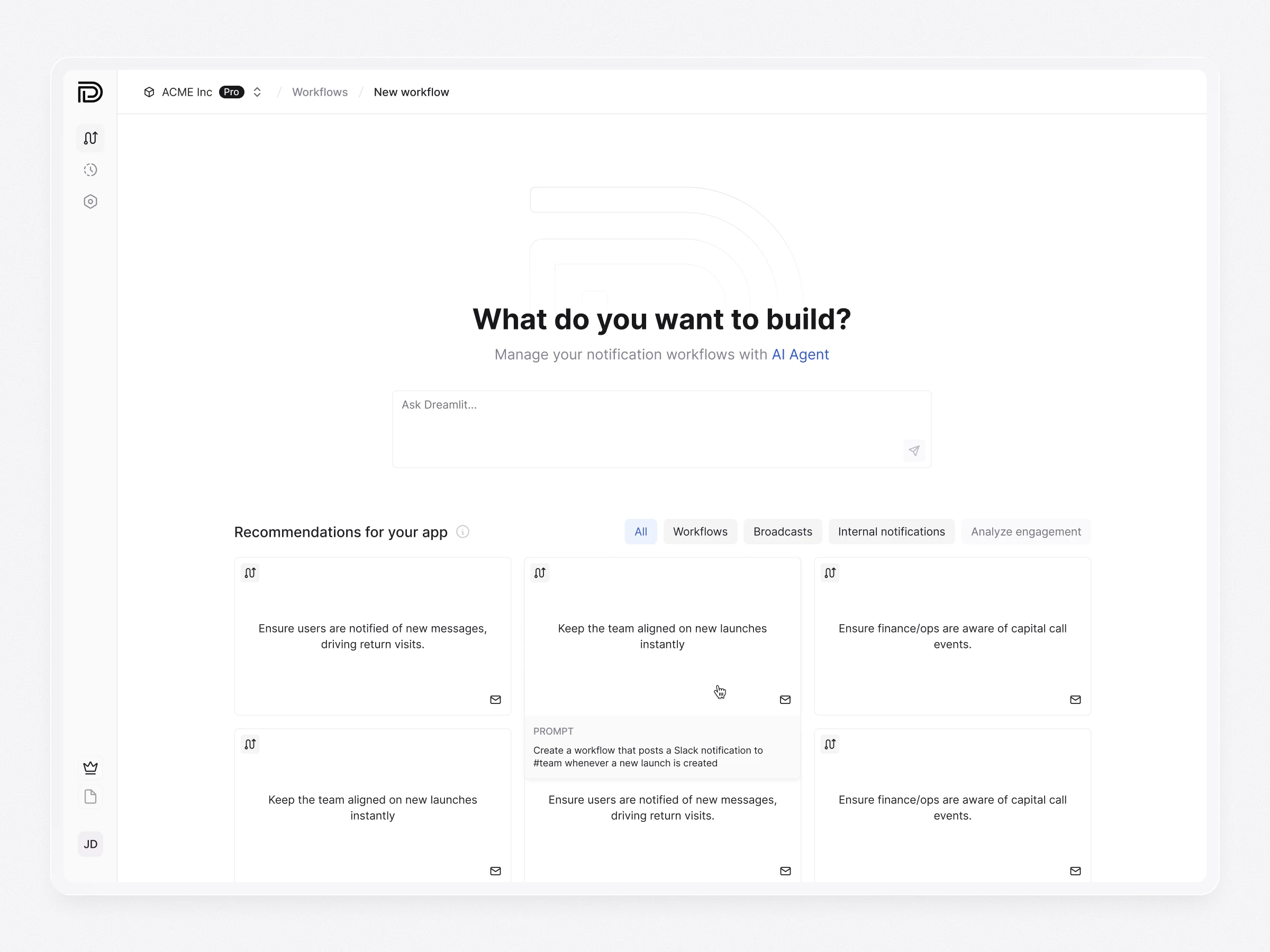
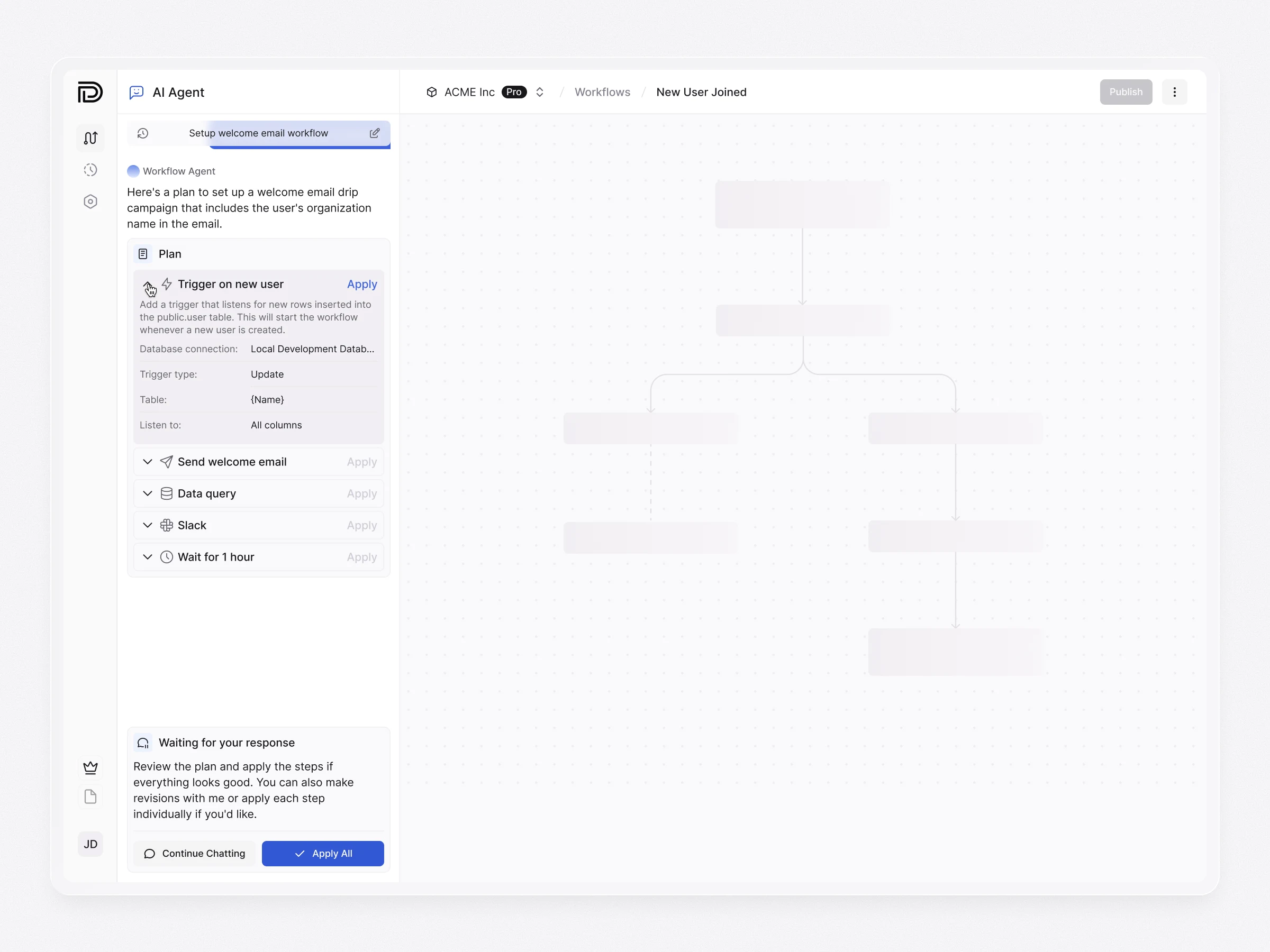
The journey begins with a prompt in chat. The agent uses the connected database and Brand Kit to understand the available data and visual style, proposes a plan, asks for clarification when needed, and builds a complete workflow with its trigger, steps, and emails.
I designed the chat as an interface for making decisions, not just exchanging messages. It shows when the agent is thinking or working in the background, when it needs an answer, and what it has produced. Users can review the plan and node configuration before proceeding, so automation speeds up the work without hiding its important choices.
Workflow builder
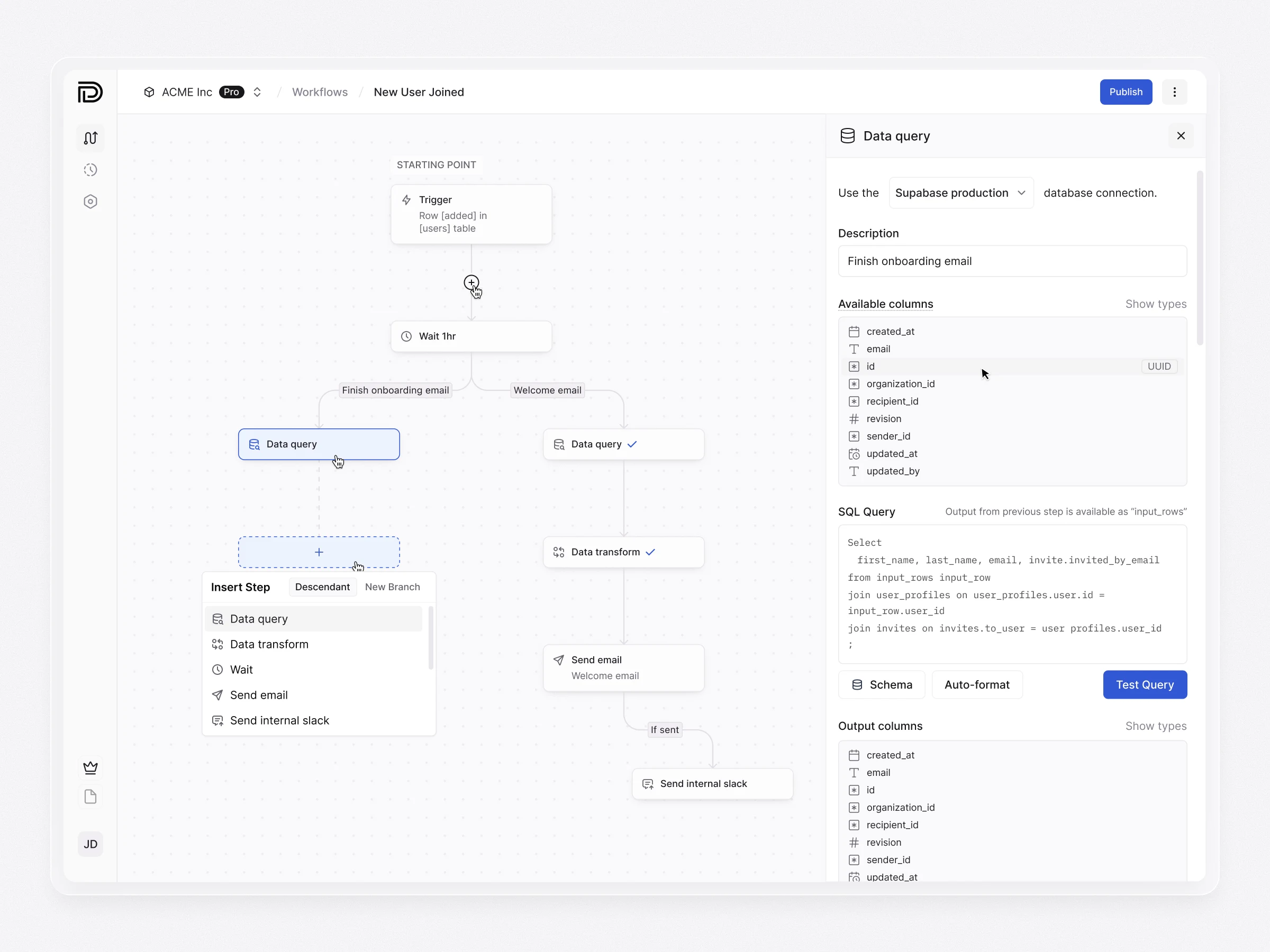
The builder gives users direct control over what the agent creates. I designed the configuration of database, scheduled, and one-off triggers, as well as the steps that query connected data and produce emails or other notifications.
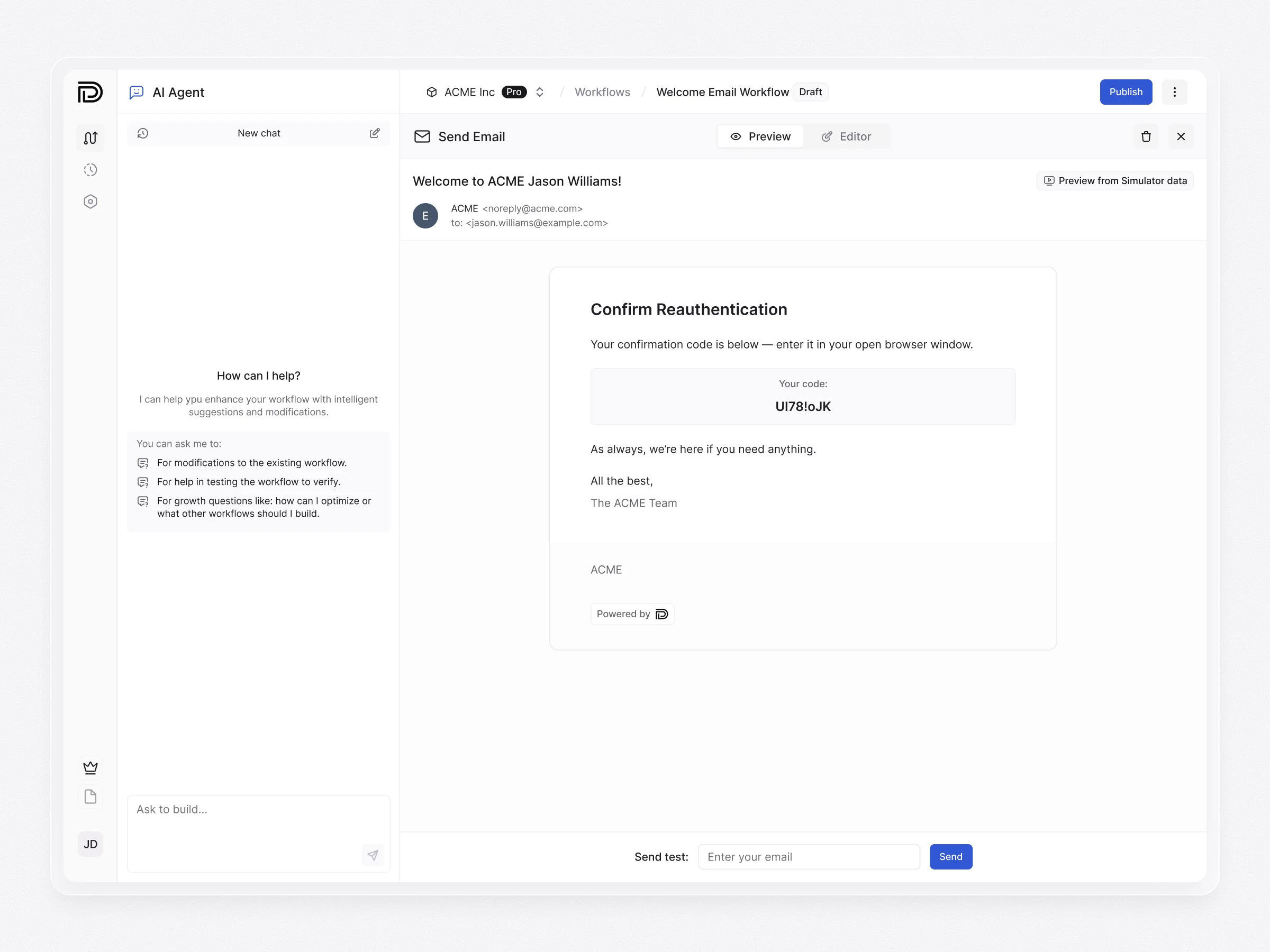
The simulator makes the workflow’s behavior visible before launch. Users can provide a test trigger input, inspect each step’s input and output, and preview the resulting message. Clear Draft and Published states separate work in progress from the live version. I also designed warnings for unsaved changes and confirmation points where leaving or publishing could have consequences.
Domain setup & Brand Kits
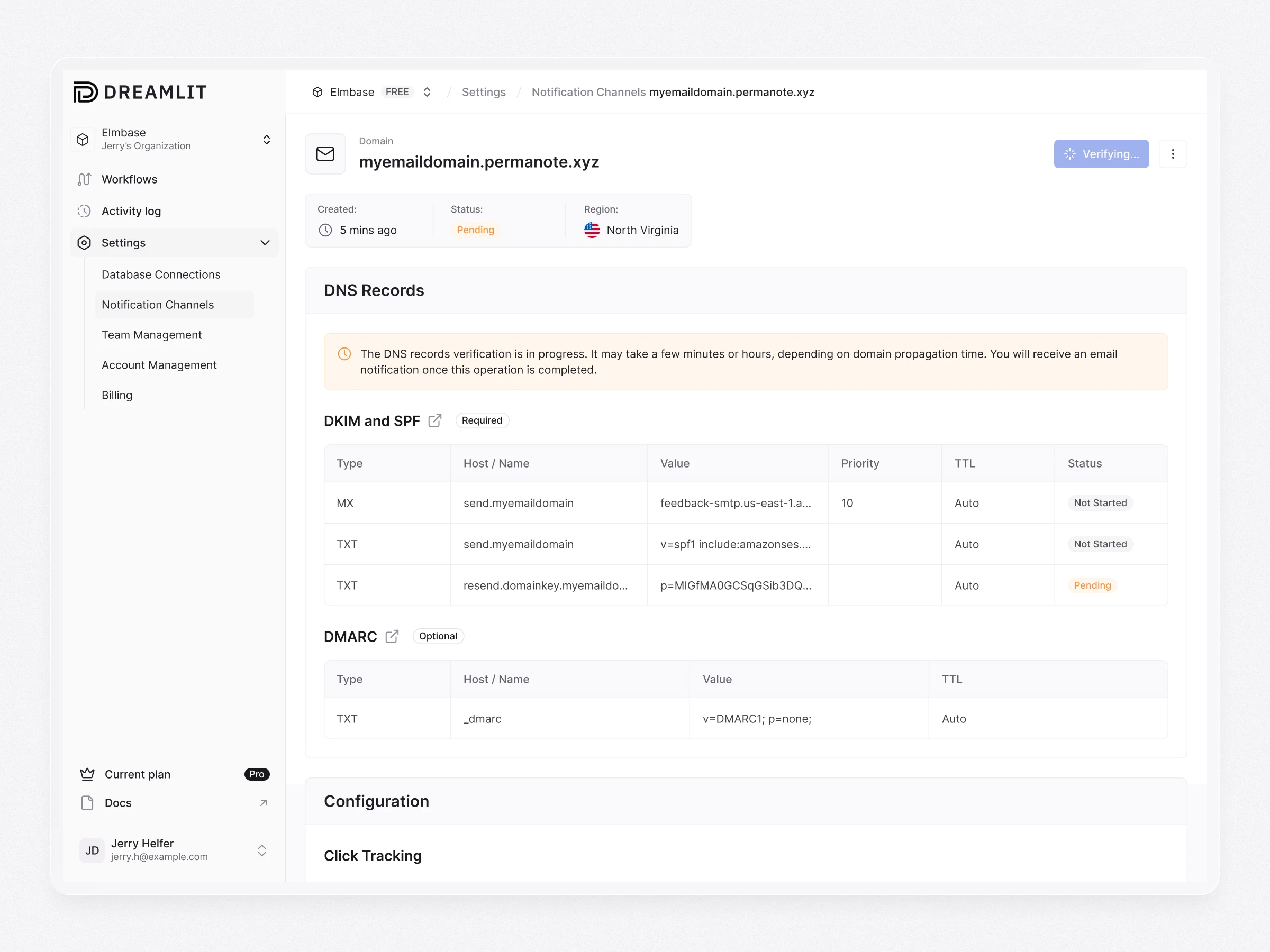
A workflow cannot be trusted until its sending setup is clear. I designed the flows for connecting notification channels and email domains, including DNS records, verification progress, success, and error states. Users can see what still needs attention before they try to send.
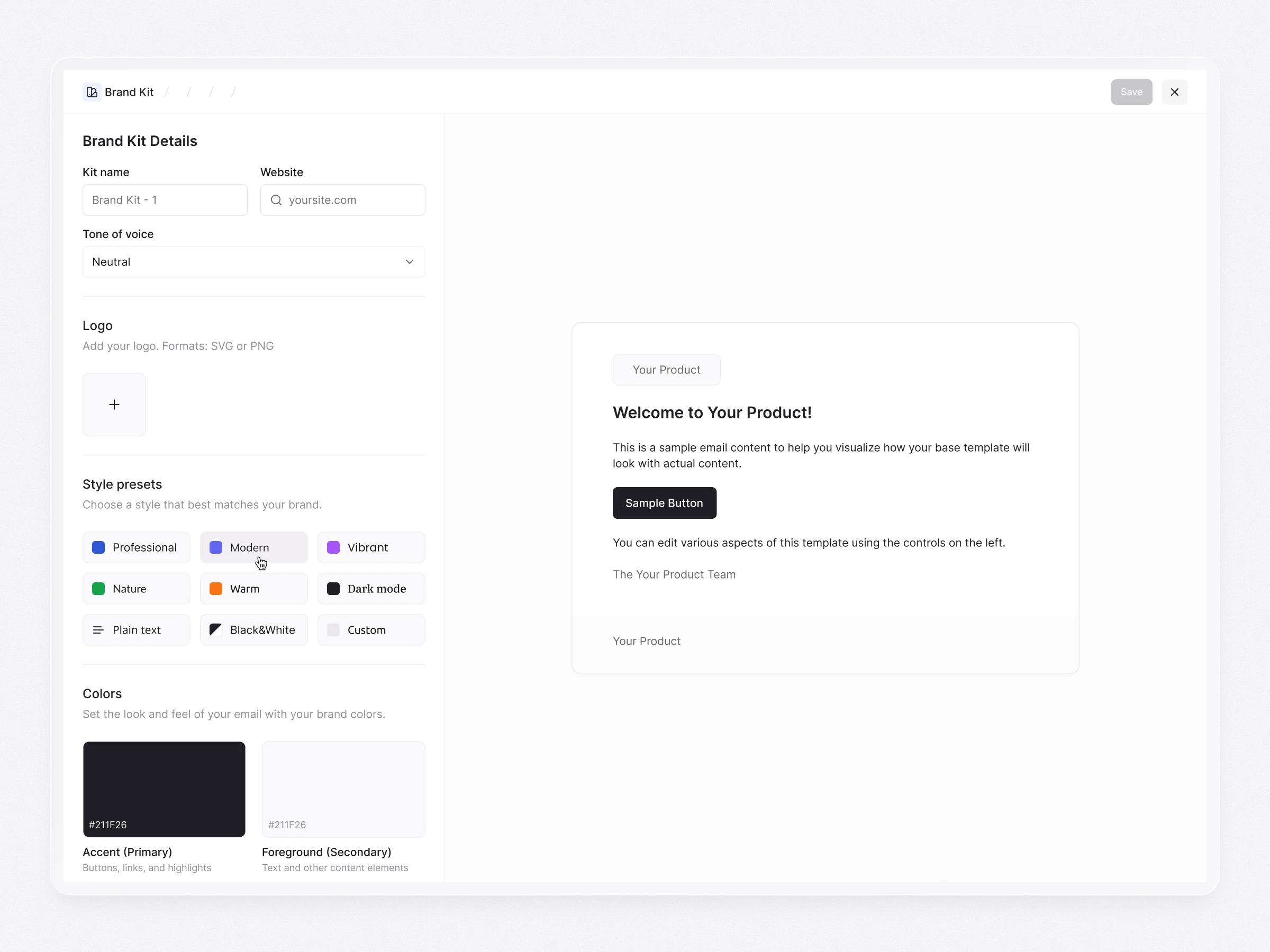
Brand Kits bring the same clarity to the message itself. Users can define a logo, colors, typography, and tone of voice, then preview how those choices appear in an email. The kit becomes reusable across workflows, helping teams create messages that feel consistent with their brand.
Workspaces, dashboard & navigation
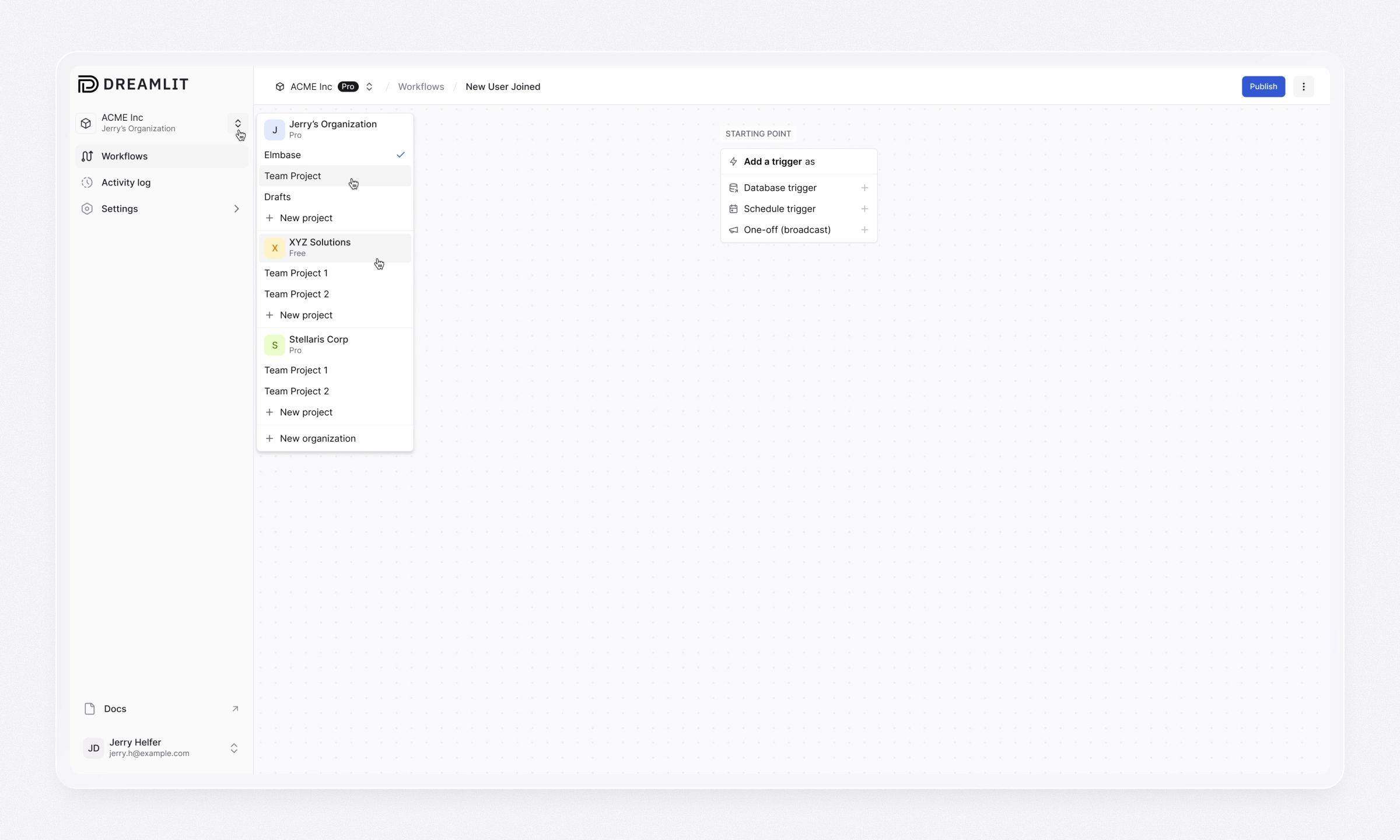
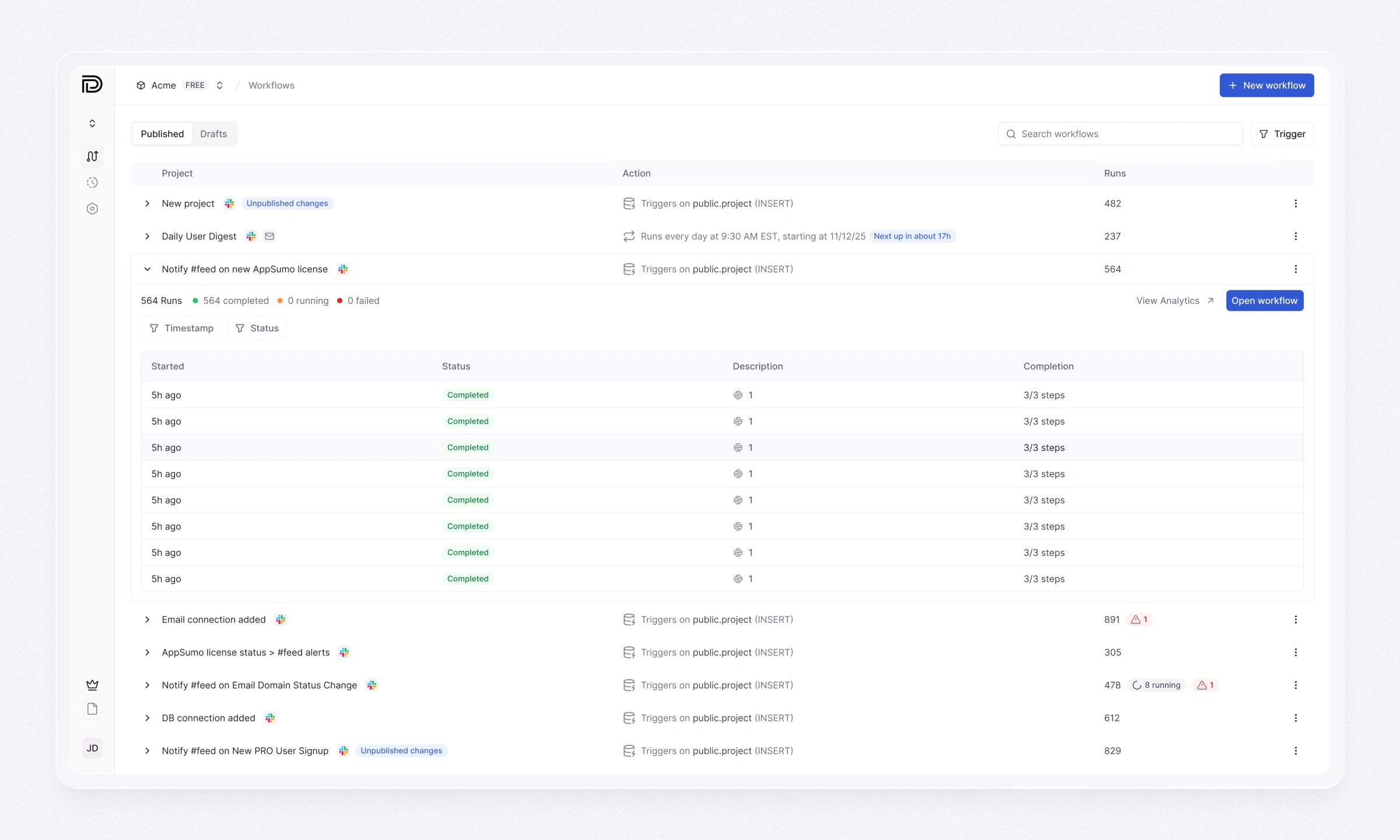
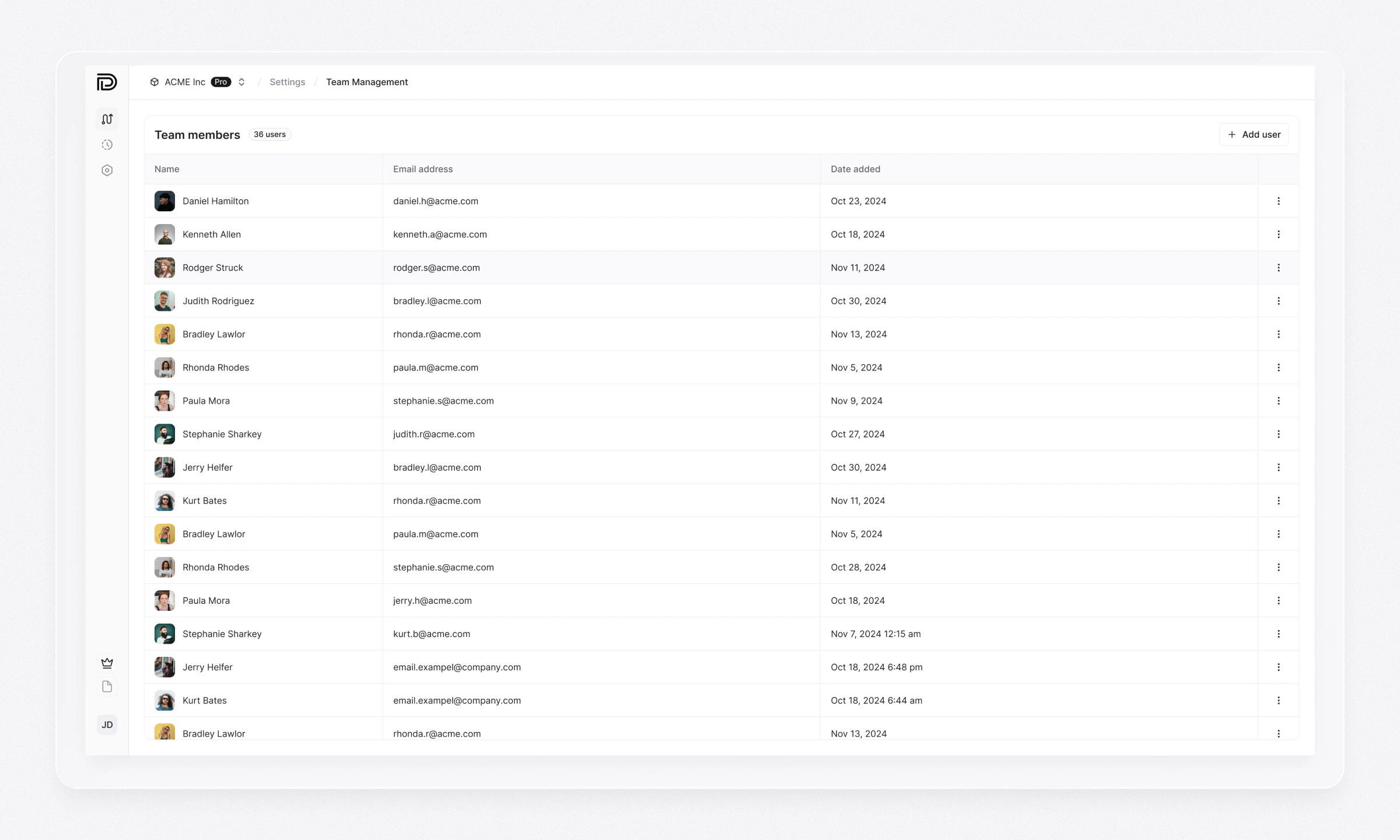
Product began with a simpler structure, but new features and growing teams required organizations, workspaces, and projects. I redesigned the navigation and dashboard to make those contexts understandable and keep workflows associated with the right project.
The updated structure gives users a clearer route back to their work and distinguishes drafts from published workflows. It also gives the product room to add new capabilities without turning the dashboard into a flat list of unrelated items.
Agent & Analytics
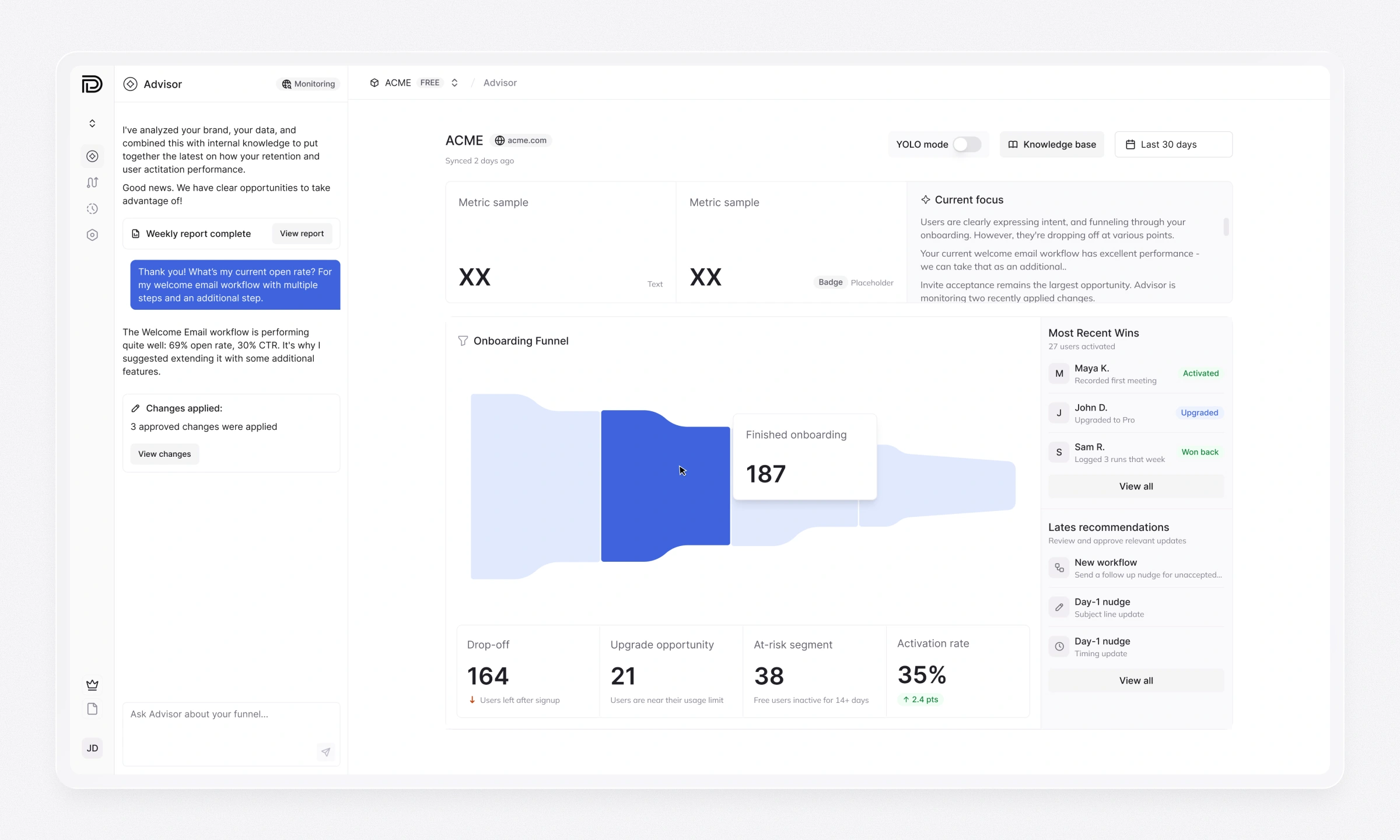
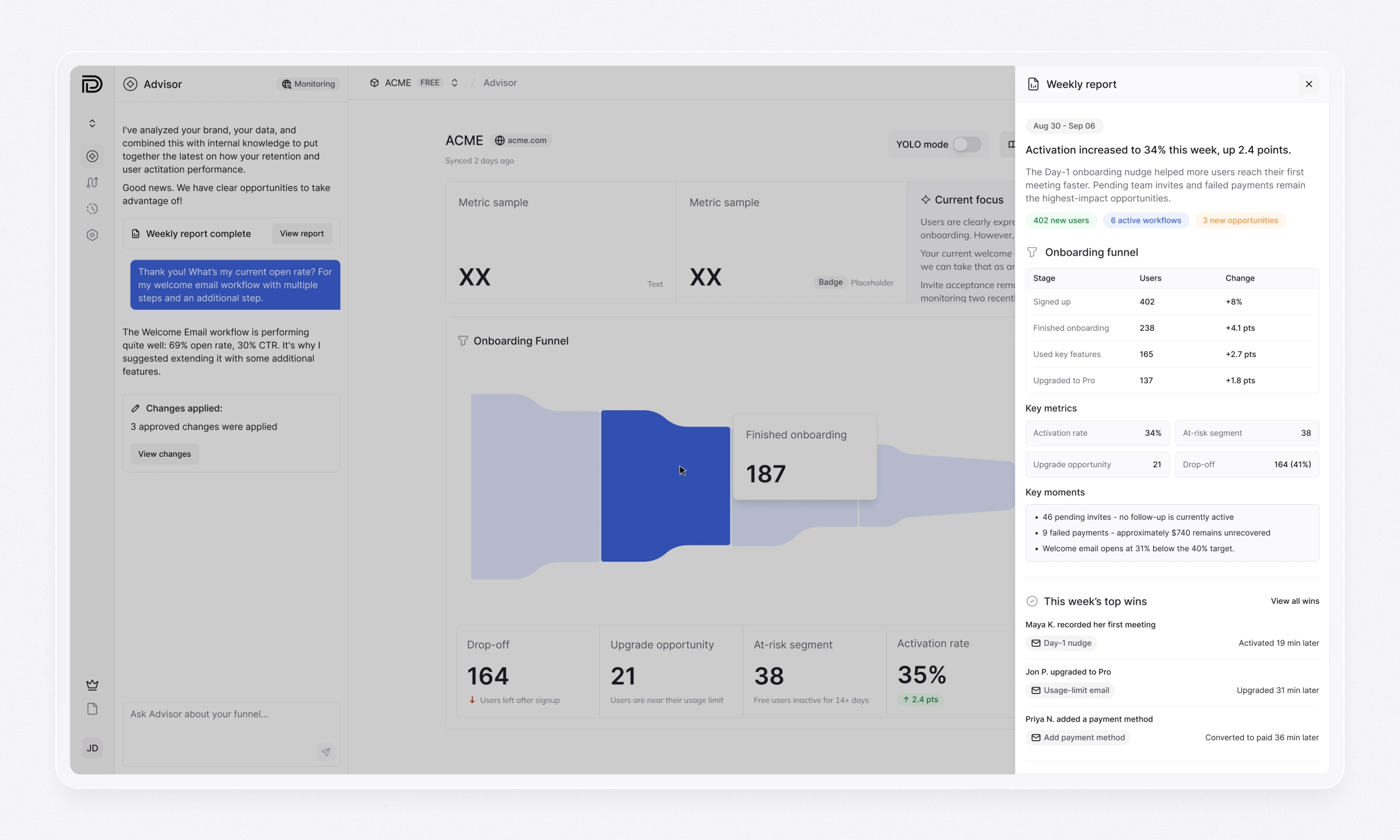
Agent closes the loop after a workflow goes live. It combines product data, brand context, and email performance to build funnels and relevant metrics, identify drop-offs and wins, and recommend what to improve next.
I designed the experience across chat, analytics, and weekly reports. Users can ask about a result, inspect the funnel and metrics behind a recommendation, and review proposed changes before approving them. The weekly report brings together performance shifts, key moments, wins, and open opportunities—turning ongoing AI analysis into decisions the team can act on.
Design system & branding
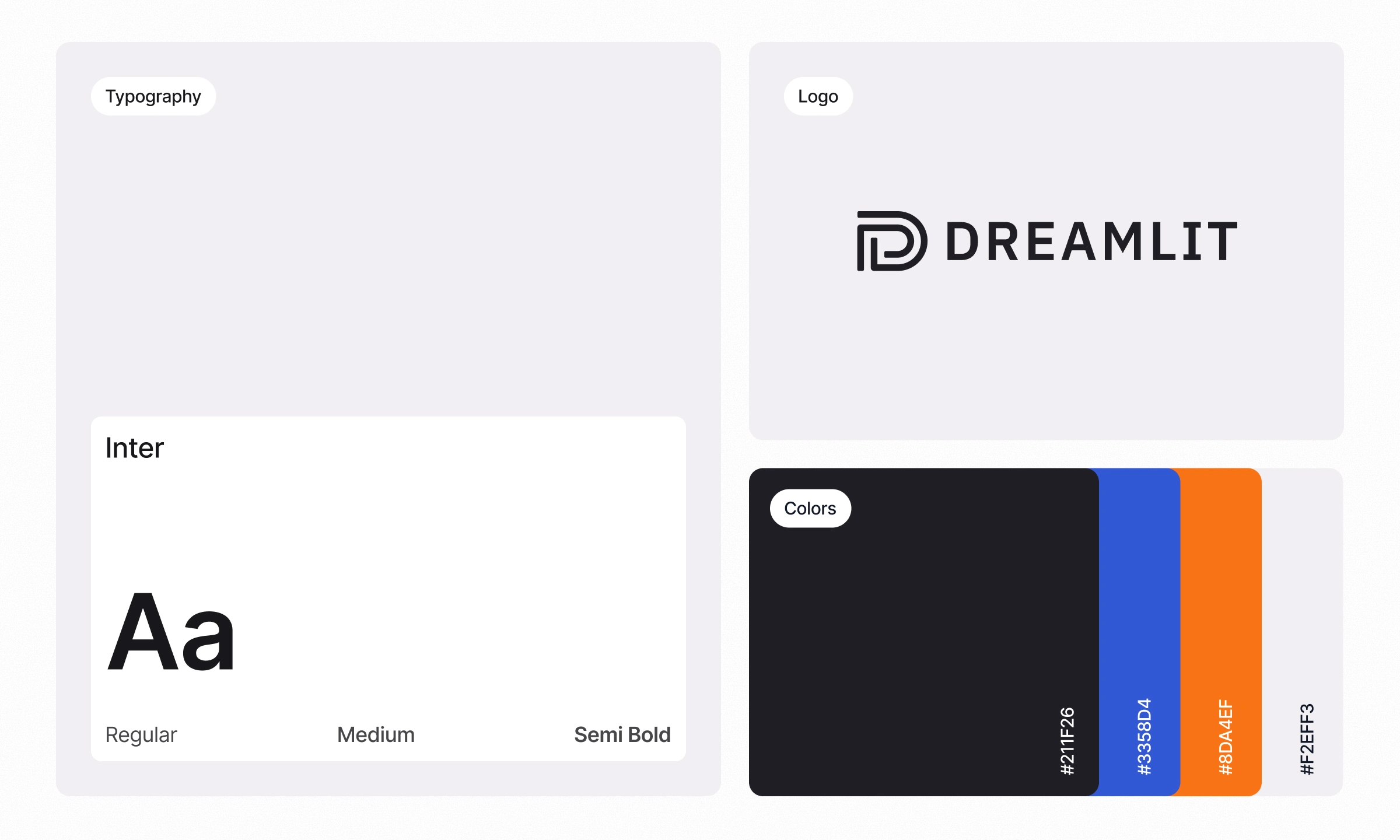
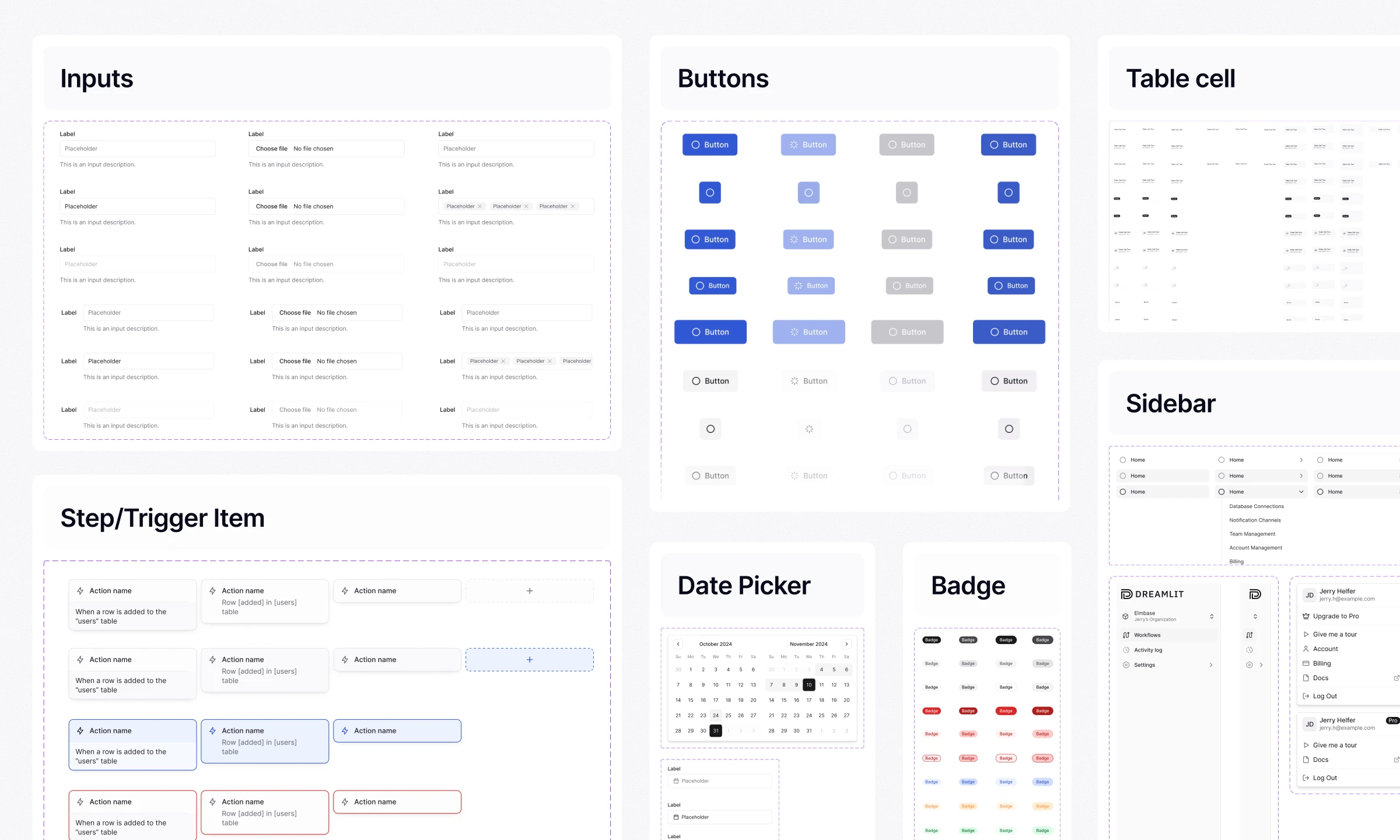
Created Dreamlit’s visual identity and logo, then built a product design system on a shadcn/ui foundation. Starting with familiar primitives kept implementation practical; I extended them with the patterns Dreamlit needed for AI chat, navigation, workflow steps, tables, status feedback, email previews, and settings.
Documented component behavior and states as the platform expanded. The system helped new features feel like part of the same product and gave engineers a consistent foundation for implementing them across releases.
Outcomes
Dreamlit launched and ranked #4 Product of the Day on Product Hunt on October 2, 2025
The work shipped across successive product releases, from the initial end-to-end workflow experience to a broader platform for projects and teams. The design system supported that expansion while keeping the agent, builder, and configuration flows connected.
Dreamlit’s public customer feedback highlights the value of turning a plain-language request into a working email workflow.
Like this project
Posted Jul 16, 2026
(#4 Day Rank on Product Hunt) Dreamlit AI is an end‑to‑end email automation platform. My work shaped the product from early concept to final release.