Otto Case Study: AI Product Reviews, Research & Design QA

Shoaib Vohra


TL;DR
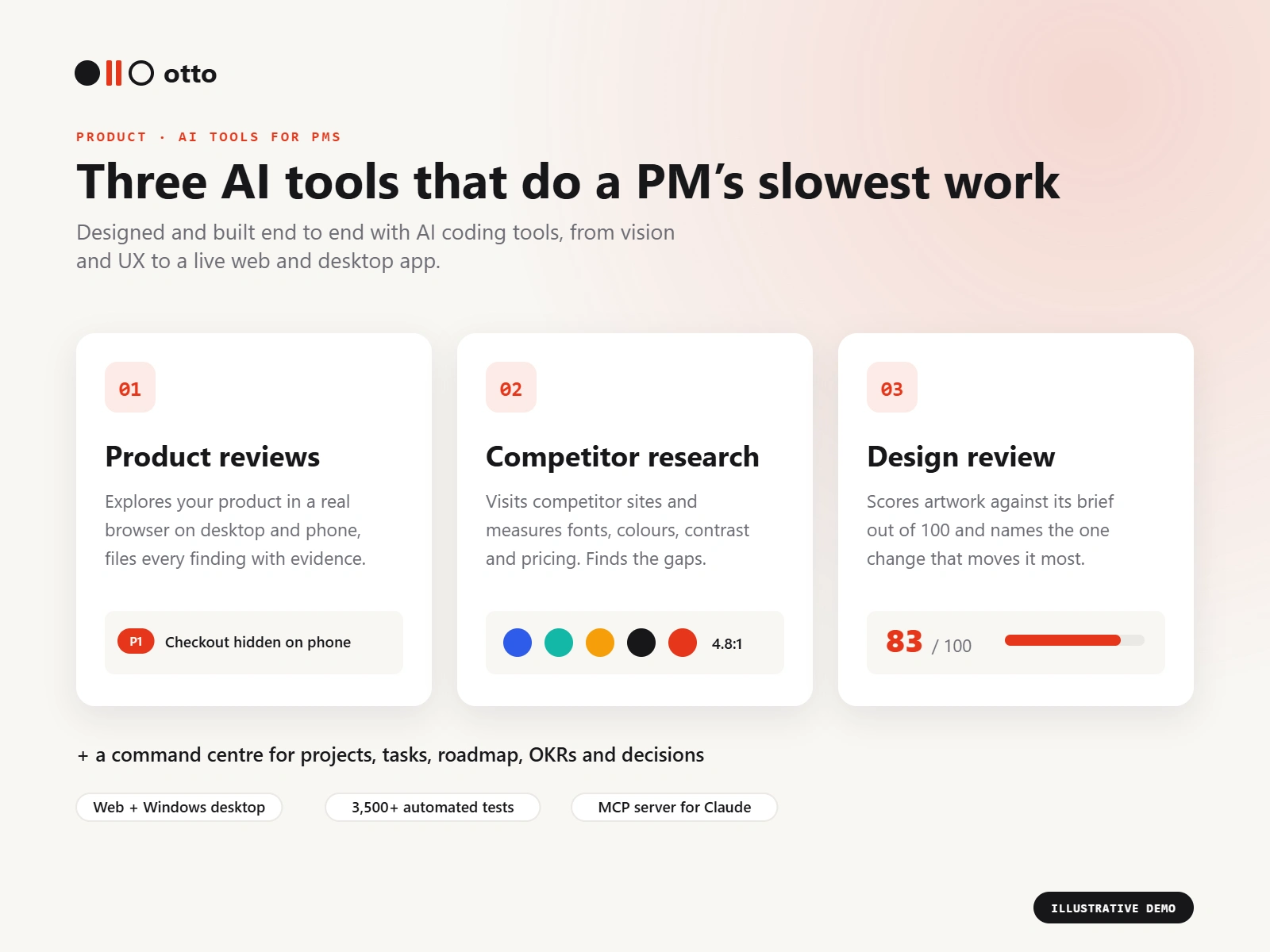
Product: Otto, a web and Windows desktop app built around three AI tools that take over a PM's slowest work: Product reviews, Competitor research and Design review. A command centre for projects, tasks and the roadmap ties them together.
My role: Product owner. Vision, UX, design system and the build with AI coding tools.
Timeline: June to October 2026. 274 commits, now on v1.10.2.
Status: Live at ottomated.netlify.app, plus a signed Windows desktop app.
The problem
Reviews, audits and competitor research are the work every PM knows matters and keeps postponing, because each one takes days. A proper product walkthrough means clicking every screen on two devices. Competitor research means a week of browser tabs. Design feedback stays opinion until someone writes a rubric.
I set out to hand those three jobs to AI, without letting the AI make things up.
The three main tools
01 · Product reviews (the flagship)
Otto opens your product in a real browser on desktop and phone and reviews it in layers: Design, QA and PM assessment, with Health always on.
Every finding comes with screenshot evidence and becomes a task in one click.
Extra passes: visual regression (baseline, now and diff side by side, with approving a new baseline as its own decision), a Safari-engine pass and multi-language passes.
When a fix is marked done, Otto re-tests it automatically.
A review can be started from the web, the desktop app or Claude Desktop.
Key decision: be honest about coverage. A finished review could read as "fully checked" when it wasn't, so a coverage statement now sits right next to the launch button.
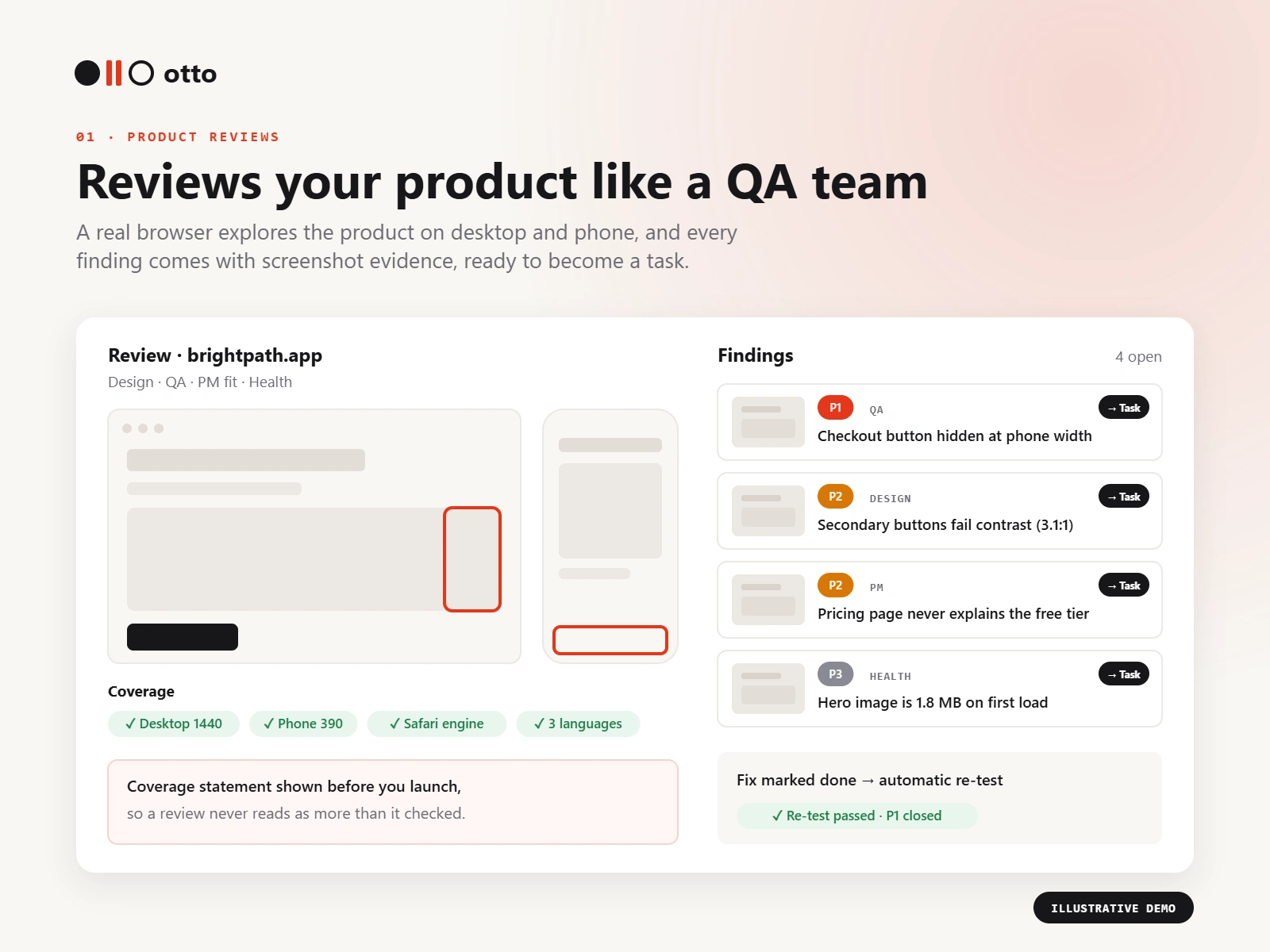
Product reviews: layered findings with screenshot evidence, a coverage statement and automatic re-tests. Illustrative demo data.
02 · Competitor research
You describe the space, region and languages, the competitors you know (or let Otto suggest some) and what you're trying to do.
Otto's own browser visits each competitor's public site and measures what is actually there: fonts rendered, colours painted, type scale and right-to-left support.
Gemini then reads those measurements one competitor at a time and writes two separate lenses, Fit the space and Your direction, each with practices, a font pair for every role (always including a free option) and a measured palette.
It also shows where your idea already exists, and hands a brief straight to Design review.
Key decision: no web search. Search grounding would have cost about $35 per 1,000 calls (around 80 credits per study, versus about 15 without). Measured facts are cheaper and more reliable than a model's summary of search results.
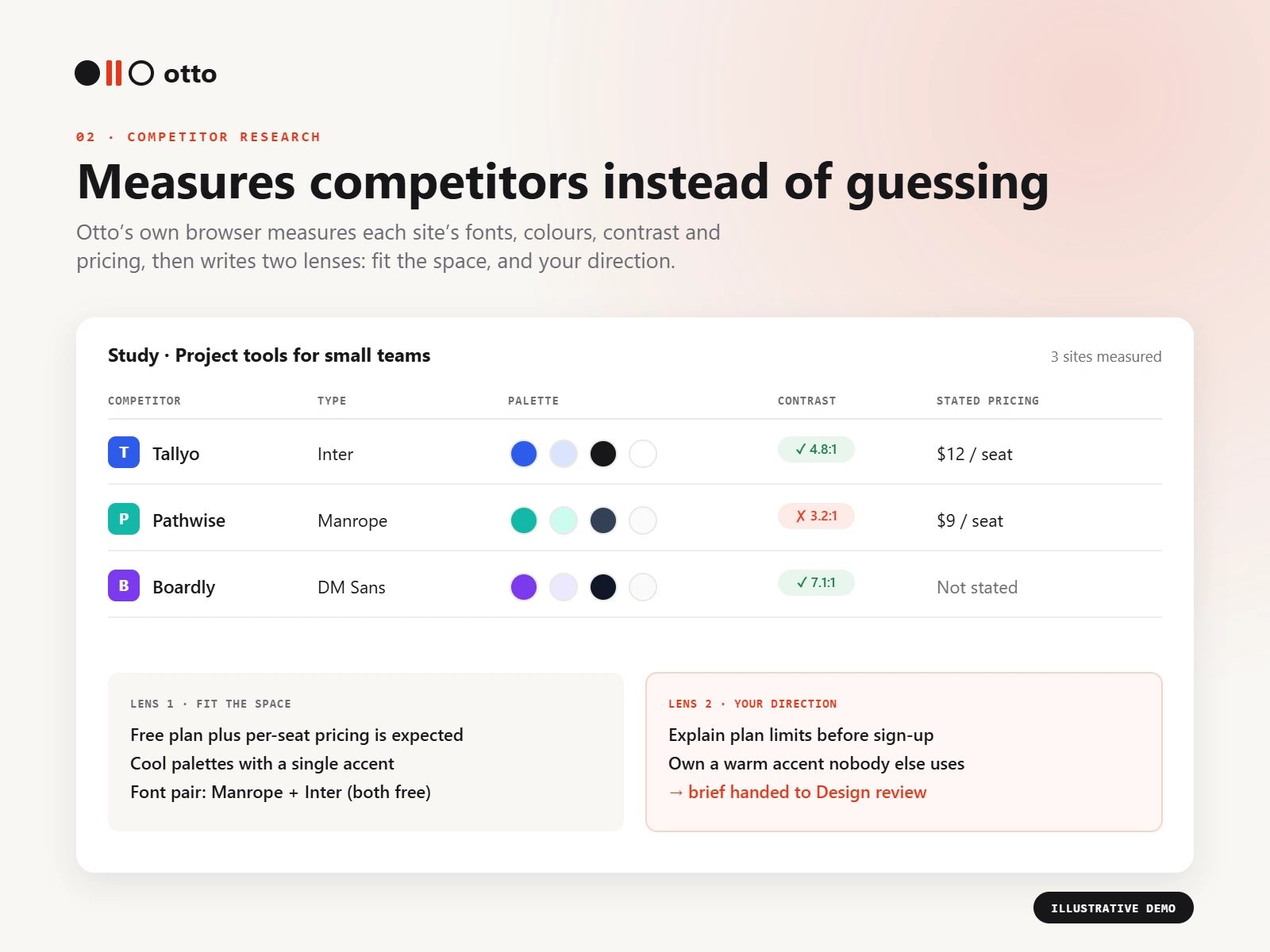
Competitor research: measured fonts, palettes, contrast and pricing, then two lenses. Competitor names are illustrative.
03 · Design review
Upload a poster, ad, social post, slide, packaging or logo, with a structured brief of what it's for.
Otto checks it against an editable list of 25 checks in 5 pillars: Craft, Communication, Brand & context, Practicality and Outcome.
You get a score with a band, a coverage figure, a score per pillar and per check, and the one change that moves the number most.
Key decision: the model observes, the code scores. Gemini returns a verdict and evidence for each check and is never asked for a number. Contrast and technical specs are measured, and plain arithmetic sets the score. Research shows vision models are poor at judging degree, so a test degrades one check and asserts the score drops by exactly the predicted amount.
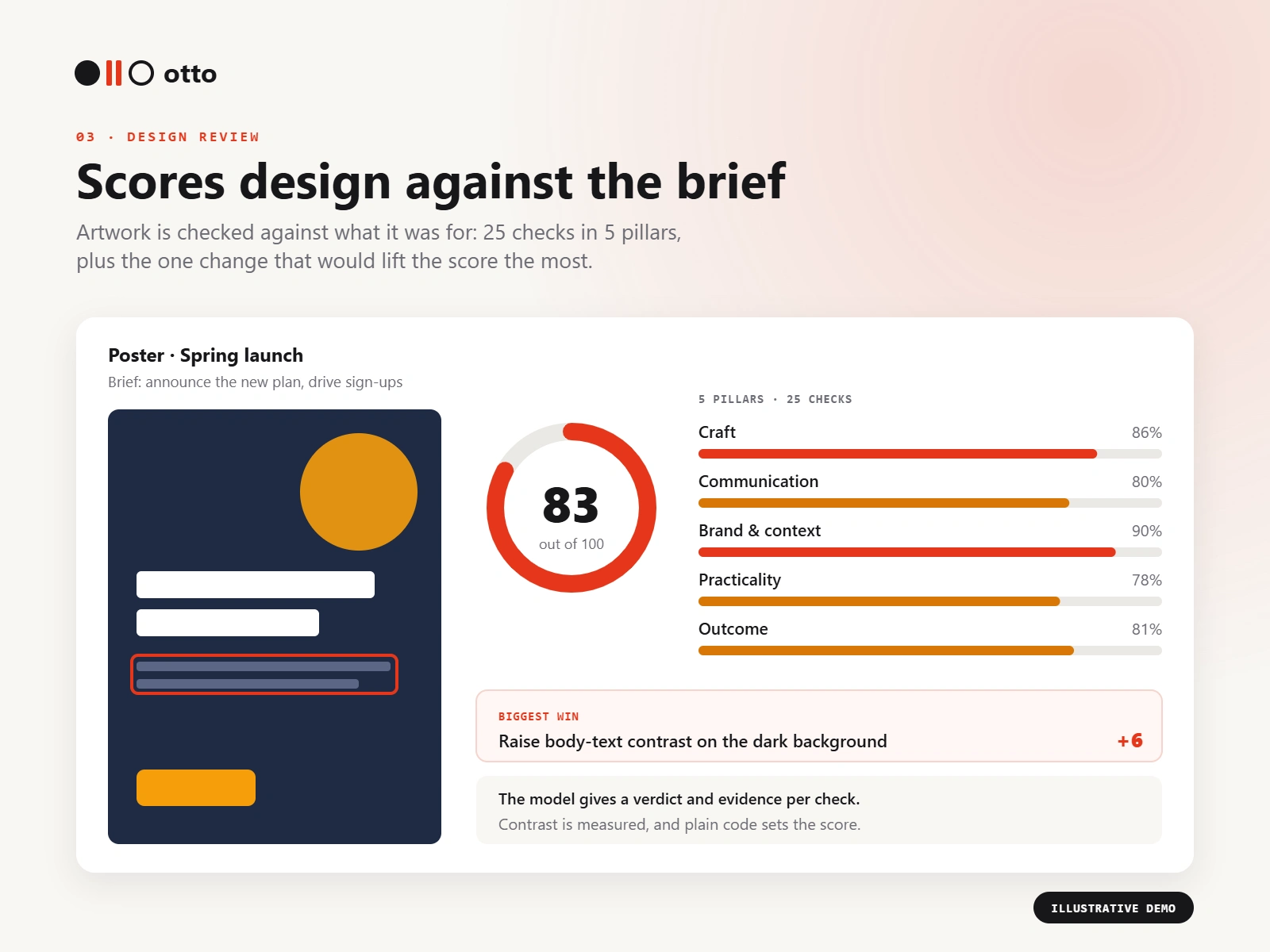
Design review: a score out of 100 across 5 pillars, plus the biggest win. Illustrative demo data.
Around the tools: a PM command centre
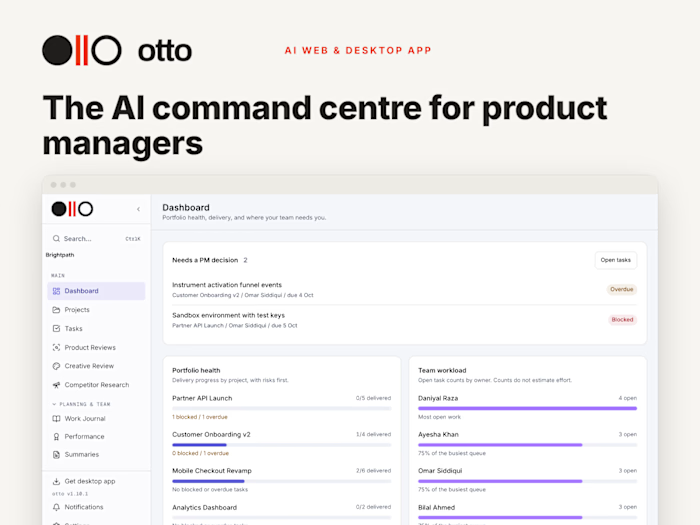
The three tools sit inside a workspace for the rest of the job: 21 screens including dashboard, projects, tasks, journal, OKRs, roadmap, decisions, stakeholders and tracker. Review findings become tasks, research studies link to projects, and the weekly summary is computed from live data, so it can never invent a status.
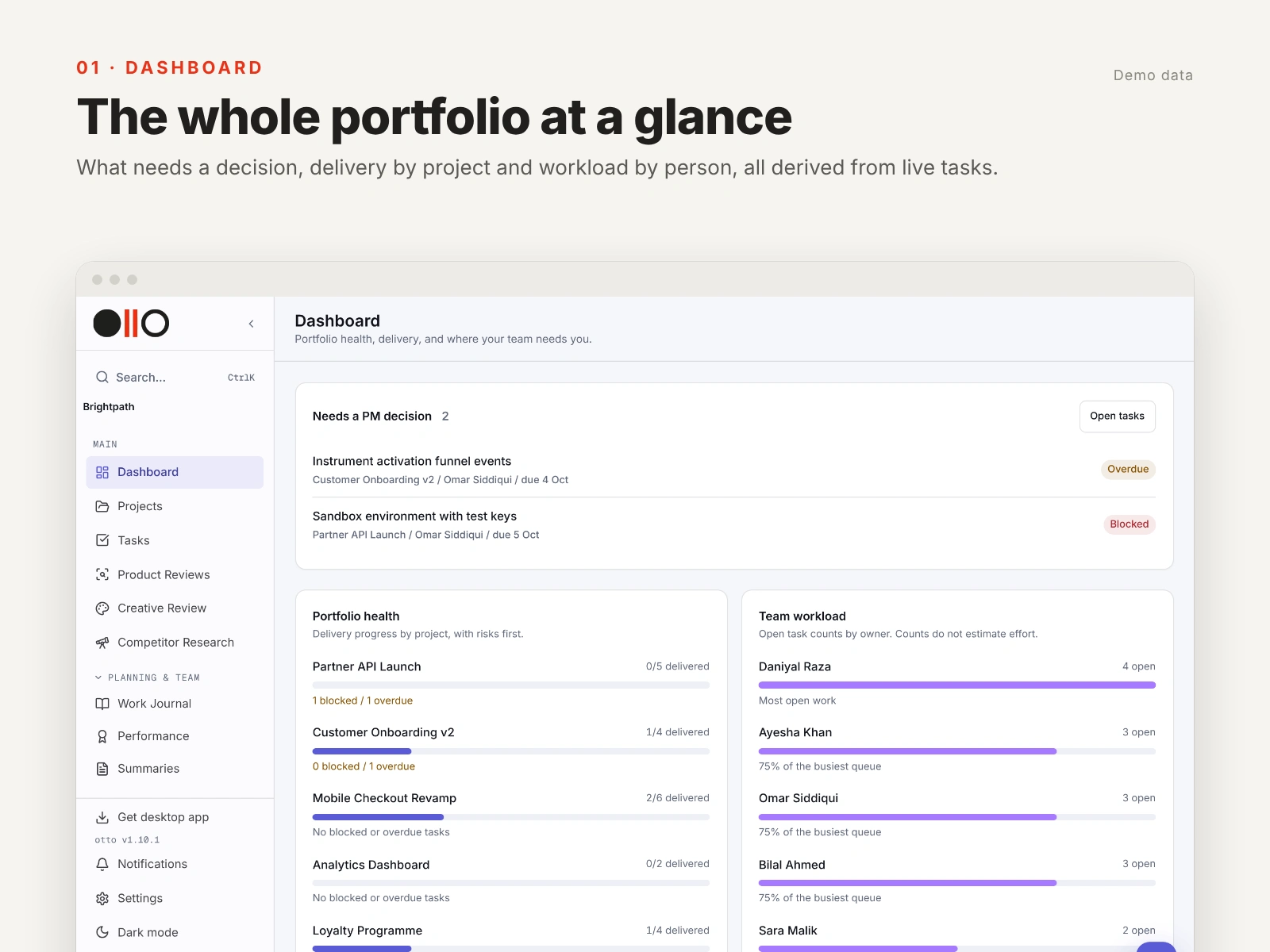
Command centre: portfolio health and team workload, worked out from live tasks.
Other decisions that made it reliable
Derived first, model second: summaries, tracker flags and notes are computed from data. Where the model does write, I told it an empty note is normal, which cut padded output from 16 of 17 project headings to 3.
Fixed failures at the source: AI briefs were returning 502 errors in production. An explicit thinking budget took a brief from a 502 after 24 seconds to a successful response in 11.
Secure by default: deny-by-default member access, a 404 (not a 403) on other people's tasks, seats enforced in the database, and credit metering run in shadow mode before it was enforced.
Works with Claude: an MCP server with 34 tools, 15 of them for product reviews, ships inside the installer.
Process
8 Sep, live UI/UX audit: desktop (1440px) and phone (390px), 22 prioritised findings and accessibility checks across 34 screens.
12 Sep, review-to-fix audit: 8 findings, which led to a product home, an improvement lifecycle and focused re-checks.
23 Sep, desktop audit: 48 findings, 6 of them P1, fixed across drafts, dates, contrast and keyboard access.
Shipping discipline: the installer went from 224 MB to about 104 MB, and 108 product decisions are logged with their reasoning.
Tests on every change: 2,691 frontend and 854 backend automated tests.
By the numbers
3 AI tools at the core, with product reviews as the flagship
25 design checks in 5 pillars
274 commits in about 15 weeks
3,500+ automated tests
34 MCP tools, 15 of them for product reviews
What's next
Observed usability sessions with product leads. The protocol is written; running the sessions and measuring real time-to-value is the next step.
What this shows
I design AI features people can trust, and I back them with audits, tests and written decisions, not just demos.
Need a PRD, an AI-built MVP or a product and UX audit? Message me here on Contra.
Like this project
Posted Oct 9, 2026
Three AI tools for PMs: product reviews in a real browser, competitor research that measures sites, and design review scored by code, not guesswork.
Likes
0
Views
1
Timeline
Jun 23, 2026 - Oct 8, 2026
Clients
Otto