Uni‑Verse

Kalyan Kadavanti Sudhakar
Universe
Prototype
Helping students find people, events, and belonging.
ROLE
Product Designer · UX Researcher · Behavioral UX
TIMELINE
8 Weeks
TEAM
2-person team
At a Glance
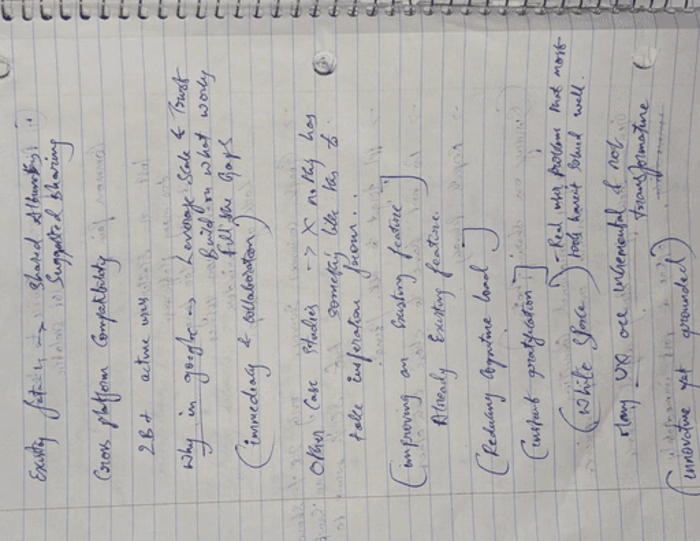
Uni-Verse is a student-first campus engagement app that helps students connect, belong, and thrive. It brings events, communities, friends, and campus movement into one real-time experience, turning everyday campus life into opportunities for discovery and connection.
Social Heat Map
Real-time view of campus activities, events, and student activity zones.
Tag-Along
Join friends at events and make showing up feel easier, safer, and less awkward.
Communities
Interest-based spaces for students to find people, groups, and shared belonging.
Shuttle Tracking
Live shuttle updates that make campus navigation easier and less stressful.
Student-First Vision
A clear platform direction built around belonging, access, participation, and trust.
Prolem
University students, especially freshmen and internationals struggle to connect, adapt, and stay engaged on campus, often leading to loneliness and missed opportunities.
01
Difficulty in building friendships and adapting to new cultural environments.
02
Limited access to real-time information on events, communities, and campus resources.
03
Logistical barriers such as transportation, scheduling conflicts, and hesitation to attend events alone.
The Goal
Design a digital companion for students that reduces isolation, connects communities, and makes participating in campus life simple and welcoming.
Solution




Street Name
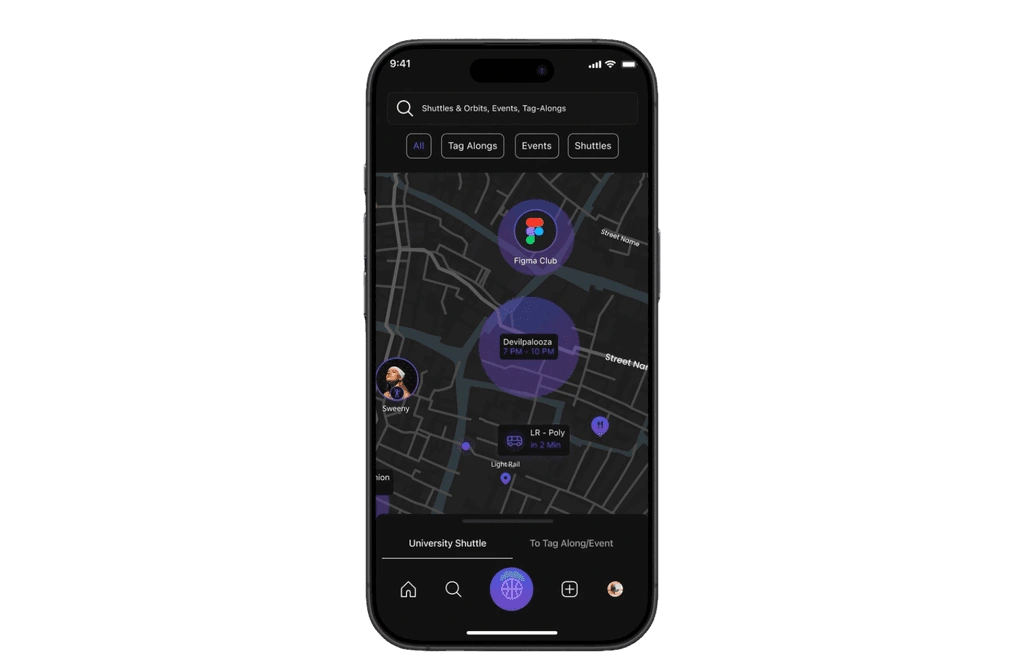
I’ve got what’s happening around you.
Social Heat map
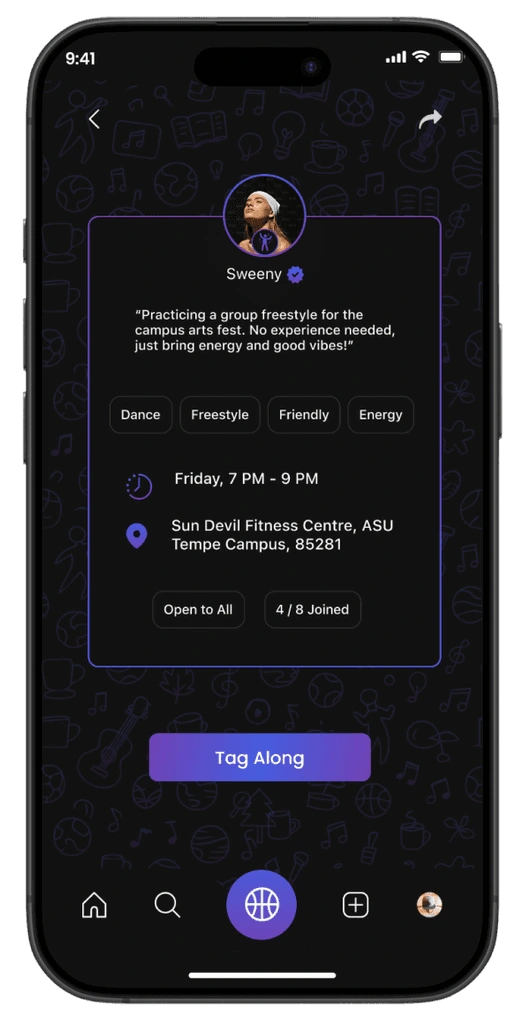
Don’t just go—tag along.
Together feels better.
Design Process
01
Empathize
02
Define
03
Ideate
04
Design
05
Testing
01.Empathize
During this phase, we validated the problems we had observed such as loneliness, hesitation to attend events alone, and transportation issues while also discovering new challenges students face, like feeling ignored in groups, struggling with cultural adjustment, and missing opportunities due to poor event visibility.
Competitive Analysis
ThriveUp
Event Discovery & Networking
A platform aimed at student engagement through event discovery and networking. However, the website's purpose is unclear, and navigation is challenging.
Popularity
2/5
Usability
2/5
SWOT Analysis
✓ Strengths
• Conceptually focused on event discovery
• Networking-oriented approach
• Student engagement focus
✗ Weaknesses
• Website lacks clarity regarding purpose
• Navigation is difficult and unintuitive
• No comprehensive college database
○ Opportunities
• Improve UI/UX for better usability
• Develop structured database
• Define clear value proposition
⚠ Threats
• Competition from established platforms
• Low user retention due to poor UX
Eventee
Mobile Event App for Universities
A mobile event app widely used in educational settings like Stanford, Oxford, and Cambridge. Provides real-time updates, personalized schedules, and interactive features.
Popularity
4/5
Usability
2/5
SWOT Analysis
✓ Strengths
• Popular among top universities
• Real-time event updates
• Personalized schedules
✗ Weaknesses
• Complicated and unintuitive UI/UX
• Difficult navigation
• Limited search functionality
○ Opportunities
• Simplify UI/UX design
• Expand event listings
• Build centralized database
⚠ Threats
• Better usability from competitors
• User frustration with complexity
Modern Campus
Student Engagement Platform
Designed to enhance student engagement through event hubs, student organizations, and social media integration. Offers real-time updates and personalized agendas.
Popularity
3/5
Usability
3/5
SWOT Analysis
✓ Strengths
• Good UI and clean design
• Comprehensive club management
• Event and organization sections
✗ Weaknesses
• Events page loading issues
• Ineffective college search
• Missing transportation features
○ Opportunities
• Improve website performance
• Enhance search functionality
• Add transportation integration
⚠ Threats
• More streamlined competitors
• Performance issues affecting retention
Feature Analysis
Available
Not available
★Unique Feature
Feature Details
Uni-Verse
ThriveUp
Eventee
Modern Campus
Cultural Adaptation★
Centralized Event Hub
Last-minute Event Joining★
Real-Time Heat Map★
Live Event Updates★
Study Cohort System
Tag-Along Features★
Transportation Integration★
Sports Partner Matching★
Interactive Features
Vibe Matching★
University Building Finder★
User Survey Insights
To validate assumptions and uncover real needs, we conducted a survey with 58 students. The results revealed that many hesitate to attend events alone, cancel plans without company, and struggle to find like-minded peers for activities such as studying, sports, or hobbies. Students also highlighted frustration with missed shuttles and poor visibility of campus events, confirming the need for a solution that combines social connection with logistical support.
USER SURVEY INSIGHTS
In order to further validate the issues found during heuristic evaluation, I conducted a user survey. Read the data below.
OVERVIEWBAR CHARTPIE CHART
72%
EXPERIENCE LONELINESS
FEEL LONELY OFTEN OR SOMETIMES AFTER ARRIVING
89%
WANT NEW CONNECTIONS
DESIRE TO MAKE NEW CONNECTIONS AND RELATIONSHIPS
89%
NEED EMOTIONAL SUPPORT
NEED EMOTIONAL OR SOCIAL SUPPORT FROM OTHERS
74%
CULTURAL ADAPTATION ISSUES
FOUND IT HARD TO ADAPT TO CULTURE
33%
DIFFICULTY MAKING FRIENDS
FOUND IT DIFFICULT TO MAKE FRIENDS
02.Define
At this stage of the process, We created personas, empathy mapping, and visualized customer journeys.
Empathy Mapping
Says
I want to make new friends but don't know how.
I feel nervous about joining events alone.
I wish I had someone to guide me through campus and city life.
Feels
Lonely and overwhelmed by cultural shock.
Hesitant and socially awkward in large groups.
Anxious about missing out on opportunities.
Thinks
Cultural differences will make it harder to fit in.
Wants a buddy system to ease the transition.
Studying in groups could help him stay on track.
Does
Scrolls through event boards but rarely attends alone.
Relies on limited acquaintances or flatmates for socializing.
Avoids campus events when he doesn't have company.
Says
I wish I had a reliable study buddy.
I don't have time to explore social activities.
I need better ways to keep track of events.
Feels
Overwhelmed with coursework and responsibilities.
Regretful about missing out on social life.
Frustrated when events clash with studies or transport fails.
Thinks
Balancing academics and social life is impossible.
Wants networking opportunities before graduation.
Reliable transport would make life easier.
Does
Focuses heavily on academics at the expense of socializing.
Studies alone even when it feels demotivating.
Skips events because logistics feel complicated.
User Journey Mapping
To validate assumptions and uncover real needs, we conducted a survey with 58 students. The results revealed that many hesitate to attend events alone, cancel plans without company, and struggle to find like-minded peers for activities such as studying, sports, or hobbies. Students also highlighted frustration with missed shuttles and poor visibility of campus events, confirming the need for a solution that combines social connection with logistical support.
Journey Stages
Stage 1
Arrival & Orientation
Stage 2
Initial Socialization
Stage 3
Joining Activities
Stage 4
Academic Adjustments
Stage 5
Exploring Beyond Campus
Stage 6
Building Deeper Connections
Feelings
Excited but overwhelmed, feels isolated in a new environment
Curious but hesitant to approach others
Interested but nervous about going without friends
Stressed and lonely during study hours
Excited but frustrated with unreliable transport
Wants deeper friendships but struggles to transition from small talk
Actions
Arrives on campus, explores orientation events, tries to navigate transportation
Attends first classes, sees groups forming, checks out student clubs
Browses club fairs and event posters, debates attending a sports match
Attends lectures, starts assignments, struggles with coursework style
Plans to explore dining, hikes, and the city
Starts making casual friends through classes and events
Pain Points
Doesn't know anyone, struggles with cultural adjustment and finding guidance
Feels shy and socially awkward, avoids joining events alone
Cancels plans if no one to accompany him, misses opportunities
No study partner, lacks motivation, difficulty forming study groups
Shuttle timings unclear, misses buses, wastes time waiting
Cultural differences and lack of continuity hold him back
Opportunities
Push notifications for newcomer events, buddy system, cultural adaptation resources
Tag-Along feature to confidently join activities with others
Communities where he can find like-minded peers and plan group activities
Cohorts & study matching to find partners and share resources
Social Heat Map + Shuttle Tracking for real-time updates and stress-free commuting
Long-term Communities and shared interest groups to nurture lasting relationships
02.Ideate
We established the information architecture to ensure seamless navigation across all core features and defined the brand guidelines that shaped a consistent, intuitive, and visually cohesive user interface.
Information Architecture
The platform’s information architecture is designed for clarity and ease of use, structured around core sections such as Tag-Along, Communities, Events, and the Social Heat Map. Each section addresses specific student needs for example, we designed Tag-Along to enable students to join activities without going alone, while we built the Social Heat Map to provide real-time event visibility and shuttle tracking to reduce uncertainty.
UniVerse App
Authentication
Login
Sign Up
Apple
Google
Meta
Email + Password
Forgot Password
Name
Email
Password
Confirm Password
Home
Top Nav
Map Shortcut
Events Section
Cohorts Section
Event Cards
View All Events
Cohort Cards
View All Cohorts
Map (UniMap)
Search Bar
Filter Tabs
Pins on Map
Shuttle Timings
Event Pins
Cohort Pins
Tag Along Pins
Shuttle Pins
Events
Events Main Page
Event Detail Page
Event Created
Event Cards
RSVP Button
Event Info
RSVP Status
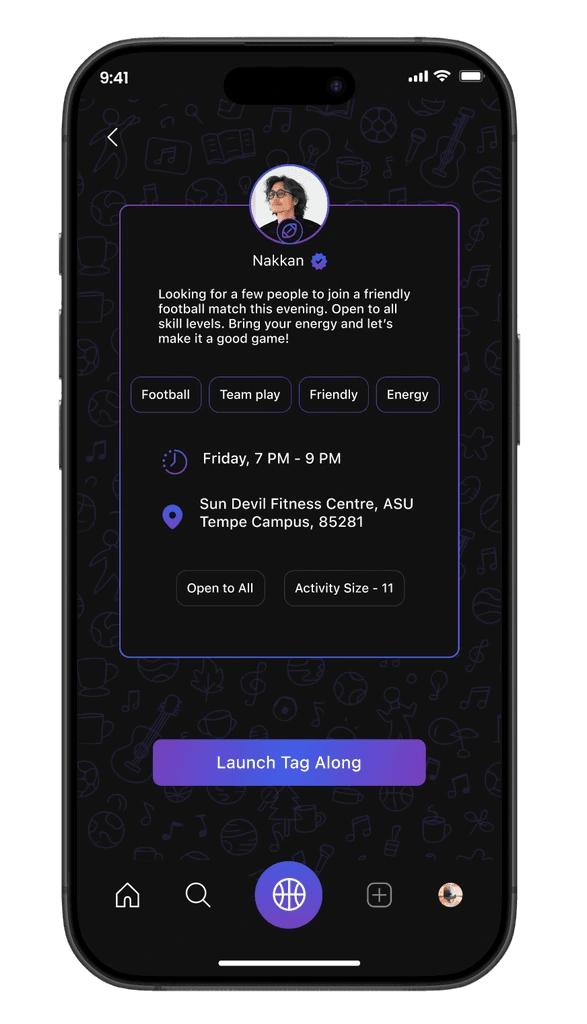
Tag Along
Tag Along Discovery
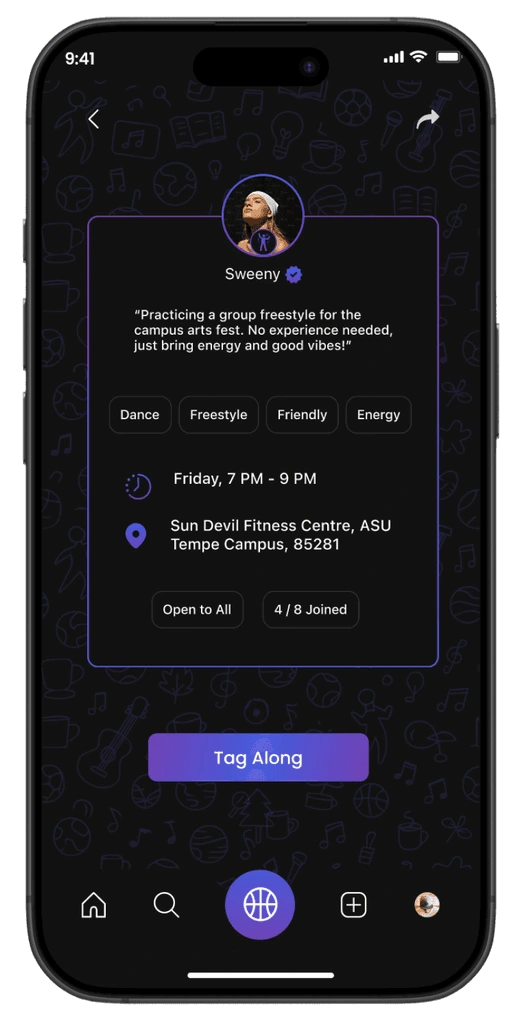
Tag Along Detail
Approval Flow
Tag Along Cards
Activity Info
Tag Along Button
Waiting for Approval
Tag Along Accepted
Cohorts
Communities Main
Cohort Detail Page
Your Cohorts
Explore Cohorts
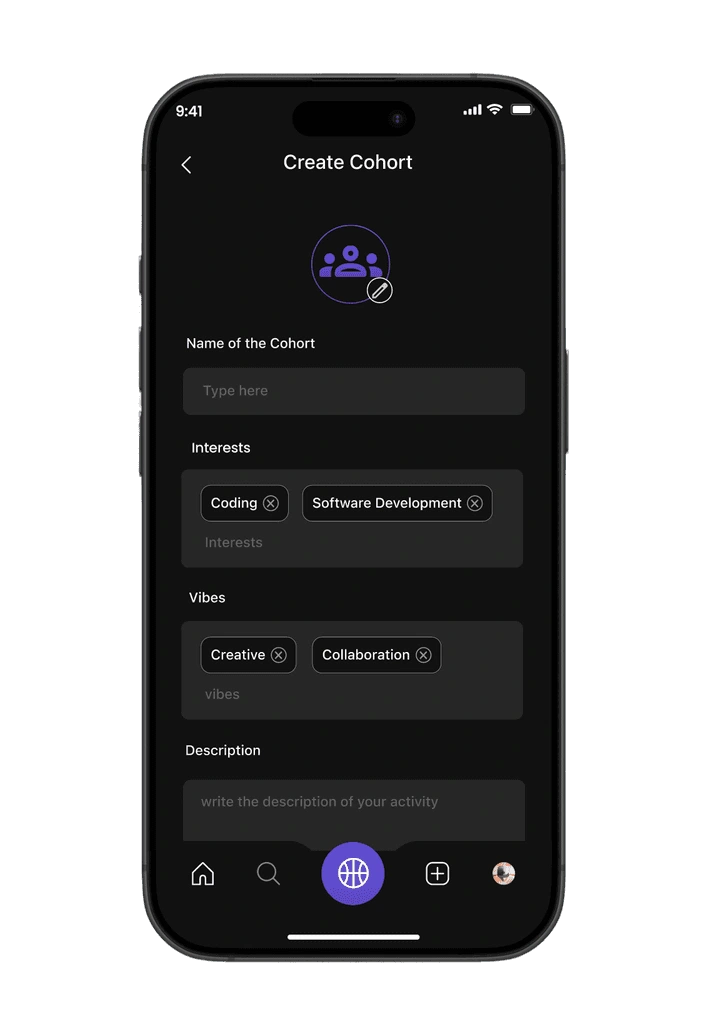
Create a Cohort
Cohort Info
Members
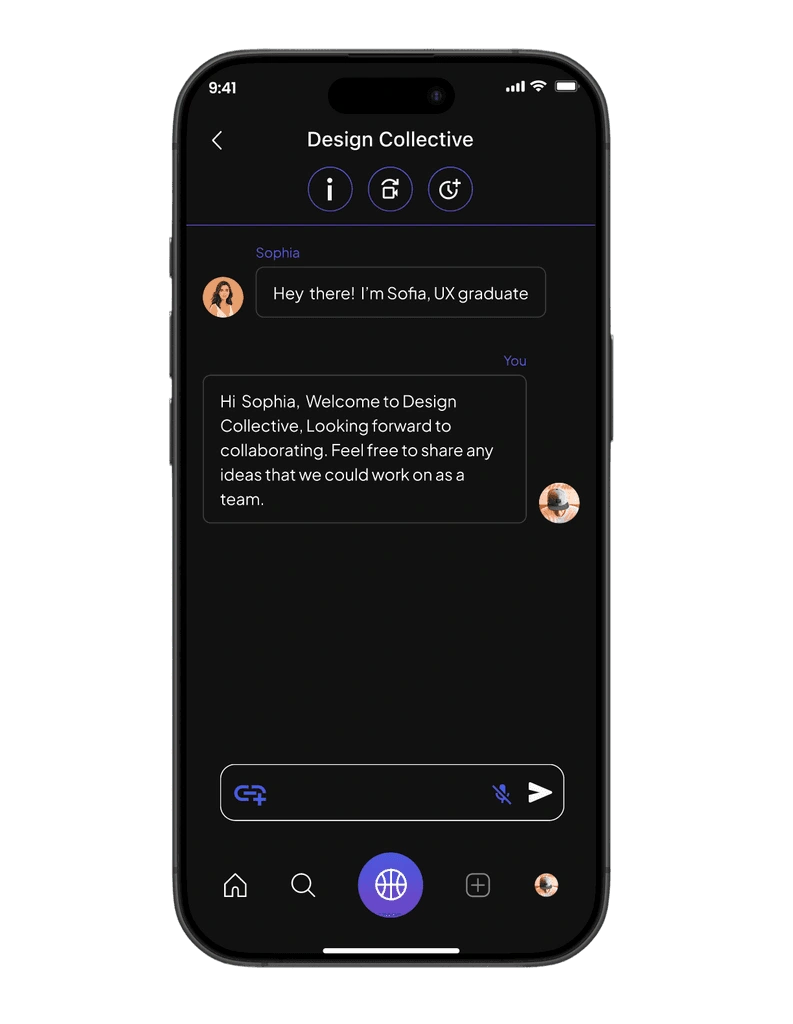
Chatbox
Virtual Events
Create
Create Main Page
Create Tag Along
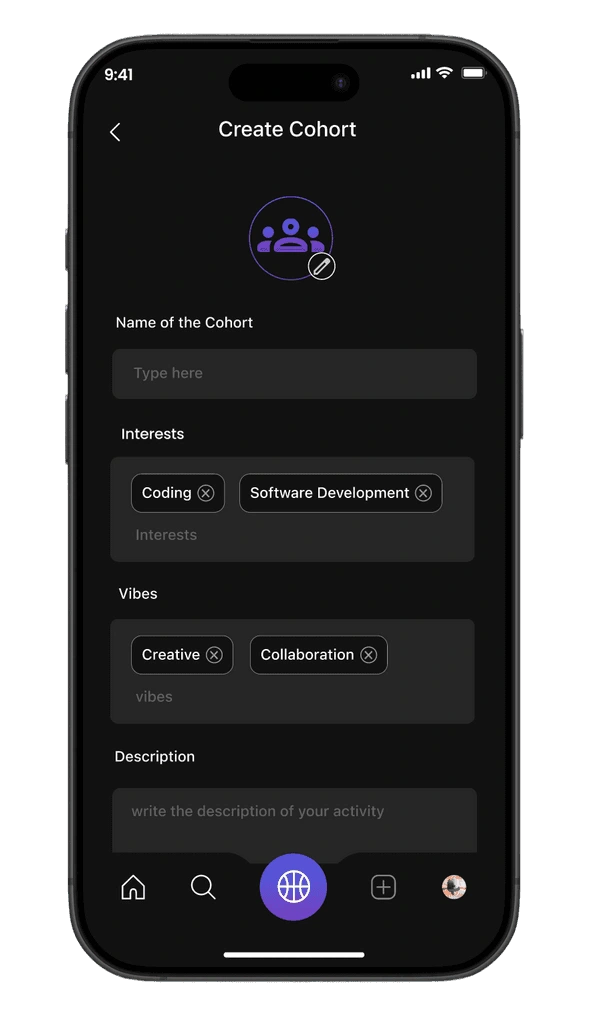
Create Cohort
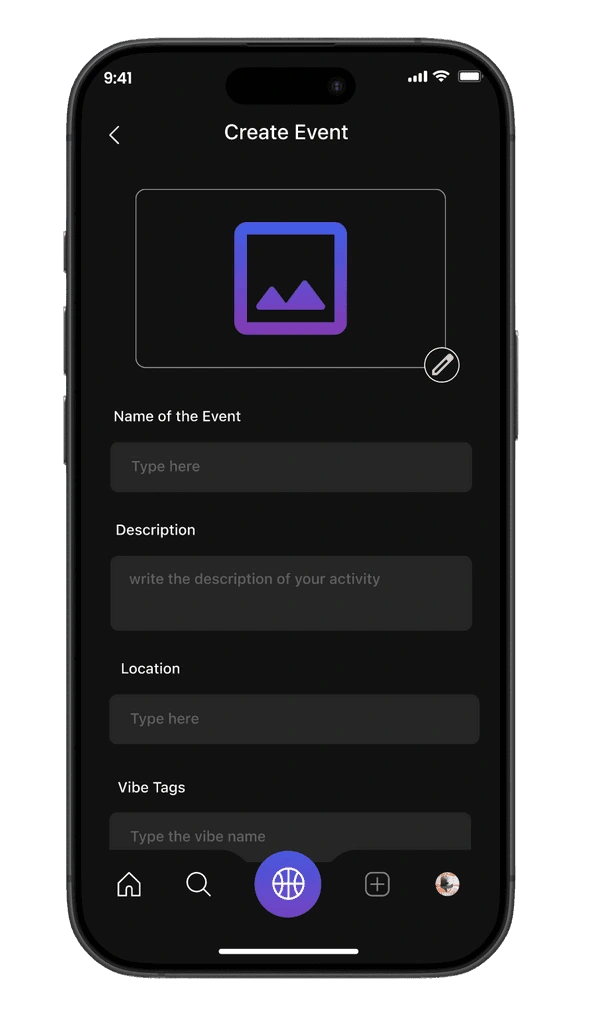
Create Event
Activity
Vibe Tags
Description
Schedule
Who Can Join
Confirmation
Name
Interests
Vibes
Who Can Join
Confirmation
Name
Description
Location
Vibe Tags
Rules
RSVP Enabled
Confirmation
Direct Messaging
DM List
DM Threads
DM Chat Screen
By Tag Alongs
By Cohorts
Notifications
Notifications Main
Tag Along Notifications
Event Notifications
Cohort Notifications
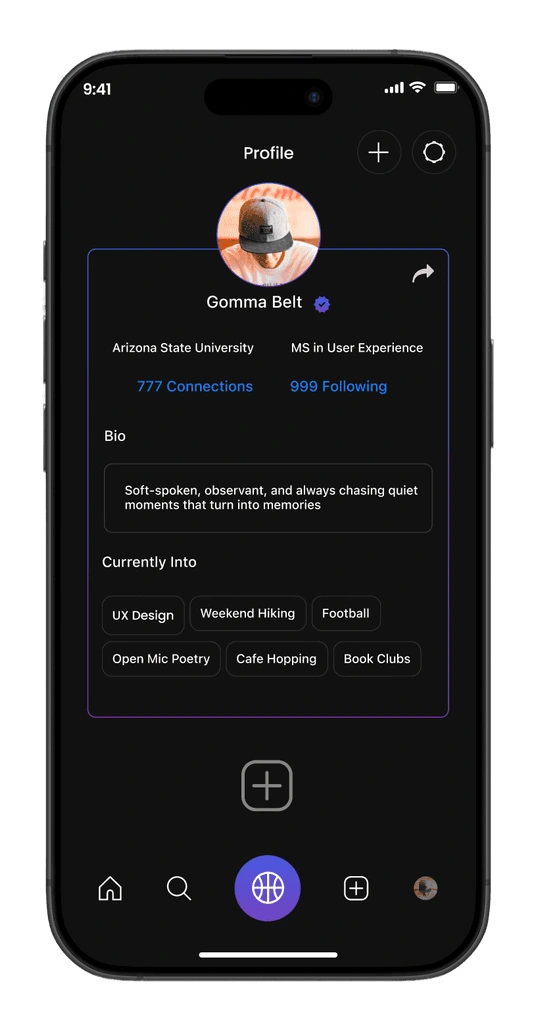
Profile
Profile Main Page
Edit Profile
Settings
User Info
Connections
Interests
Privacy
Notification Prefs
Logout
Delete Account
FIT
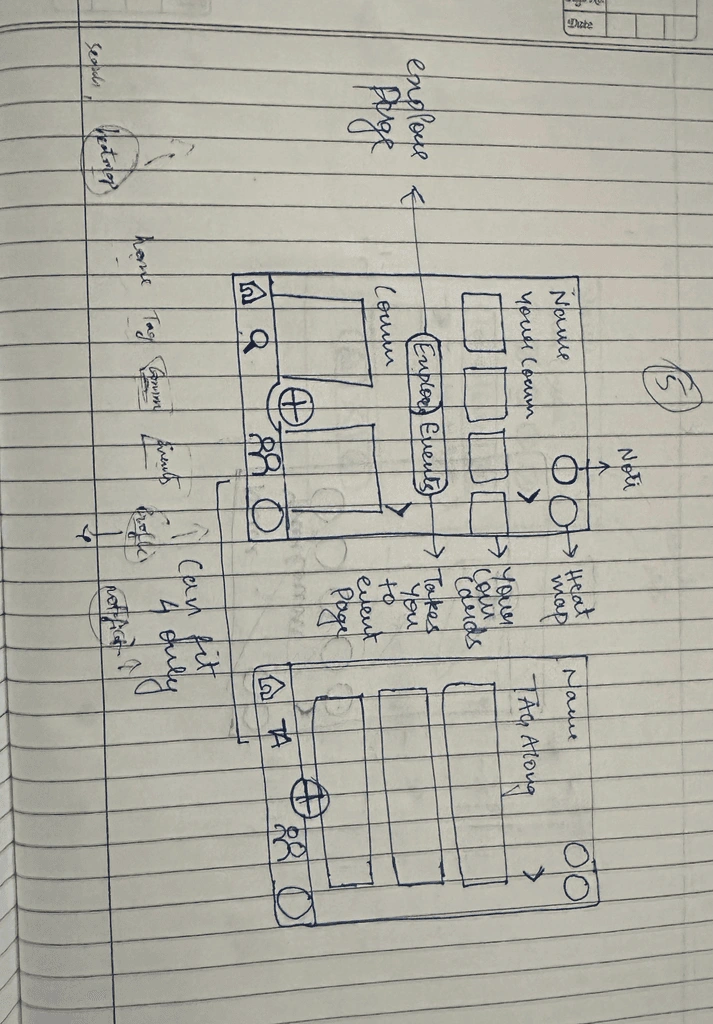
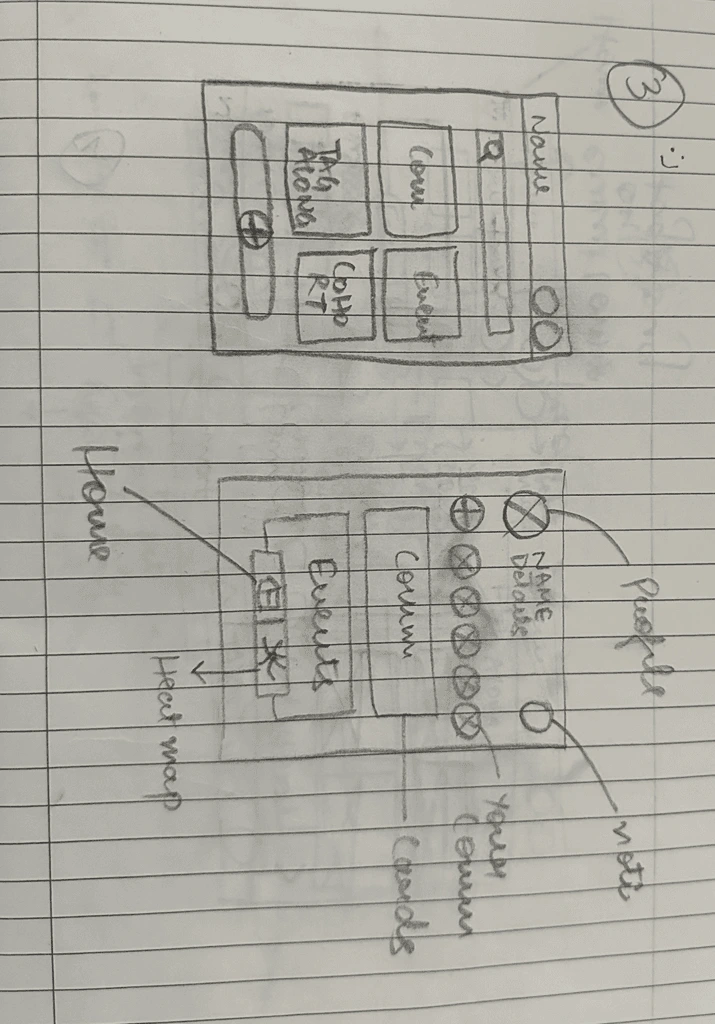
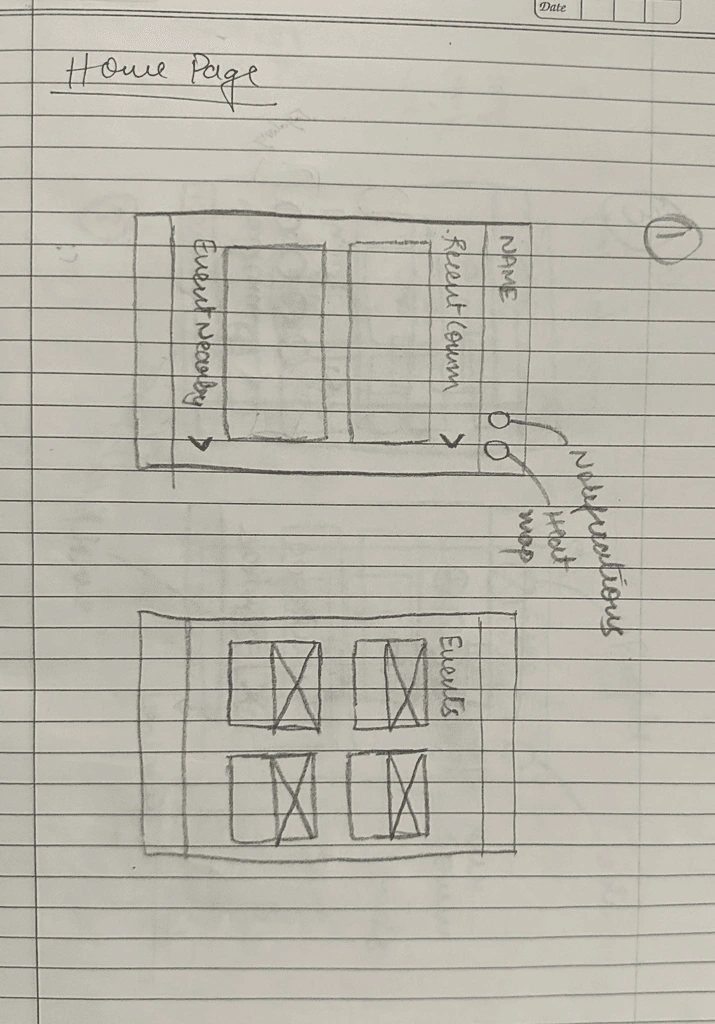
Sketches
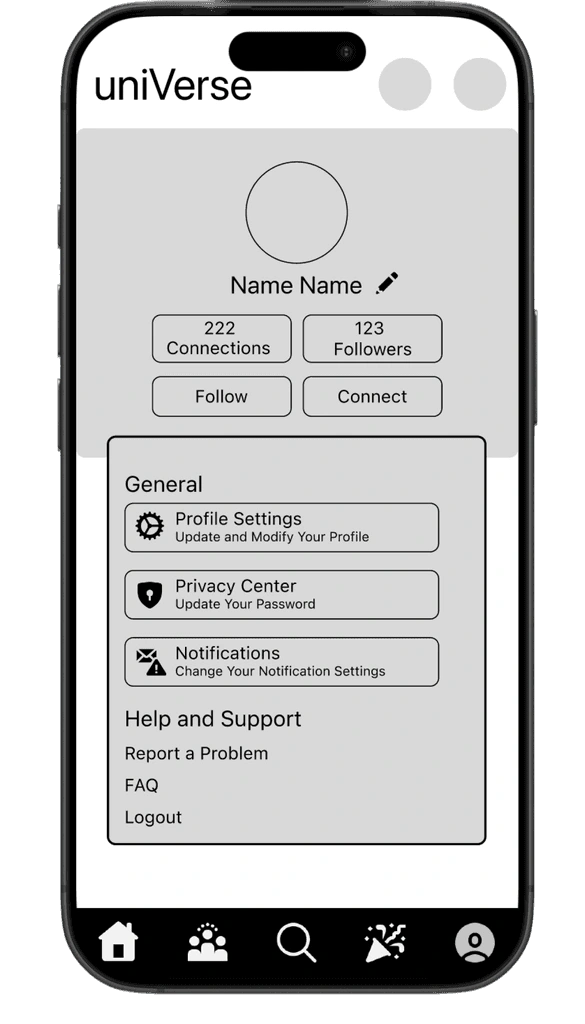
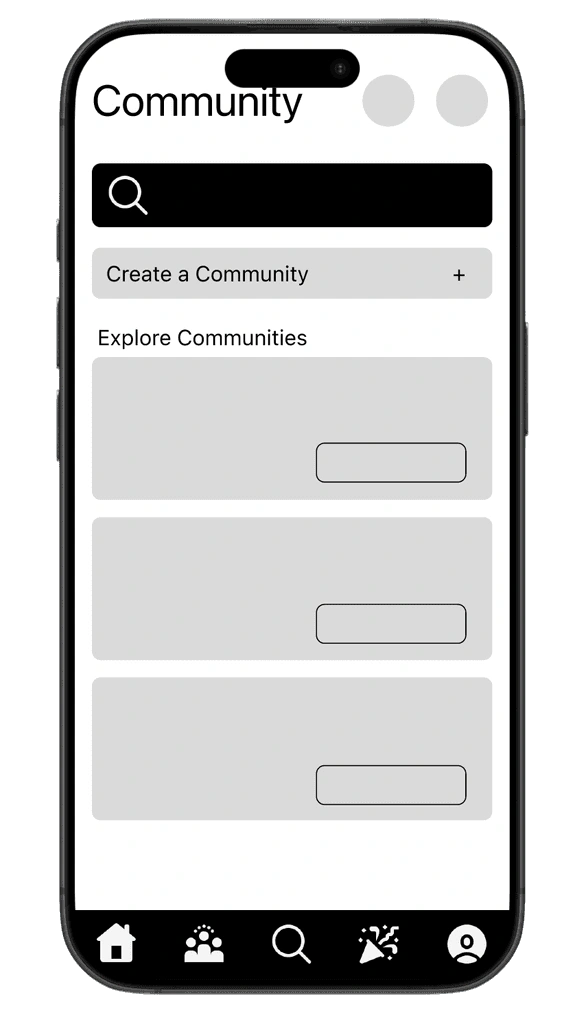
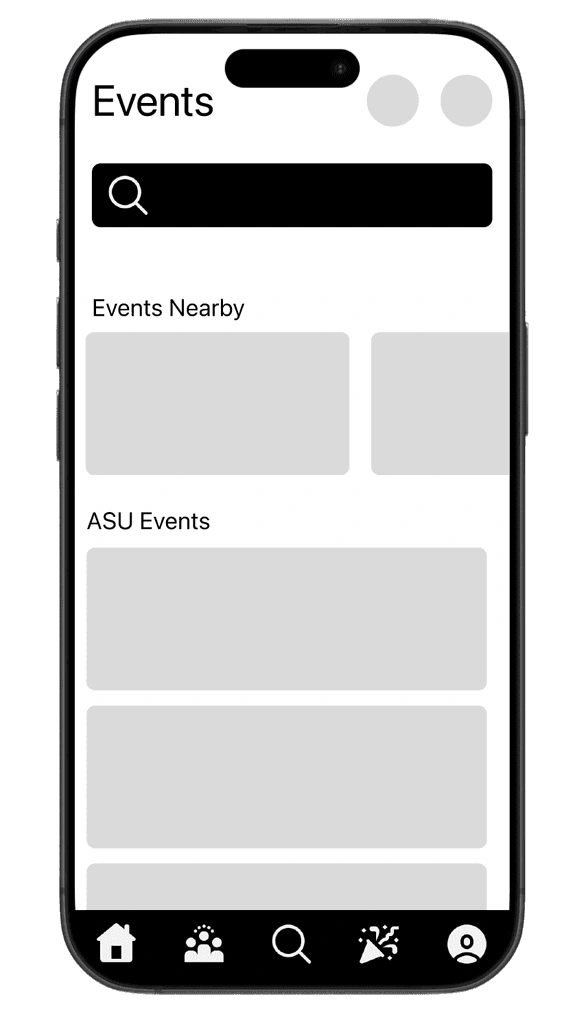
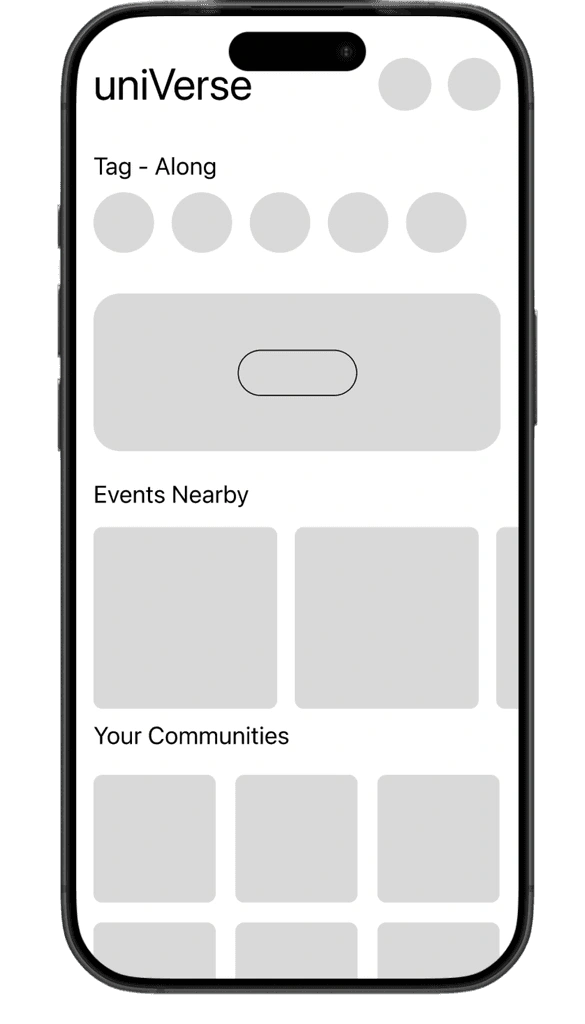
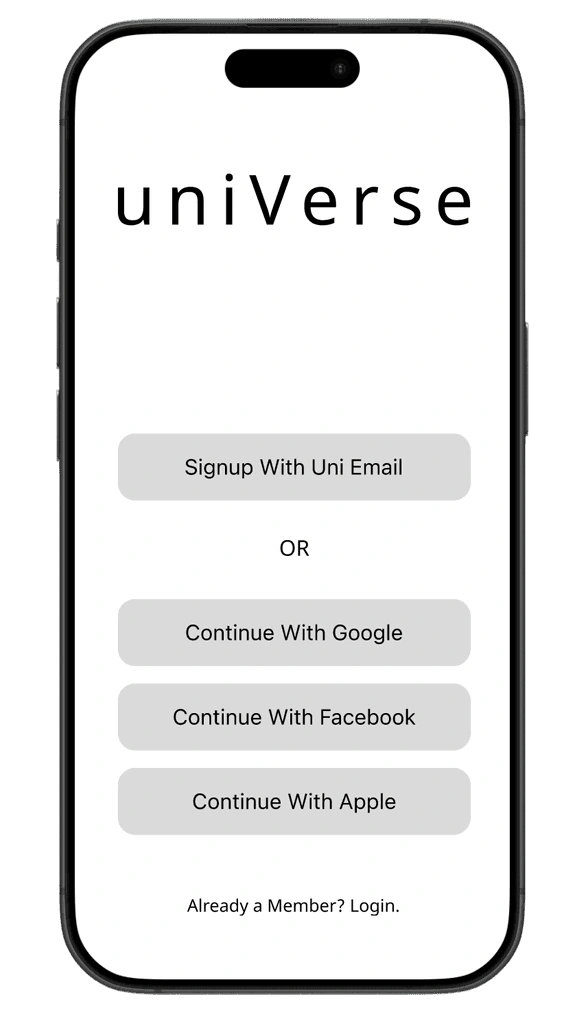
This was the moment where ideas started to take shape. We dove into the design phase with quick, low-fidelity sketches that allowed us to explore possibilities without overthinking. Inspired by what we heard in user interviews and guided by both business goals and usability principles, these early sketches gave form to student needs and pain points, setting the stage for a simple, friendly interface.
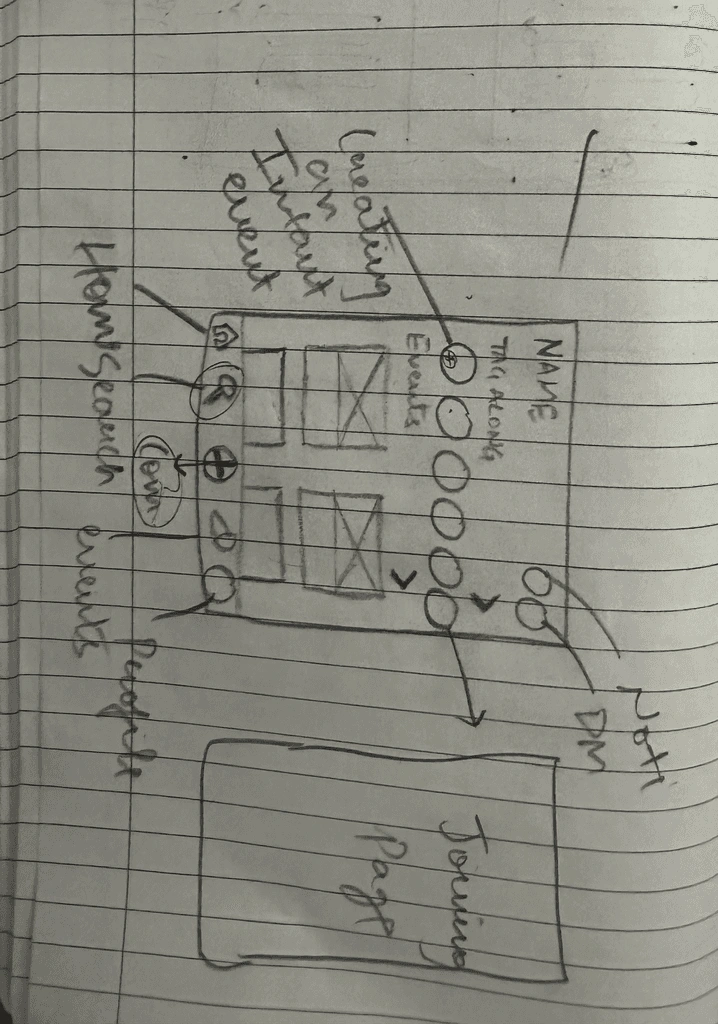
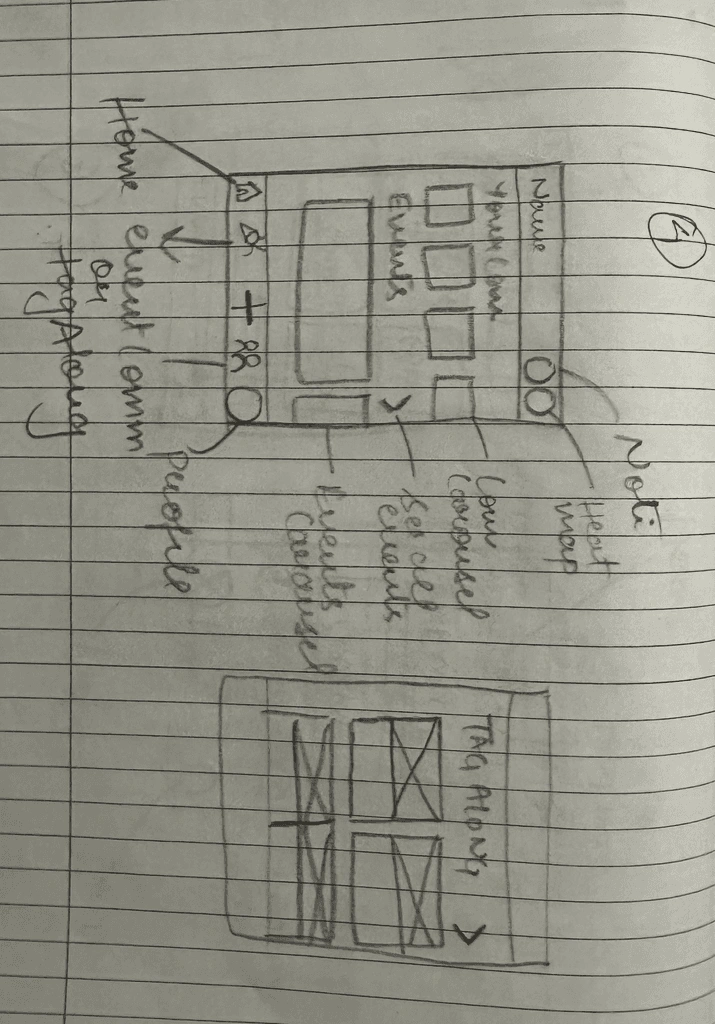
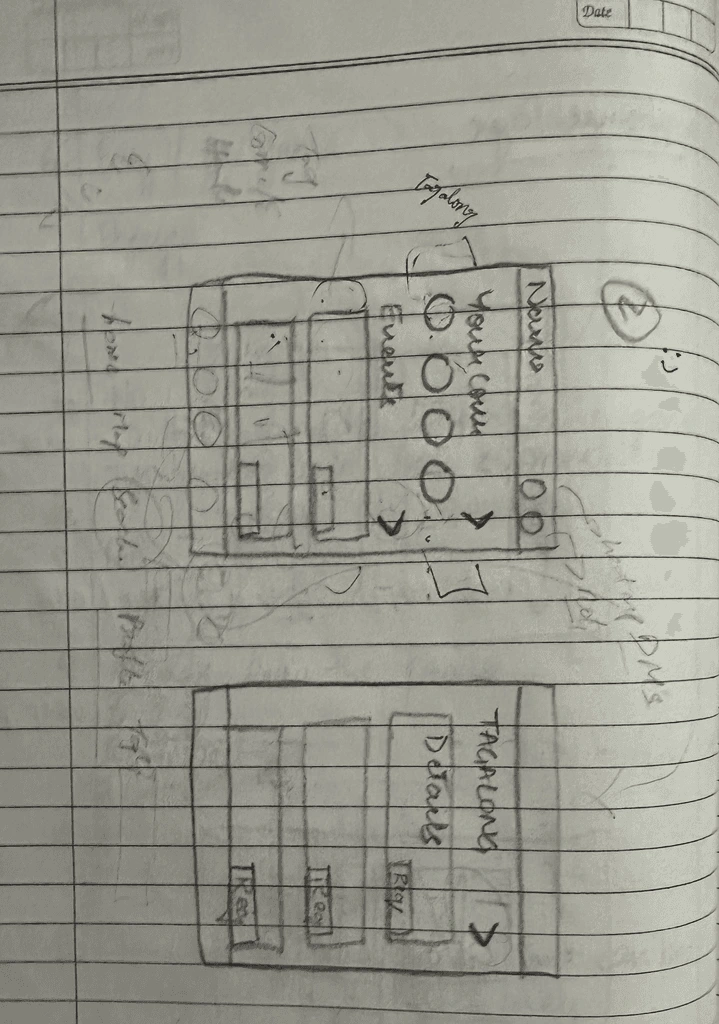
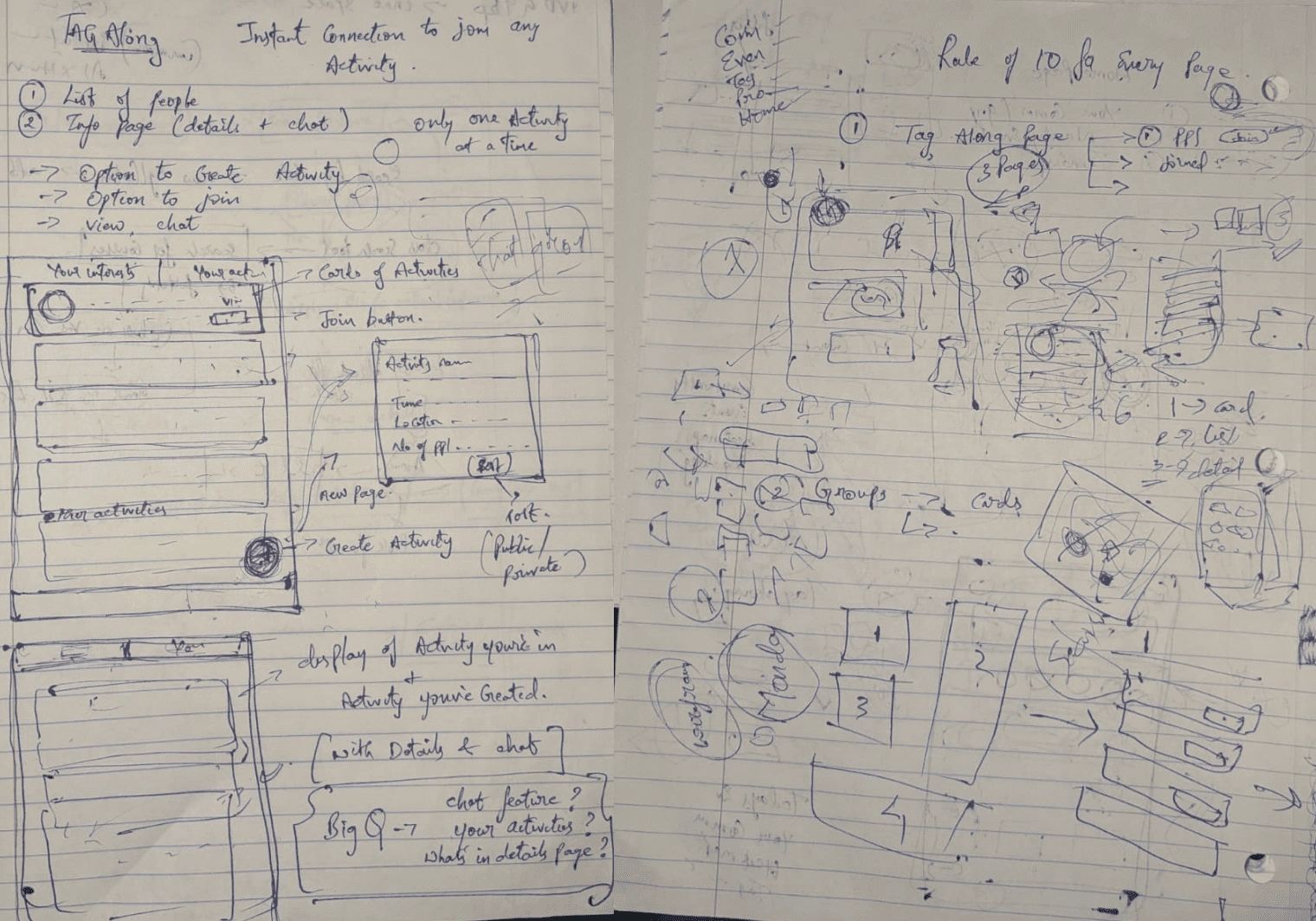
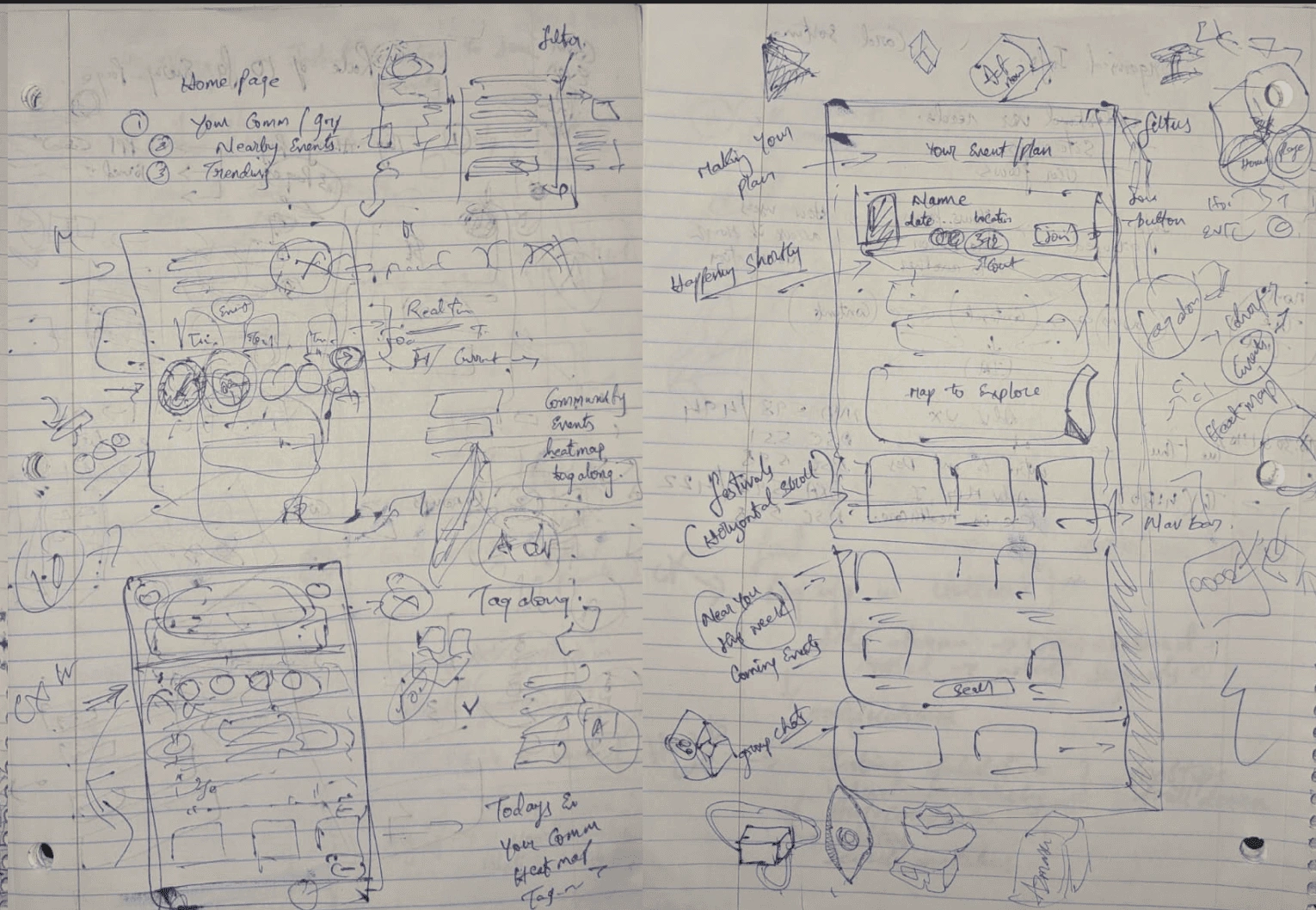
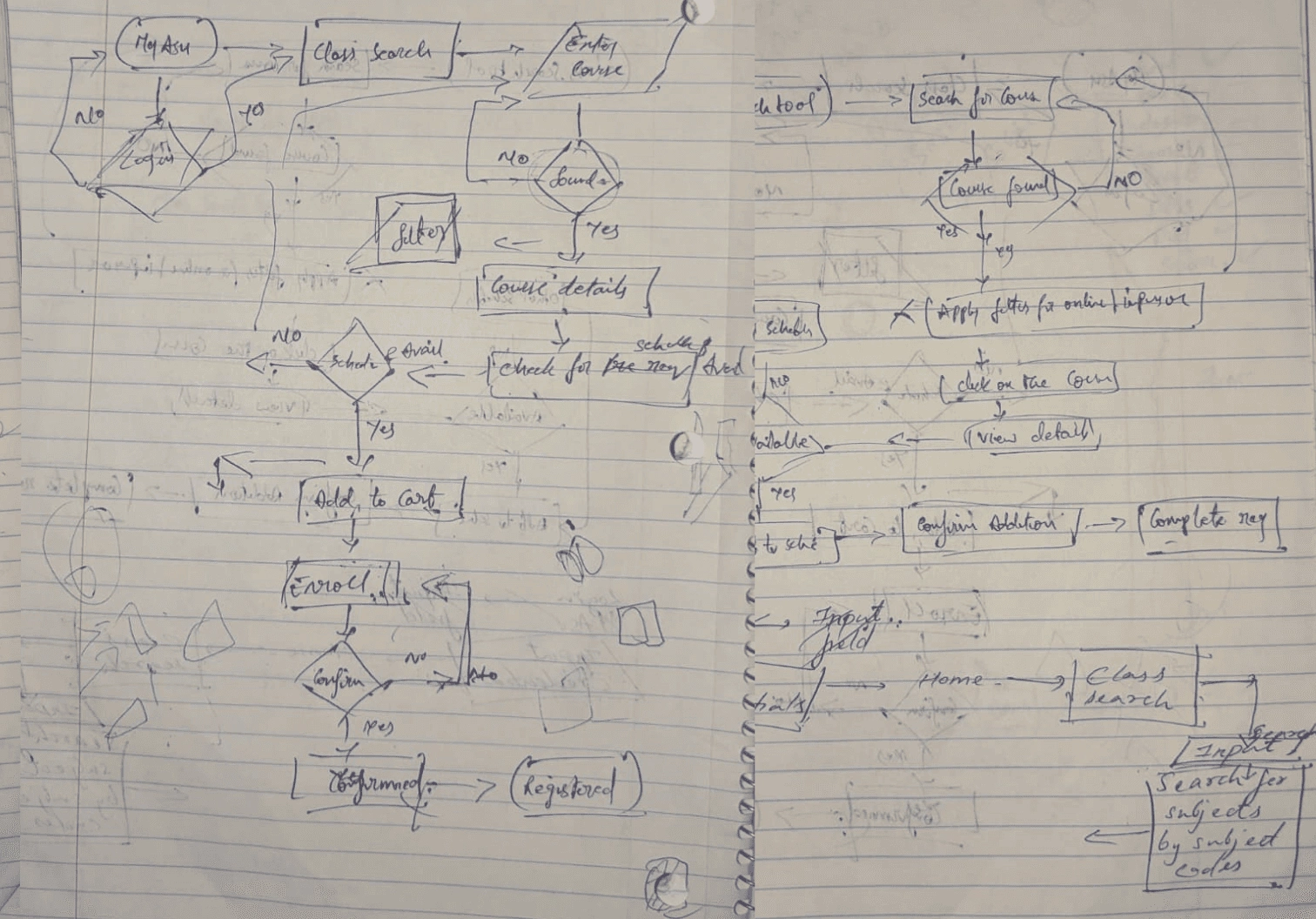
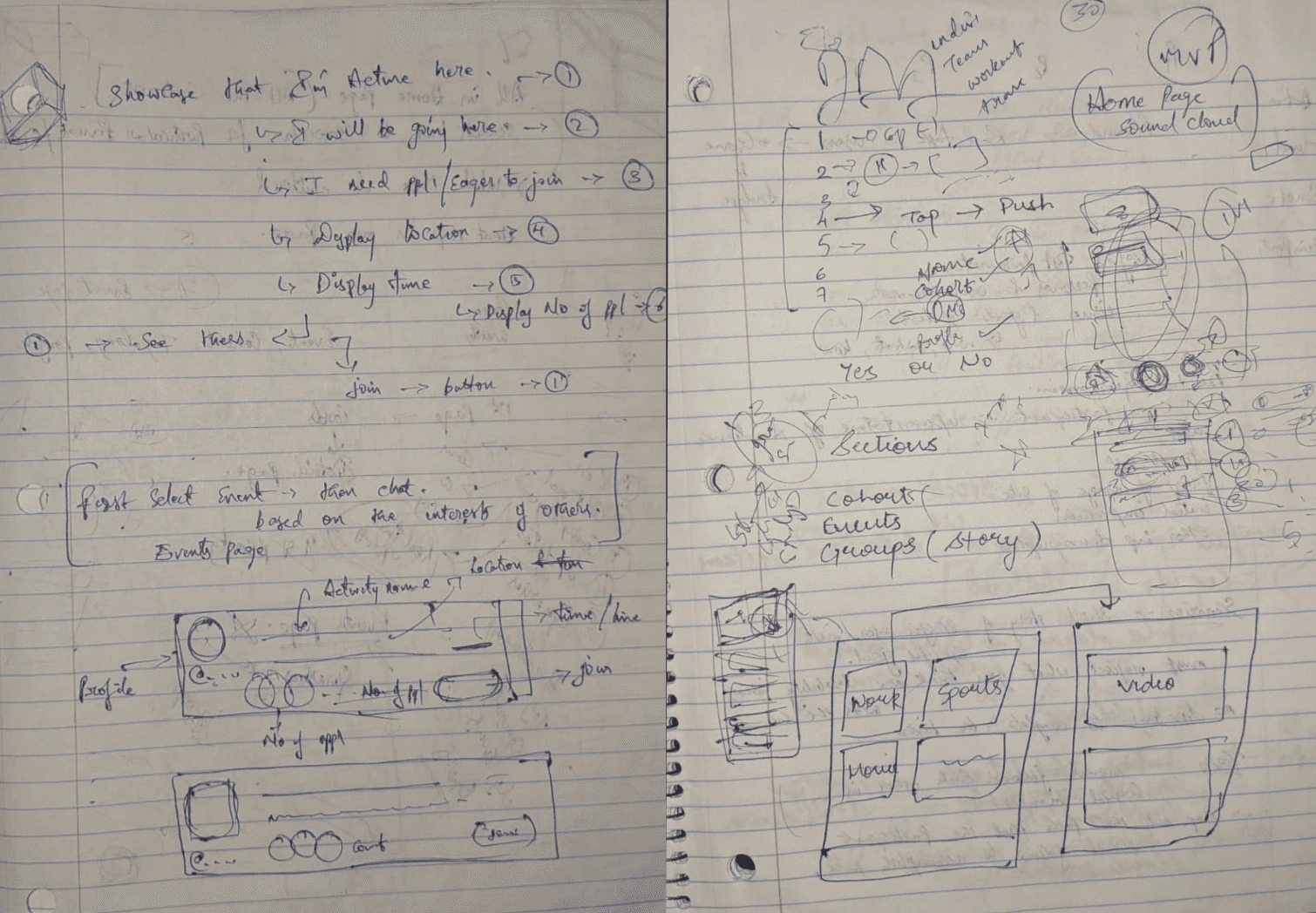
Mid-Fidility Screens
Using Figma, we translated our first sketches into mid-fidelity wireframes. We started by laying out all the screens we needed to design. We blocked out sections for each element and did our detailed work.
04.Design
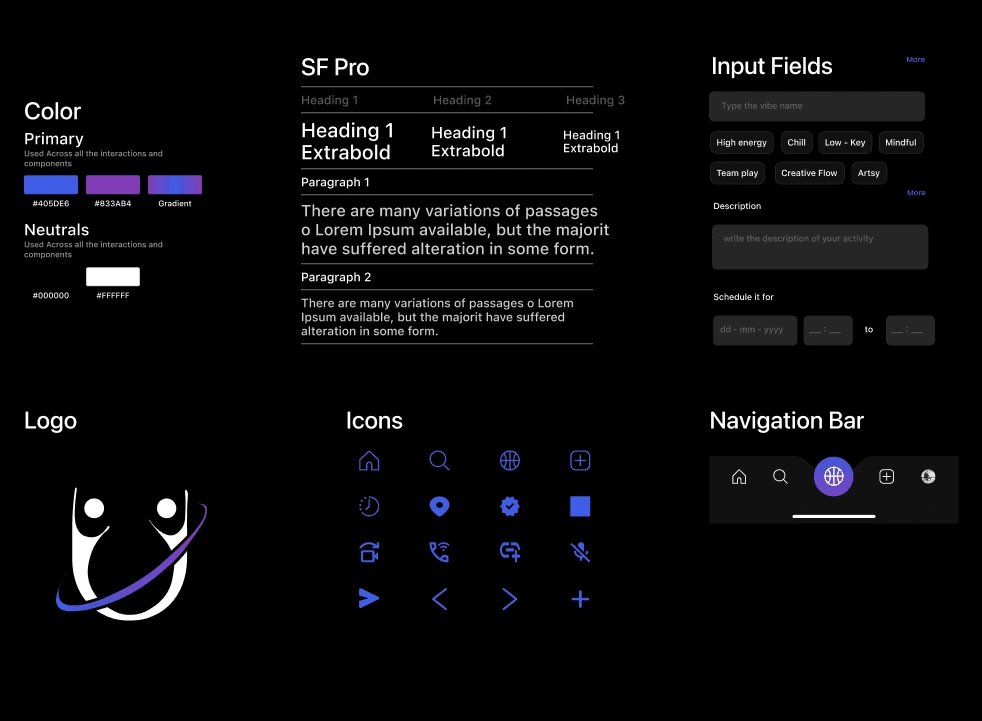
Design Kit
This design kit is more than a collection of visuals; it’s a foundation for meaningful experiences. Every element buttons, menus, icons, colors, and typography was intentionally crafted by us to feel clear, consistent, and approachable. It serves as a guide that not only streamlines collaboration but also ensures that every interaction feels natural, intuitive, and respectful of the user’s journey.
High Fidility Screens
This design kit is more than a collection of visuals; it’s a foundation for meaningful experiences. Every element buttons, menus, icons, colors, and typography was intentionally crafted by us to feel clear, consistent, and approachable. It serves as a guide that not only streamlines collaboration but also ensures that every interaction feels natural, intuitive, and respectful of the user’s journey.
Login
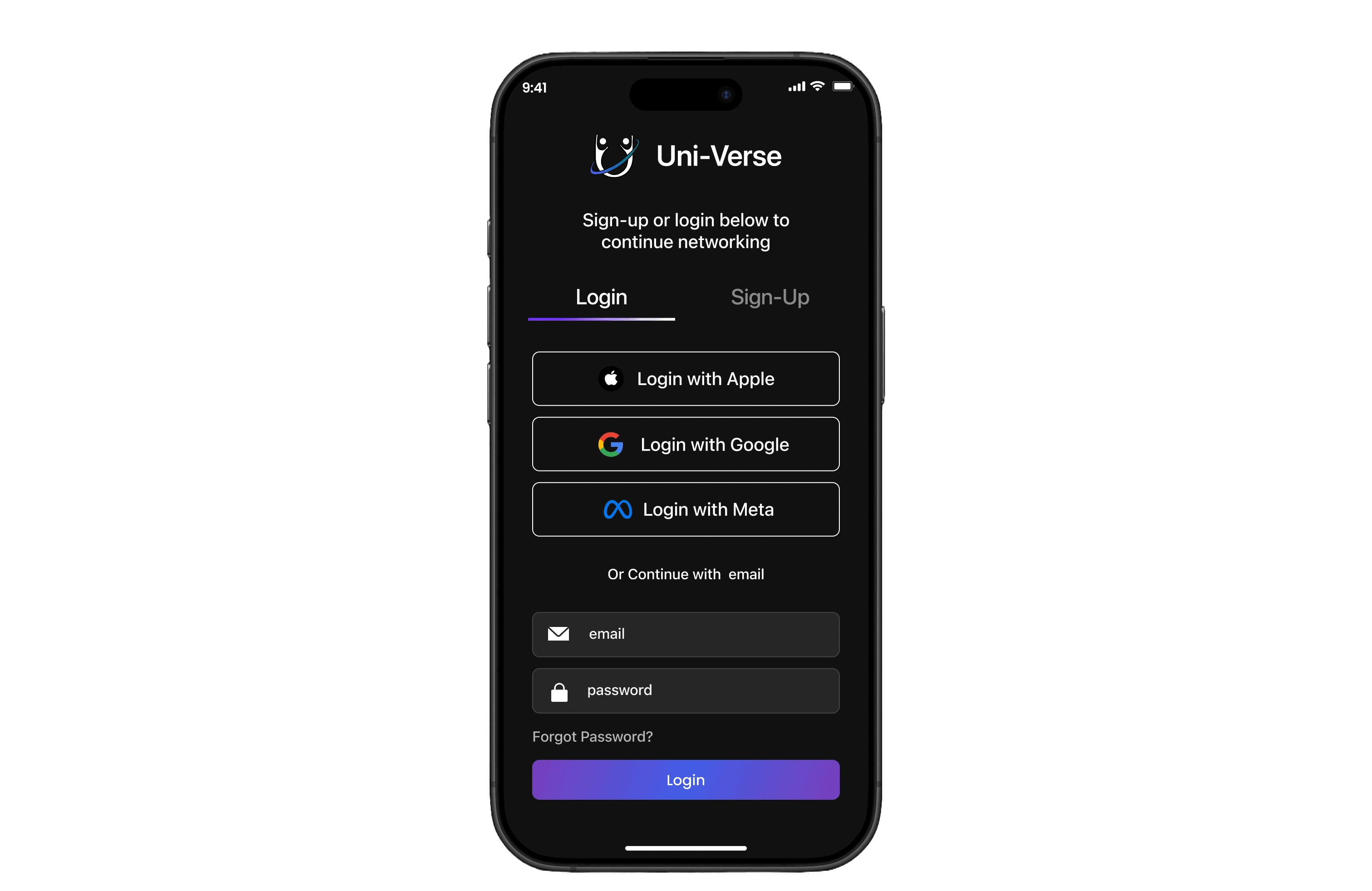
Multiple sign-in options – Apple, Google, Meta for quick access.
Traditional entry with email and password.
Password recovery – “Forgot Password?” ensures easy account retrieval.
Simple onboarding – Clean layout reduces friction for new users.
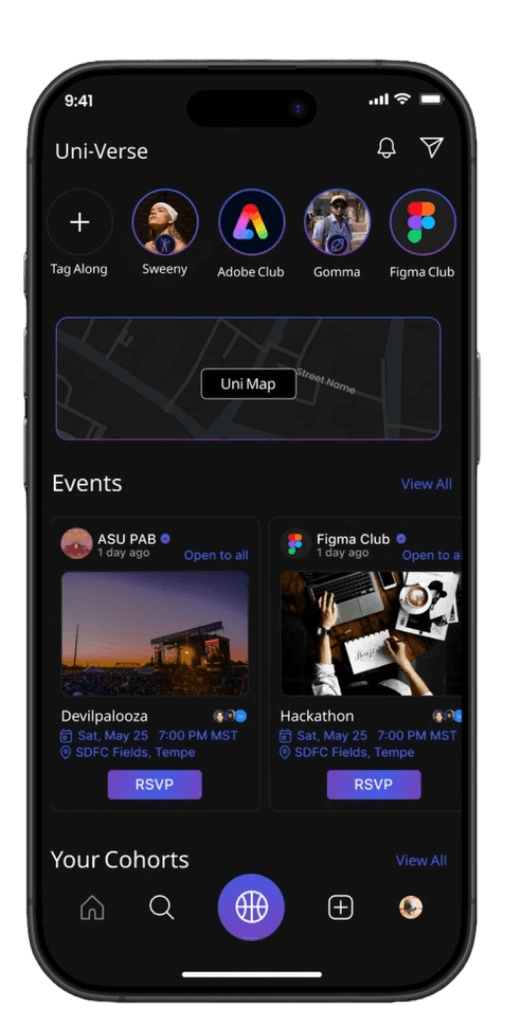
Home
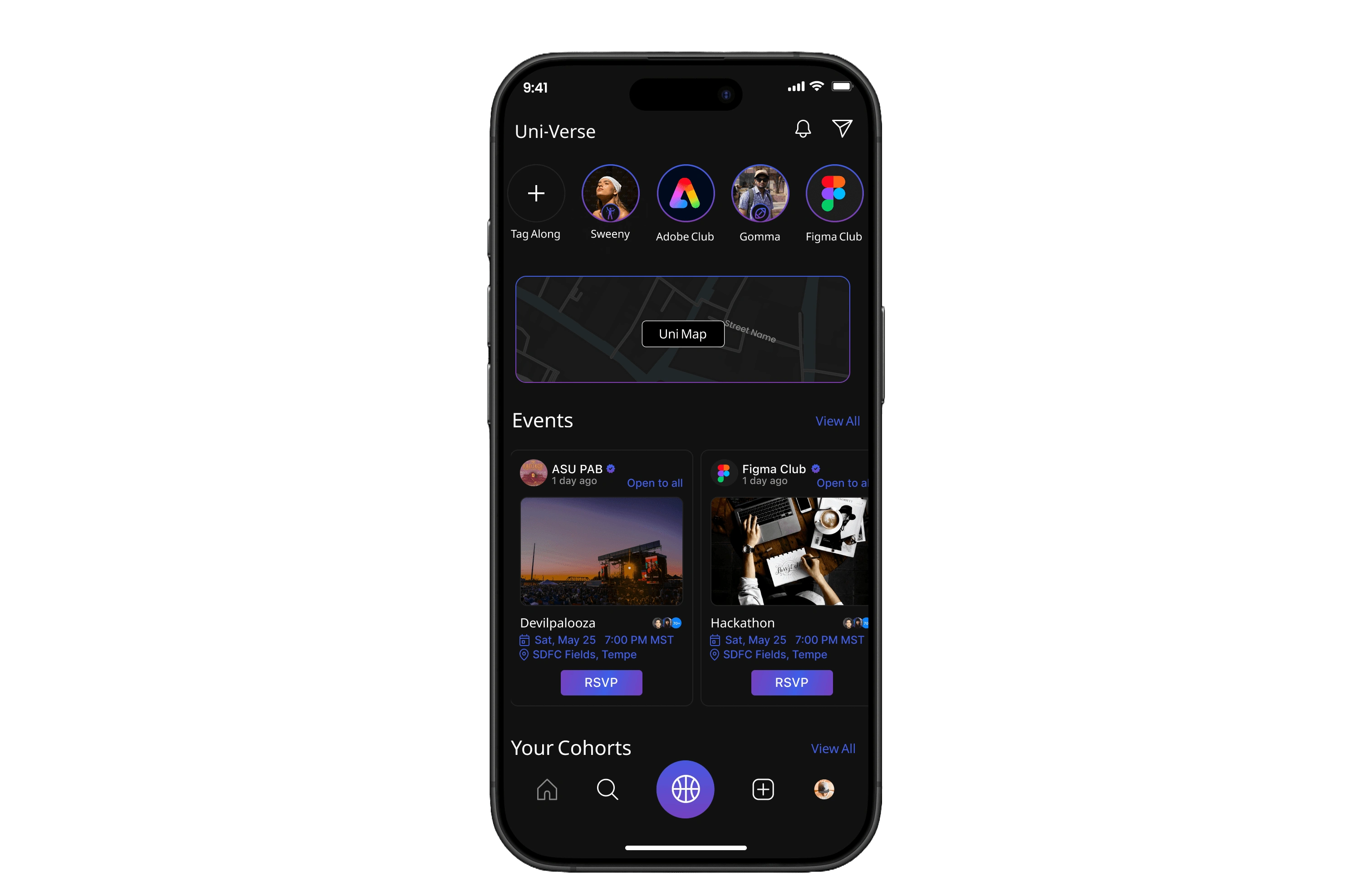
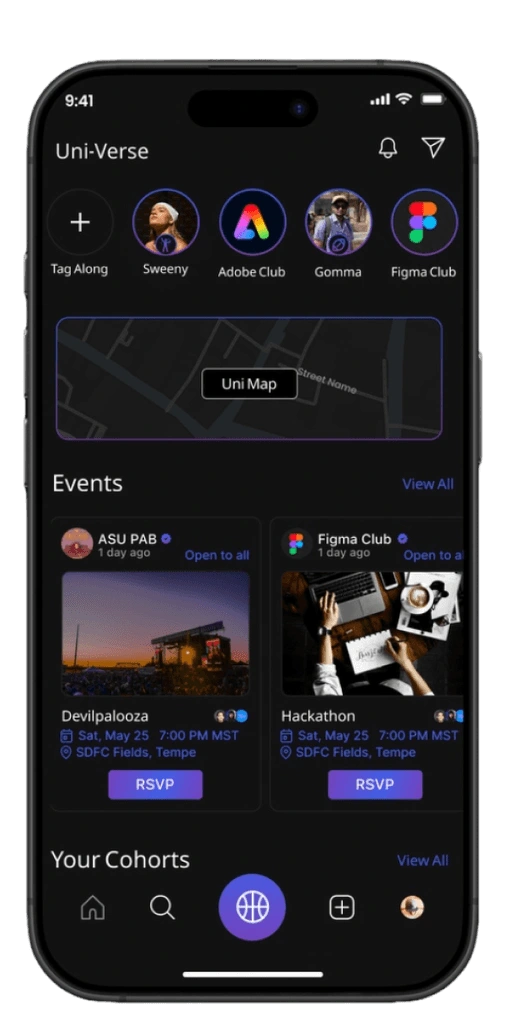
Quick access bar – Tag-Along and Clubs pinned at the top for instant navigation.
Interactive Heat map helps students to track shuttles and explore live events
Cohorts preview – Quick access to joined communities/ Groups
Bottom nav bar – Simple navigation across Home, Explore, Tag-Along, and Profile.
Events section – Shows upcoming activities with RSVP option with an option to navigate and view all events
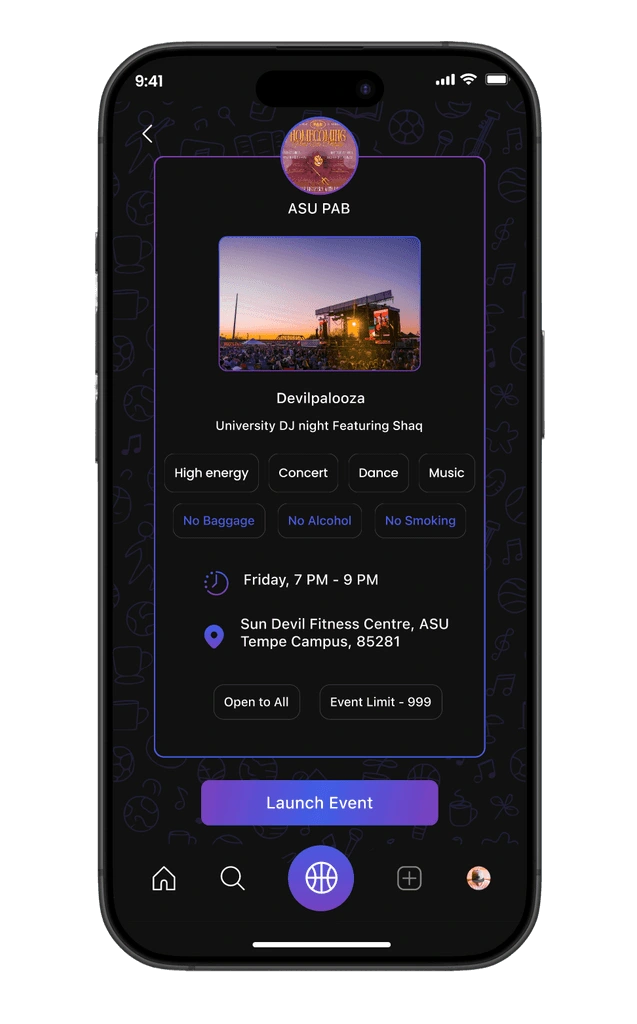
Event details – Clear info: host, time, date, and location.
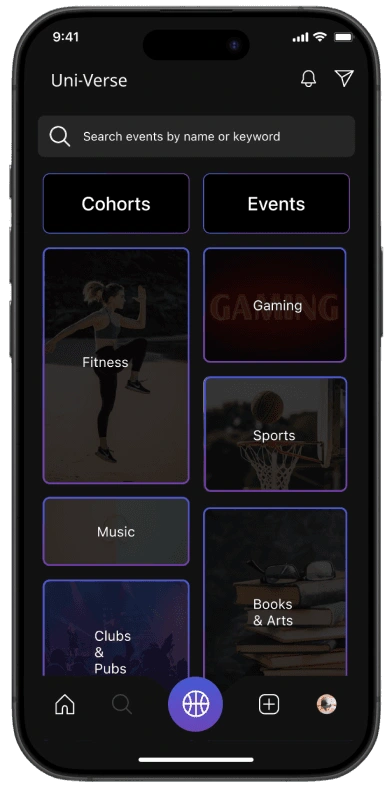
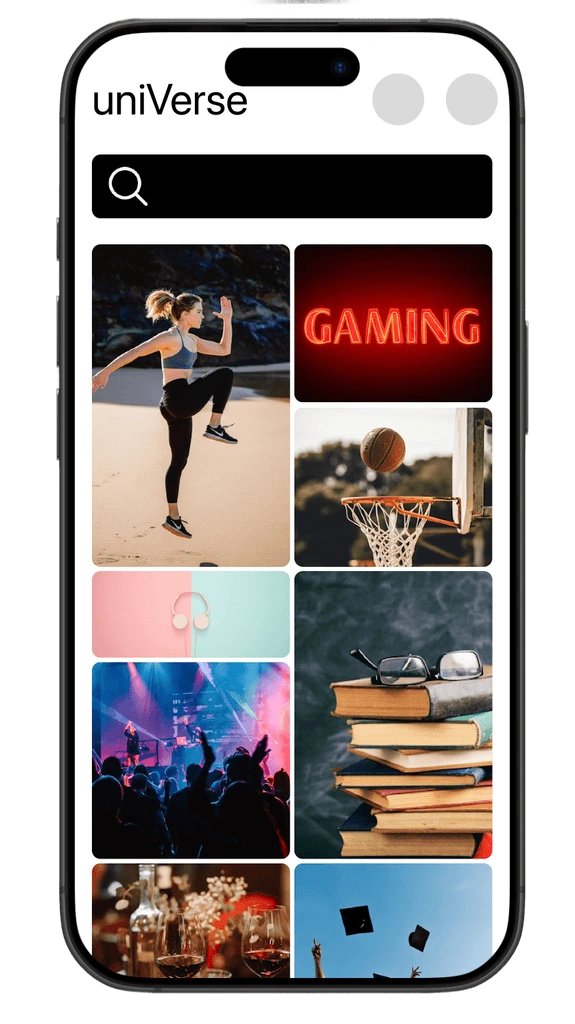
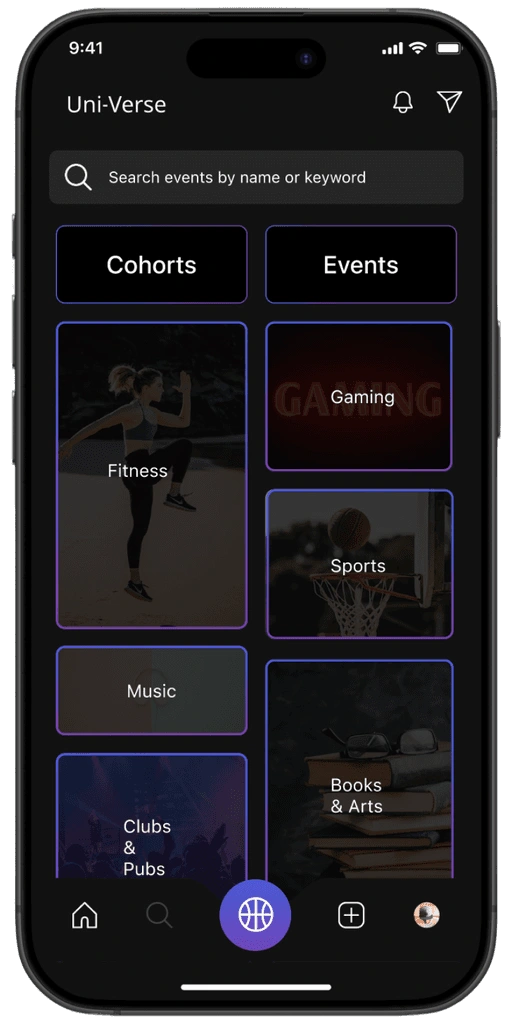
Search
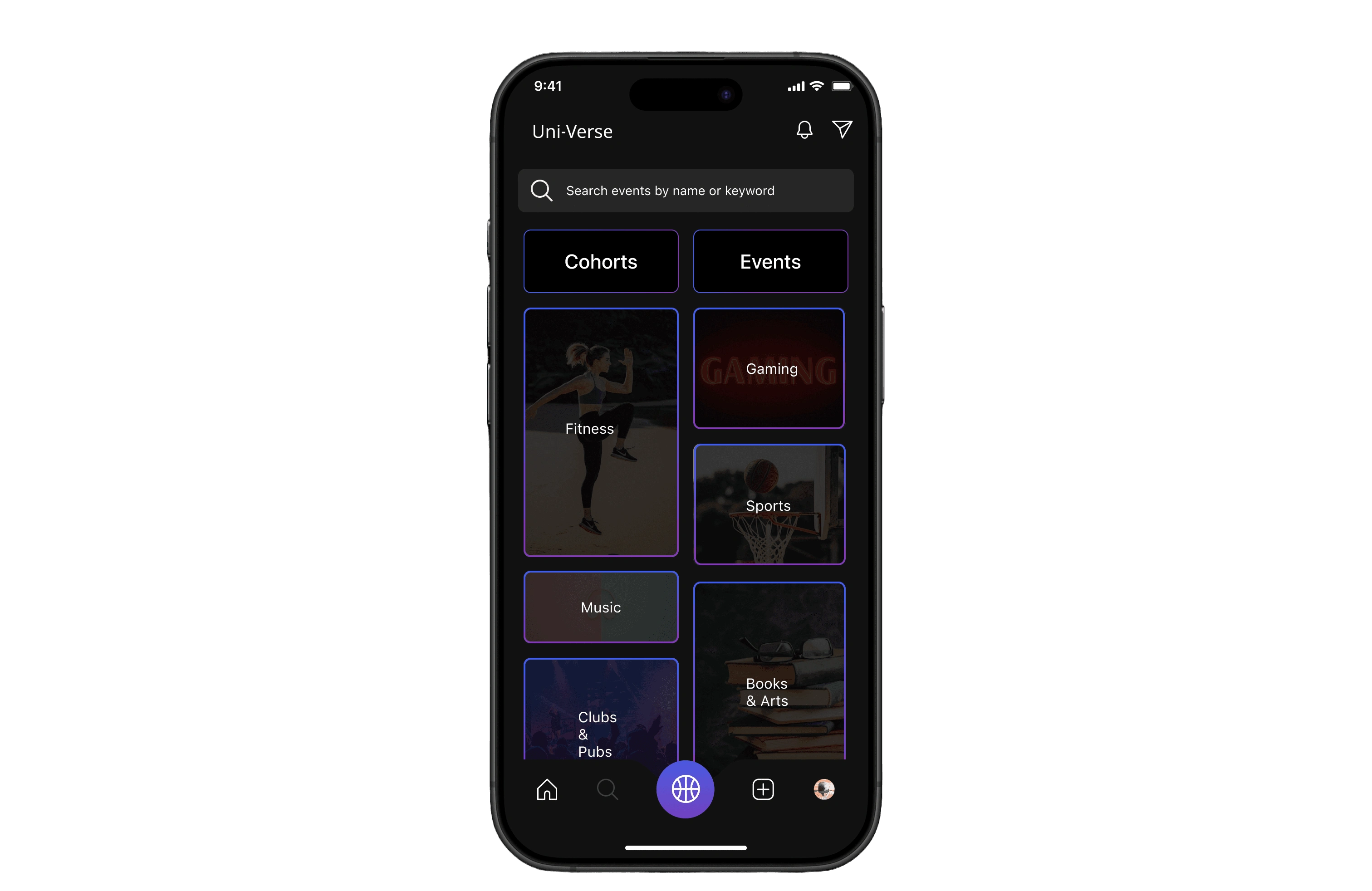
Search bar – Quick lookup for events or cohorts by name/keyword.
Visual cues – Image-based tiles make browsing intuitive and engaging.
option to navigate to cohorts and events page
Category cards – Clear options like Fitness, Gaming, Sports, Music, Books & Arts.
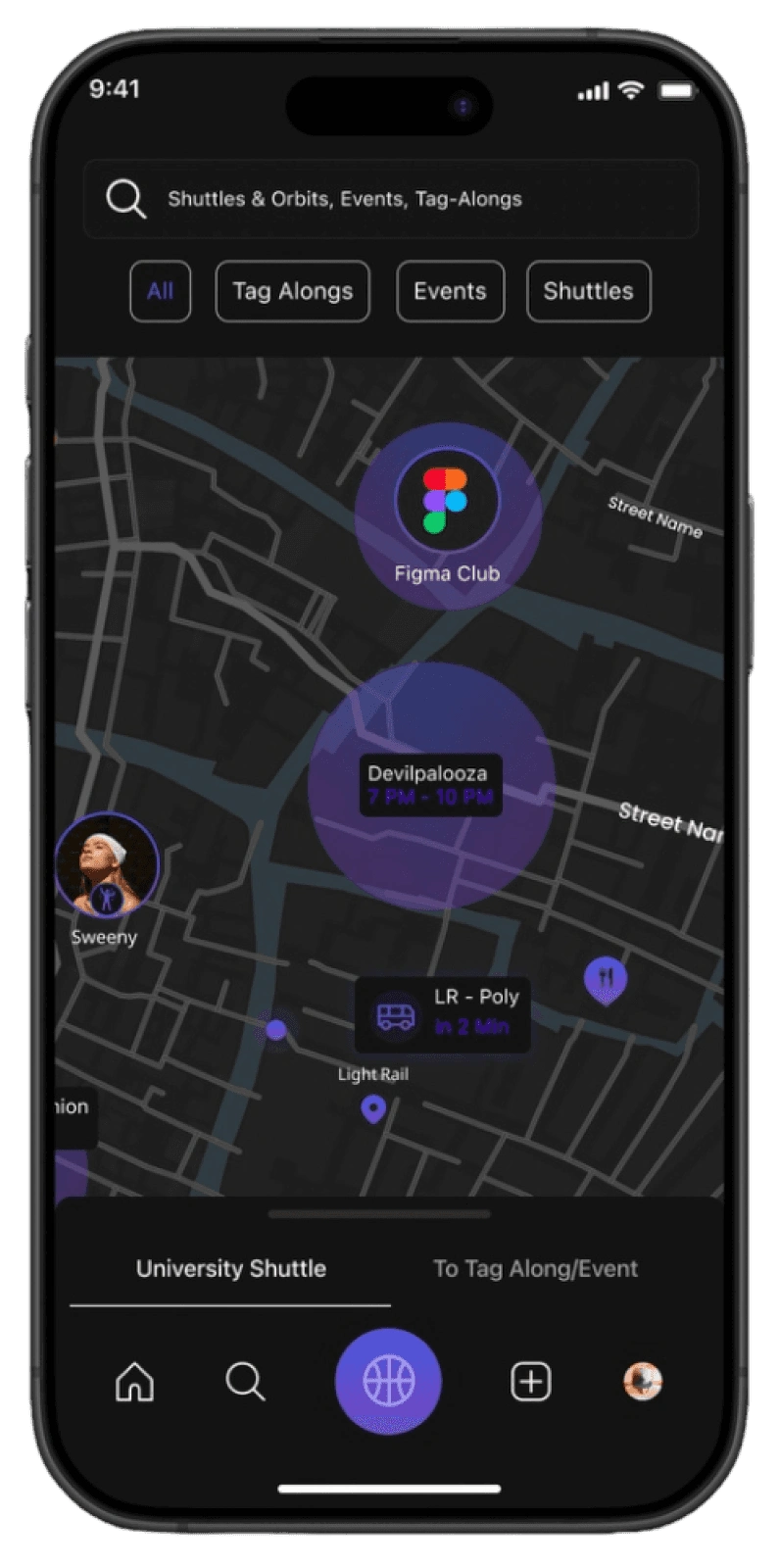
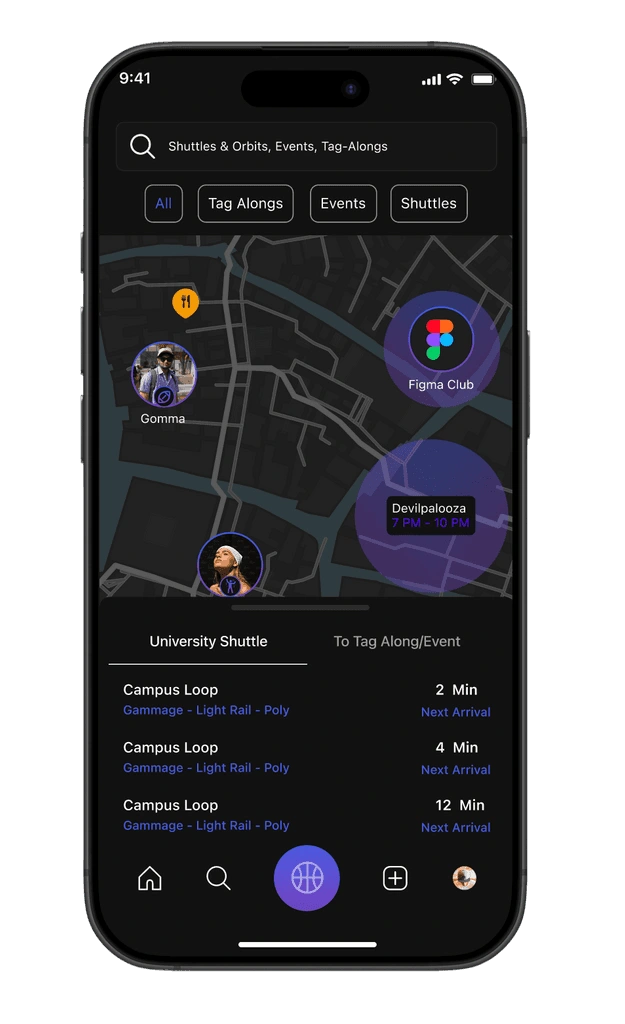
Social Heat Map
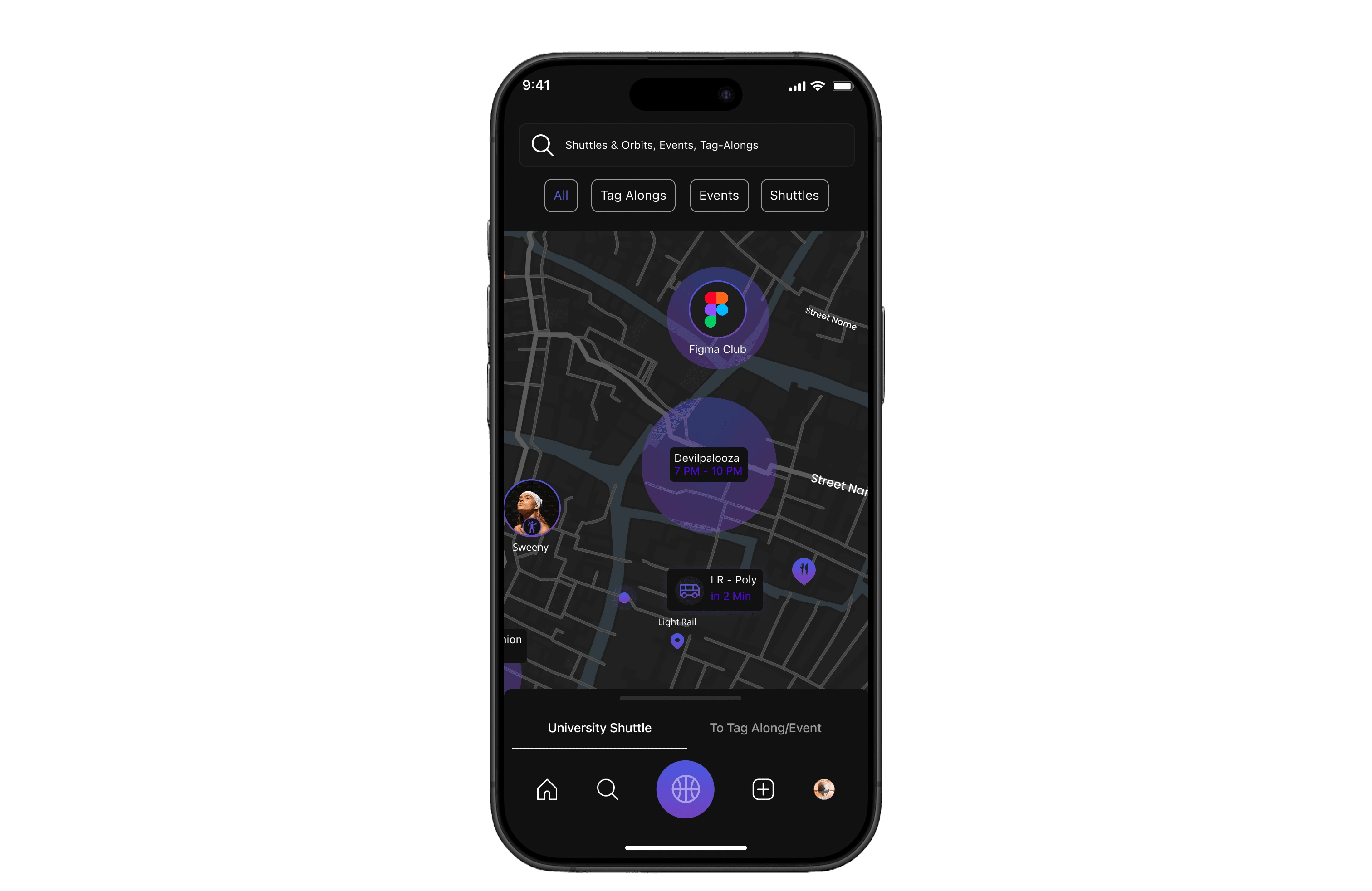
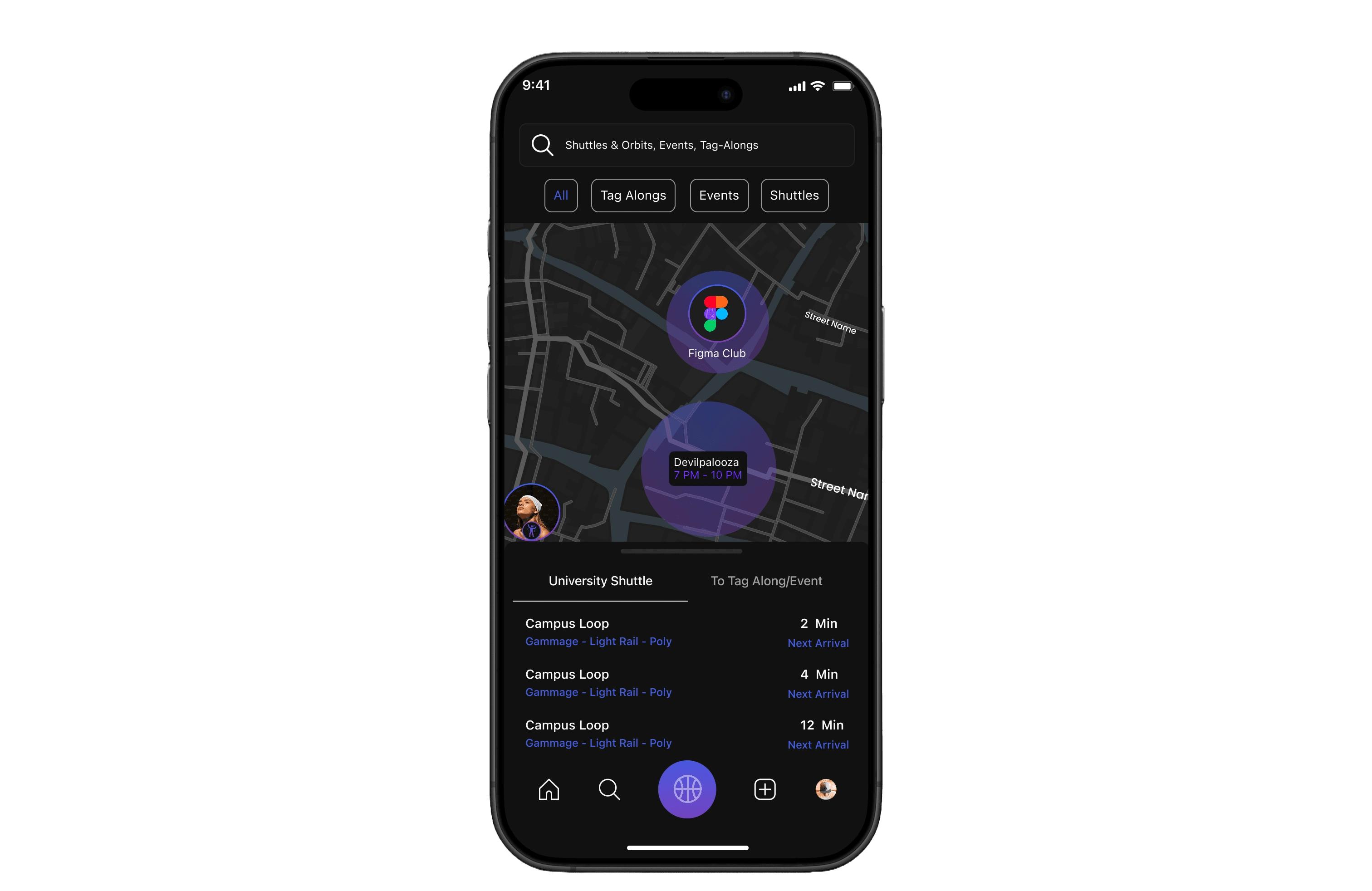
Search bar – Quickly find events, Tag-Alongs, or shuttle info.
Filter buttons – Toggle between All, Tag-Alongs, Events, and Shuttles.
Live map view – Real-time visualization of events, clubs, and student activity.
Shuttle tracking – Live updates on shuttle location and next arrival.
User presence – Shows peers attending nearby events, reducing hesitation to join.
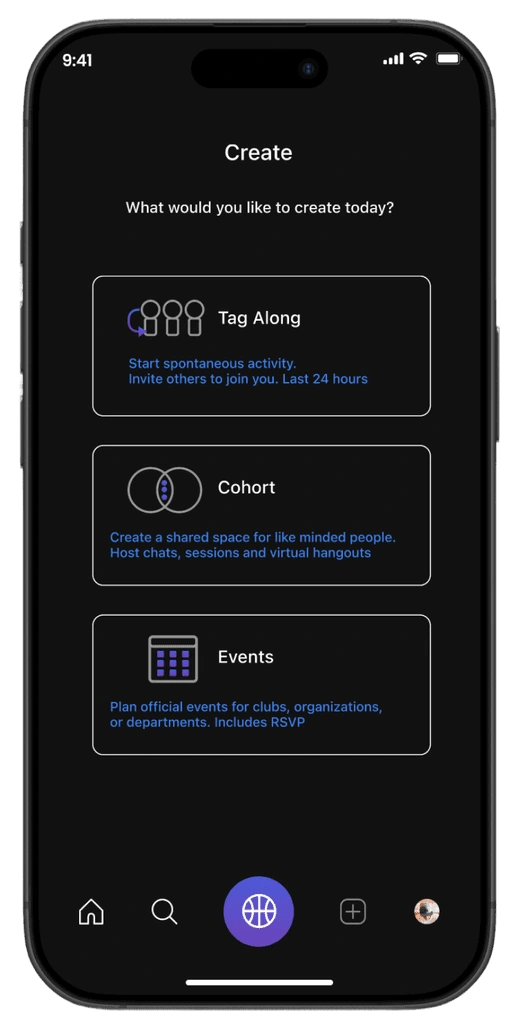
Create
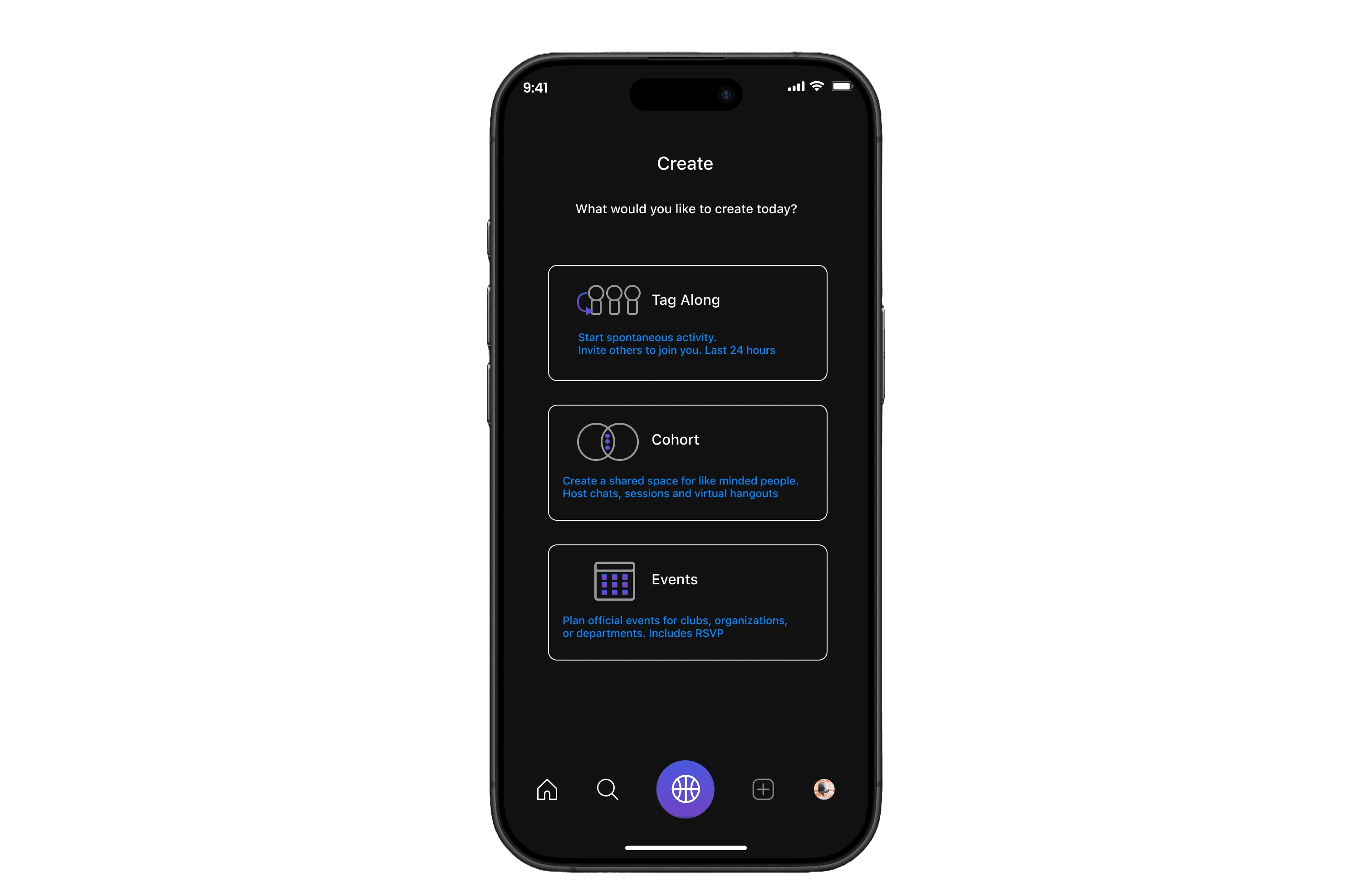
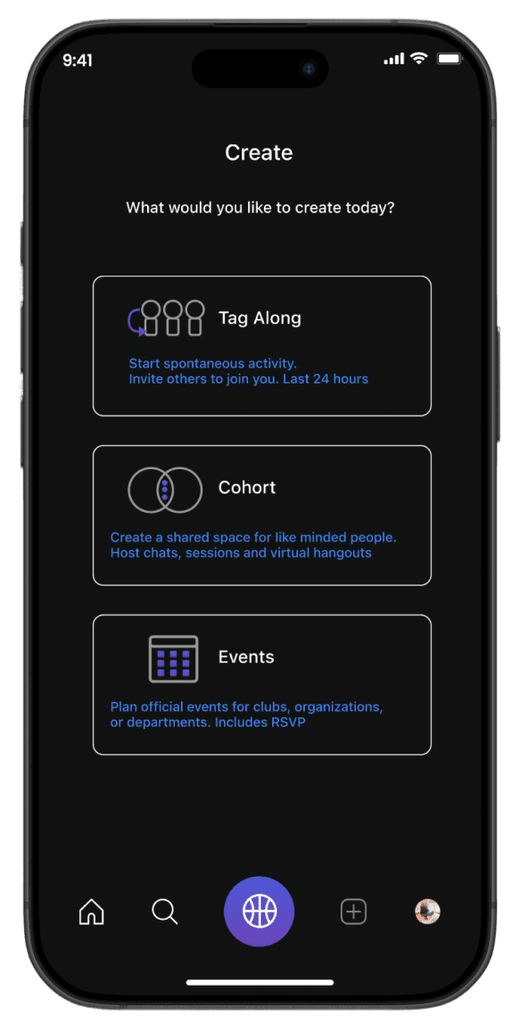
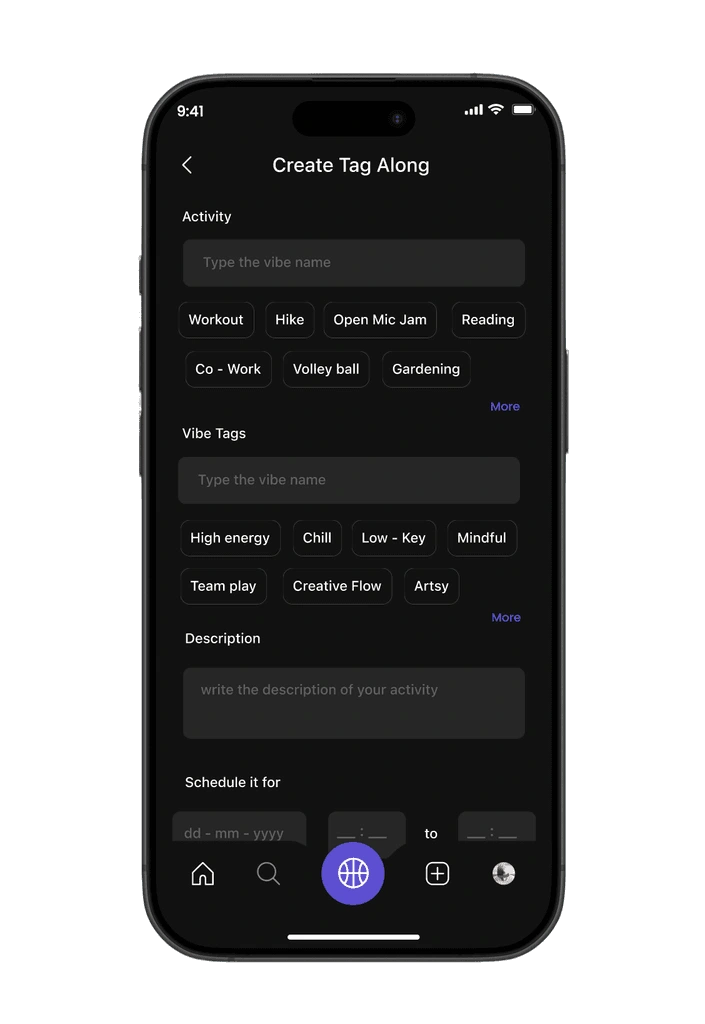
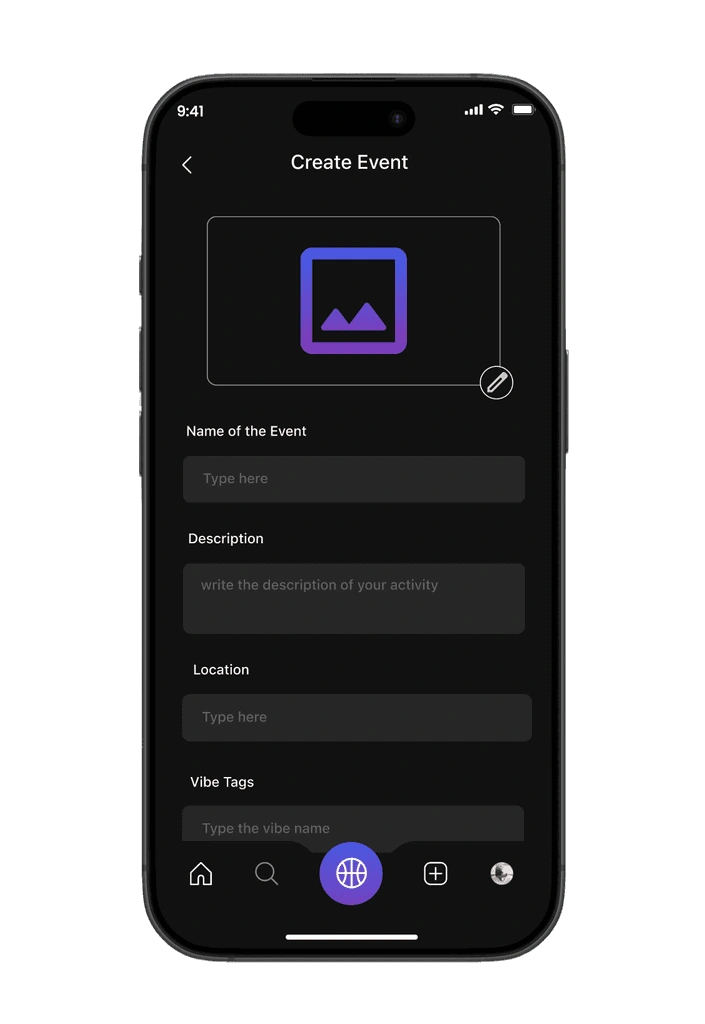
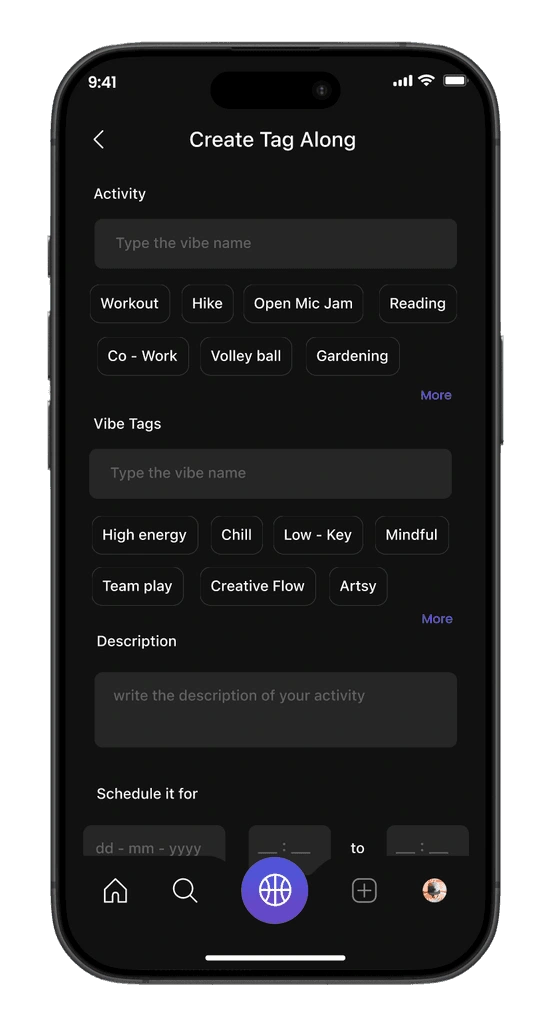
Clear entry point – Users choose what to create: Tag-Along, Cohort, or Event.
Minimal layout – Simple design keeps focus on action, reducing friction.
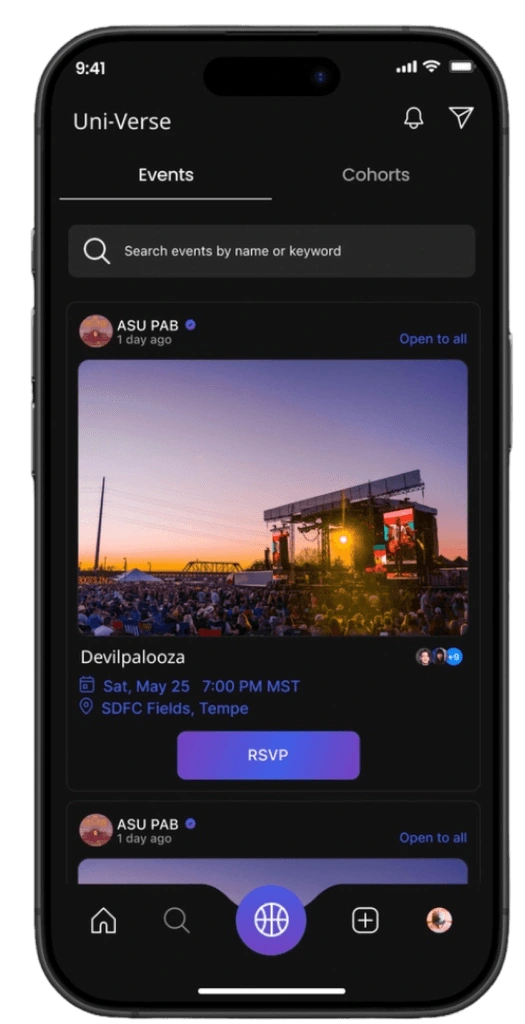
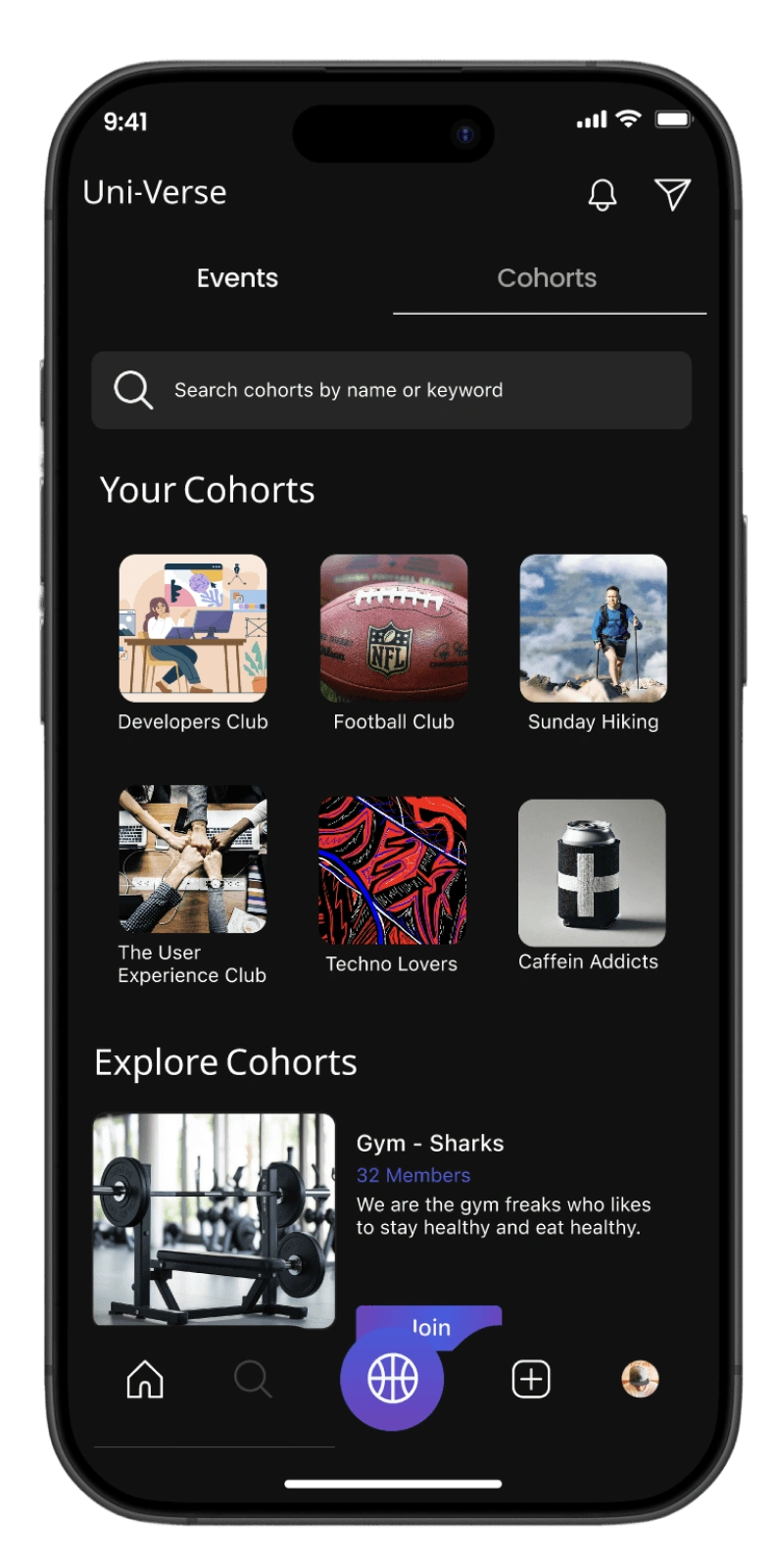
Events and Communities
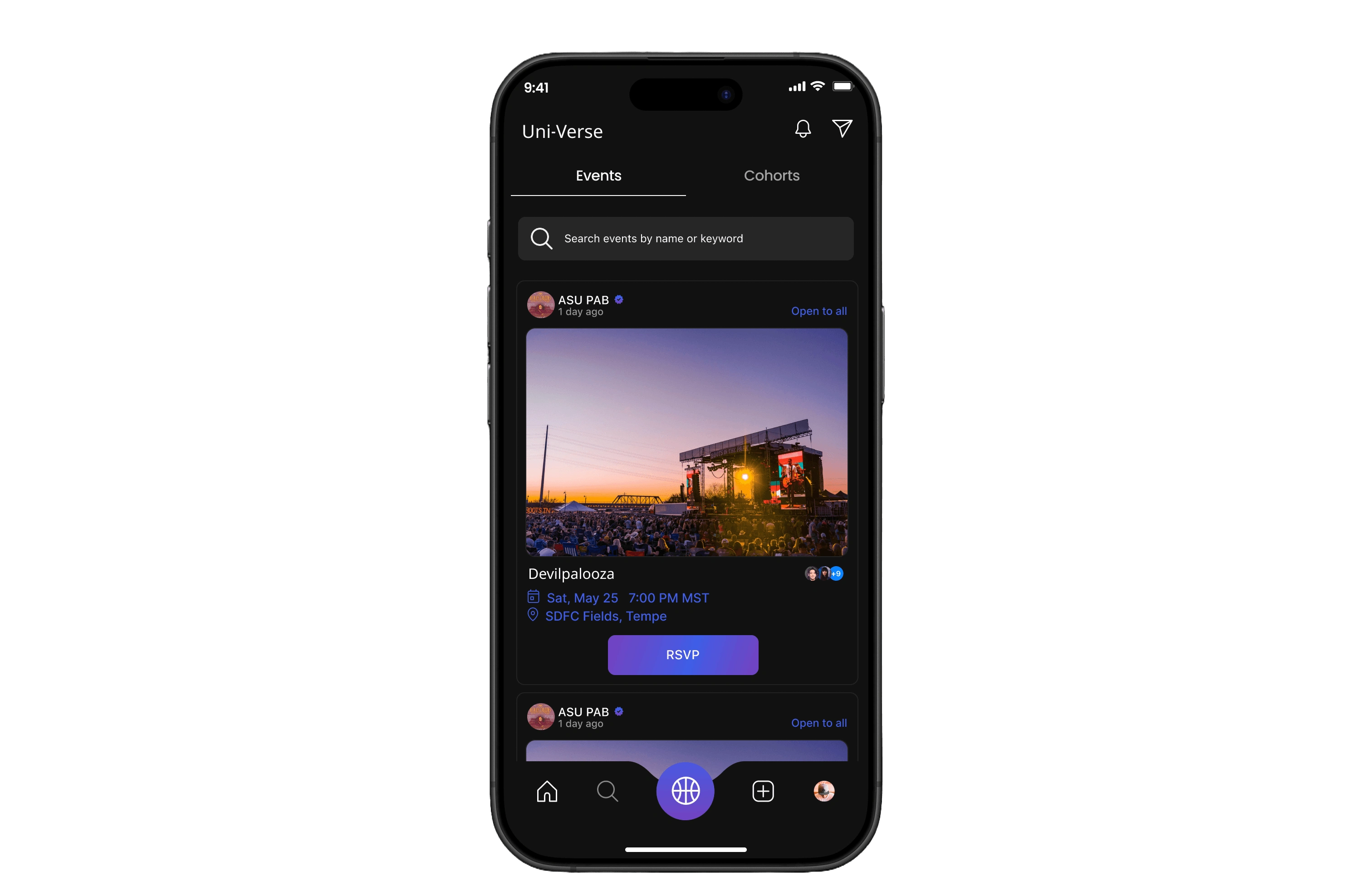
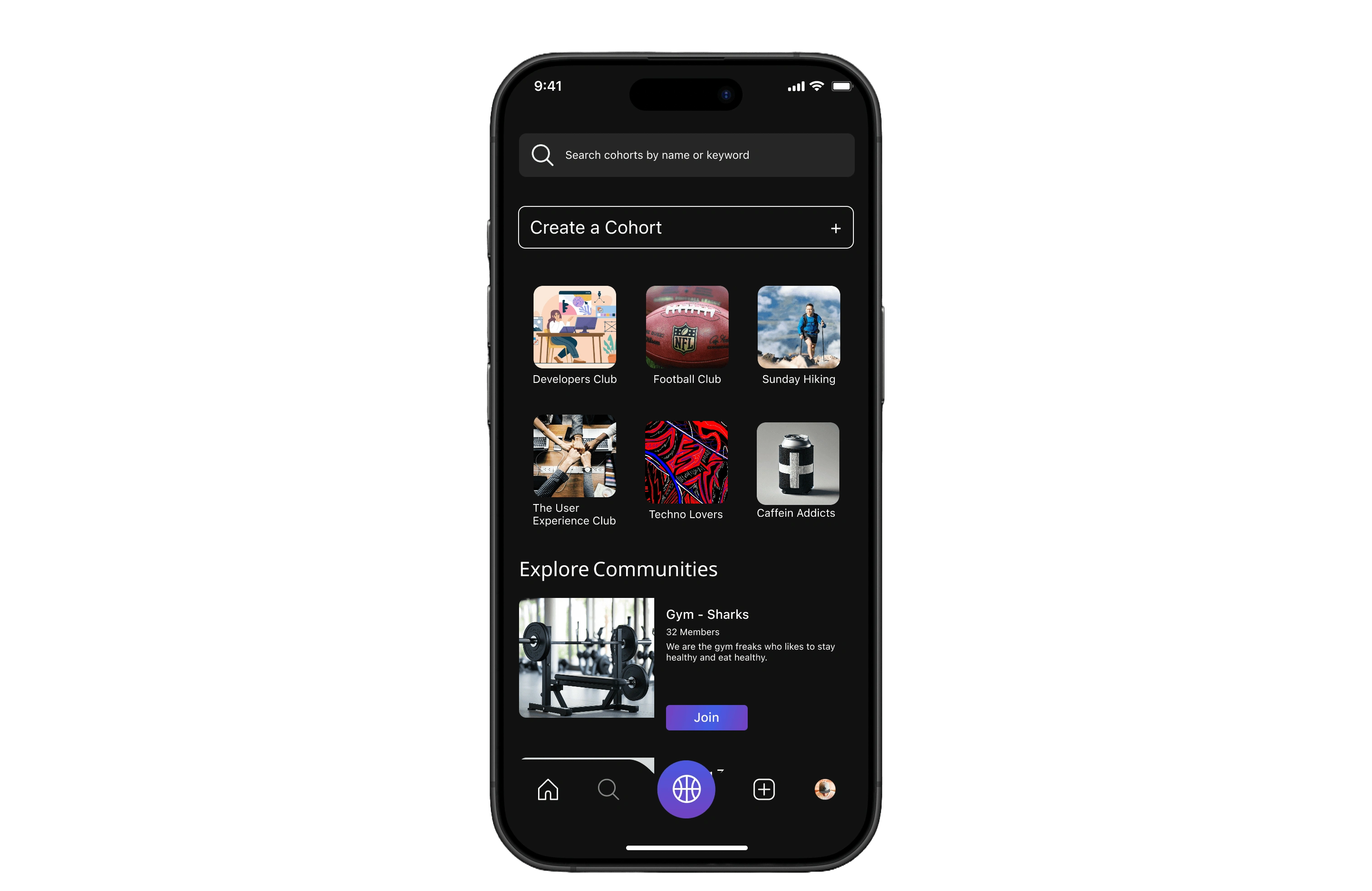
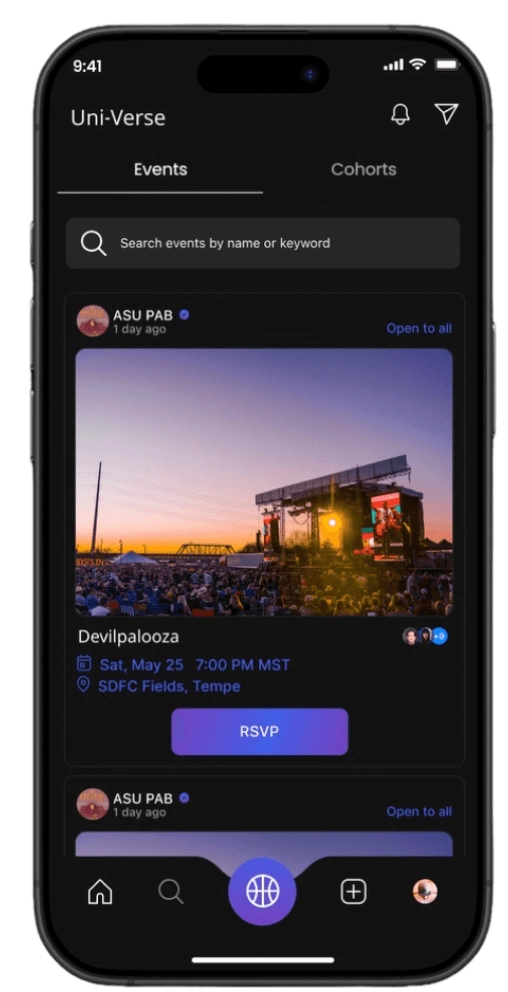
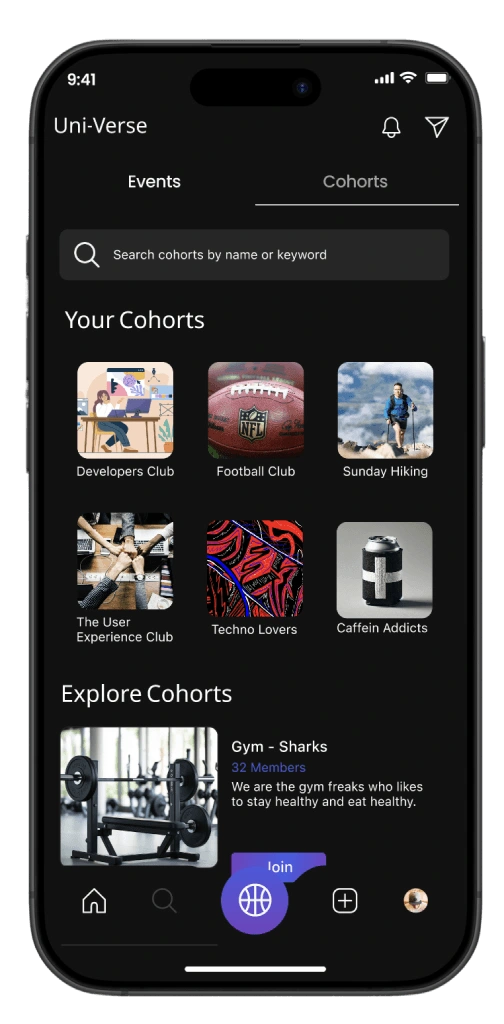
Tabs – Toggle between Events and Cohorts for easy discovery.
Event card – Displays image, host, title, time, date, and location.
RSVP button – Simple call-to-action to confirm attendance.
Community visibility – Shows number of attendees to encourage participation.
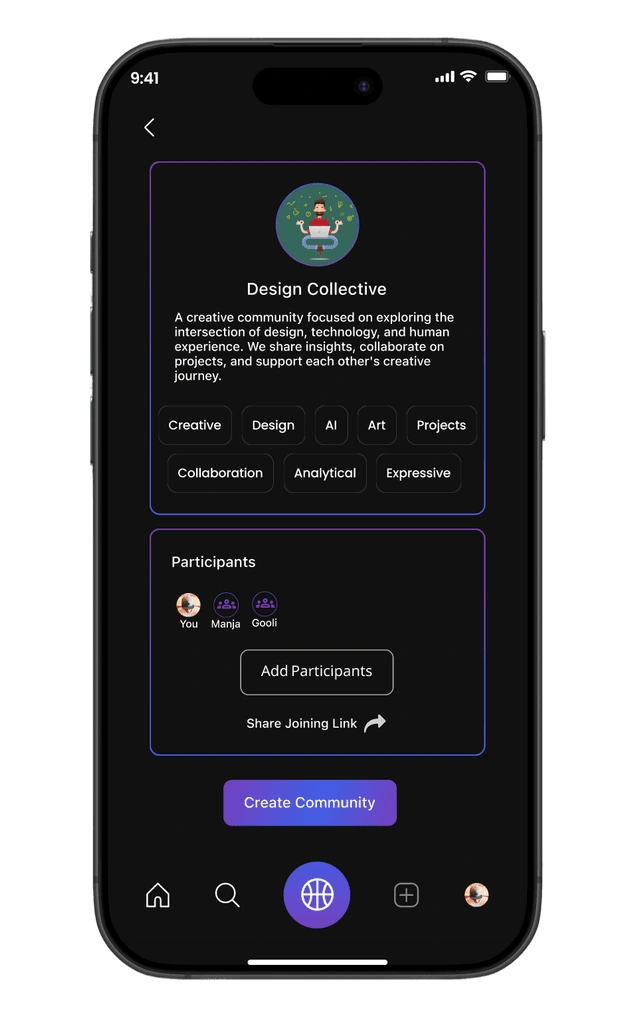
Create a Cohort – Easy entry point to start a new group
Community grid – Visual cards (e.g., Hiking, Football, UX Club) for quick discovery.
Explore section – Highlights active communities students can join instantly.
Join button – Clear CTA for effortless onboarding into a group.
Data Input
Overall App
05.Testig
Final usability testing for Uni-Verse was conducted with 5 students across campus using scenario-based tasks, think-aloud protocol, and guided prototype walkthroughs. Participants were asked to complete key flows across events, communities, Tag-Along, and the Social Heat Map while sharing their thoughts in real time. The testing helped evaluate task success, ease of navigation, interaction clarity, and overall fit with student needs, leading to the following results.
Overview
Ease of Navigation
8/10
Tag-Along
9/10
Social Heat Map
7/10
Communities
7/10
Scenario-Based Tasks
✅Join Event via Tag-Along
⏳Use Social Heat Map
✅Join a Community
⏳RSVP to Event
Join Event via Tag-Along85%
Use Social Heat Map65%
Join a Community75%
RSVP to Event90%
Key Feedback
•Smooth navigation flow
•Heat map cues unclear
•Tag-Along reduces hesitation
•Cohorts need better filters
Usability Report • Q2 2023
Uni-Verse Analytics
Prototype
Reflection
Working on Uni-Verse was deeply personal for us. We believe that true innovation comes when you’ve actually gone through the pain and experienced it yourself and we had. Missing classes because of unreliable shuttle timings and feeling hesitant to attend events alone were challenges we lived through, which gave us the empathy to design meaningful solutions.Throughout the project, we made it a point to seek feedback from peers after every milestone, which sharpened our collaboration skills and helped us see problems from different perspectives. We also held ourselves accountable by setting collective deadlines and meeting them, which strengthened our time management. In the end, Uni-Verse didn’t just solve problems for students it helped us grow as designers who lead with empathy, embrace iteration, and believe in solving from lived experience.
BTS

Awarded as the best UX/UI Designer for Uni-verse by ASU GIT
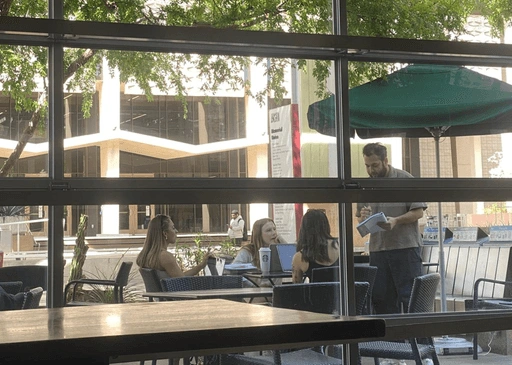
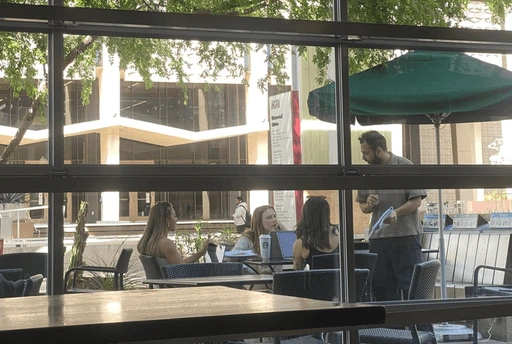
Survey & Interview
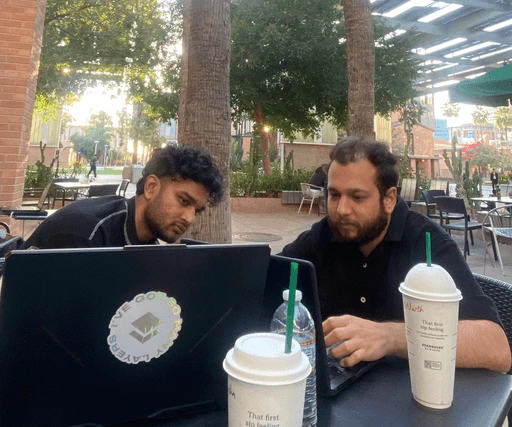
Team at Work
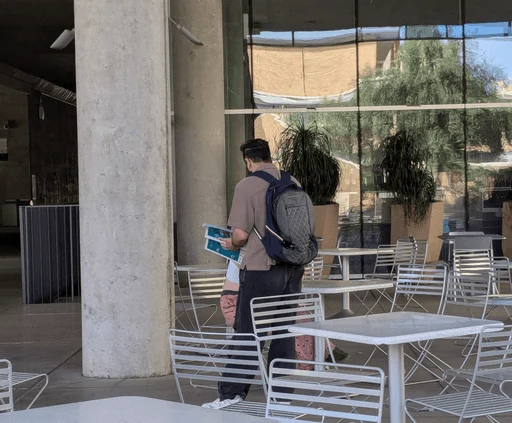
AB Testing (Naming the App)
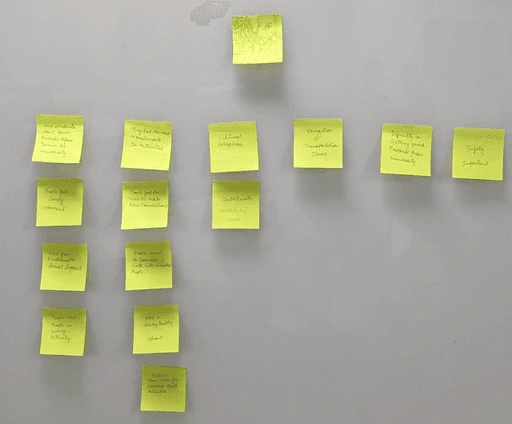
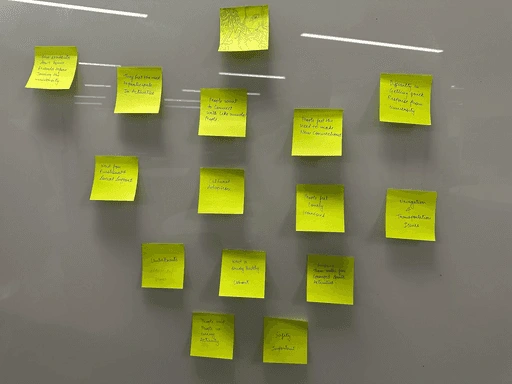
Sticky Note Wall

Like this project
Posted Jul 7, 2026
Full case study for Uni‑Verse: a student‑first campus engagement app with Tag‑Along, communities, shuttle tracking, and a live social heat map.
Likes
0
Views
0