Homie.AI

Kalyan Kadavanti Sudhakar


Homie.Ai

Prototype
Real-Time Visual AI Coach for Learning Complex Tools
ROLE
Product Designer · UX Researcher · Human-AI Interaction Designer
TIMELINE
Spring 2026 · 8-week design sprint
TEAM
5-person team
SCOPE
AI product strategy · research · prototyping · validation
DELIVERABLES
Research synthesis · high-fidelity prototype · design system · product demo
TOOLS
Figma · FigJam · Claude · Eleven Labs · Figma Make
At a Glance
Homie.AI
A screen-aware AI coach for tools like Figma, Unity, Blender, Adobe, and VS Code.
It provides step-by-step guidance, shows where to click, tracks progress, and helps users complete tasks with fewer hints.
Problem
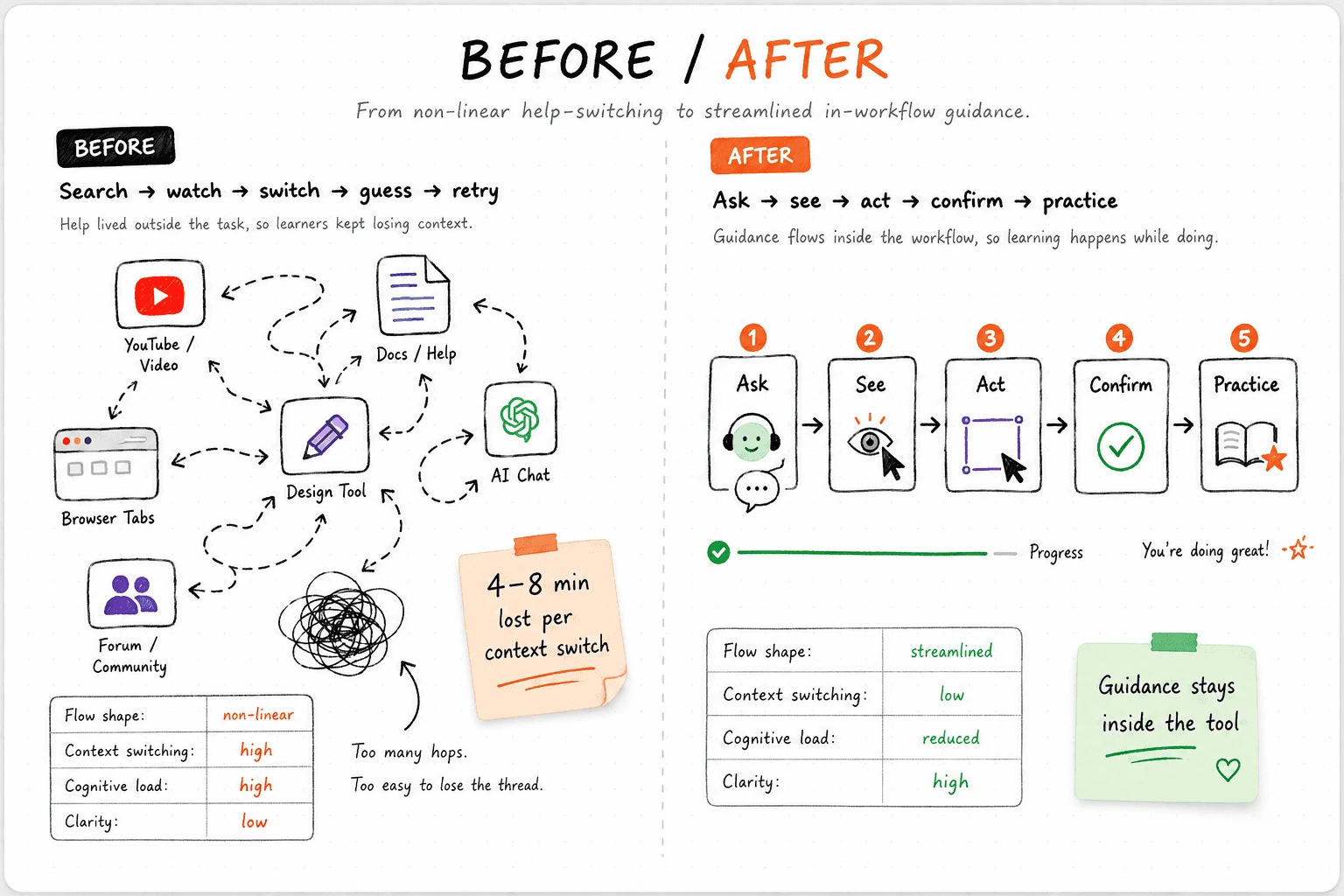
Tutorials are too far from the moment of confusion. Users lose context while translating tutorial steps into real software actions, leading to hesitation, failed attempts, and drop-offs.
Quantified reality
~5 min tutorials became 18–31 min workflows.
50% of novices failed. Failed attempts exceeded 45+ min.
Solution
Homie reframes AI help from a chatbot into a workflow-native learning layer.
• Screen-aware guidance inside the active workspace• Visual “Show Me” targeting instead of only text instructions• Scaffolding that reduces guidance over time• Practice mode to build confidence after completion
01 · The Problem
Learning complex tools still feels like leaving the work to learn the work.
The help exists. The problem is that it lives outside the moment of confusion.
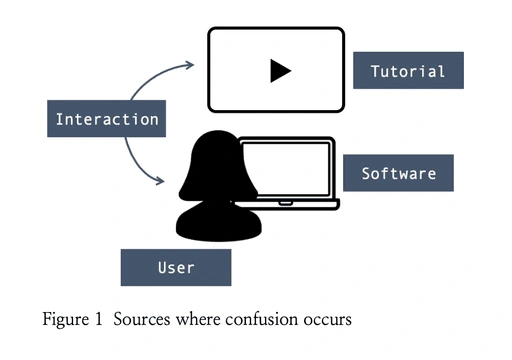
Across our observed sessions, every learner left the tool at least once to search for help. Prior tutorial research shows why: in an HCIK study of 16 users, 6 failed to complete the task, and even successful 5-minute tutorials stretched to 18–31 minutes.
100%
Every participant left the tool at least once during observed sessions. Help was always external -YouTube, docs, forums, or AI chats - never inside the workflow.
4–8 min
Context switches took 4–8 minutes each
What looked like a quick search became a full workflow reset: search, watch, replay, then re-orient in the tool.
Context switching breaks flow
Users repeatedly paused the task to search outside the interface, breaking momentum and working memory.
Interfaces overwhelm learners
In the HCIK study, 6 of 12 novices failed to complete the tutorial task, showing how dense interfaces amplify confusion for less experienced users.
Tutorials mismatch real screens
Different OS, software versions, language settings, and custom setups were recurring breakdown points in tutorial-following.
Completion does not equal confidence
Even when users succeeded, 5-minute tutorials took 18–31 minutes, showing that finishing a task does not mean understanding it.
4 breakdown sources identified: tutorial · user · software · interaction.
WHAT
What breaks down when learners use external help while working inside complex tools?
WHY
Why do tutorials and documentation fail during real tasks?
HOW
How might an AI coach guide users in the exact moment where confusion appears?
02 · The Research
Who we designed for
MAYA
The Overwhelmed Learner
Early-career designer using Figma or After Effects for assignments. Needs calm, step-by-step support that builds confidence.
ALEX
The Efficiency Driver
Self-taught developer who values speed and hates unnecessary friction. Needs precise, minimal guidance.
SOFIA
The Creative Transitioner
Creative user moving from beginner tools to professional software. Needs lightweight guidance that preserves creative flow.
Research Method
RESEARCH-BACKED PROBLEM BENCHMARK
HCIK tutorial study:
16 users tested12 novice users4 intermediate users6 users failed50% novice failure rate18–31 min to complete tutorials under 6 min45+ min failed task attempts
5 Methods
Literature review · questionnaires · interviews · observational analysis · affinity mapping
8 interviews
Across learners using Figma, Unity, After Effects, and other complex tools
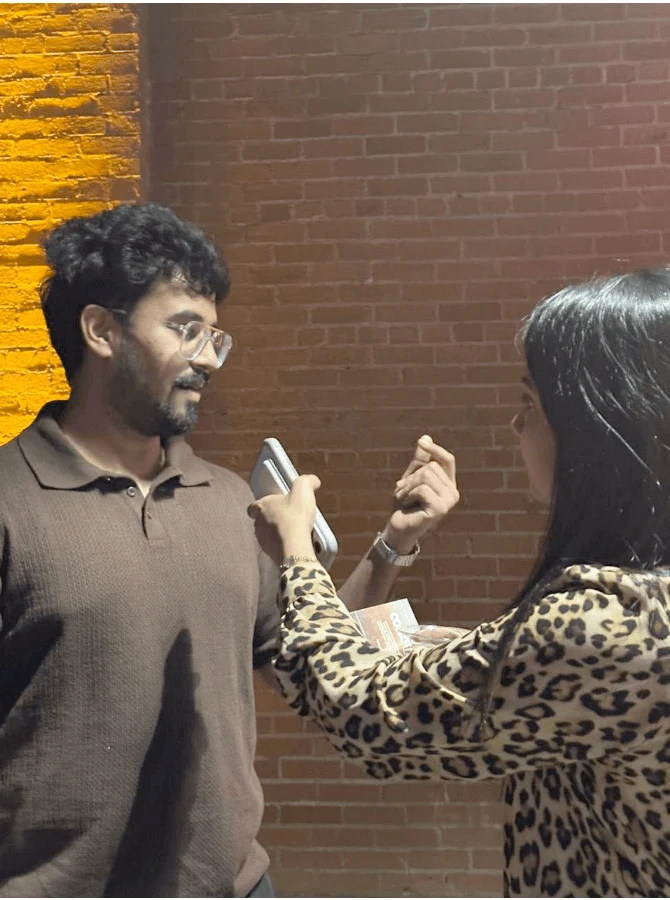
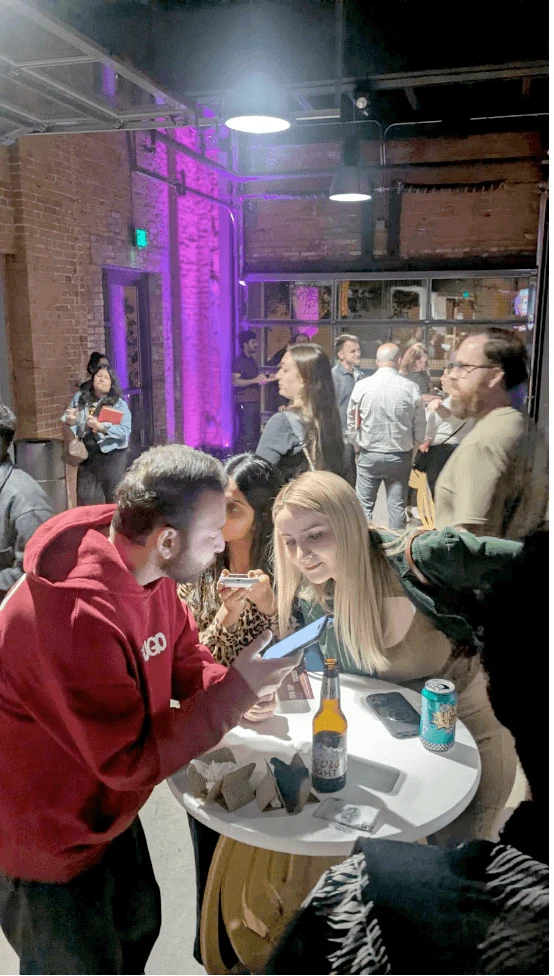
4 learner breakdown themesInterface overwhelm · context switching · fragmented help · low confidence
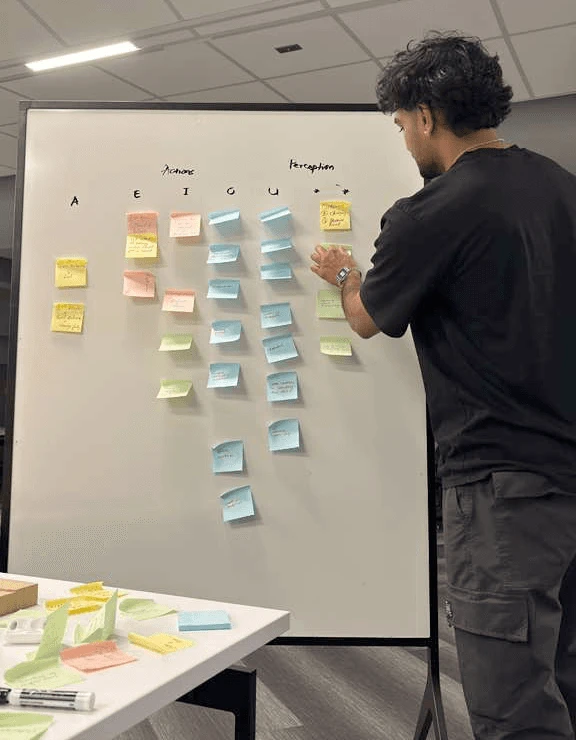
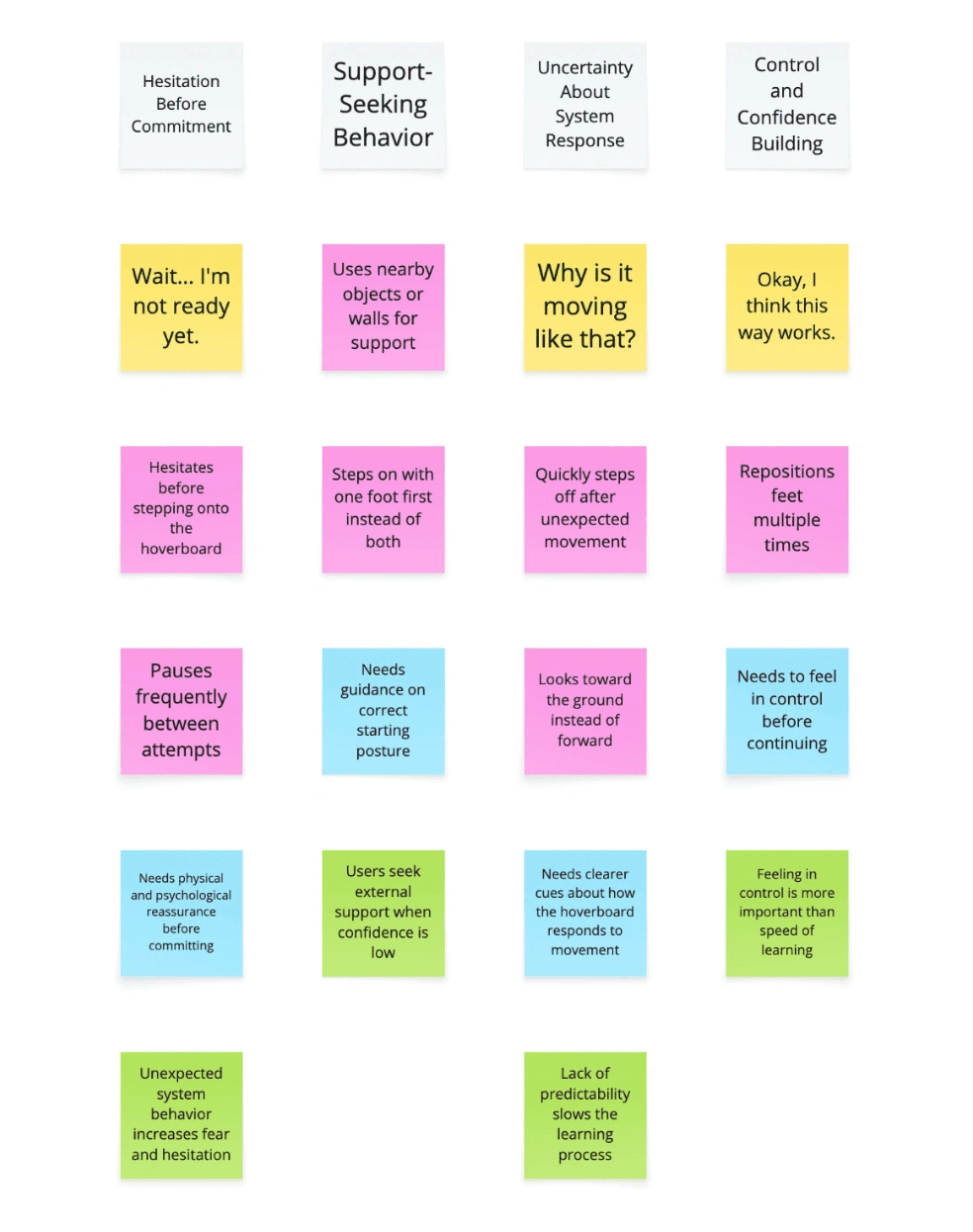
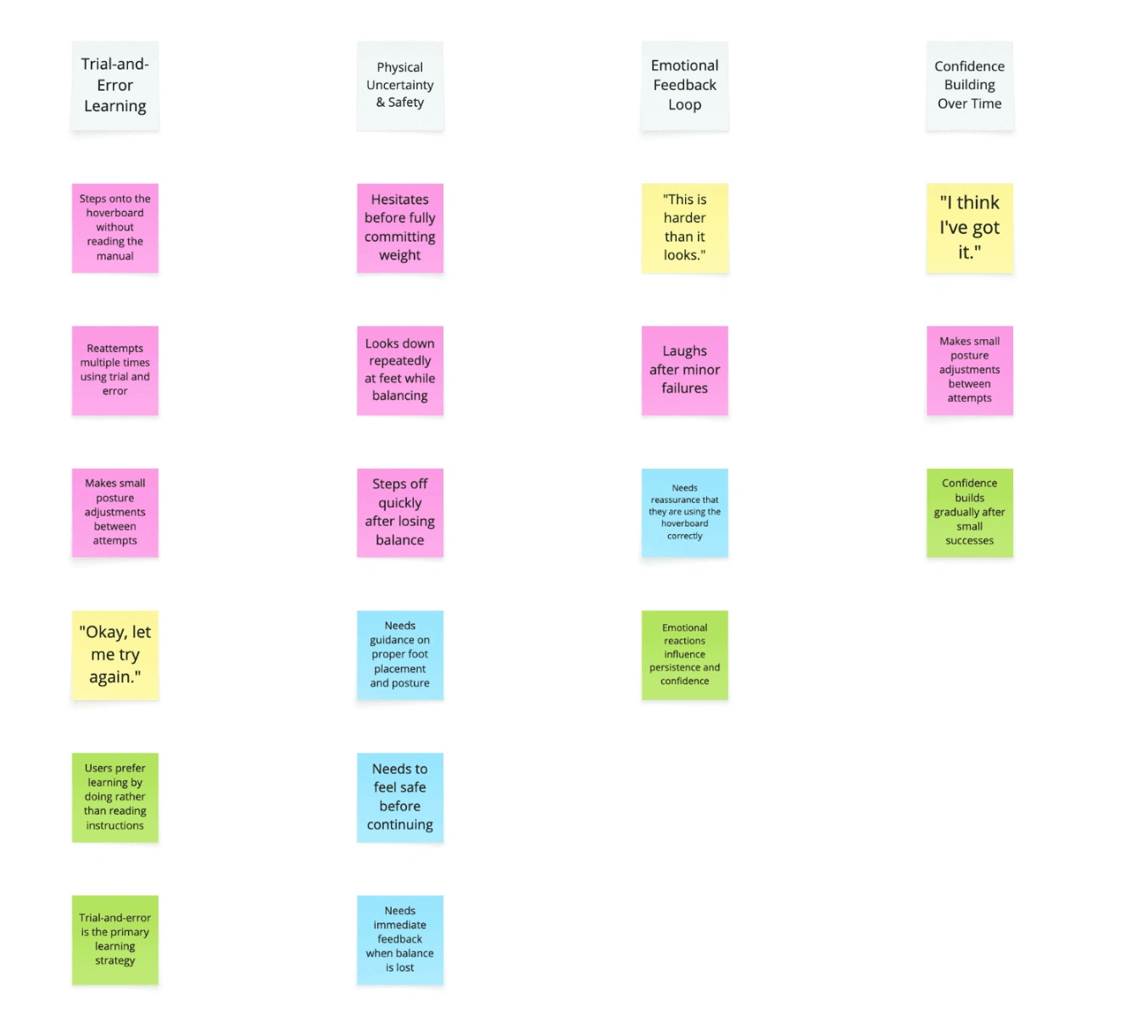
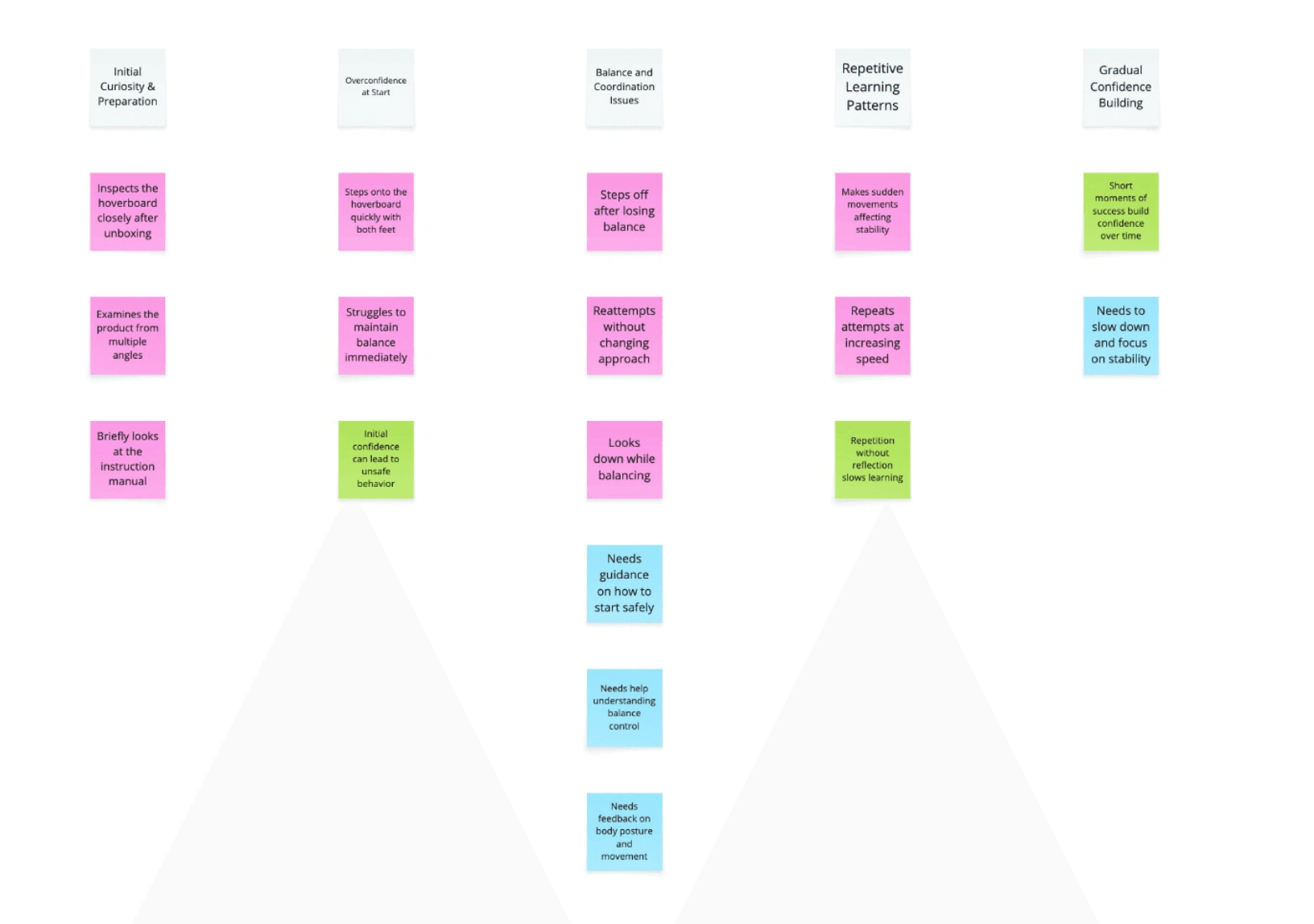
Affinity Mapping Output
Raw notes → clustered patterns → product priorities
4 themes became 6 product decisions:
Interface overwhelm→ Show the next action, not the whole system.
Context switching→ Keep guidance inside the workspace.
Fragmented help→ Combine conversation, visual cues, and progress in one layer.
Low confidence→ Add scaffolded practice, not just task completion.
KEY FINDING
The target user was not helpless.They were motivated, capable, and blocked by fragmented support.
WHAT THIS CHANGED
The product shifted from:
“answer the user’s question”
to:
“guide the user inside the task.”
03 · The Ideation
Research first. Prototype second. Validate continuously.
The process focused on one question:
How do we bring guidance into the exact moment of confusion?
PHASE 1 - from Insight to direction
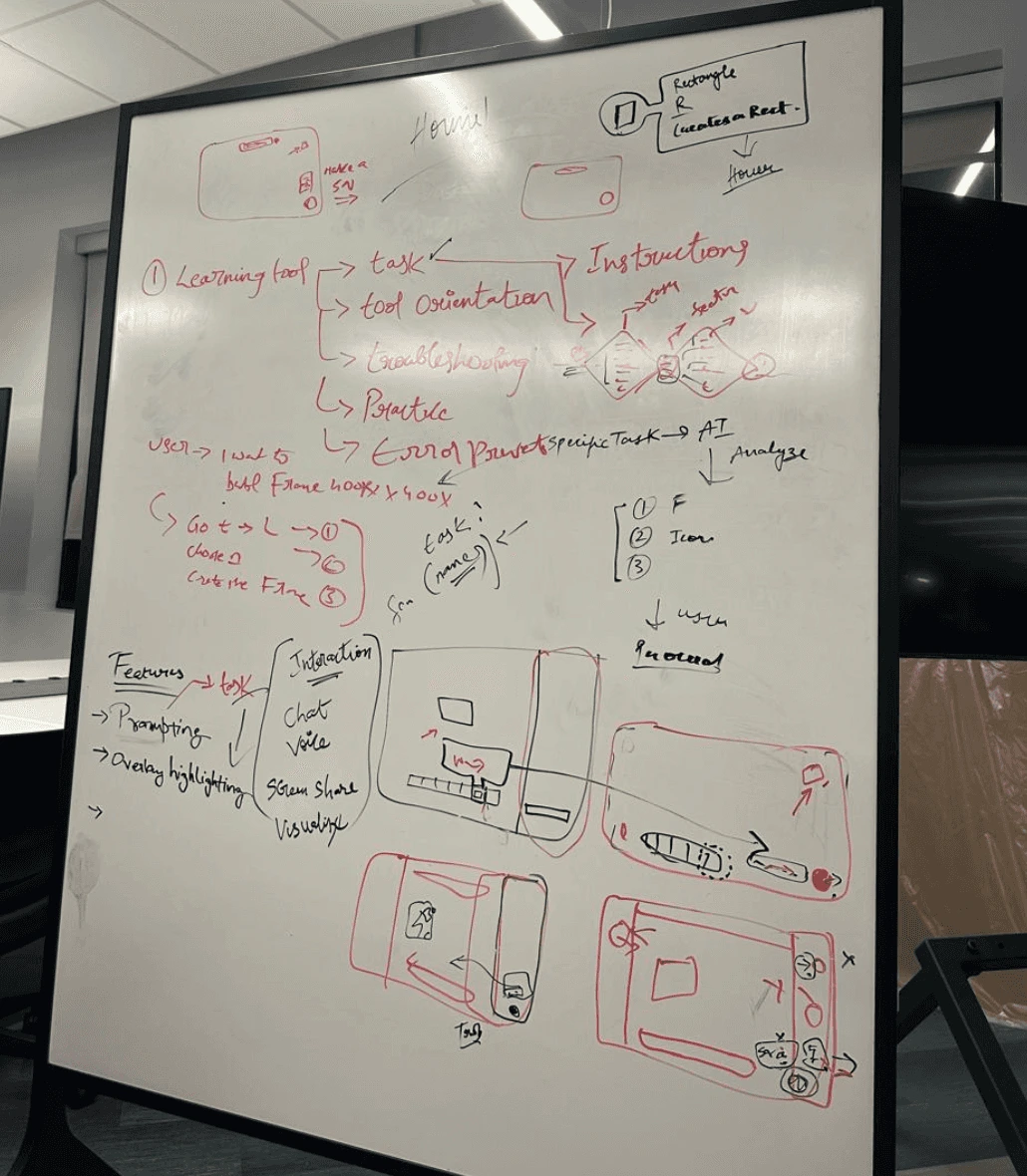
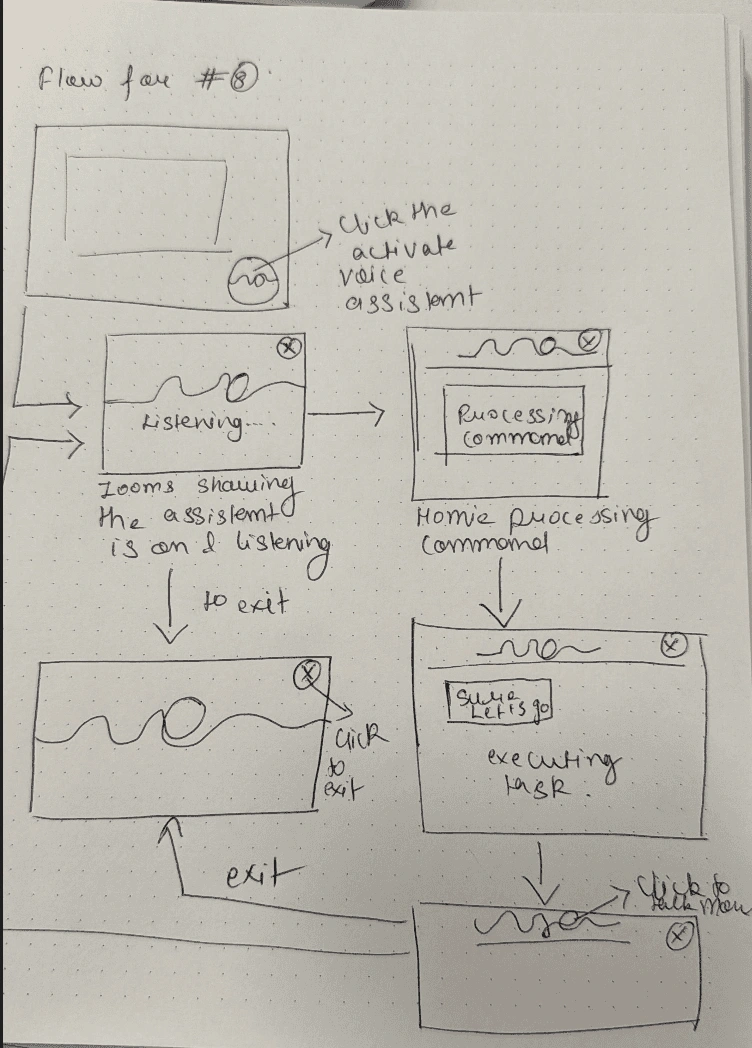
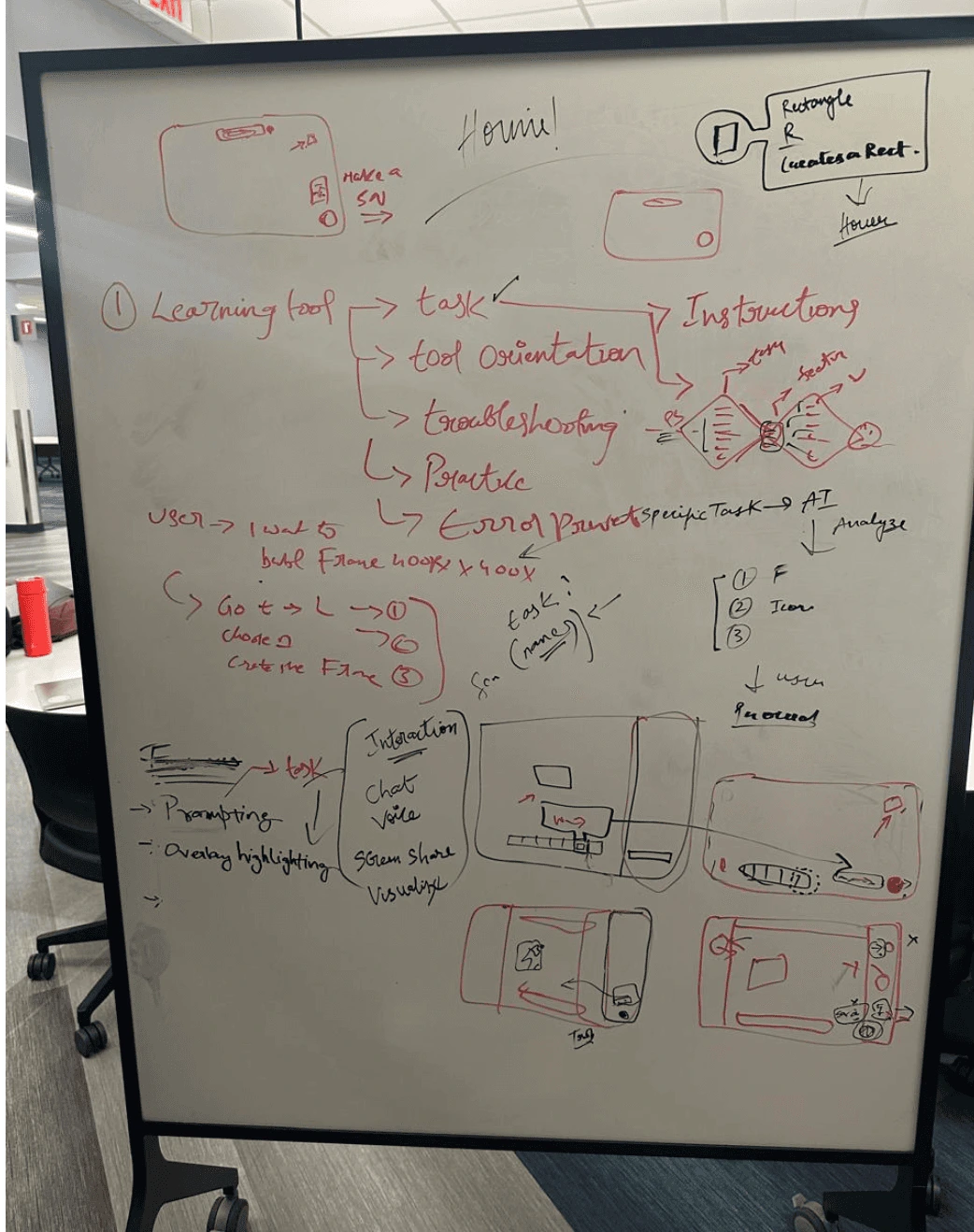
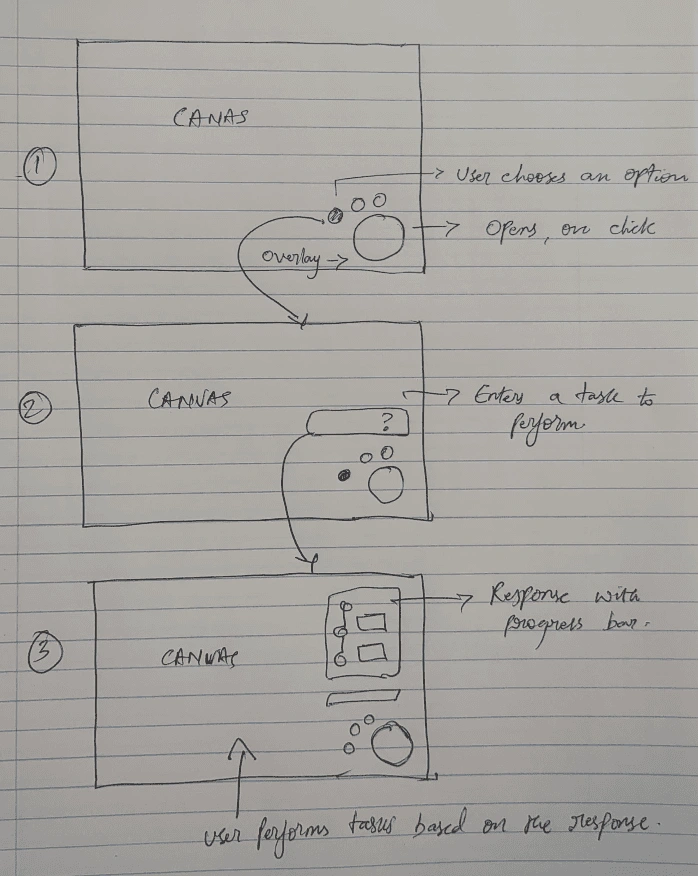
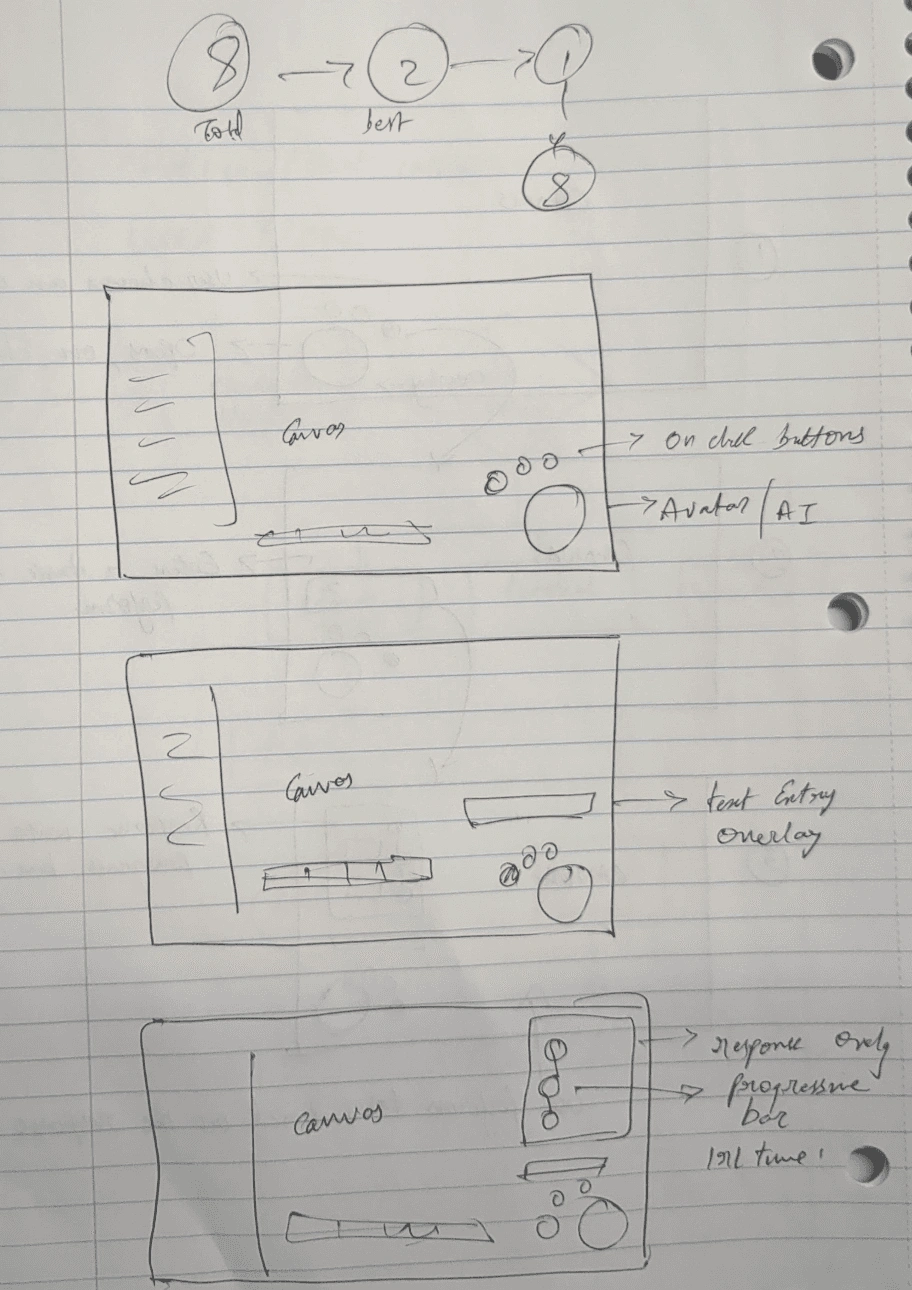
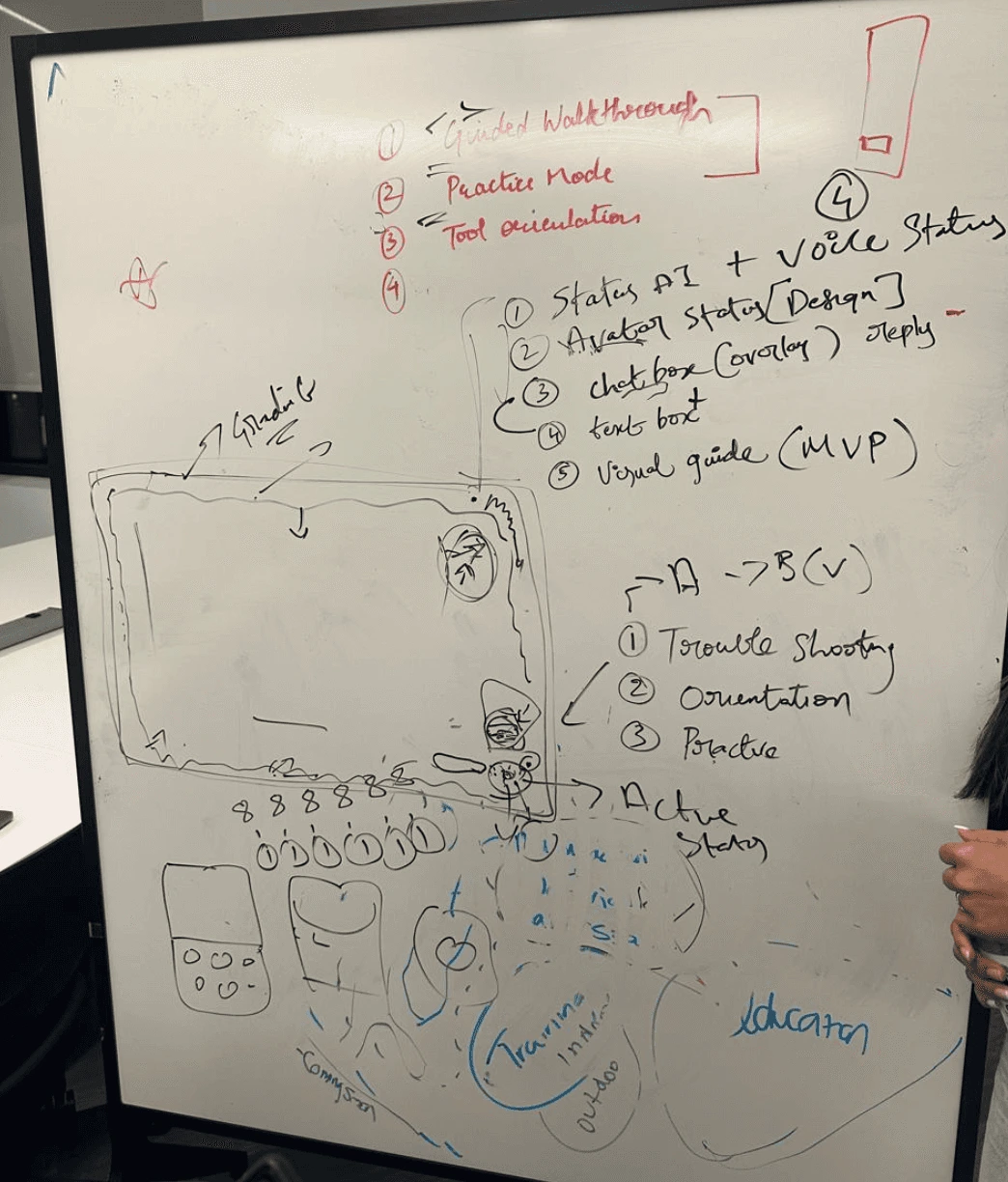
1 · Crazy 8 ExplorationExplored overlay, sidebar, cursor-following, voice, and visual cue models.
WHYThe assistant had to be visible without becoming another distraction.
OUTPUTFloating orb selected as the persistent entry point.
PROTOTYPE IMPACT
5 assistant models explored1 direction selected: floating orb + guided overlay
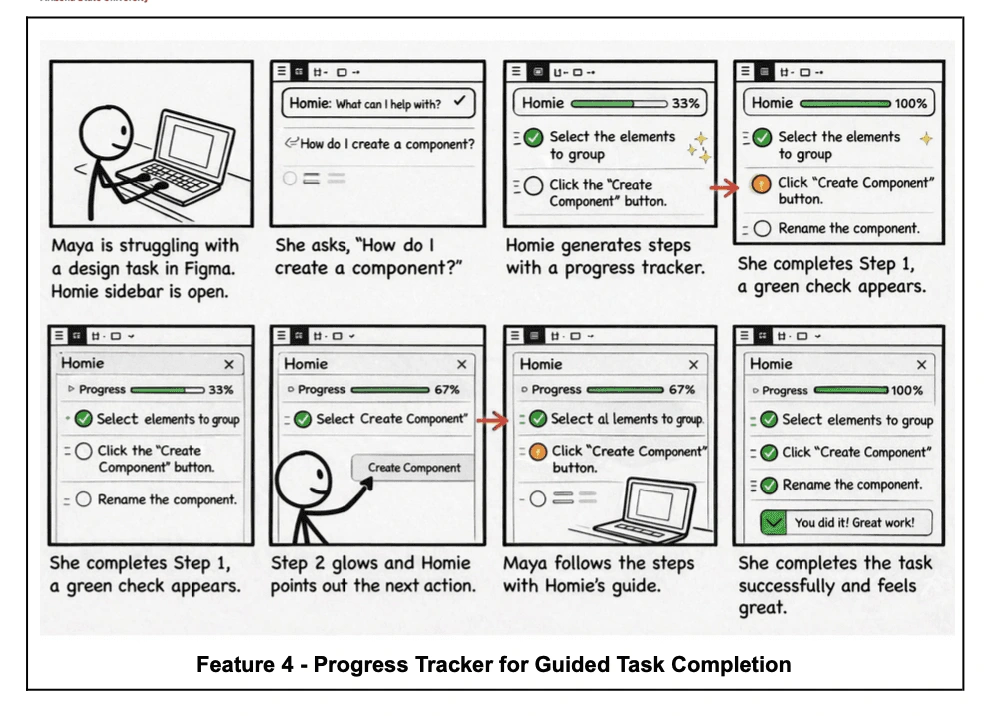
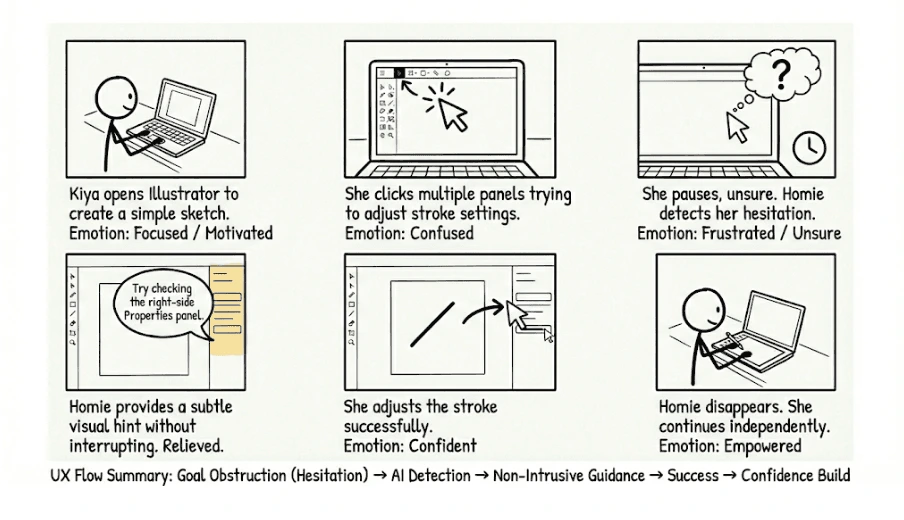
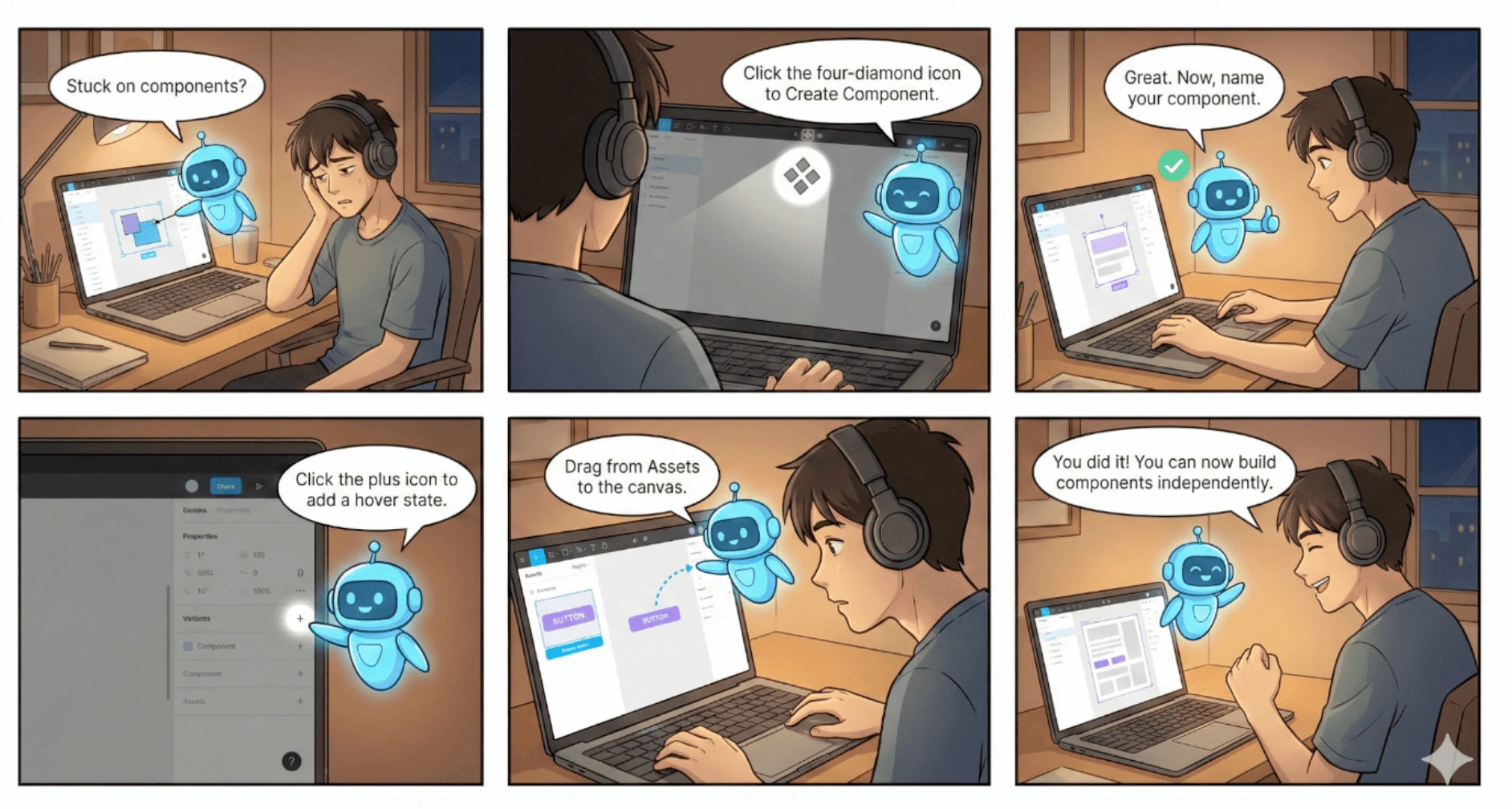
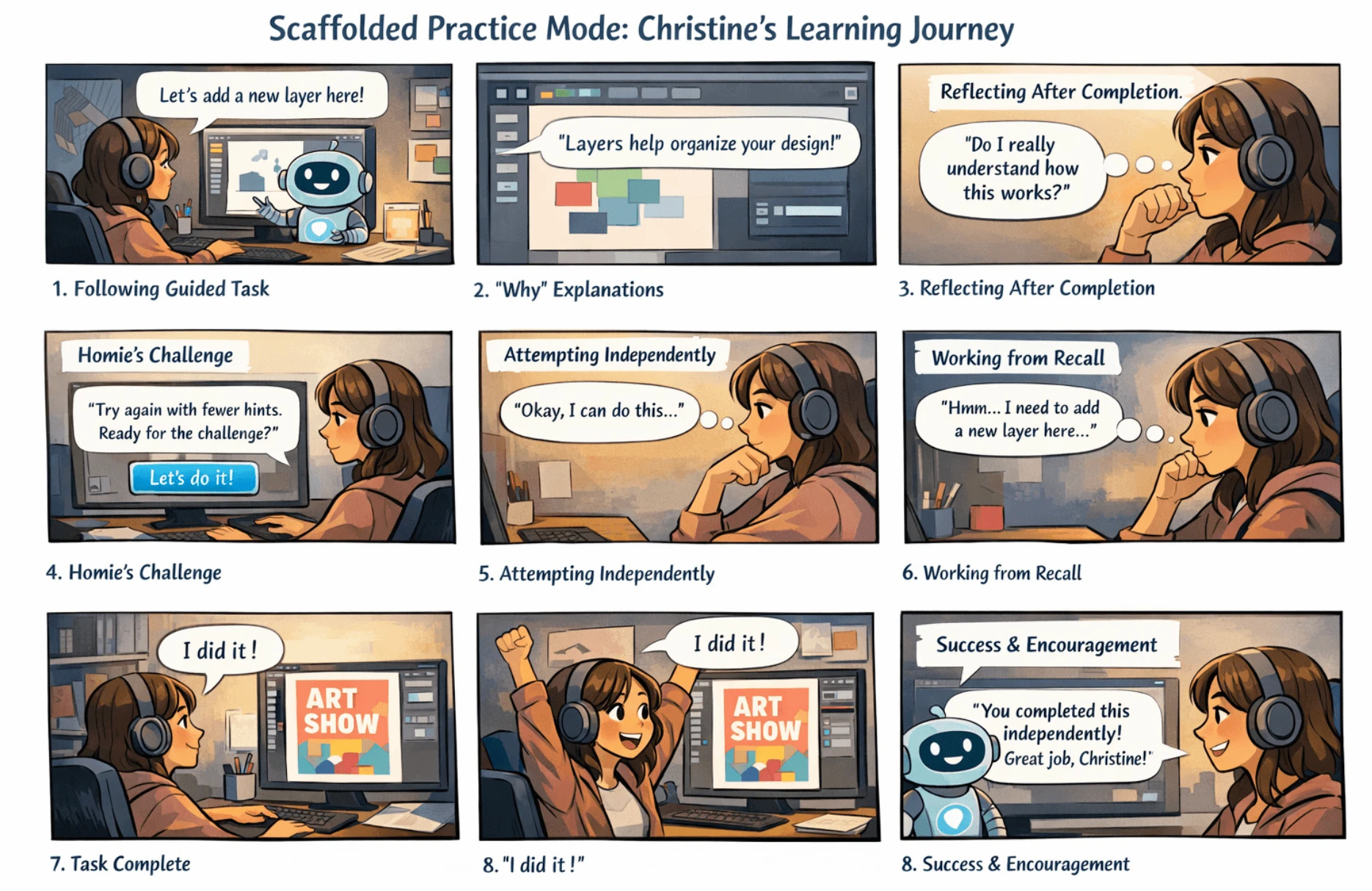
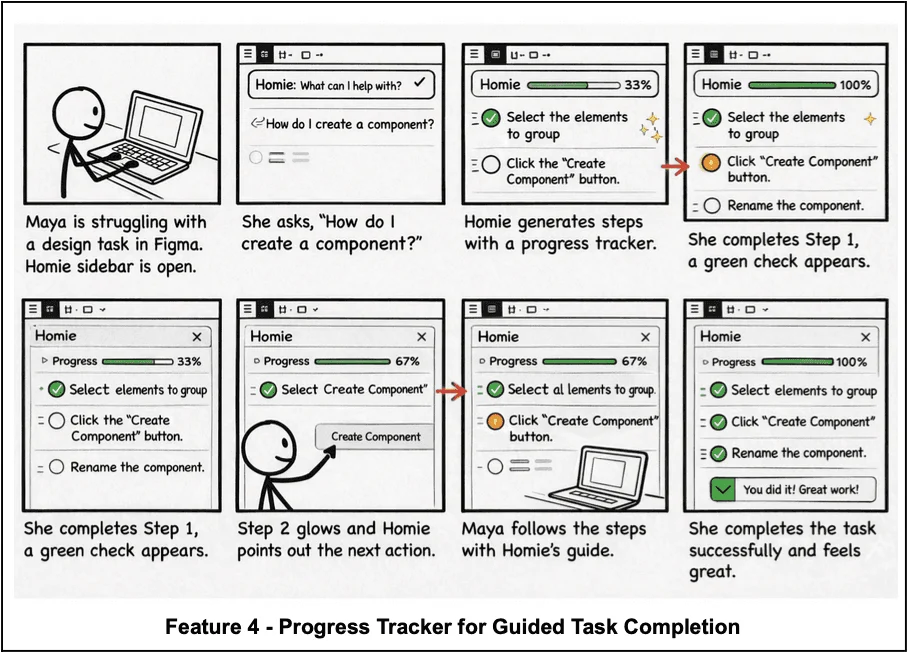
2 · StoryboardsMapped learner journeys from confusion to guided completion to independent confidence.
WHYWe needed to design for emotion, not just task completion.
OUTPUTPractice mode and progress tracking became core learning moments.
PHASE 2- Prototyping
Two risky flows were tested first:
Chat-based guidance
Can users ask for help without leaving the workflow?
AI presence transparency
Can screen-aware AI feel visible, controllable, and trustworthy?
2 risky flows testedchat guidance · AI presence
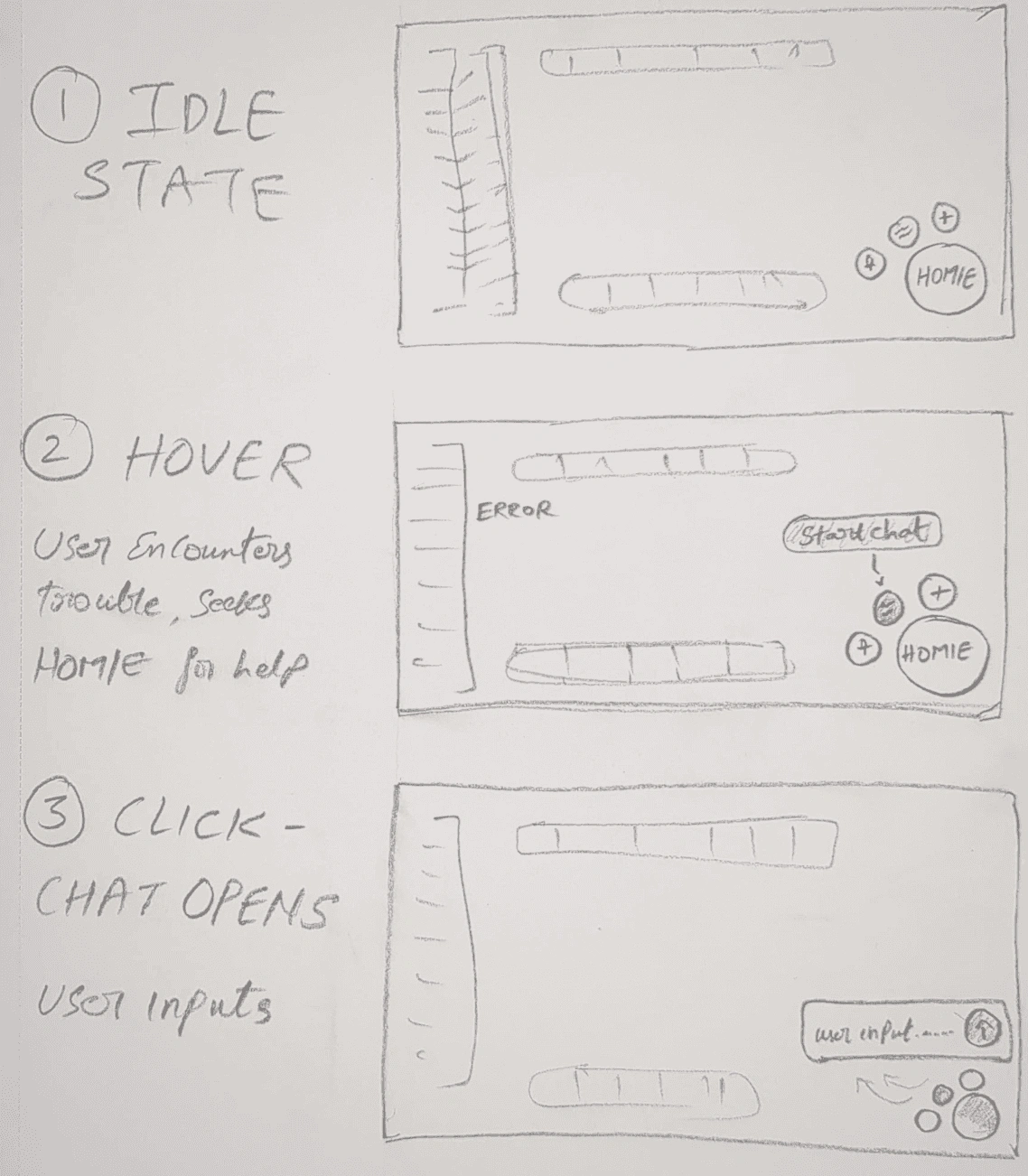
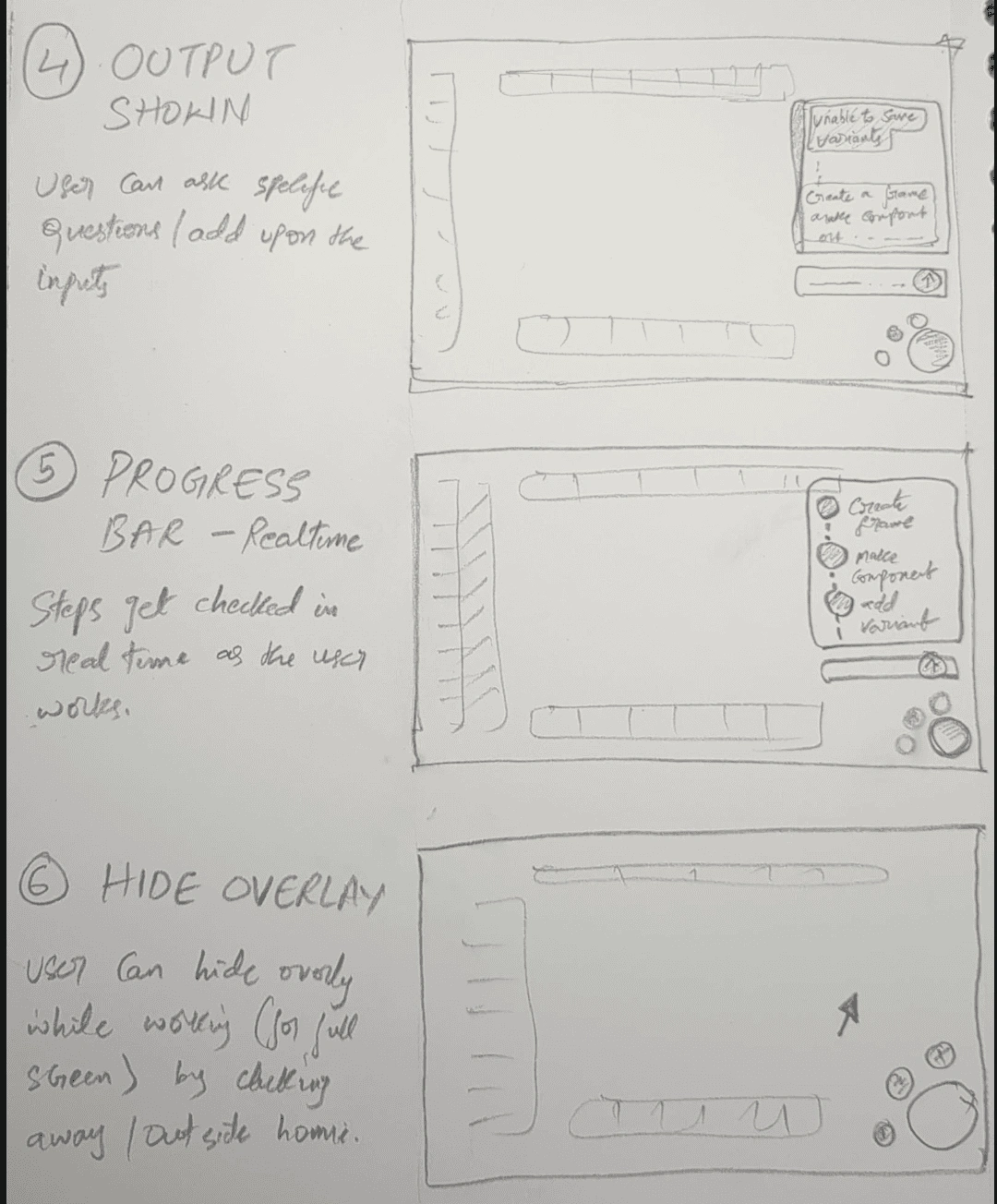
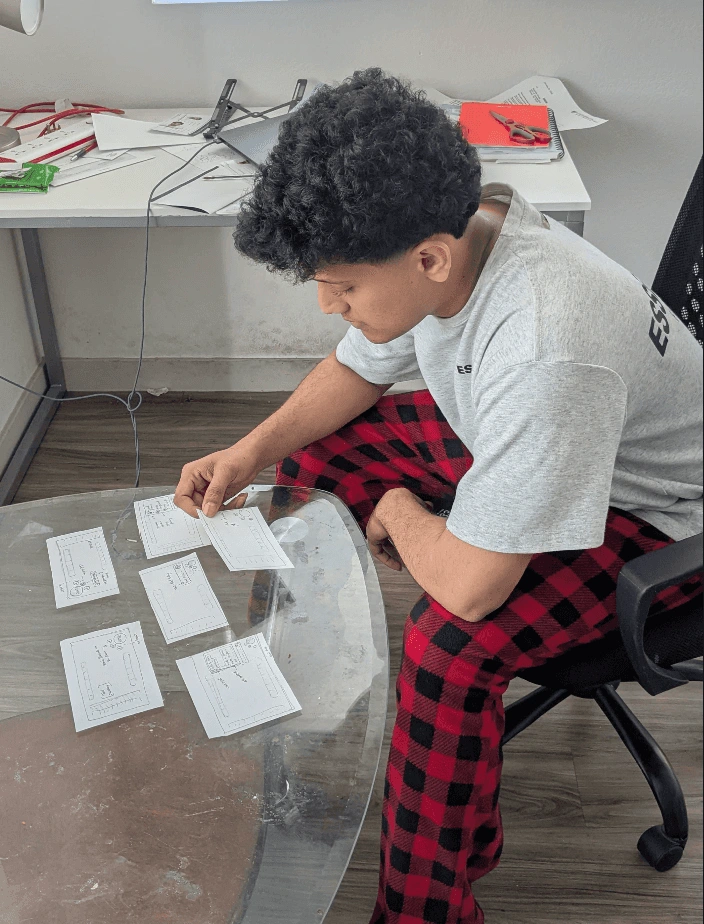
10 states explored6 paper flow states · 4 AI presence states
12 task checks6 guidance tasks · 6 trust/control tasks
Paper prototype for chat, steps, progress, hide/reopen overlay.
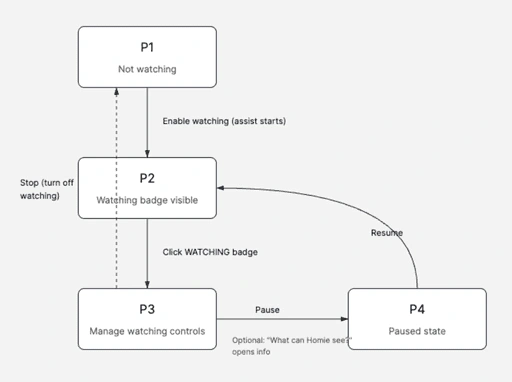
Low-fi AI presence states: Not Watching → Watching → Manage → Paused
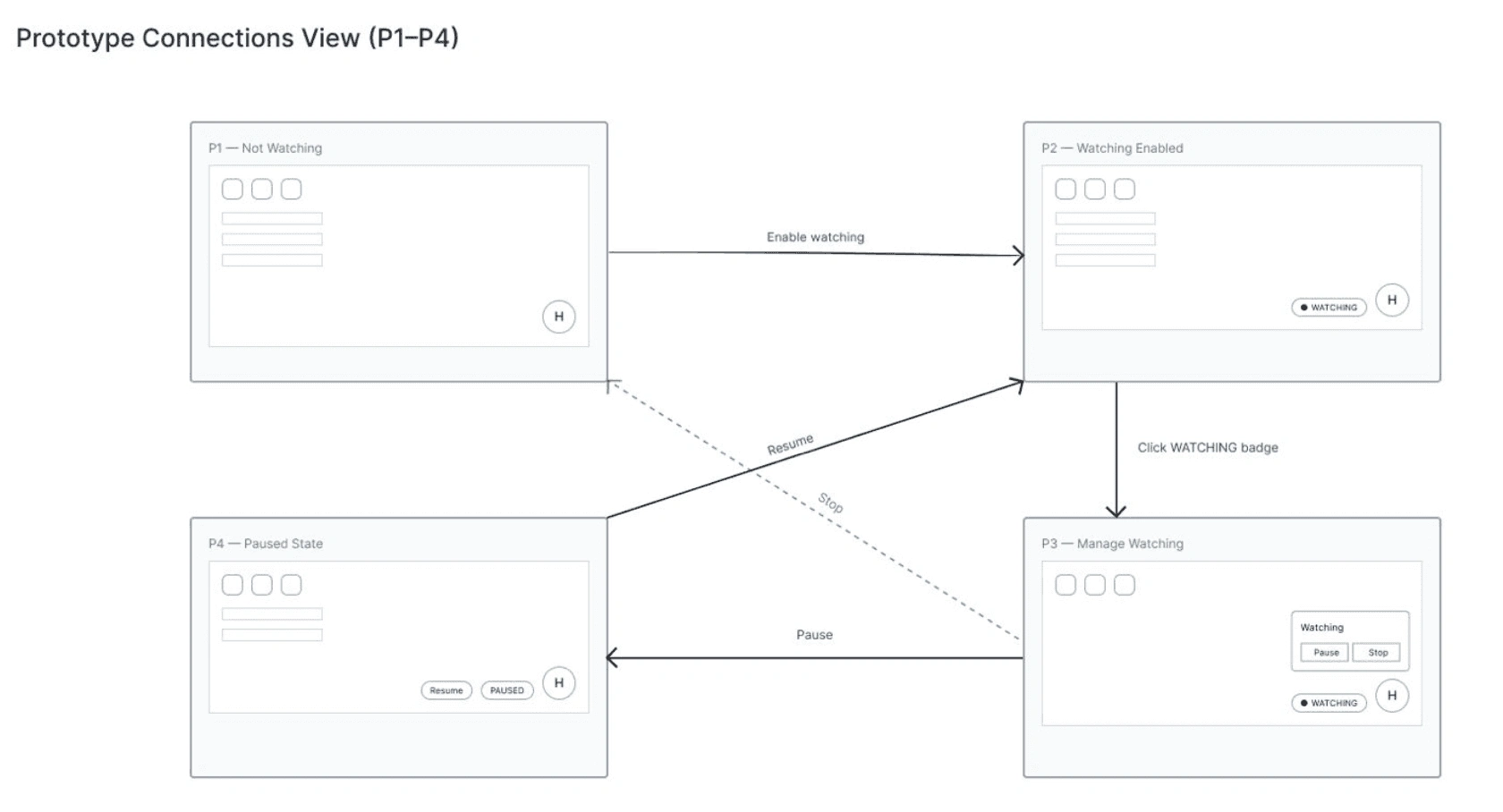
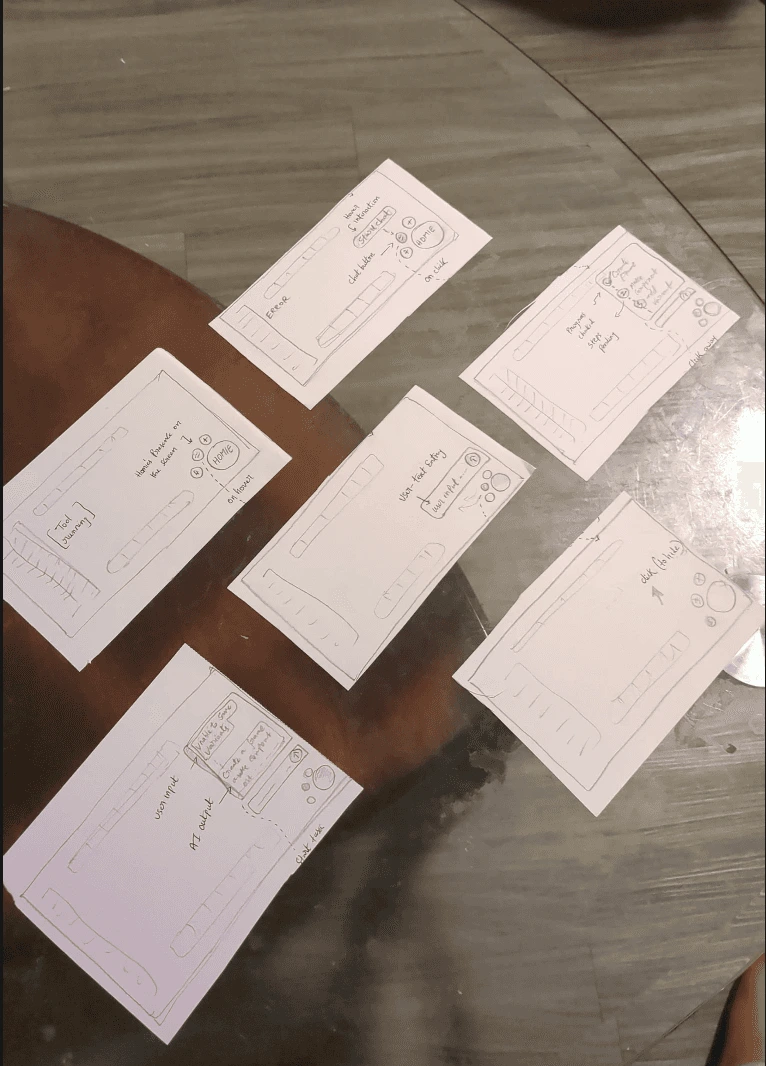
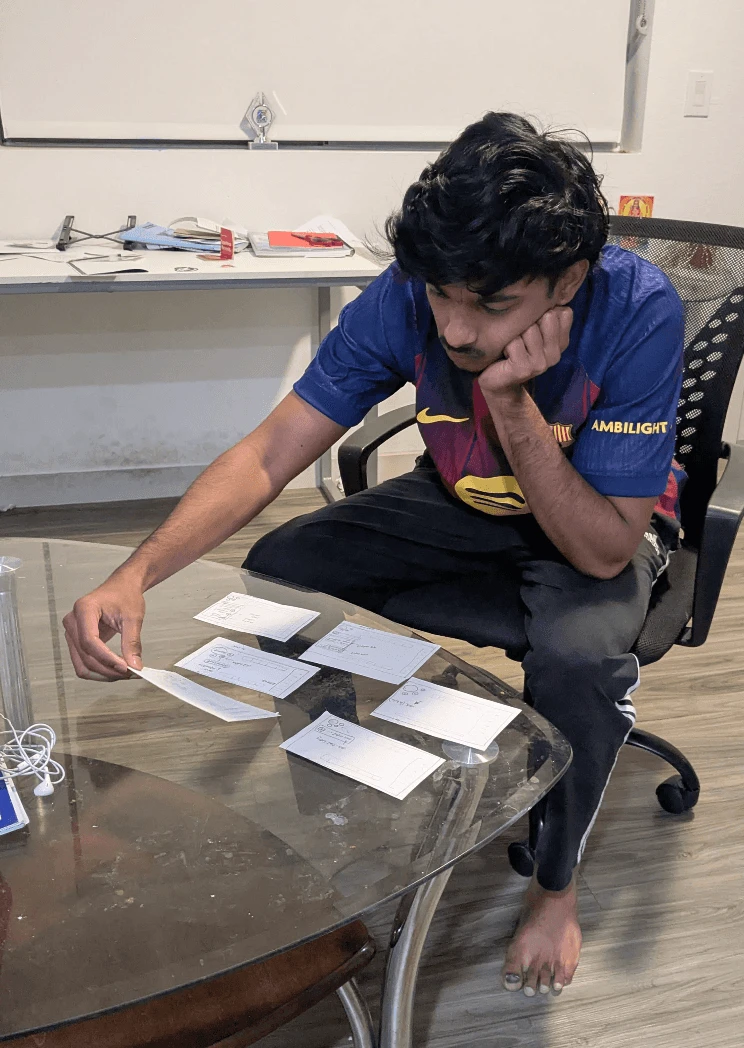
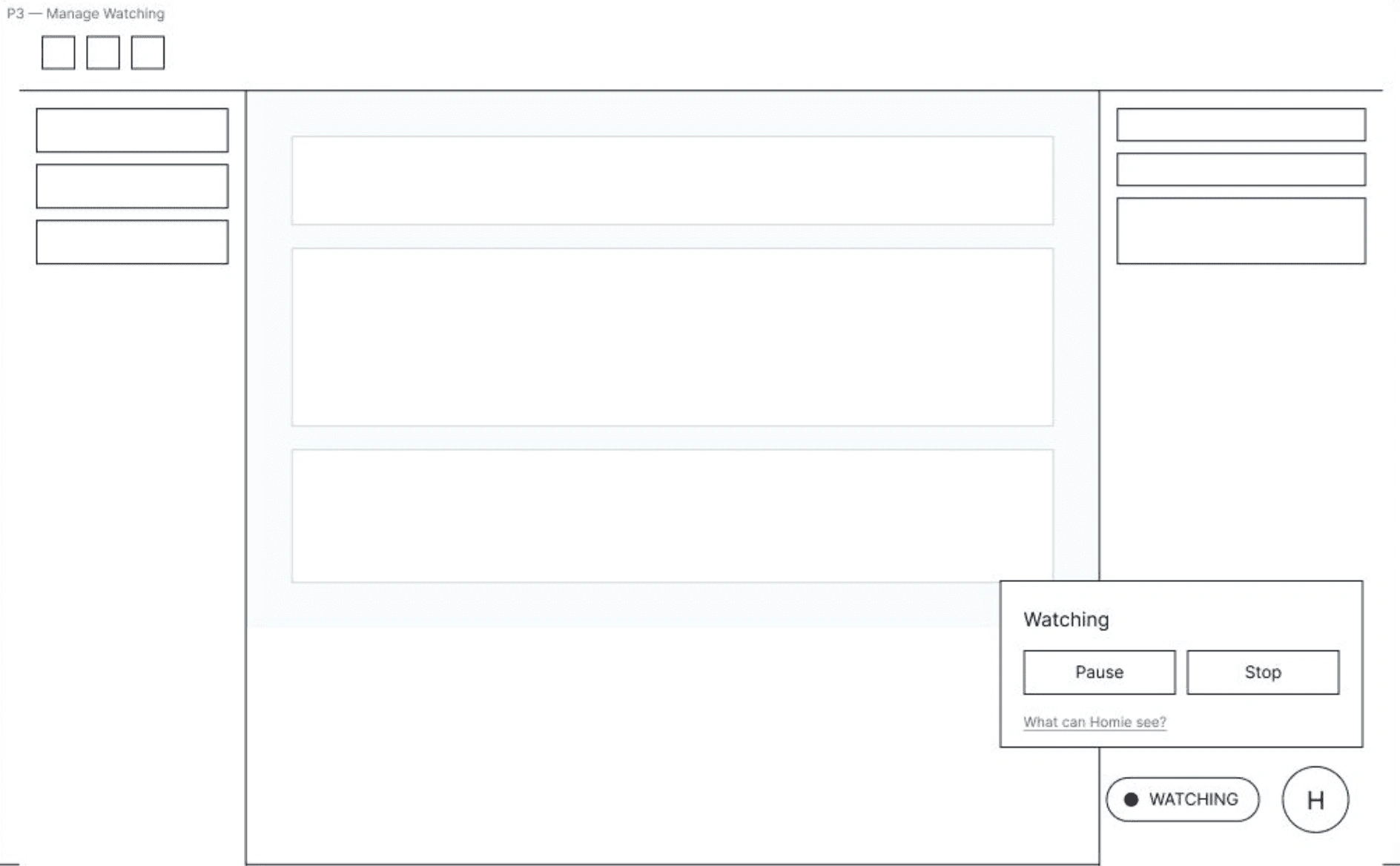
WHAT WORKEDChat felt naturalSteps reduced confusionWATCHING badge was clearPause vs Stop made sense
WHAT CHANGED
Chat overlay → guided task panelProgress bar → progress memoryStatus badge → transparency systemGeneric help → visible control + scope clarity
PRODUCT DECISIONHomie could not be just a chatbot.It had to become a guided learning layer with progress, visibility, and trust controls.
PROCESS OUTPUT2 flows → 10 states → 12 checks → 4 refinements → 1 product direction
04· The Solution
The final product experience
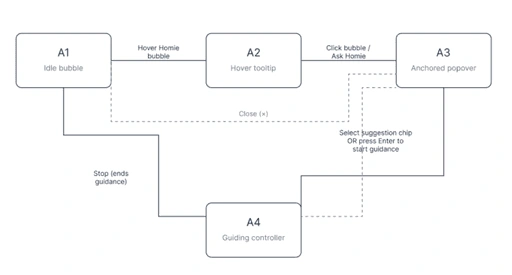
Homie became a workflow-native AI learning layer: always available, visually guided, and transparent when screen-aware.
User Flow
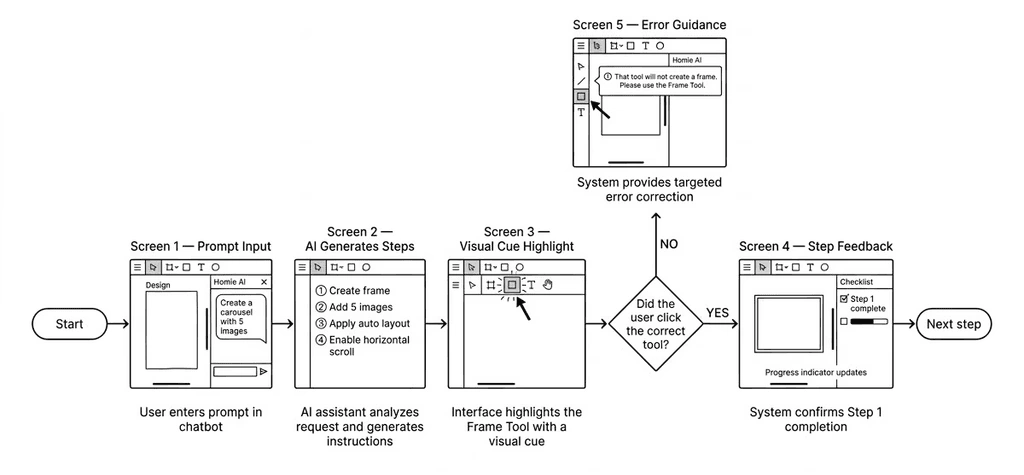
Open Orb → Choose Help Mode → Activate Watching → Guided Steps → Show Me → Progress → Apply
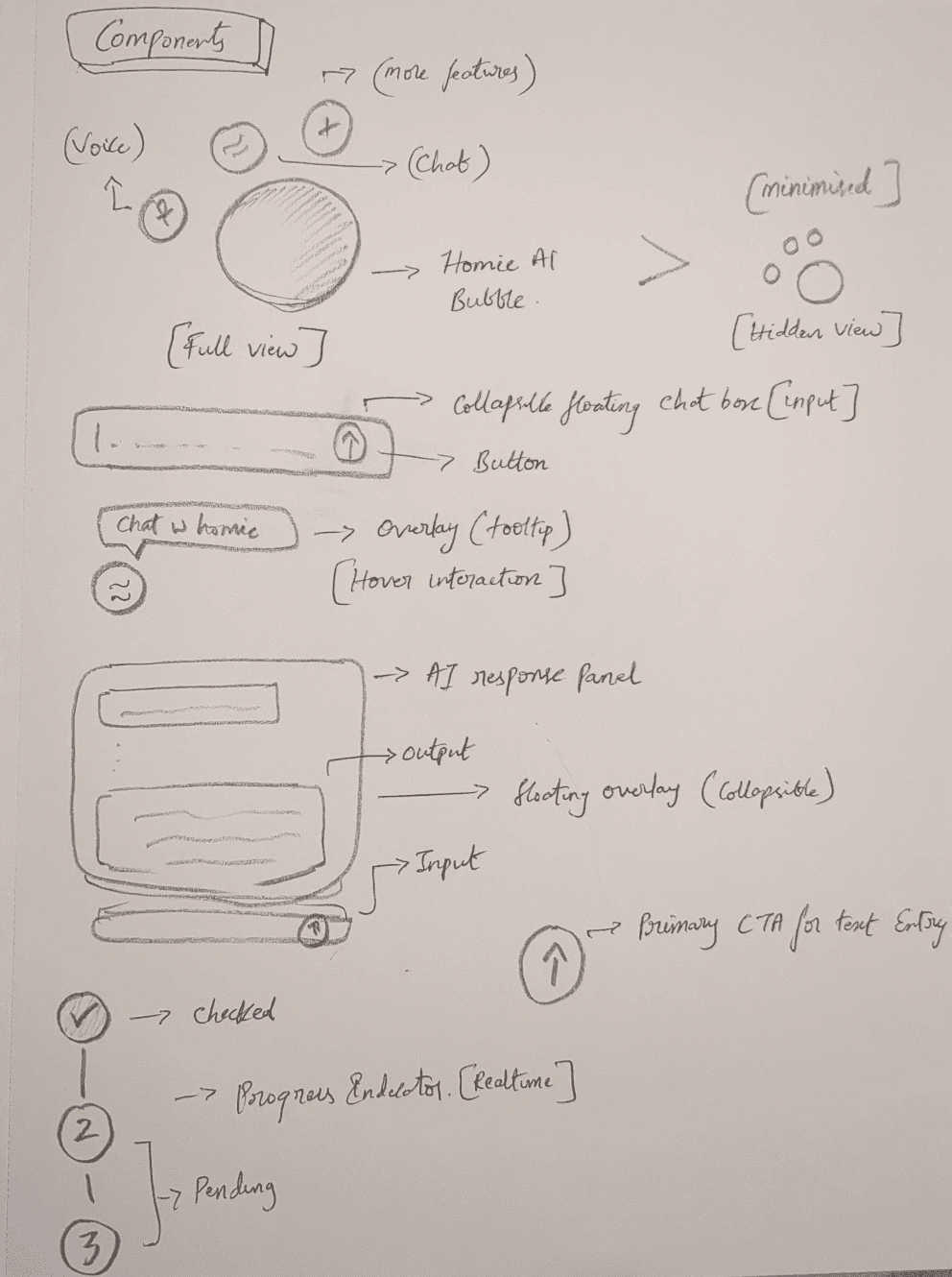
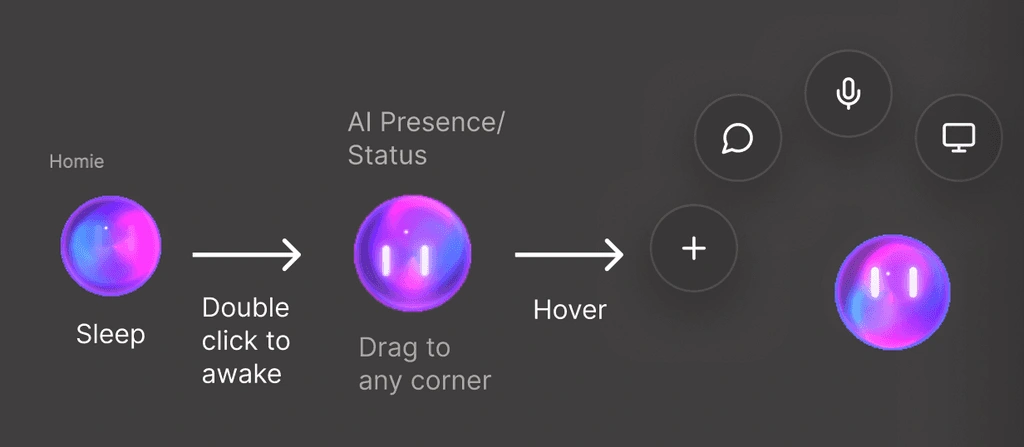
01 · FLOATING ORB + QUICK ACTIONS
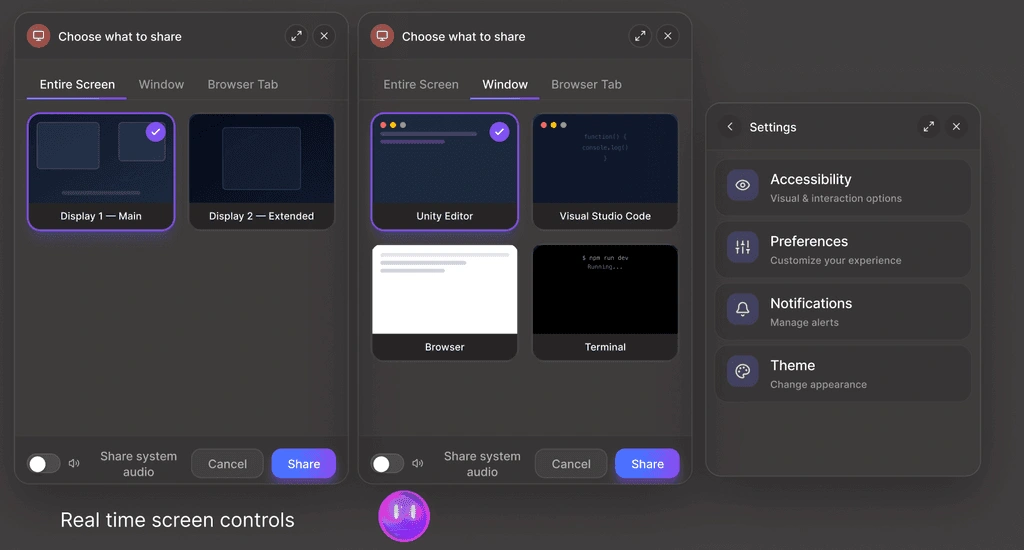
The Homie orb sits inside the workspace as a lightweight entry point. On tap, it opens quick actions for chat, voice, screen share, and task support.
WHY IT MATTERSUsers can choose how they want help without leaving the tool.
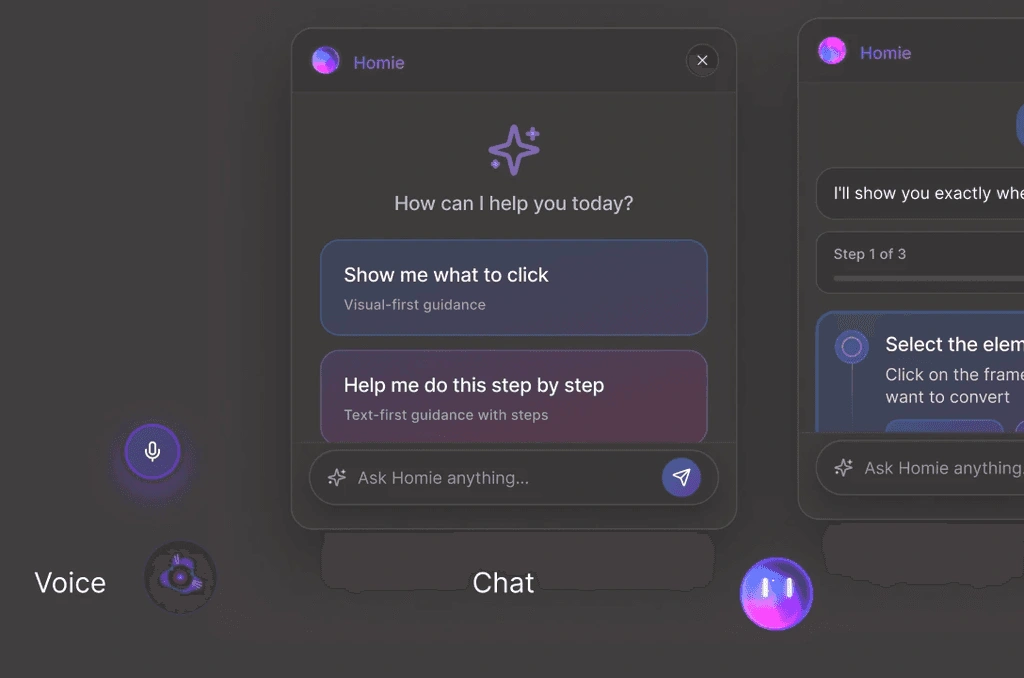
02 · CHAT GUIDANCE + SHOW ME
The user types what they want to do, and Homie turns the request into one clear sub-task at a time. If the user is unsure, Show Me points to the exact place to click inside the tool.
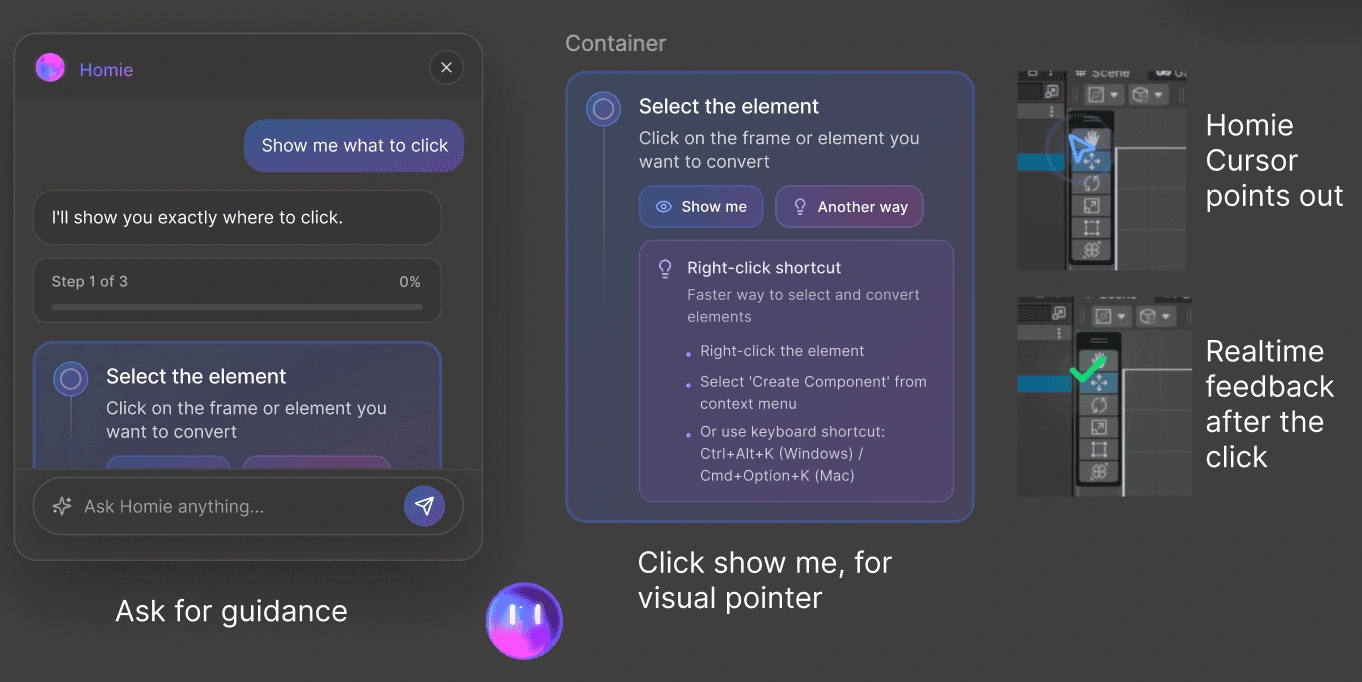
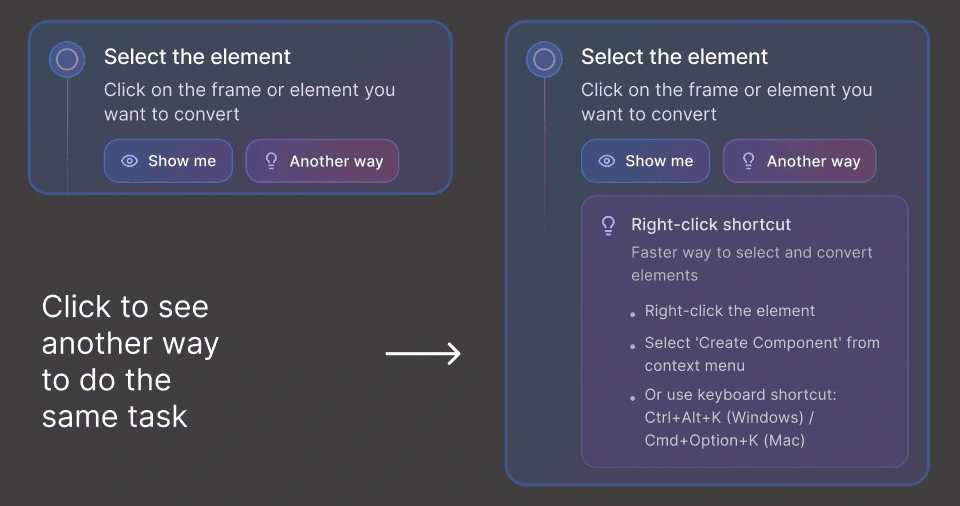
03 · ANOTHER WAY + REAL-TIME PROGRESS
If the user gets stuck, Another Way offers a different method for completing the same task. As the user completes each sub-task, the progress bar updates in real time.
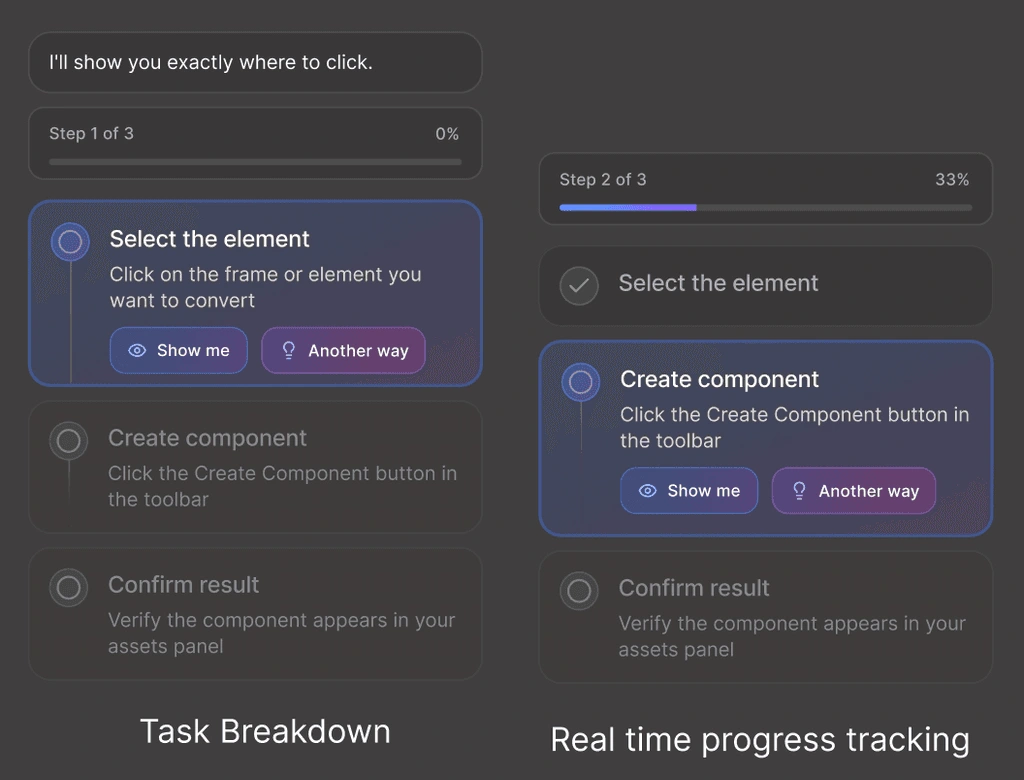
04 · SCREEN SHARE + AI PRESENCE
Homie can watch the screen only when the user allows it. Watching, Paused, Resume, and Stop states make the AI’s visibility clear.
USER OUTCOMES
3/3 paper testers completed the guided flowChat, steps, progress, and reopen flow were understood.
3/3 preferred in-workflow guidanceSteps felt more actionable than tutorials.
2/2 AI presence testers understood Pause vs StopControl made screen-aware AI feel safer.
1/1 walkthrough confirmed the core gapUsers needed to know where to click, not just what to do.
PRODUCT OUTCOMES
100% testing rounds changed the productPaper, low-fi, and high-fi each shaped refinements.
Show Me became coreVisual targeting moved from optional to required.
AI presence became a trust systemWatching, Paused, Resume, and Stop shaped the final flow.
Final direction validatedHomie became a workflow-native AI learning layer.
05 · The Demo & Venture Direction
Try out Homie here
Prototype
Homie is moving beyond prototype.
A 5-person founding team has started R&D, with development underway across screen understanding, visual guidance, conversational support, and practice-based learning.
Status: R&D started · team formed · development underwayLooking for: developers · design partners · early investors
Glance
Problem
Research
Ideation
Solution
Demo

Like this project
Posted Jul 7, 2026
Homie.AI — workflow‑native, screen‑aware AI coach that gives visual 'Show Me' guidance and scaffolding for learning complex tools.