Salesforce Sales Cloud Setup (Pipeline & Reporting)

Amy Frank

Salesforce Sales Cloud Setup (Pipeline & Reporting)
Overview
This project focused on setting up a clean, structured Salesforce Sales Cloud environment to give small teams clear visibility into their sales pipeline and performance.
Instead of relying on spreadsheets or fragmented tracking, this system provides a single source of truth for opportunities, revenue, and deal progression.
Who This Is For
Small teams, founders, or sales leads who:
Lack a clear system for tracking deals and pipeline activity
Need real-time visibility into sales performance
Want reliable reporting without manual updates
What This Setup Enables
Track opportunities from first contact through closed won
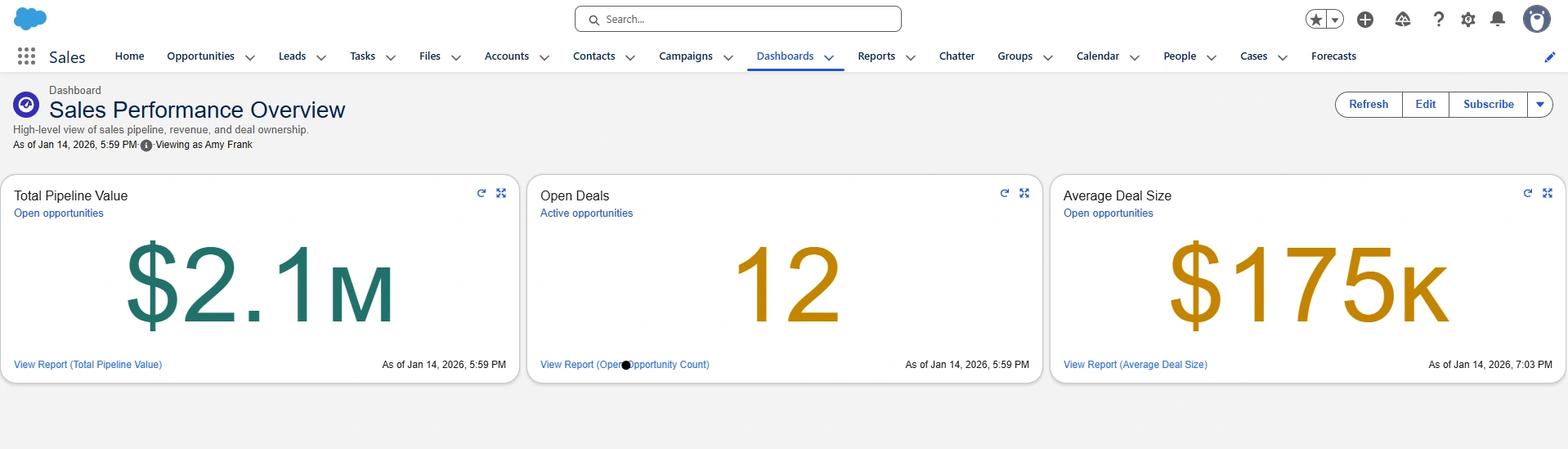
View total pipeline value, deal count, and average deal size in one place
Automatically update reports and dashboards as sales activity changes
Identify where deals are progressing or getting stuck
Create accountability through activity tracking and audit history
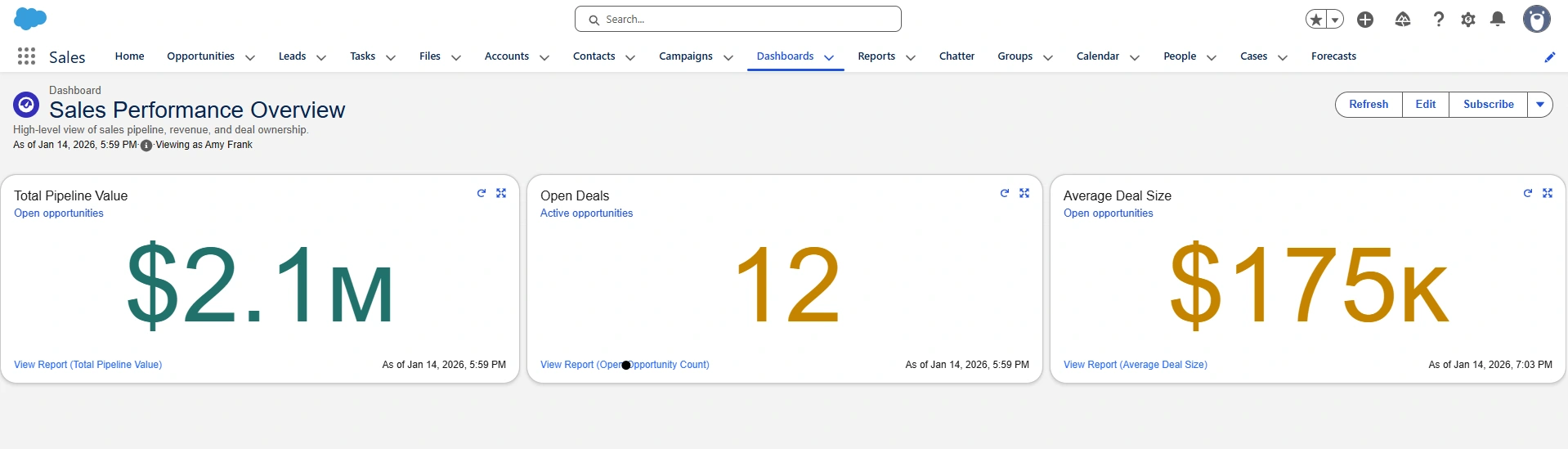
Executive dashboard showing total pipeline value, open deals, and average deal size.
The Problem
Before this setup, the team had no consistent way to track opportunities or understand pipeline performance.
Sales activity and revenue potential were not visible in one place, making it difficult to:
Understand deal progress
Forecast revenue
Trust the accuracy of reported numbers
What Was Built
Standardized Opportunity pipeline with defined sales stages
Revenue tracking using Opportunity Amount and Close Date
Three KPI reports for pipeline value, deal count, and deal size
One executive Sales Performance dashboard
Activity tracking using Salesforce Chatter
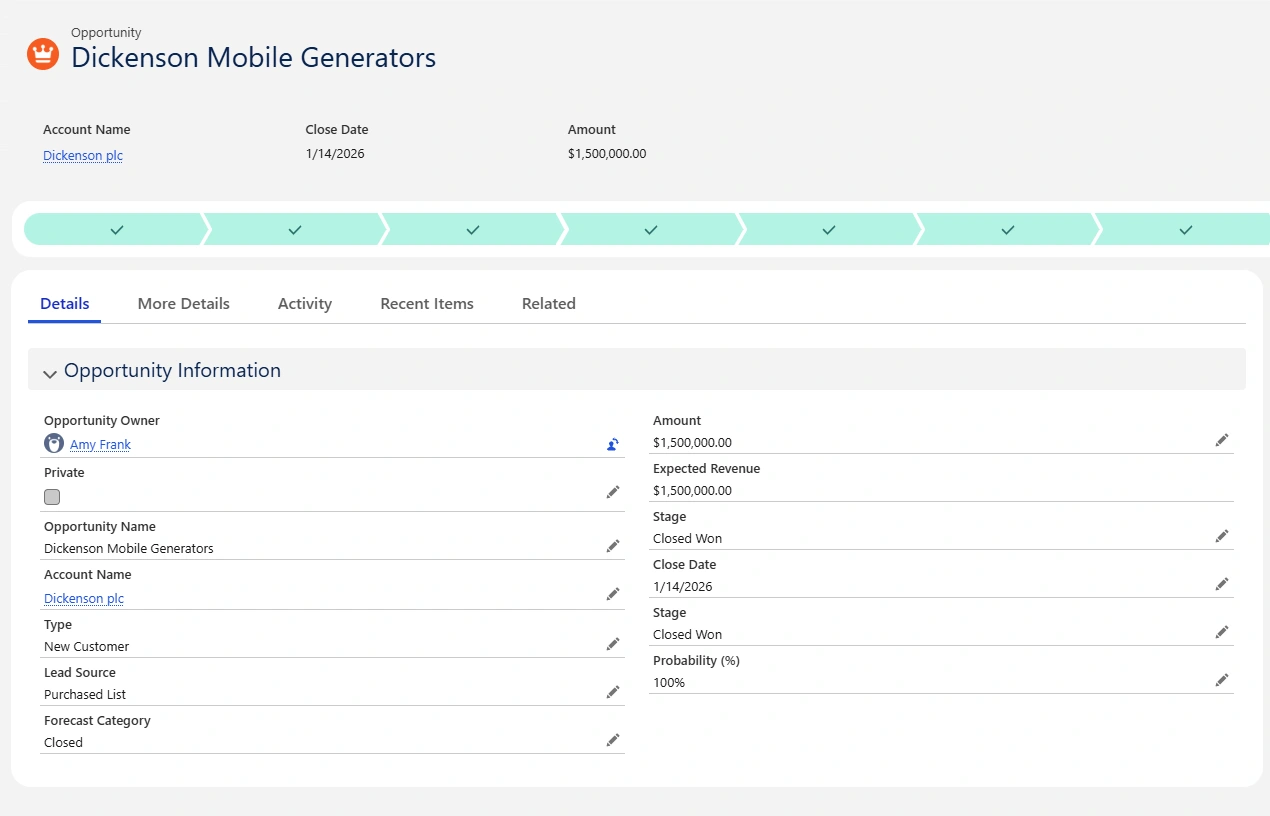
Opportunity details including deal amount, stage, and close date that drive reporting.
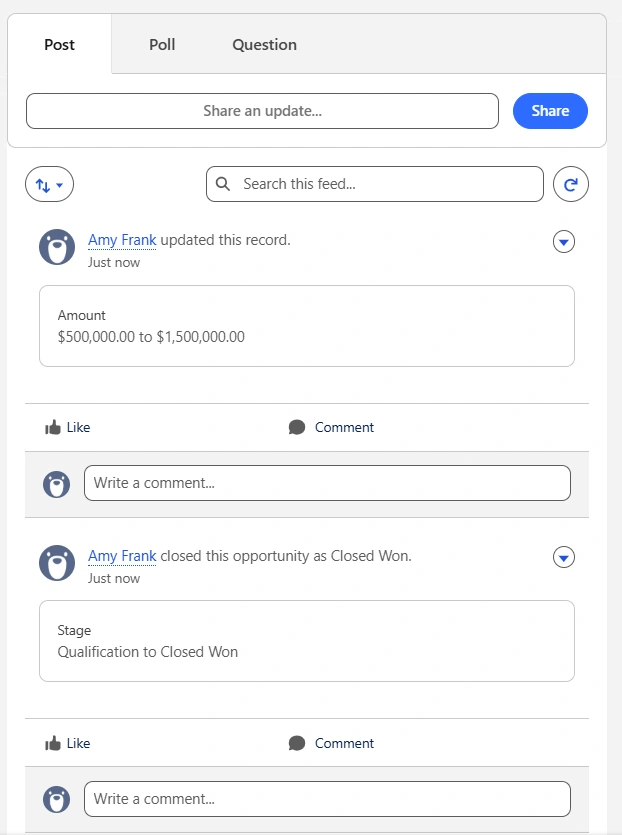
Automated activity tracking showing deal updates and closed-won events.
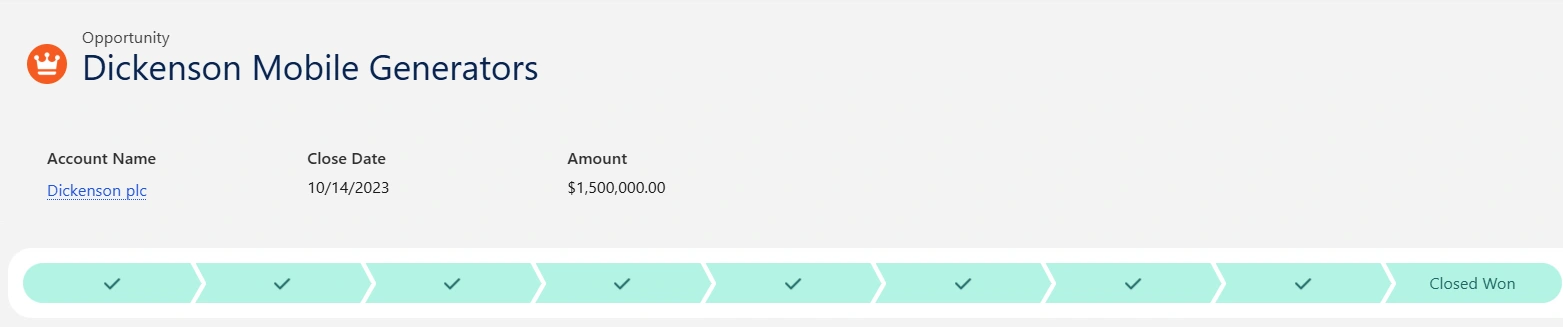
Opportunities grouped by stage to visualize deal progression through the pipeline.
Key Insights
Pipeline visibility replaces guesswork
With a structured pipeline and standardized stages, leadership can immediately see how deals are progressing.
Automated reporting removes manual tracking
As opportunities are updated, reports and dashboards reflect changes in real time, eliminating the need for spreadsheets.
Clear KPIs drive better decision-making
Focusing on pipeline value, deal count, and deal size provides a simple but effective view of sales health.
How the System Works
Sales reps update opportunities directly in Salesforce.
When deal amounts, stages, or close dates change:
Reports automatically recalculate
Dashboards update instantly
Leadership sees real-time pipeline metrics
My Approach
Designed a clean pipeline structure to standardize how deals are tracked
Configured key fields to support accurate reporting
Built KPI reports aligned with core sales metrics
Created a dashboard focused on clarity and usability
Ensured the system required minimal manual effort to maintain
Tools
Salesforce Sales Cloud
How This Could Be Applied
This setup can be adapted for:
Small sales teams implementing Salesforce for the first time
Founders who need clear pipeline visibility without complexity
Teams transitioning from spreadsheets to structured CRM systems
Like this project
Posted Jan 15, 2026
Salesforce Sales Cloud setup with pipeline tracking, automated reporting, and KPI dashboards to give teams clear visibility into sales performance.
Likes
0
Views
22