Live Quiz for match-day engagement

Igor Voitenko


Live Quiz for match-day engagement
Role
UI/UX & Product Designer
Platform
iOS, Android, Web
Domain
SportTech · Fan engagement
Team
2 designers, project manager, developers, QA
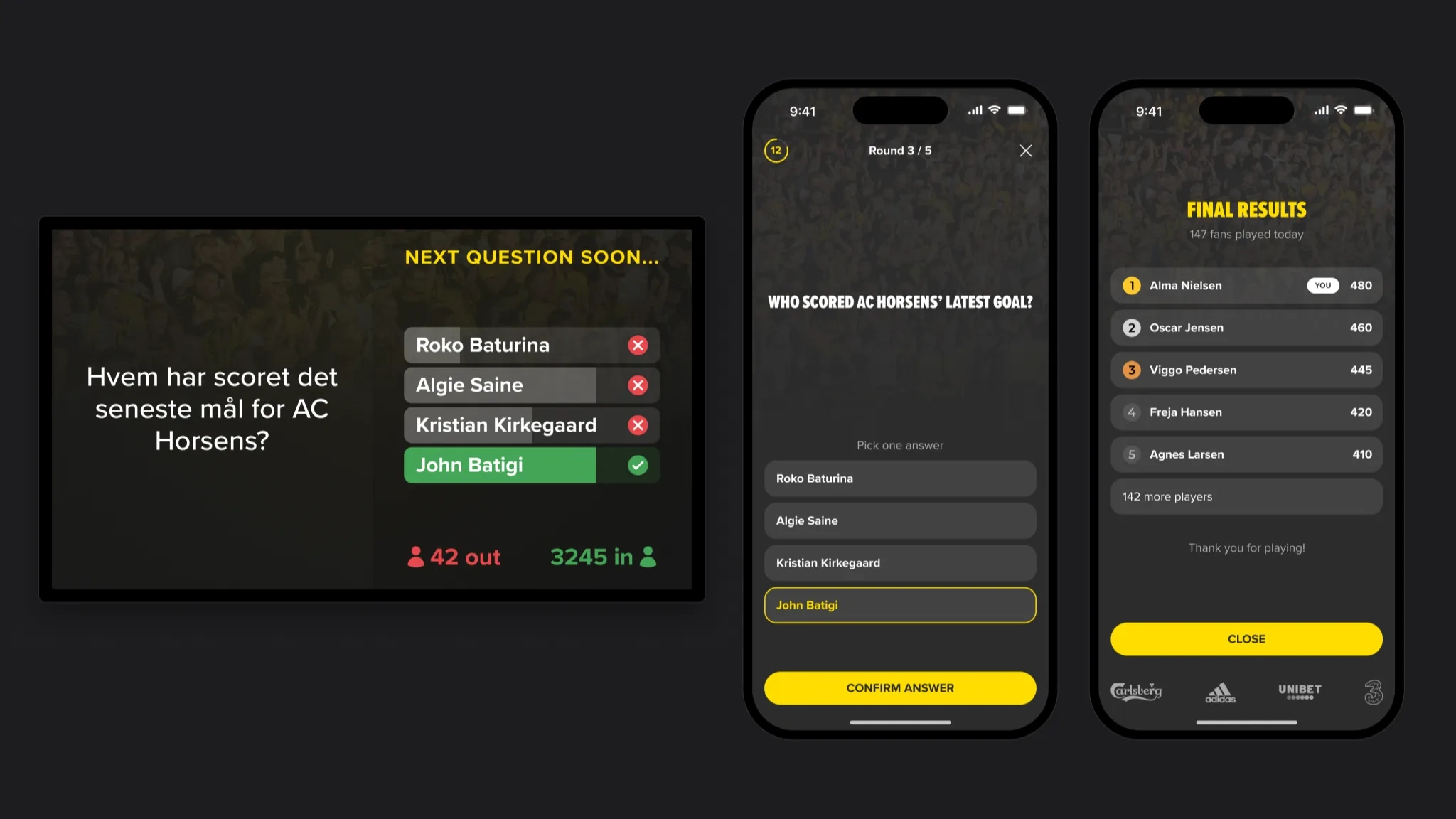
The same question on the big screen and in the app
Problem
During a live match fans had little reason to open the club app. The quiz had to bring them in without getting in the way of the game.
What I did
The quiz end to end: a code on the big screen, one-thumb questions, an ending for every player and live control for the club.
Result
313 fans played at half-time on the first run at AC Horsens. 12–30% of the stadium takes part, as logged-in fans.
A half-time quiz inside the club app: the question is on the big screen, the answers are on the fans’ phones.
Context
Fans already had the club app, but during a match it was easy to forget. People watched the game, not the phone, and had little reason to open the product at that moment.
I designed Live Quiz end to end: the fan flow, every state of the game, the stadium screens and the live control the club team runs it from. I talked details through with the second designer; developers built it and QA tested it.
Constraints
Fans play standing in a crowd, often with one hand
The stadium is loud and the network can be slow
Only people at the match or watching the broadcast should play
A new fan has to join in seconds, without any setup
Process
I mapped the game before the screens: the three phases the club team controls, and what a fan sees in each of them. Every screen below belongs to one step of this map.
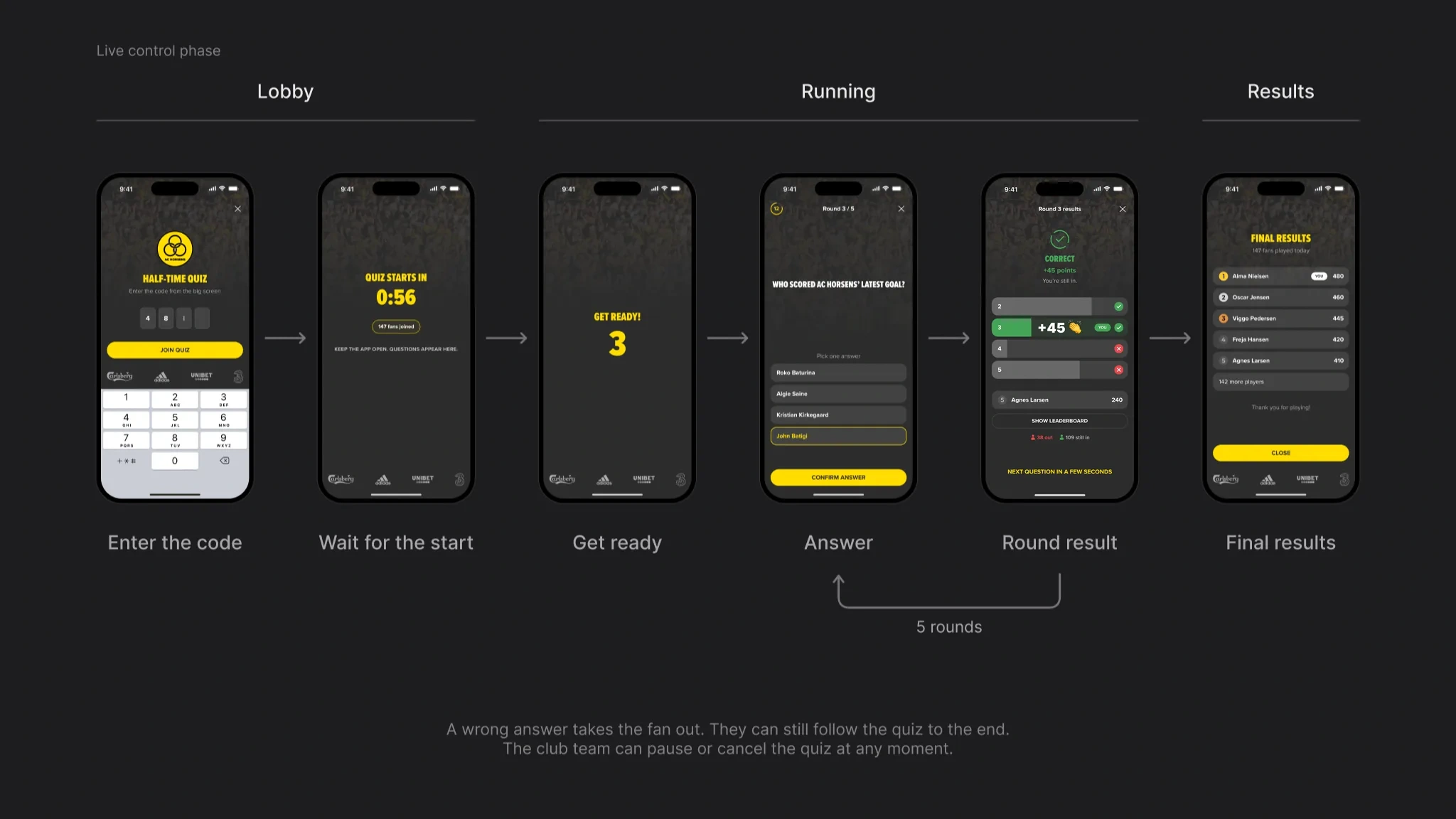
Three live-control phases, six fan screens
Key decisions
How do only the people at the match get in?
Options: open the quiz to everyone in the app, a QR code, or a short code on the big screen. I chose the code: it is shown only on the stadium screen and on the broadcast, so only people at the match or watching it can play. Cost: one more step before the first question.
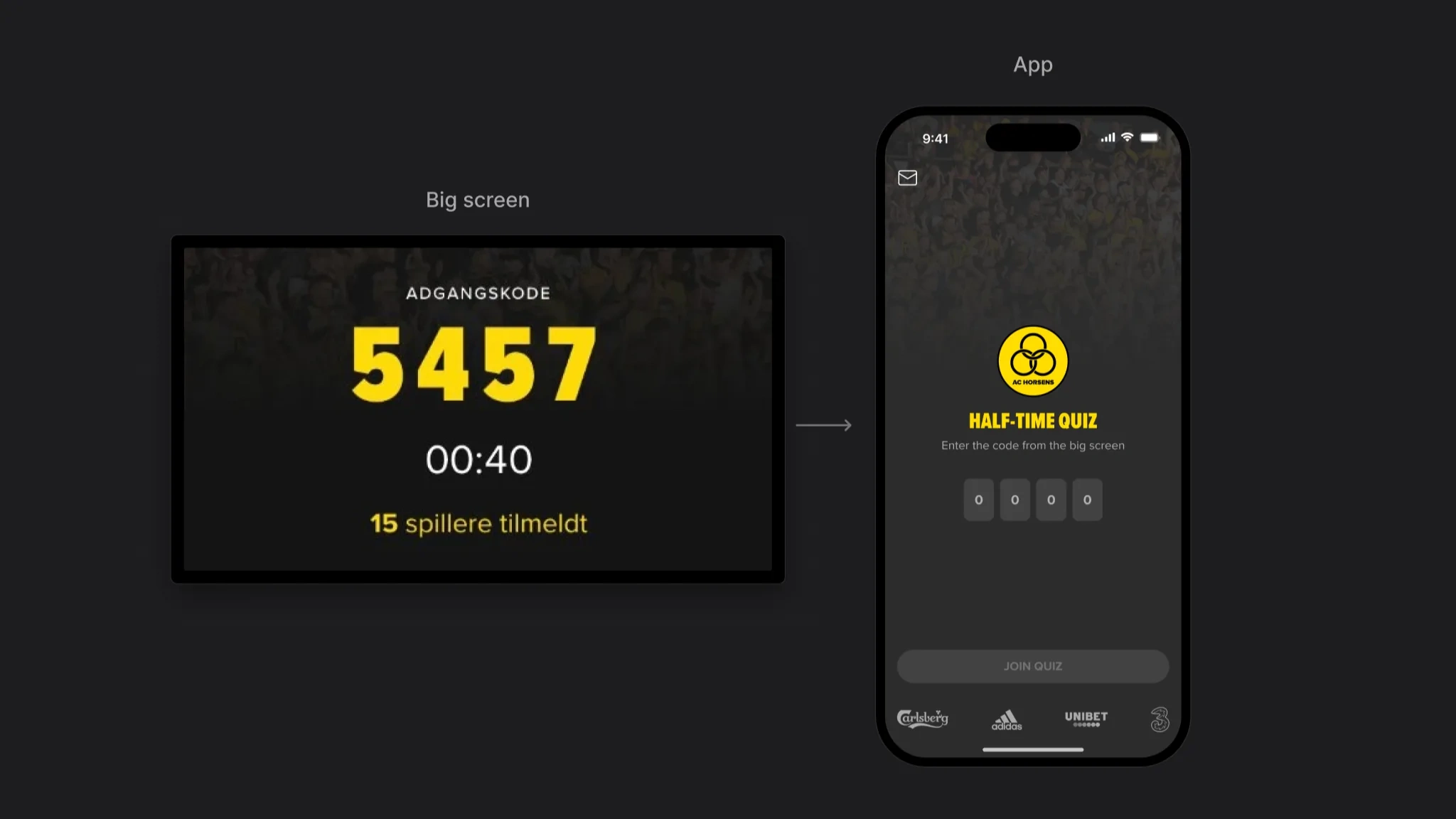
The code on the big screen opens the quiz in the app
Why not just use Kahoot?
Options: a ready game like Kahoot, or our own quiz inside the club app. We built our own: a Kahoot player is anonymous and leaves when the game ends, while here every player is a logged-in fan who stays in the club app. Cost: team time to build and support the game and its live control.
Join in seconds
A fan types four digits and waits in the lobby with a countdown. There is nothing to set up: the questions arrive on their own.
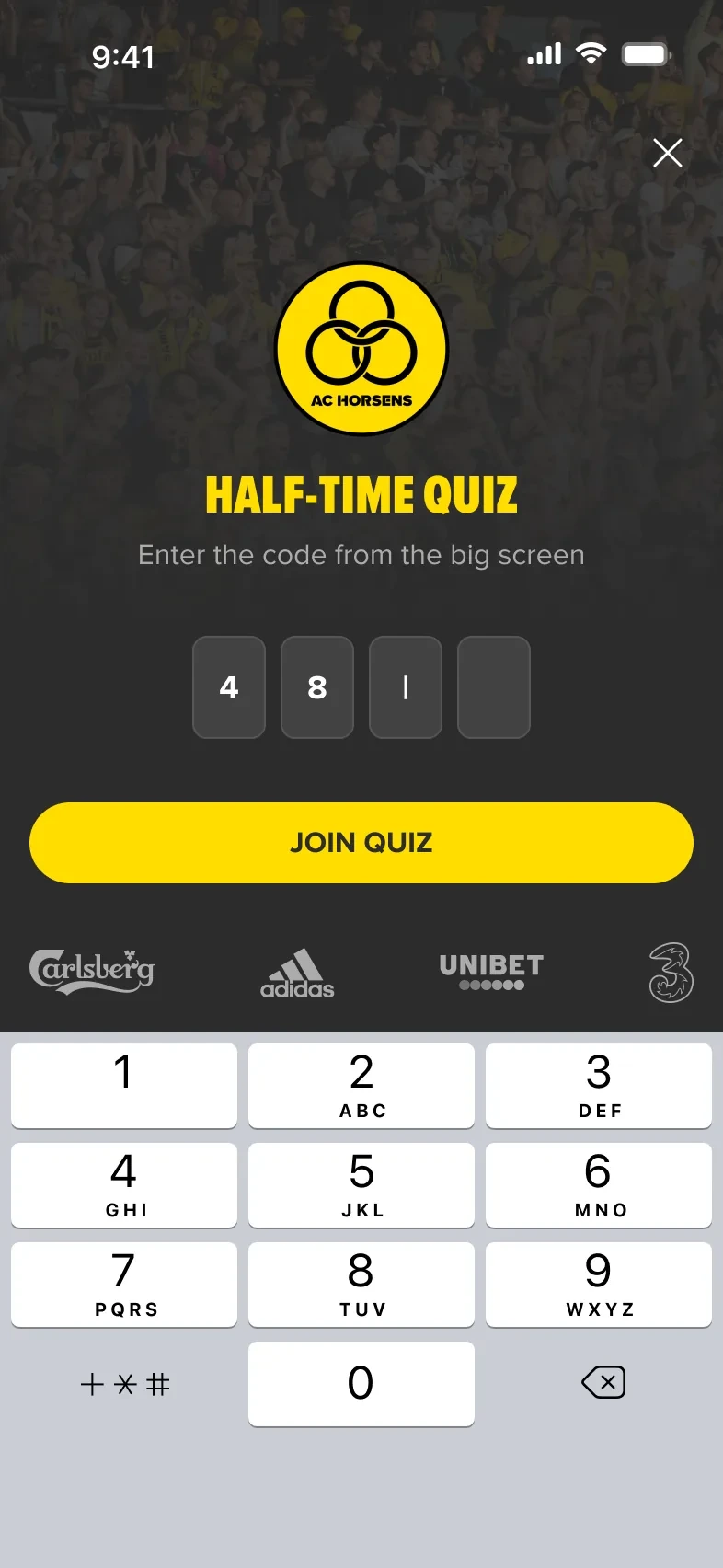
Four digits from the big screen
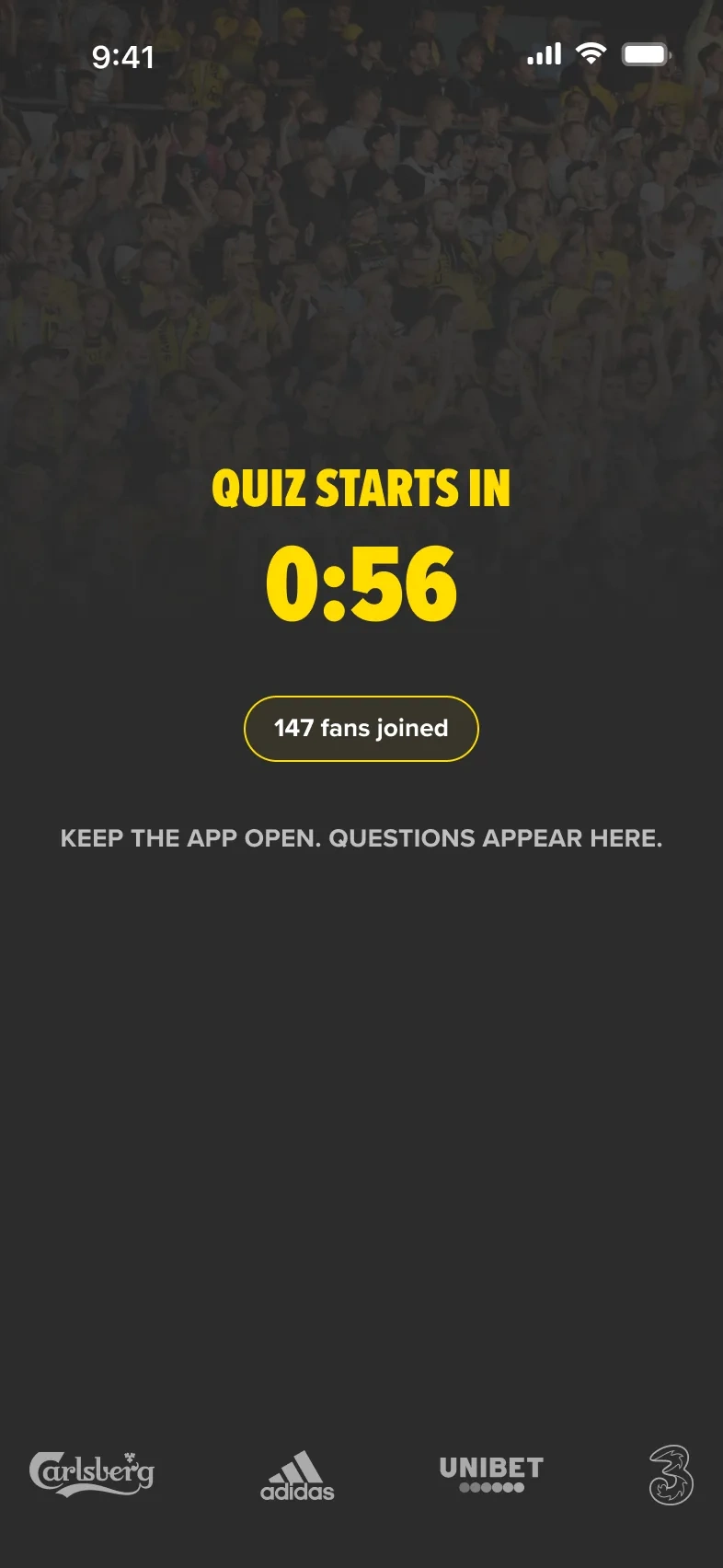
A countdown, not a blank wait
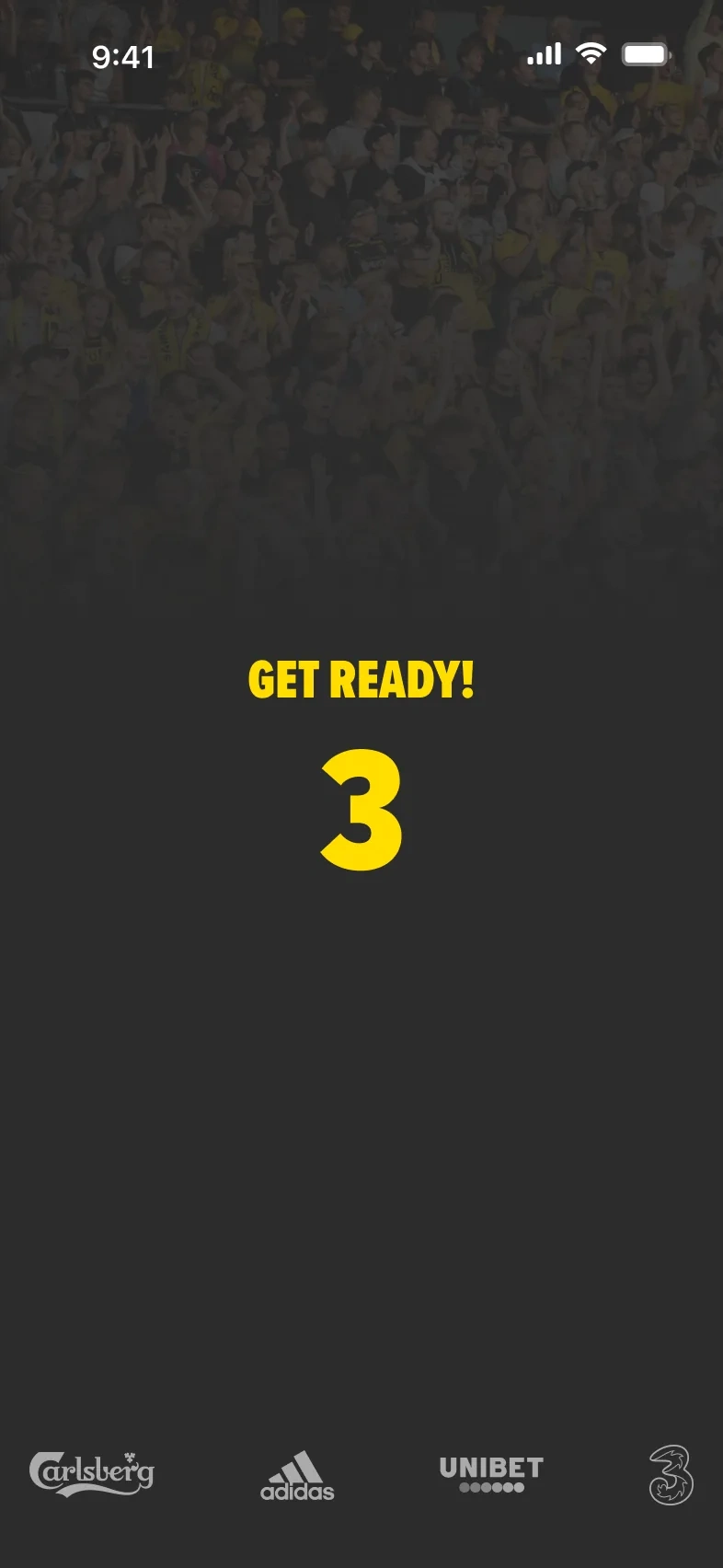
Three seconds to look at the phone
One question, one thumb
One question per screen, big answer buttons and one action at the bottom, all within reach of a thumb. Numbers go in with the phone keypad, not a slider.
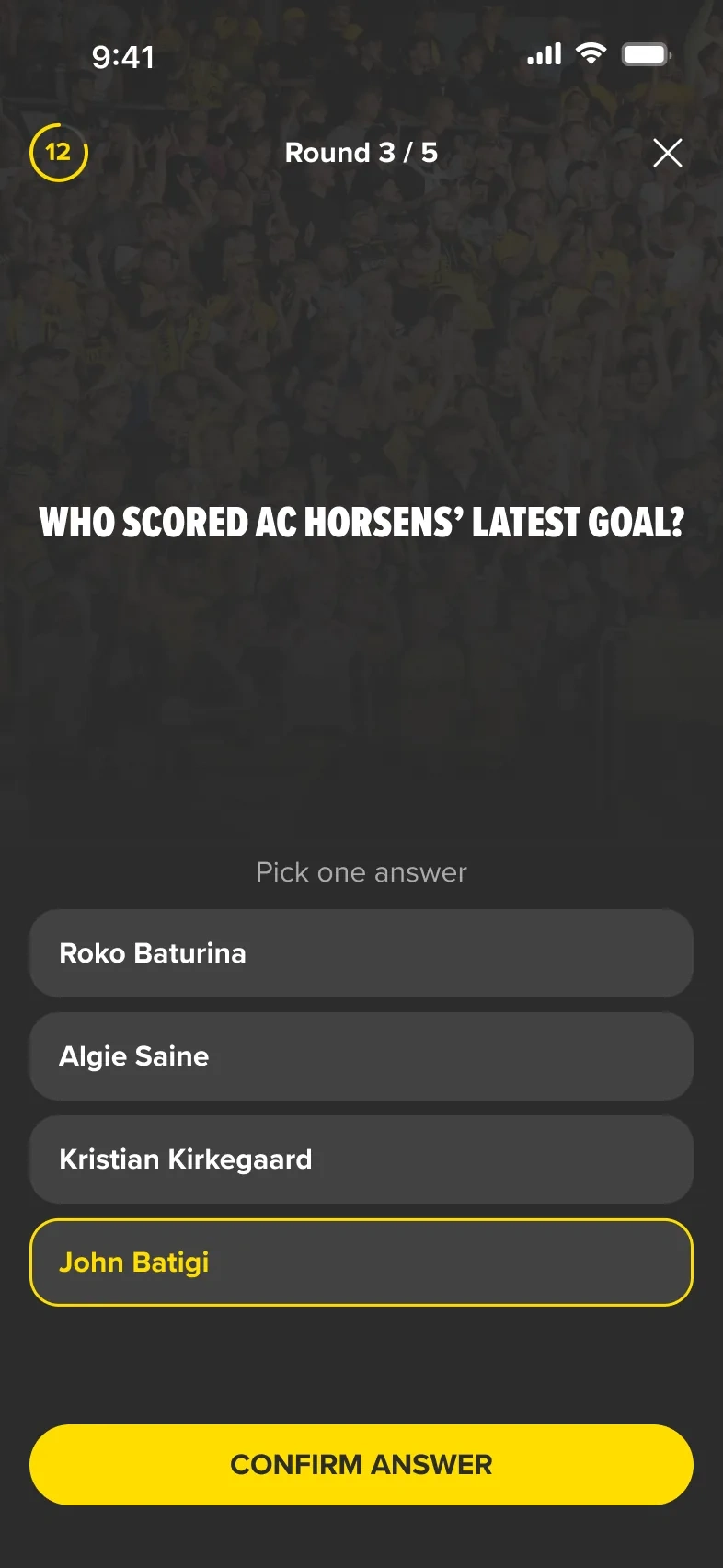
Pick one, then confirm
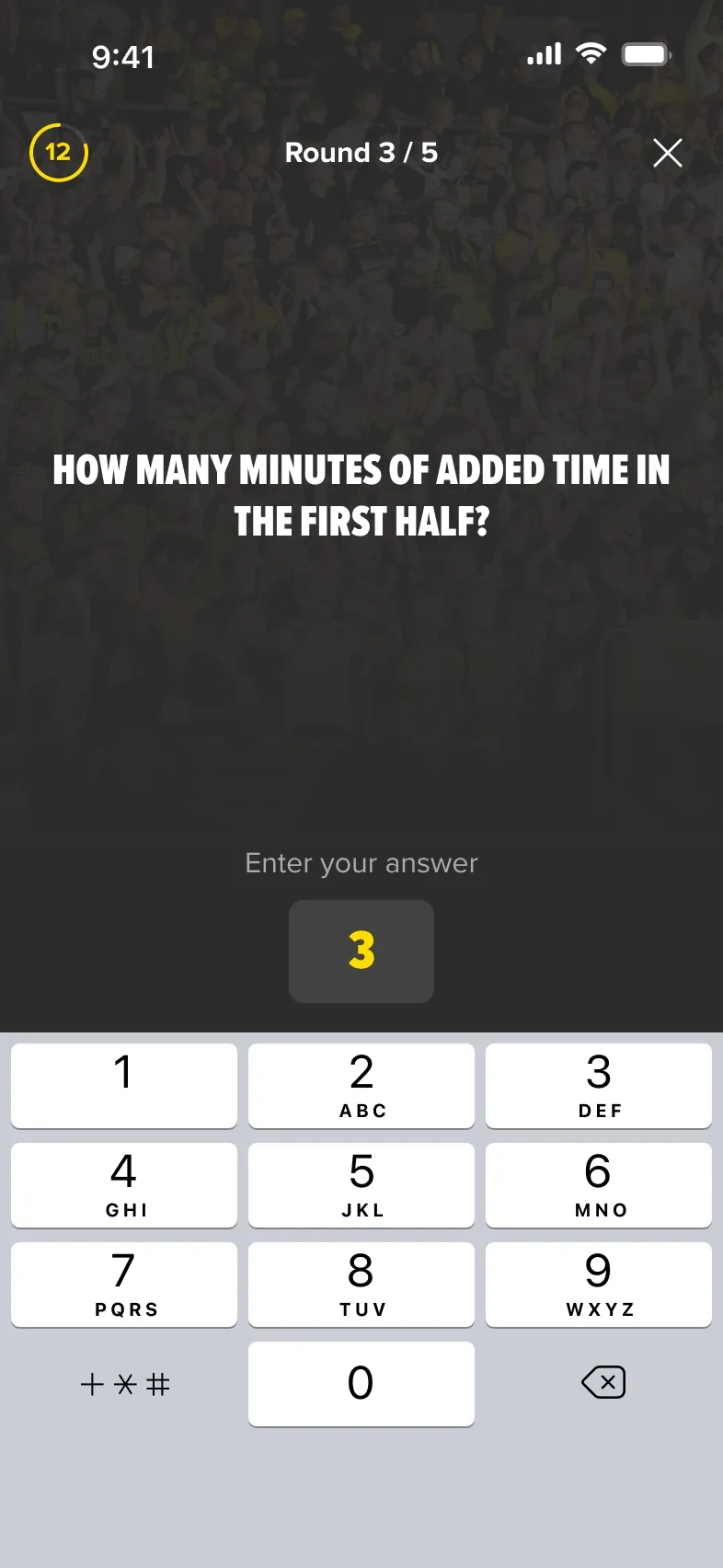
Numbers on the phone keypad
After each round
The fan sees how others answered, their points and whether they are still in. While the answers are counted, the screen says so.
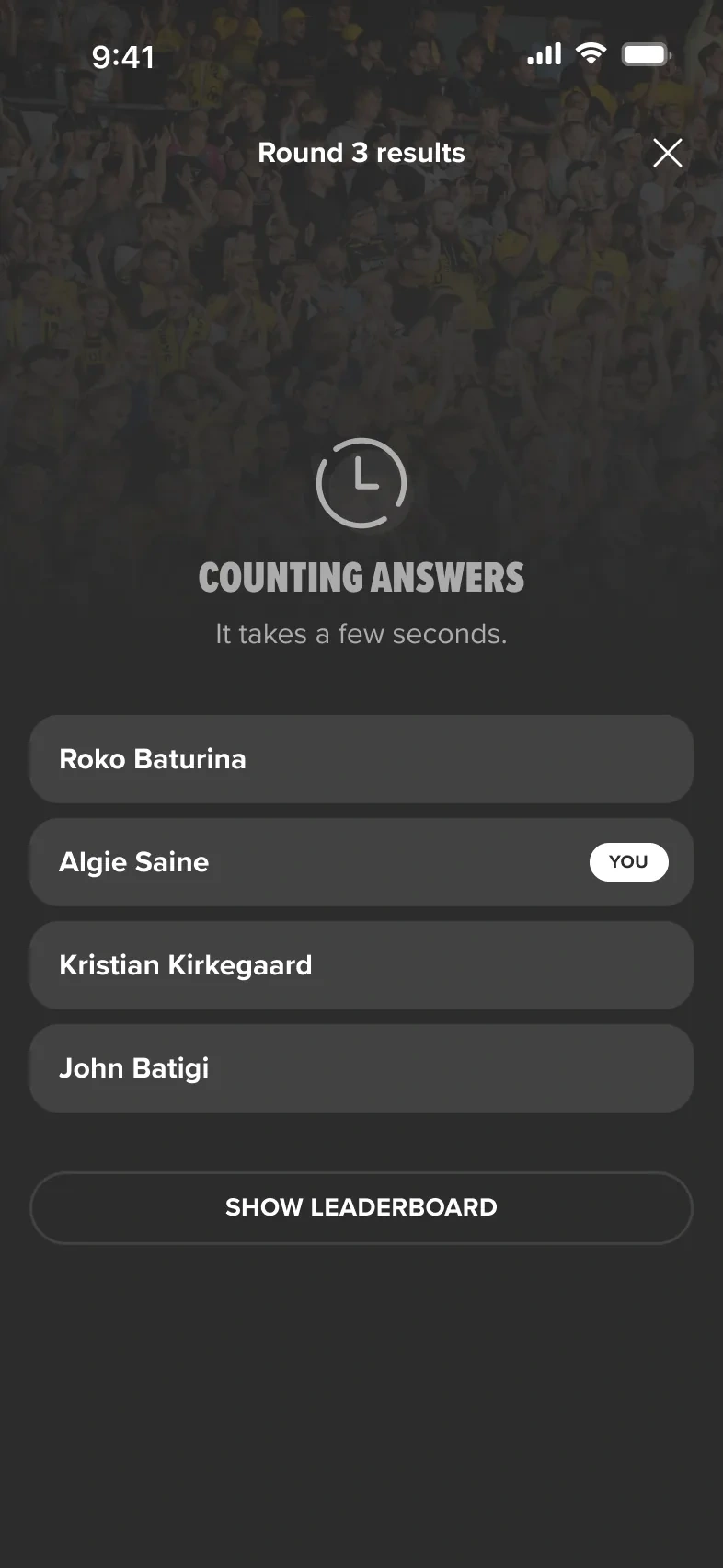
A slow network gets its own screen
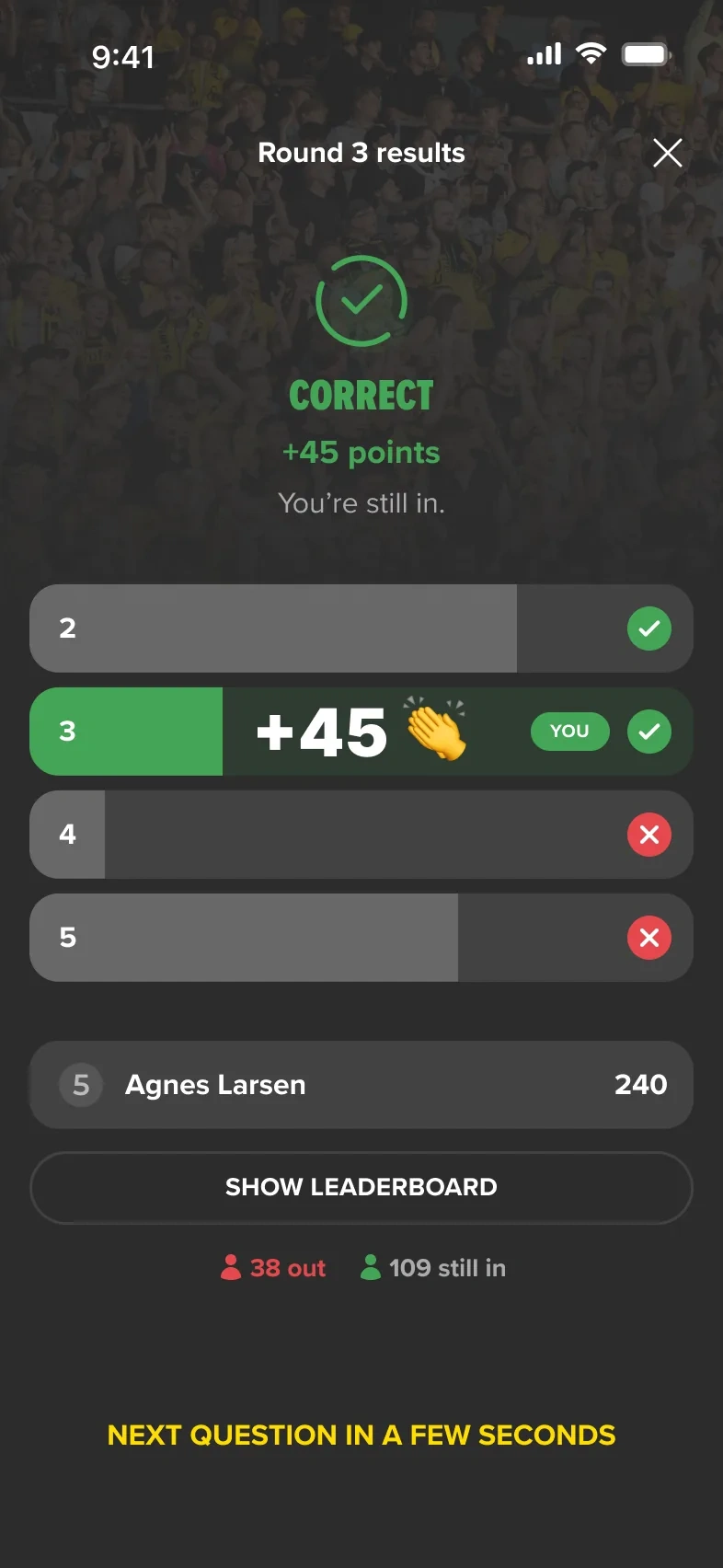
Points, rank and how many are left
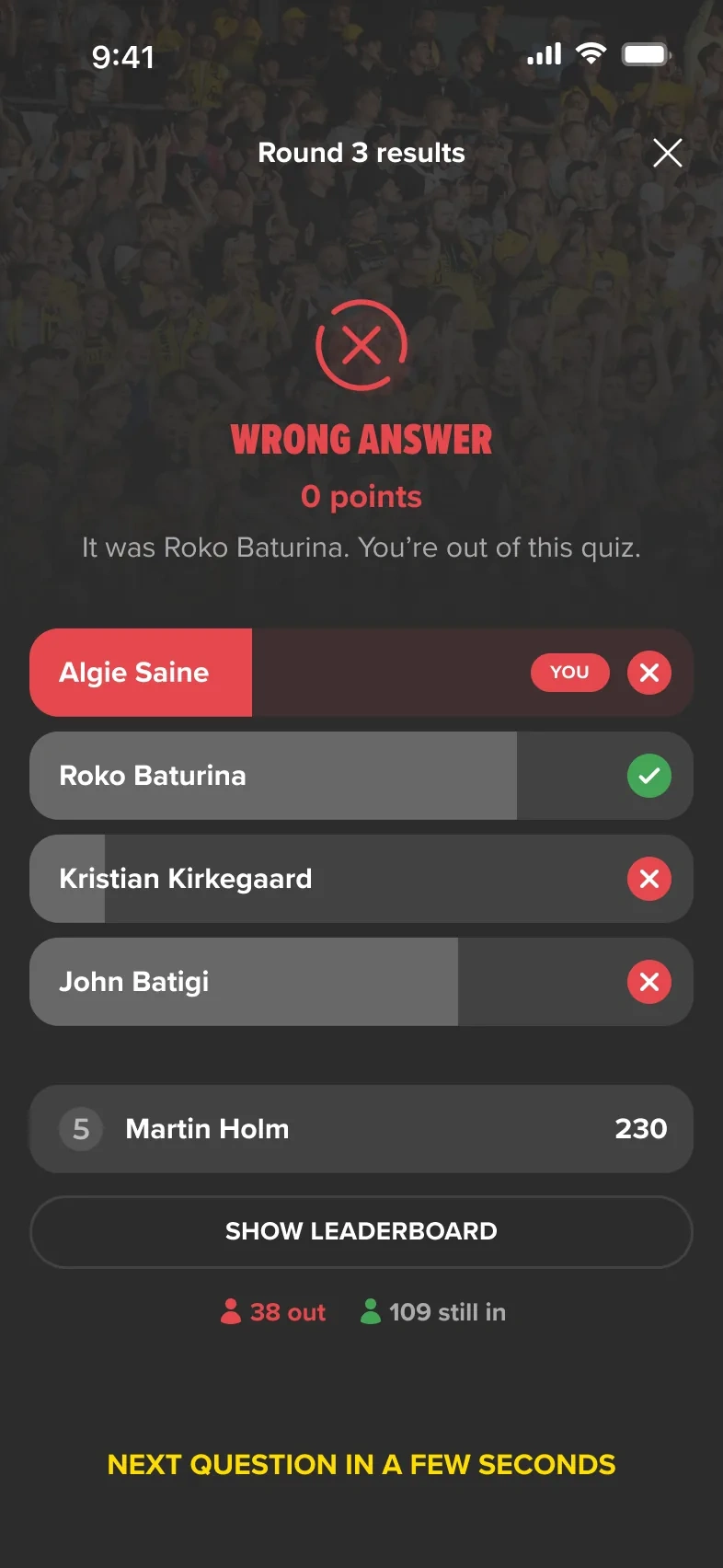
The right answer, then out
An ending for every player
In Last Man Standing most fans drop out before the end. Each of them still gets a result and the leaderboard, so the quiz never ends on a dead screen.
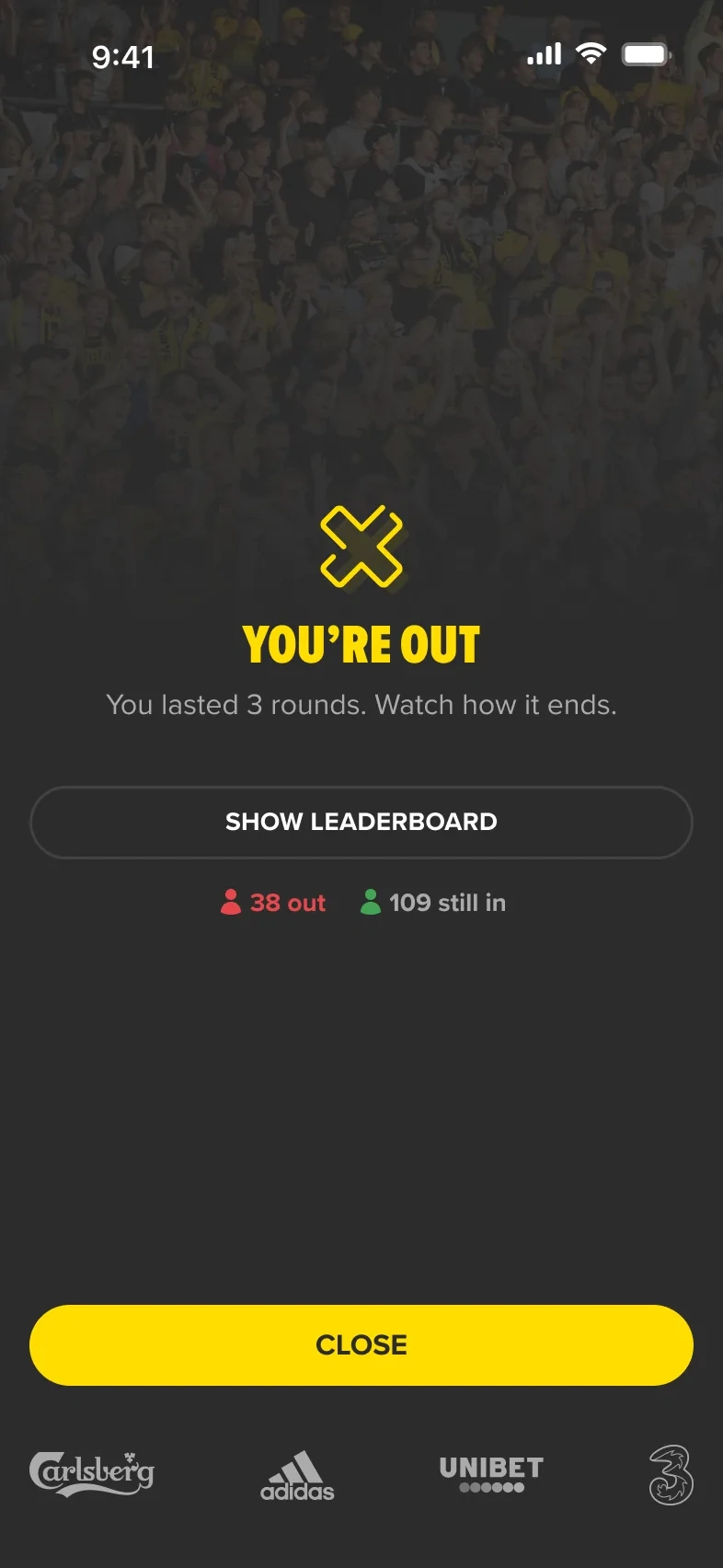
Out, but can follow to the end
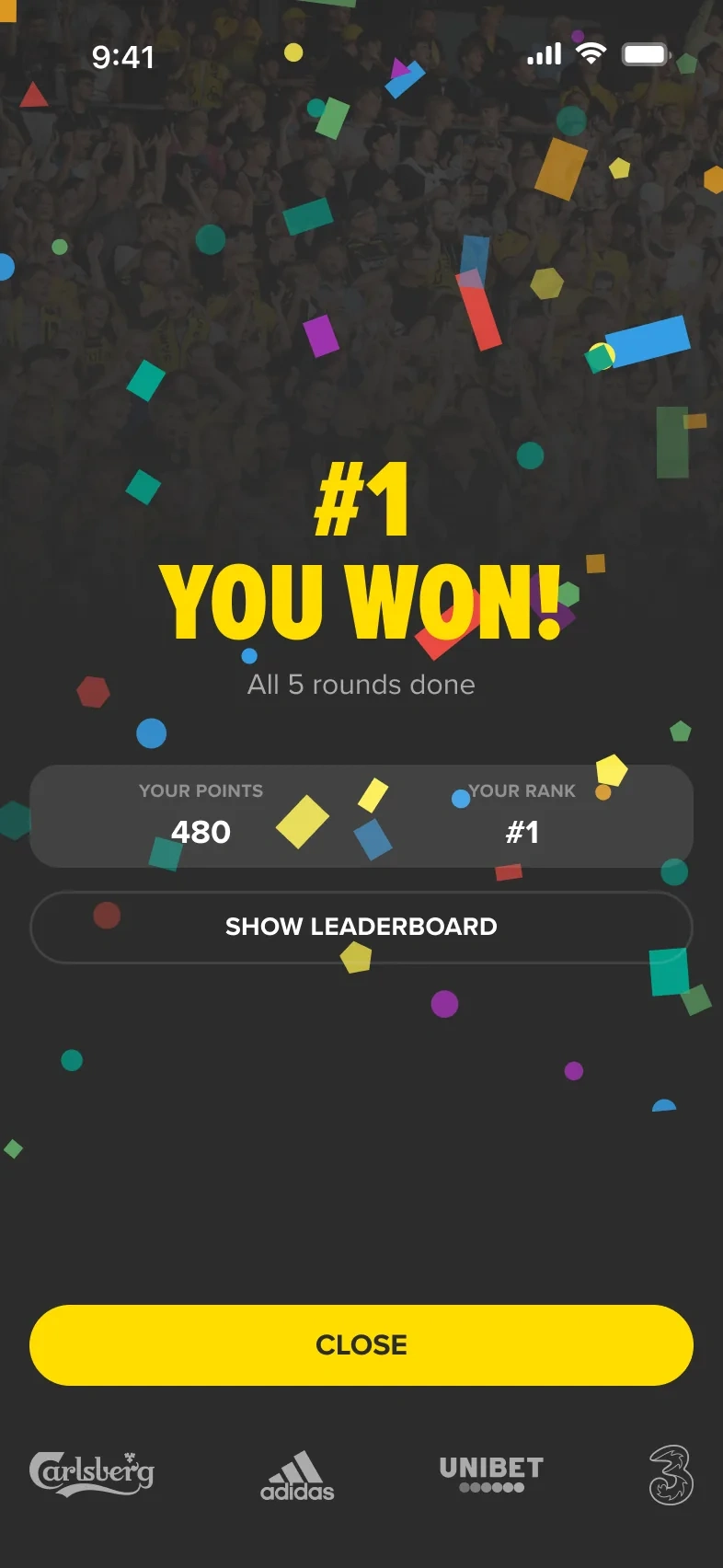
The winner sees it at once
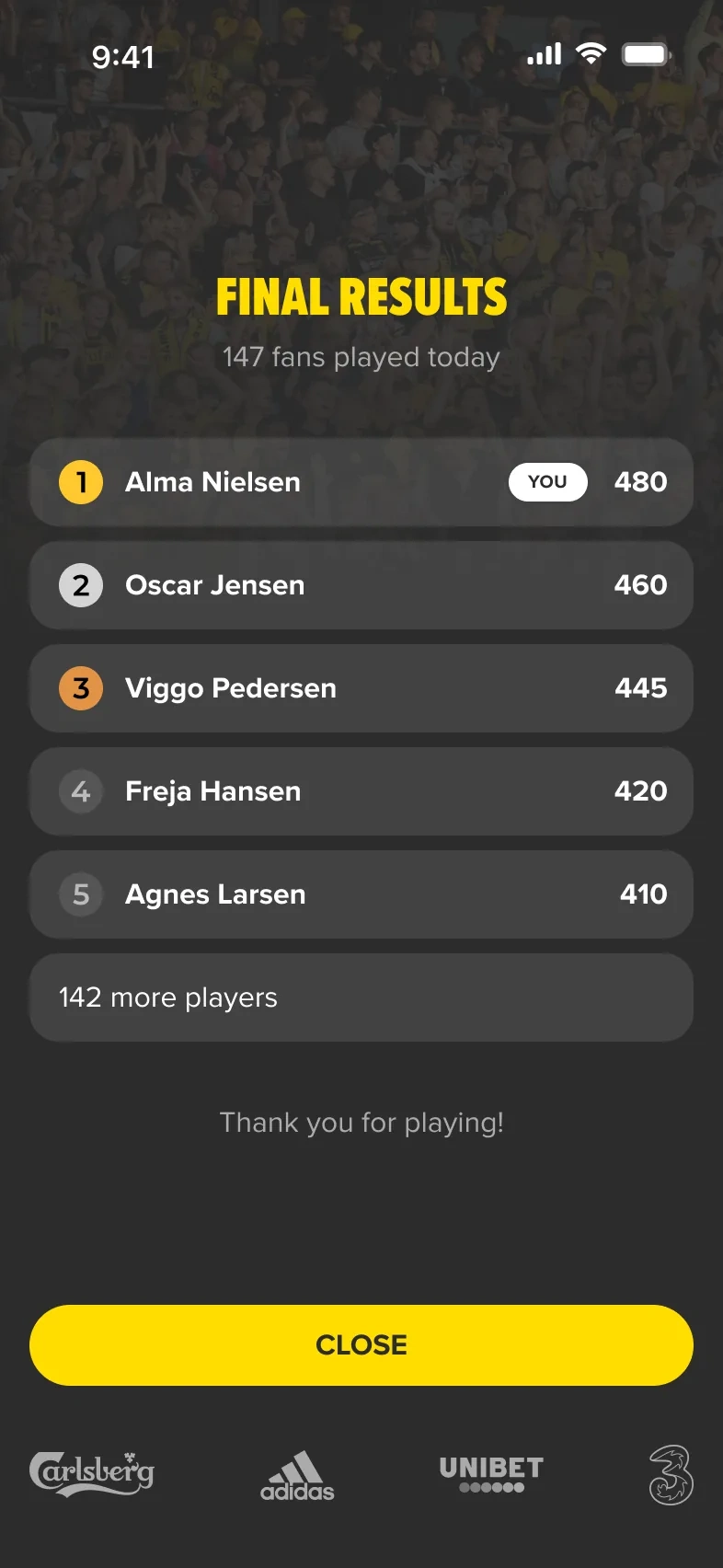
Final results for everyone
States and edge cases
A live game can stop. The club team can pause or cancel it, and each case has its own screen, so a fan knows the app hasn’t frozen.
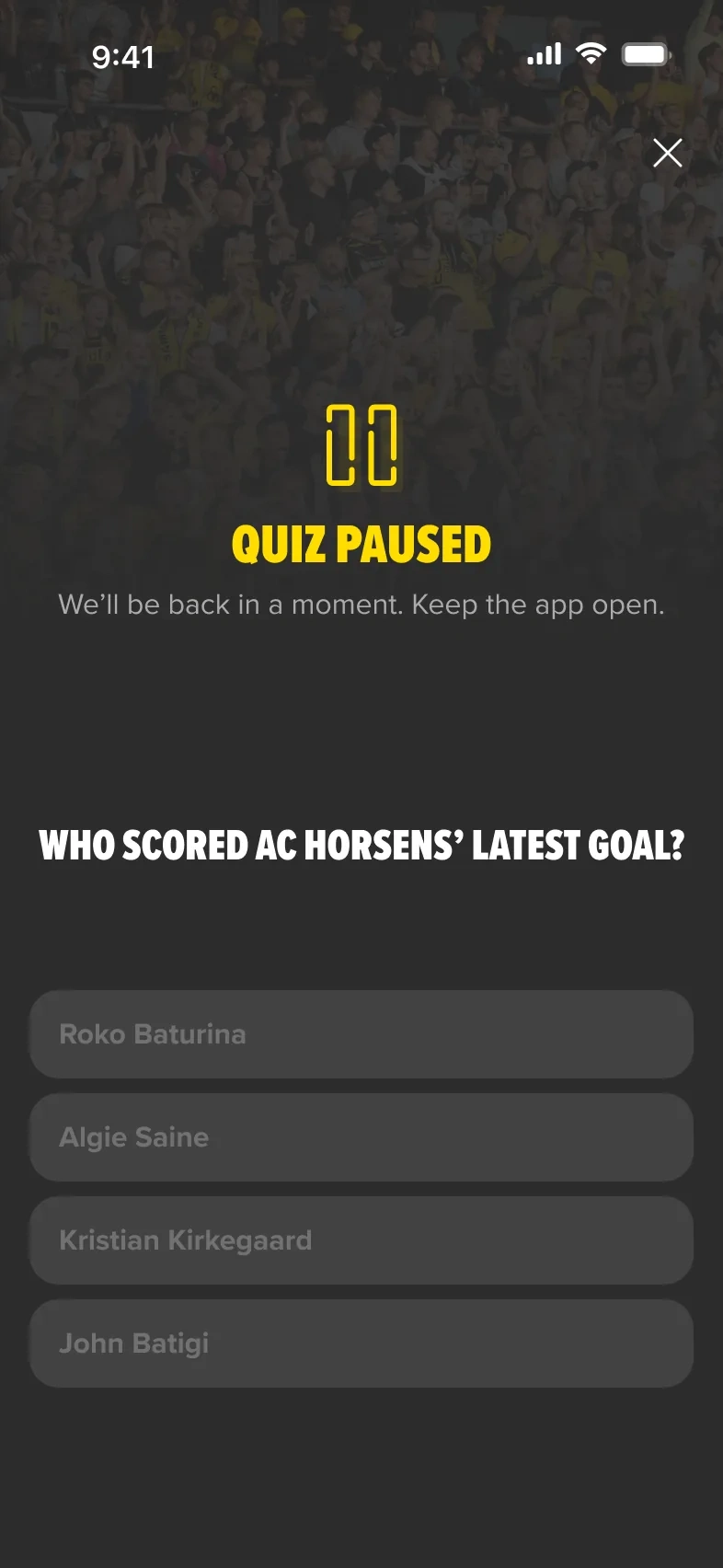
Paused: the question waits
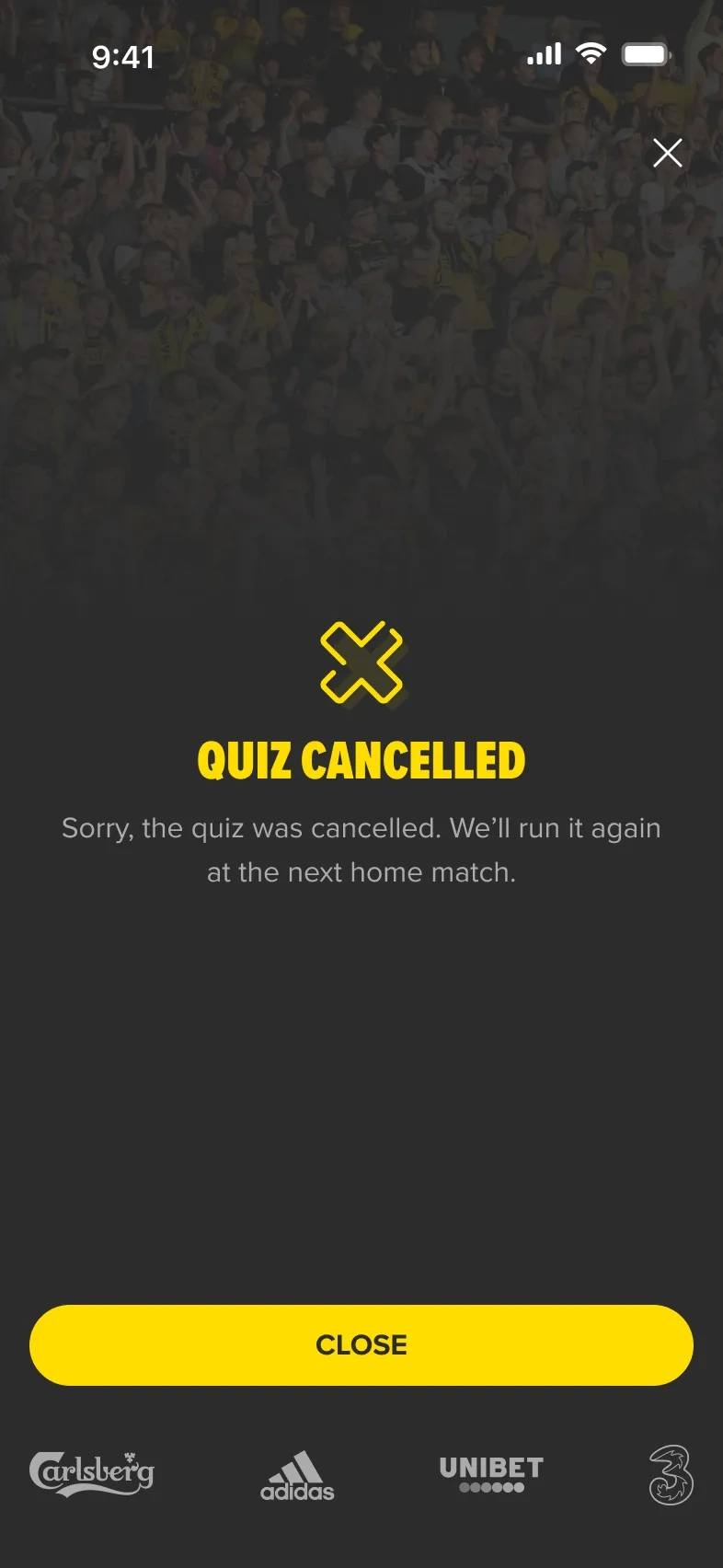
Cancelled, with the next chance named
Live control for match day
The club team runs the quiz from a live control view: the phase, the access code, start or extend the countdown, and a preview of the big screen. The work here was the states — lobby, running, results — not a full CMS.
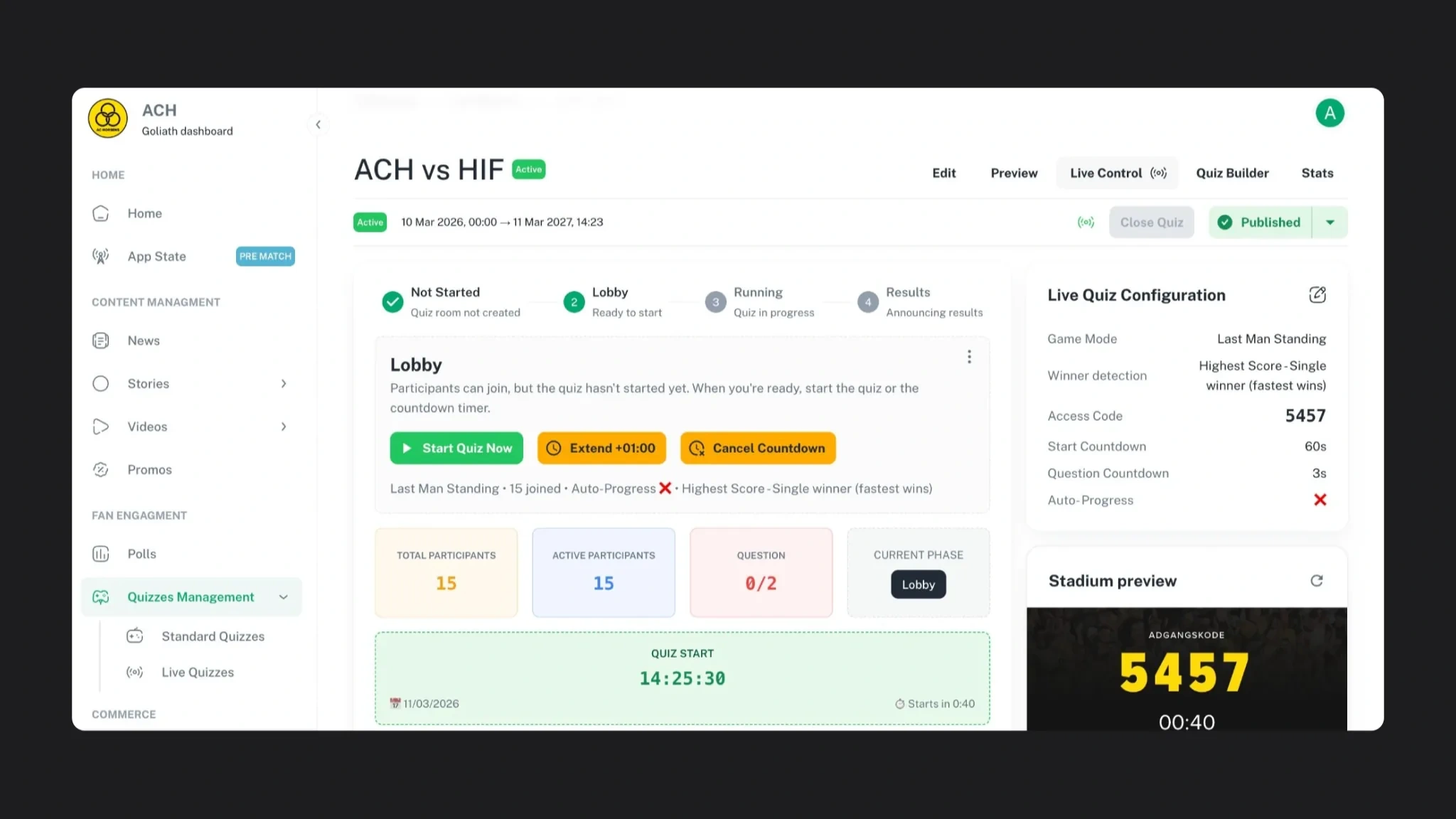
Lobby phase: code, countdown and stadium preview
Result
Platform results. Product numbers, not personal ones.
313 fans played live at half-time on the first run at AC Horsens
12–30% of the people in the stadium take part
~300 new fan profiles per home game. Example from Sports Innovation: 2,000 fans × 15%
Every player is a logged-in fan, so each home match adds profiles the club can reach again (Sports Innovation case). My part was the quiz these numbers came from: joining, playing and the live control behind it.
What I learned
A code on the big screen does two jobs: it gets fans in fast and keeps the game for people who are watching the match.
In a live game every pause needs its own screen. Counting, paused and cancelled are what fans see when the game stalls.
The quiz was only half the product. The club team needed its own live control to run it on match day.
Like this project
Posted Oct 21, 2026
A real-time interactive feature designed for a noisy, high-pressure stadium context.