White-label Mobile App Design for Football Clubs

Igor Voitenko

White-label mobile app for football clubs
Role
UI/UX & Product Designer
Platform
iOS, Android, Web
Domain
SportTech · B2B white-label
Team
2 designers, project manager, developers, QA
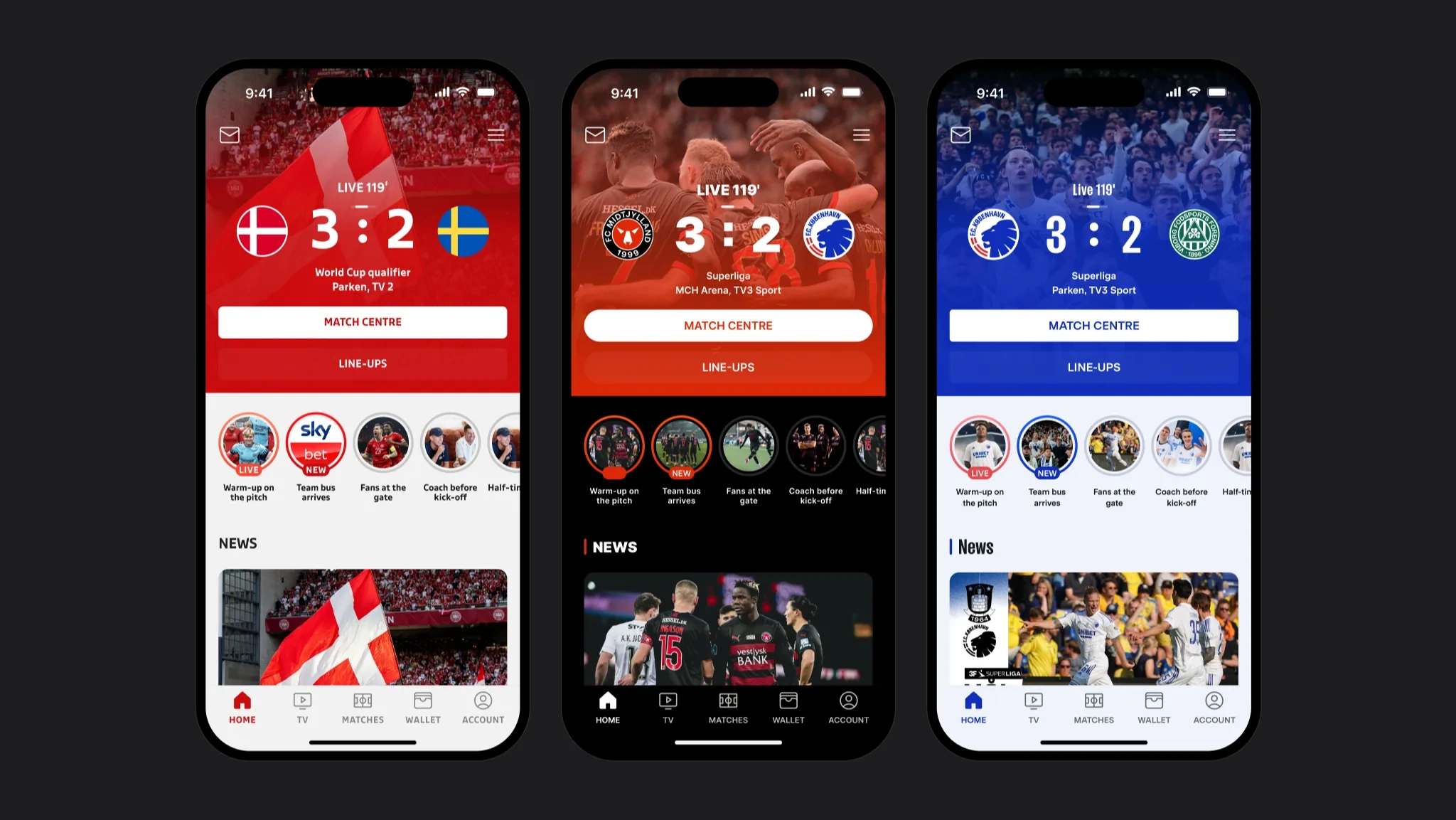
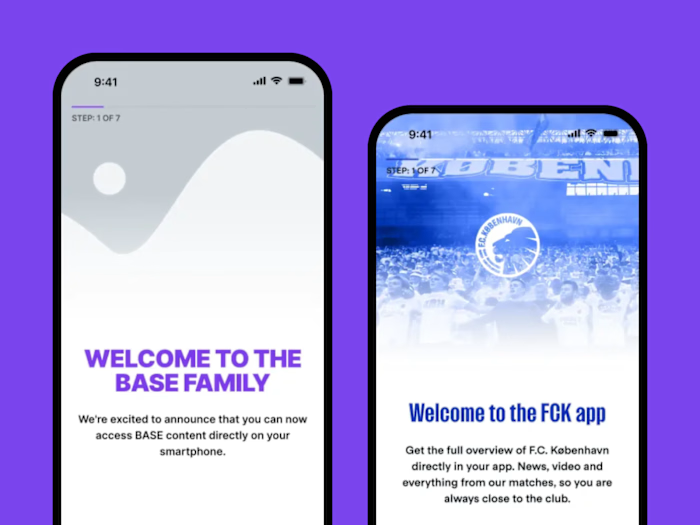
One screen, three clubs: DBU, FC Midtjylland, FC Copenhagen
Problem
Fans had the club app but barely used it. It had to become a place they open before, during and after a match — for 10+ club brands at once.
What I did
Club apps and features on one variable-based design system, a home screen that follows the match, and ticketing for two providers: wallet, transfer and release.
Result
FC Copenhagen credited the release feature with more released and resold tickets. Platform-wide: +50% active fans, no-show rate 40%15%.
One product for 10+ football clubs. Each app still has to feel like the club’s own.
Context
Clubs already had fans, but many opened the app only to buy a ticket. The product had to earn a place before, during and after a match.
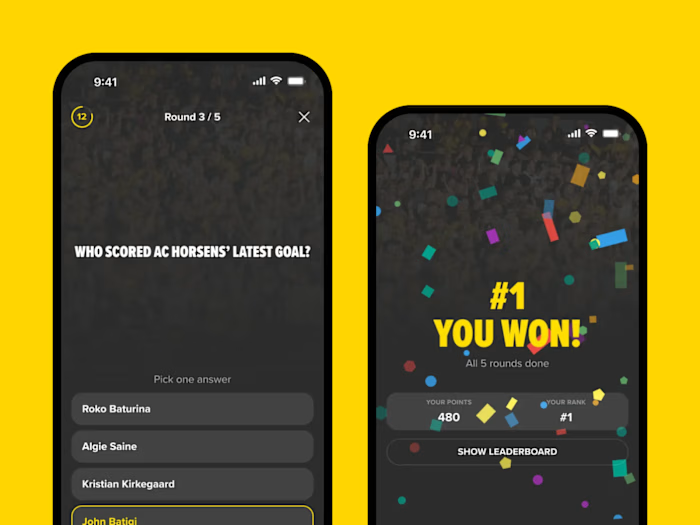
I joined the white-label team when the product had been running for about two years: core screens and a design system already existed. Over the next two years we moved the system to Figma variables and made a plugin that switches a design between clubs. On that base I designed club apps and features — Live Quiz, Stories, onboarding, vouchers and match-day screens — and helped update, extend and support the platform.
Constraints
One codebase for 10+ club brands, each with its own colors, fonts and imagery
Used at home and in a crowded stadium, often with one hand
Two ticket providers, Roboticket and Eventii, with different rules, waiting states and errors
Up to 40% of season-card holders need to release or transfer a ticket for each match
Process
We worked from fan scenarios, not from screens. The FCK board follows one fan question — what is the next match? — from the day after a game to the final whistle of the next one.
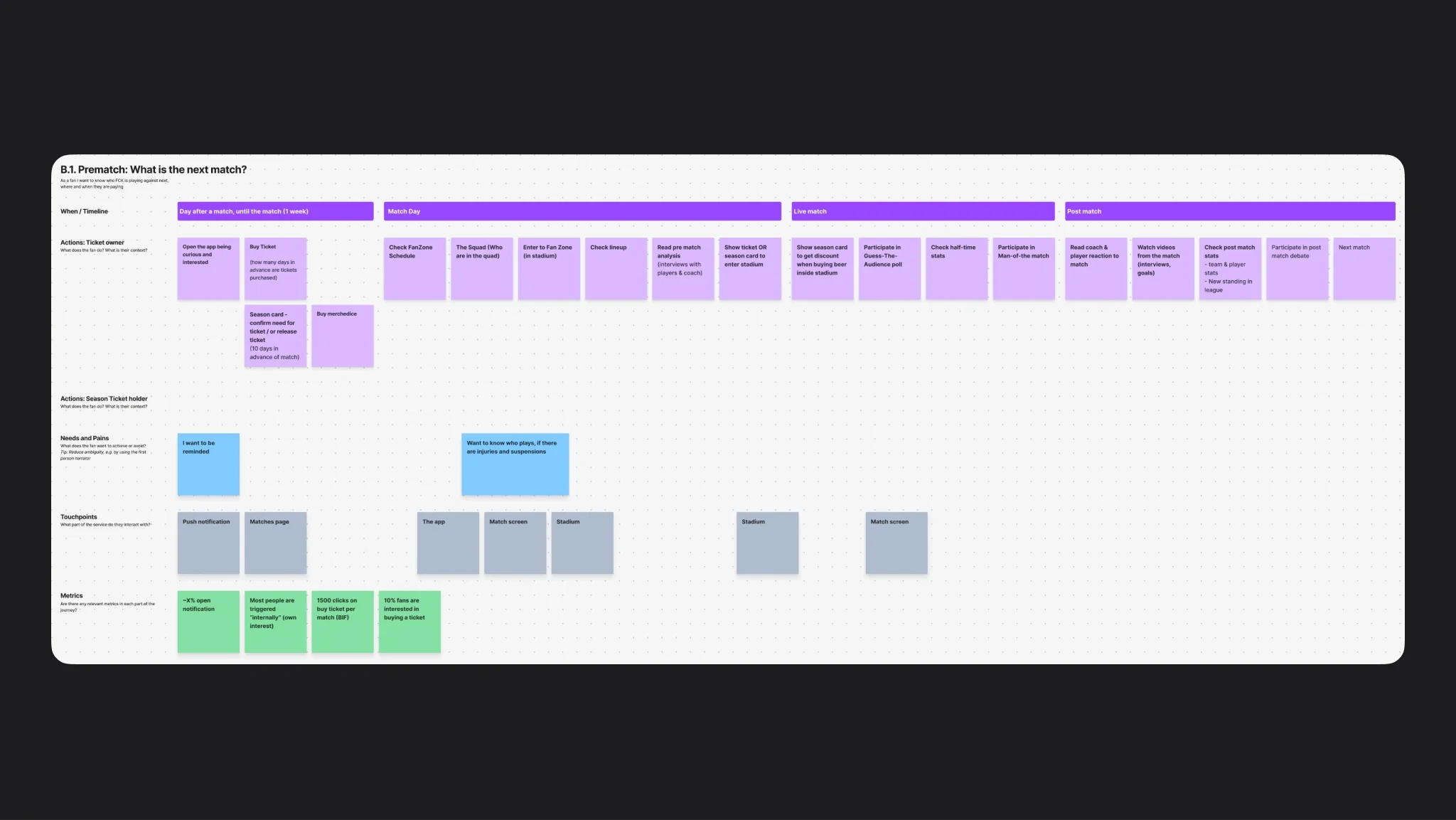
FCK board · what is the next match?
For the Brøndby IF app we benchmarked how four big clubs sell match tickets in their apps. Three paths end on an external site, and one gets stuck at the login request.
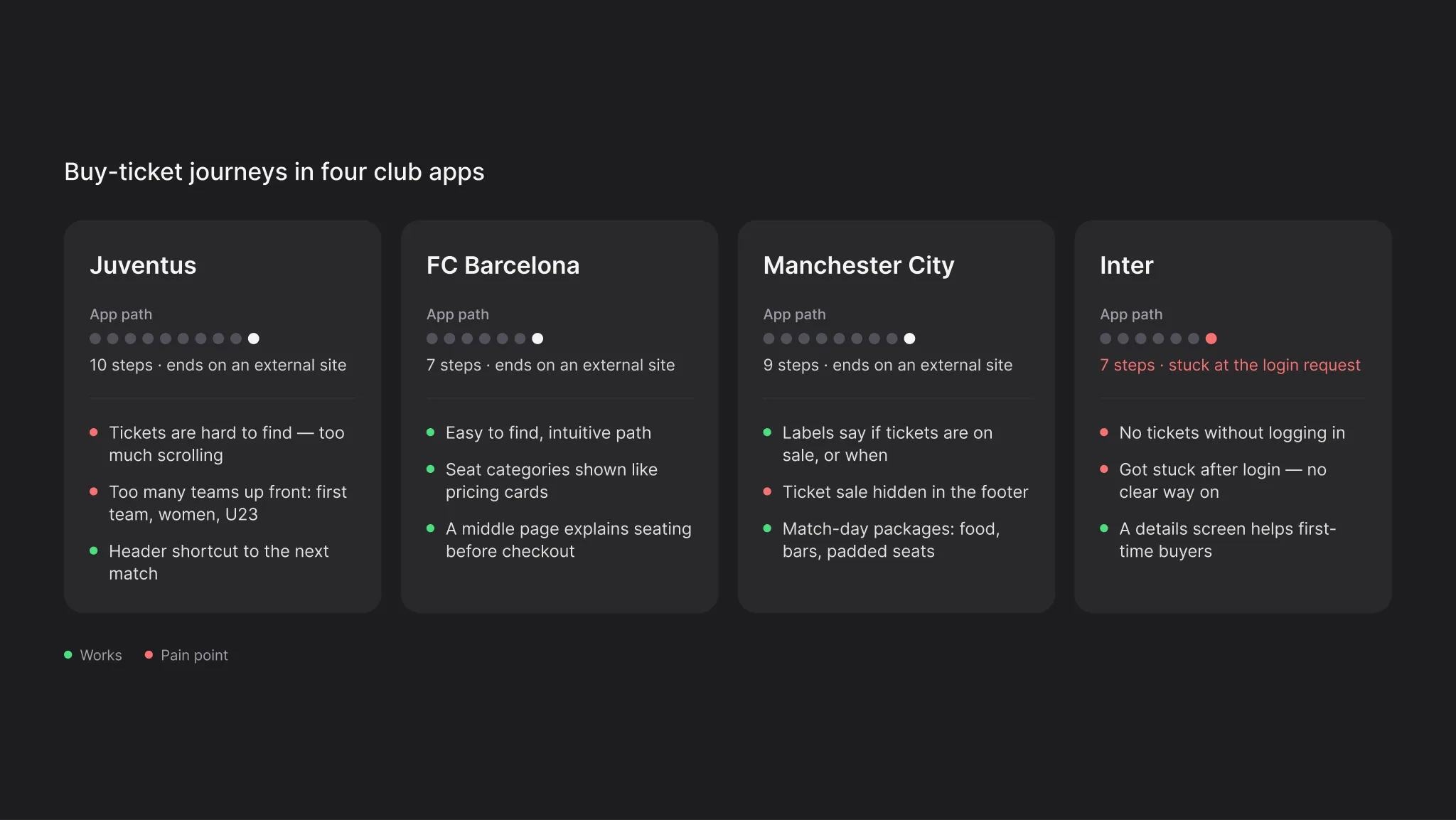
Buy-ticket benchmark · Juventus, FC Barcelona, Manchester City, Inter
Before the screens I mapped how a new fan gets into the app: first open, permissions, login or skip, home. Notifications and location matter on match day, but they should not block someone who only wants to see the next game.
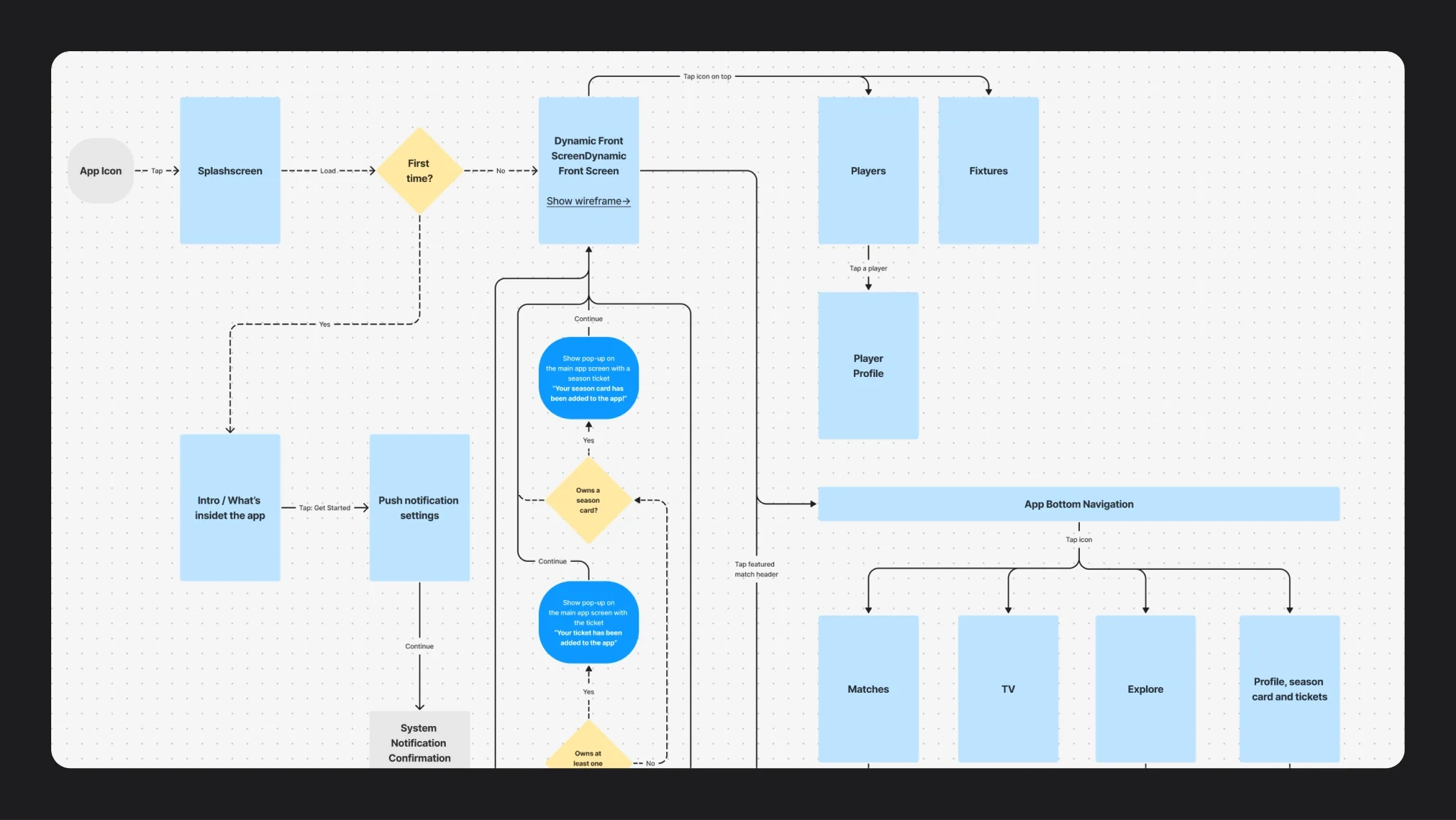
Main app flow: ask for permissions when they matter
Ticketing started as sketches by fan type. A season-card holder, a ticket subscriber, a ticket holder and a fan with no ticket each get a different question before the match.
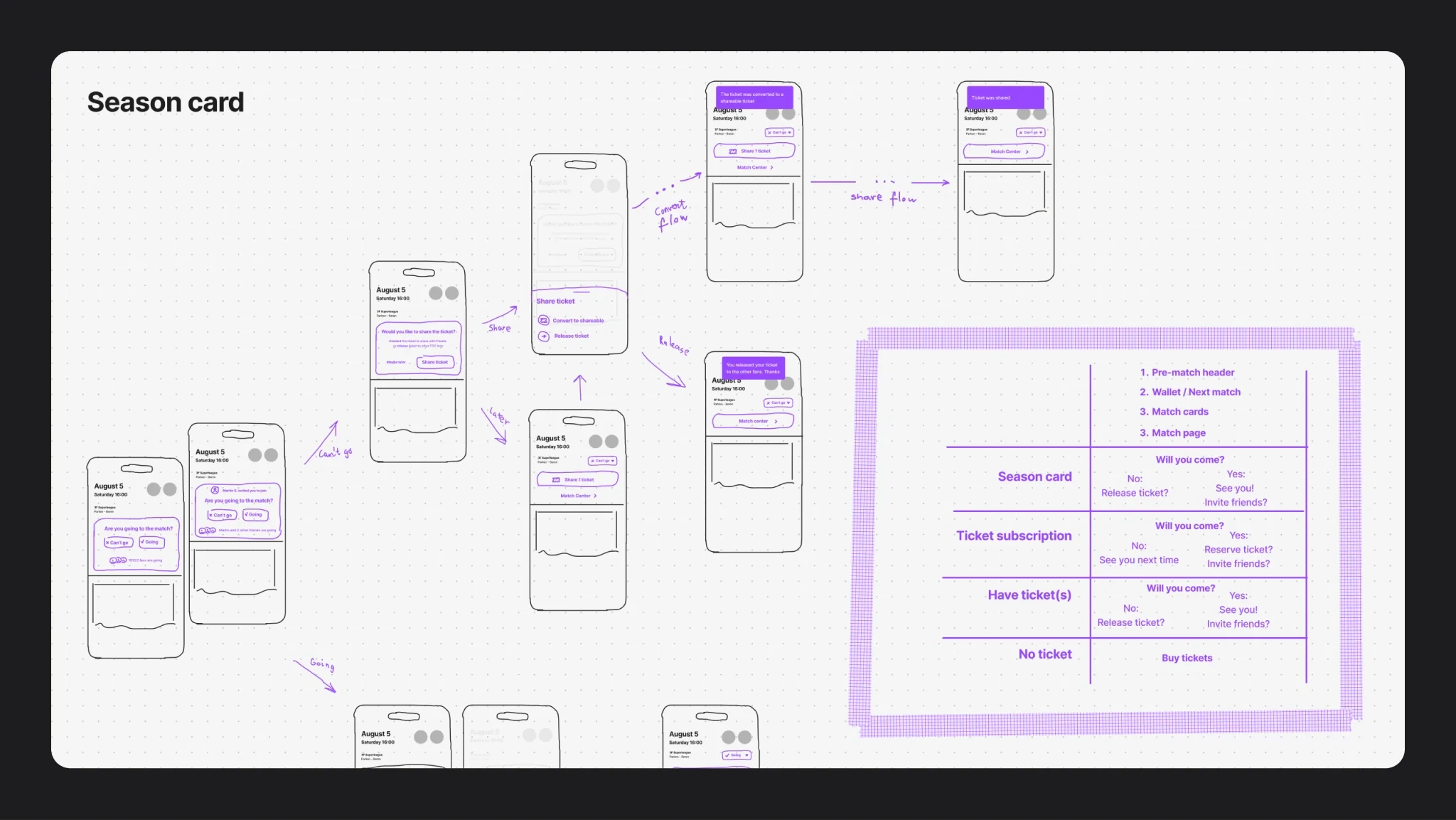
One question per fan type: will you come?
Key decisions
Actions that can’t be undone need a swipe
A transfer or a release can’t be taken back, and on match day people use the app in a crowd. So both are confirmed with a swipe, not a tap, and the screen spells out the match, the seat and what the fan gives up. Cost: one extra gesture, only where a mistake is expensive.
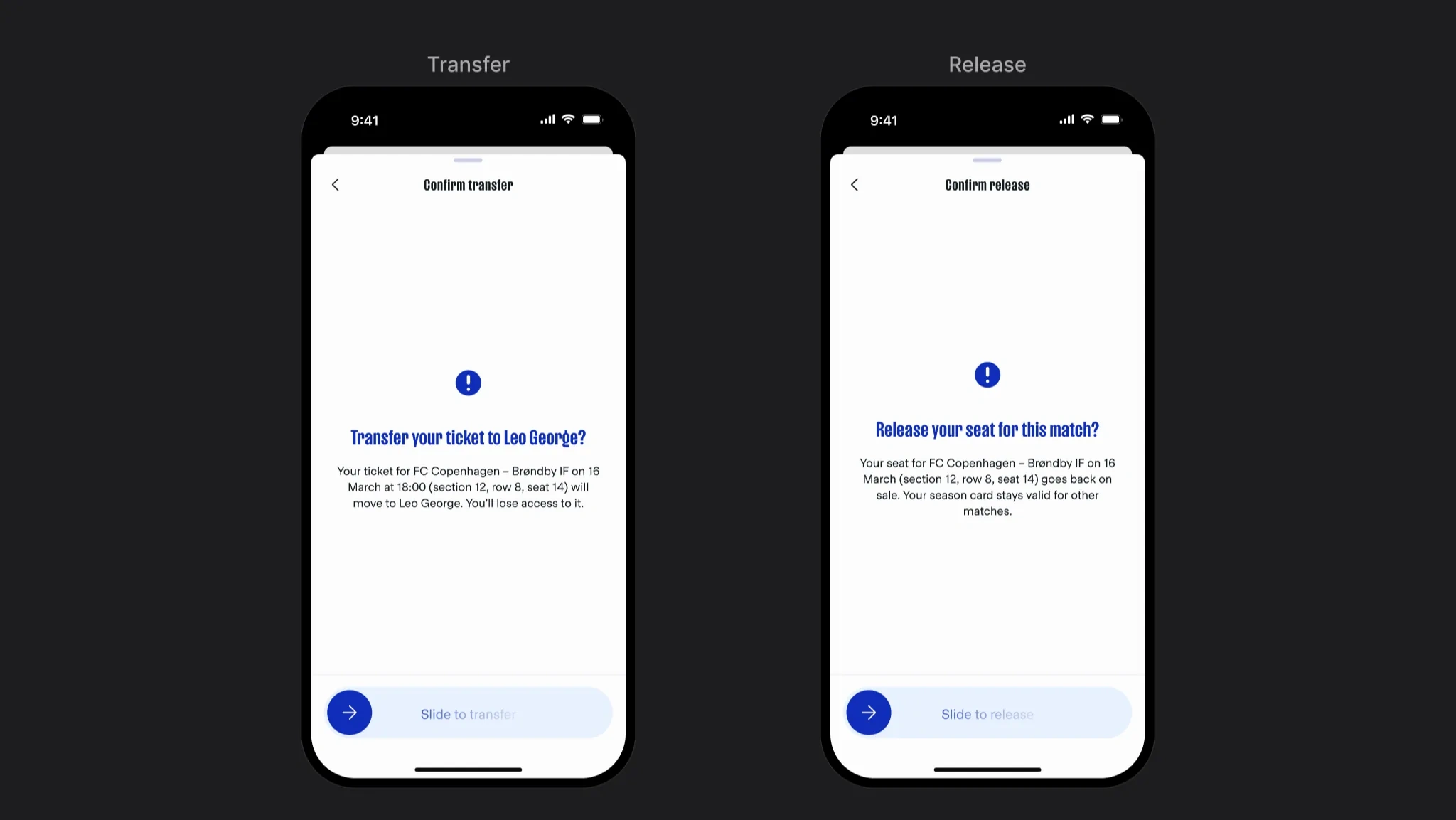
Swipe for what can’t be undone
One base theme, many clubs
Every feature is designed once, in a neutral base theme. Each club has its own set of Figma variables: colors, fonts and imagery. A plugin applies a club’s set to a batch of screens, so a new club app starts from finished flows, not from a blank page.
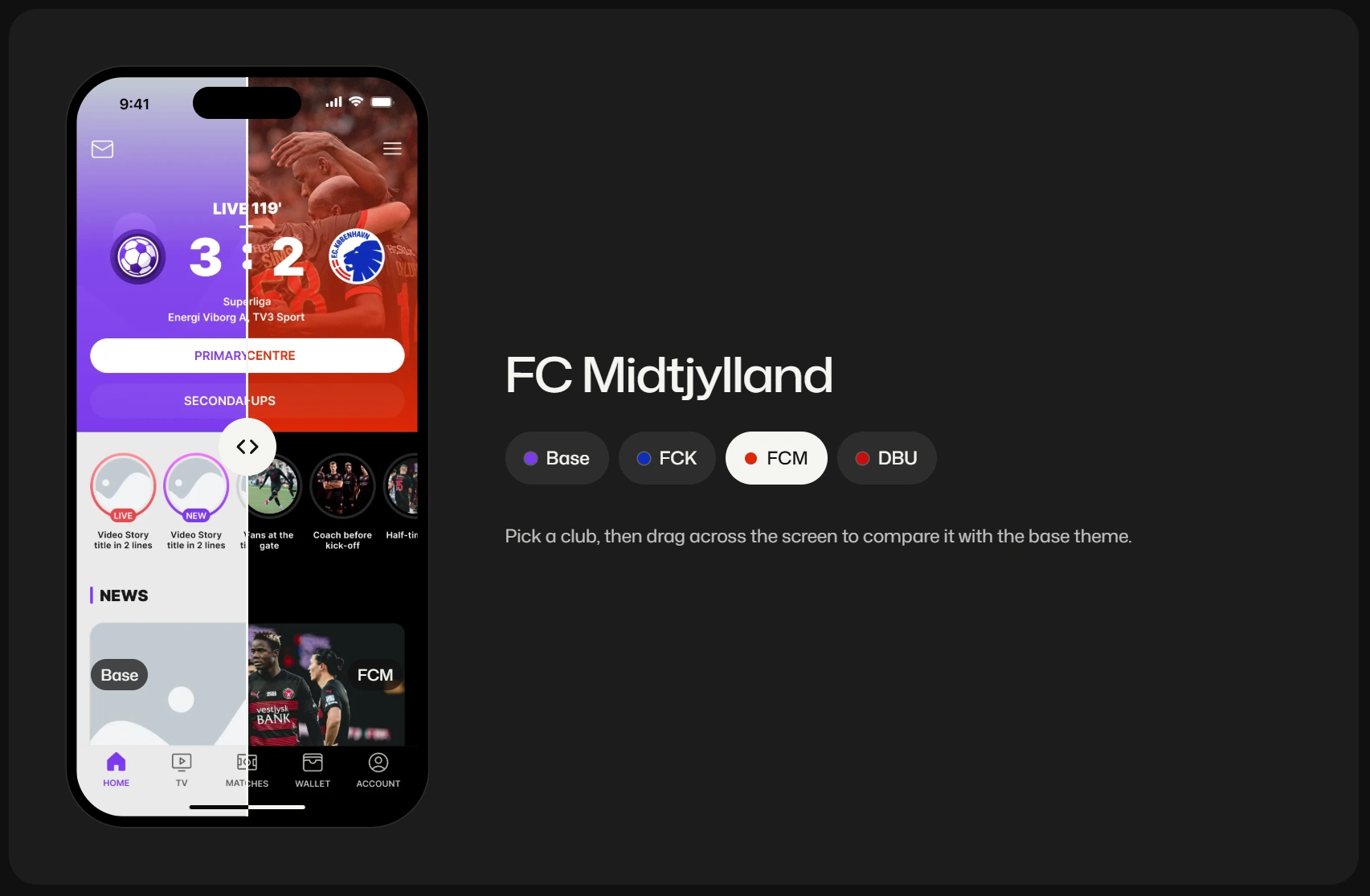
One home screen in four clubs: same layout, new brand
The system itself is a separate case: Design system for multi-brand club apps.
A home screen that follows the match
The first screen changes with the match. Before kick-off it sells tickets and asks for a score prediction. During the match it leads with the live score. After the final whistle it moves to highlights.
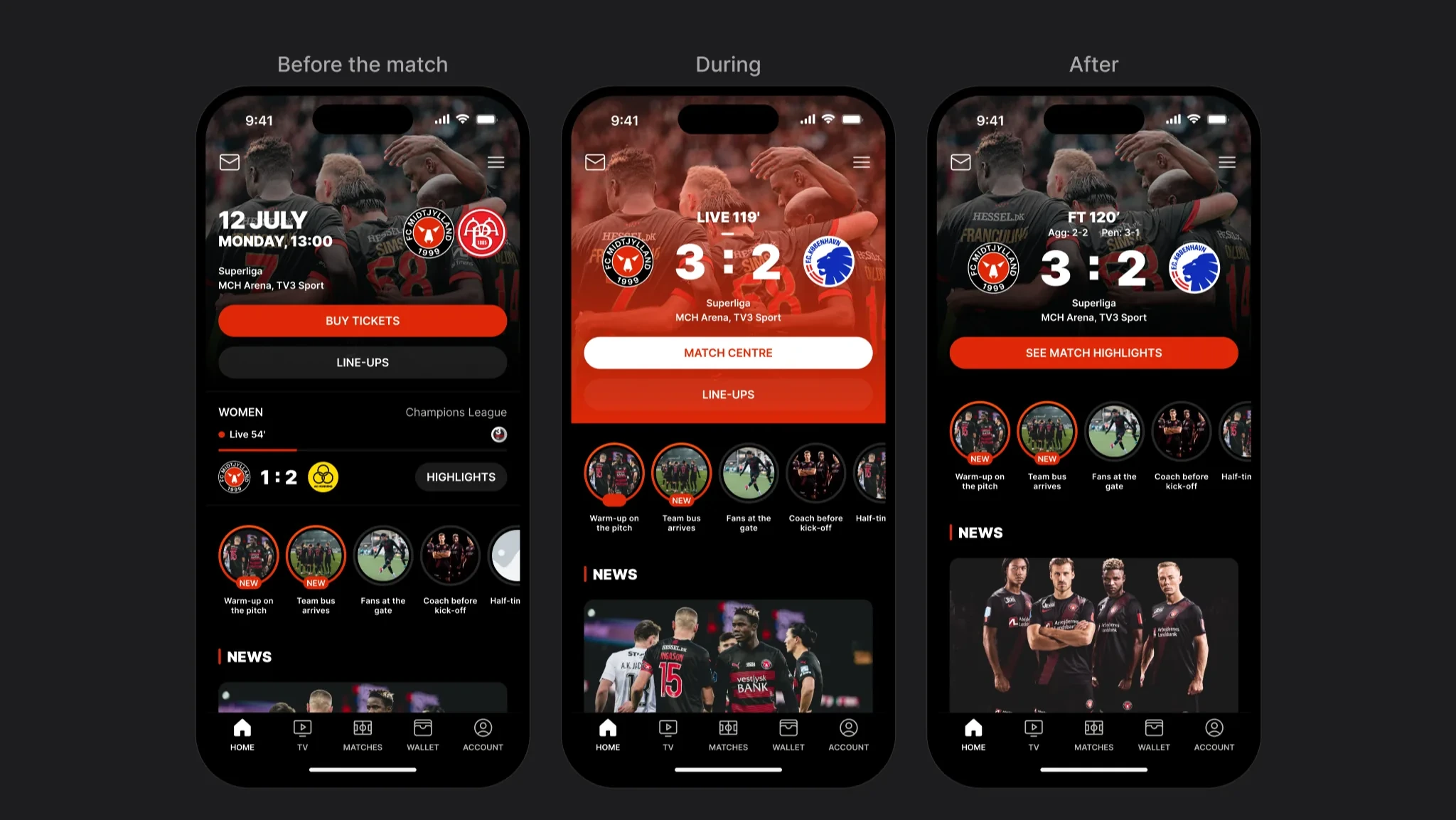
Before, during and after the match
Ticketing: two providers, many states
Ticketing was the hardest part of the app. Fans hold single tickets or season cards, and up to 40% of season-card holders need to release or transfer a ticket for each match. Behind that were two providers with different rules.
On the FCK board I mapped the decision first. Before a match the fan confirms they are going, sends the seat to a friend, or releases it. The screens follow that split.
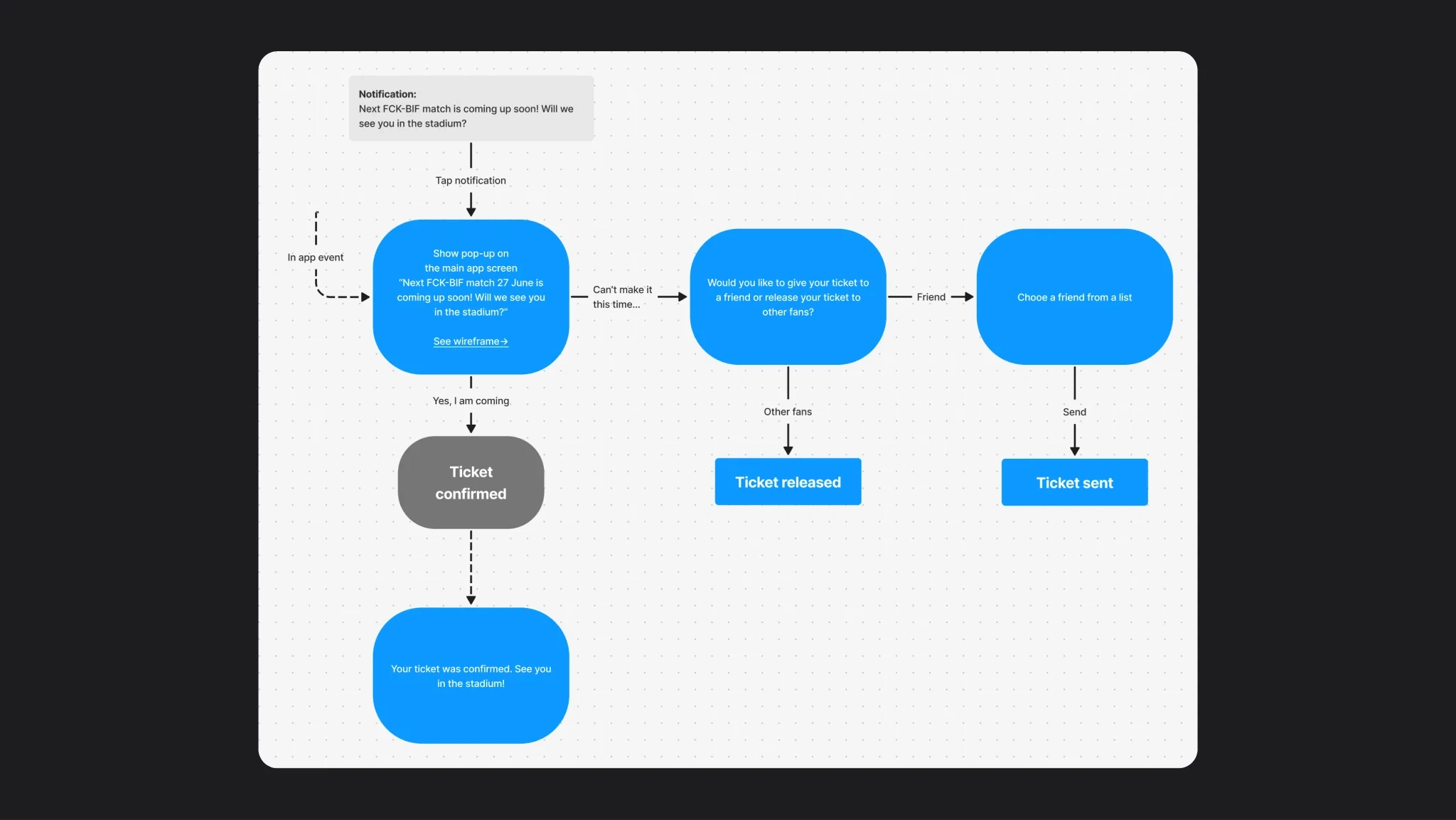
FCK board · confirm, send or release
Wallet
The wallet is empty until the fan account is linked to the ticketing system. Then the same place holds single tickets and season cards.
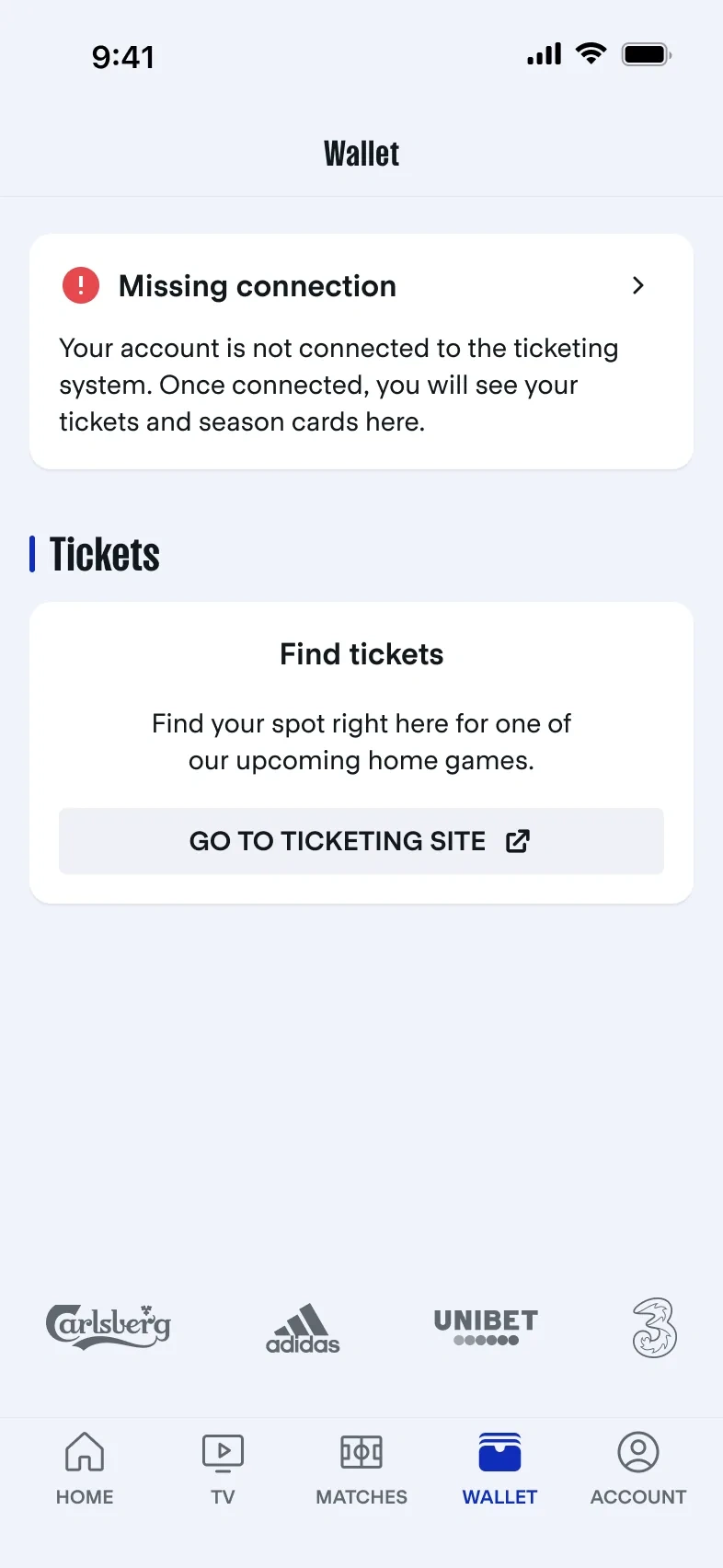
Nothing to show until the account is linked
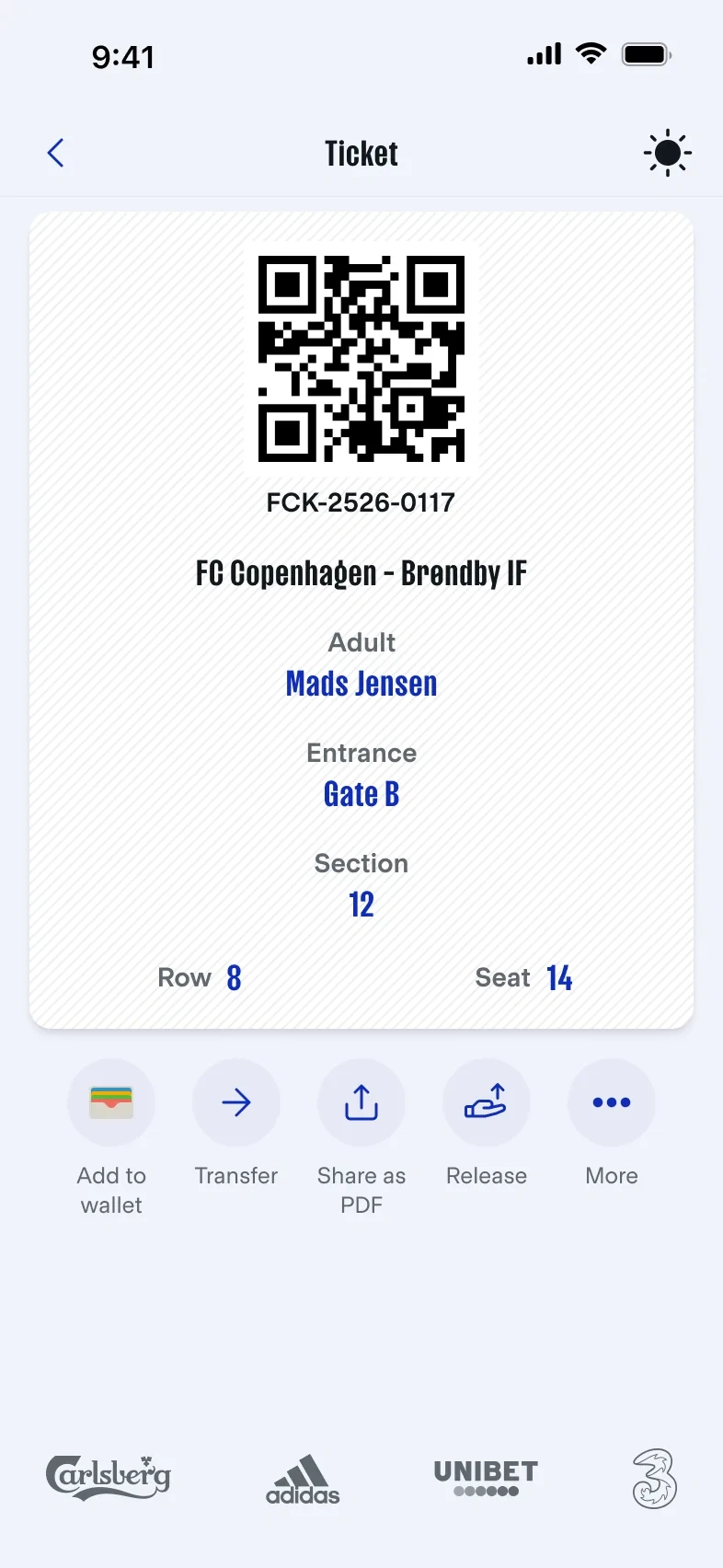
One ticket, every action under the code
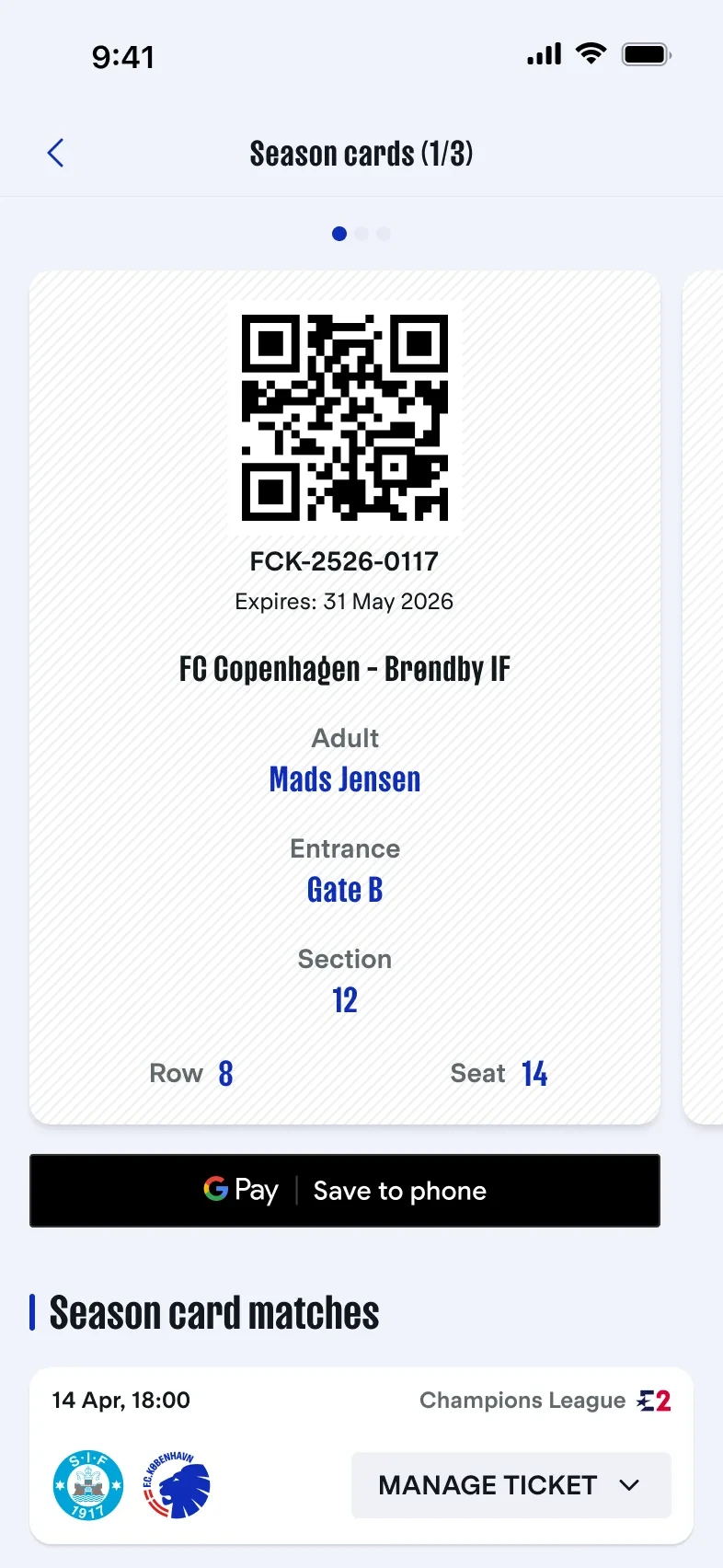
A season card with its matches below
Transfer to a friend
Pick a friend, check the match and the seat, swipe. The last screen says who has the ticket now.
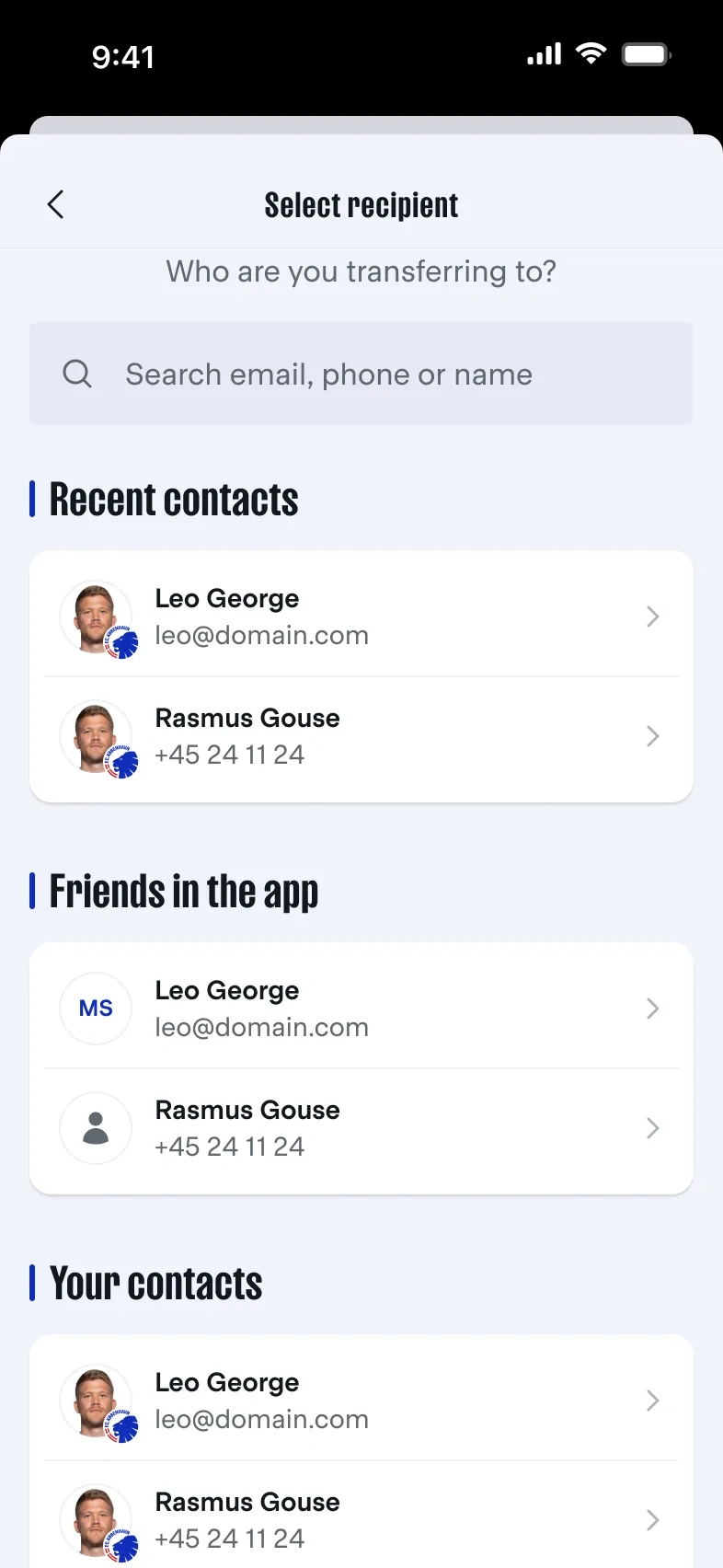
Recent contacts and friends already in the app
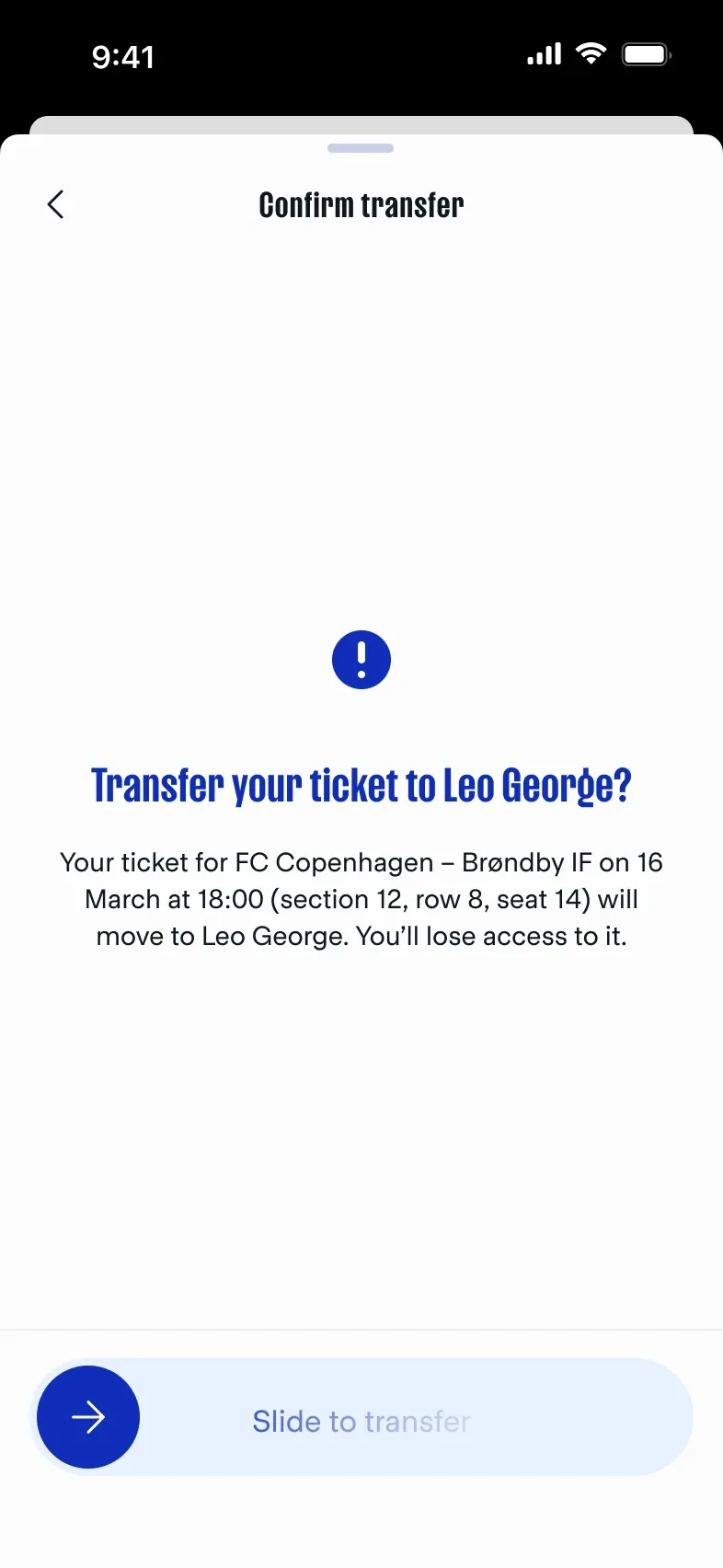
Match, seat and recipient before the swipe
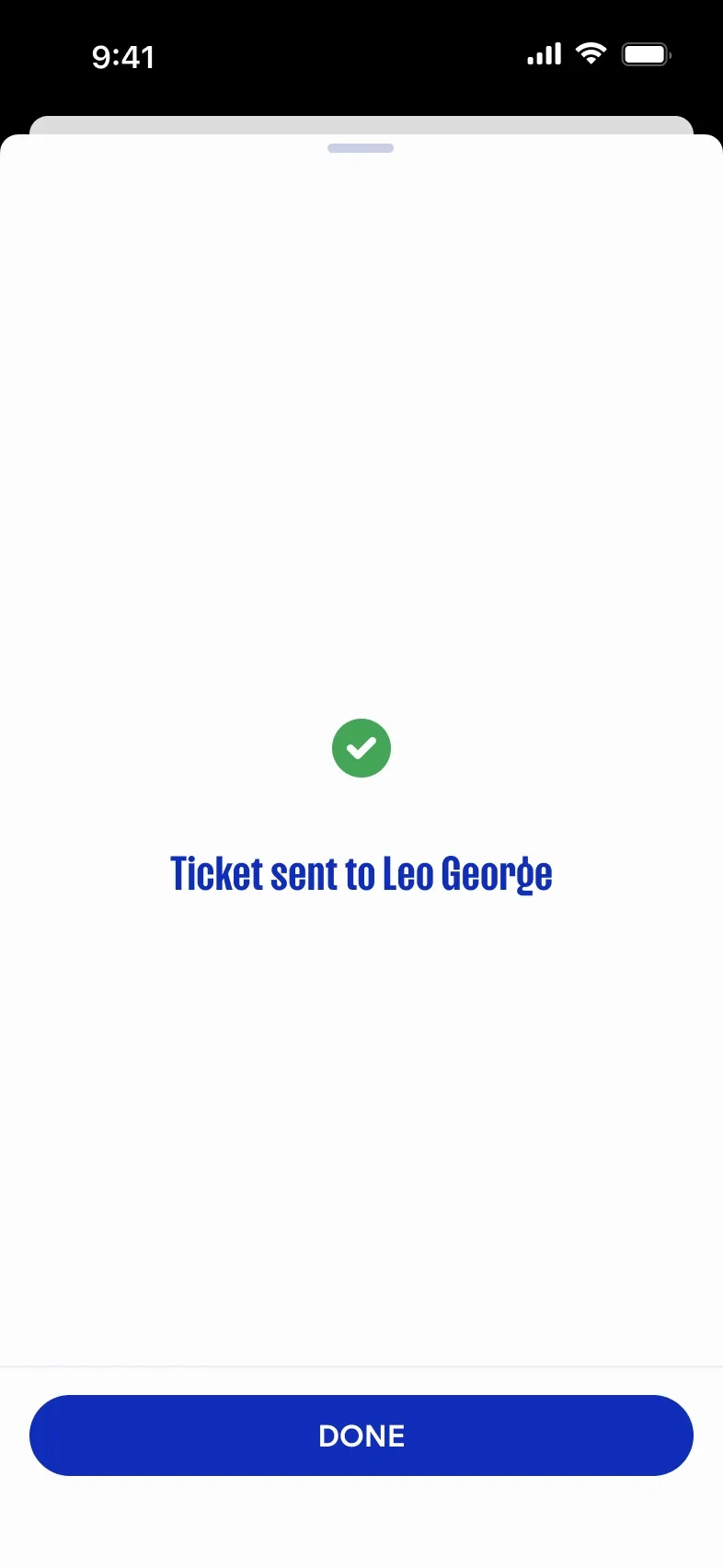
Who has the ticket now
Release a seat
A season-card holder who can’t come gives the seat back for resale. The card stays valid for the other matches.
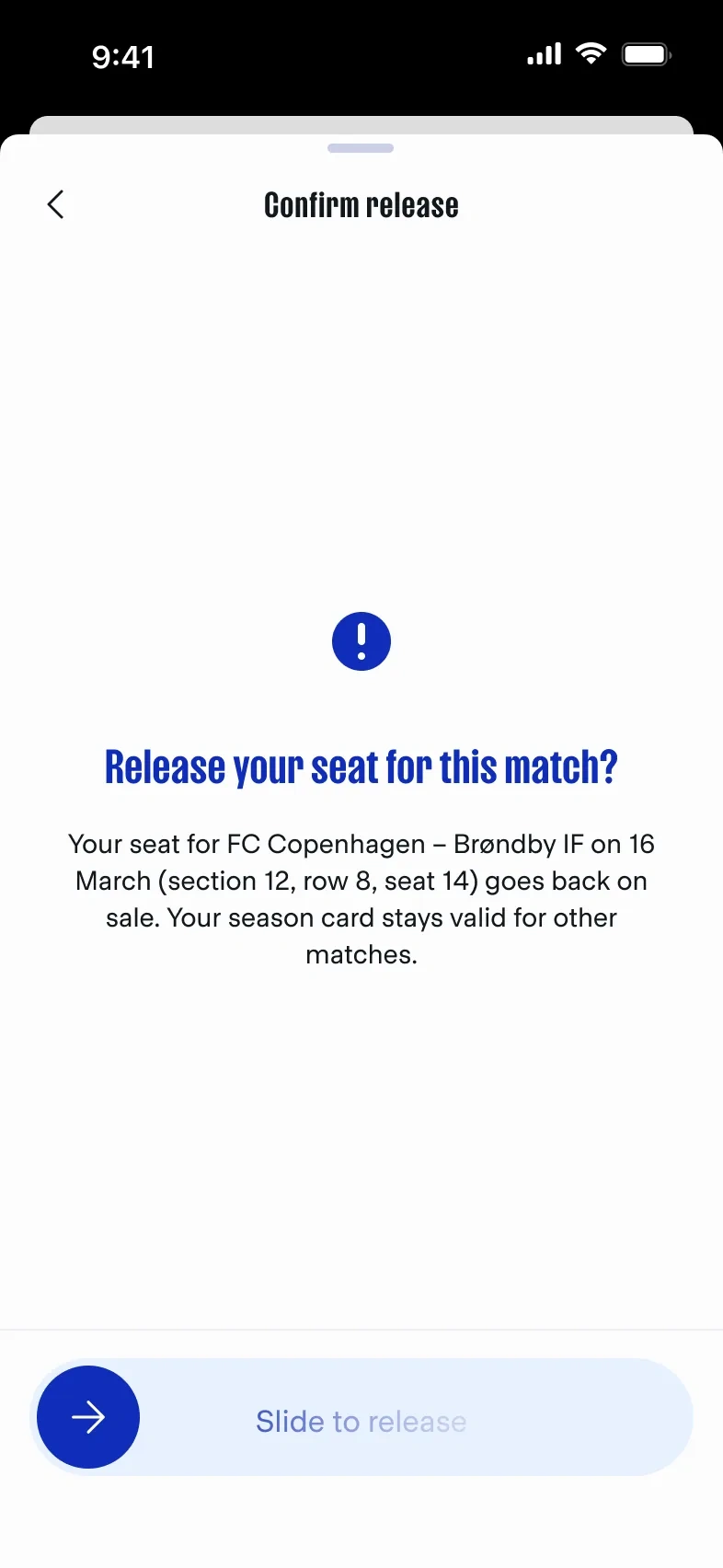
What the fan gives up, in one sentence
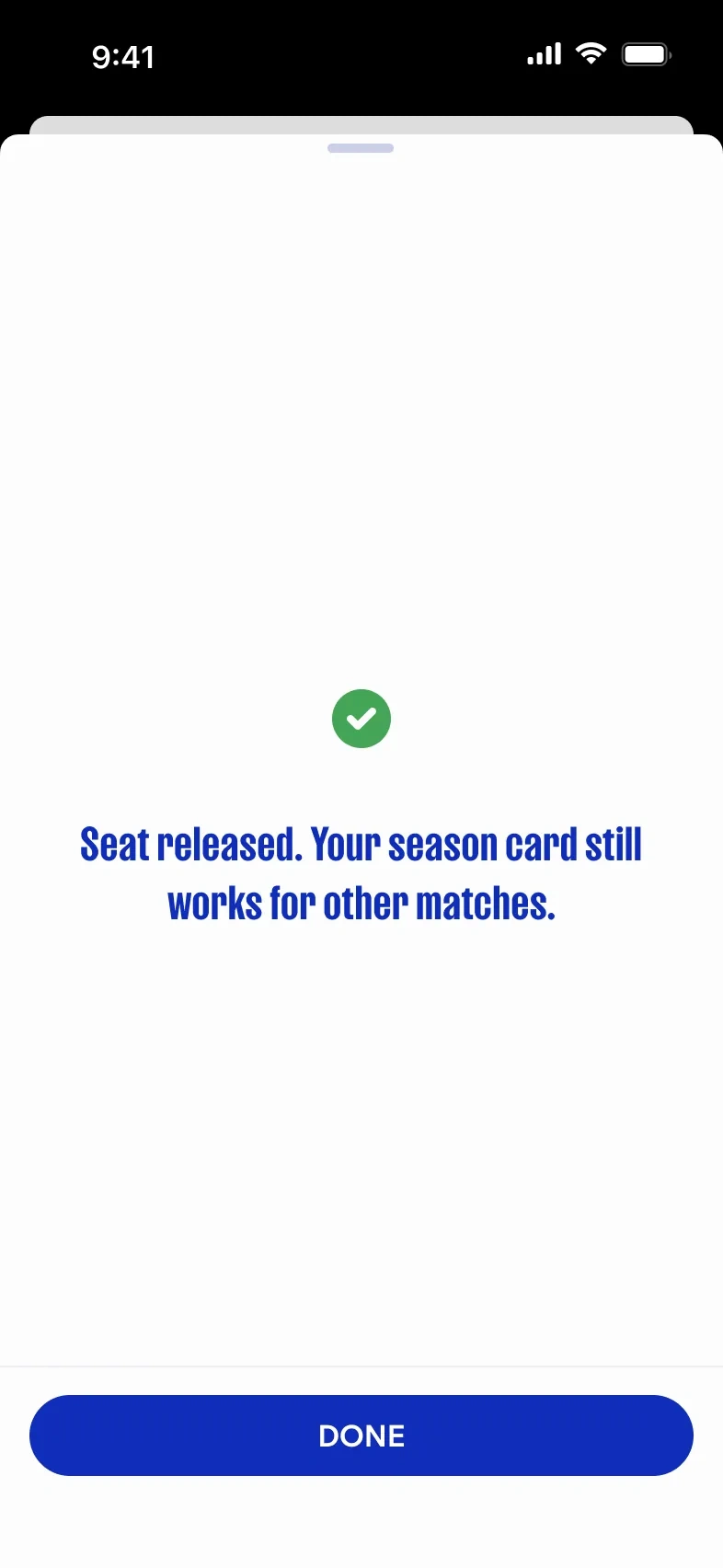
Done, and the card still works
Eventii: share by email
Eventii could not follow the same transfer. The ticket is shared by email and both people can see it, so the action is called Share, not Transfer.
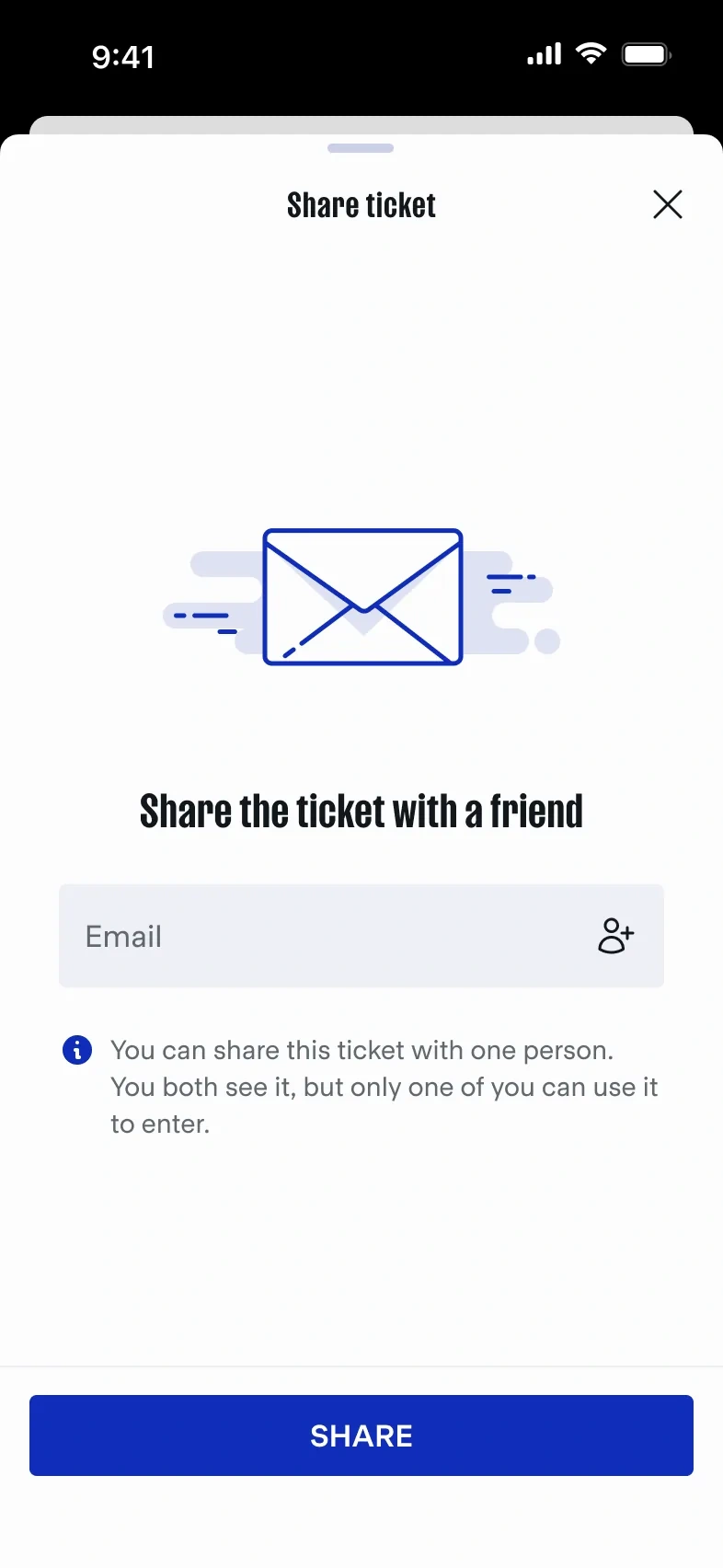
One person, one entry, said up front
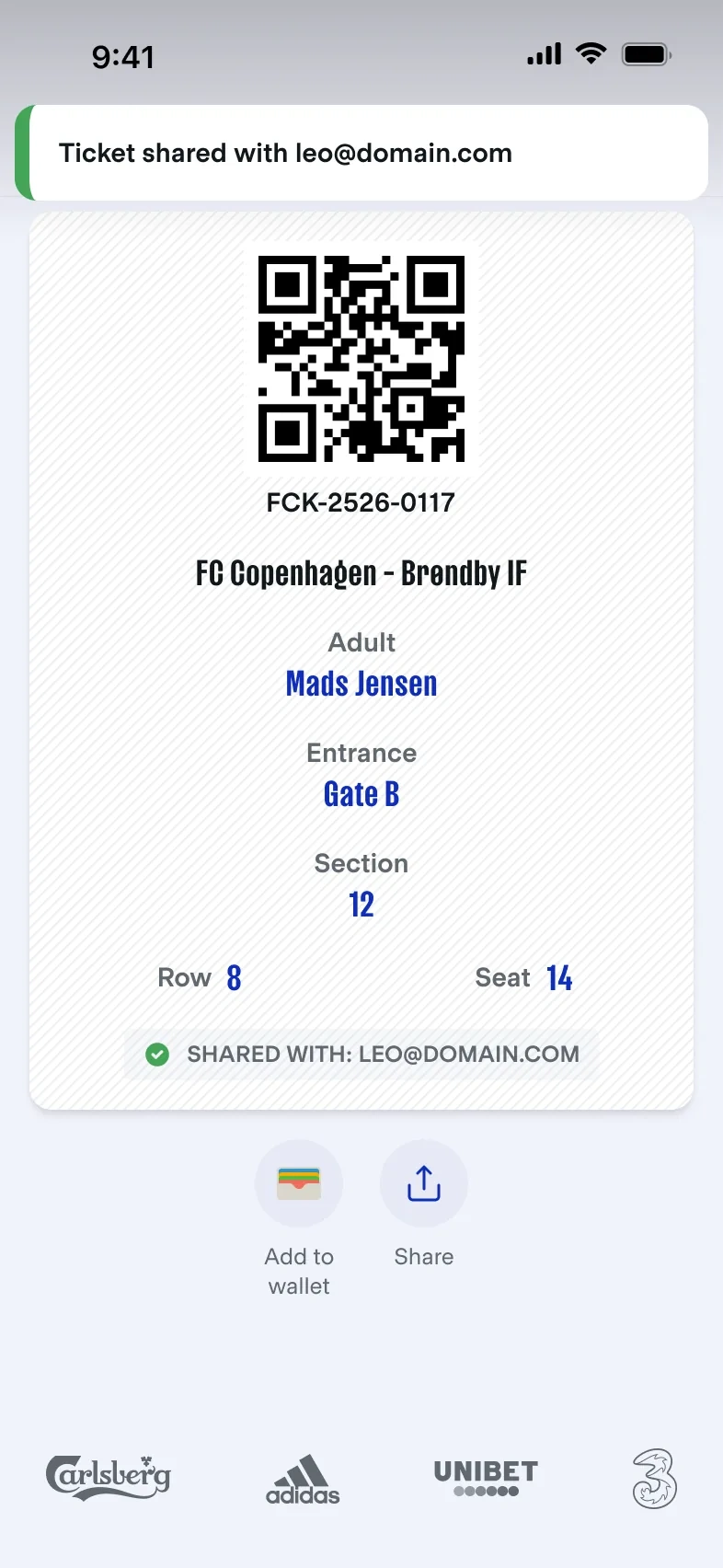
The ticket shows who it’s shared with
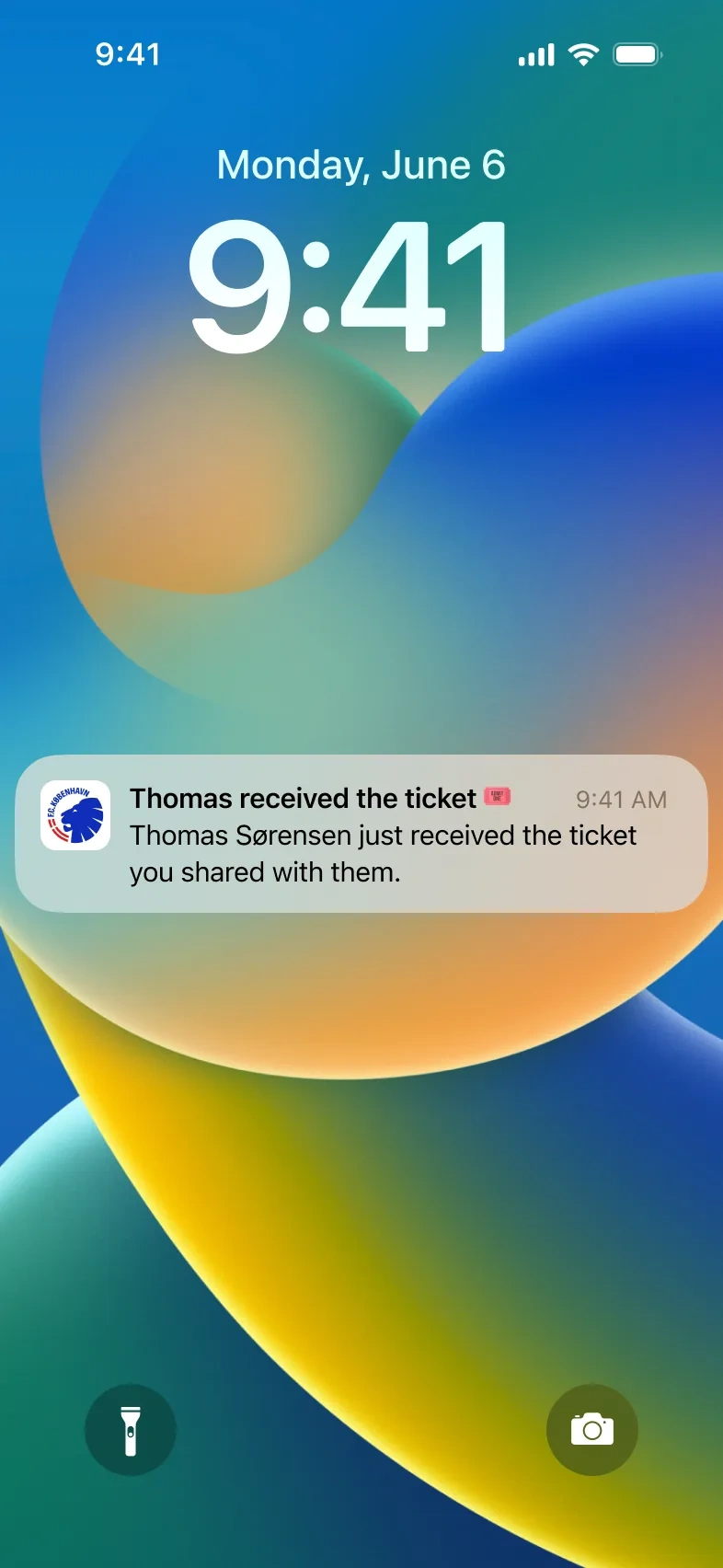
The sender knows when the friend has it
States and edge cases
The flows also had to fail well and ask for permissions at the right moment.
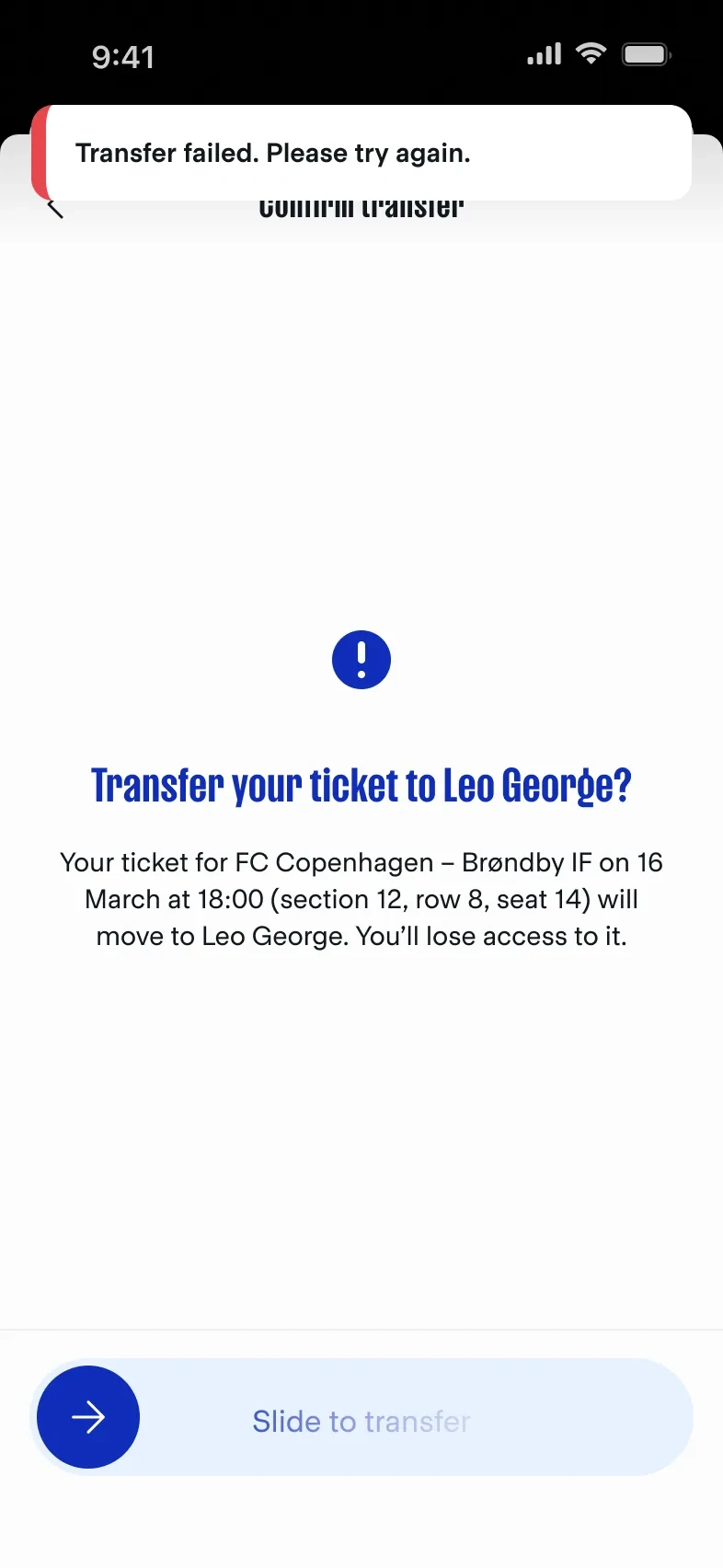
A failed transfer keeps the ticket and asks to retry
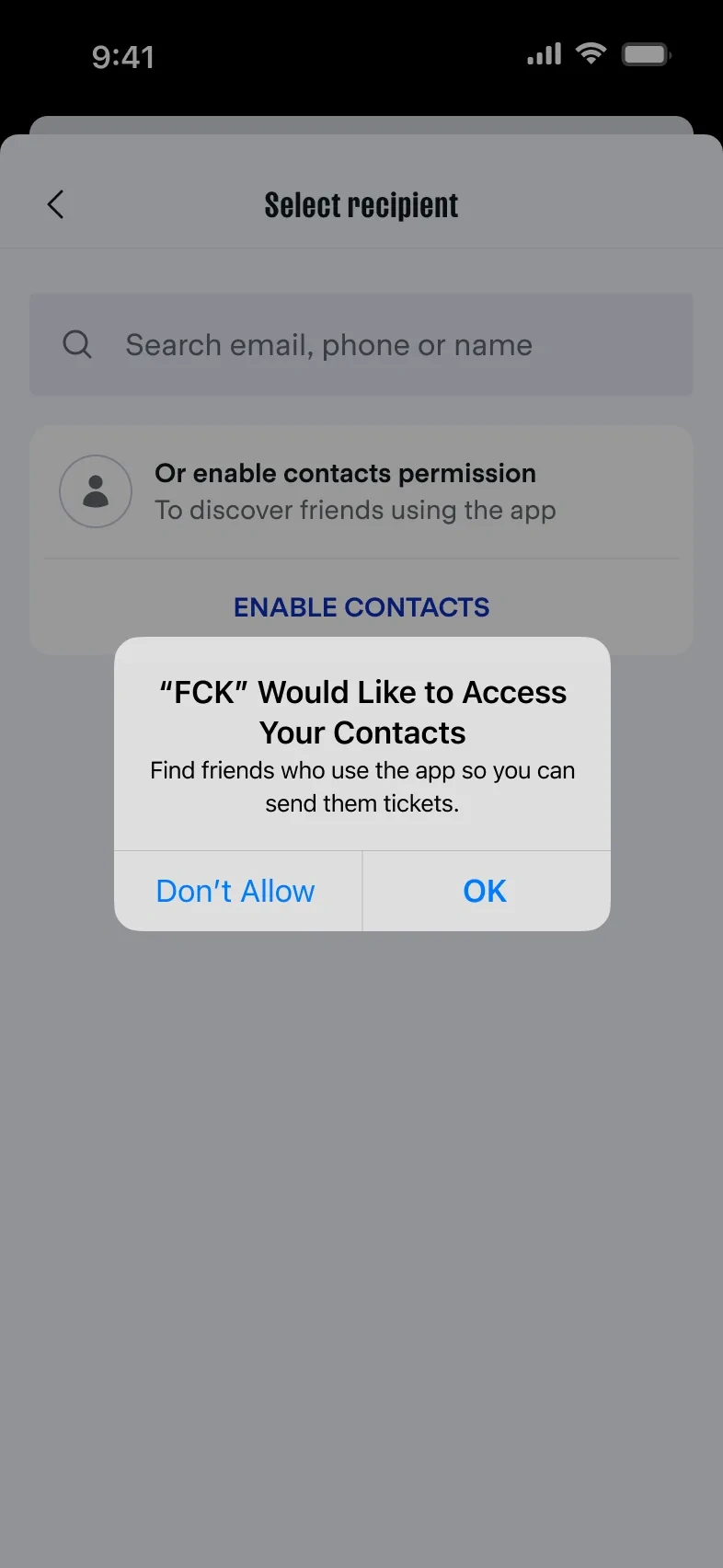
Contacts permission alert on the Select recipient screen
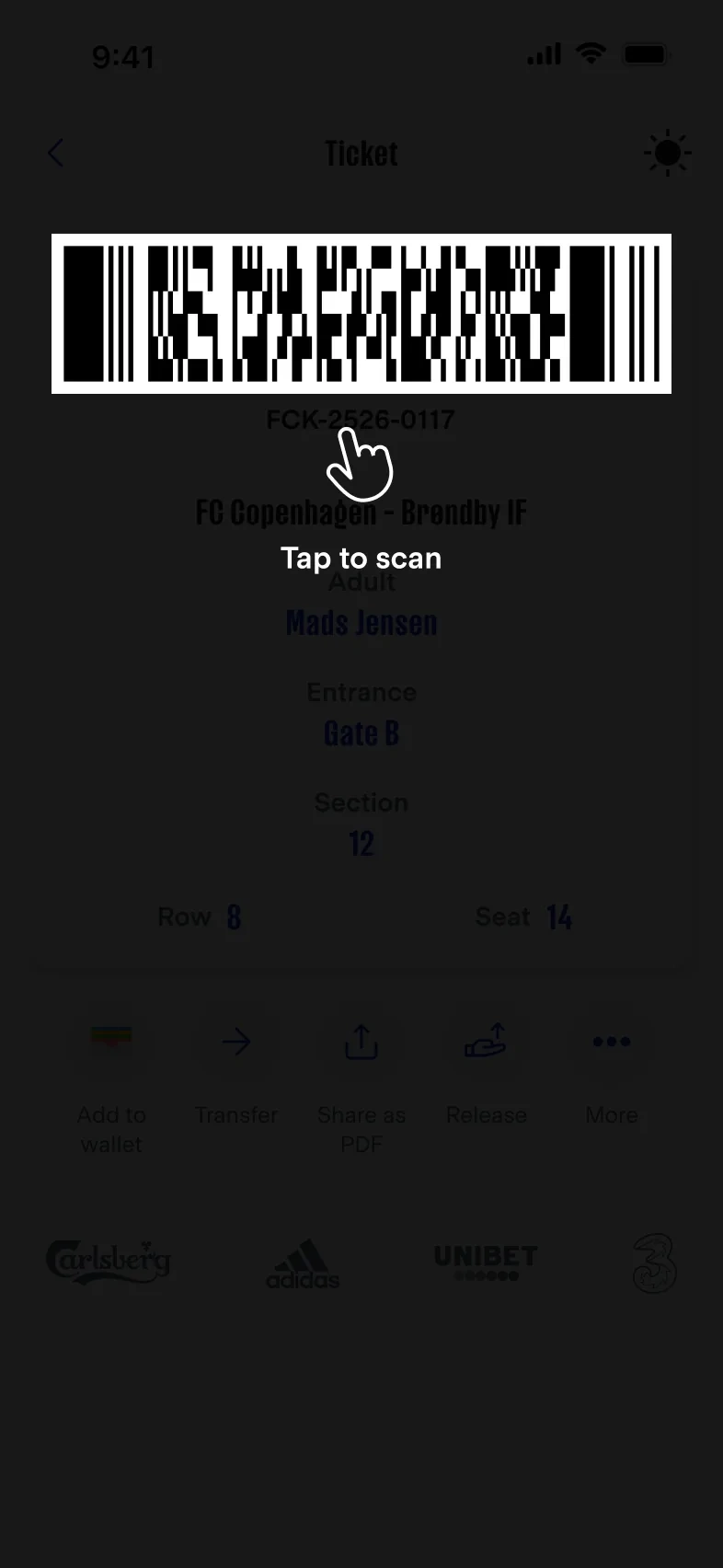
First open: tap the code to scan
Fan web cabinet
Season-card holders also had a web cabinet. The home view shows what a fan checks before a match: attendance, cards, tickets and the next games — scannable on desktop, not a copy of the app.
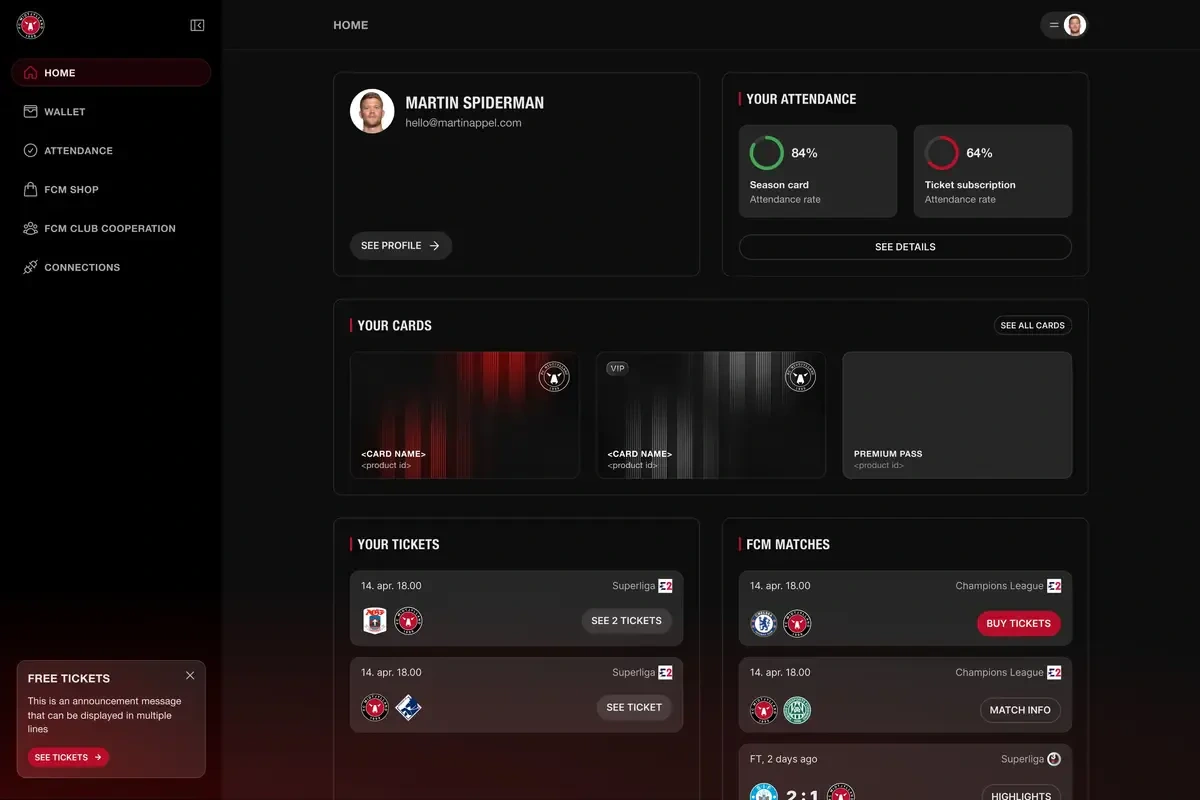
Fan web cabinet home view: attendance, cards, tickets and next games
Result
The release flow has a public result: FC Copenhagen credited it with more released and resold tickets for home games at Parken, and fewer empty seats (Sports Innovation case).
Platform results. Product numbers, not personal ones.
+50% more active fans
+50K monthly active users, over 80% of fans
+€50K extra ticket sales each month, plus €20K in the shop
40% to 15% no-show rate after the app launch
My part was the interface these numbers ran through: clearer flows, a home that fits the moment, and ticket actions that are hard to get wrong.
What I learned
Provider rules shape the UX. Eventii forced an email path — and its own verb.
In white-label work the system is the product. One screen is only a test of it.
A feature used by 40% of season-card holders every match deserves its own flow, not a menu item.
Like this project
Posted Oct 21, 2026
Personalization, fan journey, and engagement features for a multi-club product.
Likes
0
Views
0