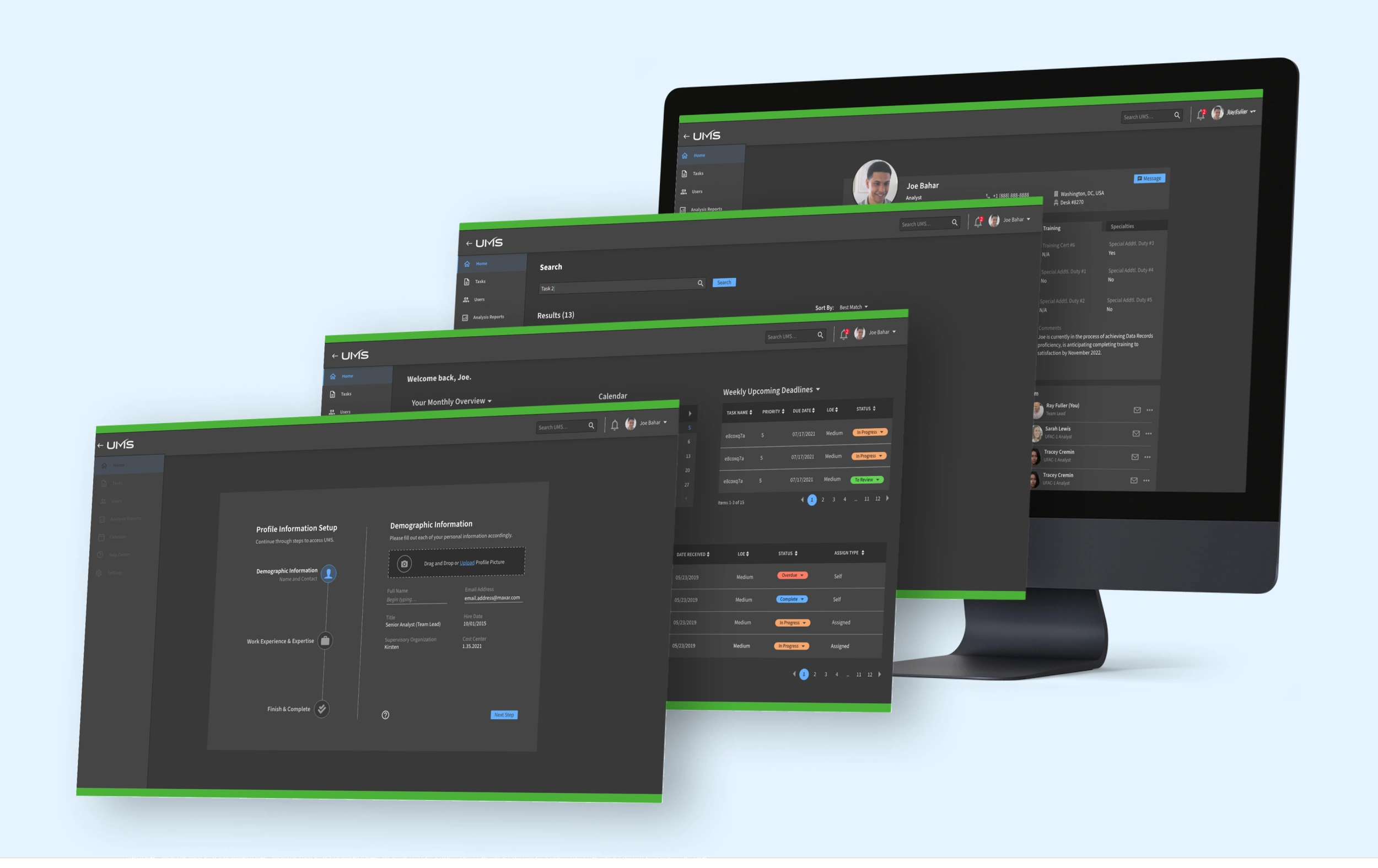
Task Management Application Design

Serena Sabuda


PRODUCT RESEARCH - DESIGN - STYLE GUIDE
Due to Classification, some information may be redacted.
Our customer has a suite of applications where users perform their tasks and wants an application that is able to manage and update all their tasking in one place.
The current system is outdated, unreliable, tedious, and creates discrepancies between siloed teams and apps. There were some obvious areas to improve as well as other features that several users brought up: automation features, filters and sorting, integration with their current suite of applications, and the ability to assign directly in-app.
provide an automatic and intuitive way for our Chiefs to assign tasks, Analysts to complete tasks, and Leads to review tasks, all within the same suite of applications?
Workflows & Affinity Diagram
After interviewing several users in each user group, I took insights from each interview and organized them on colored '‘sticky notes” that each have a theme themselves. I then clustered notes that had insights into similar features. Finally, I named each cluster to identify a theme.
View fullsize
View fullsize
Impact x Effort Map
To prioritize features, I categorized Potential Feature Requirements into a map that shows the impact the feature would make on the application and the effort it takes to develop it. This required feedback from users and conversations with developers.
The first map illustrates broad features, while the second map illustrates the features in more detail.
View fullsize
View fullsize
Users
Our personas represent each user group we interviewed. Each user has a different purpose and goal, which are reflected in the user stories.
User Journeys
Since we have multiple users, and each one has a different role, I thought it would be beneficial to create a journey map for each Persona to illustrate an example of their potential actions, feelings, struggles, and opportunities as they move through the application.
View fullsize
View fullsize
Flowcharts
I created internal diagrams to clearly understand how the user is guided through each step of their process and how those tie into each other. The client liked the flowchart so much that they wanted one to explain to leadership the general gist of the TMS and its capabilities. So I created a flowchart of each user in a more concise and easily-digestible manner.
View fullsize
Dark Mode Style Guide
Light Mode Style Guide
Initial lo-fi wireframes of potential ideas for the Dashboard display - the first page a user would land on.
Dashboard display with an Overview of their tasks’ statuses, a Calendar to view upcoming due-dates, and a minimized Tasks view.
Display of all Tasking and their statuses
Iteration of the Notifications page
Like this project
Posted May 5, 2026
Designed and improved a task management application for better user experience.
Likes
0
Views
4