Fleet Command UI — Interface Design for Multi-Drone Operations

Sergey Bertagnini


Fleet Command — Interface Design for Multi-Drone Operations
The Challenge
Most drone software is built around one aircraft: one feed, one set of telemetry, one operator watching one screen. This client needed the opposite — a command interface where a single operator can monitor and direct an entire fleet at once, across fixed-wing, rotary, and multi-rotor hardware, running missions as different as military reconnaissance, agricultural surveying, and search and rescue. The hard part wasn't fitting more information on screen. It was making a fleet of moving aircraft readable at a glance, under pressure, without turning the interface into noise. In this category, a slow read isn't a UX flaw — it's a missed target or a delayed rescue.
The Process
I didn't start in dashboard templates. A tool meant to run a fleet in real time has more in common with a cockpit than a SaaS product, so the reference points were optical instruments, aircraft avionics, and tactical HUDs — the same instinct I built designing in-car UI systems for Lamborghini, Ferrari, and Bugatti, where every reading has to be trusted in a fraction of a second. Before any screen got drawn, I mapped the actual operator workflows with the product and engineering team: track a single drone, supervise the full fleet, react the moment a target is recognized, review a flight after the fact. The interface was built to serve those moments, not the other way around.
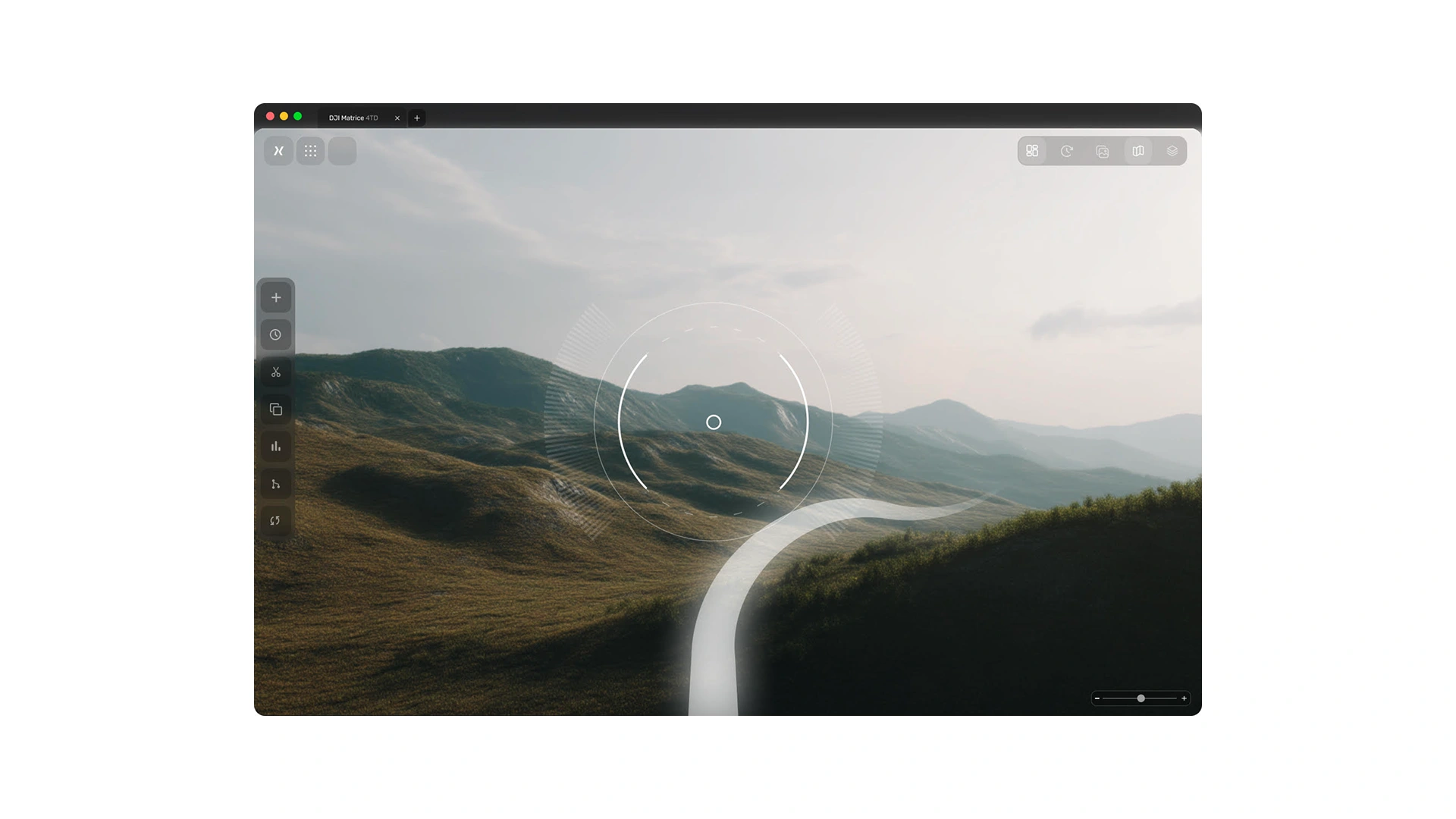
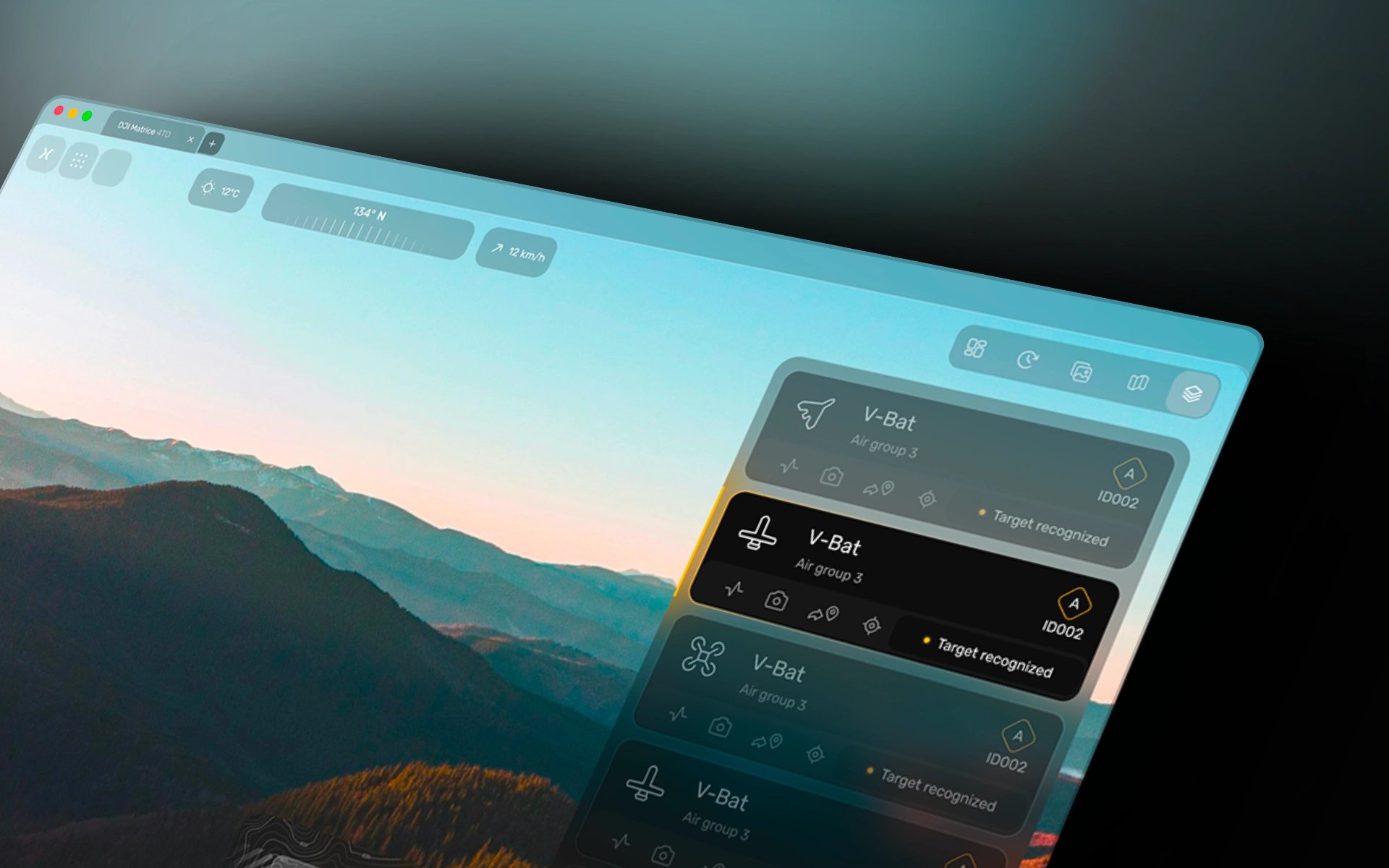
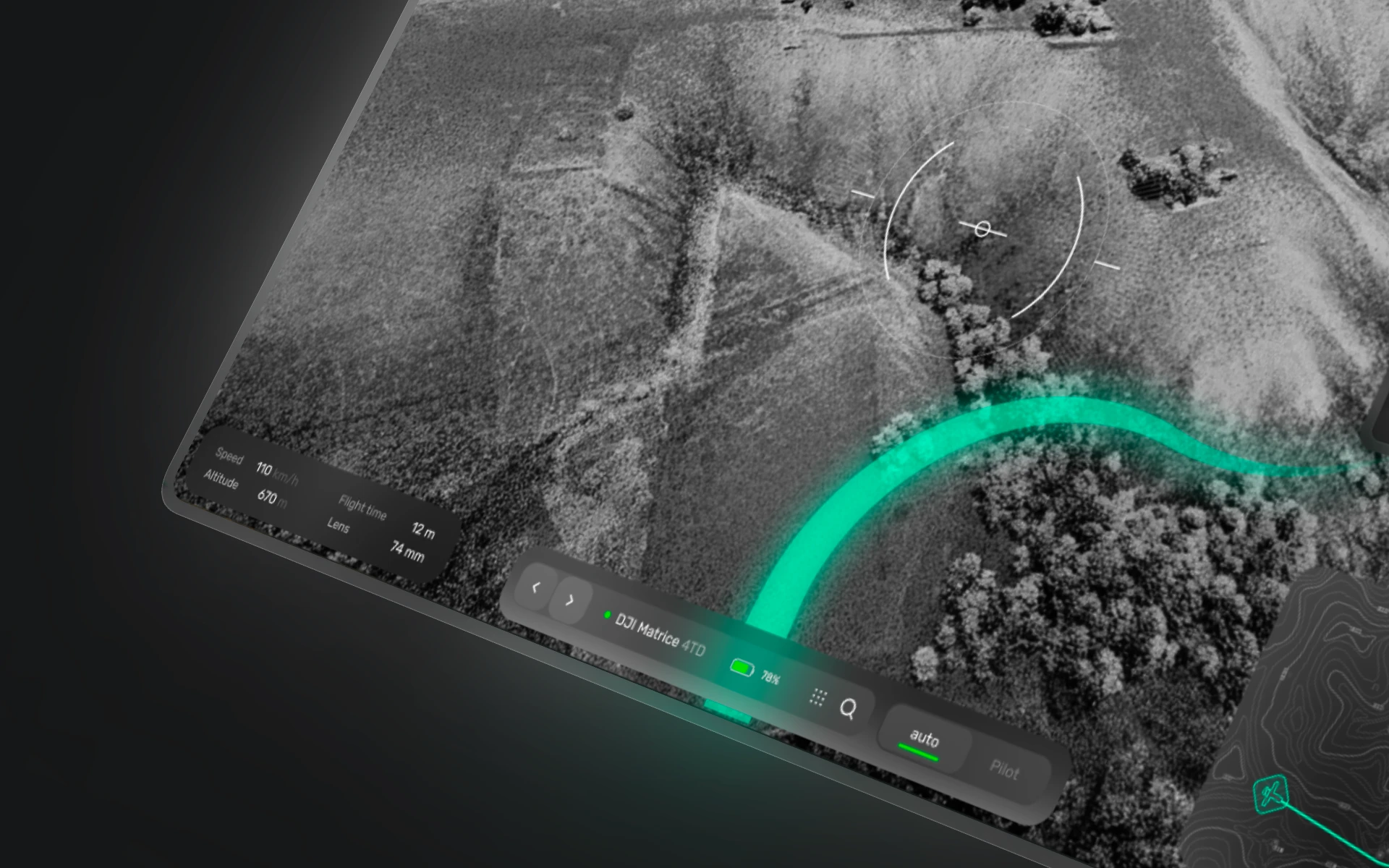
he live feed is the canvas — grainy, sensor-like footage rather than glossy map tiles, so it reads as real data being captured, not a rendered backdrop. UI sits on top of it as translucent, floating glass rather than boxed panels, so the mission stays visible and the interface recedes until it's needed. Status runs on a strict two-color system: teal for live and normal, amber reserved only for a recognized target — so the one moment that matters is also the only moment the color changes. Position isn't marked with a map pin; it's a circular reticle lifted straight from a camera viewfinder, because operators read a crosshair faster than they read a marker. Telemetry — speed, altitude, flight time, lens — sits in quiet pill readouts, muted labels next to bright values, built to be scanned, not studied.
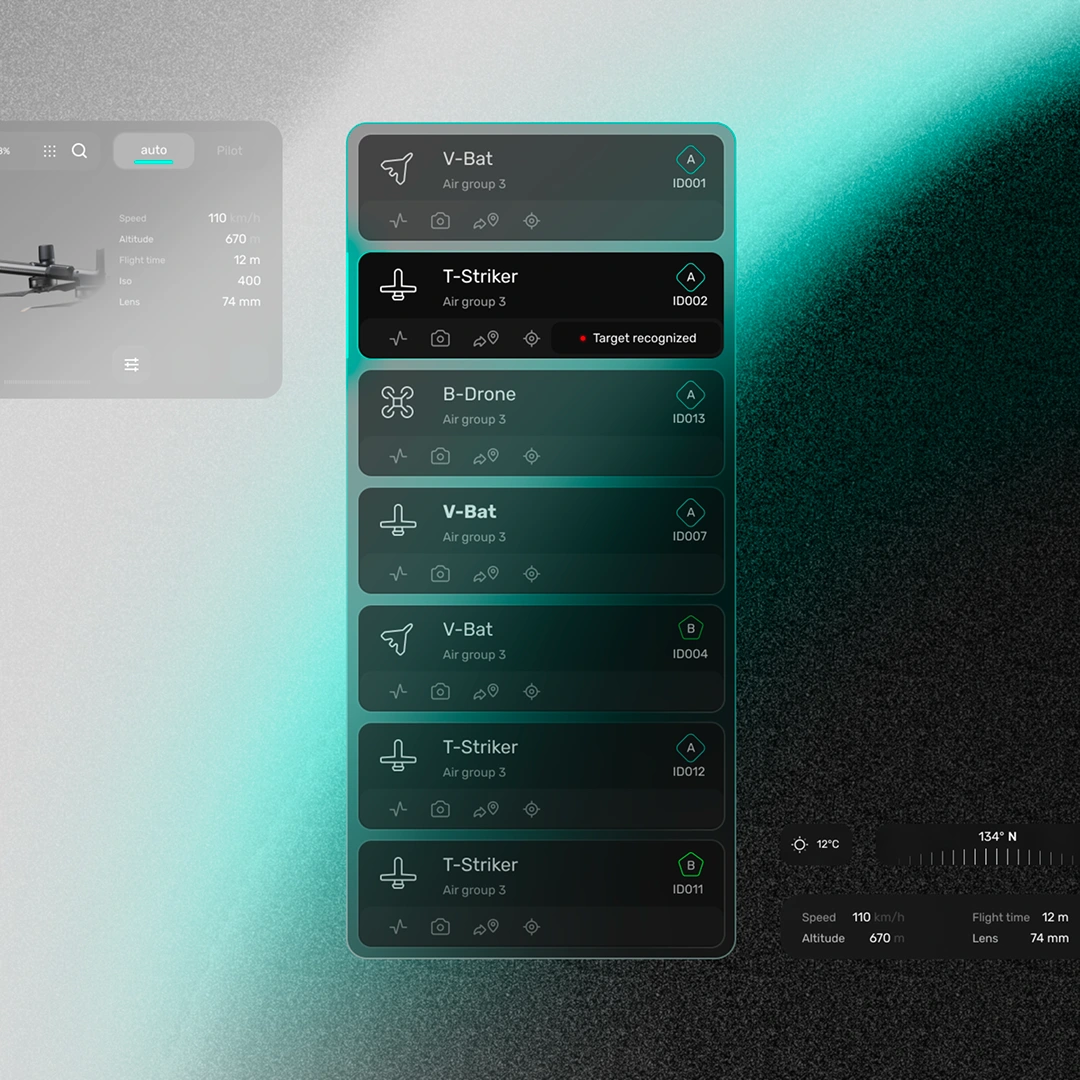
Every drone, regardless of type — fixed-wing V-Bat, rotary T-Striker, quad B-Drone — renders through the same card anatomy, so the mental model holds as the fleet grows past a handful of aircraft. A persistent command bar anchors the bottom of the screen: drone switcher, live connection status, battery, and an Auto/Pilot toggle that's always exactly where the operator expects it. A minimap with live topographic contours traces each flight path in the background without asking the operator to leave the main view, and a slim icon-only tool rail — add, history, trim, duplicate, analytics, route, sync — stays out of the way until a mission actually needs it.
The Detail
Small decisions carry the weight here. Native window chrome signals this is a serious operator tool, not a browser tab someone might accidentally close. The same grain treatment runs across every feed so the eye stays anchored to the mission through every transition between drones. The alert state — a highlighted border and a label change — is tuned to register in peripheral vision without a jarring flash, because an operator watching six feeds shouldn't have to be staring at the seventh to catch it. Numbers stay right-aligned and consistent in weight across every card, so a battery percentage and a flight altitude scan at the same rhythm no matter where they sit on screen.
The interface now runs as the primary operator surface across the startup's early pilot programs in military, agriculture, and search-and-rescue deployments — one design system covering fundamentally different missions without asking operators to relearn the tool each time.
Let's Build Something Like This
If you're solving a problem this complex — where the interface has to be trusted in a fraction of a second, not just look good in a screenshot — that's exactly the kind of work I take on.
My website: www.sergeybertagnini.com
Book a call: https://cal.com/sergey-bertagnini/30min
Like this project
Posted Jul 1, 2026
Designed a drone command interface for managing multi-aircraft operations under pressure.
Likes
2
Views
54
Timeline
Feb 3, 2026 - Mar 5, 2026