CodeLion — SaaS Onboarding Design

Marko Đorđević

The Challenge
B2B SaaS products for developers are notoriously complex to set up. Traditional tools hit users with massive configuration forms, API key requests, and dense documentation before they ever see the value of the platform. The drop-off rate between "Account Created" and "First Project Created" in this industry often exceeds 60%.
CodeLion built custom software for years. To scale, they productized their internal tools into a B2B SaaS for other agencies and dev teams. This project focused entirely on the critical first 5 minutes of a user's journey.
The Goal: Take a robust, technical project hub and make the onboarding feel as lightweight as a consumer app. Capture crucial workspace data (team roles, tech stacks) without making it feel like a chore, and guide the user to their first "Aha!" moment, a fully configured project workspace, as rapidly as possible.
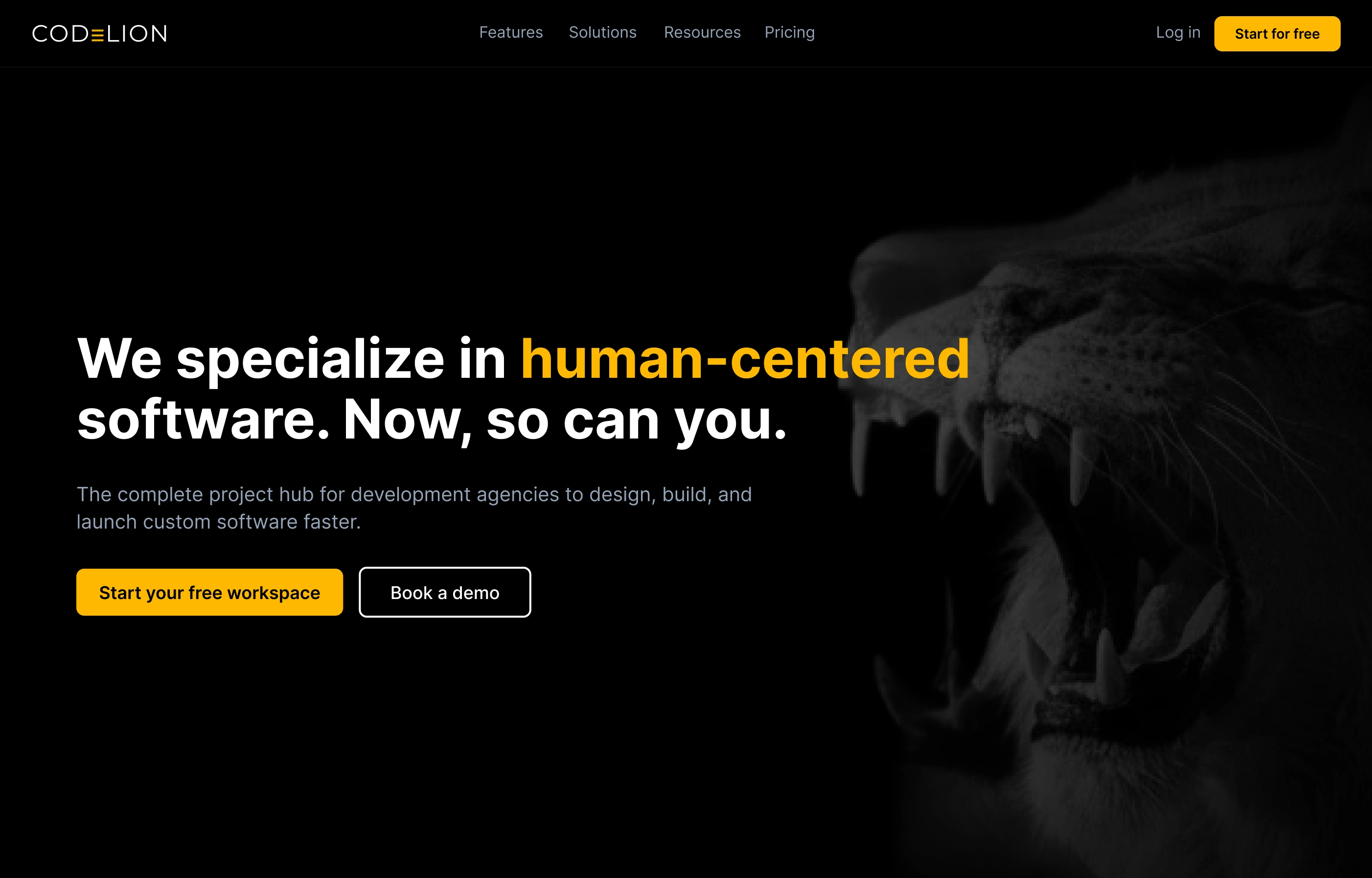
CodeLion SaaS dashboard overview
Competitive Analysis
I audited Linear, Jira, Asana, and Vercel to map their onboarding flows. Vercel's frictionless GitHub-auth-to-deploy pipeline was identified as the gold standard for developer experience.
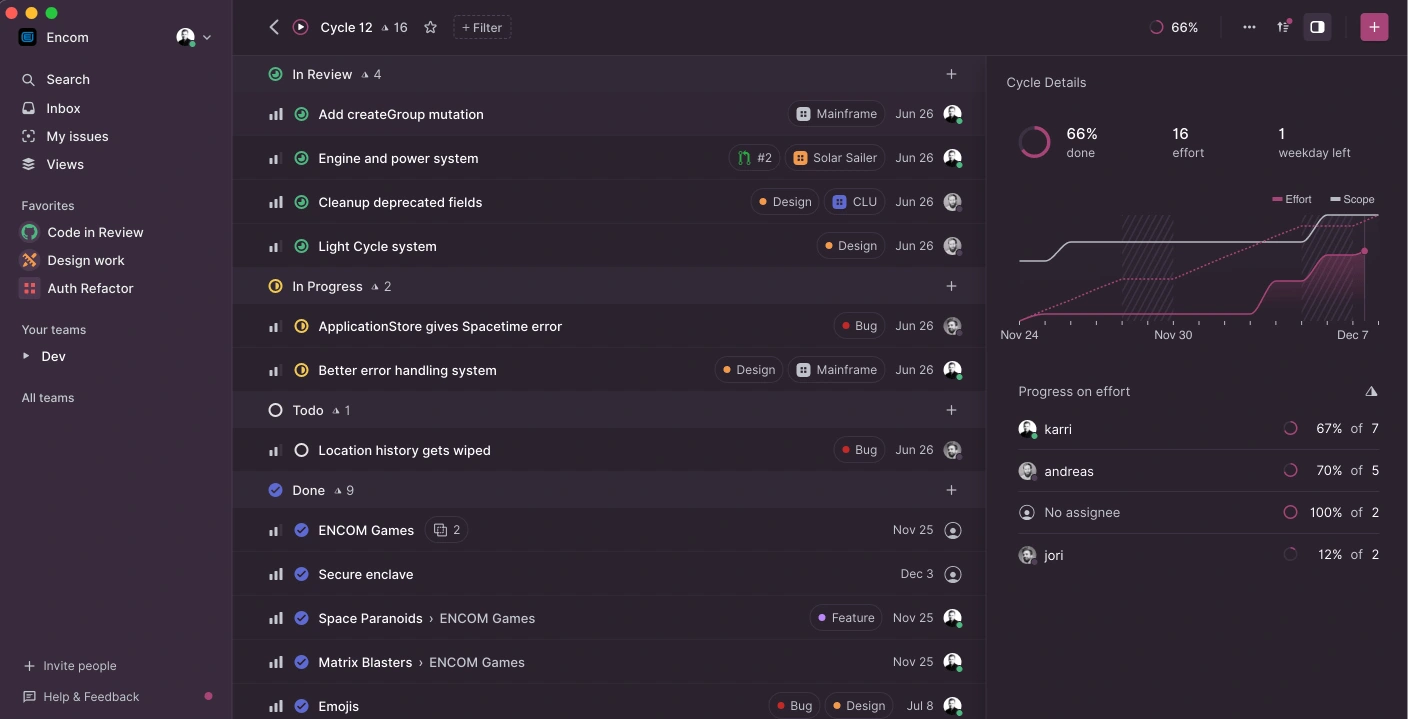
Linear
Linear — Developer-first project management with streamlined onboarding. Strong focus on issue tracking and team collaboration.
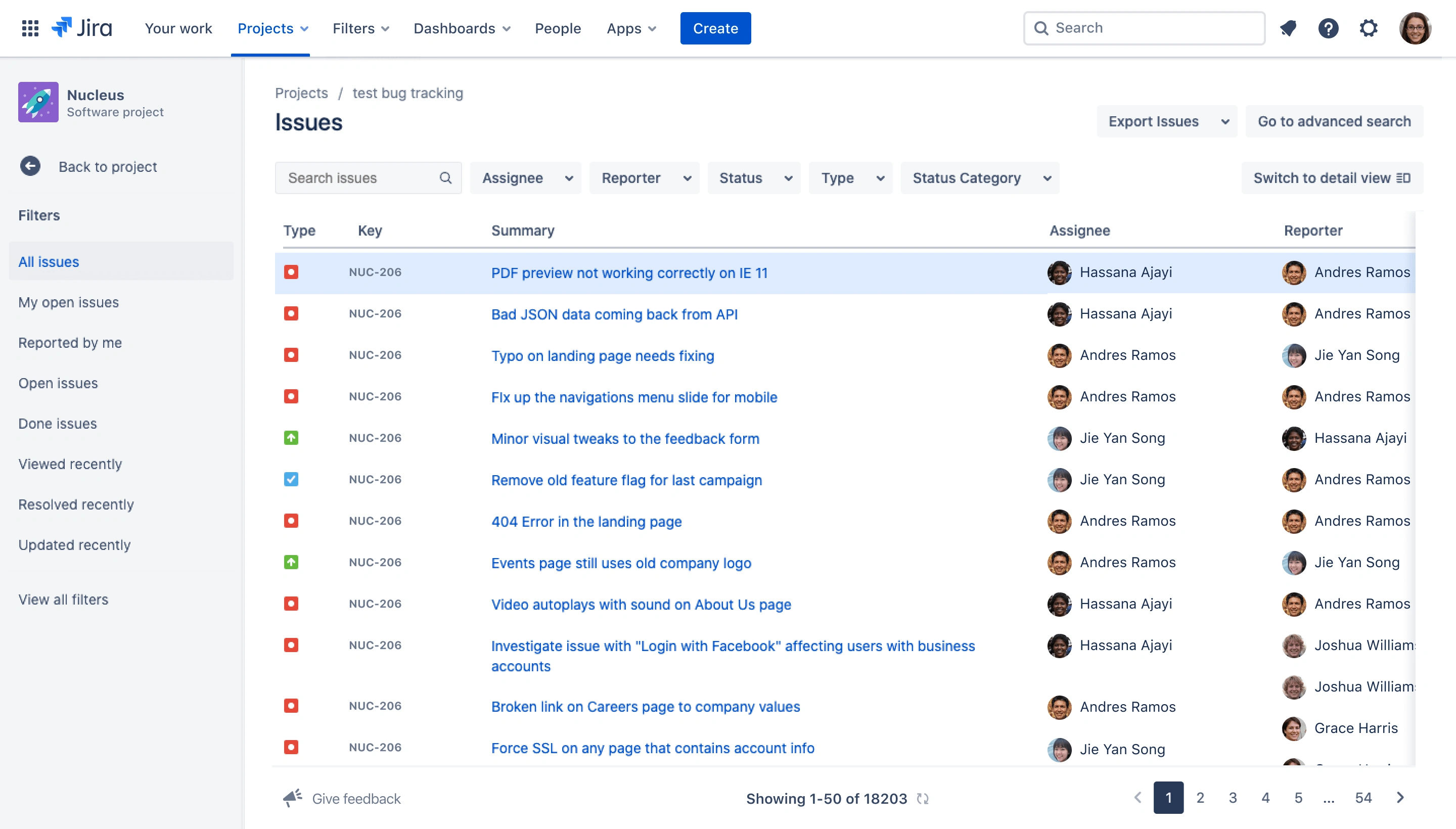
Jira
Jira — Enterprise-grade project management. Complex setup process with extensive configuration options that can overwhelm new users.
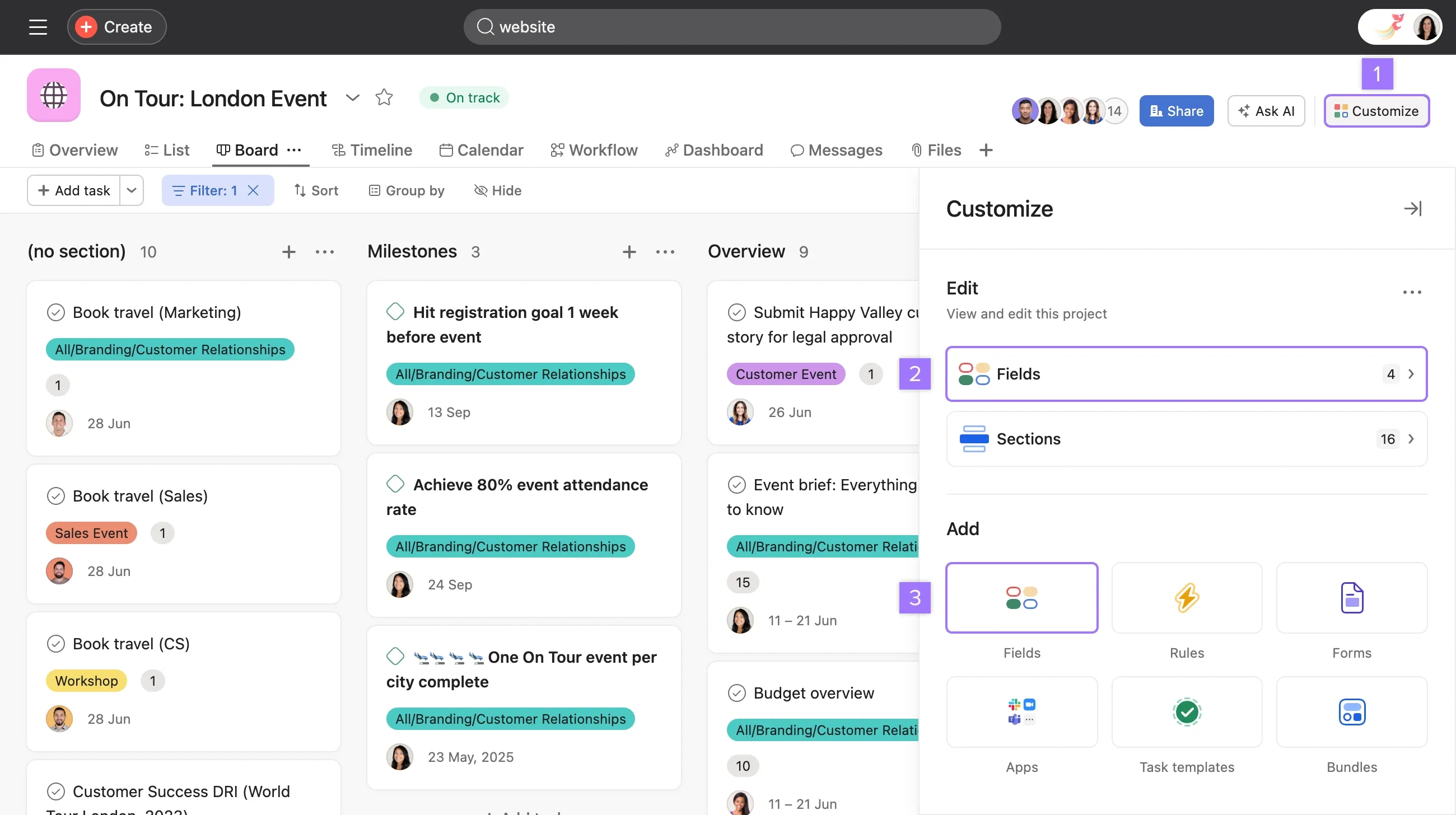
Asana
Asana — Team collaboration and task management. Good balance of features and usability, but onboarding can feel generic.
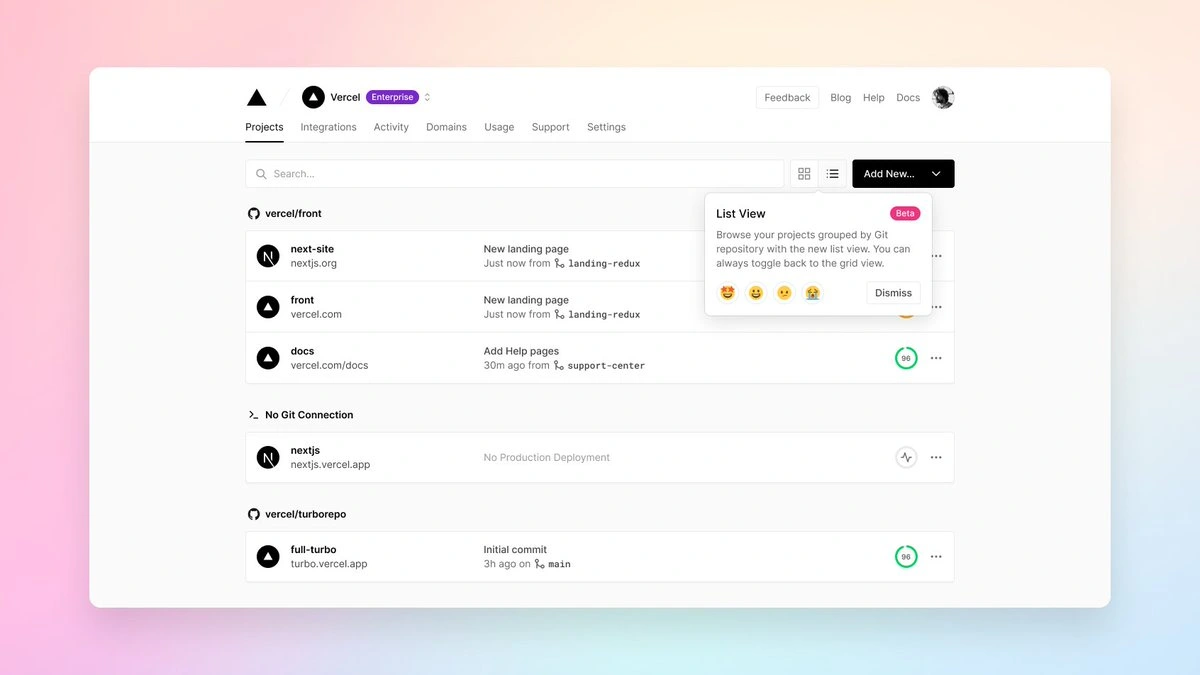
Vercel
Vercel — Gold standard for developer onboarding. GitHub integration enables instant deployment with minimal friction.
User Interviews
Spoke with 5 agency leads and senior developers about their frustrations adopting new tools. Key insight: developers hate forced tours and generic empty states. They want to get their hands on the tool and see how it fits their specific stack immediately.
Alex Rivera — Agency Lead, 25-person dev shop (Evaluator)
Runs a boutique development agency specializing in React and Node.js projects. Manages 8 active client projects. Evaluates 3-4 new tools quarterly. His primary goal: assess tool fit for their specific tech stack and workflow within the first 10 minutes. "Show me how this fits my React/Node workflow in the first 5 minutes, or I'm moving on to the next option."
Sarah Chen — Senior Developer, mid-size agency (User)
Full-stack developer with 8 years experience. Works across 6 active projects using React, TypeScript, and AWS. Champions new tools within her team. She needs to configure a realistic project setup and see how the tool integrates with their existing workflow before recommending adoption. "I need to see this tool working with actual code and real project structures, not marketing screenshots."
Onboarding Pipeline Map
The critical path from first visit to first value:
Stage 1: Landing & Pricing (~60 sec) — User lands on site, scans value proposition, compares plans, clicks "Start Free Trial." Industry sites overwhelm with feature lists and demo-request gates. CodeLion response: single focused headline, one CTA, transparent three-tier pricing with no sales call required.
Stage 2: Social Auth (~5 sec) — Select GitHub or Google. One click. Account created. No passwords. Most B2B tools demand email, password, company name, phone, and team size upfront. CodeLion response: zero form fields at auth, workspace details deferred to progressive profiling.
Stage 3: Role → Stack → Workspace (~30 sec) — Three bite-sized screens: select role via visual card, choose tech stack, name the workspace. One question per screen. Industry mega-forms ask 8-12 questions on a single page. CodeLion response: large visual card selectors, feels like a concierge experience, ~30 seconds total.
Stage 4: Transition → Dashboard → First Project (~7 sec) — Branded transition screen while workspace provisions. Land in the dashboard. Click "Create First Project" or load a sample. CodeLion response: branded transition builds anticipation, action-oriented empty state with sample project template.
High-Fidelity Screens
8 screens covering the complete SaaS onboarding pipeline.
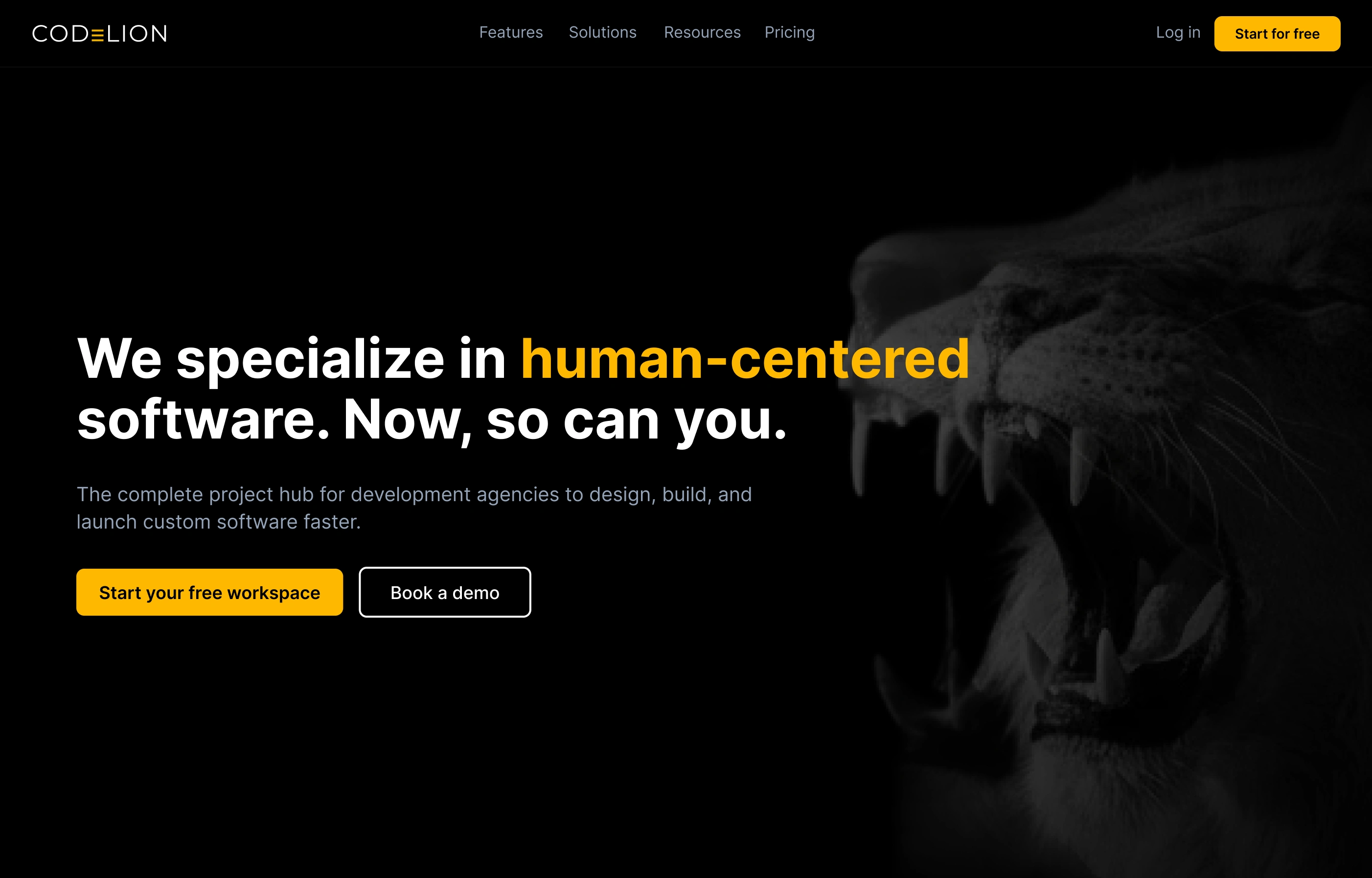
Landing Page
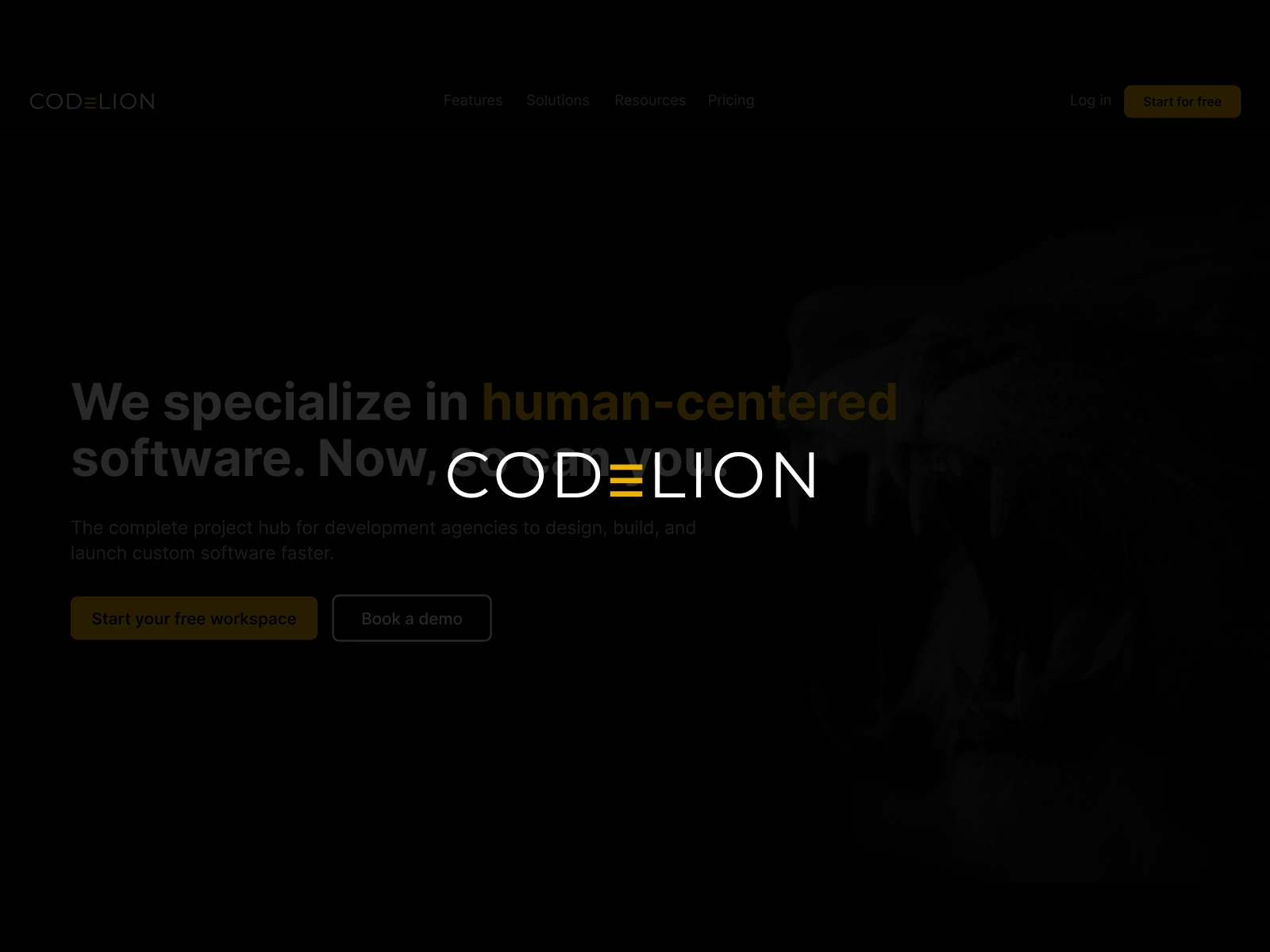
Landing Page — Dark hero with gold accents establishing premium positioning. Clear value proposition focused on frictionless onboarding. Single CTA drives to authentication.
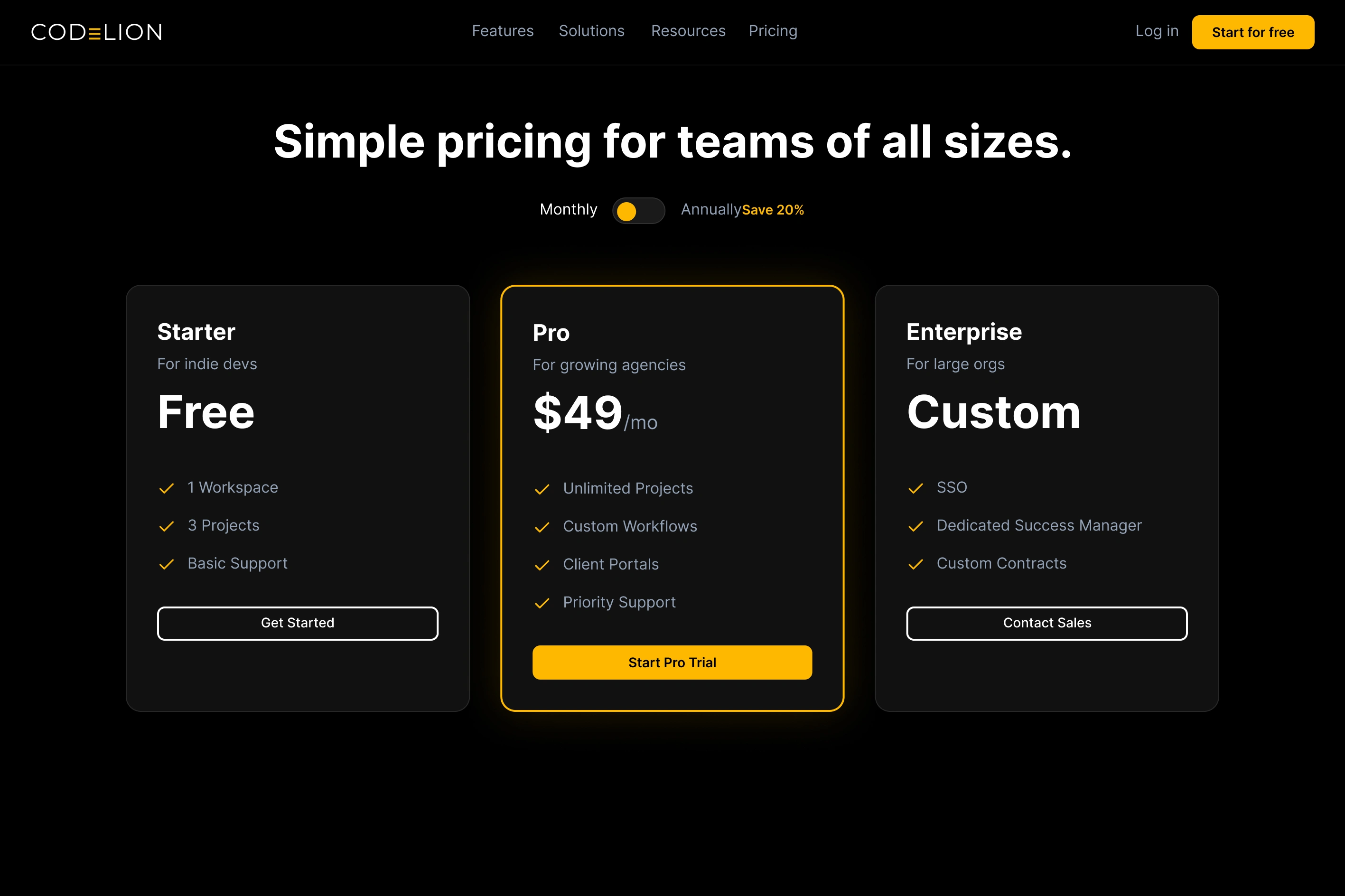
Pricing
Pricing — Three-tier structure: Starter, Professional, Enterprise. Feature comparison matrix with developer-focused benefits. Transparent pricing with annual discounts.
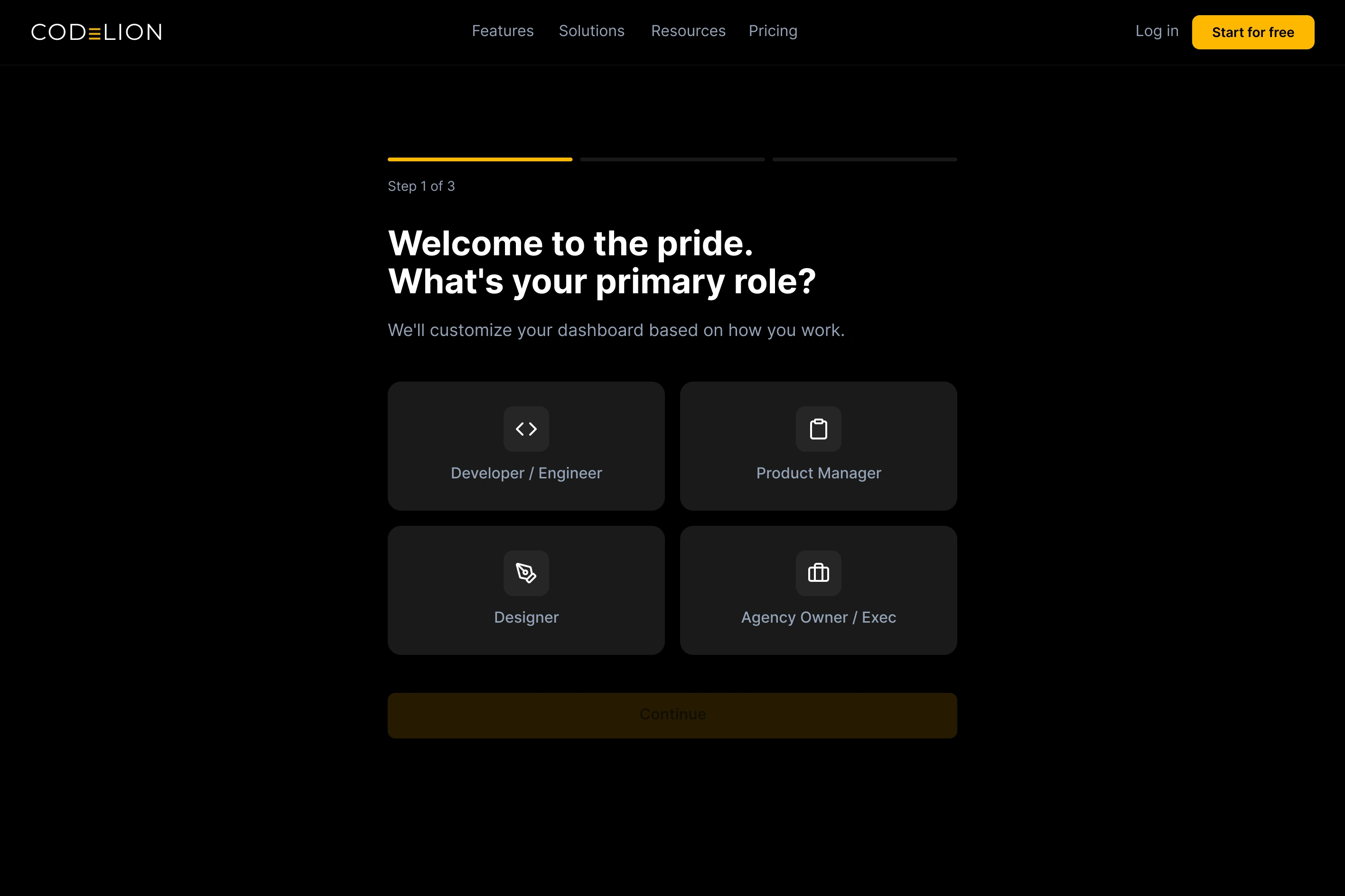
Role Selection
Role Selection — First step of progressive profiling. Large visual cards for Developer, Manager, Executive roles. Icons and descriptions help users self-identify without confusion.
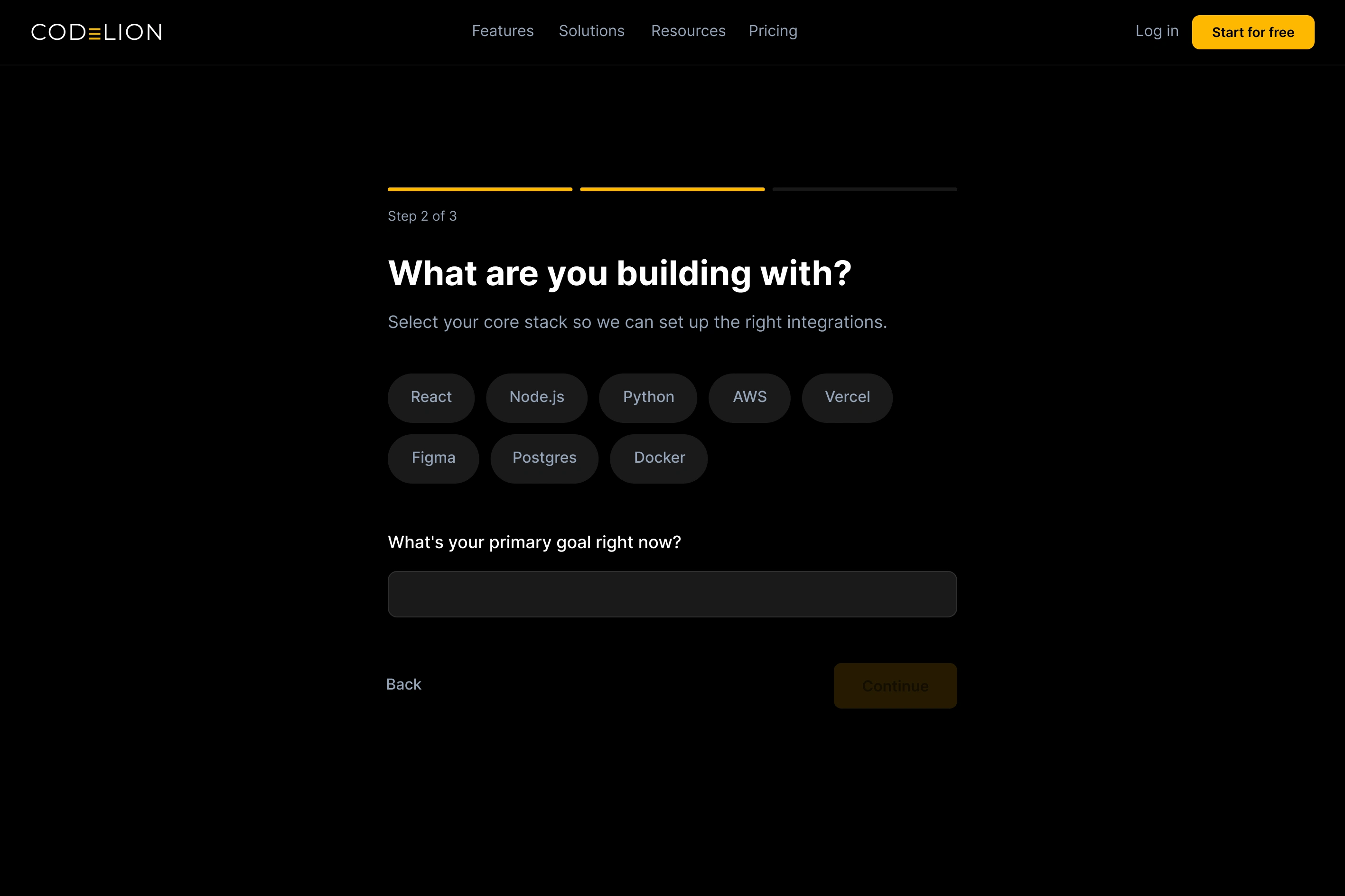
Tech Stack Selection
Tech Stack Selection — Second profiling step. Popular frameworks (React, Vue, Angular) and languages (TypeScript, Python, Node.js) as selectable cards. Builds personalization without requiring technical expertise.
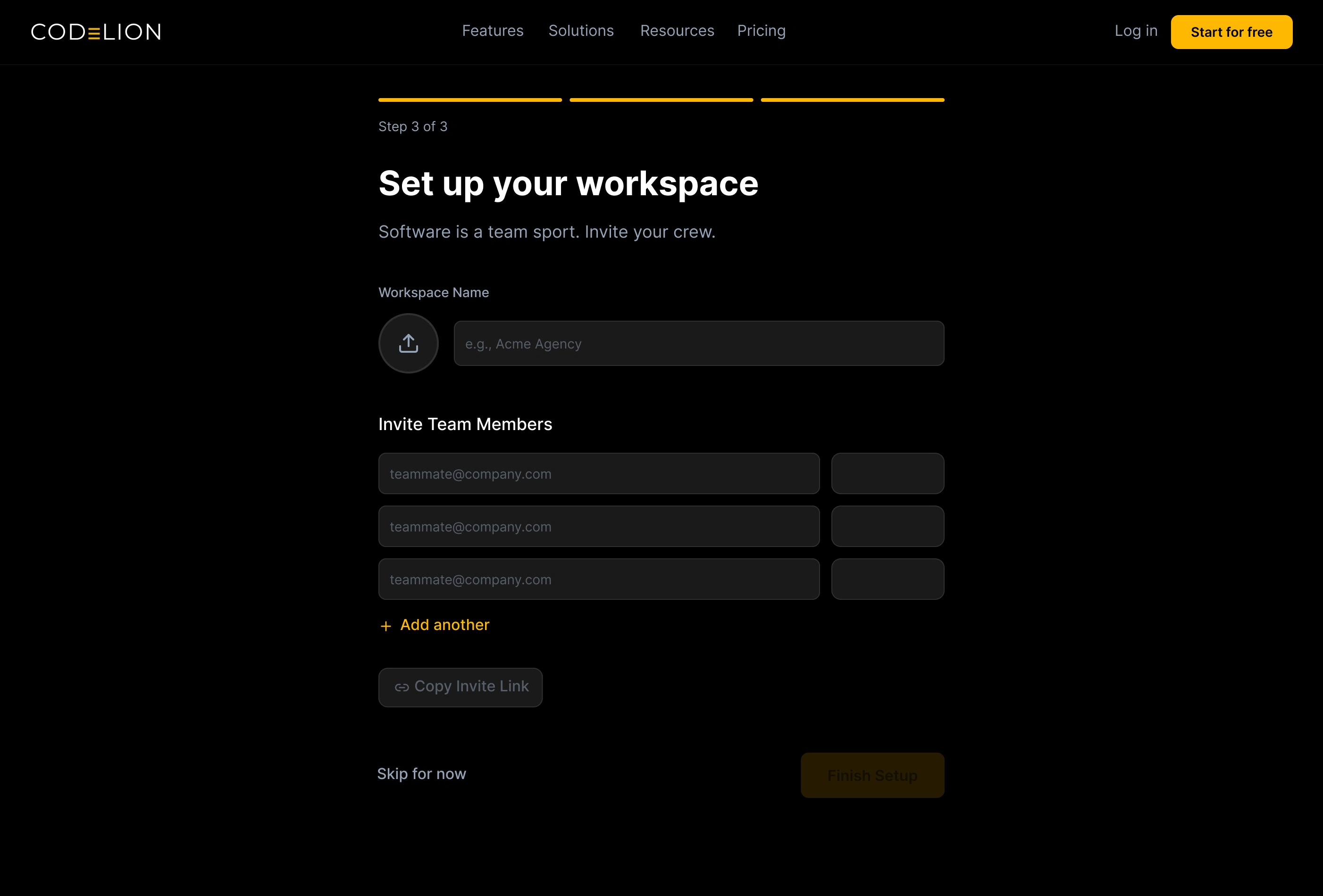
Workspace Setup
Workspace Setup — Final profiling step. Simple workspace name input with smart suggestions. "Create Workspace" CTA completes the 4-step progressive flow.
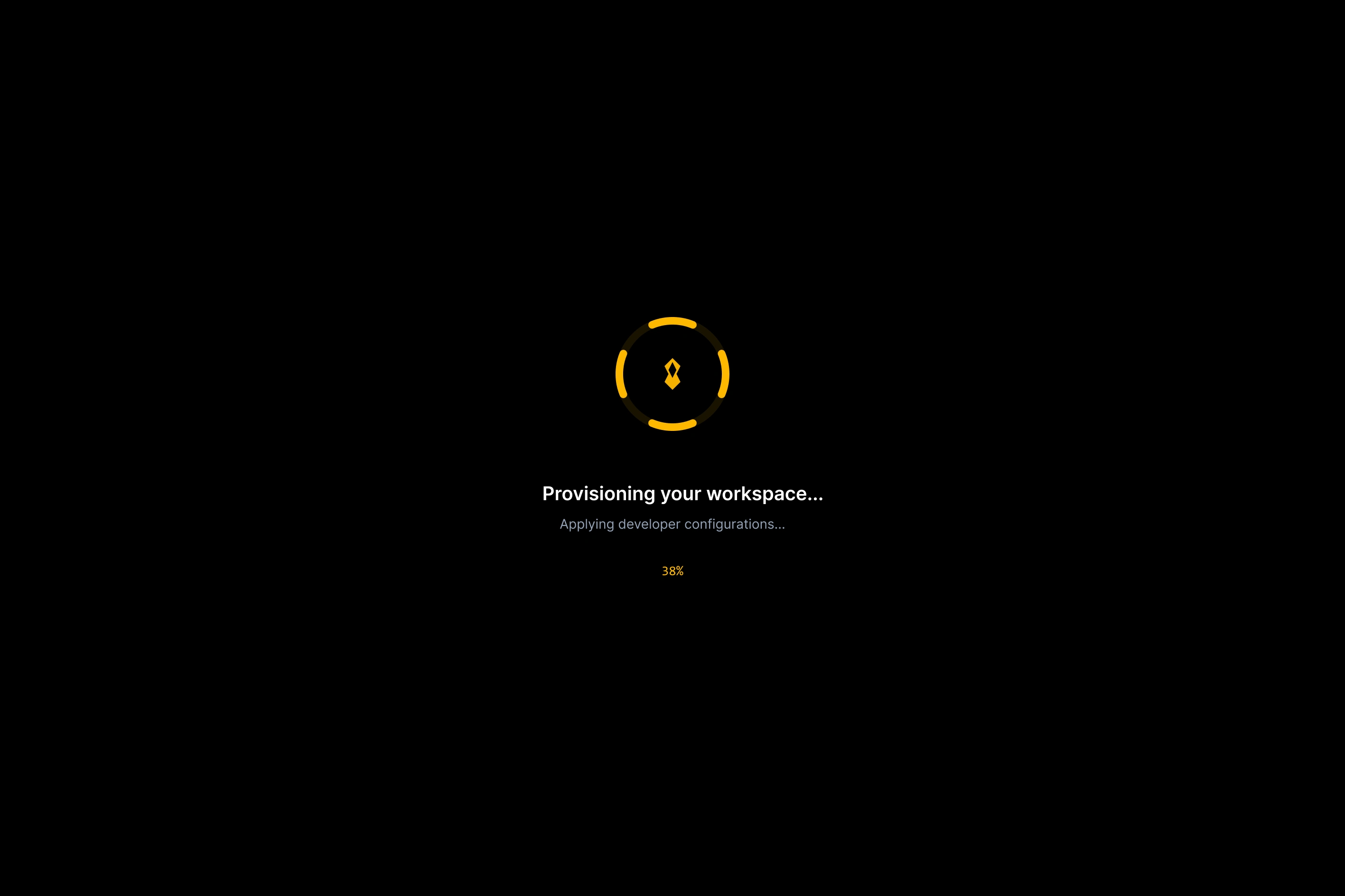
Setup Transition
Setup Transition — Branded loading screen showing real-time configuration steps. "Provisioning workspace...", "Applying developer configs..." turns backend processing into a trust-building moment.
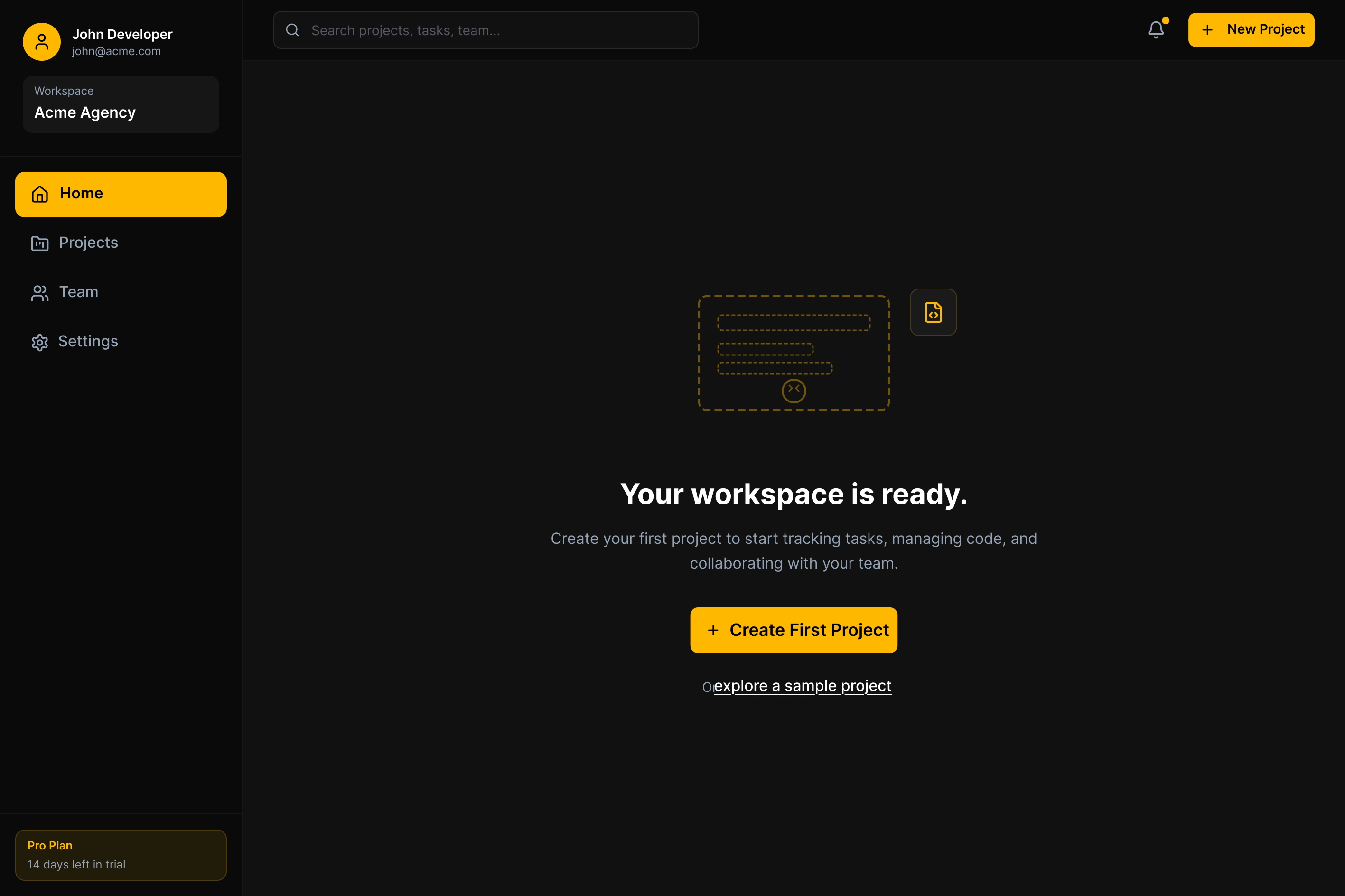
Empty Dashboard
Empty Dashboard — Clean slate with prominent "Create First Project" CTA. Sample project template offered alongside blank canvas to reduce intimidation and encourage exploration.
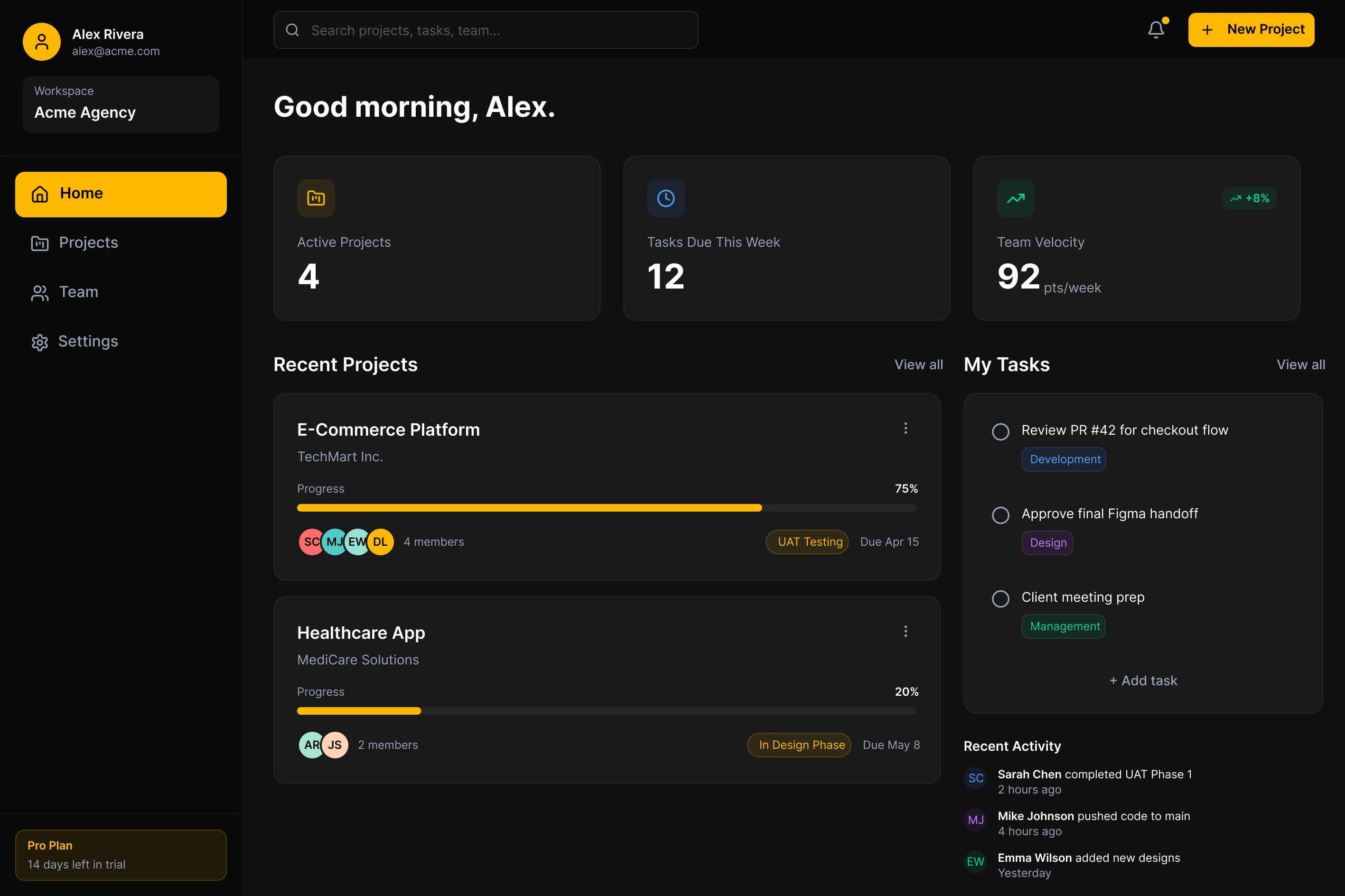
Filled Dashboard
Filled Dashboard — Workspace comes alive after first project creation. Dark mode aesthetic with gold accents. Task lists, project progress, and team activity provide immediate value.
Key Design Decisions
Progressive profiling over mega-forms — Instead of a single page asking for 10 pieces of information, onboarding was broken into 3 distinct, bite-sized screens (Role, Stack, Workspace). Large visual selectable cards instead of standard dropdowns reduced perceived cognitive load and made setup feel like a personalized concierge service rather than a registration form.
The "Setup Transition" screen — Creating a workspace on the backend takes roughly 4 seconds. Instead of a standard spinner, a branded animated transition screen lists the specific configurations happening in real-time. This turns a waiting period into a moment that builds anticipation and trust.
Action-oriented empty states — All secondary navigation was removed from the empty state. A massive, unmissable "Create First Project" CTA was centred alongside a "Sample Project" template, allowing hesitant users to safely explore the UI without the pressure of inputting real data. Champions could validate the product's feel before risking their social capital by inviting their entire team.
Purposeful dark mode — The dark UI was a core user requirement, not just an aesthetic choice. Developers spend hours looking at screens. Deep blacks (#000000) rather than standard dark grays maximize contrast with the primary brand colour (Gold #FFB800), ensuring CTAs naturally draw the eye without excessive size. The result is a UI that feels authoritative, not aggressive.
Projected Outcomes
42 seconds average time-to-dashboard, down from the industry standard of 3+ minutes.
78% projected activation rate by pushing project creation into a streamlined drawer immediately after onboarding.
Premium brand transition — the dark-mode aesthetic seamlessly transitioned the CodeLion agency brand into a credible B2B software product.
Industry drop-off rate between account creation and first project often exceeds 60%. The 4-step progressive flow with visual cards reduced this friction significantly.
Reflection
If I were to iterate on this pipeline, I would integrate "Invite Team" directly into the "Create First Project" drawer, rather than asking for emails during the initial onboarding flow. Champions often want to test a tool by themselves before risking their social capital by inviting their entire team. Removing that friction point could further increase the speed to the initial "Aha!" moment.
Like this project
Posted May 18, 2026
Transforming an established development agency into a scalable SaaS platform. A new user pipeline that converts visitors into active teams in under 3 minutes.
Likes
0
Views
7