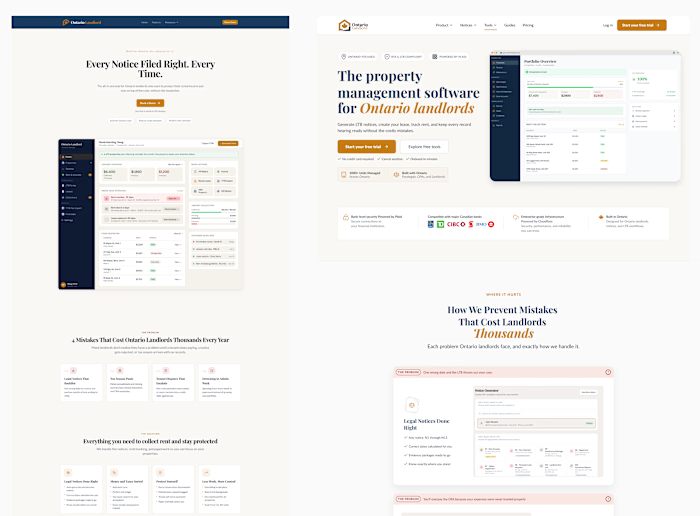
OntarioLandlord - SaaS UX/UI Product Redesign

Juan Amisano


OntarioLandlord SaaS UX/UI
& Dashboard Redesign
Redesigning an Ontario property management SaaS into a clearer, action-oriented experience for landlords.
UX/UI DESIGN · DASHBOARD DESIGN · RESPONSIVE SaaS · FIGMA SYSTEM
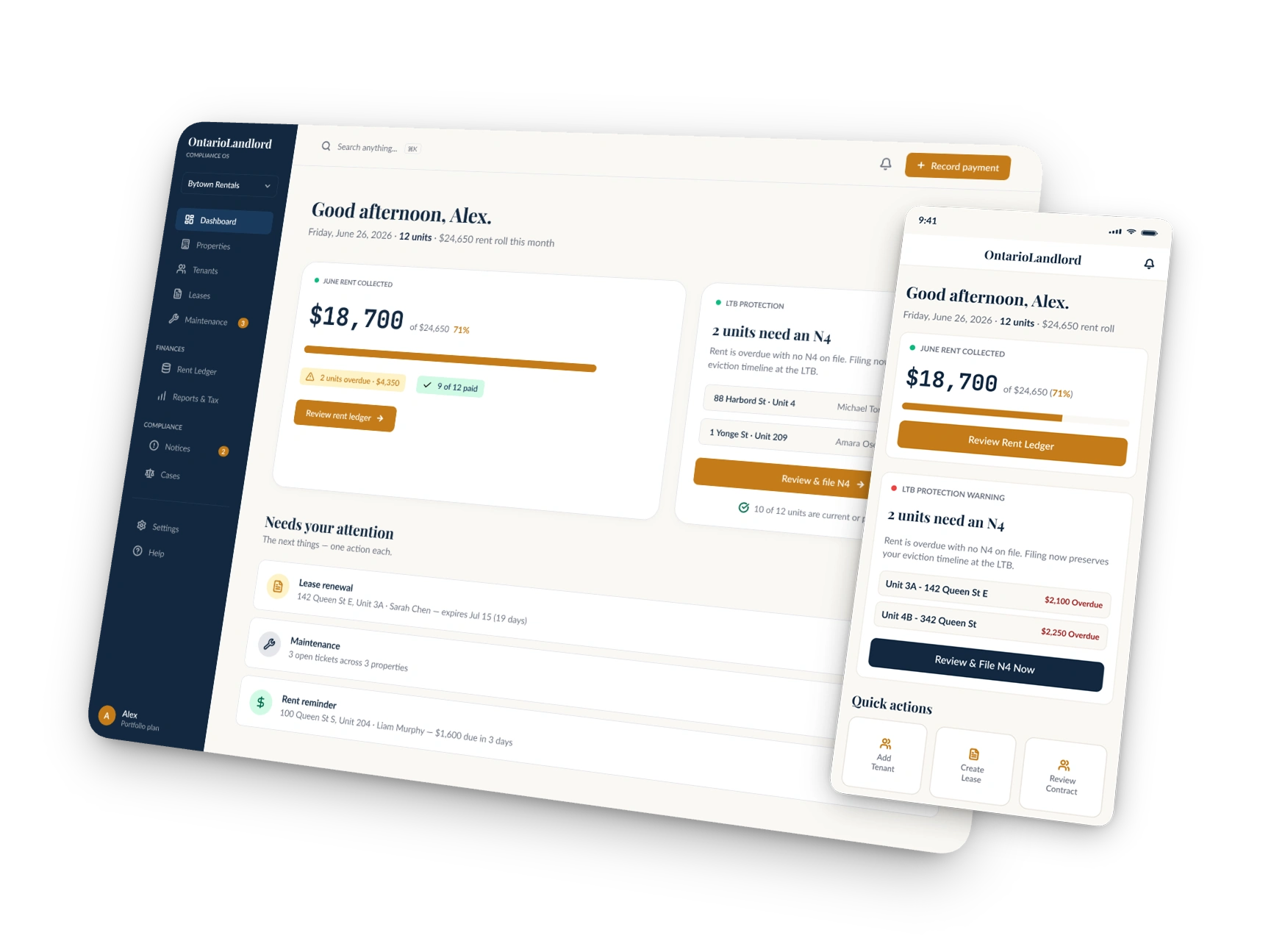
OntarioLandlord SaaS UX/UI and Property Management Dashboard Redesign
OntarioLandlord is a property management SaaS platform that helps Ontario landlords manage tenants, rent, leases, notices, compliance, and administrative workflows.
I redesigned the SaaS user experience, dashboard UI, onboarding flow, responsive layouts, and Figma design system to make complex property management tasks easier to understand and complete.
Role: UX/UI Designer
Scope: Product Strategy & SaaS Redesign
Platform: Responsive Web App, Desktop & Mobile
Deliverables: UX Strategy, Information Architecture, User Flows, Dashboard UI, Onboarding, Responsive Design & Figma Design System
Understanding the Existing Property Management Experience
The property management software offered many useful tools, but navigation, financial information, deadlines, and actions competed for attention. Landlords could see what was happening across their properties, but the interface did not always make the next step clear.
Key UX problems
Complex navigation: Too many sections and actions increased the learning curve for new users.
Competing priorities: Rent data, alerts, deadlines, and secondary actions had similar visual weight.
High cognitive load: Users had to process multiple pieces of information before identifying what required attention.
Limited task guidance: The dashboard showed users what was happening but did not consistently clarify what to do next.
Difficult onboarding: New users lacked a simple path to set up their properties and reach the product’s core value.
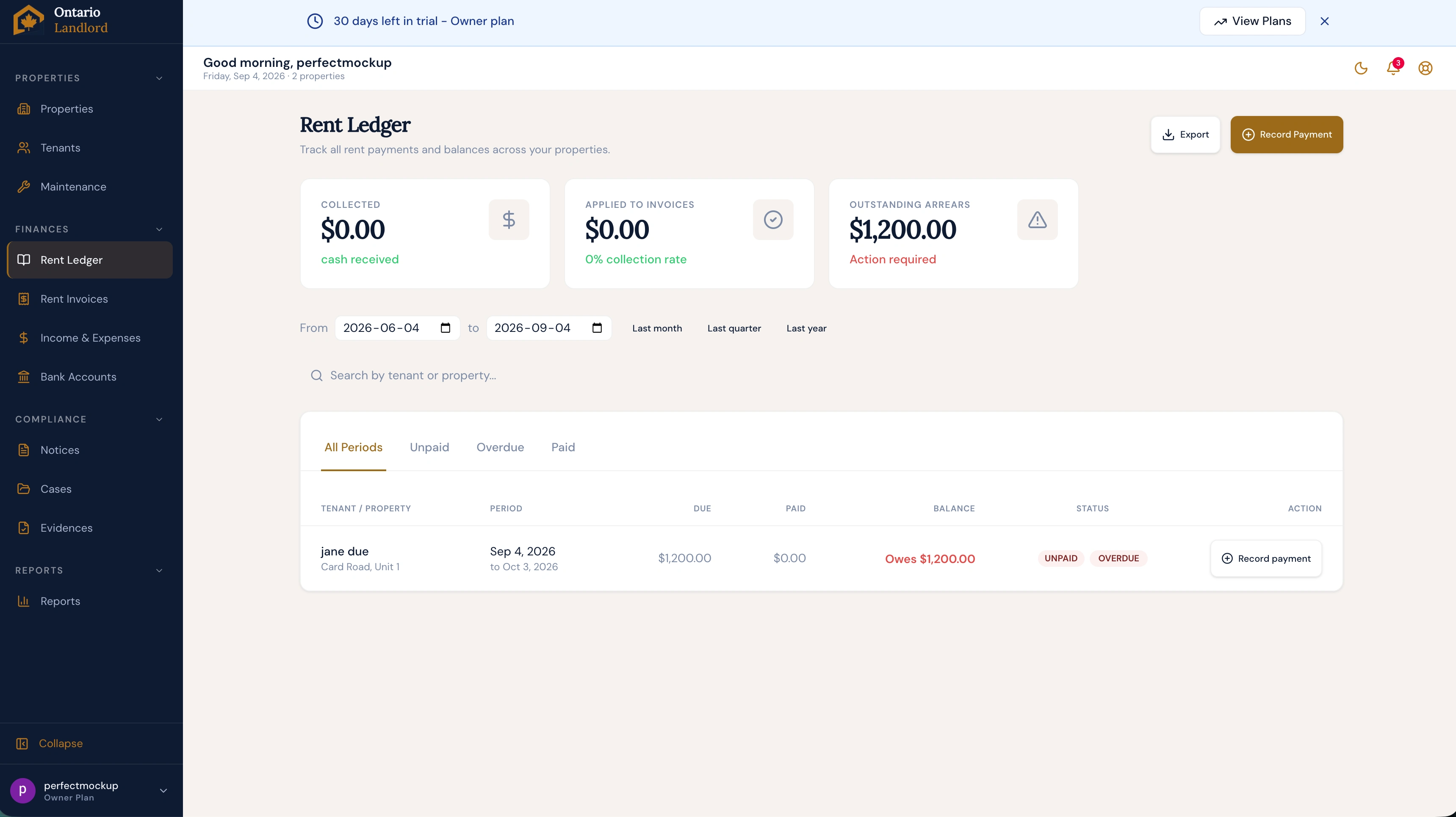
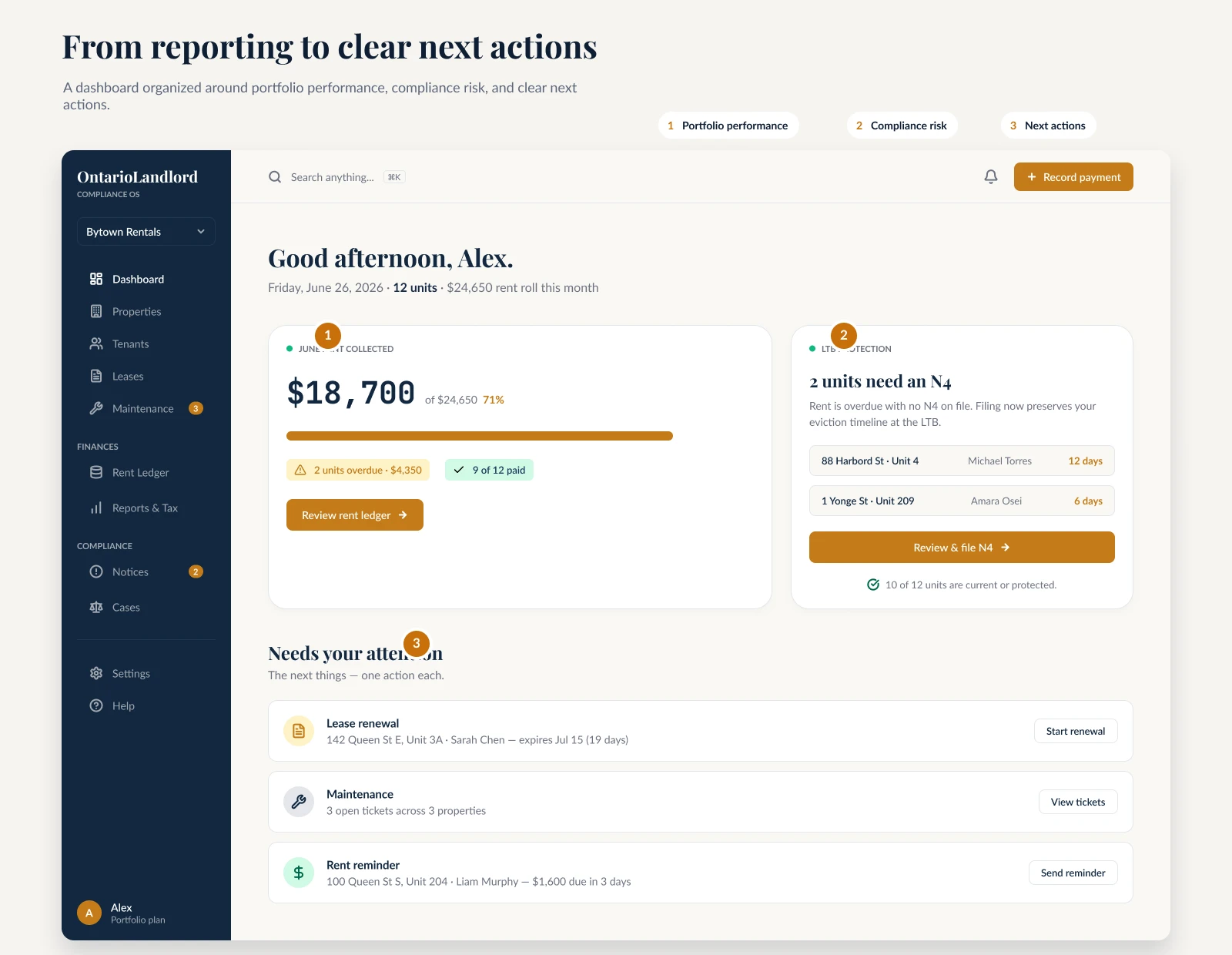
The opportunity: create a product hierarchy that answers three questions, what is happening, what needs my attention, and what should I do next?
SaaS UX/UI Redesign Strategy
I reorganized the experience around three levels: portfolio overview, priority actions, and detailed property management workflows.
Urgent information appears first, and each important issue is connected to a clear next action. This new information architecture reduces cognitive load while keeping secondary tools accessible.
Design principles
Prioritize attention: Surface rent issues, deadlines, and compliance risks first.
Clarify next steps: Connect important information to a relevant action.
Use progressive disclosure: Show essential information before secondary details.
Build for scale: Keep navigation, components, and interactions consistent.
Three-level product hierarchy
Portfolio overview: Properties, rent performance, deadlines, and active issues.
Priority actions: Overdue rent, missing documents, and tribunal preparation.
Detailed workflows: Guided tools for tenants, rent, notices, evidence, and tax preparation.
Guided User Onboarding for New Landlords
I designed a five-step SaaS onboarding flow that guides new users through property, unit, tenant, and lease setup.
Each screen requests only the information needed at that moment and provides contextual guidance based on Ontario rental requirements.
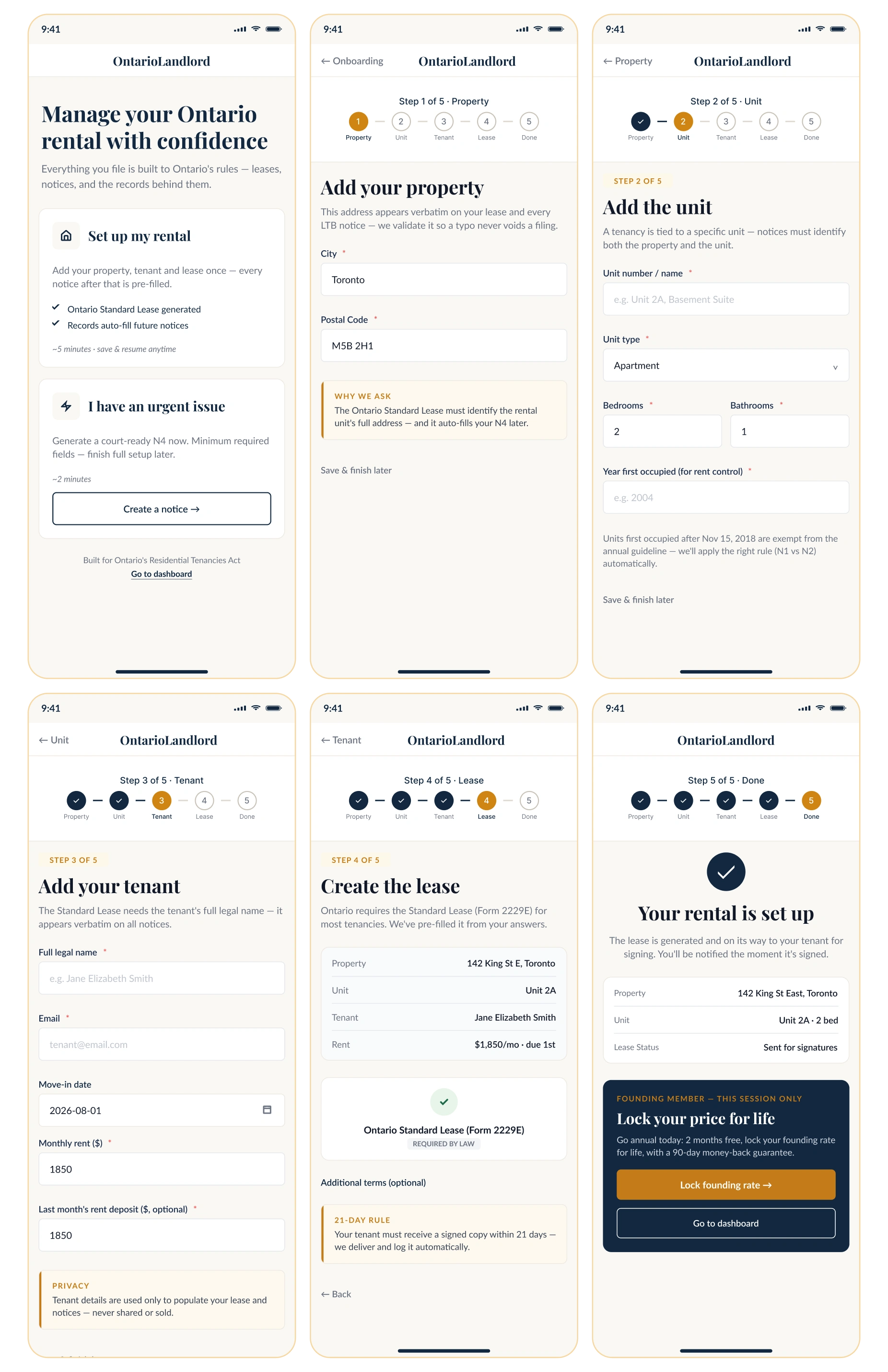
The progressive onboarding experience helps new landlords create a complete rental profile without navigating the full property management platform.
Focused steps
Property, unit, tenant, lease, and completion.
Contextual guidance
Ontario-specific help appears when it is relevant relevant.
Clear completion
Users finish with a ready-to-manage rental profile.
The progressive onboarding experience helps new landlords complete a rental profile without navigating the full property management platform.
A Faster N4 Compliance Workflow for
Urgent Tenant Issues
Quick N4 Mode removes unrelated setup steps and focuses on the information required to begin preparing an N4 notice for non-payment of rent.
The streamlined compliance workflow helps landlords identify the affected tenant, review the overdue status, and continue toward the appropriate notice process.
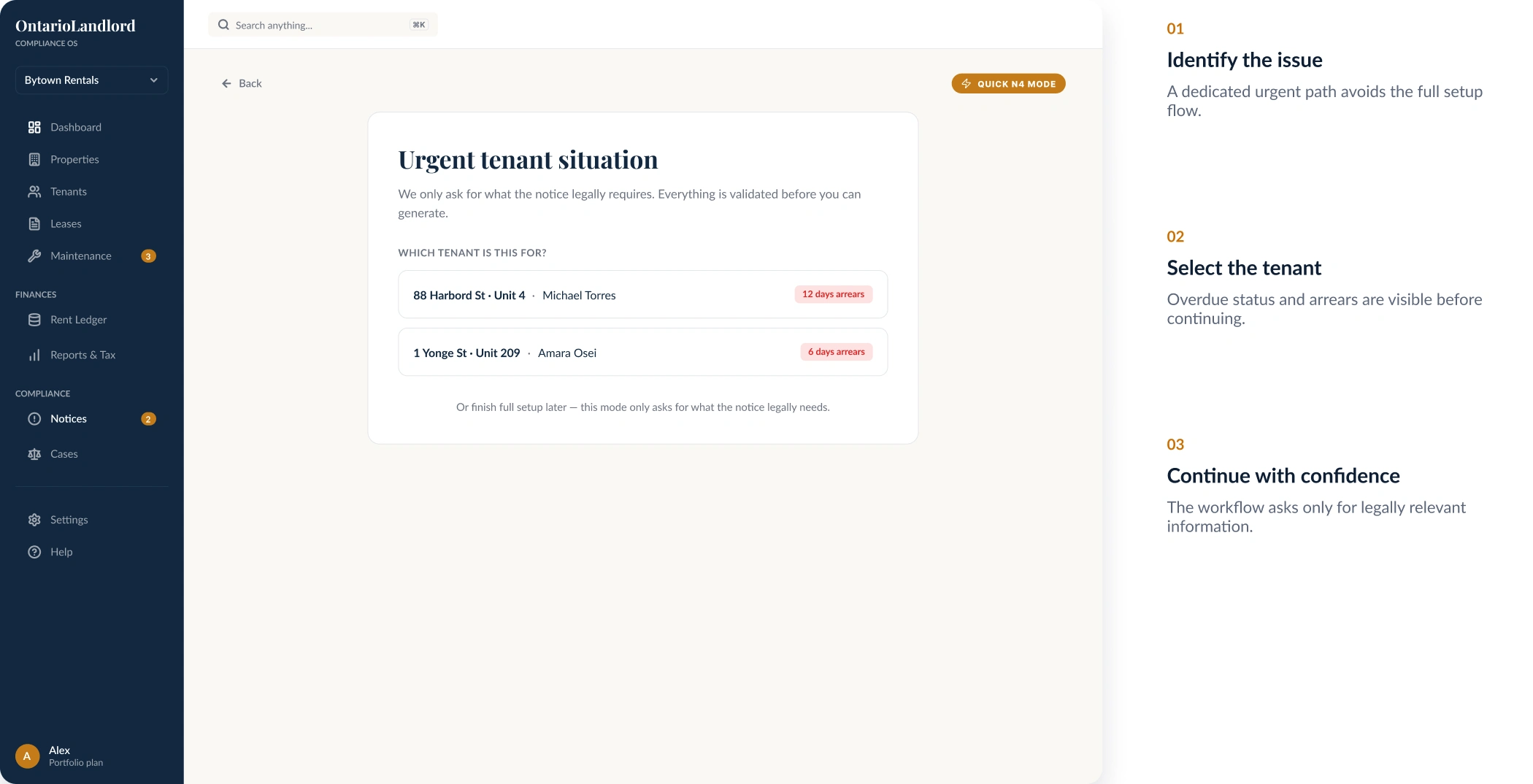
A focused property management workflow reduces distraction during time-sensitive tenant and rent compliance tasks.
A Consistent Responsive Property
Management Experience
The same information hierarchy, status patterns, and actions were adapted across the dashboard, properties, tenant profiles, leases, compliance tools, and rent management screens.
Responsive design principles
Shared navigation
Users follow the same navigation structure across desktop and mobile.
Consistent status patterns
Alerts, payment states, and compliance indicators remain familiar across screens.
Persistent actions
Important actions remain easy to find at every screen size.
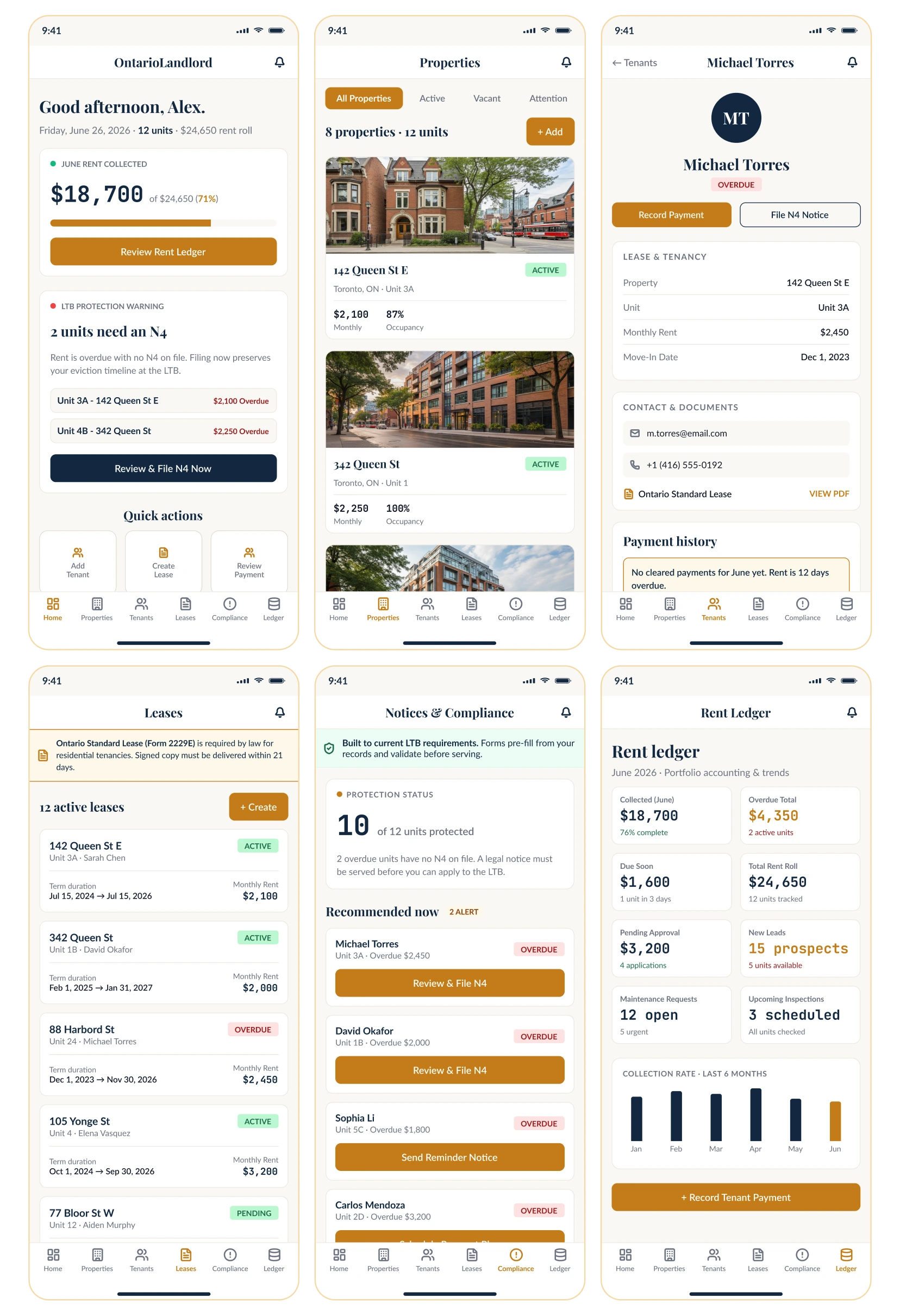
Reusable Figma design system patterns keep navigation, cards, forms, alerts, statuses, and responsive layouts consistent across the property management SaaS product.
Final Outcome
The SaaS UX/UI redesign transformed OntarioLandlord into a clearer and more focused property management experience.
The new product system combines property management dashboard design, guided user onboarding, Ontario compliance workflows, responsive SaaS design, and reusable Figma components.
Key outcomes
Clearer priorities
Rent performance, deadlines, and compliance risks are easier to identify.
Faster setup
Guided onboarding reduces the effort required to create and manage a rental profile.
Scalable product system
Reusable Figma patterns create consistency across desktop, mobile, and future property management workflows.
Like this project
Posted Sep 4, 2026
SaaS UX/UI redesign focused on simplifying onboarding, dashboard navigation and property management while improving the free-trial conversion journey.
Likes
0
Views
12