CineOne: Color Grading and Editing Software for macOS

Dennis Duhme

CineOne - Color Grading and Editing Software
Role
Product Designer, UI/UX Designer, Design System
Tools
Figma
Industry
Video Production and Post Production, Creative Software, Film and Media
The challenge
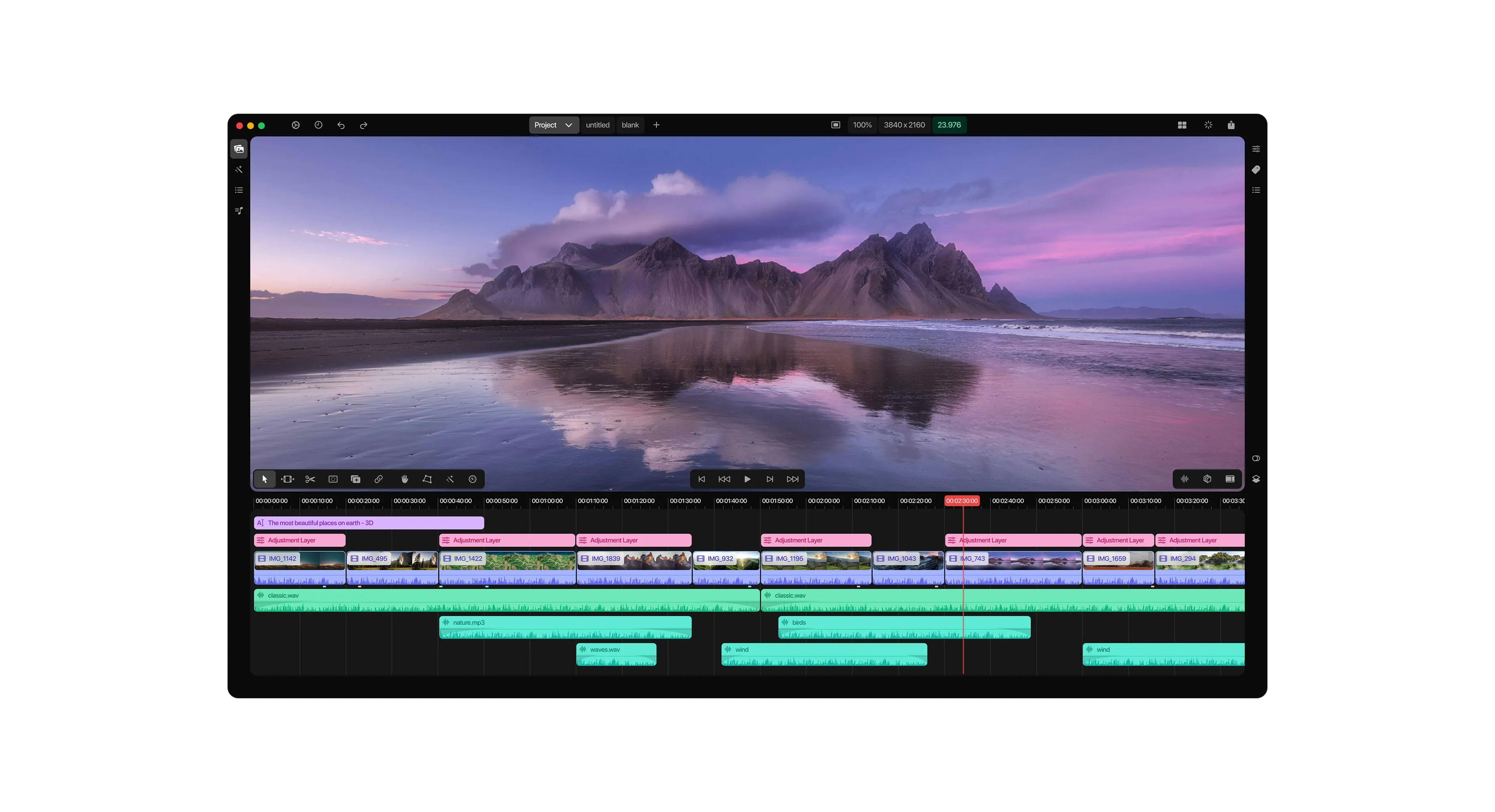
Professional color grading tools like DaVinci Resolve are powerful but famously dense, with steep learning curves, cluttered panels, and workflows built for broadcast engineers rather than solo filmmakers, travel creators, and editors who need cinema grade tools without the complexity tax. The client wanted CineOne to prove that a color grading and editing app can feel as approachable as a consumer creative tool while still offering the precision (curves, wheels, scopes) that professional colorists actually trust. Beyond the product itself, the project also called for a complete design system from scratch, since the interface needed to support three distinct grading paradigms, a dense multi track timeline, and future feature growth without visual drift.
Approach
Studied established NLE and grading tools such as Resolve, Premiere, and Final Cut to identify which pro level controls (Lift, Gamma, and Gain wheels, RGB parade, waveform, curves) were essential for credibility with professional users
Built a token based design system first (color, spacing, typography, elevation) so every panel, from timeline clips to color wheels, inherited the same visual language instead of being styled one off
Prioritized a dark, distraction free canvas so the footage stays the visual focus, matching color critical viewing environments
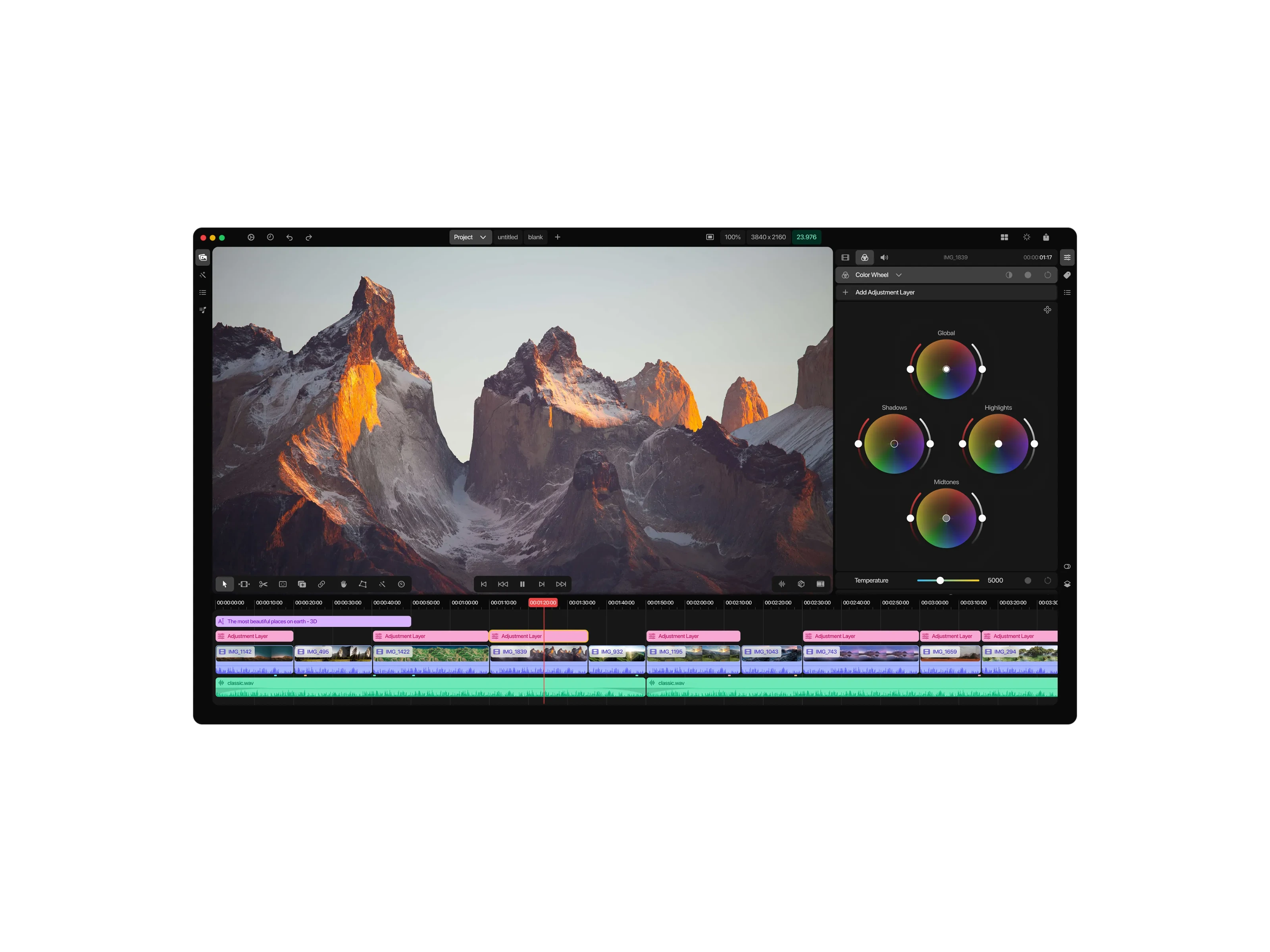
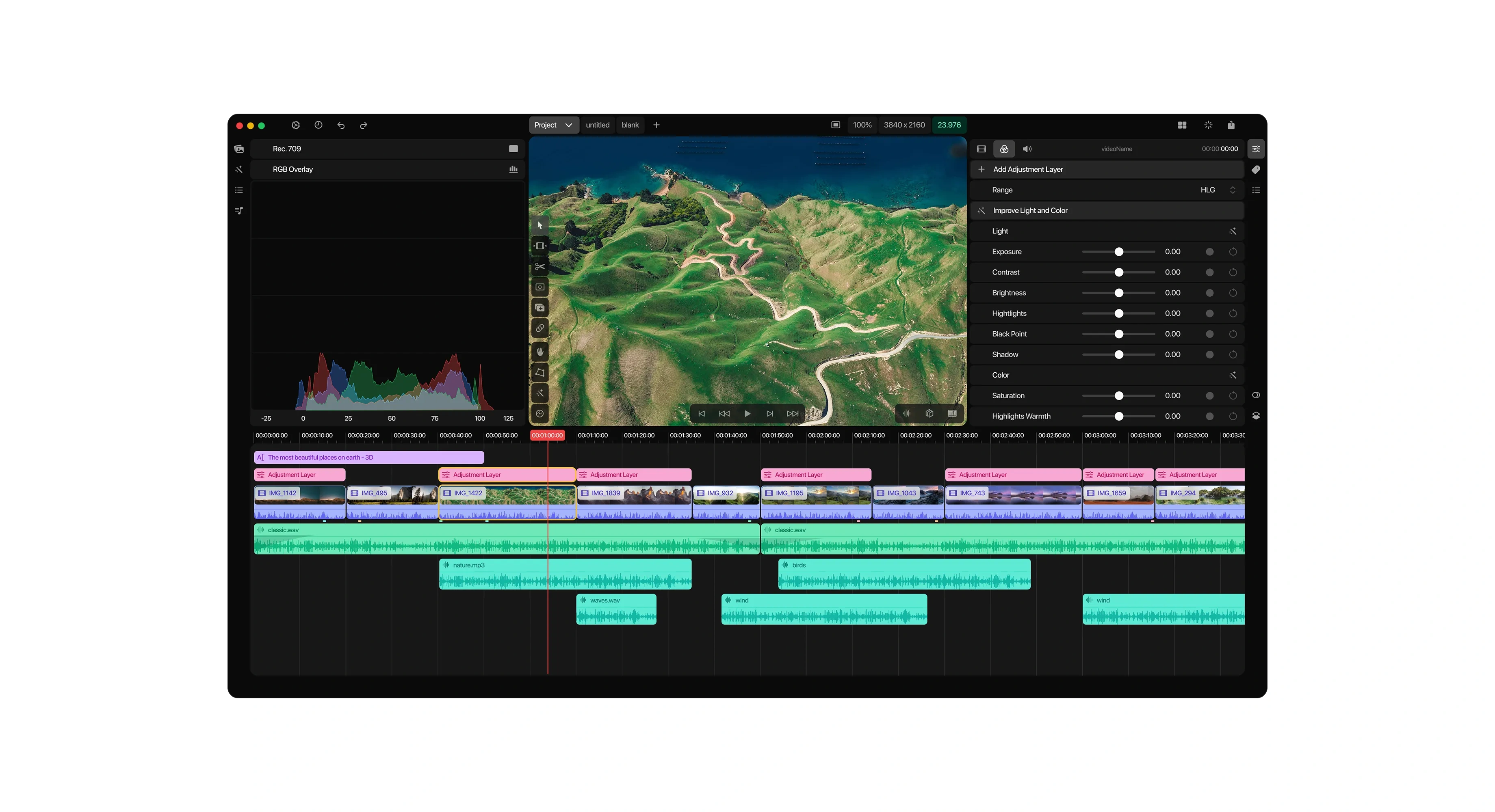
Designed one consistent right hand inspector that swaps context (adjustment layer properties, color tools, audio) without changing spatial location, reducing friction during fast grading sessions
Built adjustment layers as first class, timeline native objects, so nondestructive grading stacks stay visible and reorderable directly in the edit instead of hidden in a separate node graph
Kept scopes and histograms available on demand rather than always on, so the default view stays clean for editing first work
Design Process
Technical Implementation
Established a full Figma design system covering color tokens, typography scale, spacing, iconography, and elevation, documented as reusable, variant based components rather than static screens
Built a shared component library for recurring UI patterns (sliders, curve editors, color wheels, timeline clips, track headers) so new features could be assembled from existing parts instead of designed from scratch
Native macOS window chrome to match the conventions professional users already trust from apps like Final Cut Pro
Multi track timeline architecture supporting stacked adjustment layers, per clip video, and unlimited audio tracks (score, ambience, foley), color coded by track type: pink for adjustment layers, blue for video, teal for audio
Contextual scopes (RGB overlay and histogram) docked into the left rail only when a color panel is active, keeping the canvas uncluttered otherwise
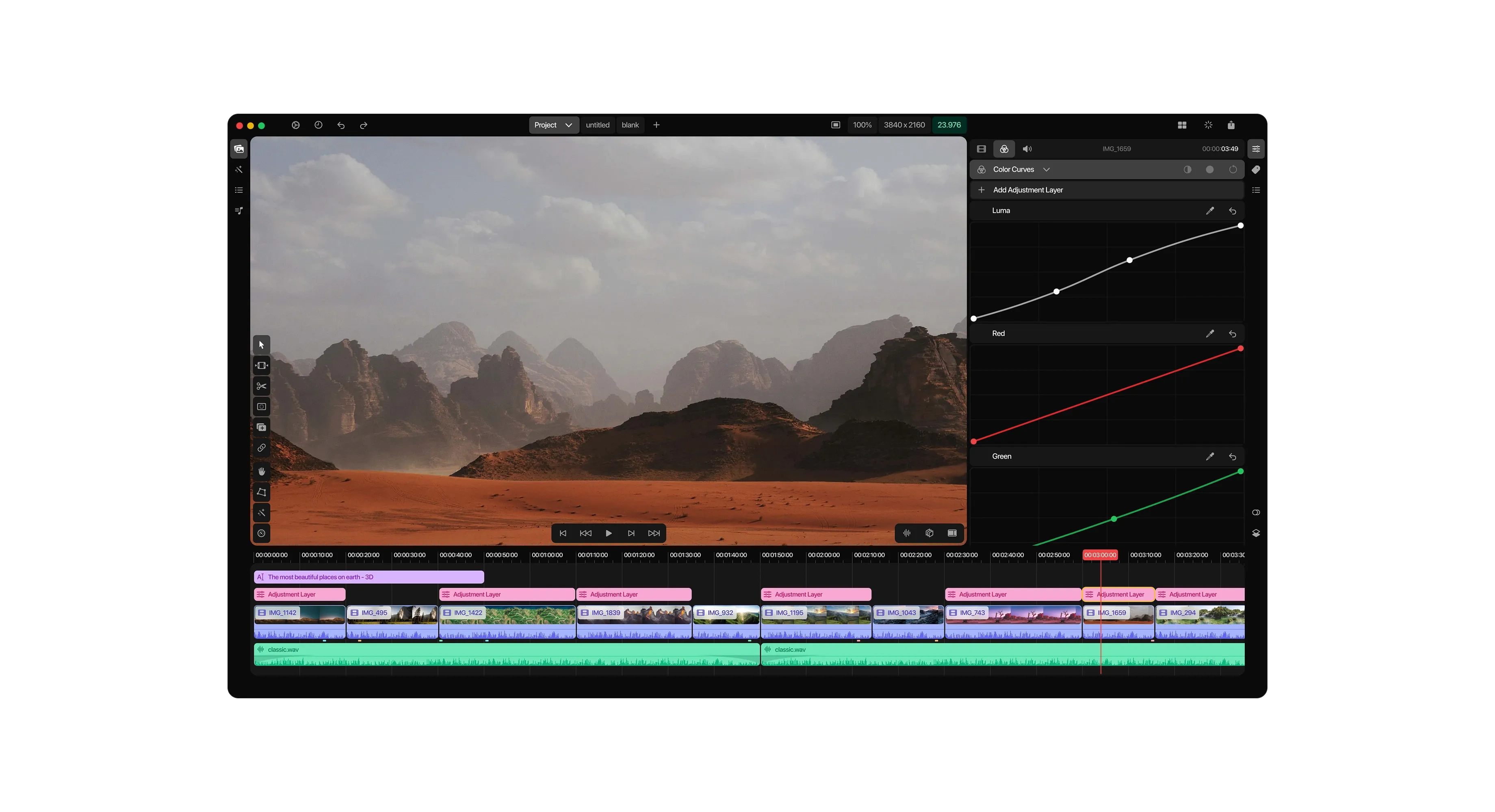
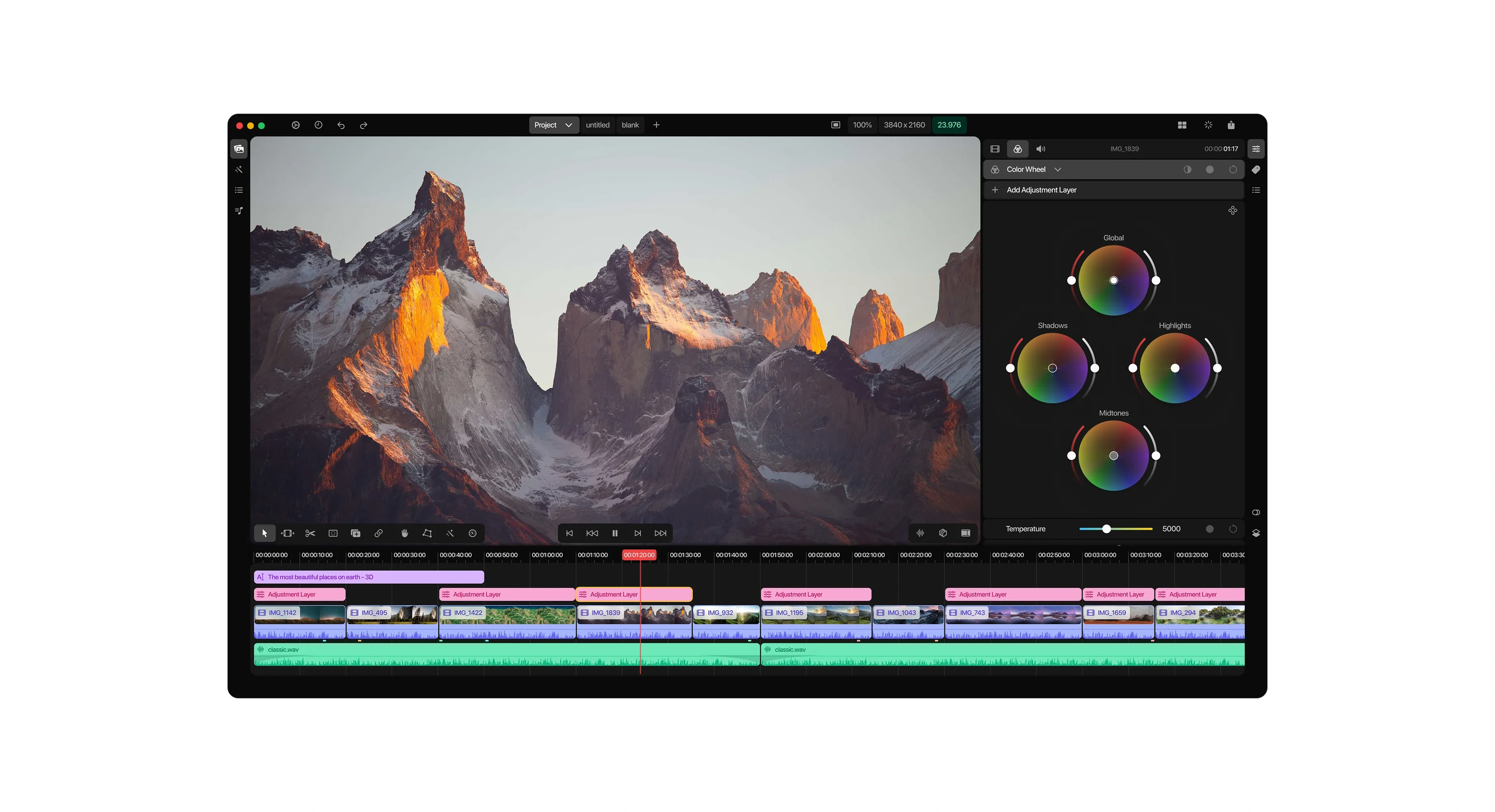
Three dedicated grading modules, Light and Color sliders, Color Curves with per channel Luma and RGB control, and three way Color Wheels for Global, Shadows, Highlights, and Midtones, built as tabbed panels within a single inspector shell instead of separate windows
A strict dark UI system with one reserved accent color for state and status only, so the interface never competes with graded footage
Defined typography and waveform rendering rules to keep dense multi track sessions legible at both full zoom and zoomed out views
Like this project
Posted Aug 17, 2026
A professional color grading and video editing app for macOS, including a full design system built for creators who want cinema grade tools made simple.
Likes
0
Views
18
Timeline
Mar 1, 2024 - May 15, 2024