WeWorkRemotely Remote Jobs Dashboard

Kris Bruurs


WeWorkRemotely Remote Jobs Dashboard
This project provides a fully automated solution for scraping and visualizing remote job trends from WeWorkRemotely.com. It collects data on the top trending job listings, processes the information, and presents insights through an interactive web dashboard.
Overview
The goal of this project is to offer a comprehensive view of the remote job market by leveraging data from a leading remote job platform. The entire workflow, from data collection to visualization, is automated using a Makefile for ease of use.
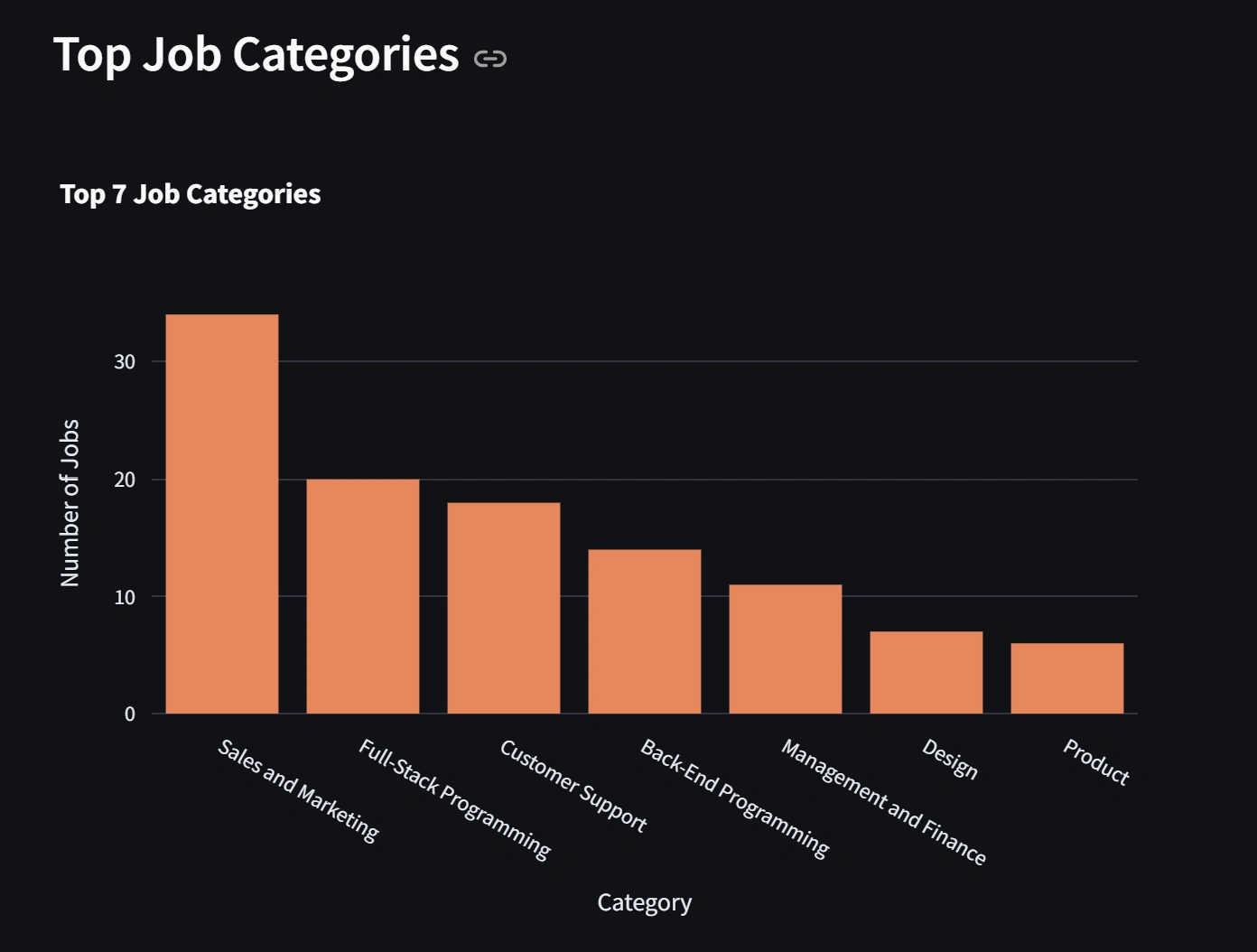
The dashboard provides key insights into:
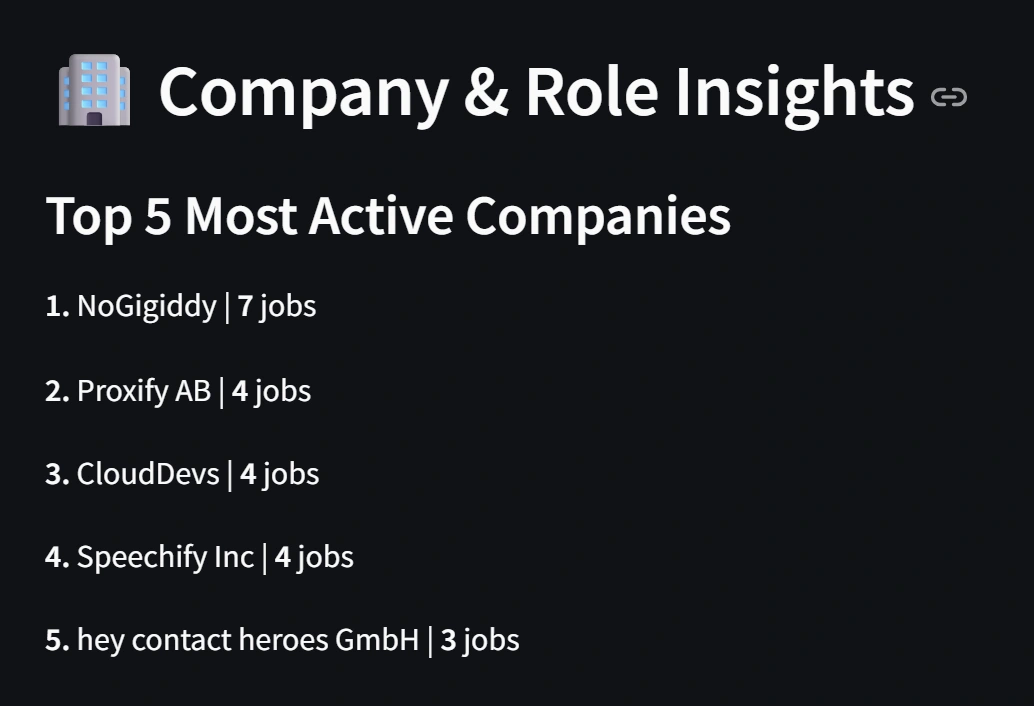
Top hiring companies
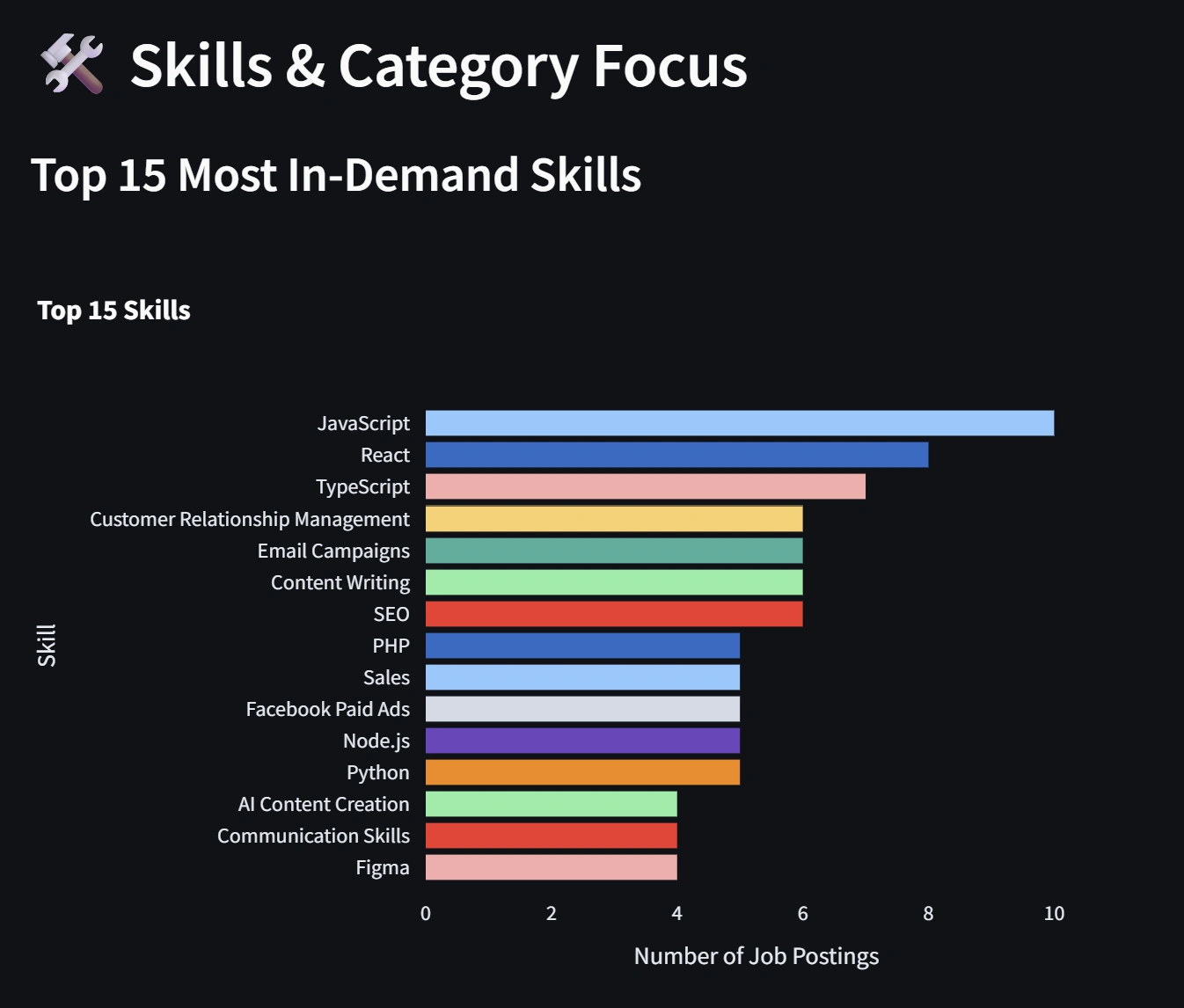
In-demand skills
Job distribution by category and type
Salary ranges and averages
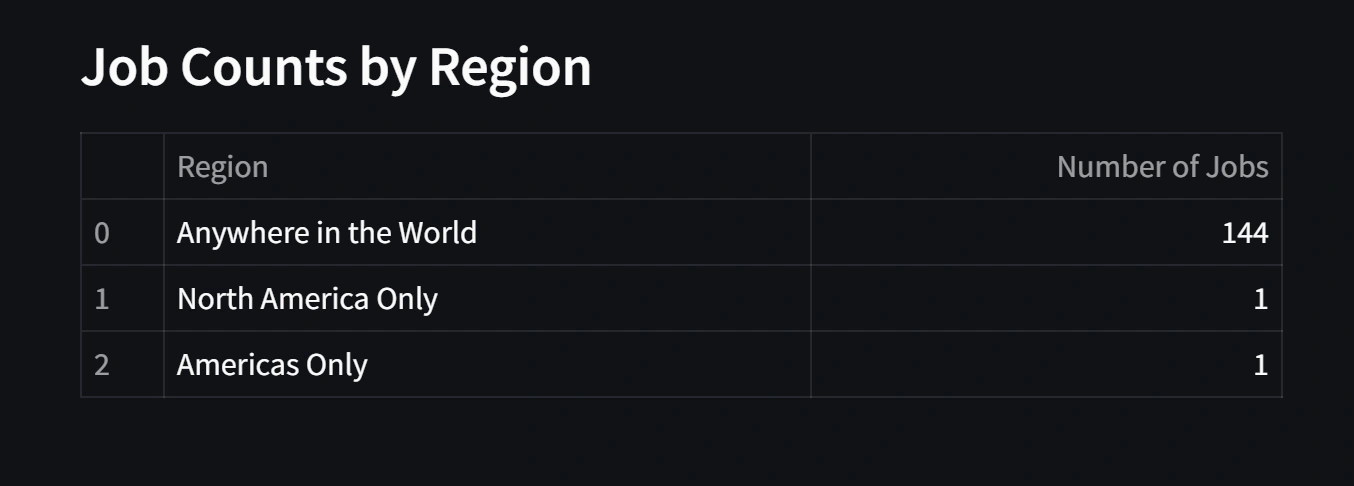
Regional job availability
Features
Automated Scraping: Utilizes Selenium with undetected-chromedriver to collect fresh job data efficiently.
Data Processing: Cleans and structures raw data, including salary parsing and skill extraction.
Interactive Dashboard: Built with Streamlit and Plotly for dynamic visualizations.
Automation: Makefile enables simple setup and execution of the entire pipeline.
Tech Stack
Python for core functionality
Selenium & undetected-chromedriver for web scraping
Pandas & NumPy for data manipulation
Streamlit for the web application
Plotly for data visualization
Getting Started
Follow these steps to set up and run the project locally.
Prerequisites
Python 3.7 or higher
The
make command (available on Linux/macOS; install via Chocolatey on Windows)Installation
Clone the repository:
Install dependencies:
This command installs all required Python packages from
requirements.txt.Usage
To run the full pipeline (scraping, cleaning, and launching the dashboard):
The dashboard will open in your default web browser. If it does not, navigate to the provided local URL (typically http://localhost:8501).
How It Works
The project consists of three main components:
Scraping (
job_scraper.py): Accesses WeWorkRemotely's trending jobs pages, extracts job details, and saves data to CSV.Data Cleaning (
data_cleaning.py): Processes raw data by extracting salaries, normalizing text, and calculating averages.Dashboard (
dashboard.py): Loads processed data and generates interactive charts using Streamlit and Plotly.The Makefile automates the workflow, eliminating the need to execute scripts individually.
Project Structure
Makefile Commands
make install: Installs Python dependencies.make all: Executes scraping and cleaning without launching the dashboard.make run: Runs the complete pipeline and starts the dashboard.make clean: Removes generated CSV files for a fresh start.License
This project is open-source. Feel free to use and modify it, with appropriate attribution.


Like this project
Posted Feb 21, 2026
Automated scraping and visualization of remote job trends from WeWorkRemotely.com.
Likes
0
Views
4