KAI SX-01: A Playable Product Configurator

Alejandro Silva

Sound on 🔊
Overview
KAI SX-01 is a concept for a modular synthesizer you configure piece by piece, then play. Choose a size and an edition, dock the modules you want and watch the price follow every change.
You can play the instrument as you configure it, so each module added gives you something new to try.
I designed the product, brand, interface, interaction model and motion, directed the audio, and built the experience in Rive.
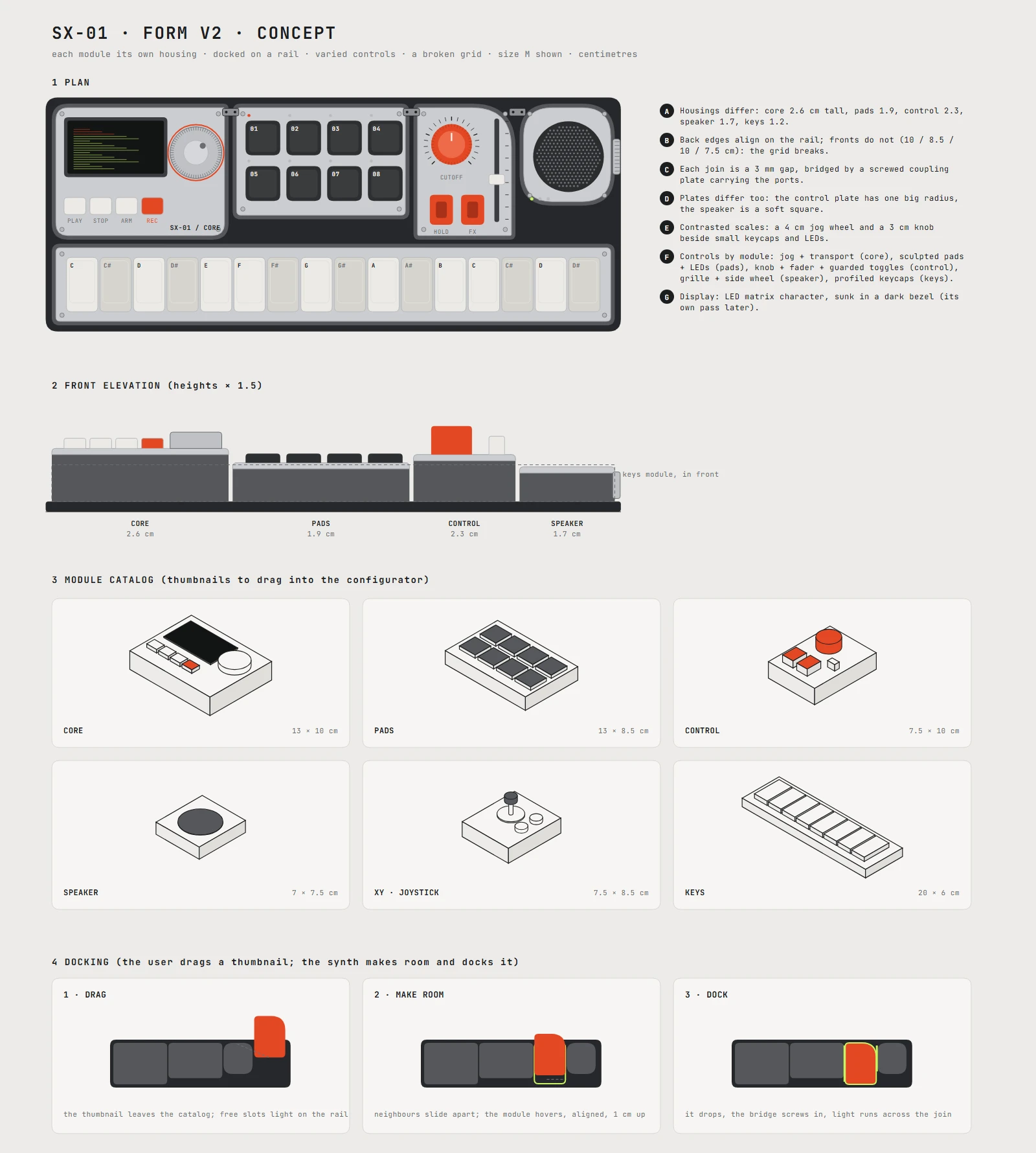
Form studies. Individual module housings, varied controls and a visible seam between parts.
1. Designing the system
Every configuration shares a fixed core with the display and transport controls. Modules around it change the instrument’s function, while the front strip holds either keys or a step sequencer.
Each module has its own housing and controls, making it recognizable as an object before it enters the configurator. The interface carries the same hardware language through technical labels, fine rules and spec-sheet cards.
Three editions give the system distinct finishes, accents and grooves.
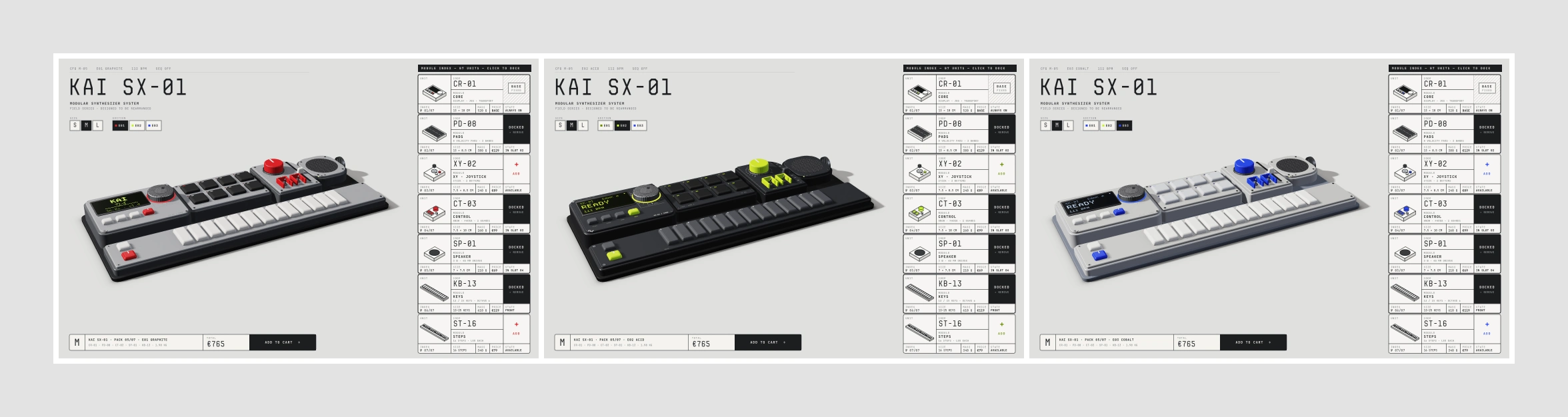
Three editions. E01 GRAPHITE, E02 ONYX and E03 COBALT, each with its own finish, accent and groove.
2. Configuring the product
The configurator works directly on the product, with every change visible on the unit itself. Drag a module into place and its neighbors shift to make room, then the module docks and the total updates.
Docking a module. The unit makes room, the module settles into place and the price updates.
Three sizes define the available slots. At checkout, the configuration becomes a product image and an itemized summary, followed by a simulated order confirmation.
Three sizes, each with its own slot capacity.
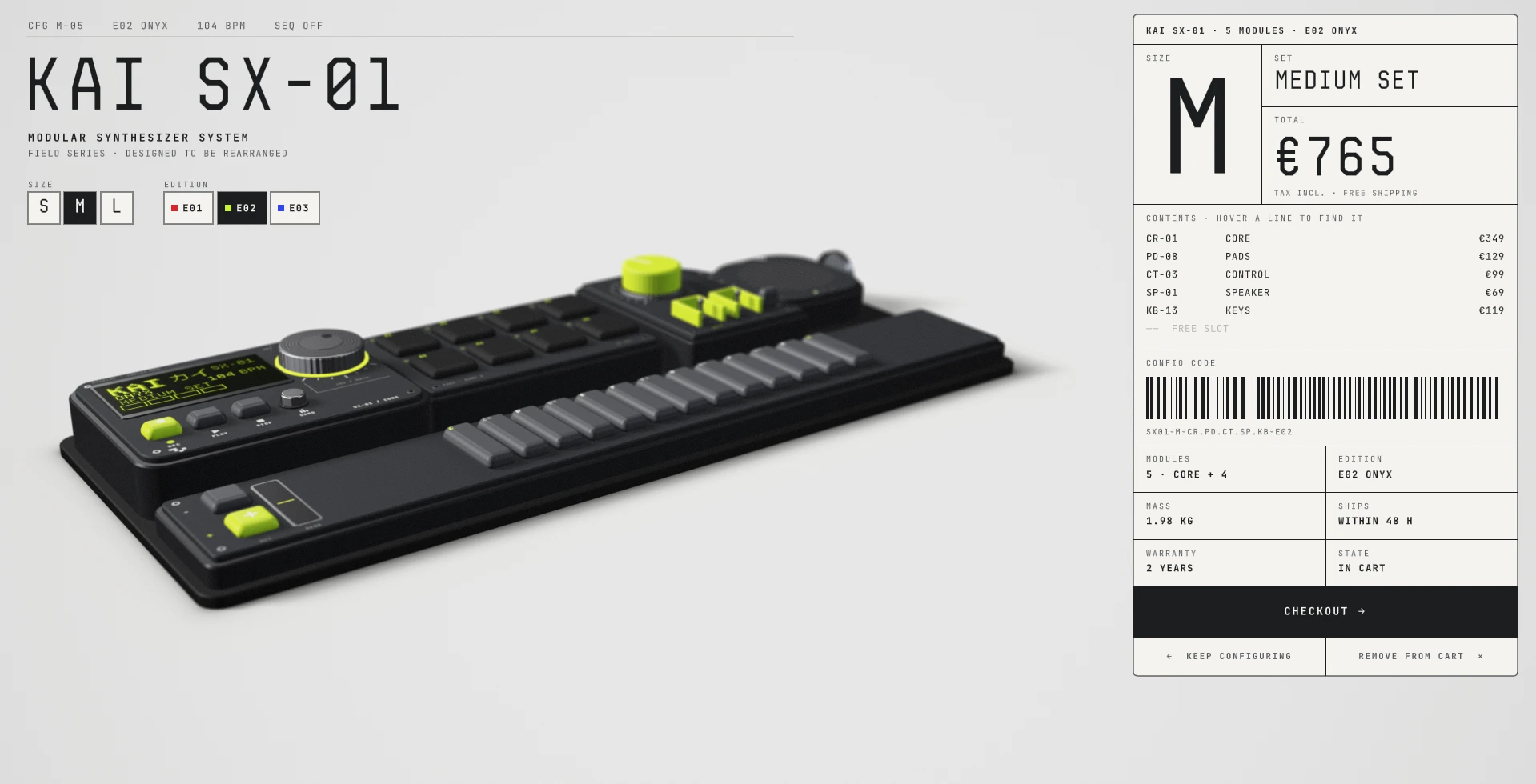
The configured product in the cart and order summary.
3. A connected visual language
Module cards, the pack and the order summary share one grid of fine rules and compact labels. Each edition’s accent carries through the interface, connecting the product with the information around it.
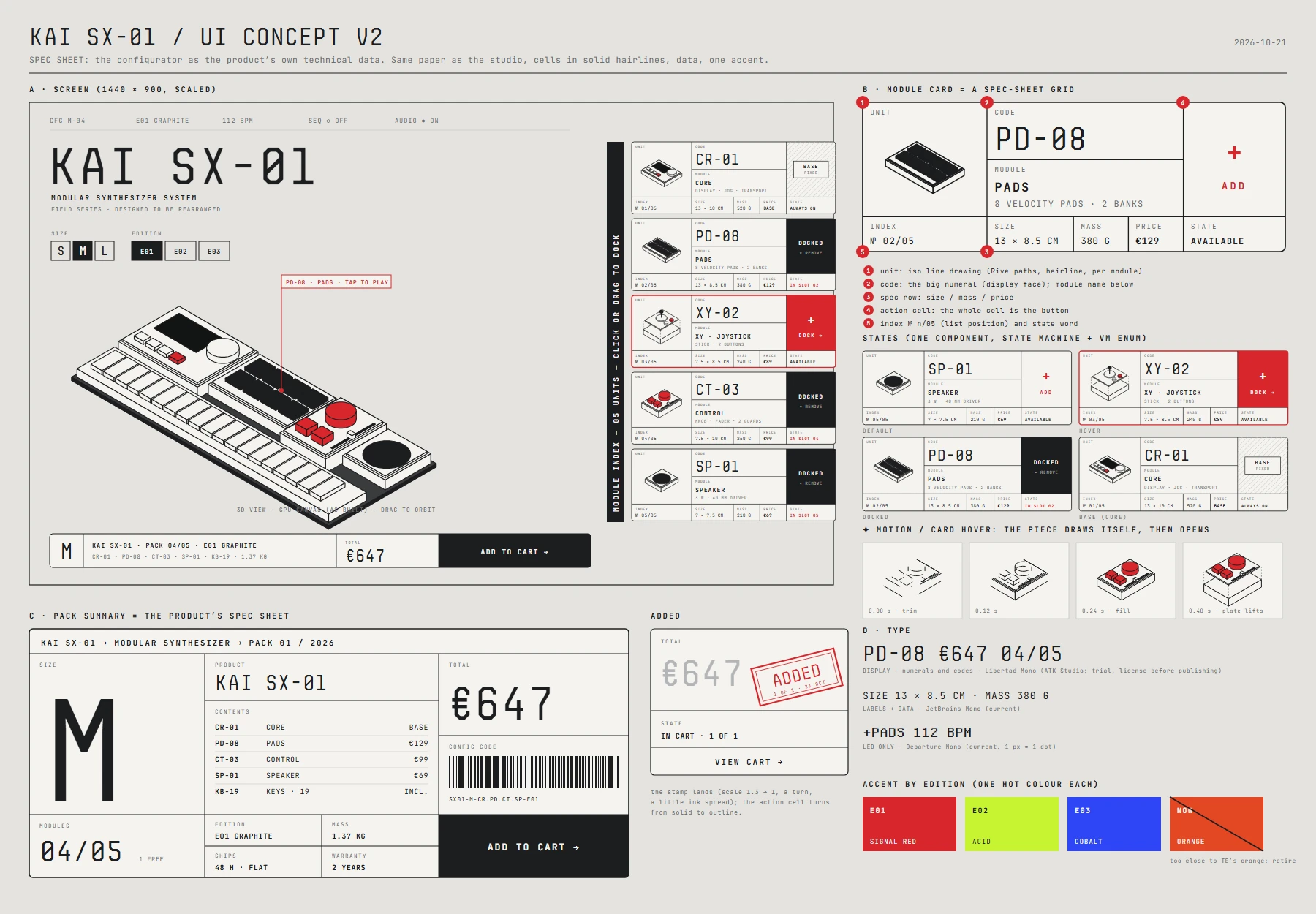
Interface concept. Spec-sheet cards, a pack label and one accent per edition.
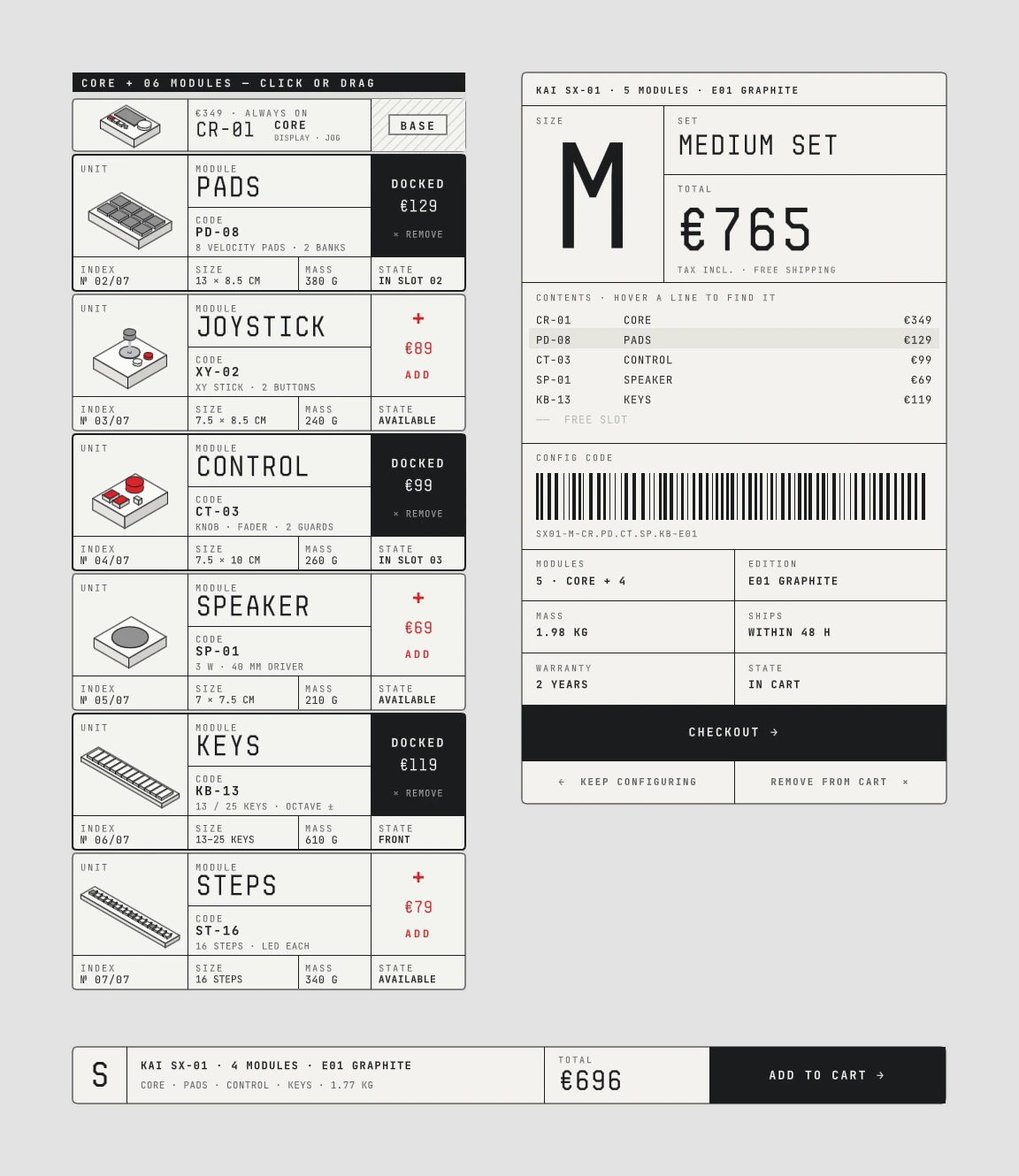
Card system. Module cards, the pack and the order summary.
The LED display takes part in the interaction: it boots, acknowledges module changes, shows control values and traces the sound.
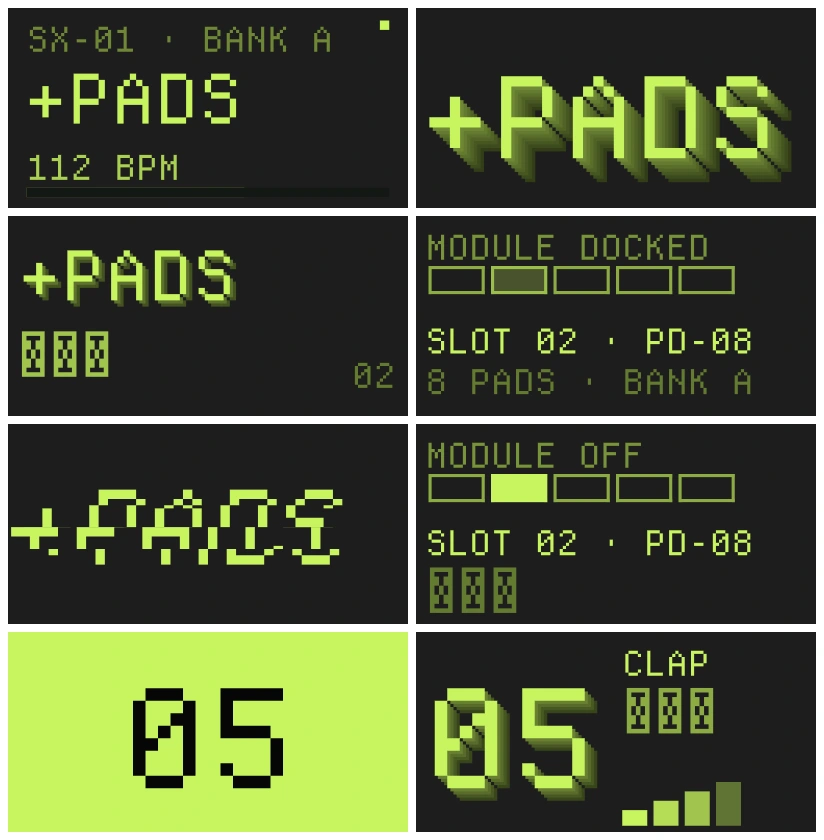
Rive artboards rendered as a 128 × 64 LED matrix on the 3D body.
4. Playing what you build
KAI SX-01 is playable throughout configuration, with each module ready to use as soon as it is added. Keys play a polyphonic voice, pads trigger drums and the step sequencer can be edited while it runs. Even the core alone can play the edition’s groove, with no speaker module required.
Record loops, layer them and shape them live with the filter and fader, while an oscilloscope traces the sound on the display. Each edition plays its own groove.
The joystick module controls audio parameters and also lets you play a game on the instrument’s display.
Sound on. Keys, pads, the sequencer and a recorded loop shaped with the filter.
The joystick module unlocks a game on the instrument’s display
5. Across screens
The same instrument runs in a desktop, tablet or phone browser. On touch, a pinch zooms the product, a tap docks a module and the cards scroll under the thumb. Every configuration still plays.
KAI SX-01 in a phone browser
6. Built in Rive
The experience brings together a real-time 3D product, reusable interface components, an animated display and procedural audio in a single Rive file.
Inside Rive. Module card variants, view model properties and hover states.
Interface components
Module cards share a component design across different sizes and states. View model properties define their content and status, while a state machine handles hover feedback.
Display components and animation timelines in the Rive Editor.
Building the display
The display graphics are built and animated in Rive, from the boot sequence and module feedback to the sequencer and game screens. They appear on the product as a 128 × 64 LED matrix.
Sound on. An early synth voice test with a keyboard and sound-shaping controls.
Procedural audio
An early voice test paired a keyboard with sliders to explore and adjust the synth’s sound before integrating it into the product. In the final experience, procedural audio in AnimaScript generates the sound live.
Configuring and playing share one object. Each module added changes the instrument, so the product makes its case through sound as much as through image.
Try it live: kai-sx01.vercel.app
Self-initiated concept · October 2026
The brand, products and prices are fictional. Audio development was agent-assisted, guided by my references and direction for each edition’s groove.
Like this project
Posted Oct 29, 2026
A modular synthesizer you configure piece by piece, then play. An interactive 3D product experience built in Rive.
Likes
0
Views
11
Timeline
Sep 21, 2026 - Oct 28, 2026